



Document Designer — From Record to Polished PDF
Design a template once with drag-and-drop elements and live Record Fields—then generate proposals, invoices, contracts, and reports as formatted PDFs, on demand or by Automation.
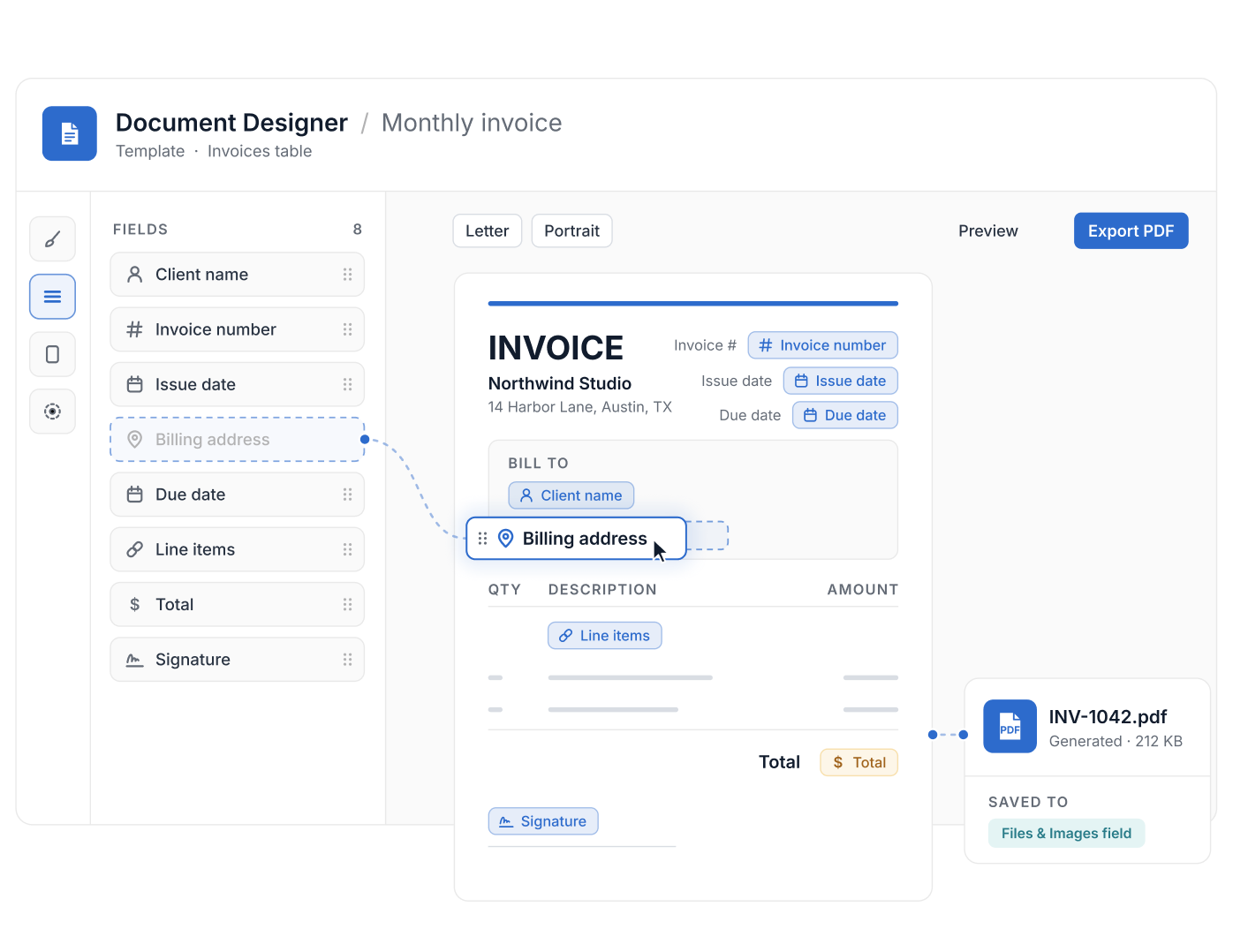
- Document Designer is available on all plan types; any non-Guest member can create templates in Tables they can access.
- Templates combine lines, rectangles, circles and static text with fields from the record, placed by drag and drop.
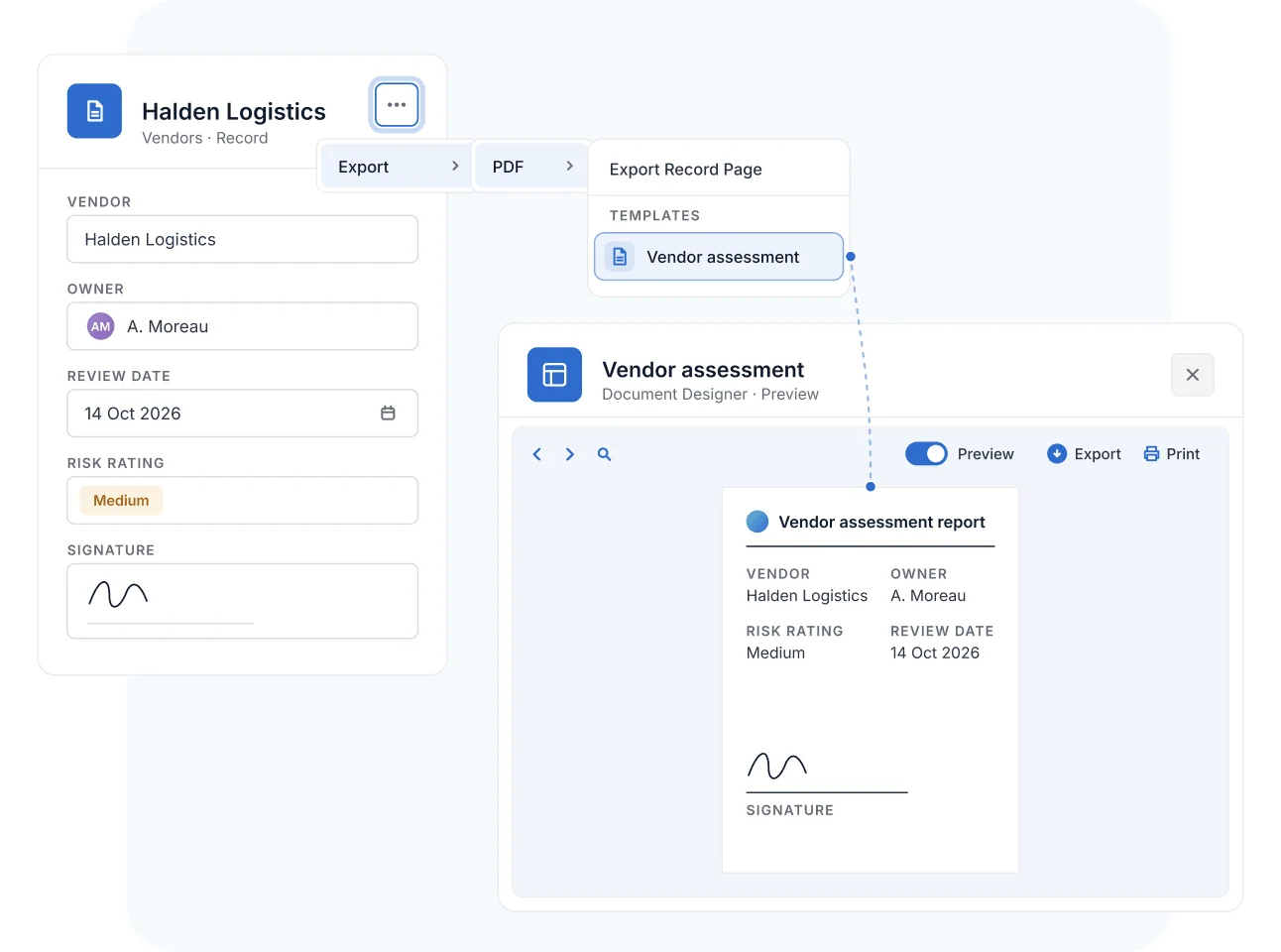
- A record exports to a template from its menu: Export, PDF, then the template name; the PDF downloads automatically.
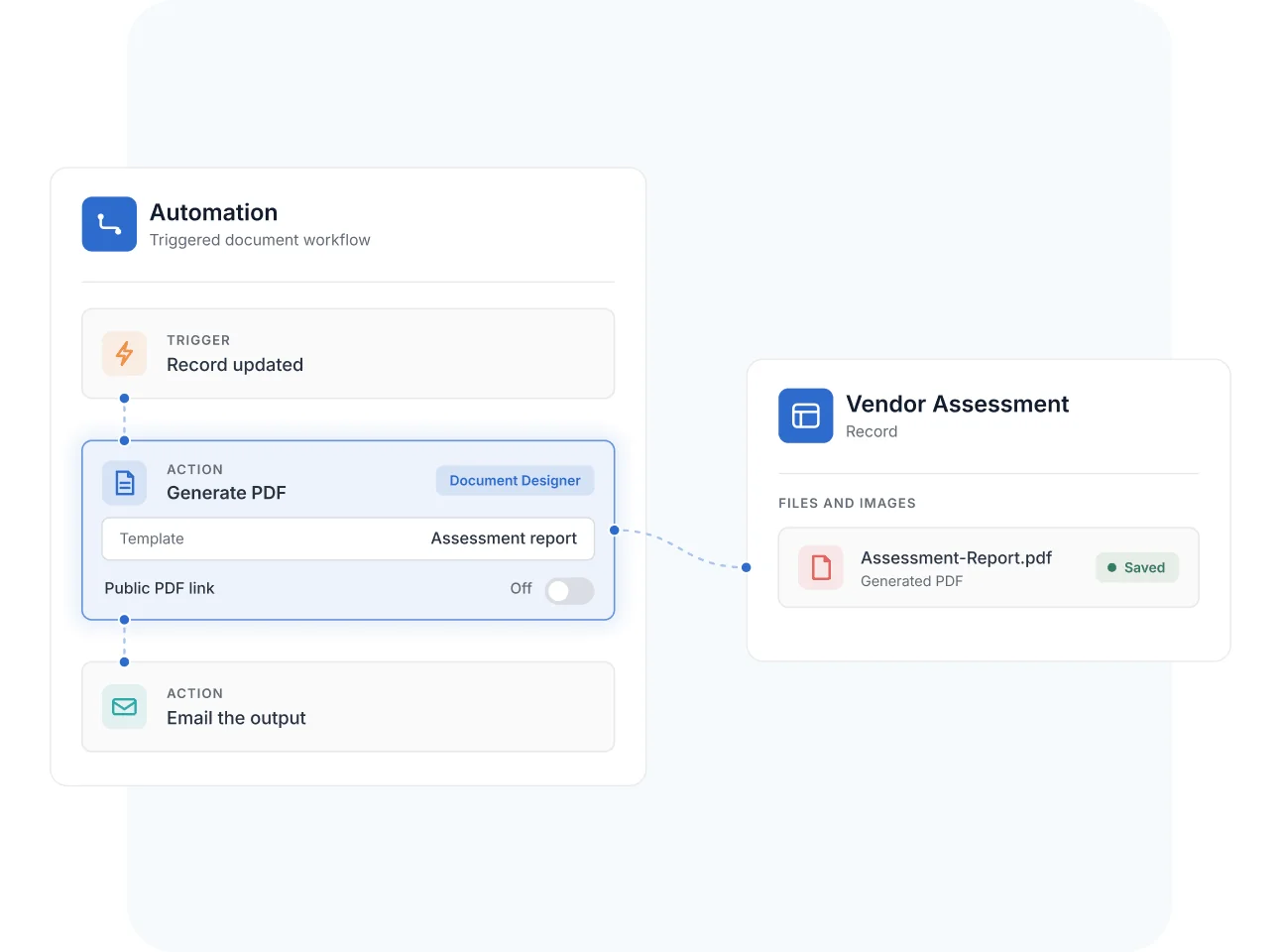
- The Generate PDF automation action produces documents without manual steps.
- A Button field with a URL formula opens a template in print mode from a record.
What Is Document Designer?
Document Designer is SmartSuite's drag-and-drop template builder for generating custom-formatted PDF documents auto-populated with data from Records. It helps sales, finance, operations, and service teams produce proposals, invoices, contracts, and reports without re-keying data—designed once, generated every time. Document Designer is available on all plan types, and it pairs with Automations for triggered generation.
Template Builder
Design Templates with Drag-and-Drop Elements and Live Fields
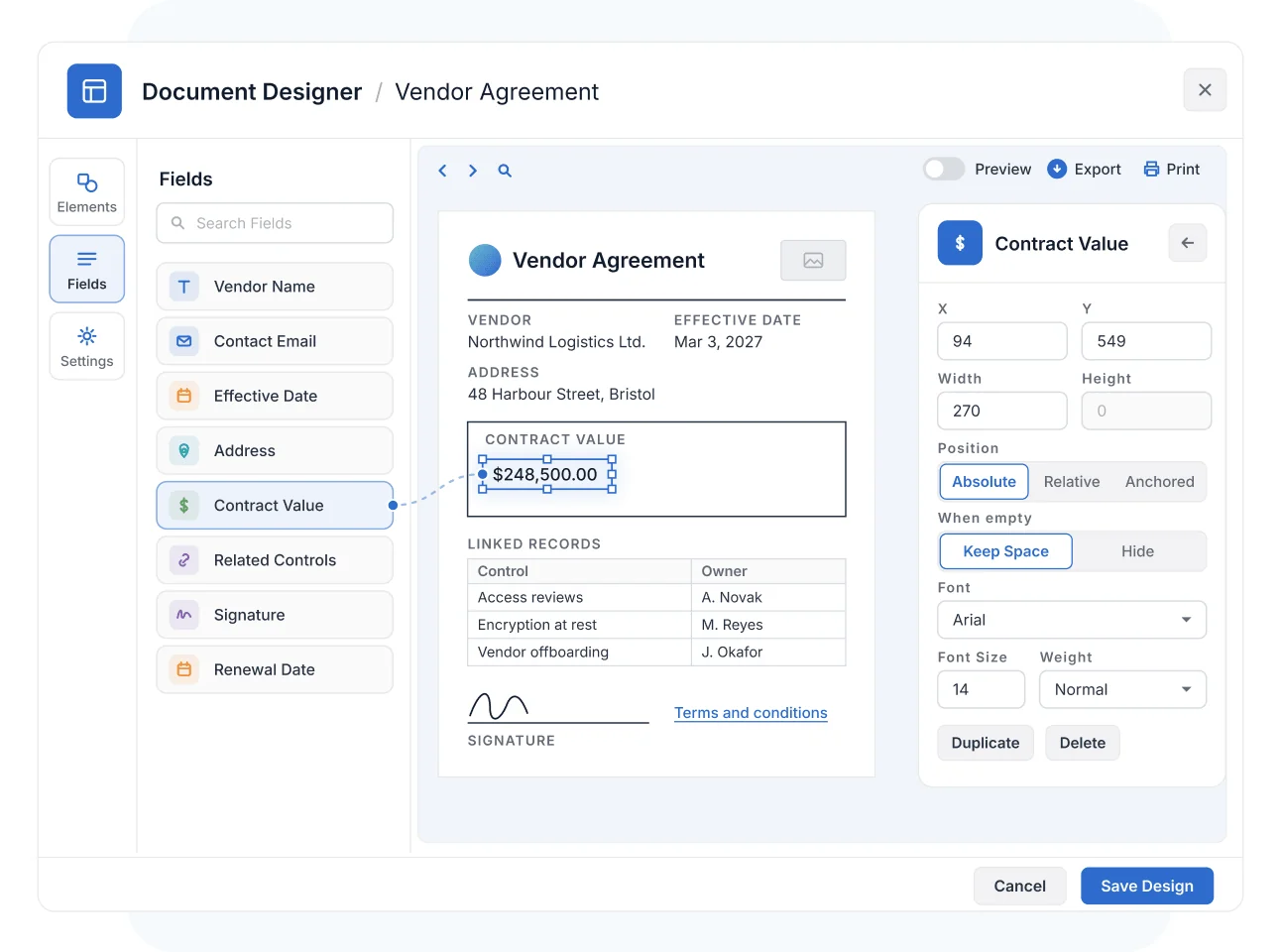
Combine visual elements—lines, boxes, circles, static text, images, and links—with live Fields pulled straight from your Records. Document Designer supports more than 40 Field types, including Address, Currency, Date, Email, Linked Records, and Signatures.
Place every element with Absolute, Relative, or Anchored positioning, customize fonts, sizes, colors, and alignment, and set the page up for Letter, Legal, A4, or business-card formats in portrait or landscape.
One-Click Output
Generate Client-Ready PDFs Straight from Any Record
Inside a template, arrow between Records to preview each populated document, then export to PDF or print directly. From an individual Record, choose the template on export and the completed PDF downloads automatically.
The data comes from the Record, so the invoice, proposal, or report is always current—no copy-paste, no stale figures.
Automated Generation
Automate PDF Generation for Triggered and Batch Workflows
Document Designer integrates with the Generate PDF Automation action, so documents create themselves when a triggering event occurs. Email the output, save it to a Files and Images Field, reference it by URL or filename elsewhere, or feed it into further Automation steps.
For sensitive documents, public PDF links can be disabled—keeping generated files inside your governed workspace.
Document Designer
Formal documents are where governed data meets the outside world—auditors, regulators, vendors, and stakeholders. Document Designer generates them from the Records you already trust.
Generate a formatted PDF of a completed risk assessment or control test straight from the Record—consistent layout, current data, ready to hand to an auditor.
Populate contract templates with vendor Record data—terms, contacts, and Signature Fields—so third-party paperwork starts from governed data instead of a blank document.
Produce a standardized PDF when a policy exception is approved or a finding closes, and route it to stakeholders who never open the workspace—current Record data, no copy-paste assembly.
Generate formatted policy PDFs straight from the approved policy Record, so employees attest against the current version—not a stale copy saved to a shared drive.
Pair Document Designer with Automations to generate a PDF when a Record hits a milestone—then email it and file it to a Files and Images Field in the same run.
Document Designer is SmartSuite's drag-and-drop template builder for generating custom-formatted PDF documents—proposals, invoices, contracts, and reports—auto-populated with data from SmartSuite Records. You design the layout once, and every generated document pulls current Record data into it.
Templates support more than 40 Field types, including Address, Currency, Date, Email, Linked Records, and Signatures. Button, Checklist, and Sub-Items Fields are not supported in templates.
No. Templates are built visually—drag design elements and Record Fields onto the page, position them with Absolute, Relative, or Anchored placement, and style fonts, colors, and alignment without writing any code.
Yes. The Generate PDF Automation action creates documents when a triggering event occurs. The output can be emailed, saved to a Files and Images Field, referenced by URL or filename, or passed into further Automation steps for batch and triggered workflows.
Templates are created and managed by Solution Creators. Other Members can generate and export documents from existing templates when they have permission on the Table.
Open the Record's 3-dot menu, choose Export, select Adobe PDF, and pick a template—the completed, data-populated PDF downloads automatically.
Public PDF links can be disabled for documents generated through Automations, keeping output inside your governed workspace. Access to templates and generated files follows the same SmartSuite permissions as the underlying Records.
Design the Template Once, Generate It Forever
Build your proposal, invoice, or report layout in an afternoon—then let Records and Automations do the paperwork.