



A platform to build and maintain connected workflows
SmartSuite is the AI-native work platform for GRC, IT, projects and business operations. Unite data, teams and systems in one governed environment, reducing tool sprawl, improving visibility and powering end-to-end execution with intelligent automation and enterprise-grade reliability.

What is the SmartSuite Platform?
The SmartSuite Platform is an AI-native enterprise work platform that helps organizations design, automate, manage, and scale the workflows that run the business. Every SmartSuite Solution Suite runs on this common foundation, giving teams a unified environment to deploy purpose-built solutions, tailor them to their operating model, and extend them with new connected workflows.
Built on a relational database foundation, the platform structures business data as a connected work graph, linking records, processes, teams, permissions, automation, integrations, and reporting across the organization. SmartSuite brings together AI, governed no-code configuration, automation, permissions, integrations, and analytics in one environment.
The SmartSuite Platform gives organizations a more scalable way to standardize workflows, reduce fragmentation across enterprise applications, and maintain visibility and control as business requirements evolve.
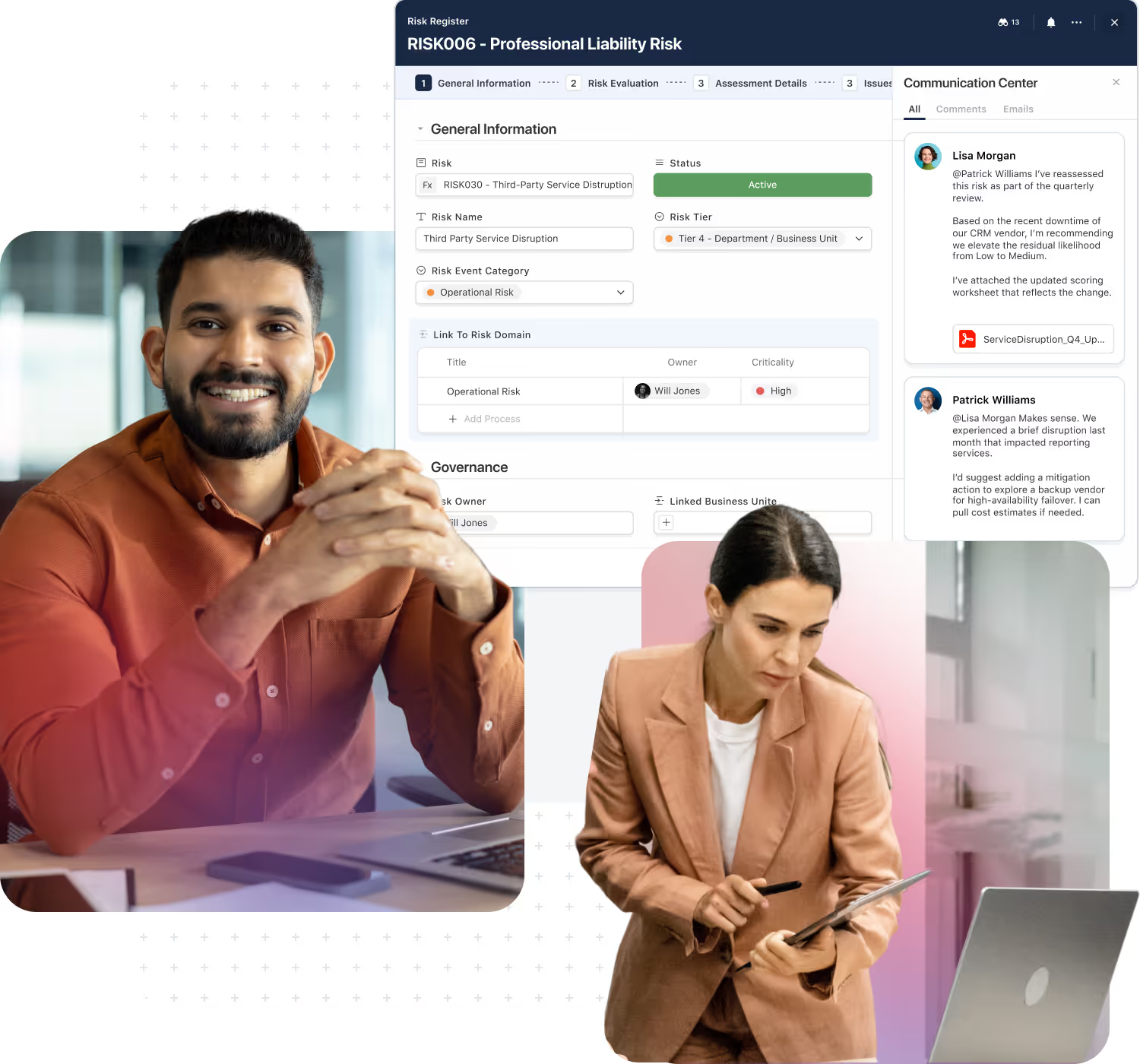
One enterprise foundation for workflows, data, AI, permissions, integrations, and reporting.
Connect workflows through a shared relational database architecture that keeps data aligned across processes.
Tailor Solution Suites and build new workflows without custom development, while maintaining structure and control.
Apply AI directly within workflows to accelerate execution, improve decisions, and reduce manual effort.
Keep handoffs, dependencies, and outcomes linked across teams, functions, and solution areas.
Maintain consistent permissions, auditability, and oversight across every workflow.
Connect SmartSuite with the systems already used across the enterprise.
Start with one solution area and expand on the same platform as workflows connect across the business.
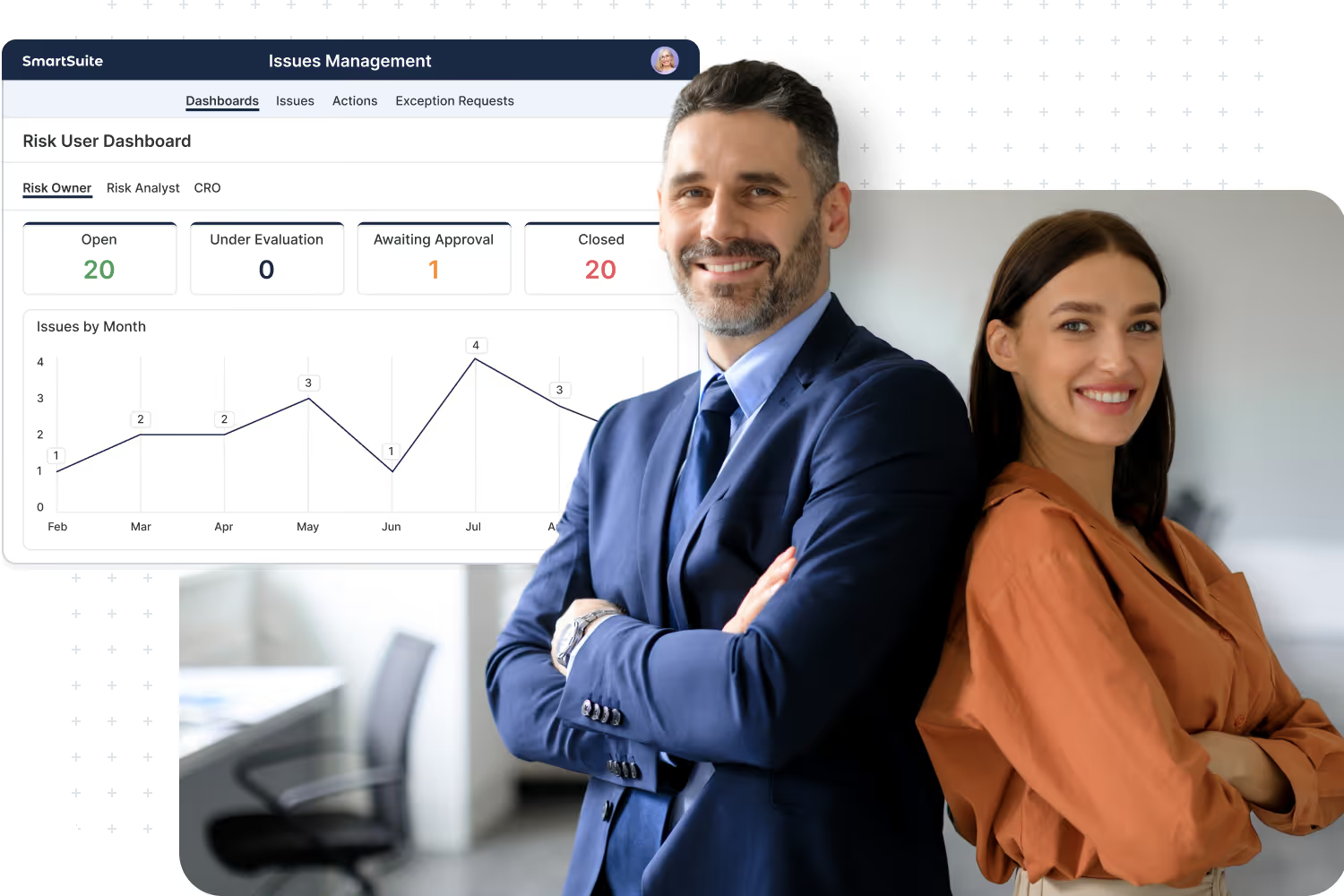
Why is this important?
As organizations scale, critical workflows often end up spread across fragmented applications, separate data models, disconnected reporting layers, and inconsistent security models. That complexity slows execution, increases administrative overhead, and makes it harder to maintain a clear view of how work is actually running across the business.
SmartSuite replaces that fragmentation with one connected enterprise platform. It gives organizations a consistent way to design, govern, automate, and scale workflows—so teams can move faster, data stays connected, and the business gains a stronger foundation for control, visibility, and continuous improvement.
The SmartSuite Platform:
Powered by Eight Interconnected Frameworks
The SmartSuite Platform consists of eight interconnected frameworks that provide a foundation for designing, automating, analyzing, and governing connected workflows.
Platform
Workflow Orchestration Framework
Design and tailor workflows visually in SmartSuite Studio. Model your data, define stages and status logic, and compose the exact UI your teams need — all without code.
Orchestration in SmartSuite is about structure: clear data models, guided progression, and purpose‑built interfaces that make every step intuitive.
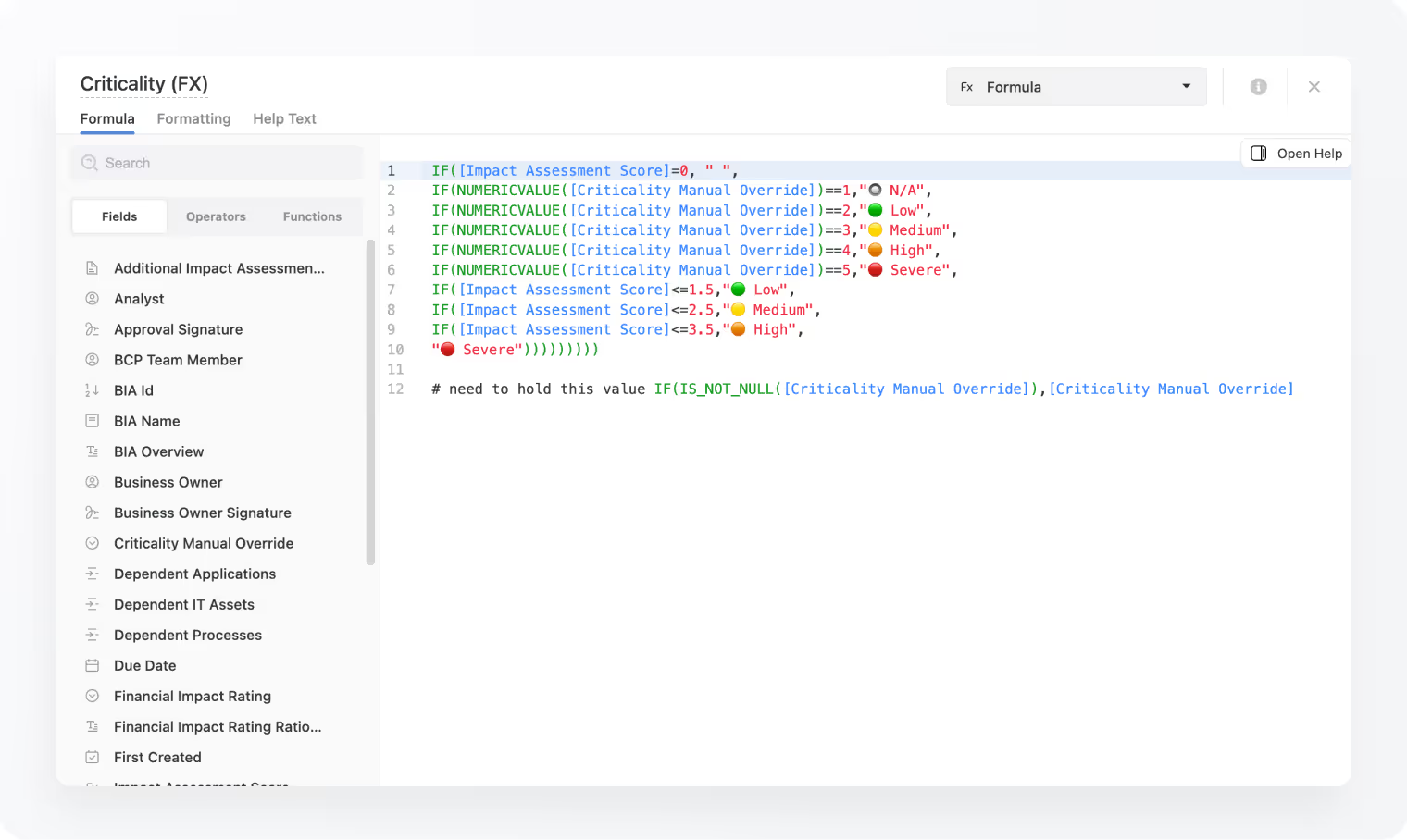
Use Studio to define tables, fields, linked records, sections, and conditional display visually.
Records move through your workflow in a predictable, auditable way.
Compose pages, record layouts, and dashboards for each role.
Start from Accelerators or prior solutions, then adapt to your process.
Required fields, formats, and dependencies for quality data.
Link multiple processes across Solutions to share data securely while maintaining each workflow’s structure and permissions.
Data Architecture Framework
Data Architecture is where the magic of SmartSuite happens. Every workflow is powered by structured data — modeled through Tables and Fields.
With 44 versatile field types, teams can structure solutions that range from simple trackers to sophisticated relational systems spanning multiple departments. SmartSuite’s standards‑based, relationship‑driven model brings consistency, scalability, and structure to every workflow you build.
Solutions group your tables, views, automations, and permissions into self-contained workflows that mirror real-world business operations.
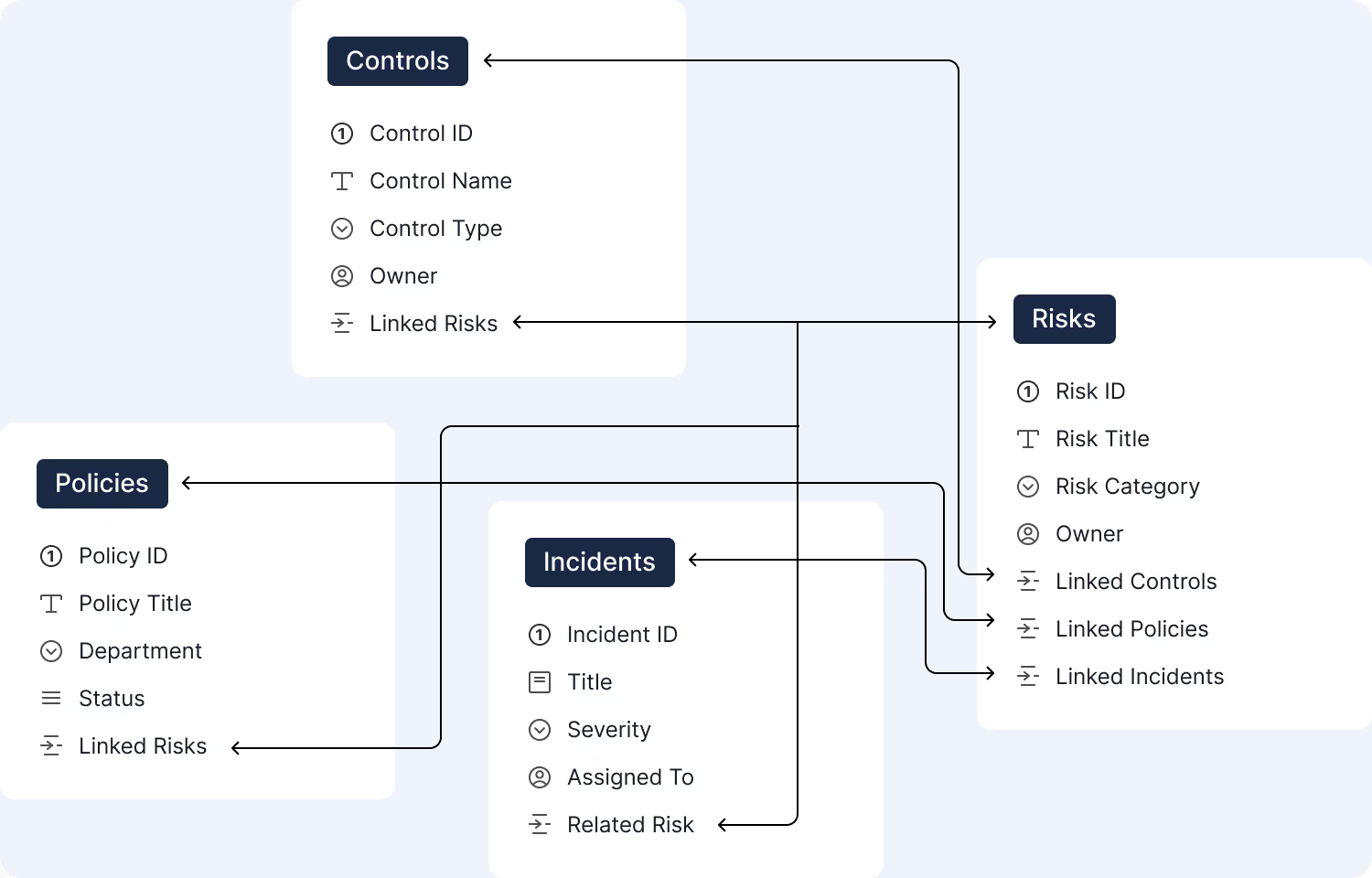
Tables are where your data model lives — each one defining an entity like Risks, Controls, Incidents, or Projects, with fields that shape the data inside it.
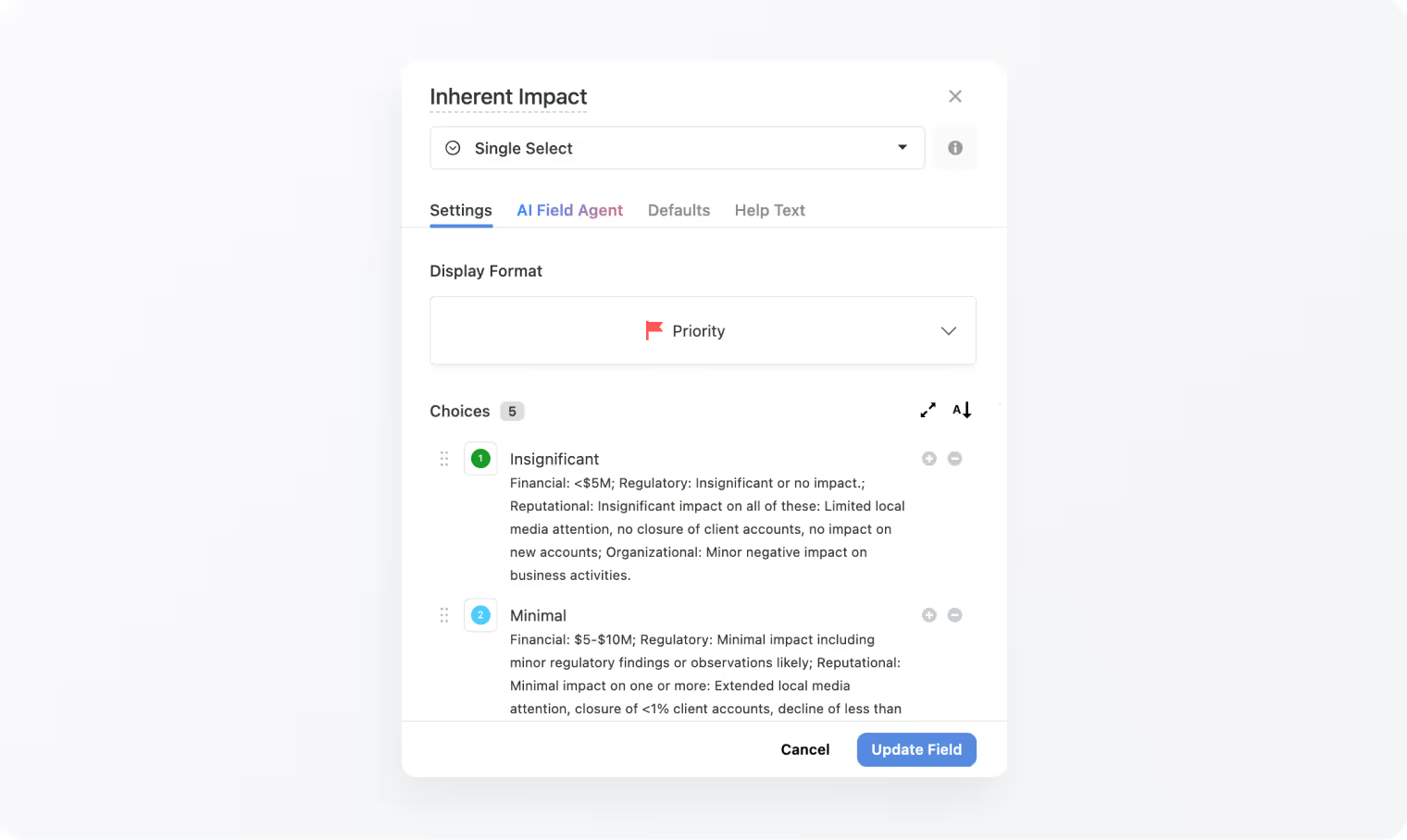
44 field types to choose from. Fields bring precision and meaning to your table — from text and dates to lookups, formulas, attachments, relationships, and more.
Records blend structured data with collaboration, assignments, comments, and activity history — the unit where real work happens.
Grid, Kanban, Calendar, Timeline, Chart, Map — every view presents your records in a way that fits the task at hand.
Dashboards allow you to display data from any solution or table across your entire workspace.
Automation Framework
The SmartSuite Automation Engine transforms how work gets done -connecting actions, systems and data without a single line of code.
Our engine handles simple record updates and multi‑step processes that trigger events inside and outside of SmartSuite. It provides a structured, consistent approach that reduces reliance on custom development while empowering teams to automate with confidence.
Build automations visually using triggers, filters, and actions.
Update records, notify people, or connect external systems.
Use either to trigger or perform actions.
Chain steps and control execution order clearly.
Built-in logging, monitoring, and error tracking and recovery.
Use AI to summarize, classify, or generate content automatically as automations run.

Artificial Intelligence Framework
AI is embedded into the core of the SmartSuite Platform — not bolted on. From content creation to workflow execution, SmartSuite brings intelligence into every layer.
Enterprises can select their preferred LLM and provide their own authentication to maintain control over data, privacy, and cost.
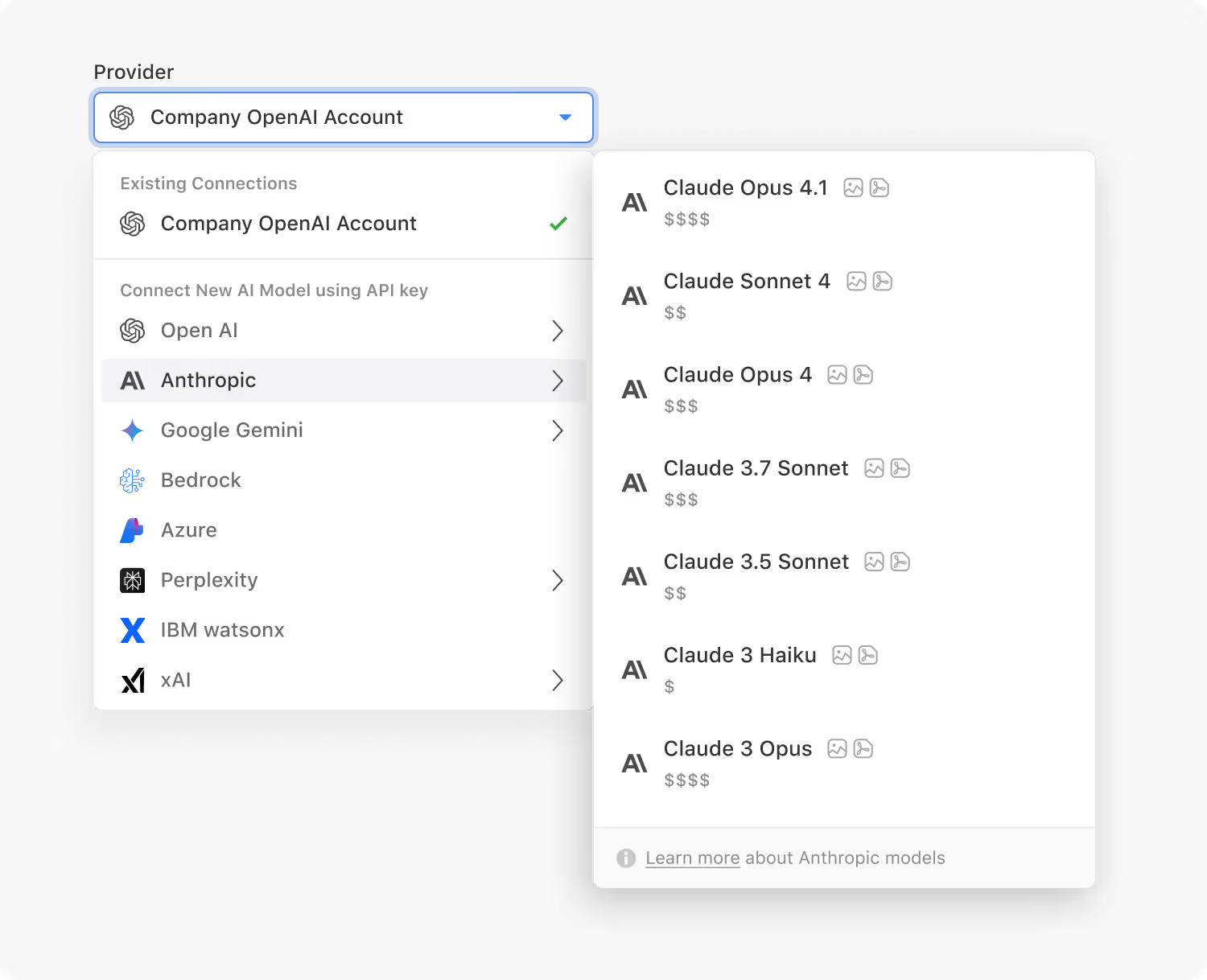

OpenAI, Anthropic, Google Gemini, xAI, Perplexity and IBM, with the current model list in the help center.
Classify/summarize/generate (incl. attachments) and feed results to later steps.
Generate, enhance, summarize, and refine text directly within records.
Record‑level assistants that analyze data and propose actions.
AI actions follow your governance and are fully logged.
Track model usage, review AI actions, and ensure outputs follow your organization’s policies and controls.
Security and Governance Framework
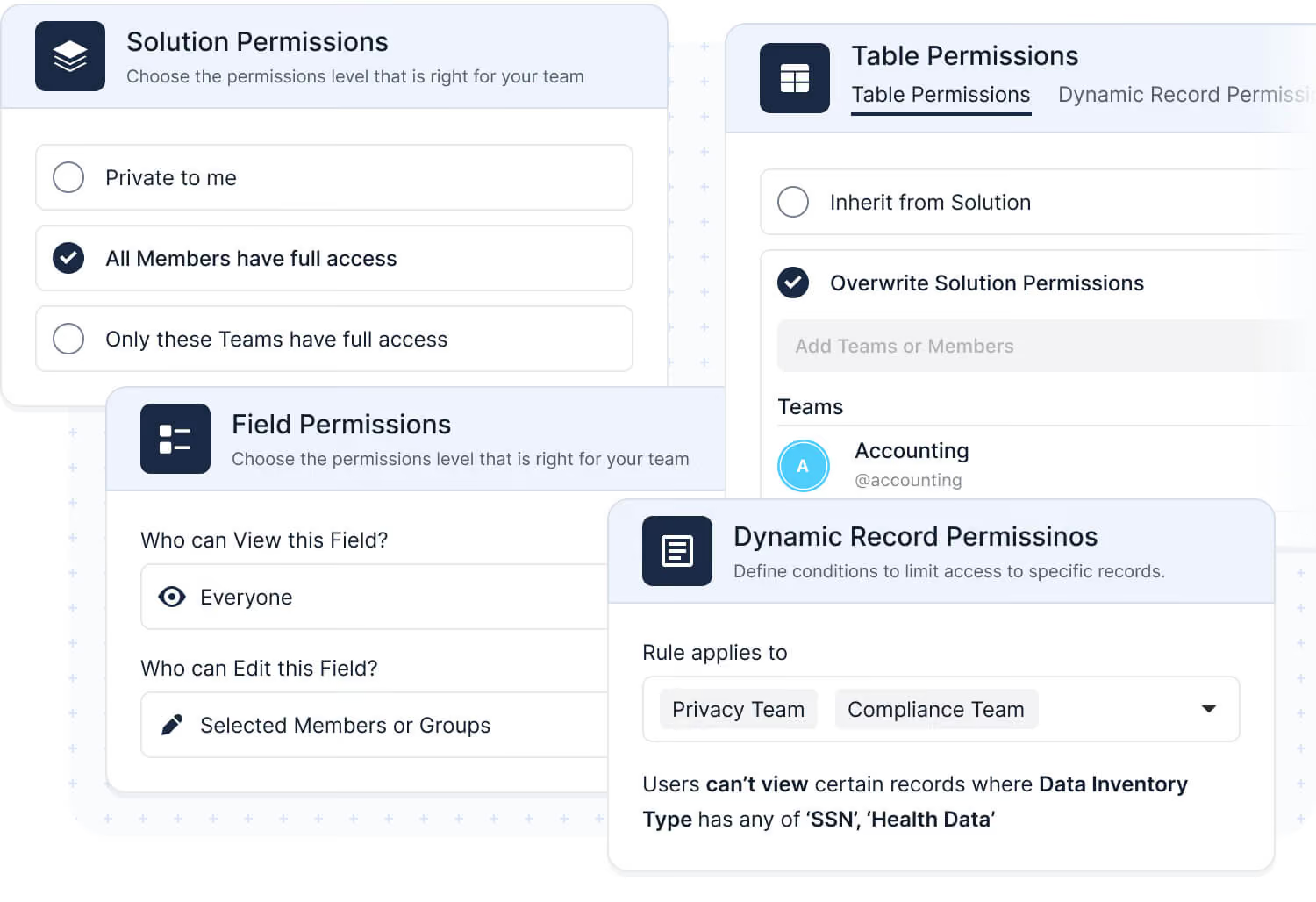
SmartSuite provides fine‑grained, role‑based permissions that protect data without slowing innovation.
Control access at every level — from workspace and solution permissions down to table permissions, record permissions, and field permissions — while managing teams and enforcing policies for authentication, IP restrictions, and auditability.
Assign by user or team, designating granular view, edit, and admin permissions.
SSO, MFA/2FA, SCIM, session policies.
Limit access to approved network ranges.
Track data changes and configuration updates for multiple years.
Supports SOC 2 Type II and GDPR-aligned practices, with a United States or European Union data center on Enterprise and Signature plans.
Organize users into teams and apply consistent access policies across your organization.
Integration Framework
SmartSuite is designed to connect with the tools, systems, and data sources your teams already rely on. Our enterprise‑grade integration framework provides APIs, webhooks, and native connectors to extend SmartSuite or embed it within larger ecosystems.


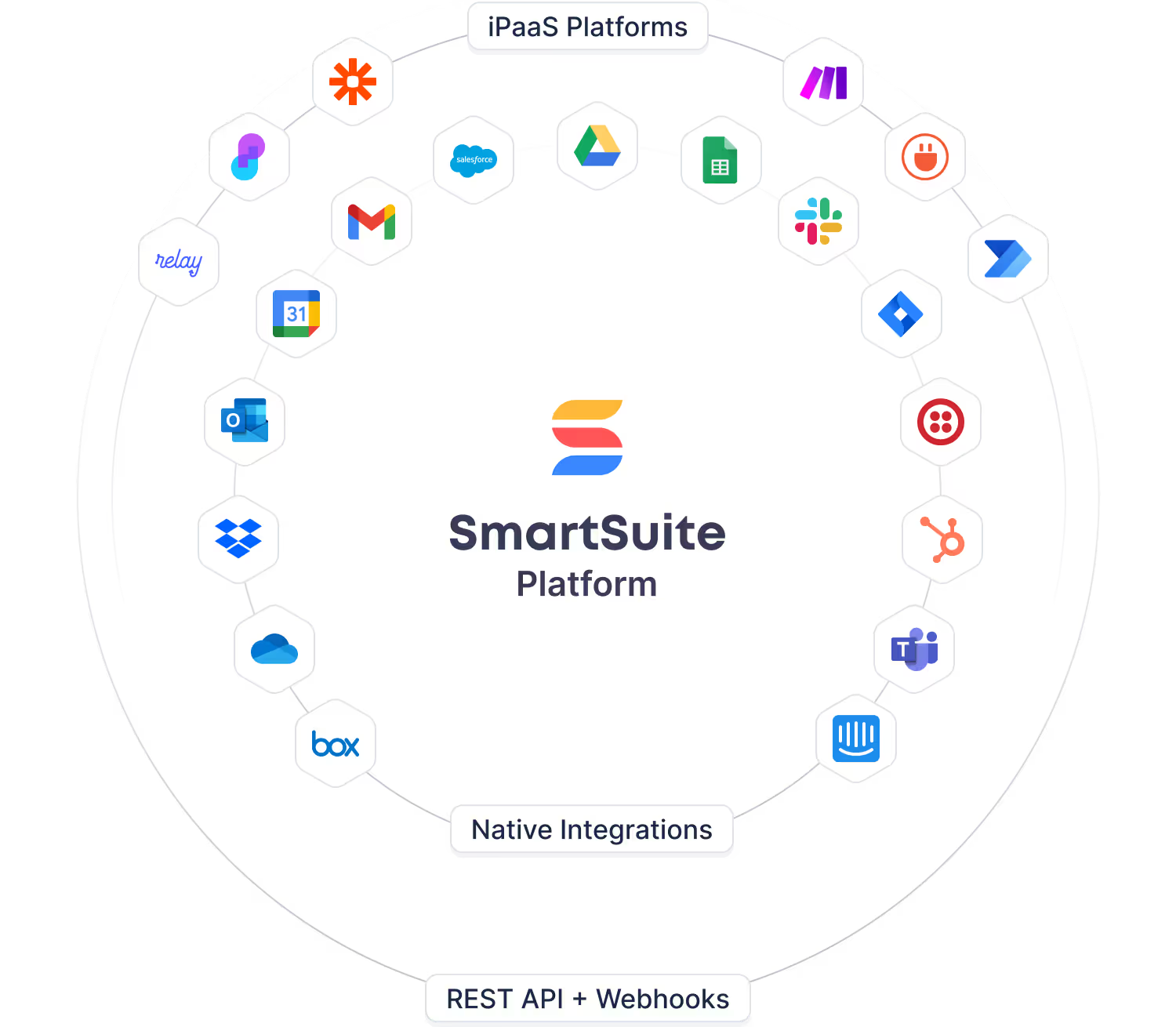
Google Workspace, Microsoft 365, Slack, Salesforce, and more.
CRUD endpoints with authentication and pagination.
Real‑time inbound/outbound events for sync and automation.
Make, Zapier, Workato, and more.
API references, auth guides, sample code.
Manage access, versioning, and usage.
Secure Collaboration Framework
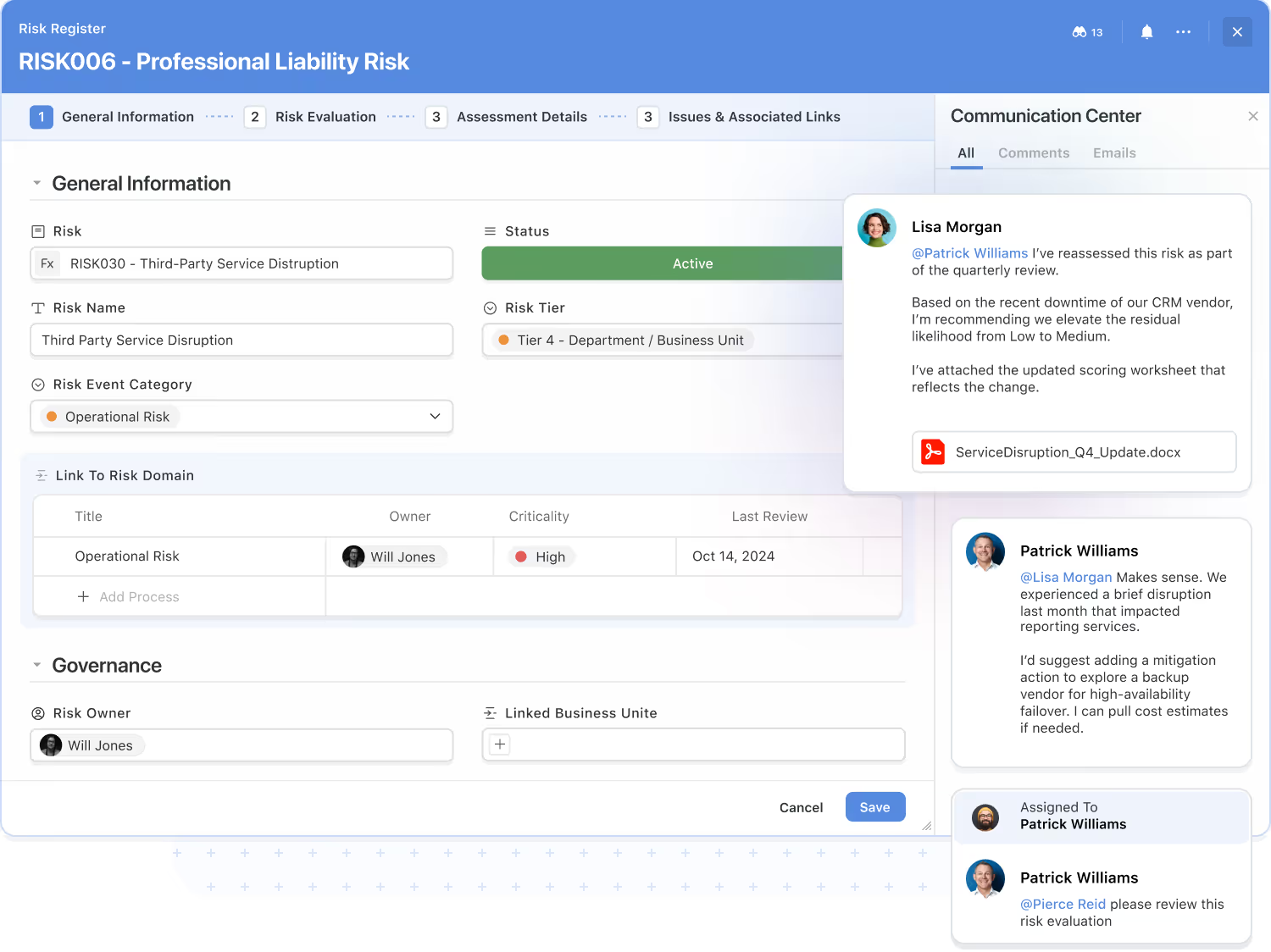
Secure collaboration is a core capability of the platform. Teams communicate, share context, and make decisions directly within the workflows where work happens — reducing the noise of scattered tools.
SmartSuite supports in‑platform collaboration and threaded conversations with approved external participants, all governed by your access controls.
Comment threads and @mentions tied to records.
Attach files, images, and links; collect feedback in context.
Real‑time alerts and scheduled summaries.
Every comment, update, and file change is logged for transparency.
Enable threaded conversations with approved external participants.
Assign work, manage handoffs, and collaborate directly within your workflow records.
Enterprise Reporting Framework
Dashboard and Reporting deliver enterprise‑grade analytics built right into SmartSuite. The reporting engine pulls data from any solution or table across your workspace, honoring every layer of access control so users only see authorized data.
Teams can visualize, analyze, and act in real time — without relying on external BI tools.
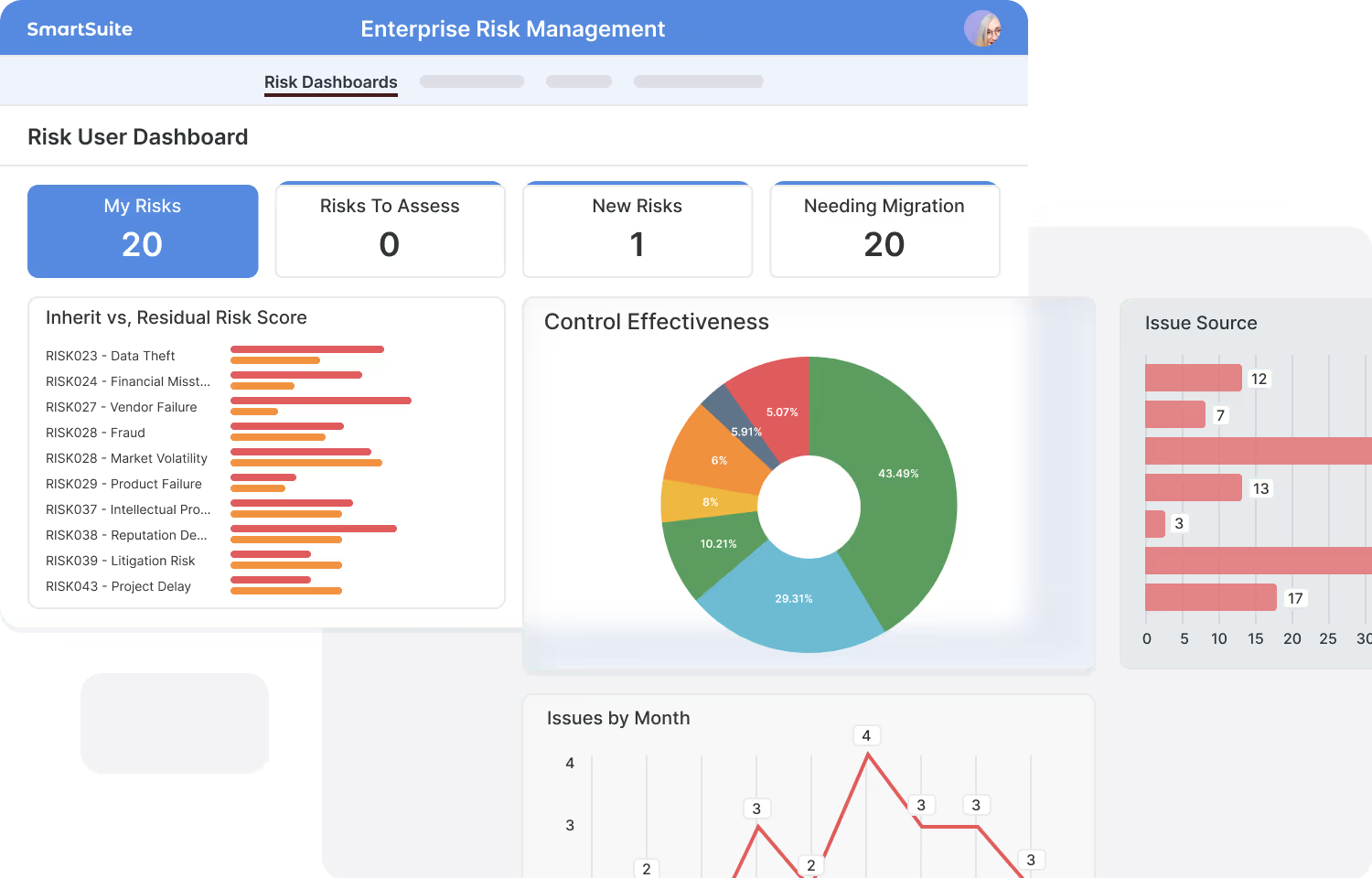
Combine data from multiple workflows into unified dashboards and reports.
Respect record and field‑level permissions.
Bar, line, pie, scatter, kanban, calendar, pivot, and more.
Filters, grouping, sorting, spotlights; drill into live data.
Replace Power BI and similar products with integrated, secure reporting.
Dashboards and reports update instantly as records change, ensuring every insight reflects the latest information.
Work In Your Native Language
SmartSuite is built for global teams, fully localized and translated into 16 languages so your people can collaborate, automate, and innovate without barriers.



A Unified Platform for People, Processes, and AI
SmartSuite unites people, data, AI, and systems on one open platform—designed to integrate with anything, secure everything, and adapt to any business process. From industry-specific workflows to enterprise integrations, SmartSuite gives every team the flexibility to work smarter together.
Work Anytime, Anywhere, on Any Device
Stay connected and productive wherever you are. SmartSuite works across web, tablet, and mobile, so your team can manage projects, collaborate, and automate workflows in real time — whether in the office, remote, or on the go.








Explore Further
Understanding SmartSuite starts with understanding the ideas that shape modern work platforms. These articles introduce the core concepts behind no-code technology, unified work management, scalability, and digital transformation — giving you the context to see how SmartSuite fits into this evolving landscape.
Explore these fundamentals to deepen your knowledge of the platform and the principles that guide its design.
Frequently Asked Questions About the SmartSuite Platform
SmartSuite is a modern work management platform that lets teams design, automate, and run any workflow—without needing to write code. It centralizes work, data, and collaboration into a single, consistent experience across your organization.
Most tools focus on a single use case. SmartSuite is a platform designed to support every business process—projects, GRC, ITSM, onboarding, CRM, operational workflows, and more—using a unified data model, shared automations, and consistent permissions.
SmartSuite supports 35+ business process categories and is used across Financial Services, Healthcare, Insurance, Technology, Professional Services, Manufacturing, Life Sciences, and more. Companies often start with one workflow and expand to run multiple departments on the platform.
Every Solution, Table, Field, View, Automation, Dashboard, Form, and Interface can be configured without code. You can start with templates or build from scratch using drag-and-drop tools.
Yes. SmartSuite includes enterprise-grade permissions, SSO, audit logs, advanced automations, API access, granular security, and a choice of United States or European Union data center on Enterprise and Signature plans, making it suitable for global organizations and regulated environments.
SmartSuite offers native integrations, iPaaS support (Zapier/Make/Workato/Relay/Microsoft Power Automate/etc.), webhooks, and a robust REST API. This allows teams to connect SmartSuite to existing systems and prevent data silos.
Most teams begin building workflows on Day 1. SmartSuite also offers onboarding assistance, solution templates, in-app guidance, help center content, live support, and optional Admin on Demand services for more complex implementations.
SmartSuite follows established security standards, including SOC 2, encryption at rest and in transit, IP allowlists, audit logs, granular permissions, and strong authentication options.
Yes. SmartSuite is designed to support separate teams and departments through Solution-level structure, Table permissions, Record permissions, Folder visibility, and Field-level restrictions.
In most cases, yes. SmartSuite consolidates project tools, task trackers, spreadsheets, wikis, forms, automations, reporting tools, and departmental apps—reducing cost and complexity while improving cross-team collaboration.
A Platform Built for the Way Your Teams Work
Watch how SmartSuite simplifies complexity and connects your entire business.
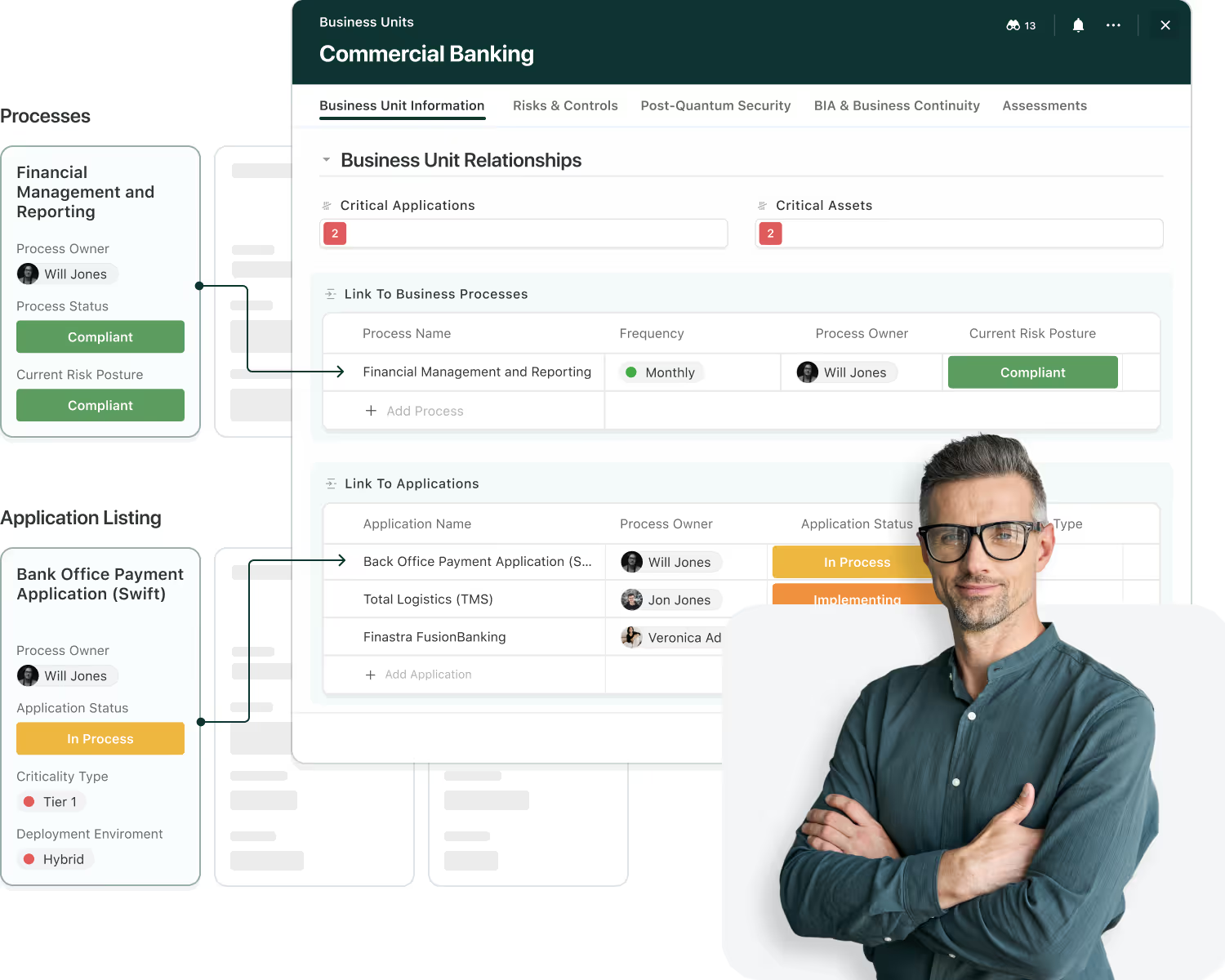
A Relational Architecture for Connected Workflows
SmartSuite connects data across Solutions so every workflow shares a trusted, permission-aware source of truth. Structure, validation, and governance are built in—so information flows securely wherever it’s needed.
The Building Blocks of SmartSuite Data
A secure workspace for a business process—tables, automations, and permissions live here.
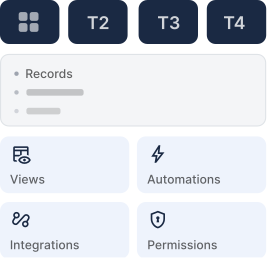
A structured dataset that defines the shape of information inside a Solution.
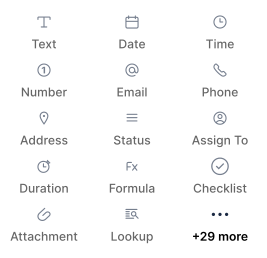
Attributes of your data—typed, validated, and governable.
A single item that blends data, collaboration, and activity history.

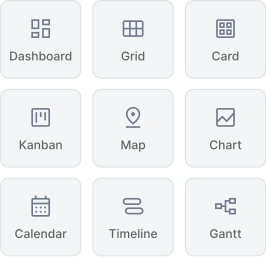
A lens for action—grid, board, calendar, timeline, or chart.

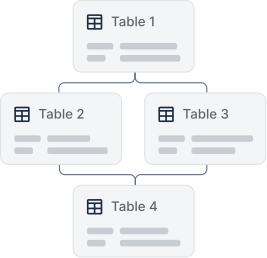
Relational Design—Within and Across Solutions
SmartSuite is relational at its core—making it easy to link records within a Solution or across multiple Solutions without duplicating data. Relationships flow naturally through your workflows, preserving permissions and keeping context intact wherever it’s needed.
Connect related data across tables and Solutions.
Share context across Solutions while preserving each Solution’s security model.
Surface related values without copying data.
Reference once, reuse everywhere.
Links inherit field and Solution permissions.
Model parent-child relationships to organize data across multiple levels without duplication or loss of context.
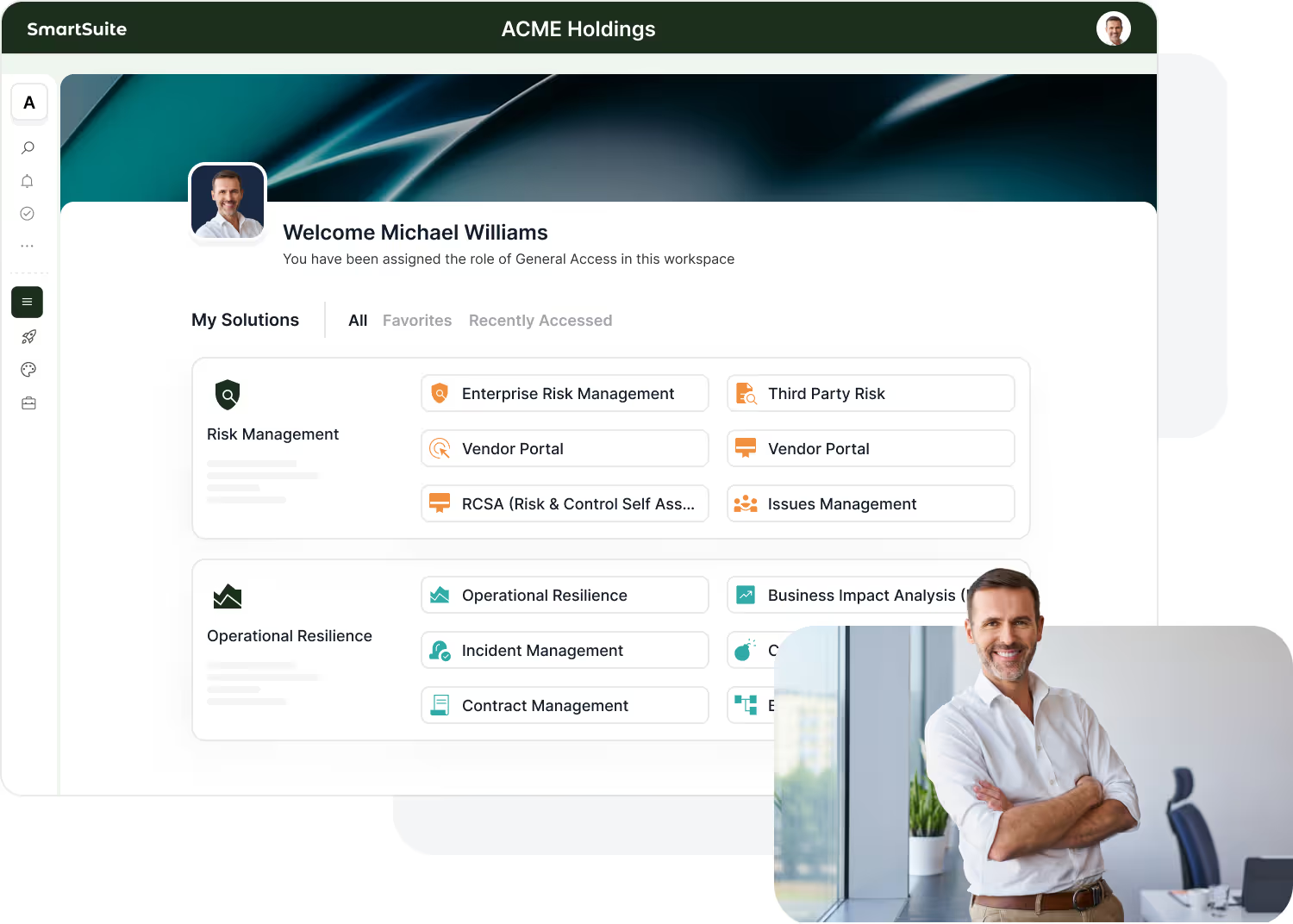
Tables—Structured Datasets for Every Workflow
Tables define the core objects in your workflow—storing structured fields, relationships, and records that evolve as your processes grow. SmartSuite’s table model makes it simple to represent any business entity while keeping data consistent, connected, and permission-aware.
Tables define the key objects in your workflow, from risks to policies and projects.
Each table contains fields that shape your data—text, dates, lookups, formulas, and more.
Link tables to share context across your workflow without duplicating information.
Tables inherit Solution-level governance, ensuring every row and field stays secure.
Tables evolve with your process—easily cloned, adapted, and expanded without breaking your underlying architecture.
Field types, validation rules, and required inputs ensure every row in every table remains accurate and compliant.
Fields—Capturing and Validating Every Detail
Fields define the attributes of your data model. Every field in SmartSuite is designed with validation built in—so accuracy and consistency come standard, without custom code.
Each field type automatically enforces format and consistency.
Text, numbers, dates, attachments, formulas, lookups, rollups, and over 35 additional field types to choose from.
Required fields, default values, and formatting ensure every entry meets standards.
Linked and lookup fields bring related data into view without duplication.
Use AI Field Agents to classify, summarize, or enrich field values — bringing intelligence to your structured data model.
Create formulas that derive values automatically—powering metrics, scores, and business logic directly inside your data model.

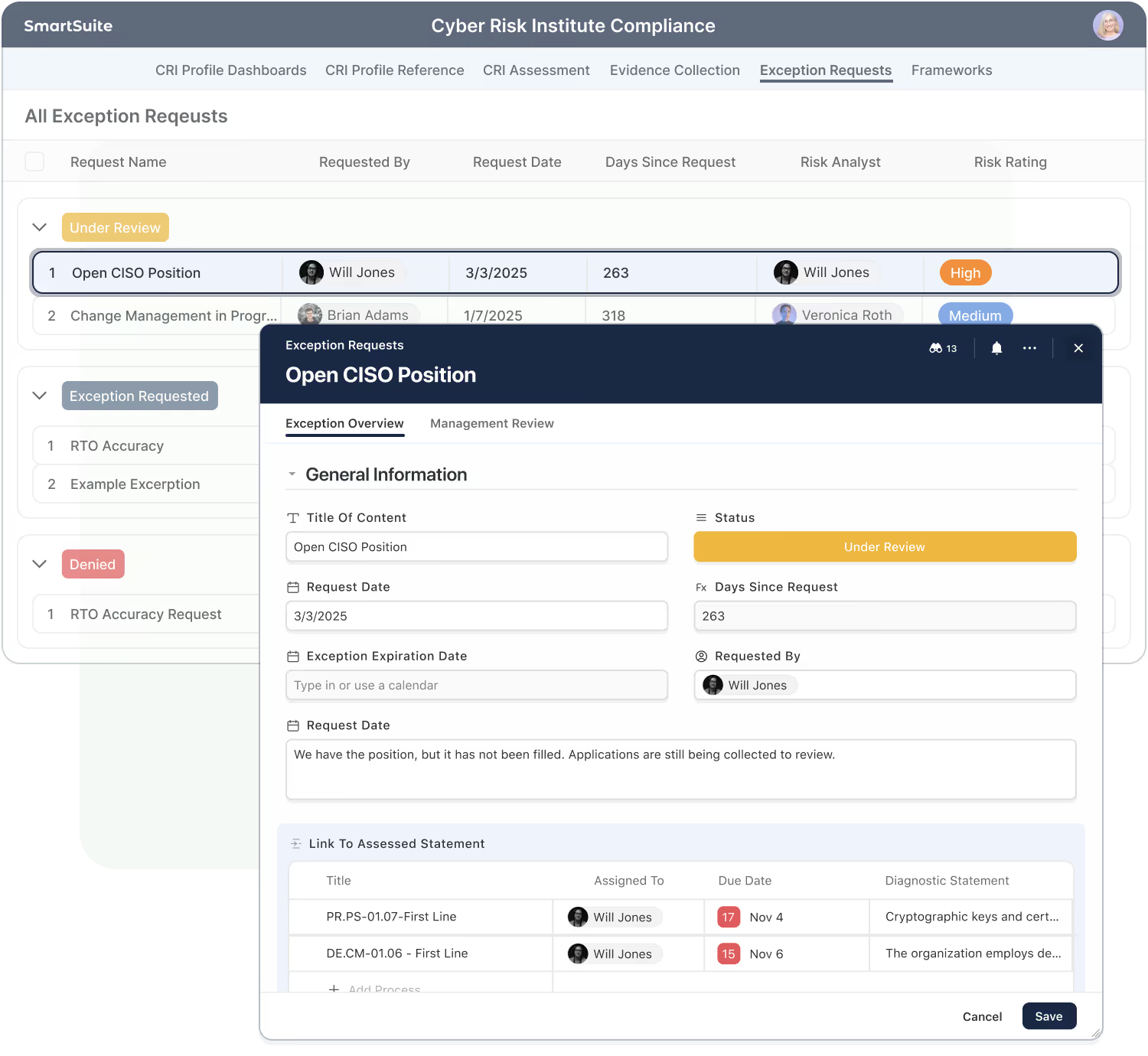
Records—Where Structure Meets Action
A record represents a single item—policy, task, risk, or project. It combines structured data with collaboration, automation, and history in one place.
Mix structured field types with unstructured field types, like documents - to create enriched data sets.
Comments, mentions and files live in the context of a record.
Records can trigger or respond to workflows automatically.
Users see only the records and fields they’re authorized to access.
Activity history captures every edit for transparency.
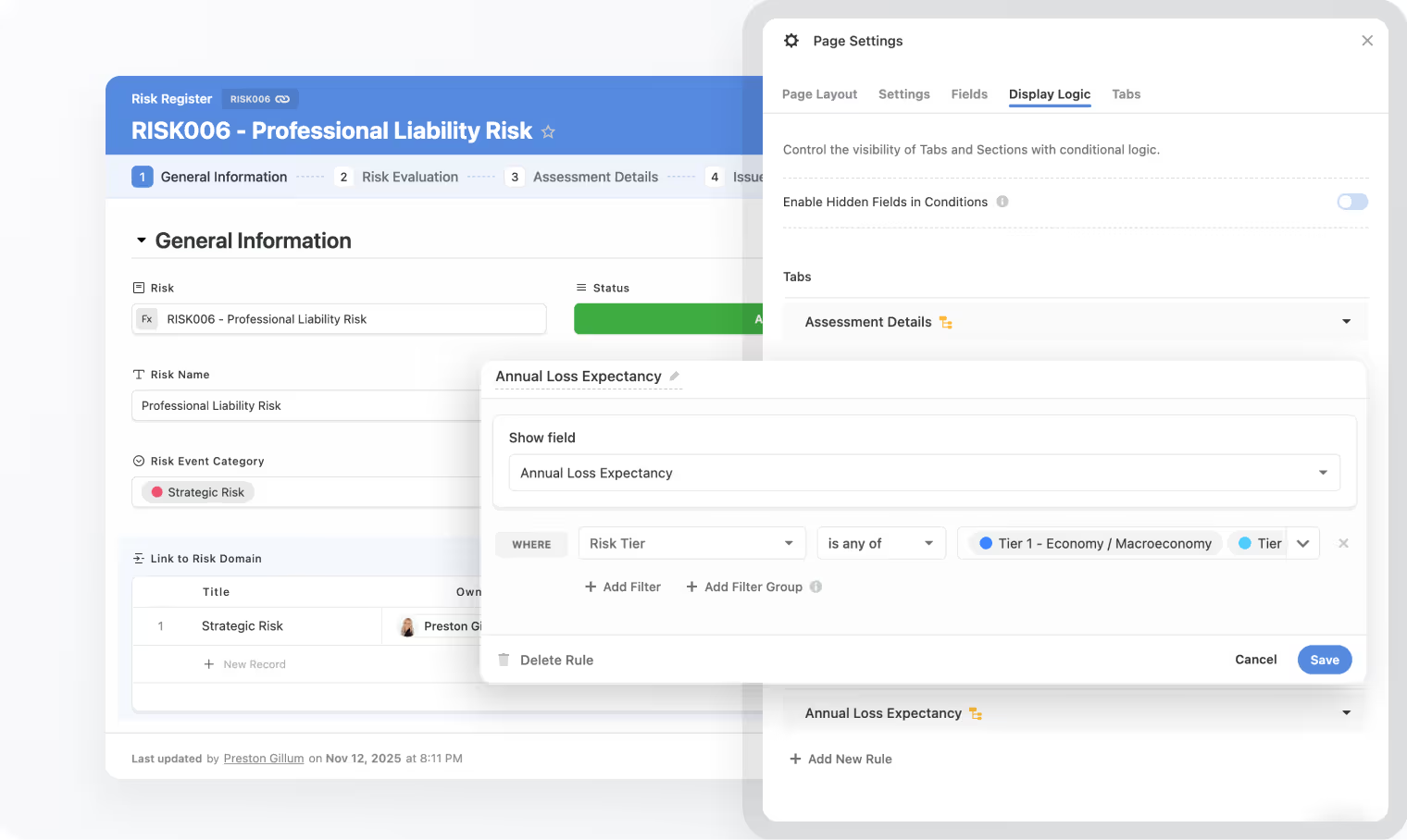
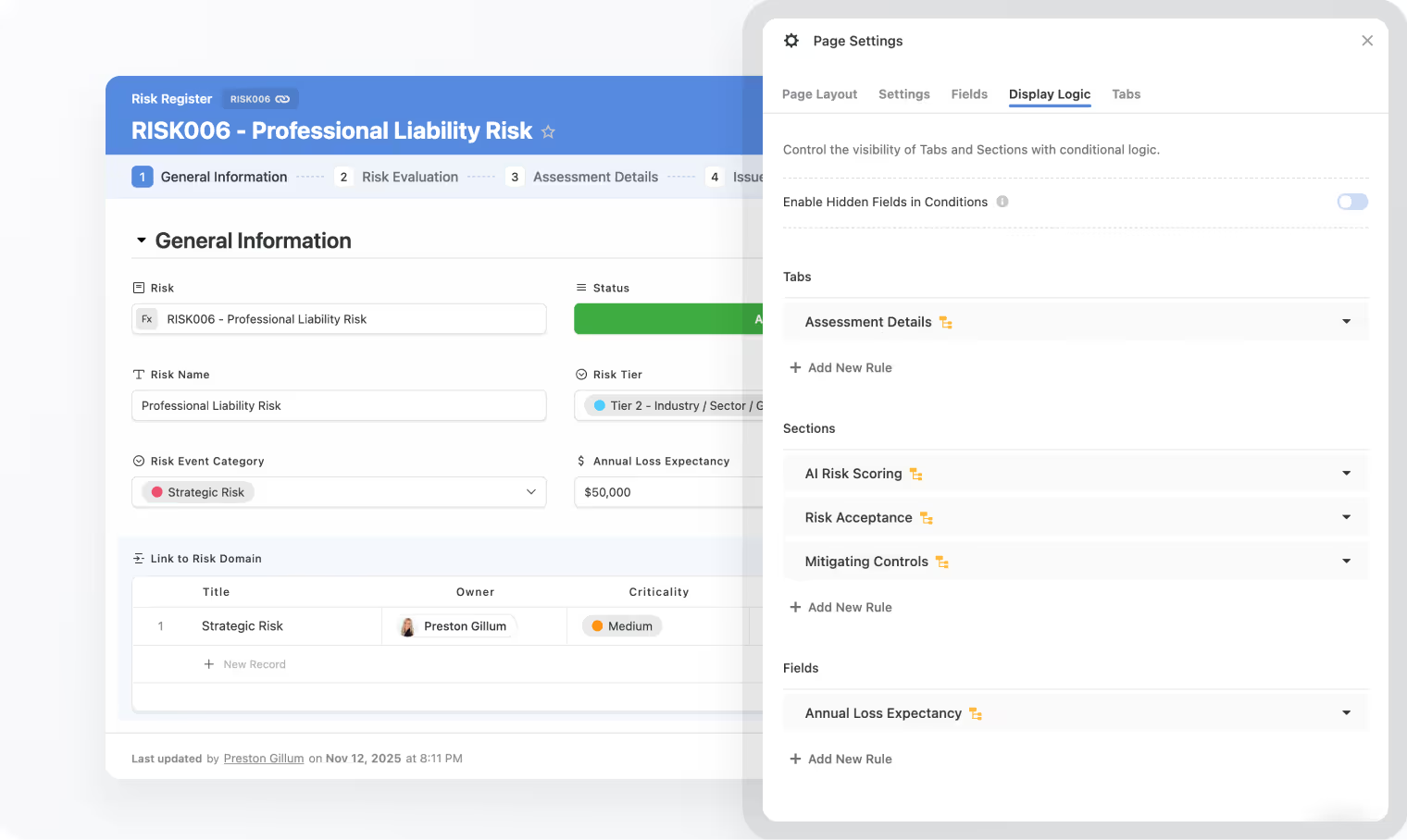
Organize record content with tabs, sections, and conditional display rules that adapt to each workflow’s needs.
Views—Turning Data Into Insight
Views organize and visualize the same underlying records in the format that fits your work—grid, board, calendar, timeline, or chart—always respecting permissions.
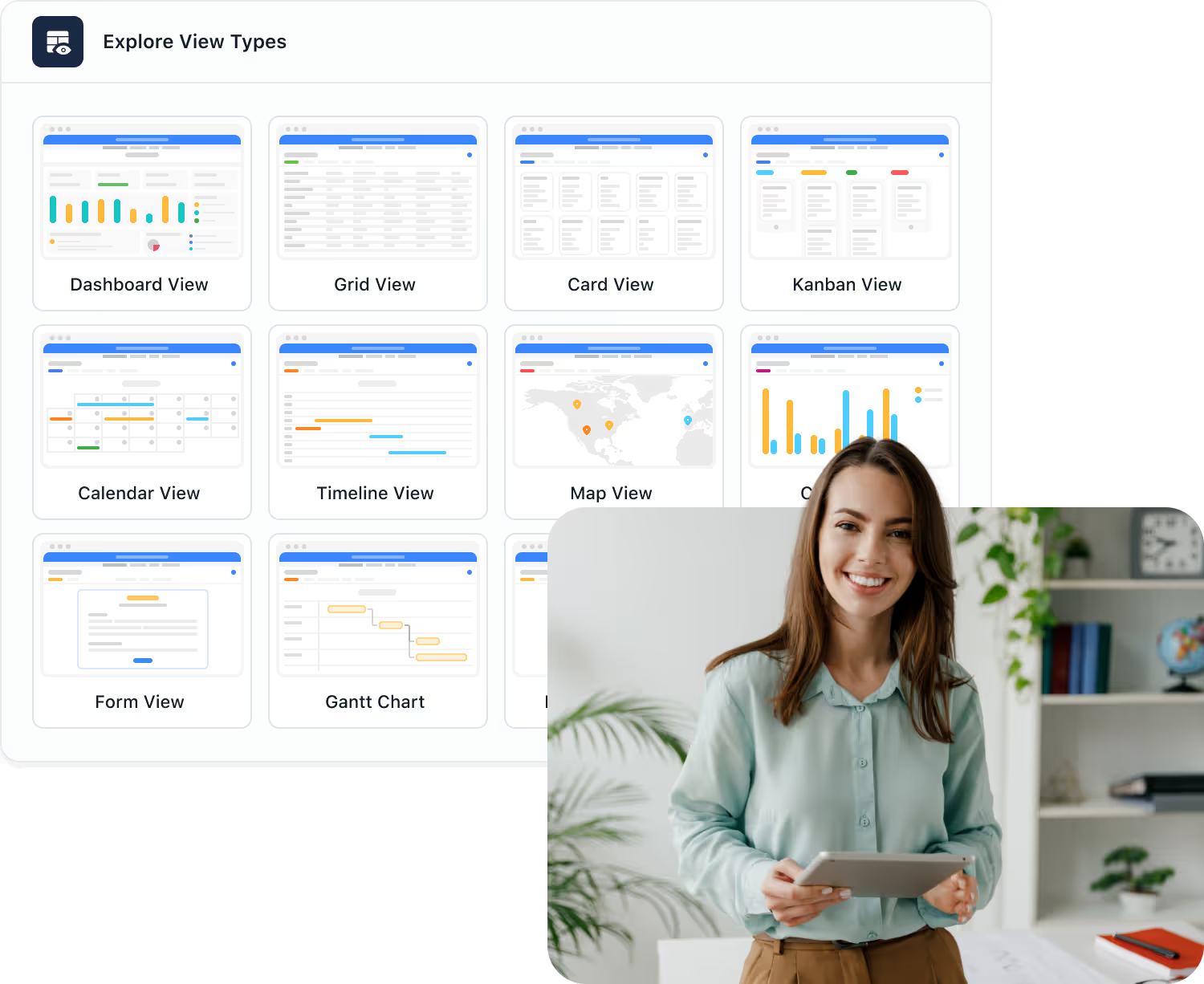
Switch between grid, card, calendar, timeline, and chart views.
Focus on just the data you need - using filtering, grouping, sorting, or spotlighting features.
Maintain record and field security across all content views.
Share or embed views safely with internal or external stakeholders.
Edits in any view update the same data model.
Create and save personalized views for each team or role—keeping everyone focused on the information that matters most.
Data Integrity & Governance
Integrity is woven into every field, record, and relationship—so your data stays accurate, validated, and auditable at scale.
Each data type enforces proper input and structure.
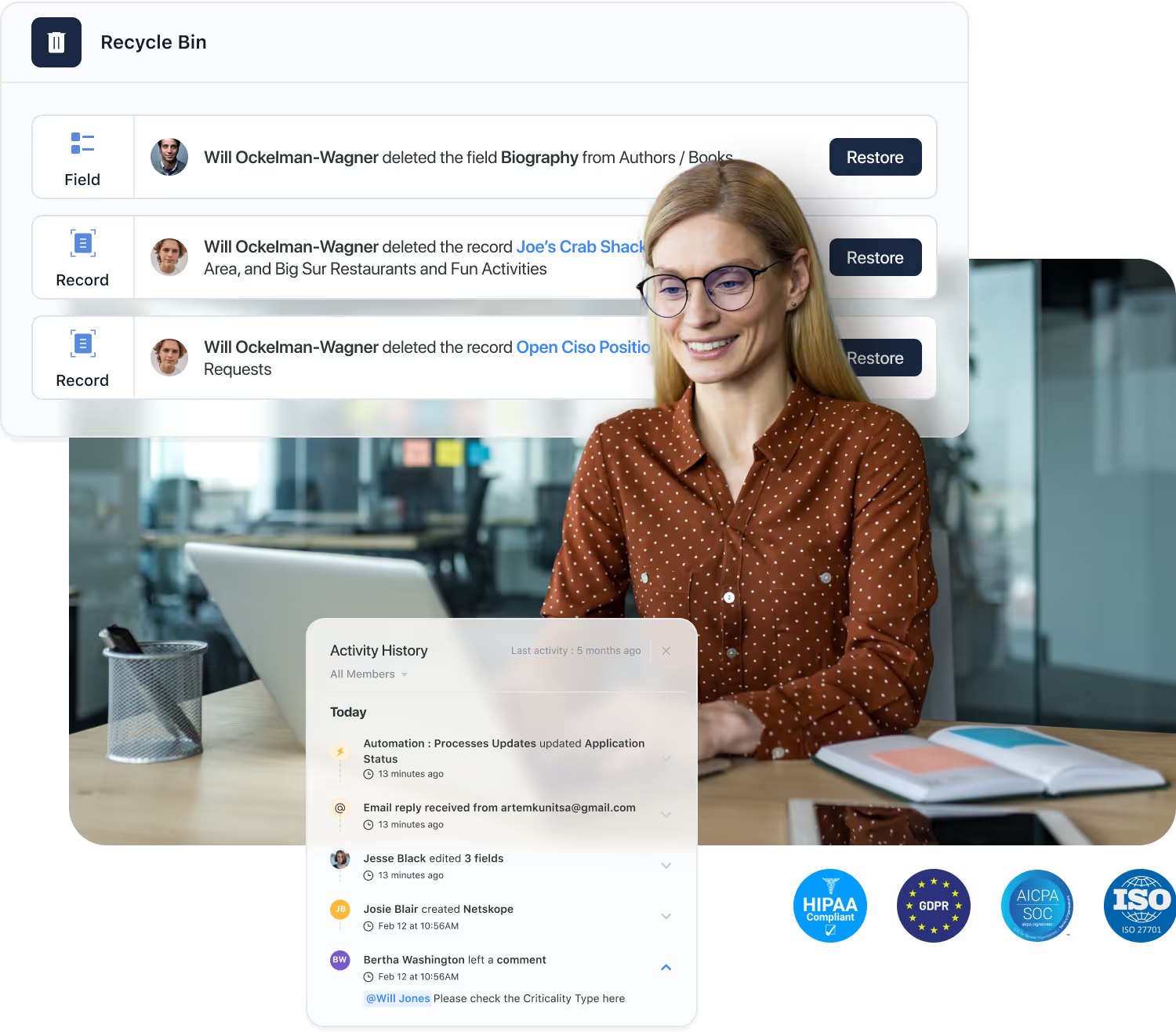
Track every change at the field and record level.
Recover deleted records, fields, or tables.
Configure archival and deletion policies.
Aligned with SOC 2, ISO 27001, and GDPR.
Scoped access by workspace, Solution, table, record and field.
Scalability & Architecture Resilience
SmartSuite’s cloud-native engine scales from small teams to large enterprises—balancing performance and governance automatically.

Reliability, security, and continuous monitoring.
Fast filtering and relational lookups at scale.
Maintain data security while maintaining enterprise-grade performance.
High uptime, real-time sync, and protection.
Built for integrations and API-driven extensibility.
Redundant infrastructure, backups, and disaster recovery ensure continuity even during unexpected failures or regional disruptions.
Explore Further
A strong workflow begins with a strong data foundation. These articles introduce core concepts behind structuring information — from defining entities and fields to understanding relationships between them.
Explore these topics to sharpen your approach to data modeling and build workflows that stay clean, consistent, and easy to extend in SmartSuite Studio.
Frequently Asked Questions About Building Solutions in SmartSuite
Data Architecture refers to how information is structured, related, secured, and governed across SmartSuite. It includes Solutions, Tables, Fields, Linked Relationships, Permissions, and Views that together form your organization’s unified data model.
Solutions represent business workflows. Tables organize data within those workflows. Fields define the type of information stored. Together, they form a flexible, relational structure that is easy to configure without code.
Yes. SmartSuite provides relational capabilities similar to a traditional database—supporting linked records, lookup fields, rollups, reference integrity, and cross-solution connections—while keeping it all accessible through a no-code interface.
Absolutely. Linked Records allow data to move across Solutions, making it easy to create relationships like Accounts → Contacts → Opportunities or Risks → Controls → Tests. This enables cross-department workflows while preserving security boundaries.
SmartSuite encourages structured, reusable data models with shared tables, linked references, calculated fields, automations, and consistent naming conventions—reducing duplication and making your organization’s information architecture scalable and manageable.
Administrators and builders can use permissions, validation rules, required fields, activity history, field-level access, table-level access, and automations to enforce quality, consistency, and governance across all Solutions.
When fields, relationships, or workflows change, SmartSuite maintains data integrity through validation, linked record consistency, dependency checks, and formula recalculation—ensuring your data stays trustworthy even as processes grow more sophisticated.
Yes. SmartSuite is designed for organizations with large, interconnected data structures. Features like field-level permissions, throttled APIs, structured relationships, audit logs, optimized queries, and multi-region data centers in the United States and the European Union enable enterprise-level scale.
Connected Data. Trusted Architecture.
From Solutions to Fields, SmartSuite’s relational foundation connects workflows across your organization— with validation, permissions, and governance built in.
Build and Tailor Workflows Visually in SmartSuite Studio
Build and adapt workflows visually without code.
SmartSuite Studio lets you build workflows the same way you think through them — visually. No code, no complexity: just drag, drop, and define how your data moves, who interacts with it, and what each role should see.
By replacing traditional development with configuration-based design, Studio gives every team the ability to translate ideas into working solutions. Iteration becomes instant, enabling workflows to evolve as quickly as your business does. And with governance, permissions, and auditability built in, Studio delivers the freedom to innovate without sacrificing control.
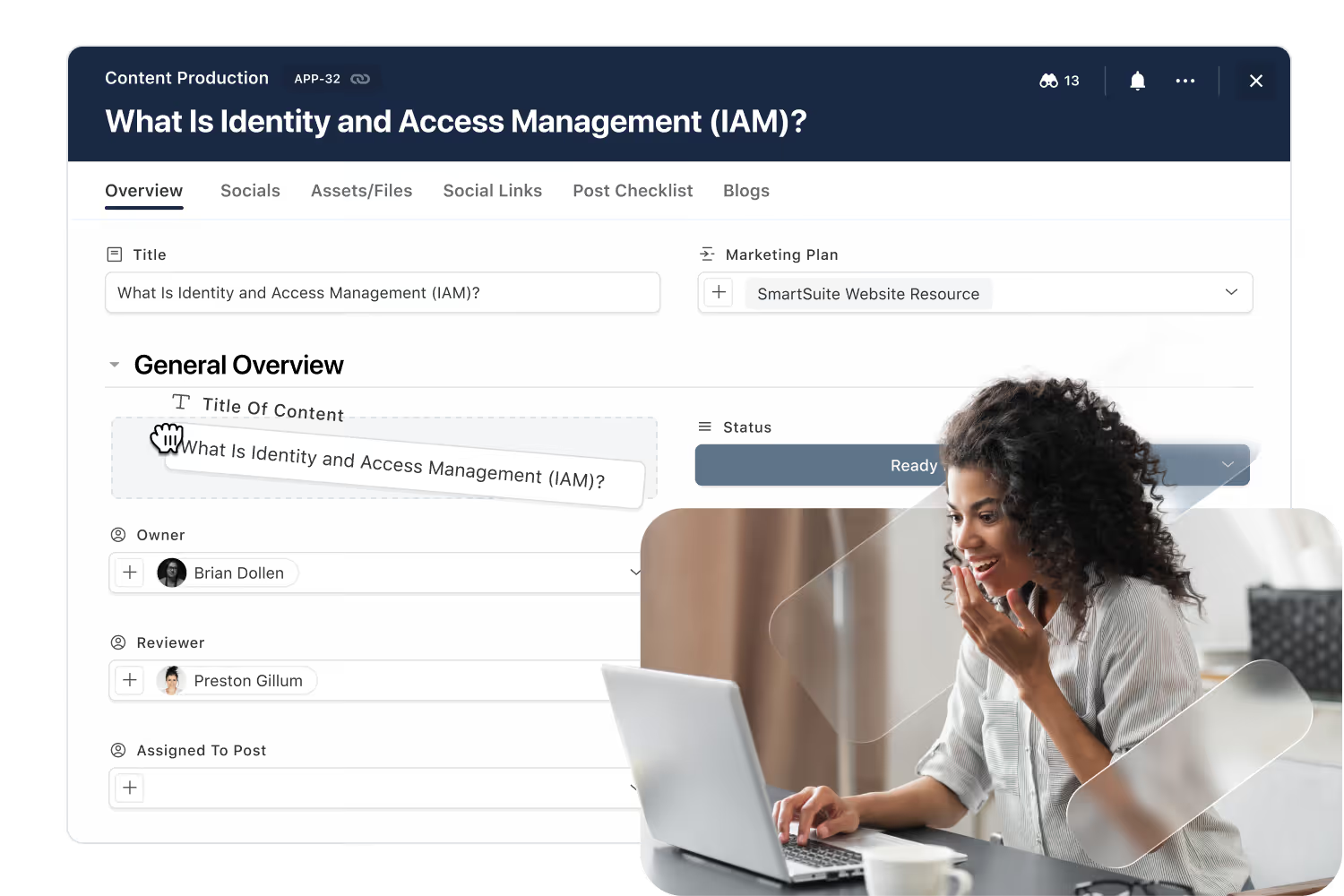
Workflow Design
Design data, logic, permissions, and UI in one unified environment.
Build or adjust business workflows in hours — not weeks.
Define roles, control changes, and enforce compliant workflows
Create intuitive, role-specific interfaces for every team.
How You Build Workflows in SmartSuite
Building and improving workflows in SmartSuite doesn’t require technical skills — it simply requires understanding how the work actually happens. Studio gives process owners a visual, no-code environment where they can shape every part of a workflow, from the information being collected to how tasks move between people. As teams learn and processes evolve, the same tools make it easy to refine steps, add new logic, or adjust responsibilities without slowing down the business. This keeps workflows aligned with real-world needs and ensures they stay relevant as your organization grows.
Step 1: Plan the Workflow
Great workflows start with clarity. Planning helps teams align on what the workflow must accomplish, why it matters, and what each person needs from it. SmartSuite makes this simple by offering three flexible ways to begin:
- Start with a Solution Suite like GRC.
- Start with a workflow Accelerator.
- Start from a blank canvas.

Step 2: Define the Data Model
A strong workflow needs a clear structure. In this step, teams identify the information they need to track and organize it into meaningful tables and fields. SmartSuite helps you keep things simple while ensuring everything stays connected and easy to understand.
- List the key pieces of information your team needs to track.
- Create tables and fields that reflect the real objects in your process.
- Link related items so information doesn’t get siloed across workflows.
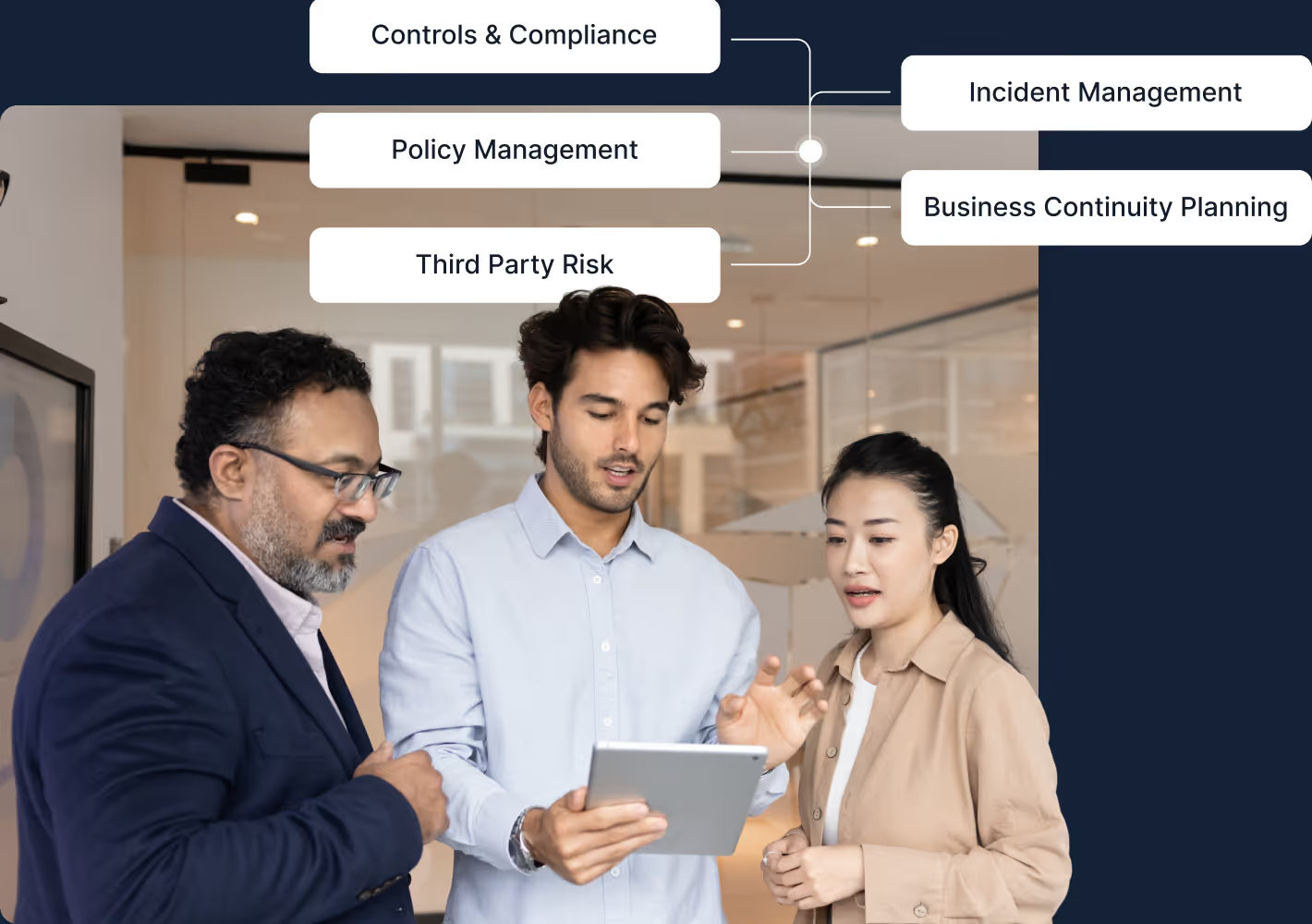
Step 3: Add Business Logic
Business logic brings your workflow to life. SmartSuite lets teams create simple rules and automations that keep work moving forward without needing technical skills. This makes it easy to add structure, reduce manual steps, and ensure things happen when they should.
- Capture simple rules like 'when a task is completed, notify the owner.'
- Use automations to update fields, assign work, or send messages.
- Keep logic easy to understand so anyone can adjust it over time.
Step 4: Apply Permissions
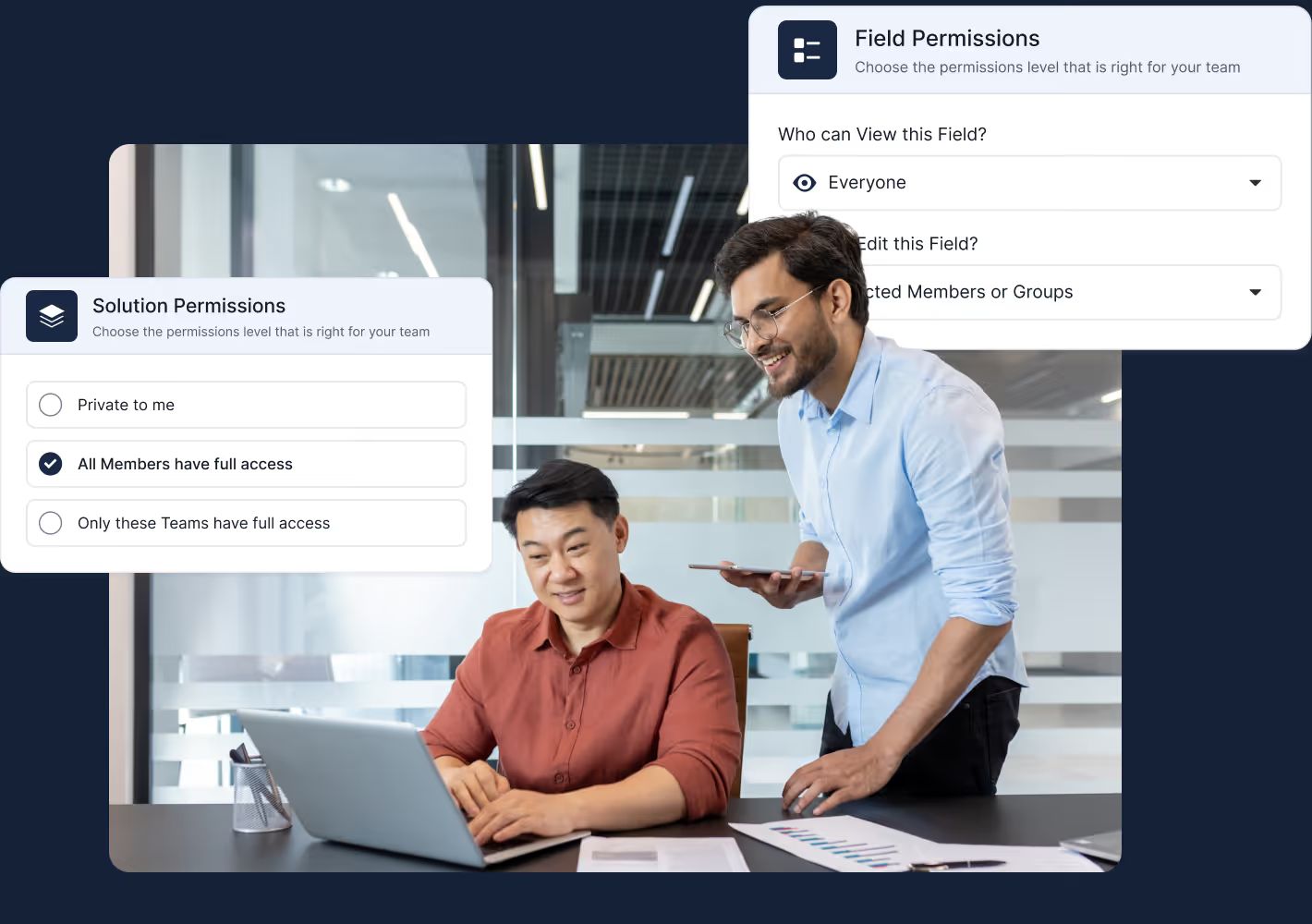
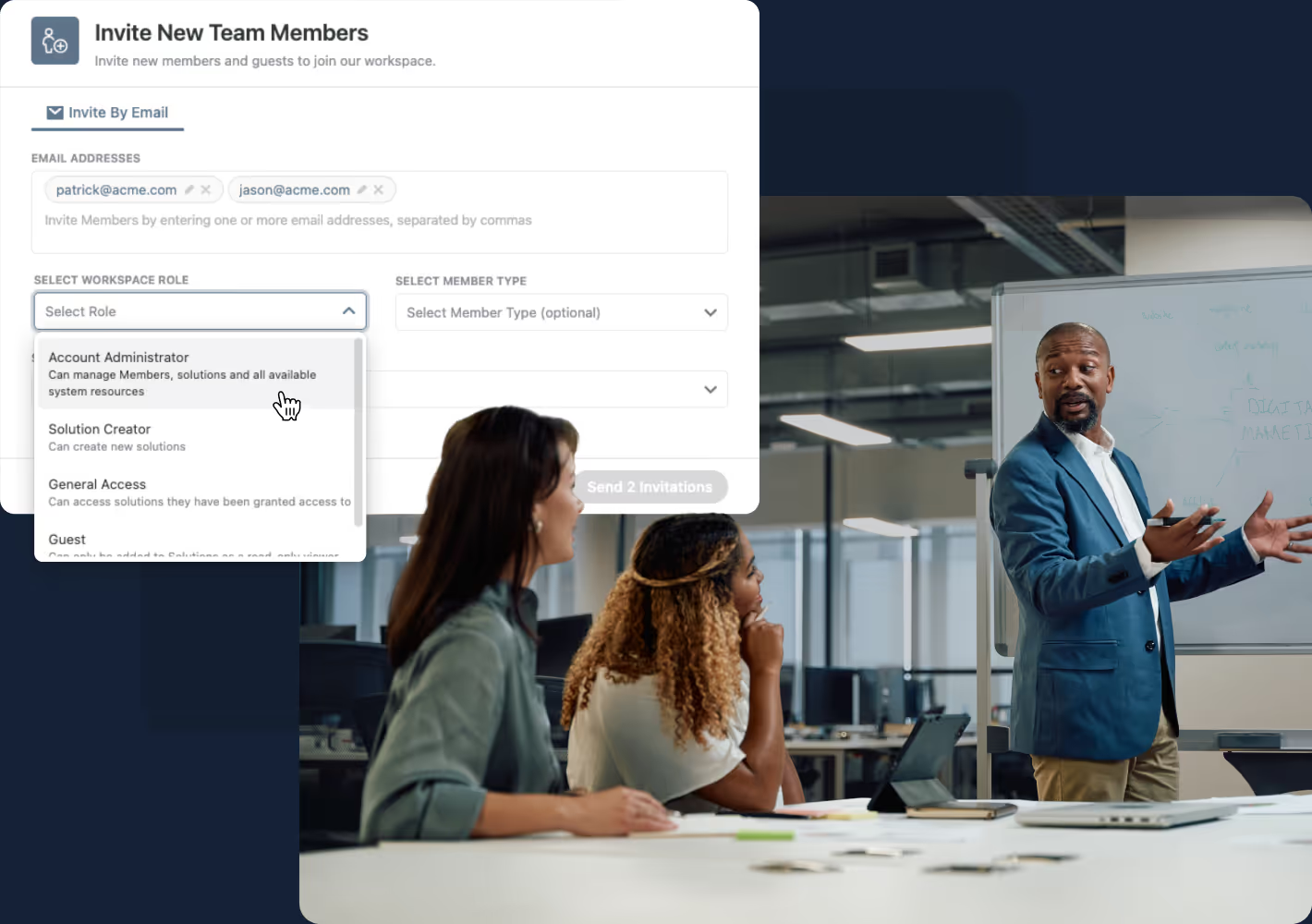
Permissions ensure every person sees only what’s relevant to their role — and nothing more. SmartSuite makes this easy with role-based settings that control access from the workspace all the way down to individual fields and views. This protects sensitive information while helping teams stay focused and productive.
- Set role-based permissions at the workspace, Solution, table, field, record, and view levels.
- Ensure sensitive information is only visible to the right people — automatically.
- Give each team the exact access they need to work efficiently, without exposing unnecessary data.
Step 5: Design the User Experience
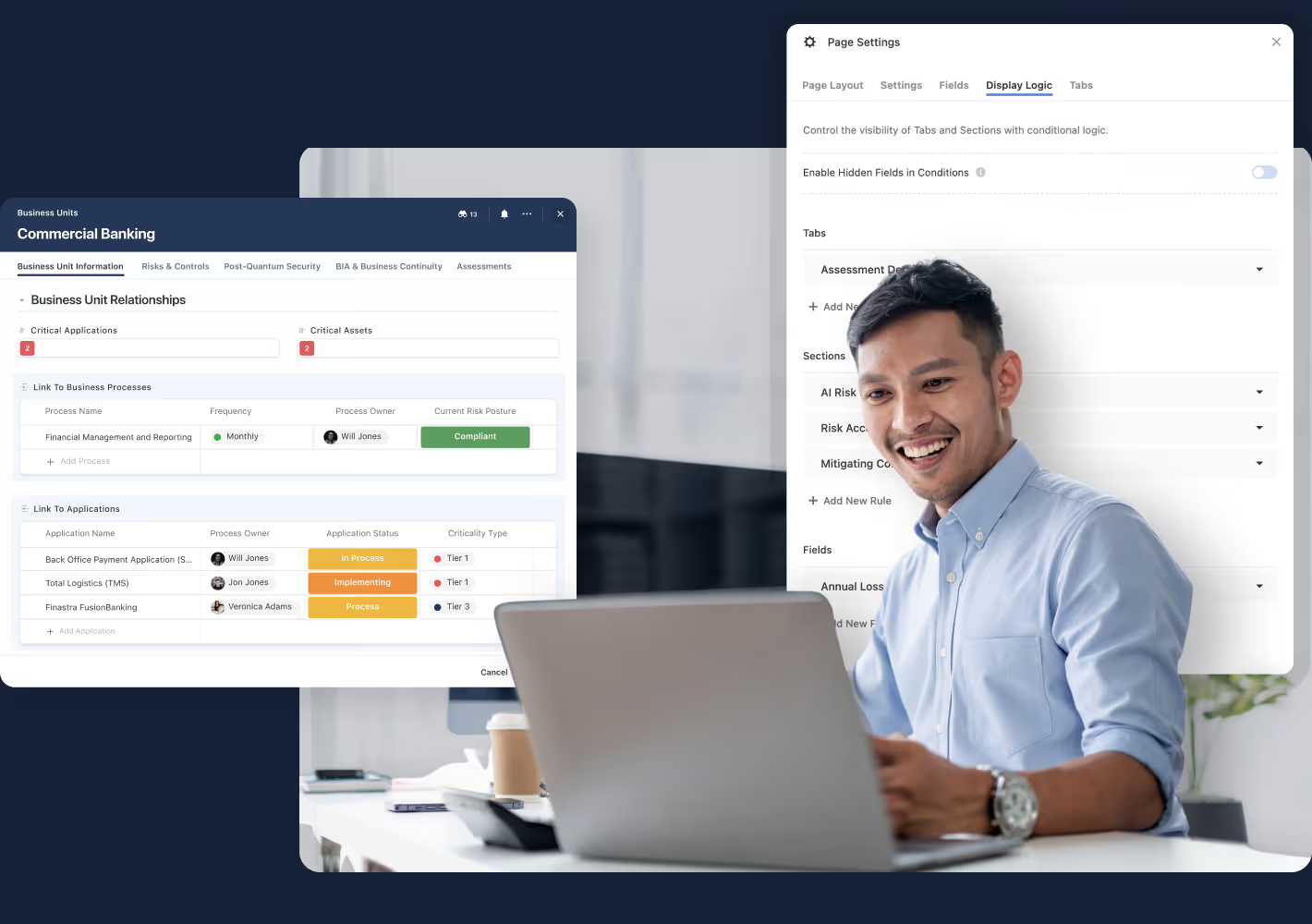
Designing the user experience is about making the workflow simple and intuitive for everyone. Teams organize record layouts with Tabs and Sections, use display logic to show only what’s relevant, and create views and dashboards tailored to each role. This helps every user feel confident from their very first interaction.
- Use Tabs and Sections to organize information clearly.
- Apply display logic to show or hide layout elements based on context.
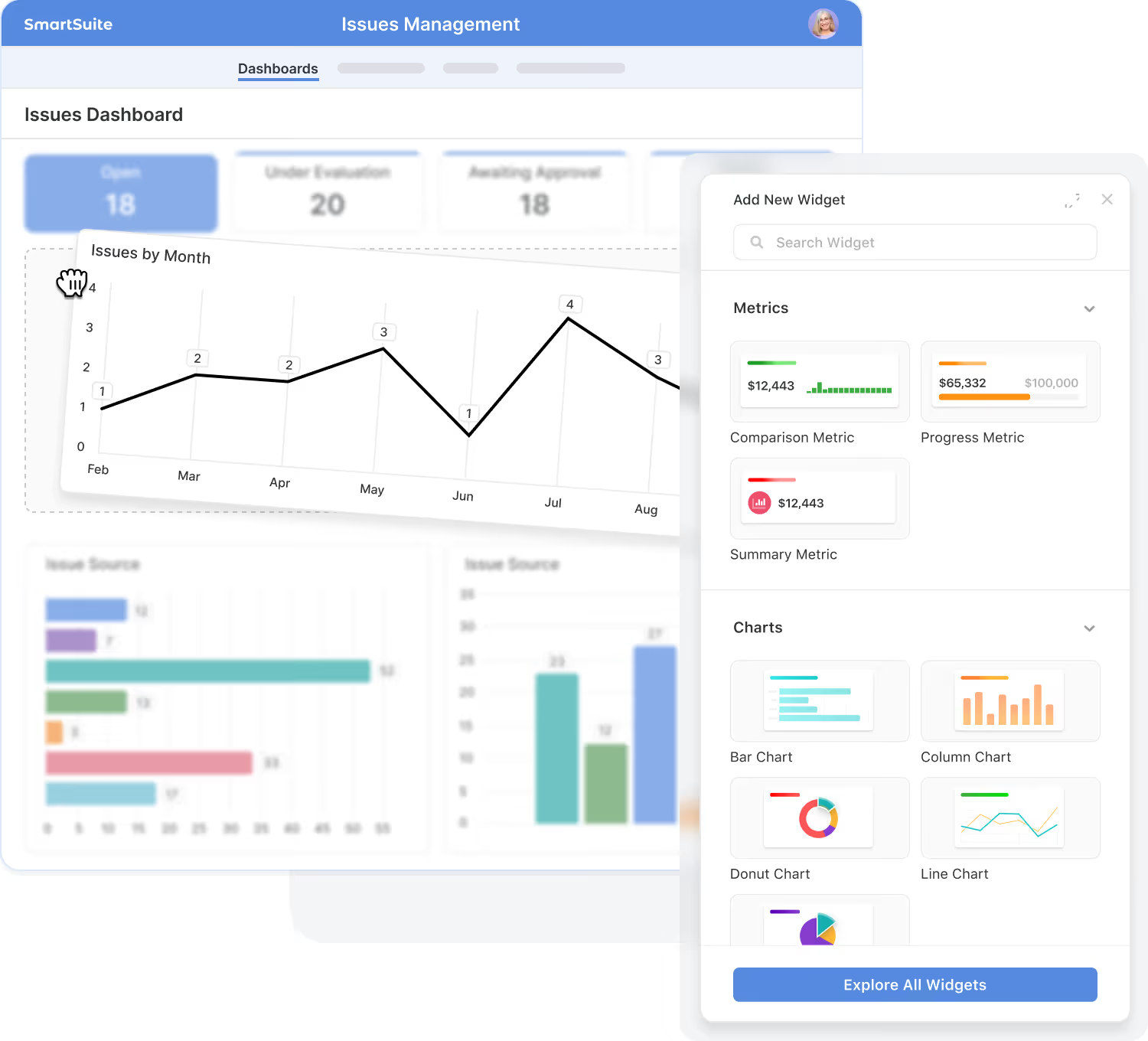
- Create views and dashboards tailored to each role.
- Add helper text so new team members get up to speed quickly.
Step 6: Onboard Users
Onboarding is about helping people feel confident using the workflow from day one. SmartSuite makes it easy to pair each workflow with its own getting-started guides, checklists, and short videos so new users can learn in the flow of work. You can embed this content directly into layouts, views, and dashboards so help is always right where work happens.
- Add workflow-specific getting-started guides, FAQs, and videos directly into the Solution.
- Use inline instructions, helper text, and checklists to explain what to do on each screen.
- Link to deeper documentation or training resources when users need more context.
Why
SmartSuite Studio?
SmartSuite Studio brings everything you need to build and improve workflows into one unified, intuitive space. Instead of stitching together separate tools for data, logic, permissions, and layout, Studio lets teams design the entire experience in one place. It’s simple enough for process owners to build confidently and structured enough for IT to govern at scale, giving organizations a single, structured way to create workflows that function the way people actually work.
- Everything in one place:
Design data, logic, permissions, and layout together — not across multiple tools.
- Built for non-technical teams:
If you understand the process, you can build the workflow — no technical skills needed.
- Enterprise-ready:
Governance, audit trails, and role-based control are built-in from day one.
Who SmartSuite Studio Is For
Studio supports everyone involved in designing, operating, and governing business workflows — from frontline teams to enterprise IT. Each role can participate without stepping outside their area of expertise.

Design workflows that reflect real-world needs and continuously improve them over time.

Manage visibility, reporting, accountability, and team alignment across processes.

Structure data, logic, and reporting without technical friction.

Maintain governance, access control, and oversight with enterprise-grade confidence.
Example Workflows You Can Build with SmartSuite
Studio is used across industries to bring structure, visibility, and efficiency to everyday processes — all without writing code. Here are examples of how teams use SmartSuite to streamline complex, high-value workflows.
Governance & Scale, Built In
SmartSuite Studio is designed for organizations that need to move fast without losing control. Every workflow is backed by enterprise-grade governance — from how access is granted, to how changes are made, and how activity is tracked over time. This gives teams the freedom to build and adapt, while IT, Security, and Compliance maintain the oversight they require.
Define who can see and do what at the workspace, solution, table, field, record, and view levels using simple, role-based settings.
Evolve workflows over time while keeping changes visible and controlled, so teams can improve without introducing risk.
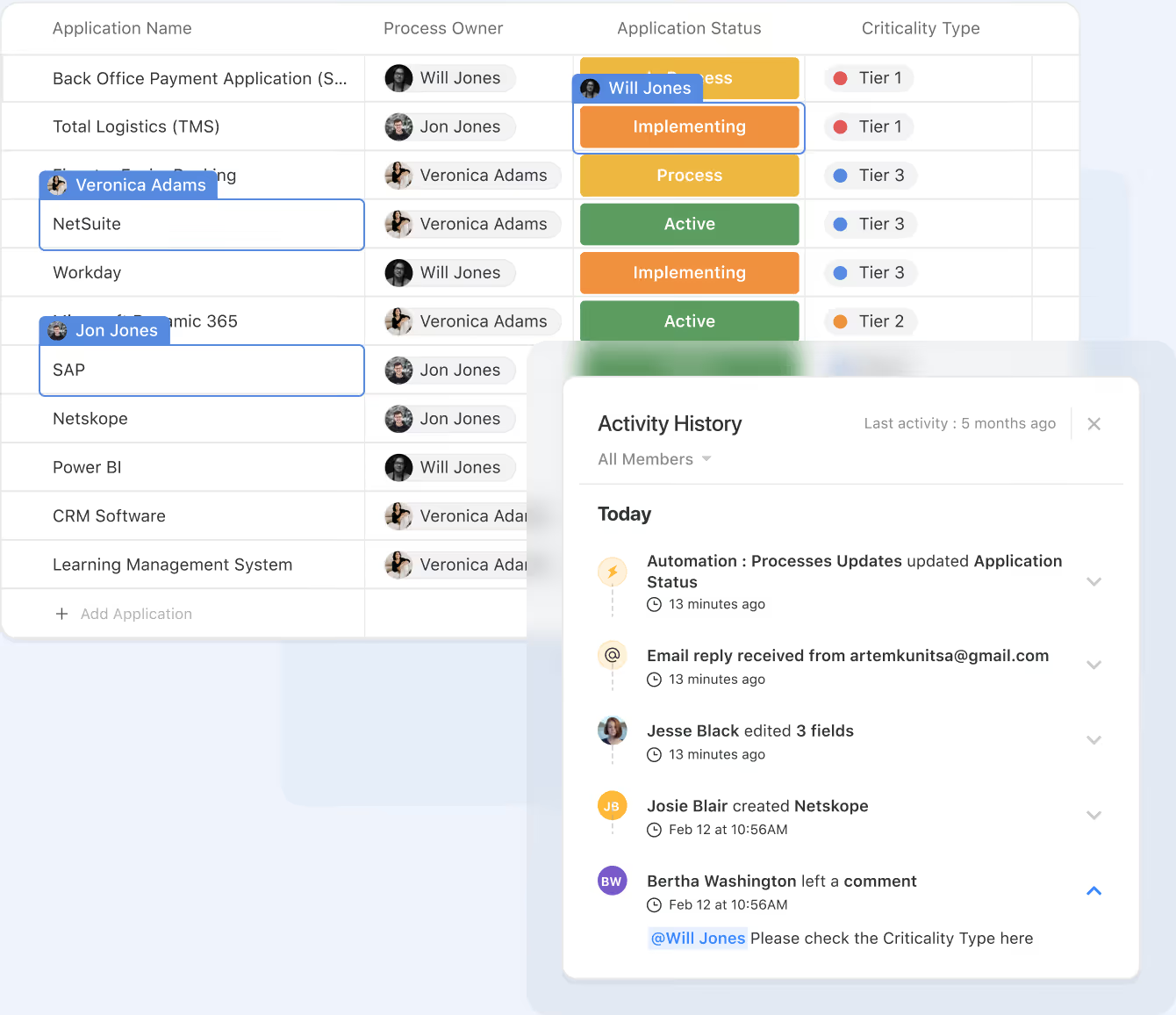
Track key actions and changes so you always know what happened, who did it, and when — supporting internal reviews and external audits.
Align workflows with your organization’s security, compliance, and operational standards instead of reinventing controls for every process.
Explore Further
Orchestration in SmartSuite is all about giving teams a structured, no-code way to build and evolve workflows. These articles introduce foundational concepts that help you understand how modern workflow design works — from data modeling to automation to user experience.
Explore these topics to deepen your knowledge and get even more value out of SmartSuite Studio.
Frequently Asked Questions About Building & Running Workflows
Orchestration refers to how teams design, connect, and manage workflows across SmartSuite. It brings together data, tasks, automations, logic, and handoffs to ensure each process runs smoothly from initiation to completion—across teams, systems, and departments.
Automations handle discrete triggers and actions (e.g., send a message, update a record). Orchestration is the end-to-end coordination of entire workflows, including dependencies, approvals, handoffs, stage transitions, and cross-solution interactions
Yes. Workflows can span Teams, Projects, GRC programs, ITSM processes, BCP playbooks, CRM operations, and more. Linked records, shared views, and multi-solution automations allow different teams to collaborate in a unified flow without losing data context.
SmartSuite supports everything from simple linear workflows to advanced multi-path processes with conditional logic, escalations, SLAs, looping actions, and system-to-system integrations. The platform is designed to scale with increasing operational complexity.
No. SmartSuite’s orchestration tools are fully no-code. Builders use drag-and-drop logic, field rules, automations, permissions, and solution configurations to structure workflows without writing scripts.
SmartSuite ensures reliability through required fields, conditional displays, automated assignments, notifications, approval checkpoints, SLAs, record permissions, and audit history. This creates a guided, controlled environment for critical processes.
Absolutely. Orchestrations combine human tasks (reviews, approvals, updates) with system-driven actions (notifications, integrations, record creation, status changes) to keep processes efficient without losing accountability or oversight.
Teams can monitor performance through dashboards, bottleneck analysis, record histories, automation logs, audit trails, and user feedback. Workflows can be updated safely without disrupting operations, helping organizations optimize over time.
Build Workflows in Days, Not Months
Studio brings data, logic, permissions, and layout together—so teams move faster and IT stays in control.
Streamline Workflows with Intelligent Automation
Streamline workflows with flexible, no-code automation.
Save time and eliminate repetitive work with SmartSuite Automations. Build simple or multi-step workflows that handle routine tasks — from sending notifications and updating statuses to syncing data across tools. With an intuitive drag-and-drop interface, anyone can automate processes in minutes — no coding required.
Every automation combines triggers, trigger filters, and sequenced actions — including advanced Looping, Conditional Logic, and AI Workflow Agent steps — with full run history on every execution.
When a new GRC issue is logged, trigger an AI Assist Action to summarize the finding and draft a remediation plan for review.
When a task becomes High Priority, notify the team in Slack #Marketing
When a project is Confirmed, create a meeting in Google Calendar
When work is Complete, alert your team via Microsoft Teams
When “Due Date” arrives, change Status to “Critical” and notify “Manager”
Triggers
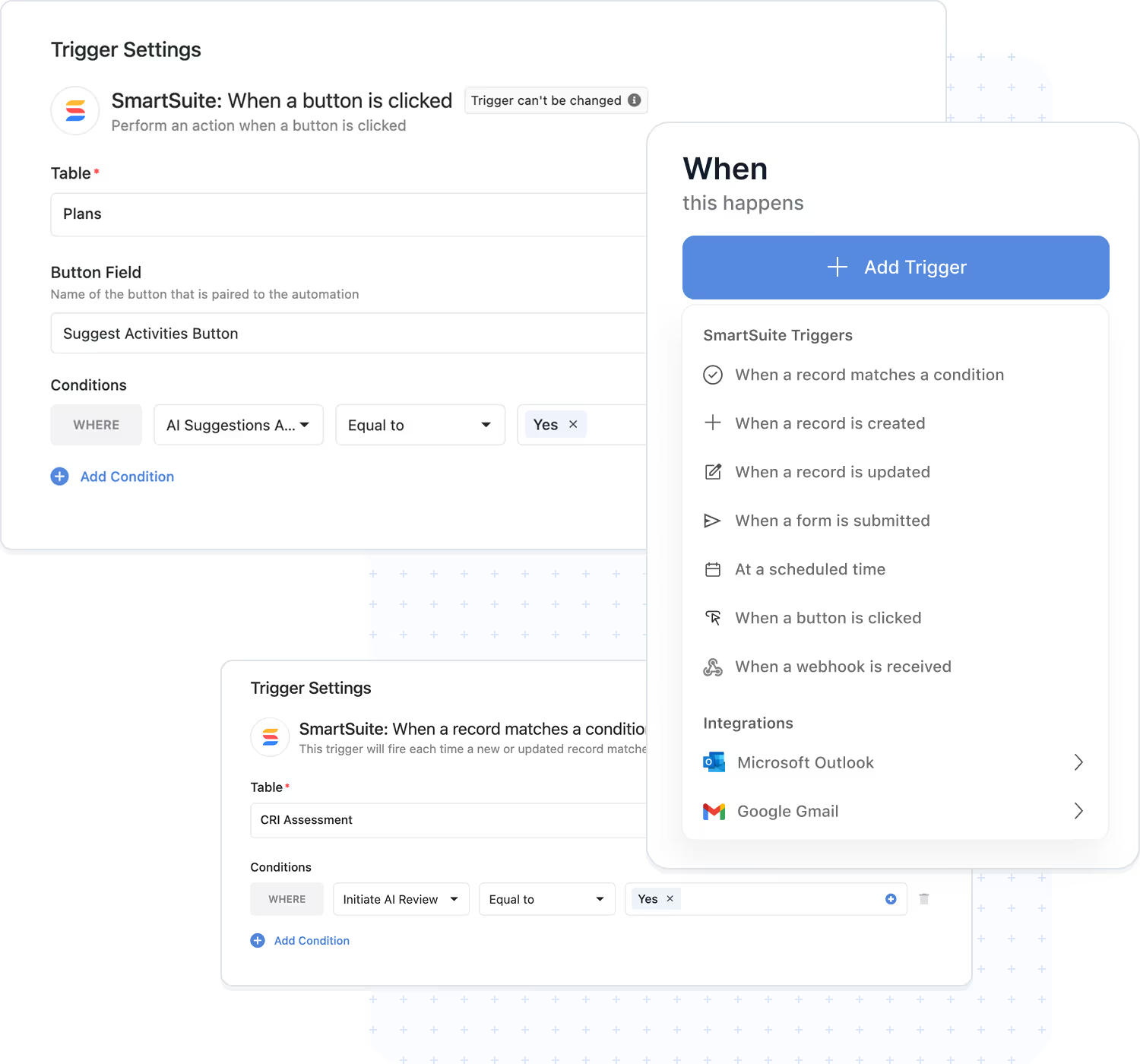
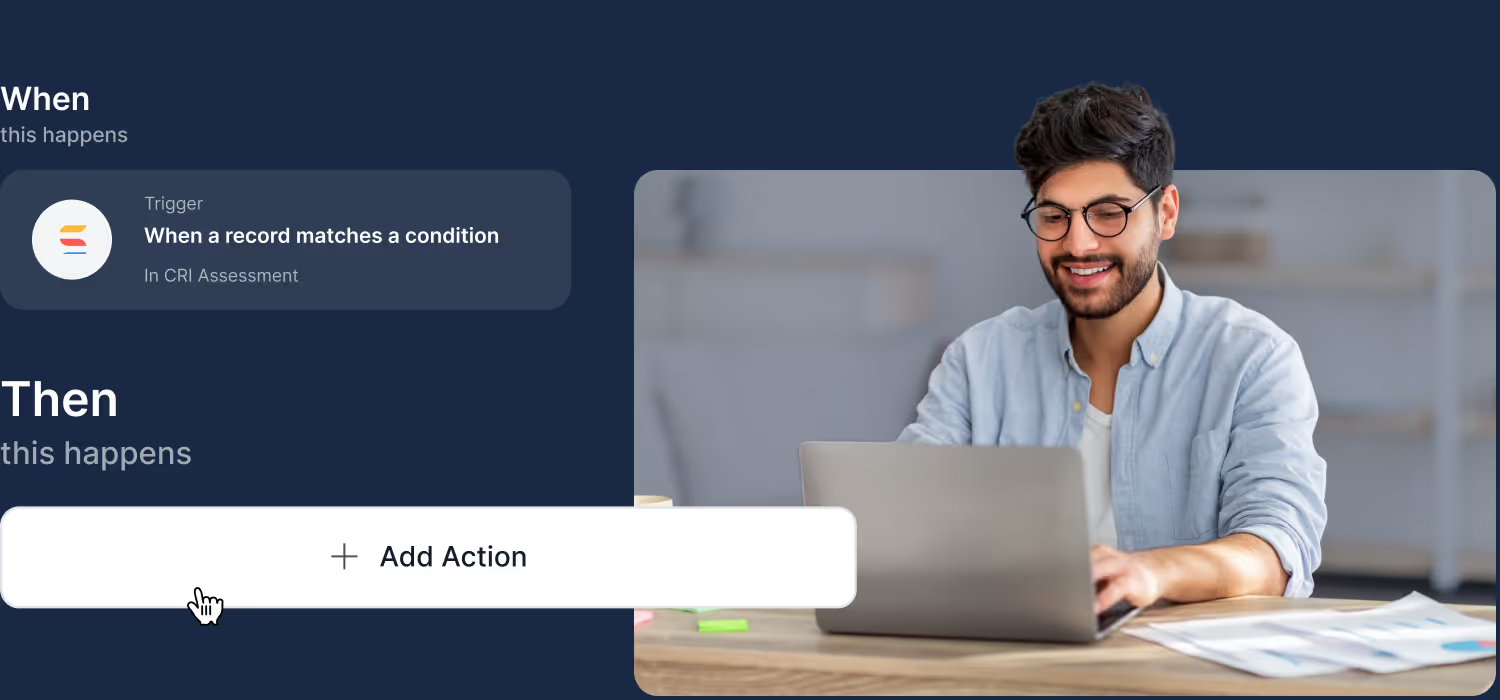
Triggers are the starting point for every automation. They listen for activity in SmartSuite — records, forms, buttons, and schedules — or events from other systems via inbound webhooks and email integrations, and start your workflow the moment it matters.
- Record events: When a Record is Created, When a Record is Updated, and When a Record Matches a Condition fire the instant your data changes.
- People & forms: When a Form is Submitted captures every response, and When a Button is Clicked puts approvals and escalations one click away.
- Time & connected systems: At a Scheduled Time runs on any cadence — minutes to months; When an Email is Received watches a connected Gmail or Outlook inbox; authenticated inbound webhooks start automations from any external system.
- Use Case:
New Risk added; Control Test status = Failed; Policy Review due; Incident posted via webhook.
Trigger Filters
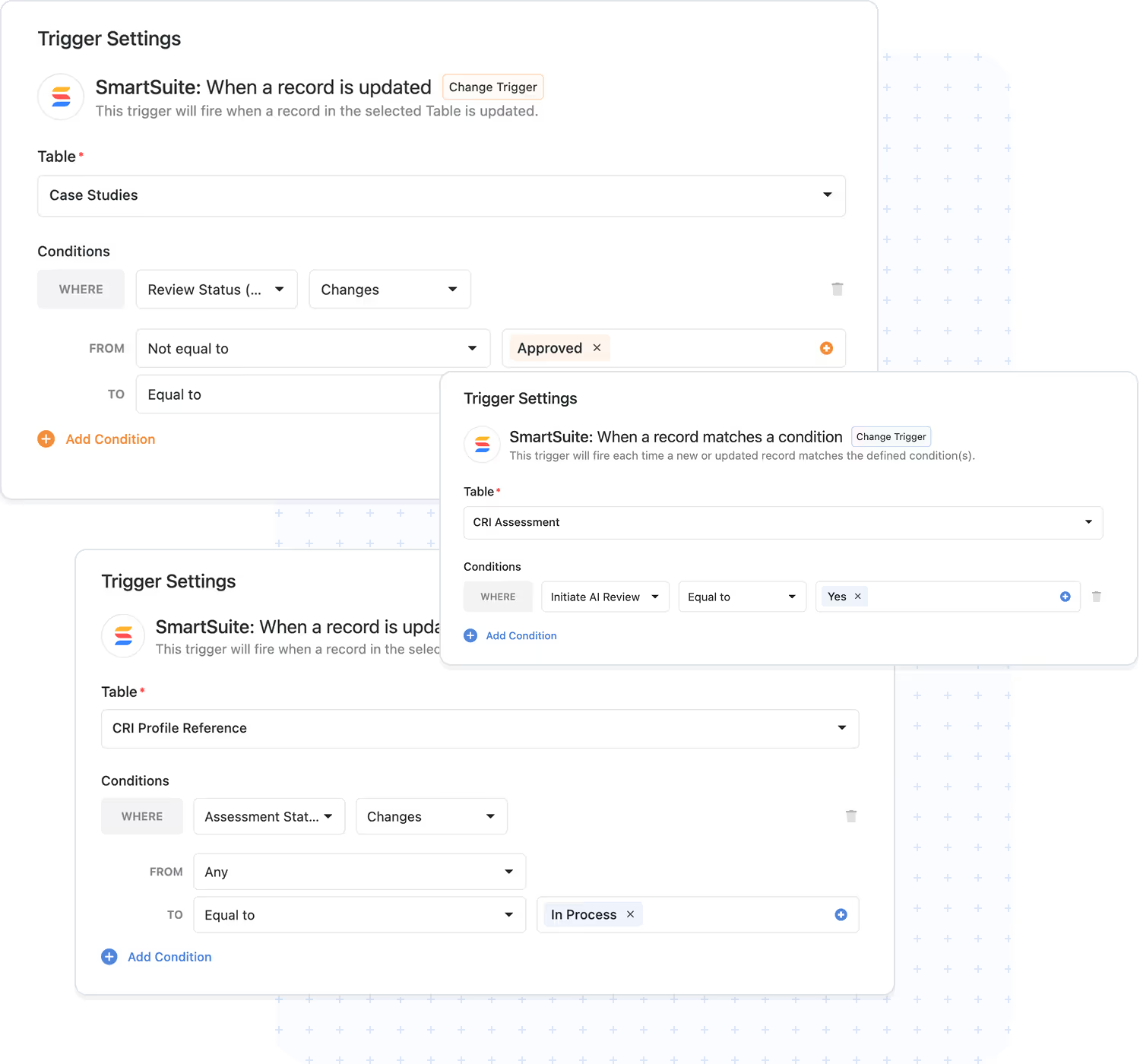
Every trigger supports filters — precise conditions that define exactly which records or values must be present before actions execute. Your automations run when they matter and stay quiet when they don't.
- Targeted execution: act only on records that match your rules — by status, owner, date, or any field.
- Visual builder: define filter criteria in seconds, without code.
- Data integrity: prevent unnecessary automation runs and keep workflows predictable.
- Use Case:
residual risk = High; evidence = Incomplete; control owner set.
Actions
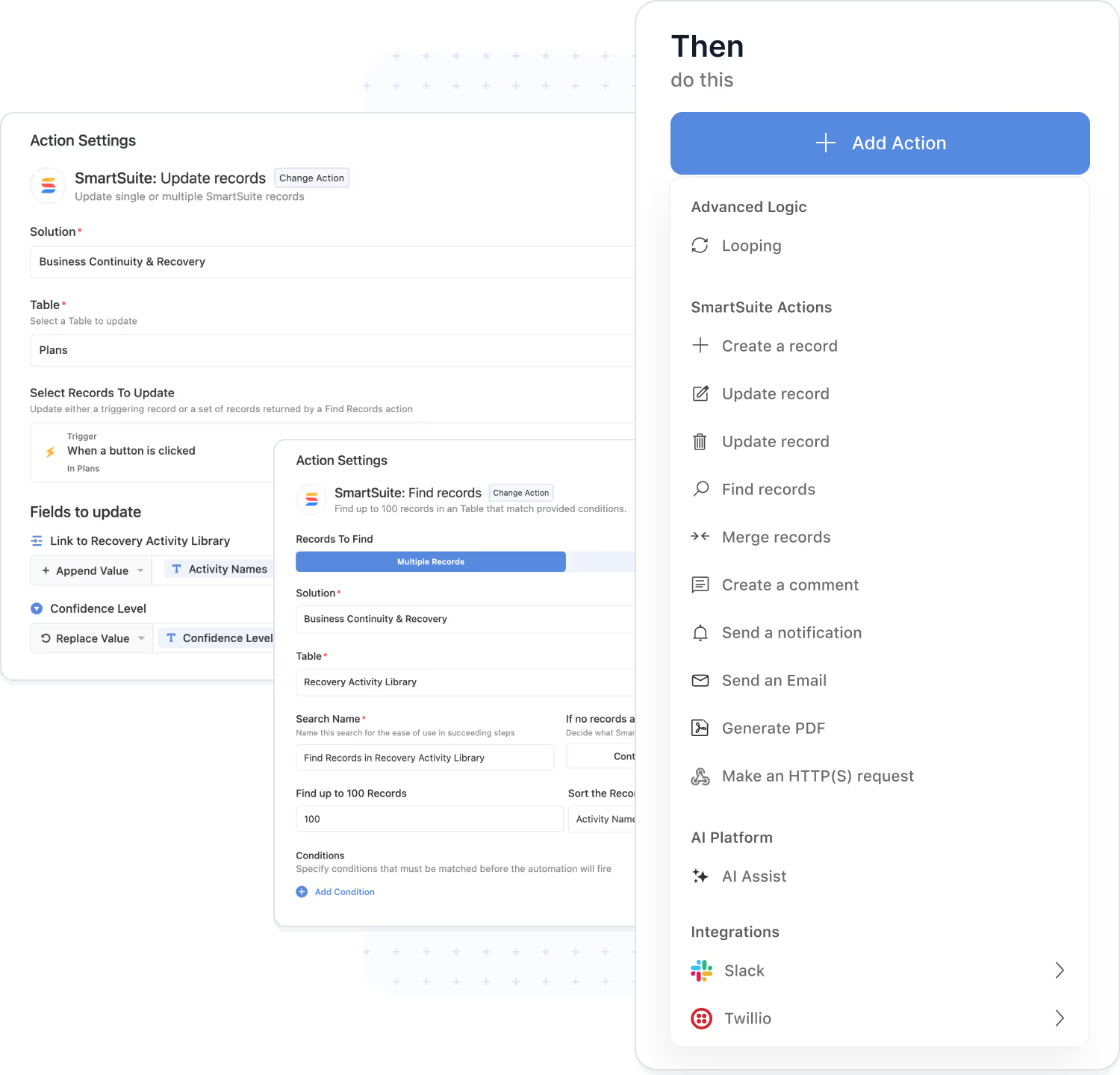
Actions define what happens after a trigger fires. A single automation can perform multiple actions in sequence — inside SmartSuite and in external systems — carrying your process from trigger to done.
- Records & data: Create a Record, Update Records, Find Records, Merge Records, and Delete Records keep information accurate across every table.
- Communication & documents: Send an Email, Create a Comment, and Generate PDF keep people informed and paperwork ready.
- External calls: Send Webhook Request reaches any REST API, and native integration actions connect Slack, Teams, Salesforce, Jira, and more.
- Advanced logic & AI: the Looping Action, Conditional Logic, and AI Workflow Agent add repetition, branching, and intelligence to any sequence.
- Monitoring: every run is logged with status and step-by-step details.
- Use Case:
control test fails → update related Risk, notify owner, create remediation task, call external ticketing API.
AI Workflow Agent
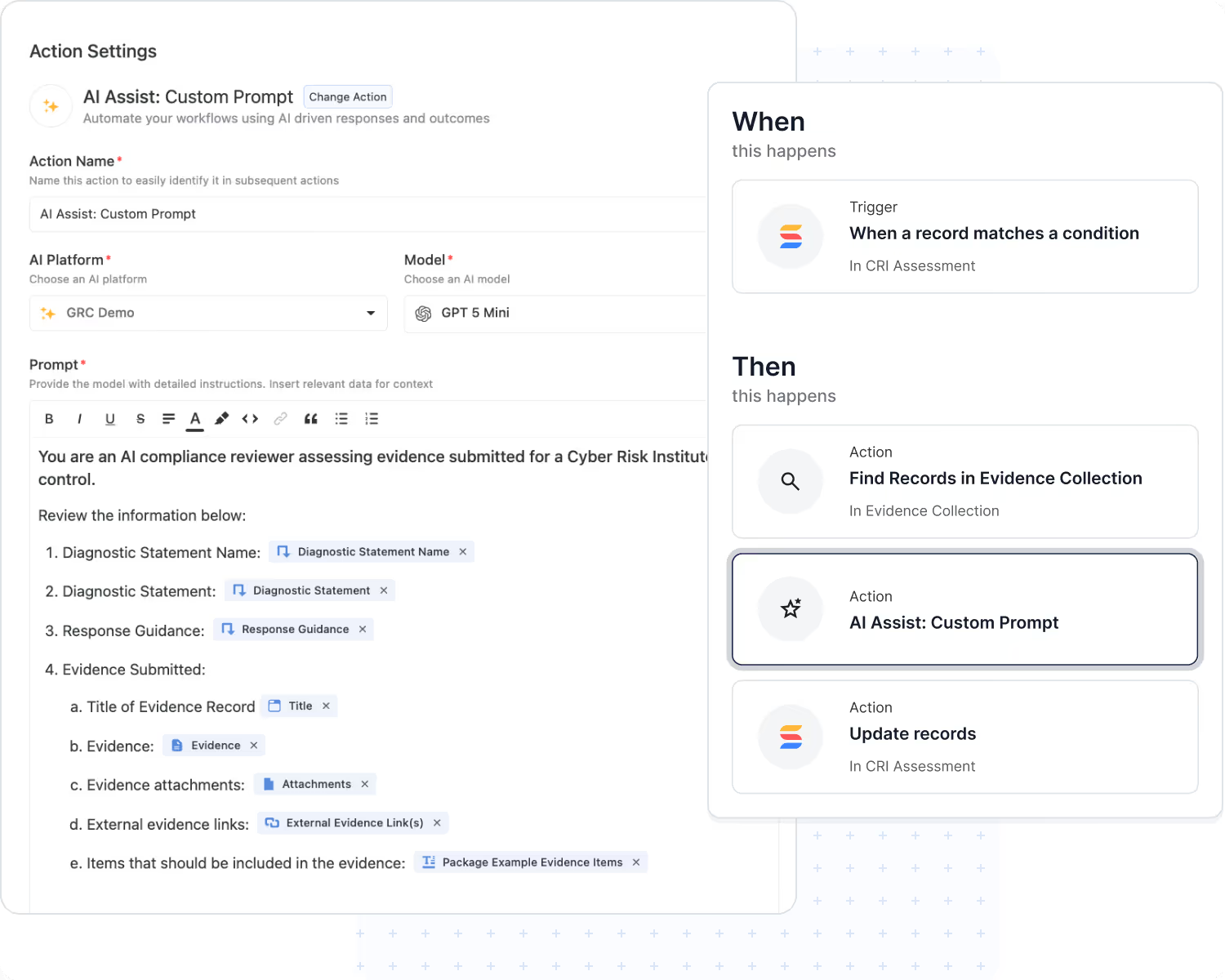
The AI Workflow Agent is an action that puts AI to work inside any automation. It reads record fields and attachments, follows your instructions, and returns results that later steps in the same automation use automatically.
- Attachment understanding: analyze PDFs, Word documents, and spreadsheets.
- Structured output: populate text, number, date, and select fields — or return structured data for downstream steps.
- Decision‑making: compute risk ratings, categories, and summaries that drive what happens next.
- Bring Your Own Model: connect the AI provider your organization trusts.
- Governed execution: runs under your organization's credentials with full logs.
- Use Case:
vendor assessment attachments → summary & risk score → trigger follow‑ups.
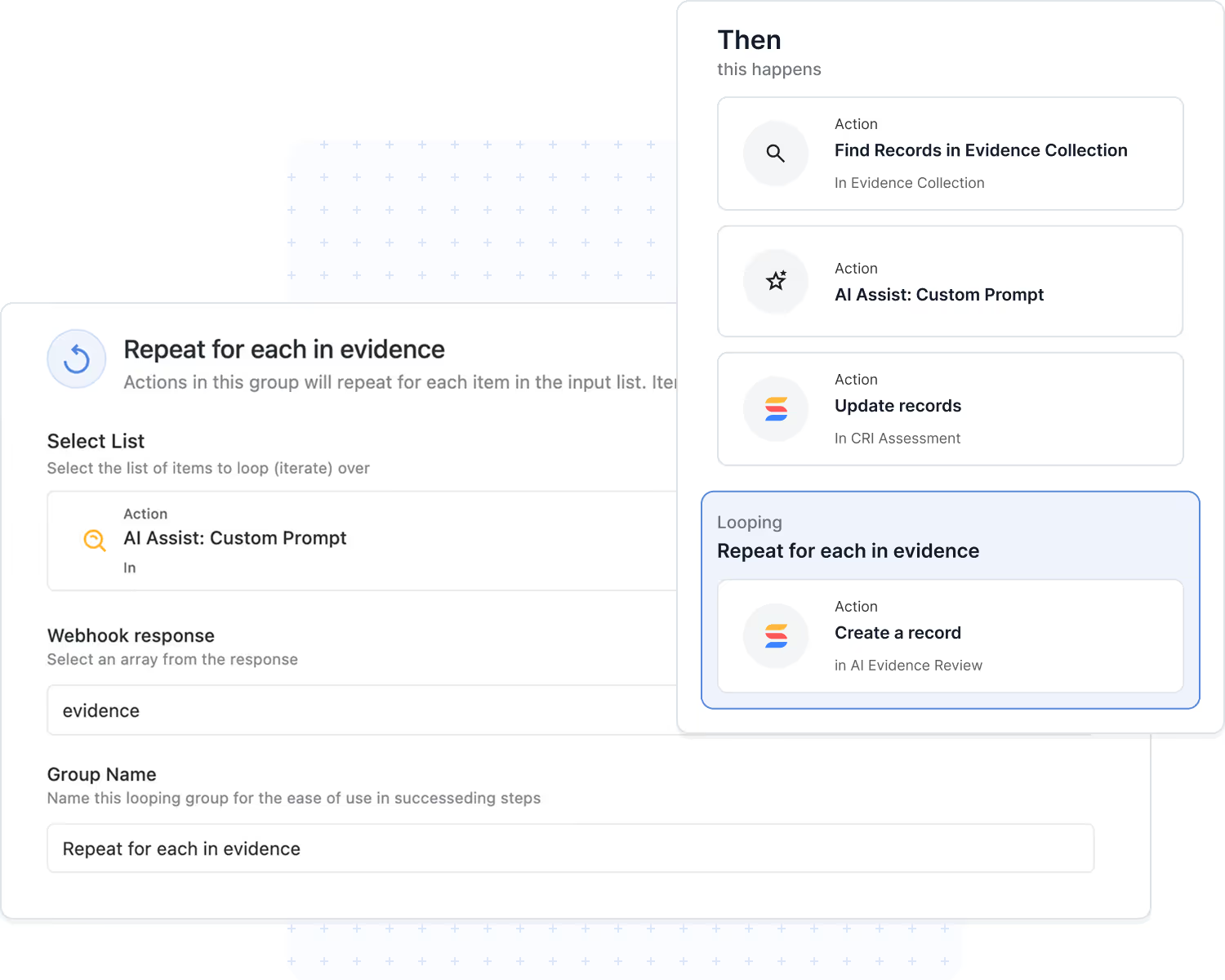
Looping Action
Looping lets a single automation repeat actions across all related records. When one change impacts many items — a risk and its controls, a finding and its remediation tasks — everything it touches gets updated in a single run.
- Record iteration: run the same steps for each linked or found record.
- Works with AI and logic: pair with the AI Workflow Agent, and nest Conditional Logic inside a loop to evaluate every item independently.
- Sequential execution: ordered runs maintain data integrity.
- Error isolation: one failed item is logged without stopping the rest.
- Use Case:
risk rating changes → update all linked controls; audit finding closed → complete all remediation tasks.
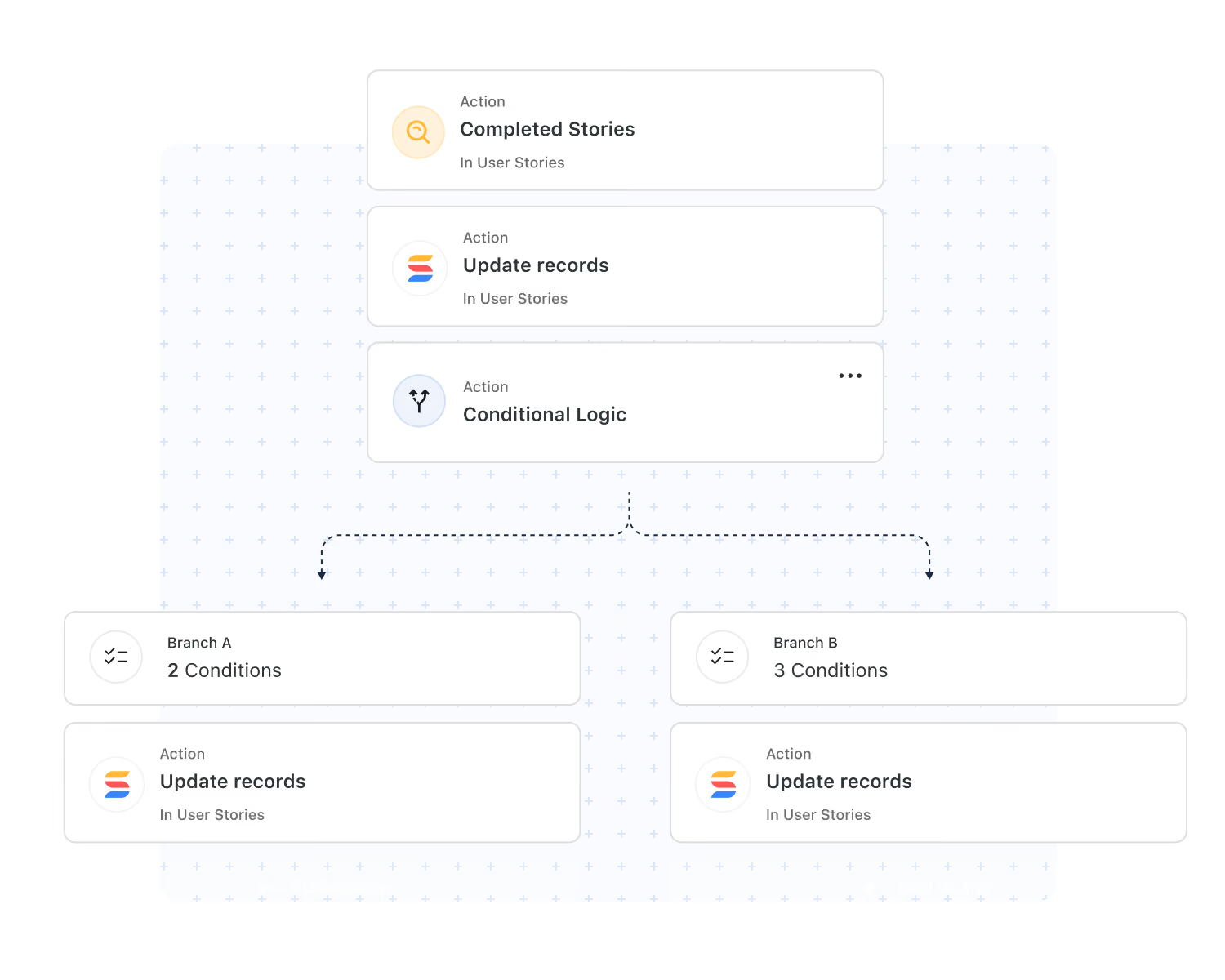
Conditional Logic
Conditional Logic lets a single automation take different paths depending on your data. When your conditions are met, one branch runs; when they're not, the other does — with any action available on either side.
- Branching paths: handle approvals, escalations, and exceptions without duplicating automations.
- Any action, any branch: create records, send emails, run AI, or call webhooks on either path.
- Combine with Looping: evaluate every related record independently.
- Full traceability: every branch decision is visible in Run History — available on all plans.
- Use Case:
incident severity = P1 → page on-call and open a bridge; otherwise → queue for triage.
Webhook Triggers & Actions
Use webhooks to connect SmartSuite automations with any external system.
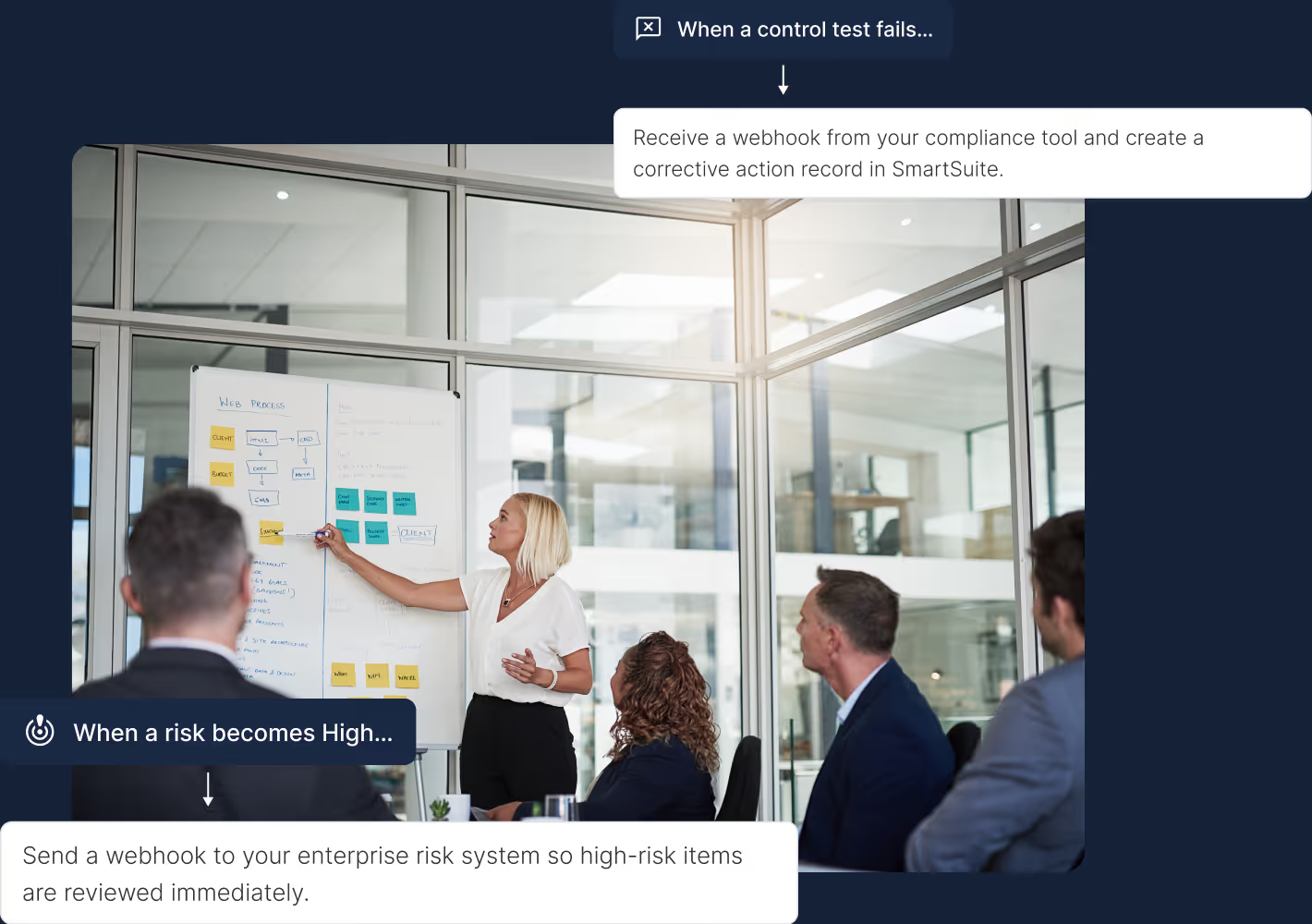
Receive a webhook from your compliance tool and create a corrective action record in SmartSuite.
Send a webhook to your enterprise risk system so high-risk items are reviewed immediately.
On critical ticket webhooks, log an incident in SmartSuite and notify the on-call team.
On approval webhooks from your IT Service Delivery tool, update the linked change record in SmartSuite.
On alert webhooks, activate the response plan in SmartSuite and assign recovery owners.
Update the third-party impact record automatically from supplier outage webhooks.
On deployment webhooks, move the related task to Completed and notify the project team.
On time-tracking webhooks, update task actuals and adjust resource allocations.
Native Integration Actions
Enterprise-grade actions that keep your systems synchronized and your teams aligned across communication, file storage, scheduling, service desks, and project platforms.
Automatically notify designated risk, compliance, or project channels when critical thresholds or workflow states are met.
Store finalized documents and evidence files in structured, audit-ready Drive folders for long-term governance.
Escalate high-severity items by posting real-time notifications to the correct Teams channels based on predefined rules.
Automatically schedule CAB reviews, risk assessments, or status meetings in Google Calendar or Outlook.
Trigger automated emails to continuity, security, or project leads containing assigned responsibilities and due dates.
Push SmartSuite task updates into ServiceNow queues to ensure enterprise service teams operate on the most current information.
Write back account, opportunity, or engagement updates into systems like HubSpot or Salesforce as workflows progress.
Automatically assemble PDFs or document bundles and deliver them to external stakeholders via email or storage platforms.
Open new issues or epics in Jira based on workflow triggers, ensuring engineering teams receive complete contextual data.
Provision and update tasks in external project systems to maintain alignment across distributed delivery teams.
When workflow blockers are identified, instantly broadcast them to the appropriate Slack or Teams channels for rapid resolution.
Send structured updates to vendors, auditors, or clients through predefined email templates or integrated communication channels.
Reliability & Governance
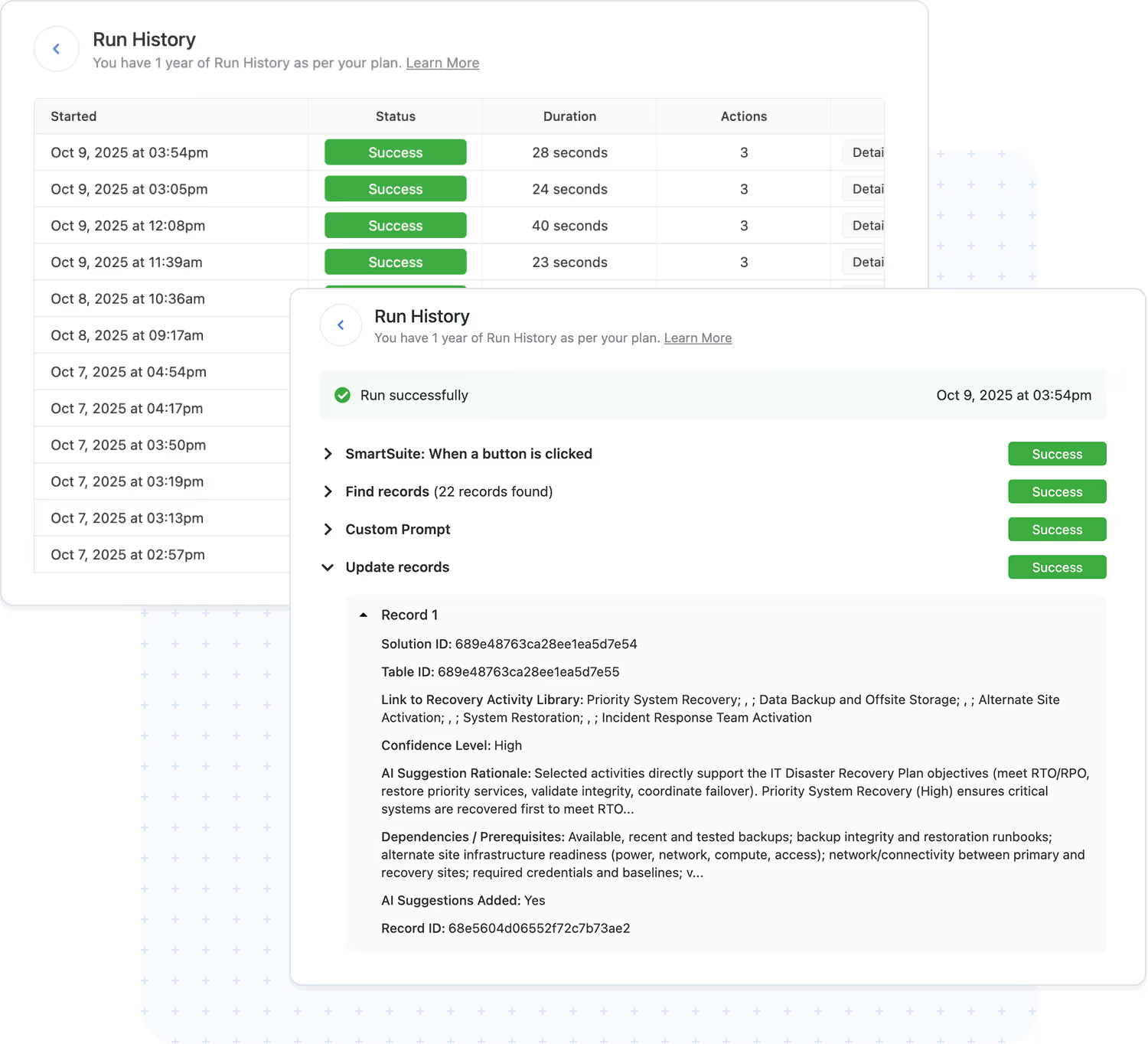
Automations are designed for reliability, transparency, and scale. Every run is traceable with full execution history.
- Run history: timestamps, triggers, and action results.
- Error handling: failures captured with context and alerts.
- Usage safeguards: built‑in limits maintain stability.
- Use Case:
Includes AI decisions and looped steps in the audit trail.
Explore Further
Automation is a cornerstone of modern work management, helping teams eliminate manual effort, reduce errors, and move work forward automatically. These articles introduce the core concepts behind workflow automation, AI assistance, end-to-end orchestration, and the growing shift toward hyperautomation.
Explore these topics to better understand how SmartSuite combines rules-based logic, AI-driven intelligence, and deep integrations to streamline processes across your entire organization.
Frequently Asked Questions About Workflow Automation in SmartSuite
SmartSuite supports event-based automations, scheduled automations, user-initiated automations, button-triggered actions, webhook triggers, conditional logic, looping actions, and integrations with external systems. You can automate virtually any operational workflow without writing code.
No. Automations are built using a no-code, guided interface. Builders use simple “When this happens… then do this…” logic, select from prebuilt triggers and actions, and configure the workflow using intuitive controls.
Yes. Automations can read from and write to any Solution or Table (subject to permissions). This enables cross-department workflows like onboarding, case management, incident response, risk reviews, and project execution.
Actions include creating or updating records, sending notifications, assigning tasks, updating statuses, posting to Slack/Teams, generating documents, modifying linked records, creating calendar events, syncing external systems, running scripts, and more.
SmartSuite offers native integration actions, webhook triggers, webhooks as actions, iPaaS connectivity (Zapier, Make, Relay, Workato, Bardeen, Integrately), and a robust REST API. This allows SmartSuite to coordinate workflows across your entire technology stack.
Yes. Automation access is permission-controlled. Admins can restrict who can build automations, define workspace limits, manage API throttling, view logs, enforce run limits by plan type, and audit every executed action for compliance visibility.
SmartSuite includes run logs, detailed error messages, conditional fallbacks, retry logic for integrations, and alerts when runs exceed expected volume. This ensures mission-critical workflows remain stable and predictable.
No. SmartSuite’s automation engine is optimized to support enterprise-scale workflows, large data sets, and complex process logic. Performance controls, throttling, and processing limits maintain workspace stability as automation volume increases.
See Automations in Action
Watch how SmartSuite automates real workflows with triggers, actions, and integrations.
SmartSuite AI Agent Studio
Smarter Workflows Start With Integrated AI
AI is embedded into the core of the SmartSuite Platform — not added as an afterthought. From content understanding to workflow execution, SmartSuite brings intelligence to every layer of your work.
With flexible model choices and enterprise governance, teams stay in control while AI accelerates clarity, accuracy, and decision-making across all workflows.
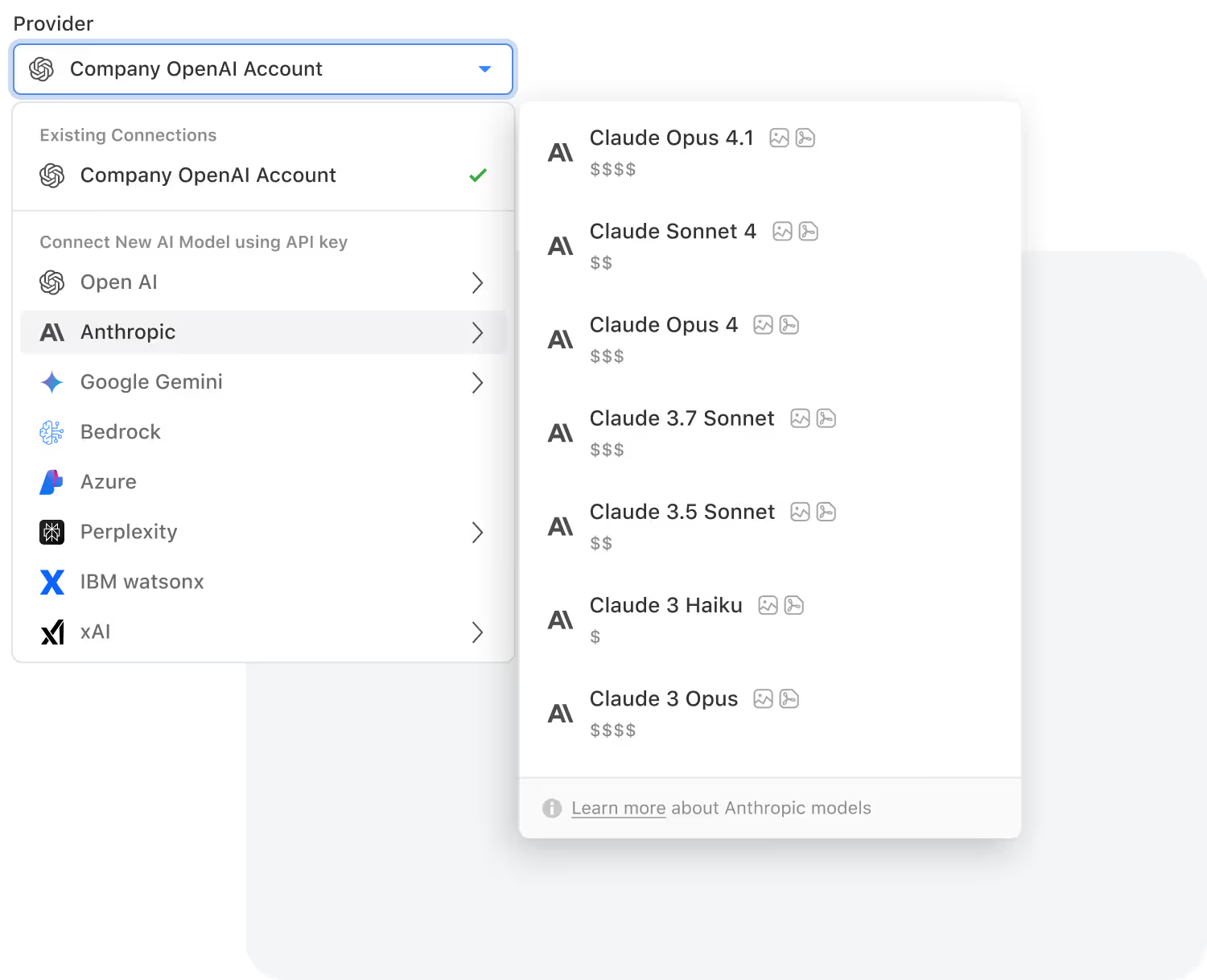
Supported models include: OpenAI, Gemini, Anthropic, Nscale, xAI, Groq, Bedrock AI, Azure, Perplexity and IBM WatsonX.

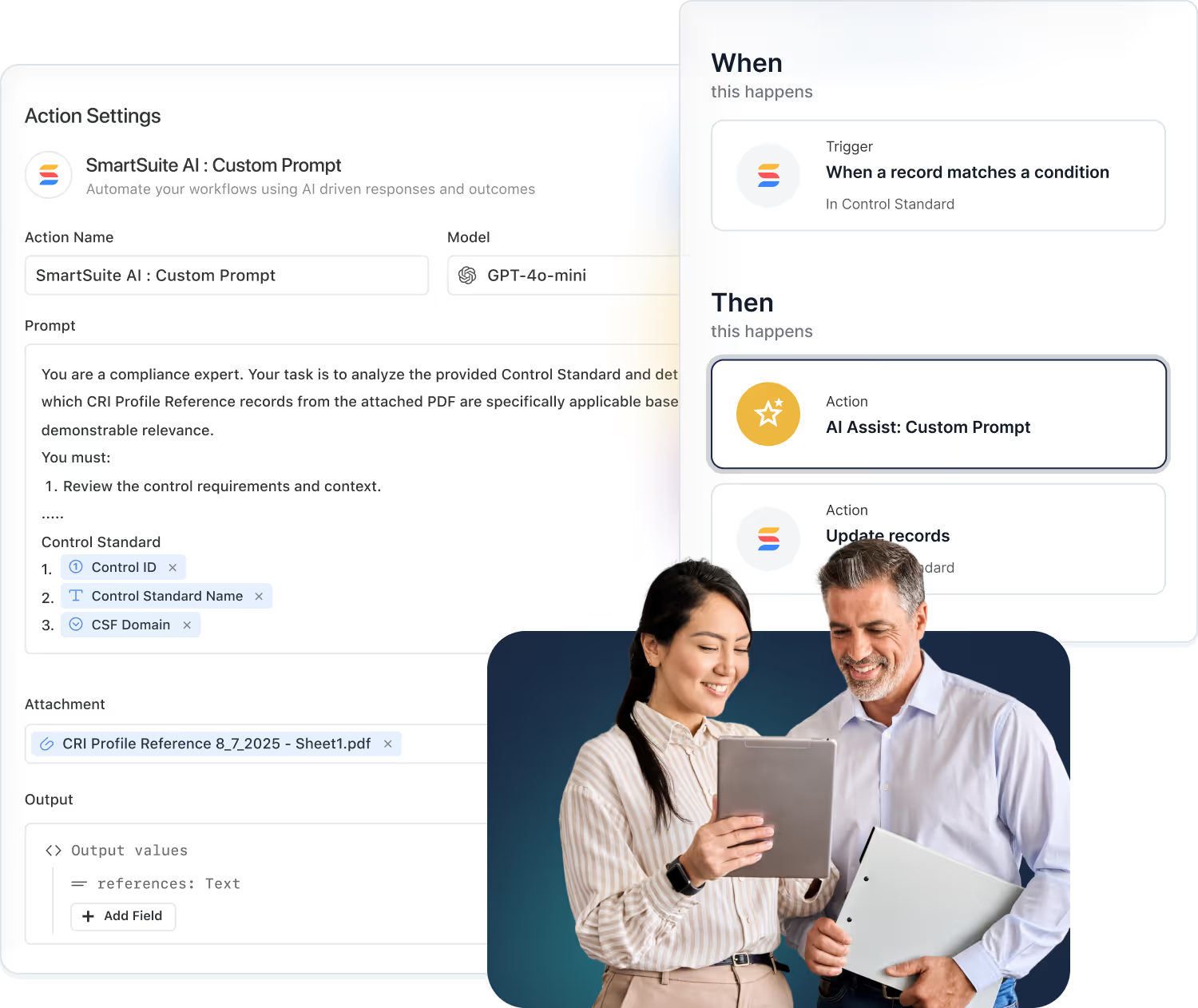
AI operates inside your processes, enriching data, refining steps, and supporting decisions where the work actually happens.
Because AI runs on structured solutions, fields, and relationships, insights stay grounded in your business context.
AI accelerates routing, classification, summaries, and next steps so work flows smoothly across every department.
Connect SmartSuite to any system or data source with enterprise-grade security and governance.
How Teams Are Using SmartSuite AI
From risk assessments to ticket triage and project planning, AI supports the work that moves your business forward. These examples show how different teams take advantage of AI inside SmartSuite workflows.
- Summarize assessments and control tests.
- Extract findings and recommended remediation.
- Propose risk severity based on key risk evaluation factors.
- Auto-categorize incidents and requests.
- Summarize long ticket threads for faster handoffs.
- Suggest likely root cause or next troubleshooting steps.
- Generate project status updates from recent activity.
- Flag timeline risks and potential bottlenecks.
- Highlight blockers before they delay critical milestones.
- Normalize data across teams and regions.
- Detect anomalies in key metrics and workflows.
- Turn unstructured input into clean, reportable data.
- Summarize campaign performance and test results.
- Extract key themes from customer and prospect feedback.
- Normalize briefs and messaging across teams and regions.
- Summarize vendor risk assessments and questionnaires.
- Highlight potential issues in third-party responses.
- Map responses to required controls and frameworks.
- Summarize incidents, recovery steps, and lessons learned.
- Highlight gaps between plans and actual response.
- Surface dependencies and emerging risks across critical processes.
- Summarize multi-channel conversations into clear updates.
- Suggest next-best responses or actions for agents.
- Group related tickets and themes for faster triage.
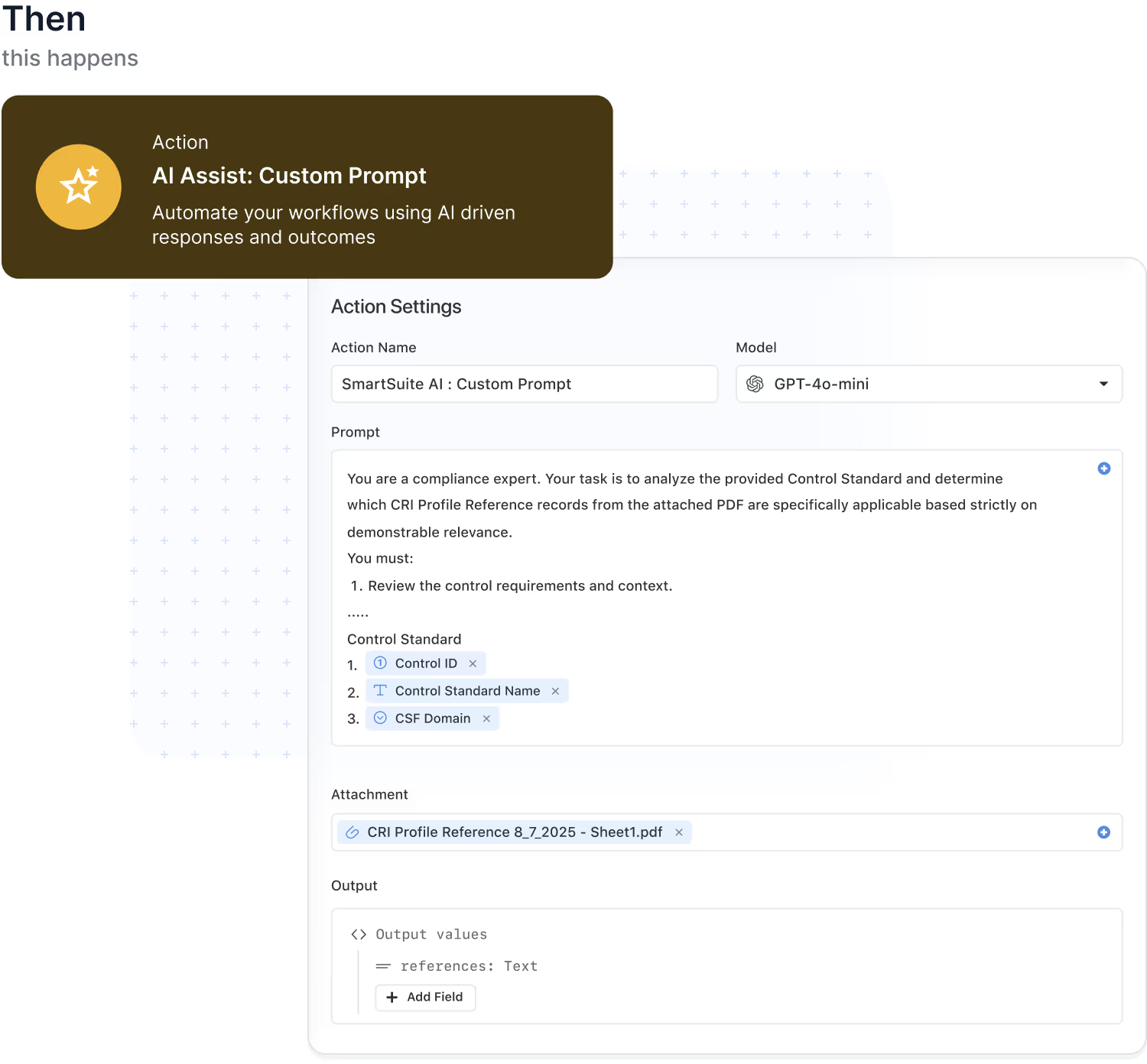
AI Workflow Agent: Intelligence embedded in every automation
AI Workflow Agent brings intelligence into the flow of your automations. Instead of relying only on fixed rules, you can add AI steps that summarize, classify, translate, and enrich data as it moves through your workflows. Every AI action runs inside SmartSuite's automation engine and respects your triggers, conditions, and permission model.
- Turn raw inputs into structured fields so forms, requests, and assessments land in the right place.
- Classify and route work automatically by understanding the content of each record.
- Generate human-ready summaries and notifications that keep stakeholders aligned.
- Combine AI with conditions and loops to drive more adaptive, cross-solution workflows.
Create, summarize, and transform content with AI
SmartDoc fields empower teams to produce high-quality content instantly. AI can generate new text, summarize lengthy inputs, translate languages, extract insights, or rewrite content for clarity. Every operation respects SmartSuite's permissions and integrates into your workflows.
- Generate new content for updates, summaries, or communications directly inside records.
- Summarize long narratives, notes, and attachments into clear, scannable takeaways.
- Translate content between languages while keeping key context intact.
- Rewrite and refine text for clarity, tone, and consistency across teams.
- Extract key insights or action items from unstructured content to feed downstream workflows.
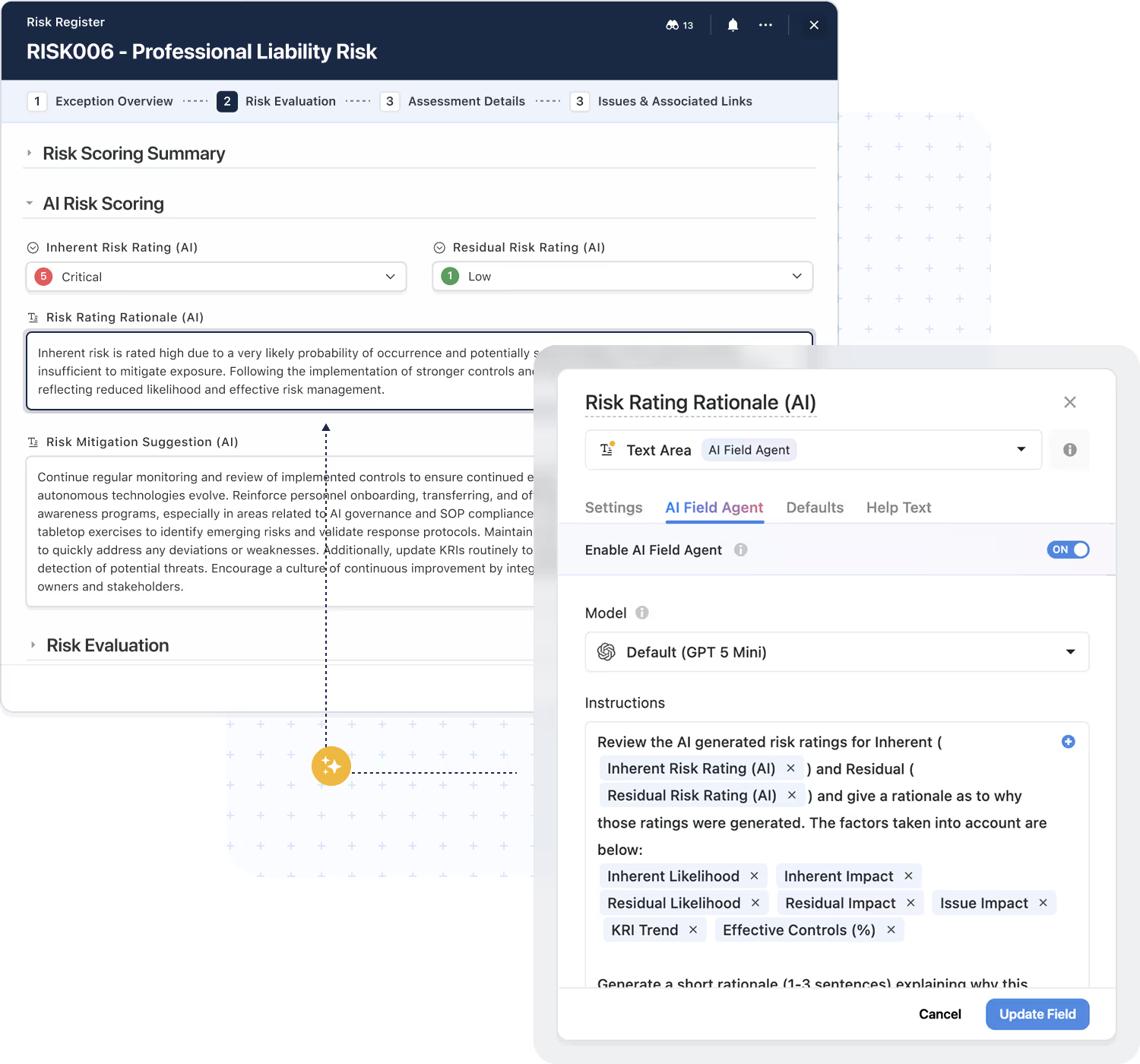
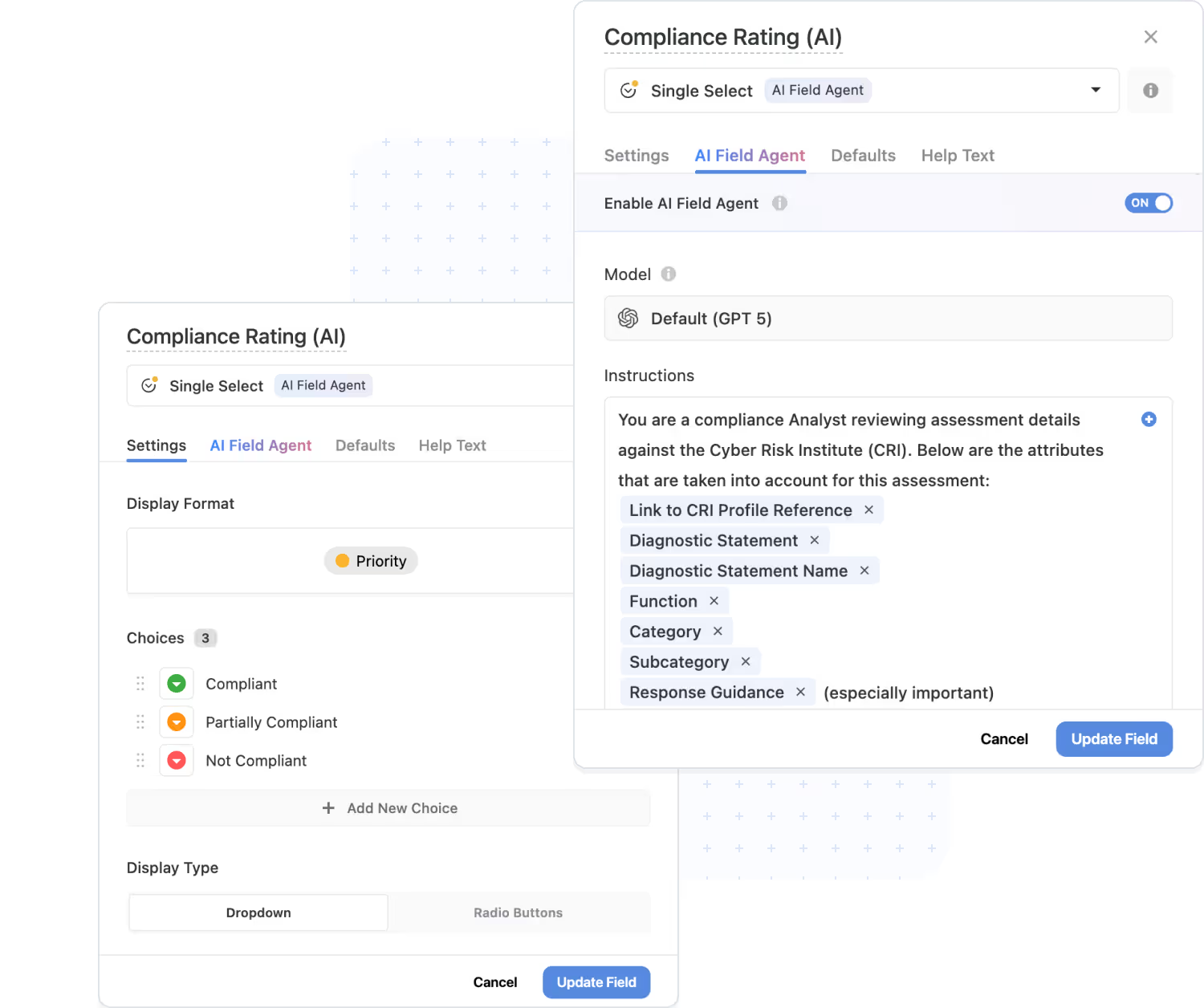
AI Field Agent: Intelligence that lives next to your data
AI Field Agent brings intelligence down to the field level. Agents monitor records for patterns, anomalies, and missing context, then suggest or apply updates based on your rules. It is ideal for risk scoring, prioritization, and keeping large datasets clean without adding manual review overhead.
- Recommend values directly in the field, such as risk scores, severities, or priorities.
- Flag incomplete or inconsistent records before they move to the next stage.
- Enrich data with meaningful labels that make reporting and analysis stronger.
- Keep humans in control with review-and-apply patterns for AI suggestions.
Human-in-the-loop AI: Assistance with humans in control
SmartSuite uses AI to prepare information, not to take over decisions. Teams review and confirm AI-generated summaries, scores, and suggestions as part of the workflow, so every change carries both intelligence and human judgment.
- AI prepares summaries, suggestions, and classifications while humans validate the final outcome.
- Review-and-apply patterns fit naturally into risk reviews, issue triage, approvals, and audits.
- Permission-aware logic ensures AI only proposes changes users are allowed to make.
- All AI-assisted updates are captured in activity history for full transparency.
Bring your own LLM: AI on your terms
Every organization has its own requirements for model selection, data residency, and cost management. SmartSuite's AI architecture supports a bring-your-own LLM approach so you can plug in the models you trust while keeping a consistent experience for users inside workflows and automations.
- Use the models your organization trusts, including OpenAI, Anthropic, AWS Bedrock, IBM, or private deployments.
- Align AI usage with security, compliance, and data residency requirements.
- Route different workloads to different models to optimize accuracy, latency, and cost.
- Maintain a consistent user experience, regardless of which underlying model is used.
Explore Further
AI is rapidly transforming how organizations operate, make decisions, and scale their workflows. These articles introduce the core concepts behind enterprise-grade AI—from generative models and intelligent automation to explainability, governance, ethics, and system integration.
Explore these topics to understand how SmartSuite brings responsible, practical, and domain-aligned AI capabilities into everyday work, helping teams reach new levels of insight, efficiency, and performance.
Frequently Asked Questions About AI in SmartSuite
AI is embedded directly into the platform — working inside your workflows, automations, records, and data model. It enhances the way work flows rather than acting as a separate tool or add-on.
Any workflow that involves text-heavy content, decision-making, prioritization, risk evaluation, or repetitive review steps benefits immediately. Common examples include GRC, ITSM, project management, vendor management, audits, support operations, and cross-team processes.
No. AI in SmartSuite is assistive—not autonomous. It generates recommendations, summaries, classifications, or next steps, but human users remain fully in control of approvals, edits, routing, or updates.
Yes. AI only operates on the data a user already has access to. It respects SmartSuite’s solution-level, table-level, record-level, and field-level permissions at all times.
Yes. SmartSuite supports a Bring Your Own LLM (BYO-LLM) approach that allows organizations to use the AI models they trust—including OpenAI, Anthropic, AWS Bedrock models, IBM, and private enterprise deployments.
SmartSuite enforces strict data boundaries, never trains external models on your data, provides access controls for where AI can be used, and maintains an audit trail for AI-assisted updates. This aligns with enterprise-grade security and compliance expectations.
Yes. AI can help teams build new workflows in SmartSuite Studio by translating plain-language descriptions into structured solutions with tables, fields, views, and initial logic. Users can refine and adapt everything before deploying.
Yes. SmartSuite can summarize documents, extract key insights, highlight risks, identify next steps, and convert unstructured content into structured data fields—all while staying within your permission model.
AI enhances automations by enabling smarter routing, classification, enrichment, normalization, translation, and interpretation of incoming data. This makes complex workflows more adaptive and context-aware.
Customers use AI to summarize assessments, extract findings, generate remediation tasks, classify tickets, identify missing data, calculate risk scores, produce executive summaries, predict bottlenecks, enrich records, and convert conversations or documents into structured data.
Explore AI Inside Your Workflows
See how AI accelerates work, improves decisions, and enhances every workflow you build.
Collaboration, Built Into Every Workflow
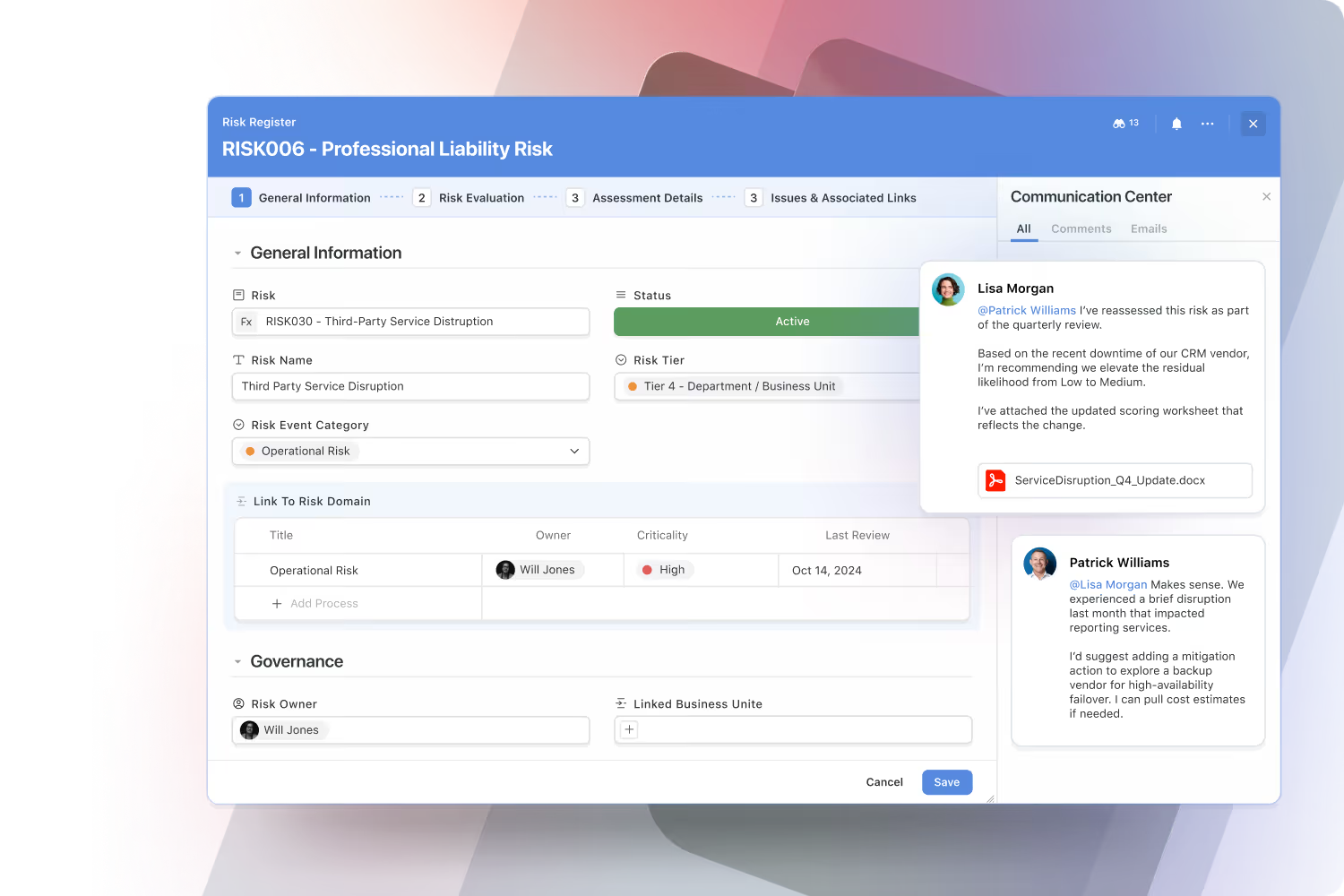
Collaboration in SmartSuite isn’t an add-on — it’s built into the way work happens.
Every message, update, and decision is right where it belongs: in context, in one place, and always up to date.
Have real-time conversations where the work happens.
Start discussions, @mention teammates, and share files directly inside records, tasks, or projects.
Every conversation stays linked to its context — so updates are clear, decisions are faster, and you never lose track of critical information in external chat apps or meetings.
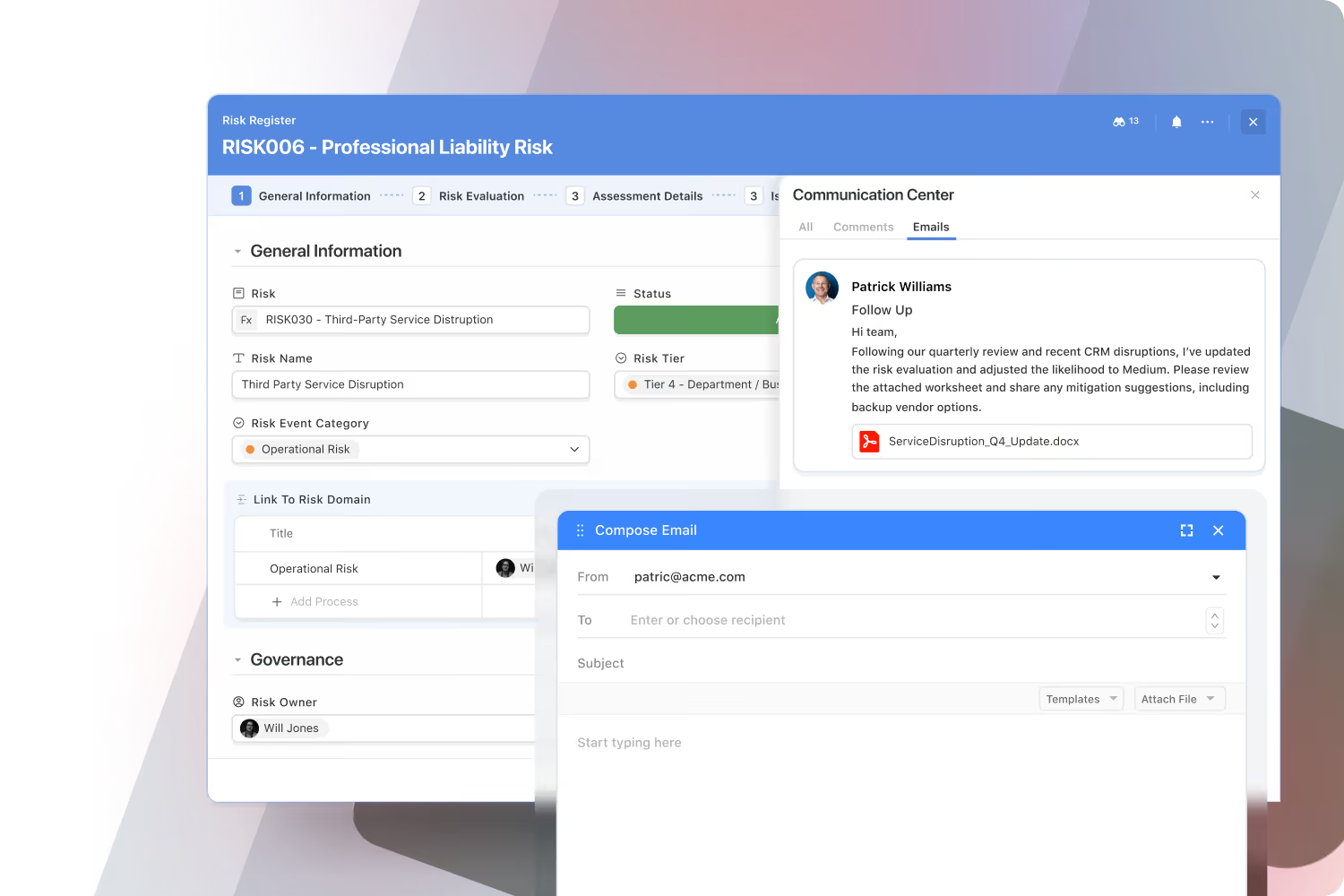
Bring email directly into your workflows.
Send and receive emails from within SmartSuite — fully synced with Gmail, Outlook, and other providers.
Every thread stays connected to its related record, keeping vendor, customer, and partner communication visible to your team.
No forwarding, no missing context — just seamless communication without leaving the platform.
Find, connect, and collaborate across your organization.
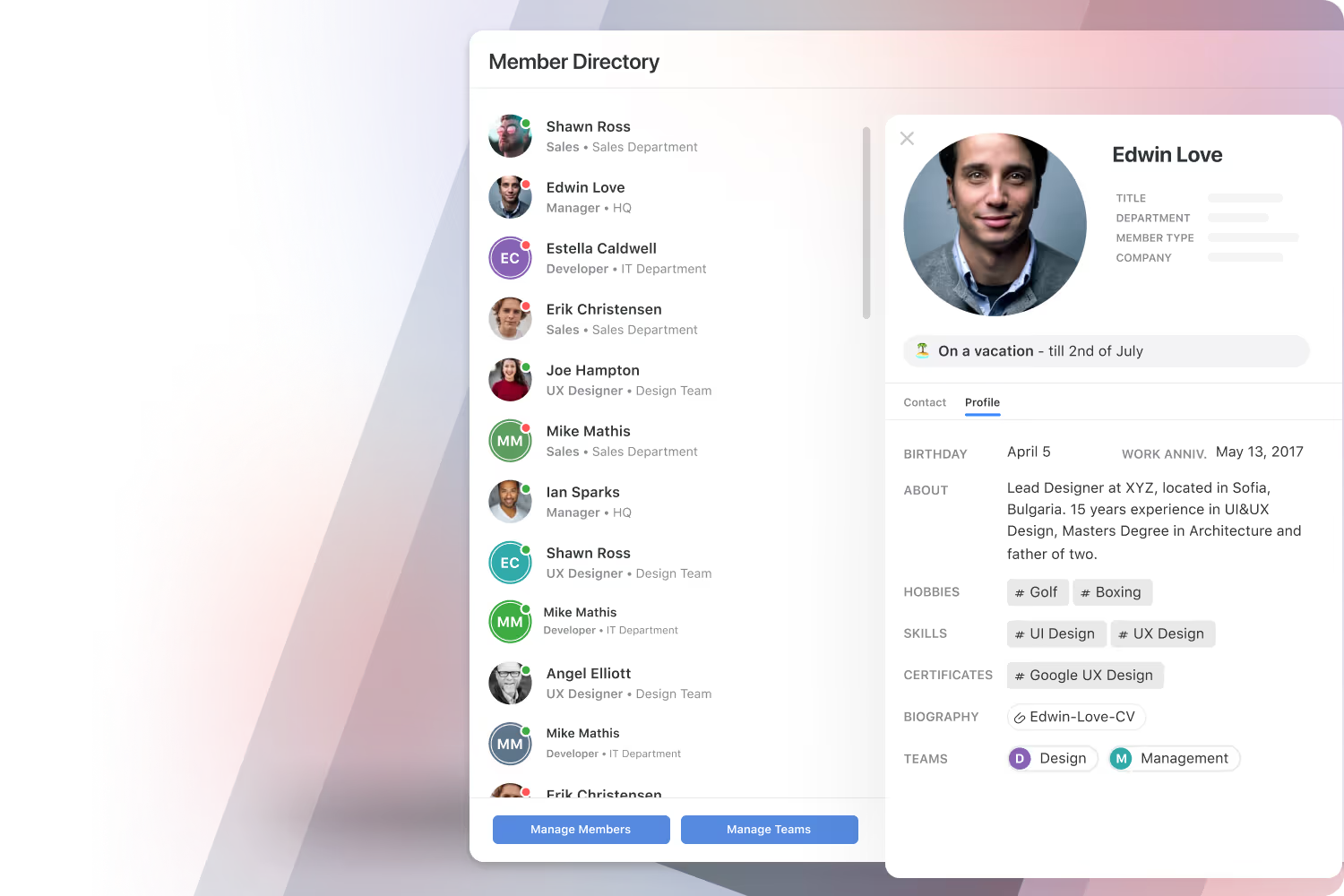
SmartSuite’s dynamic Member Directory brings people together with rich profiles that include roles, skills, departments, and contact information. Presence indicators show who’s available, making it easy to reach out, share context, and strengthen team culture in the flow of work.
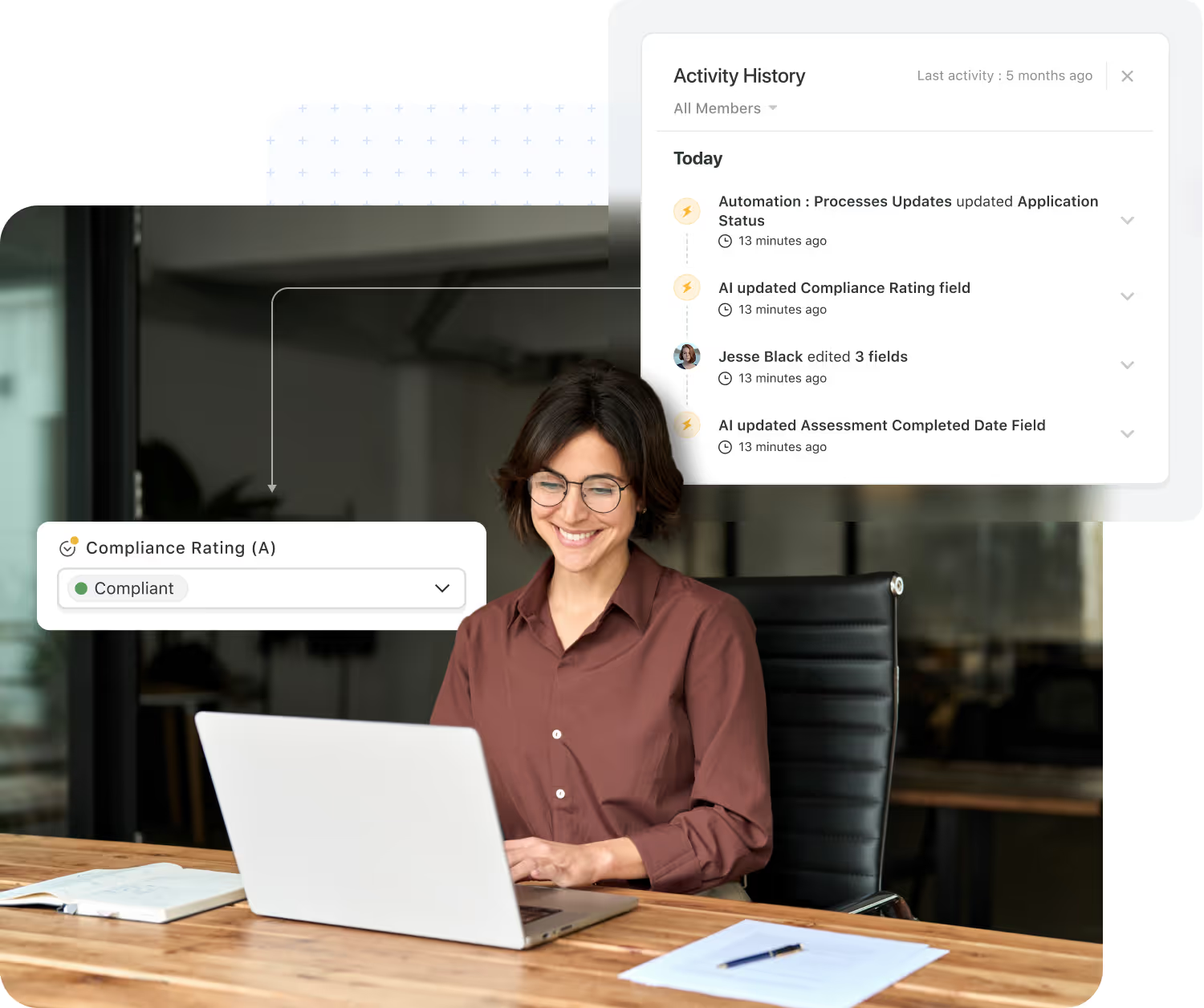
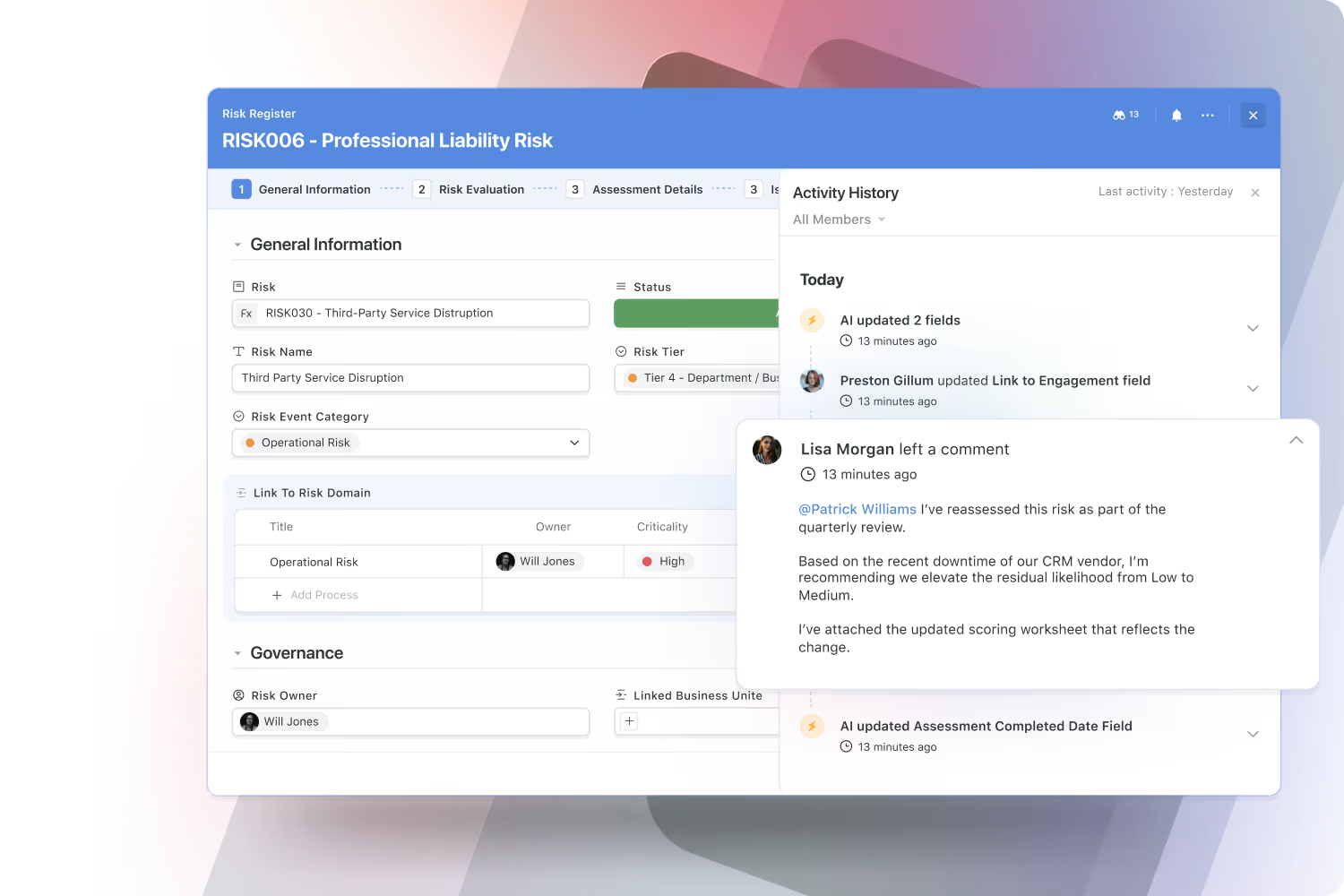
See the work as it happens — with complete transparency.
SmartSuite automatically tracks every change across records, tasks, and projects, giving teams and auditors a full view of what’s been updated, when, and by whom.
These live activity streams build trust, support compliance, and eliminate the need for status meetings or guesswork.
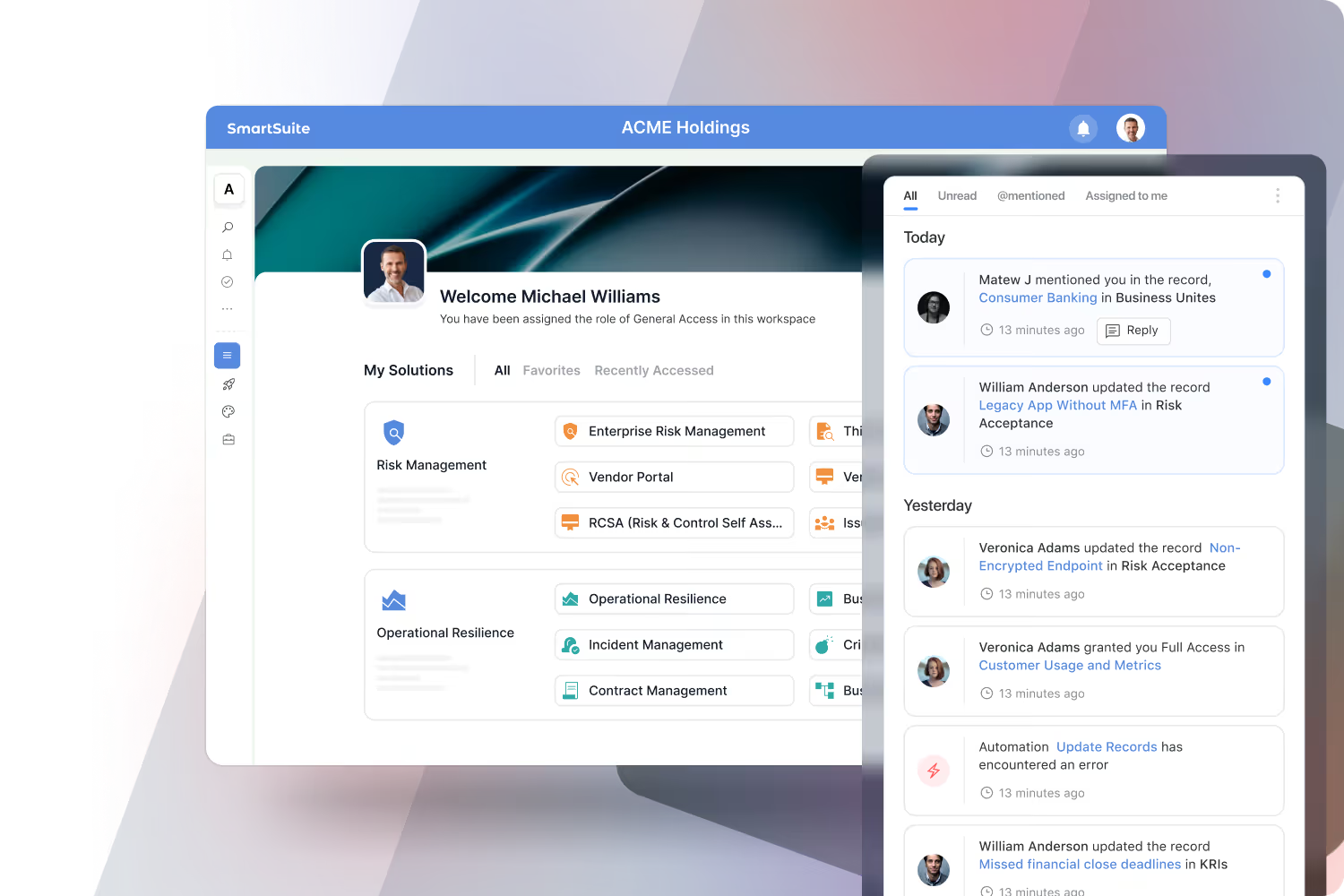
Your personalized command center for work.
SmartSuite’s notification center consolidates updates from across the platform — including new assignments, @mentions, comments, and permission changes.
Delivered in-app and by email, notifications help you stay focused on what matters most without chasing updates or checking multiple systems.
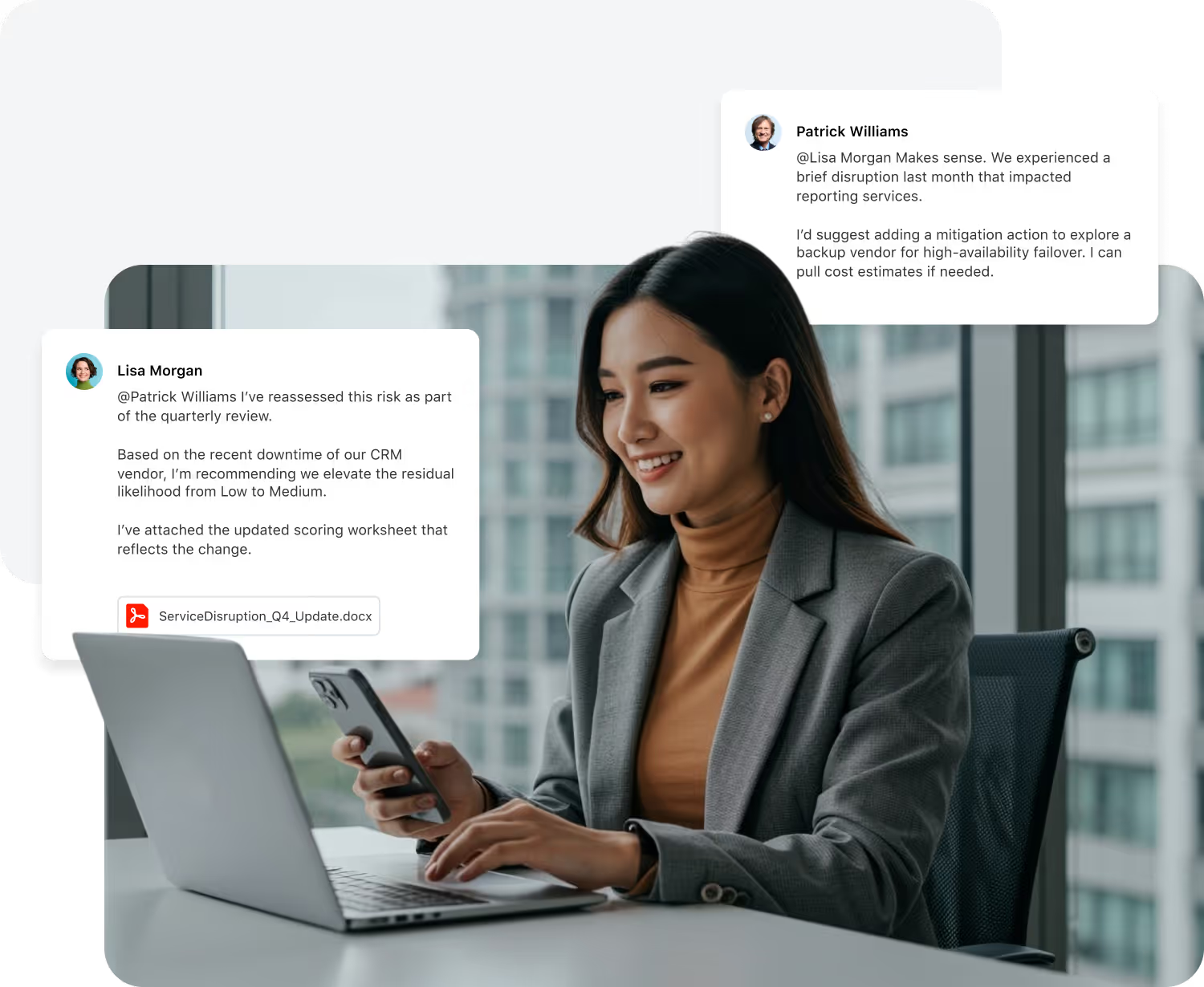
Collaboration That Moves Work Forward
Most tools separate where you talk about work from where you track it. SmartSuite brings them together, so every conversation has context and every decision has a clear next step.
Every discussion lives inside the record it belongs to, so decisions never lose their trail and handoffs stay clean.
Go from comment to task, approval, and workflow change in a click. SmartSuite turns talk into trackable progress.
The same collaboration patterns power GRC, IT Service Delivery, projects, CRM, and more—reducing training time and improving consistency.

Have The Conversation Right Where The Work Lives
Start discussions, mention teammates, share files, and log approvals directly inside records, tasks, and projects. Every comment is anchored to context—no screenshots of Slack, no forwarded email chains.
- Threaded comments and @mentions on any record.
- Attach files and links where they'll be used.
- Convert comments into tasks or approvals in one click.
Keep Email Threads Where They Belong: In The Record
Customer, vendor, and stakeholder emails no longer sit in individual inboxes. SmartSuite routes them straight into the records they belong to, so context and commitments stay visible to the whole team.
- Send and receive emails directly from any records.
- Auto-thread messages to the right account or project.
- Keep attachments and approvals tied to the work, not buried in inboxes.

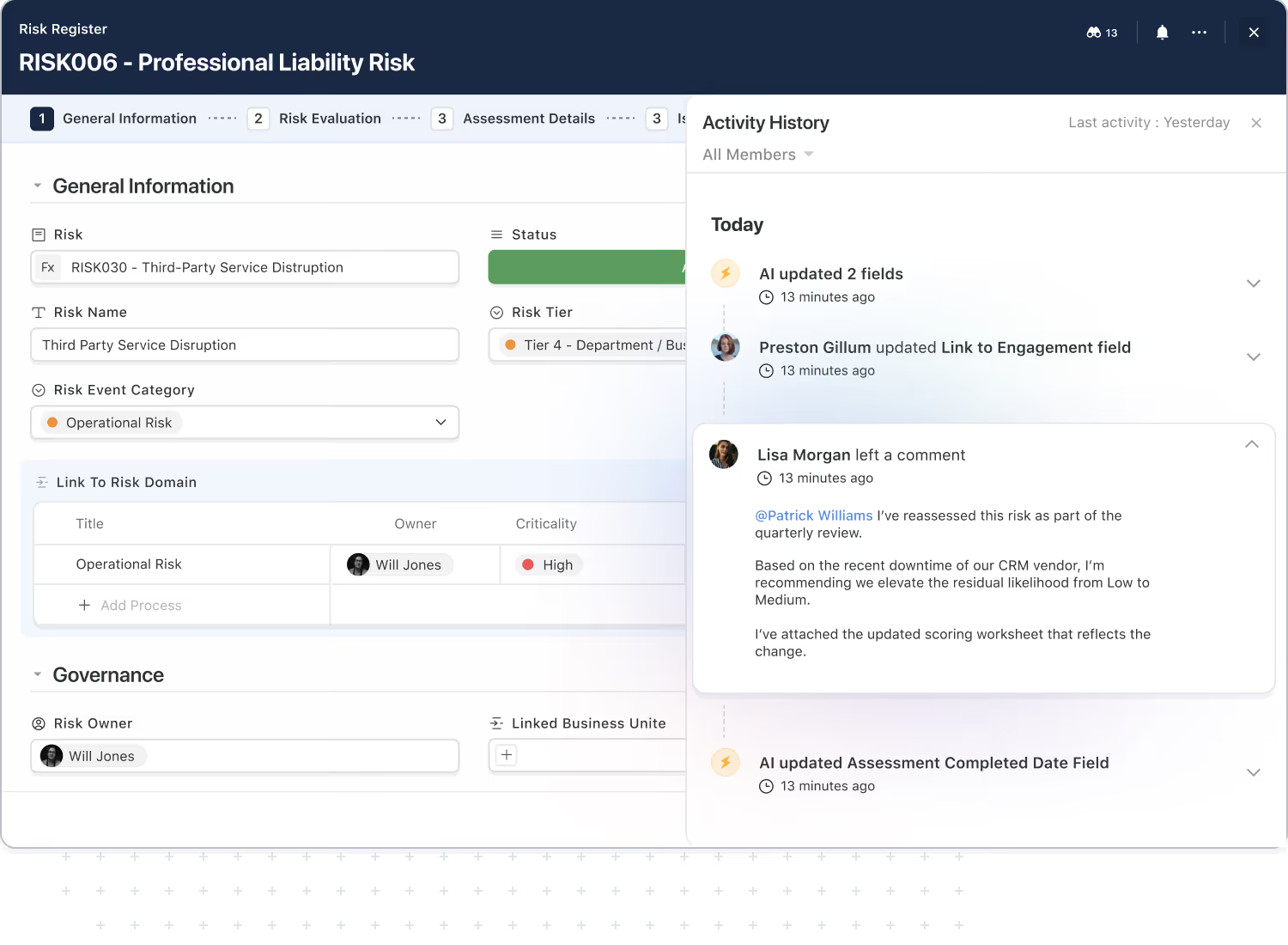
Know Exactly How Work Evolved Over Time
SmartSuite captures a complete activity history for each record so you can always answer simple but critical questions: who changed this, when, and why?
- Track comments, edits, and status changes in one timeline.
- Onboard new team members faster by showing them the full story.
- Support internal reviews and audits with clear evidence of collaboration and approvals.
Stay In The Loop Without Drowning In Alerts
SmartSuite notifications keep you updated on the work that matters most—mentions, assignments, approvals, and critical changes—while giving you the control to dial back the noise.
- Fine-tune notifications by solution, record type, or role.
- Use digests for leaders who need signal, not streams.
- Integrate Slack and Teams while keeping SmartSuite as the source of truth.

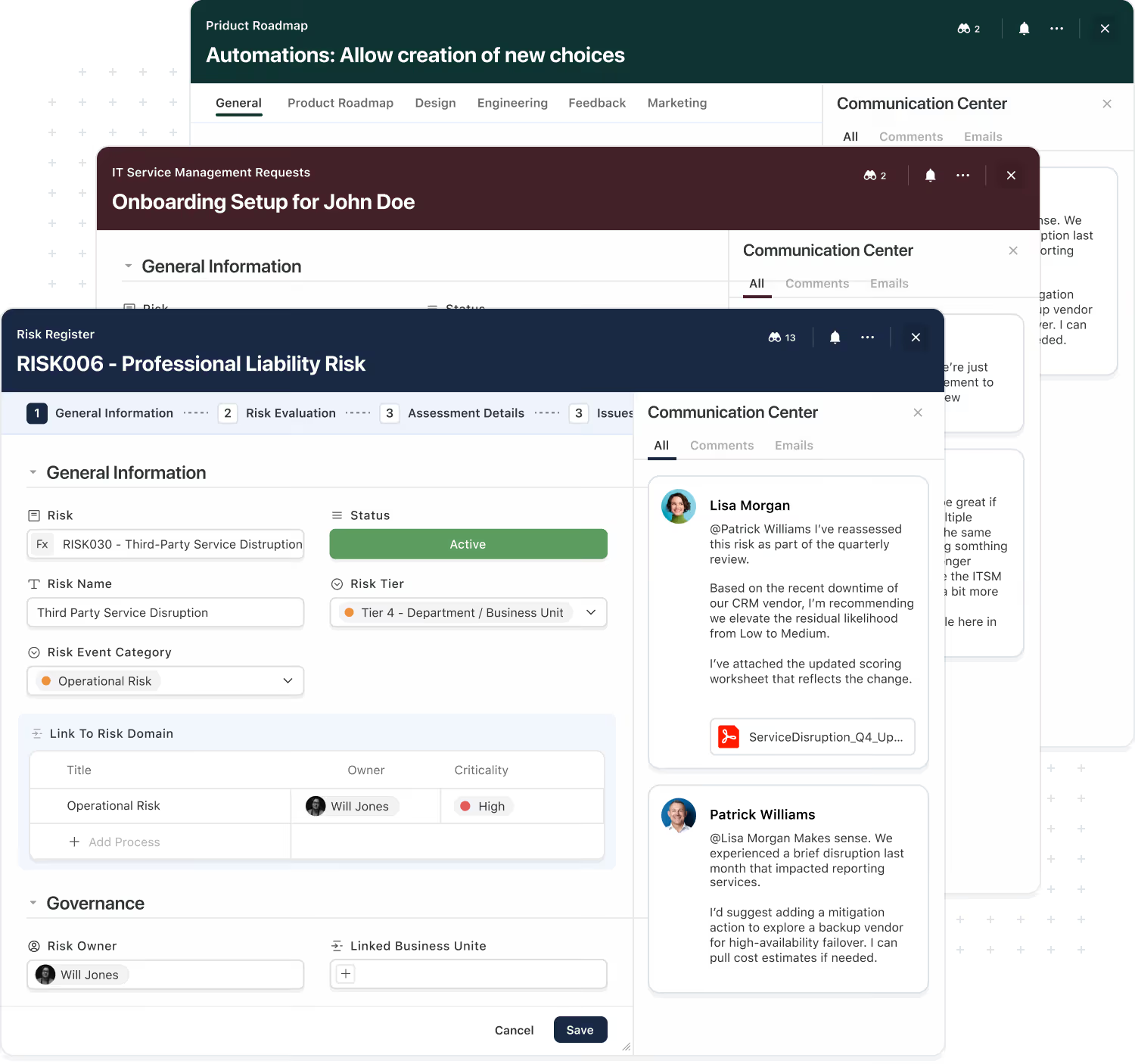
The Same Collaboration Model Across Every Solution.
Teams shouldn't have to learn a new way of collaborating every time they touch a different system. SmartSuite gives you one consistent collaboration model that works across GRC, ITSM, projects, CRM, and more.
- Use the same comments, tasks, and approvals everywhere.
- Connect conversations across related records and solutions.
- Reduce tool sprawl by bringing more work into one platform.
Automation & AI
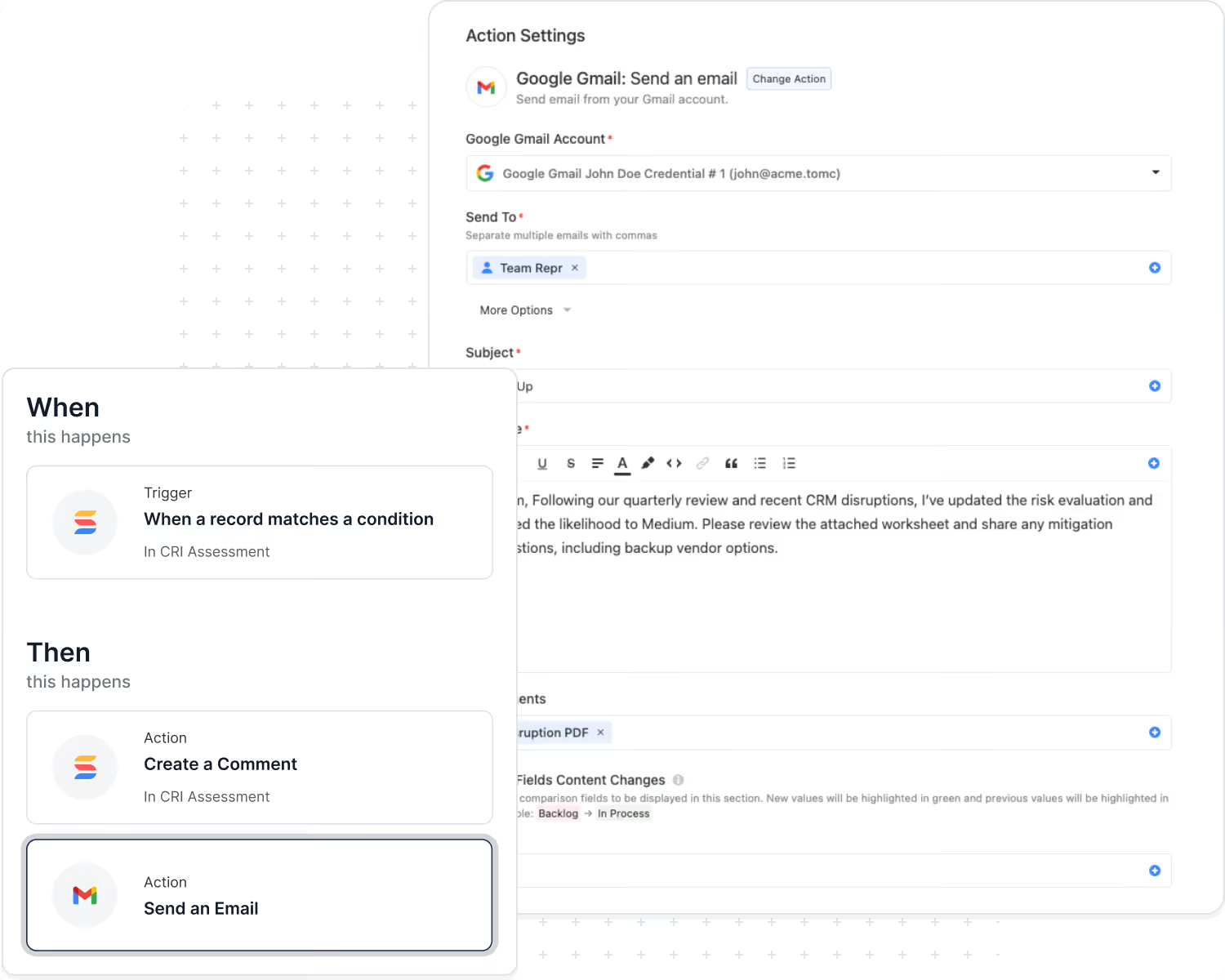
In SmartSuite, collaboration doesn't end with a thumbs-up on a comment. Automations and AI can watch for approvals, mentions, and key phrases—and then move work forward automatically.
- Trigger workflows when comments or approvals meet certain criteria.
- Use AI to summarize long threads into a single, readable decision log.
- Automatically create tasks and reminders based on what was discussed.
Collaboration That Respects Your Governance Model
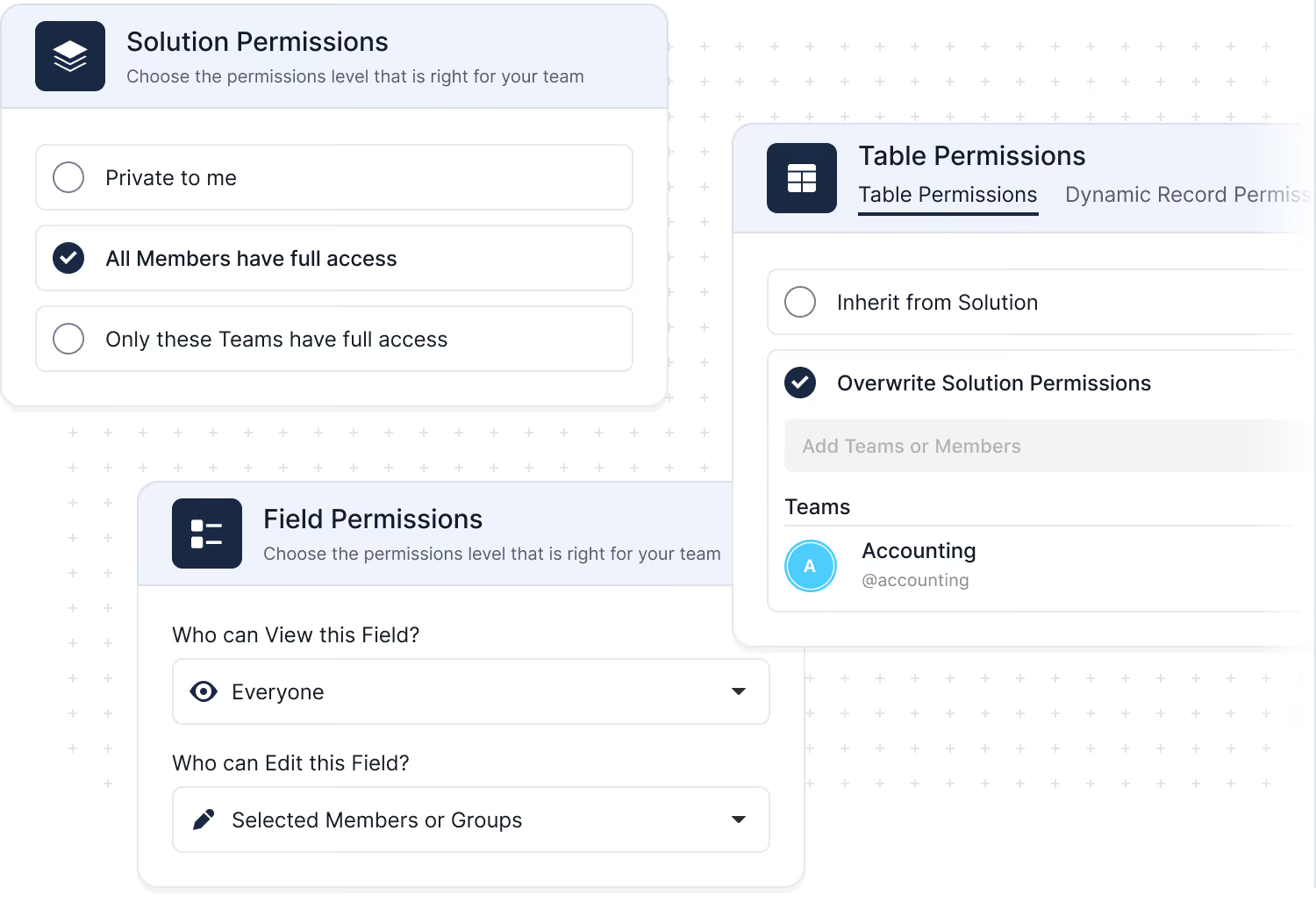
SmartSuite was built for teams that need both openness and control. Role-based access, record-level permissions, and field-level rules ensure that people can contribute without overstepping what they should see or change.
- Define who can view, comment, and edit at every level.
- Use field-level visibility to protect sensitive data inside shared records.
- Rely on activity history and logs for audit and compliance reviews.
Explore Further
Collaboration works best when teams share clarity, context, and a consistent experience across their tools. These articles explore the core ideas behind unified user experiences, real-time collaboration, thoughtful interface design, and the value of activity history in modern work platforms.
Explore these concepts to better understand how SmartSuite helps teams communicate clearly, stay aligned, and move faster together.
Frequently Asked Questions About Working Together in SmartSuite
SmartSuite allows multiple users to work on the same record simultaneously, with instant updates, in-line comments, mentions, and activity tracking. Every change is visible in real time, ensuring teams stay aligned without version conflicts.
Each record includes a threaded comment system, @mentions, attachments, reactions, and activity history. This keeps discussions tied to the work itself—no more searching through email or chat to find context.
Yes. SmartSuite supports Guest Users who can be granted access to specific Views, Dashboards, and Interfaces. They can update assigned tasks and interact with permitted content without accessing the full workspace.
Teams can use Views, Folders, and Dashboards to centralize the discussion around projects, risks, incidents, requests, tickets, or any workflow. Permissions ensure each group sees only what’s relevant to their responsibilities.
SmartSuite provides in-app notifications, email alerts, mobile push notifications, and automated reminders. Notifications trigger when users are mentioned, assigned tasks, or workflows reach key stages—keeping everything on track.
Yes. Automations can assign tasks, notify channels, trigger approvals, generate documents, distribute updates, and sync changes to Slack, Teams, or other collaboration tools. This reduces manual follow-up and accelerates handoffs.
Record Activity History logs every change—including who made it, when, and what the previous value was—for up to three years (depending on the plan). Comments, attachments, and workflow actions are all captured to maintain a complete audit trail.
SmartSuite separates responsibilities through role-based permissions, Interface-level access, organized Views, and clear ownership fields. Shared workflows remain structured and governed, even when multiple departments contribute.
Collaborate in Context
See how SmartSuite connects your workflows with the tools your teams rely on every day.
Dashboards and Reporting Built Into Every Workflow
SmartSuite brings reporting directly into the way work gets done. Dashboards give leaders a clear view across solutions, while views help every team member focus on the slice of work that matters most to them.
Because reporting is permission-aware and always live, you can trust that every chart, metric, and list reflects the latest reality — without exporting data into separate tools.
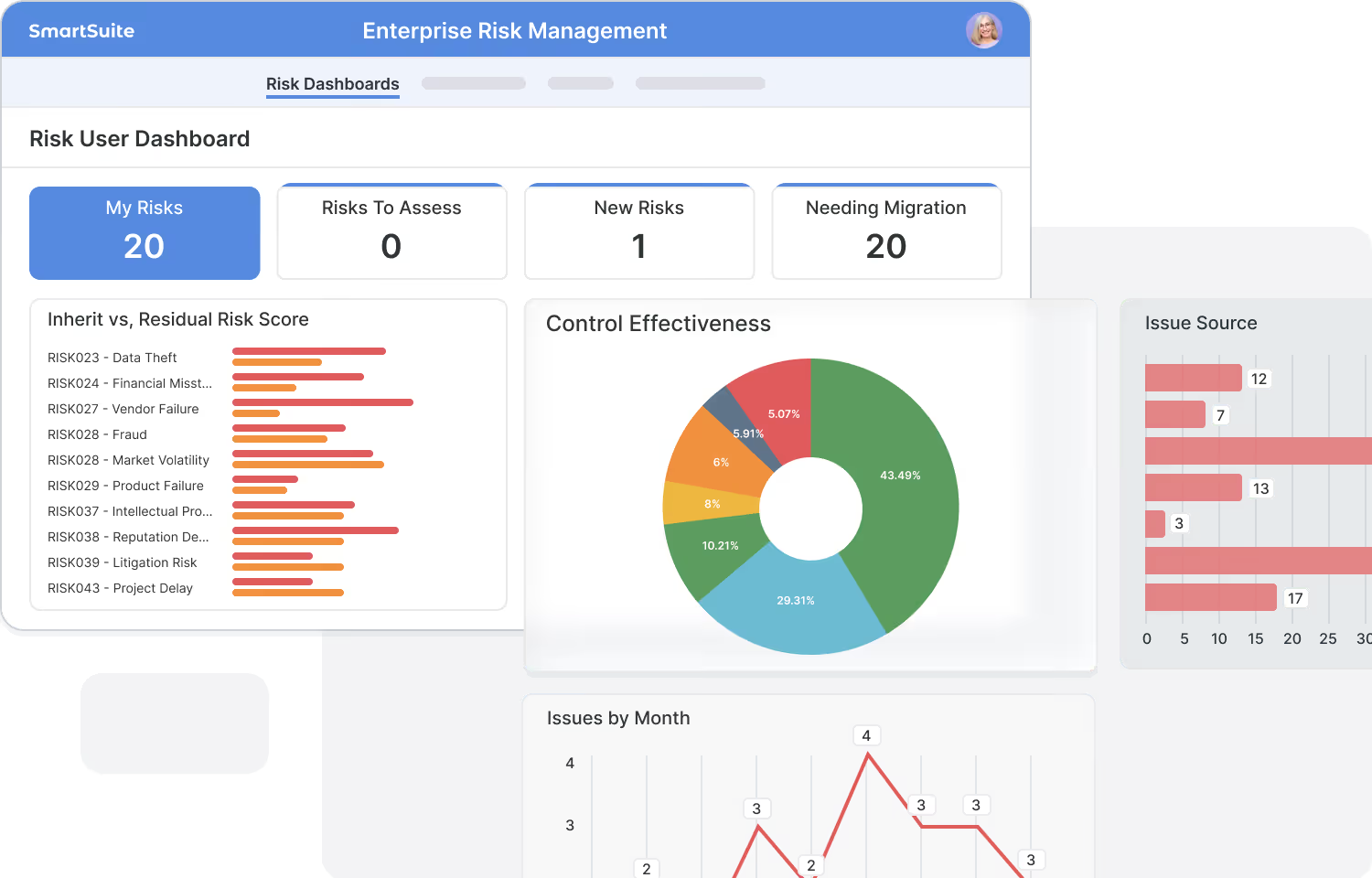
See the latest status, metrics, and trends without refreshing, exporting, or rebuilding reports.
Bring data together from multiple Solutions to understand performance across teams.
Give every user a view into the work that matches their permissions and responsibilities.
Let teams build their own dashboards and views without relying on a separate BI team.
Dashboards and Reporting
Keep your teams aligned by displaying your data in the view type that best supports the work you are doing. Easily switch between view types with a single click to find the perfect display that's right for you. It really is that easy!
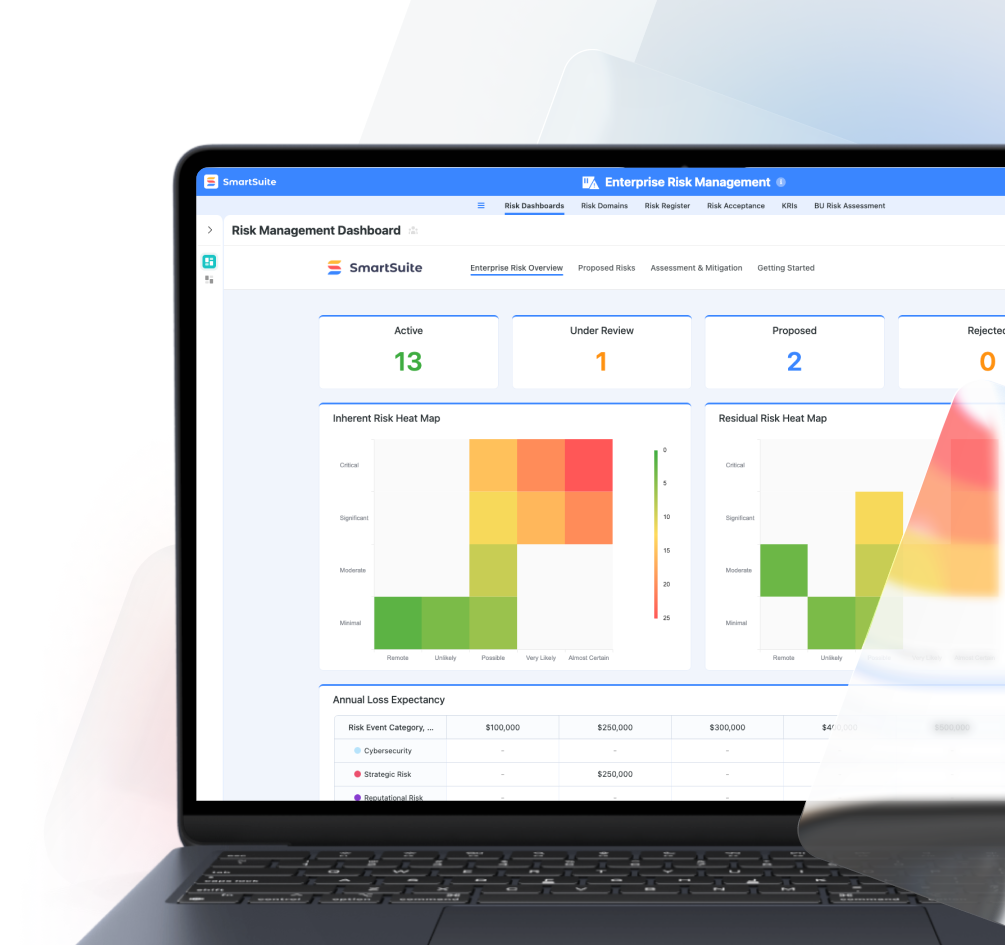
Dashboard View
See the big picture at a glance. Dashboards combine charts, metrics, and widgets into a single, interactive view—so teams always understand performance and trends in real time.
- Enterprise Risk Dashboard
- Third-Party Risk Dashboard
- Regulatory Change Dashboard
- Crisis Management Dashboard
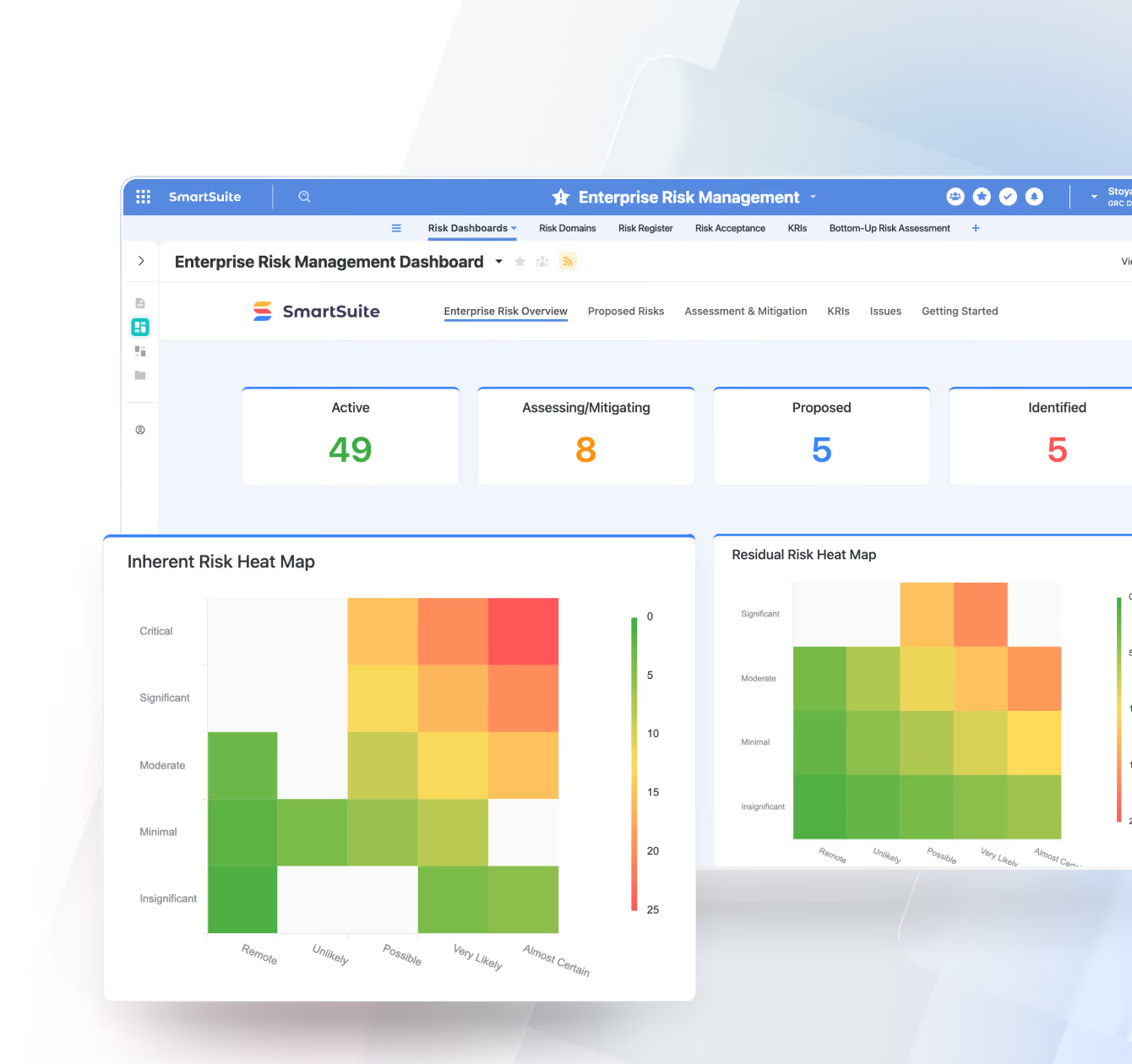
Grid View
Your most flexible, spreadsheet-style view for managing structured data. Perfect for analysis, inline editing, and bulk updates across any workflow.
- Issue & Control Inventory
- Project Task List
- Customer or Vendor Master File
- Audit Evidence Tracker
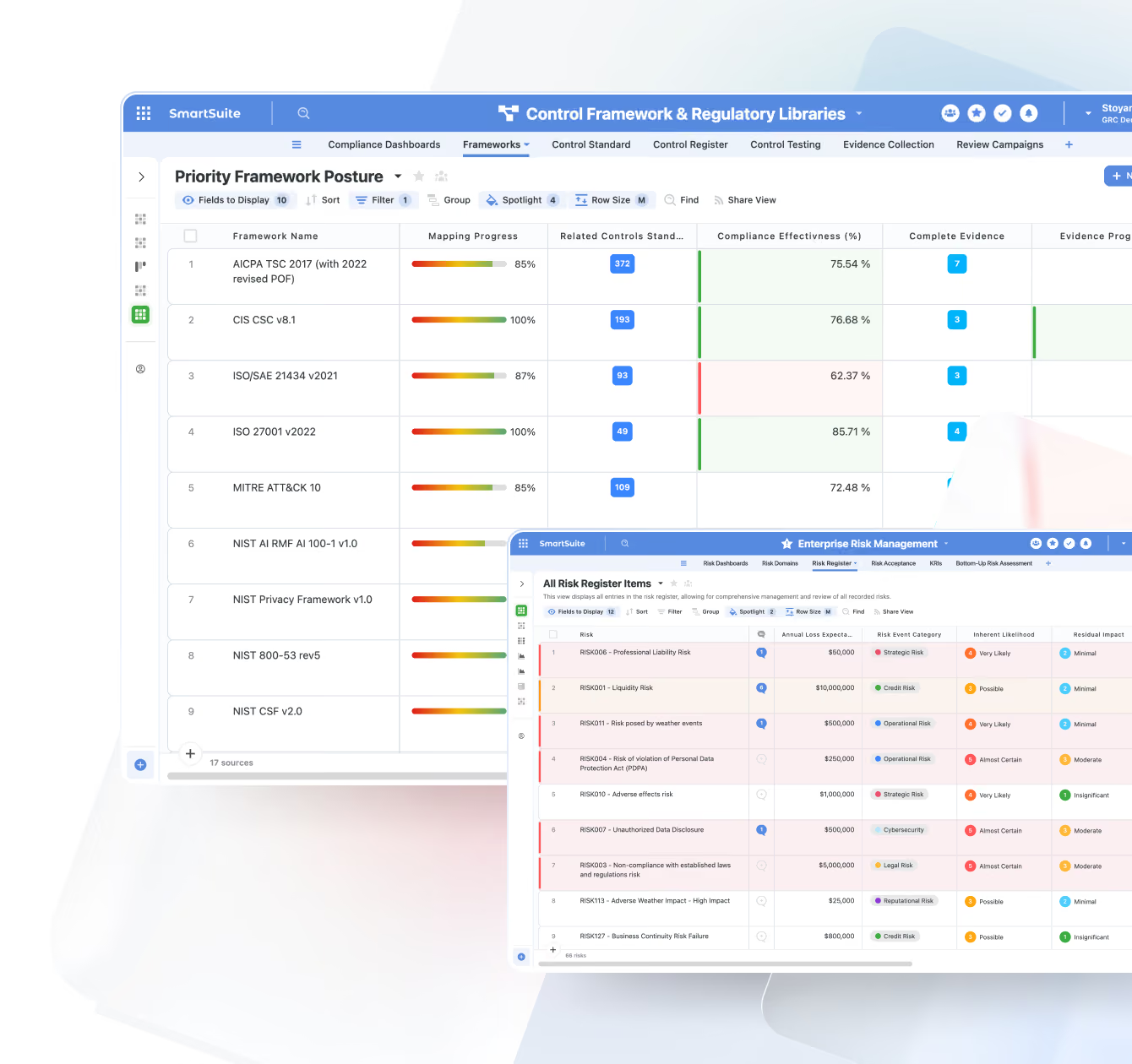
Card View
Visualize records as cards instead of rows—ideal for scanning key information quickly or organizing items by category, owner, or status.
- Customer Profiles
- Employee Directory
- Asset Inventory Cards
- Feature or Idea Backlog
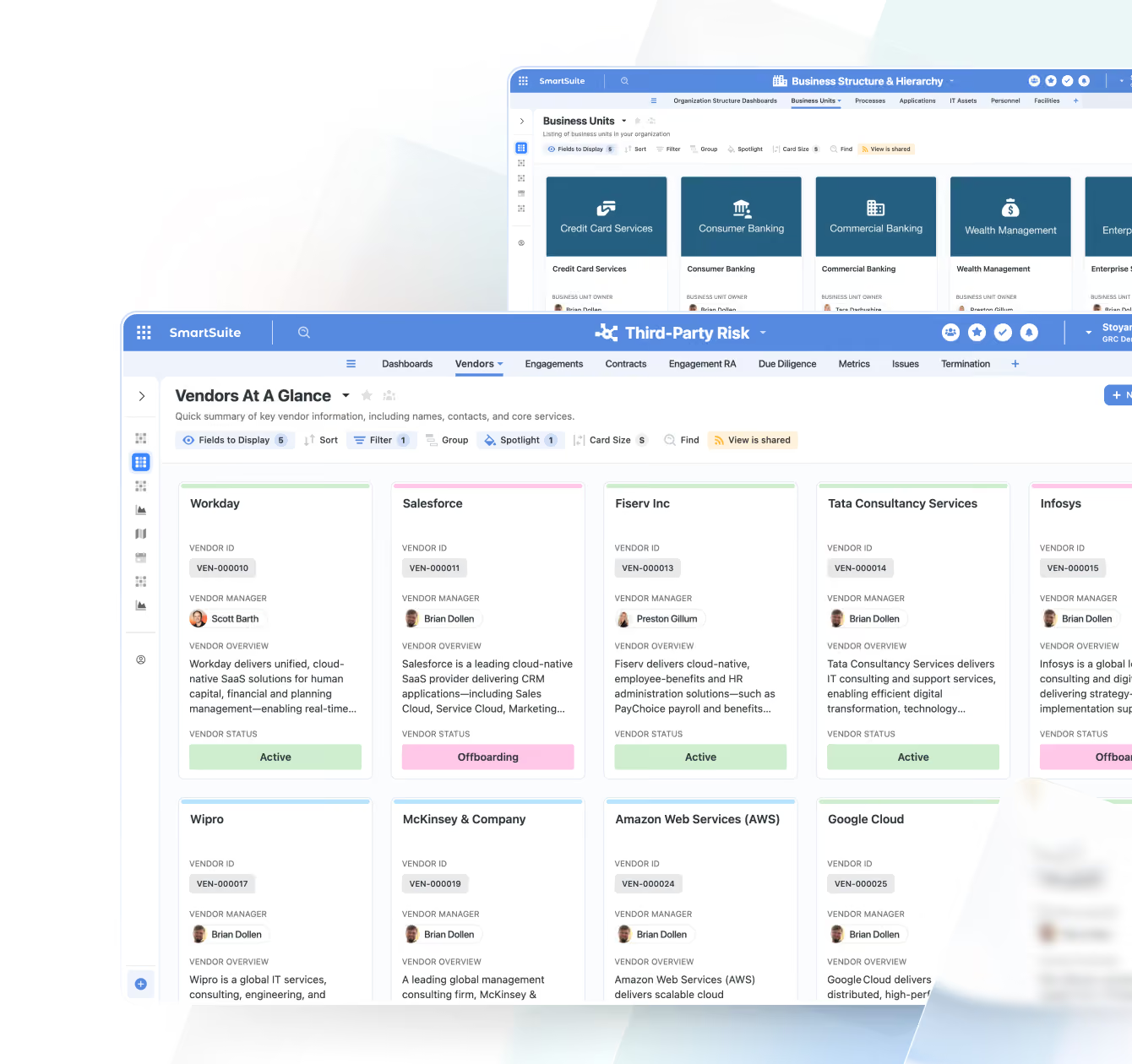
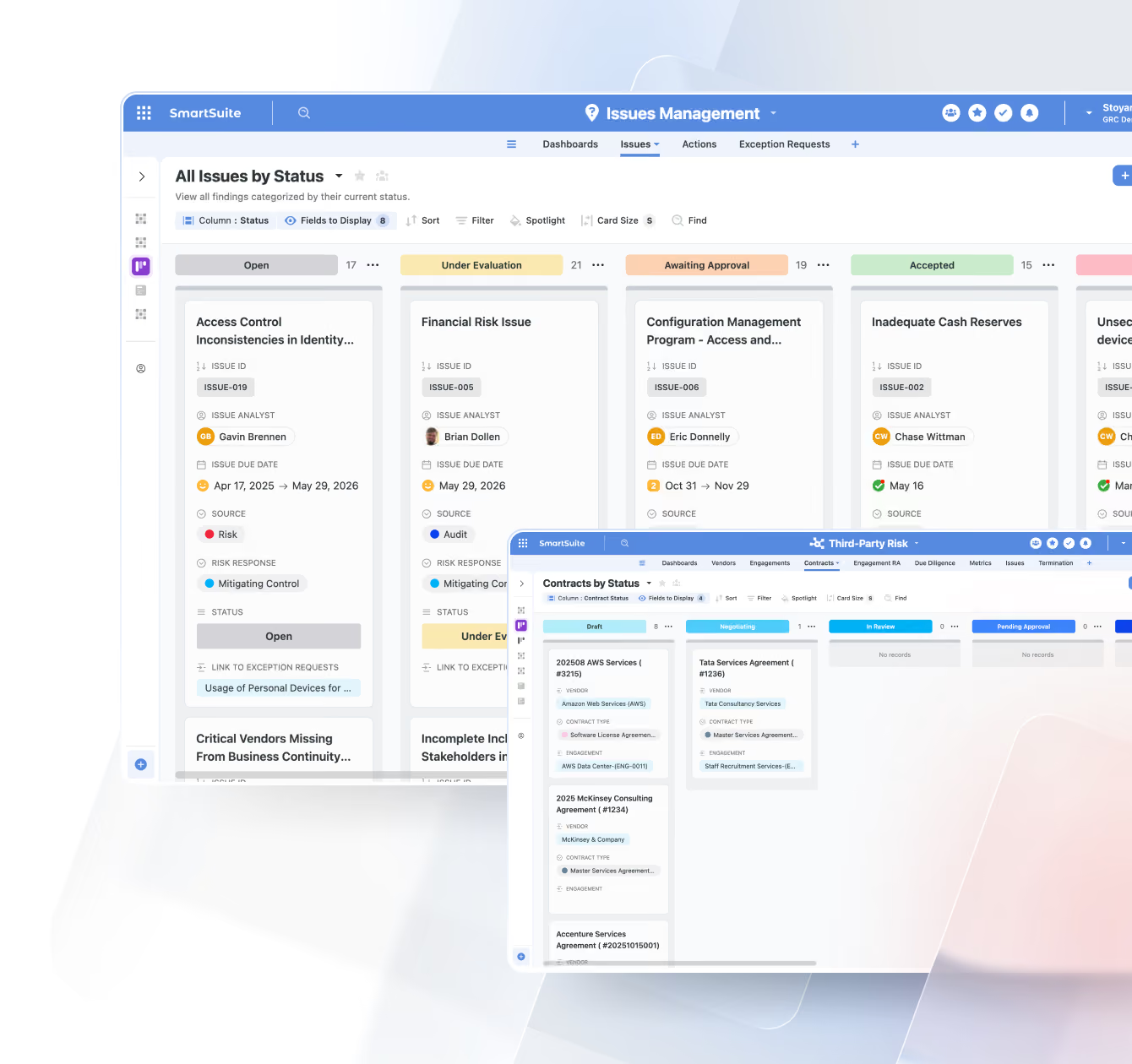
Kanban View
Track work as it moves through stages with a drag-and-drop board. Ideal for workflows with clear statuses or approval paths.
- Risk Treatment Workflow
- Sales Opportunity Stages
- Content Publishing Pipeline
- IT Ticket Progress
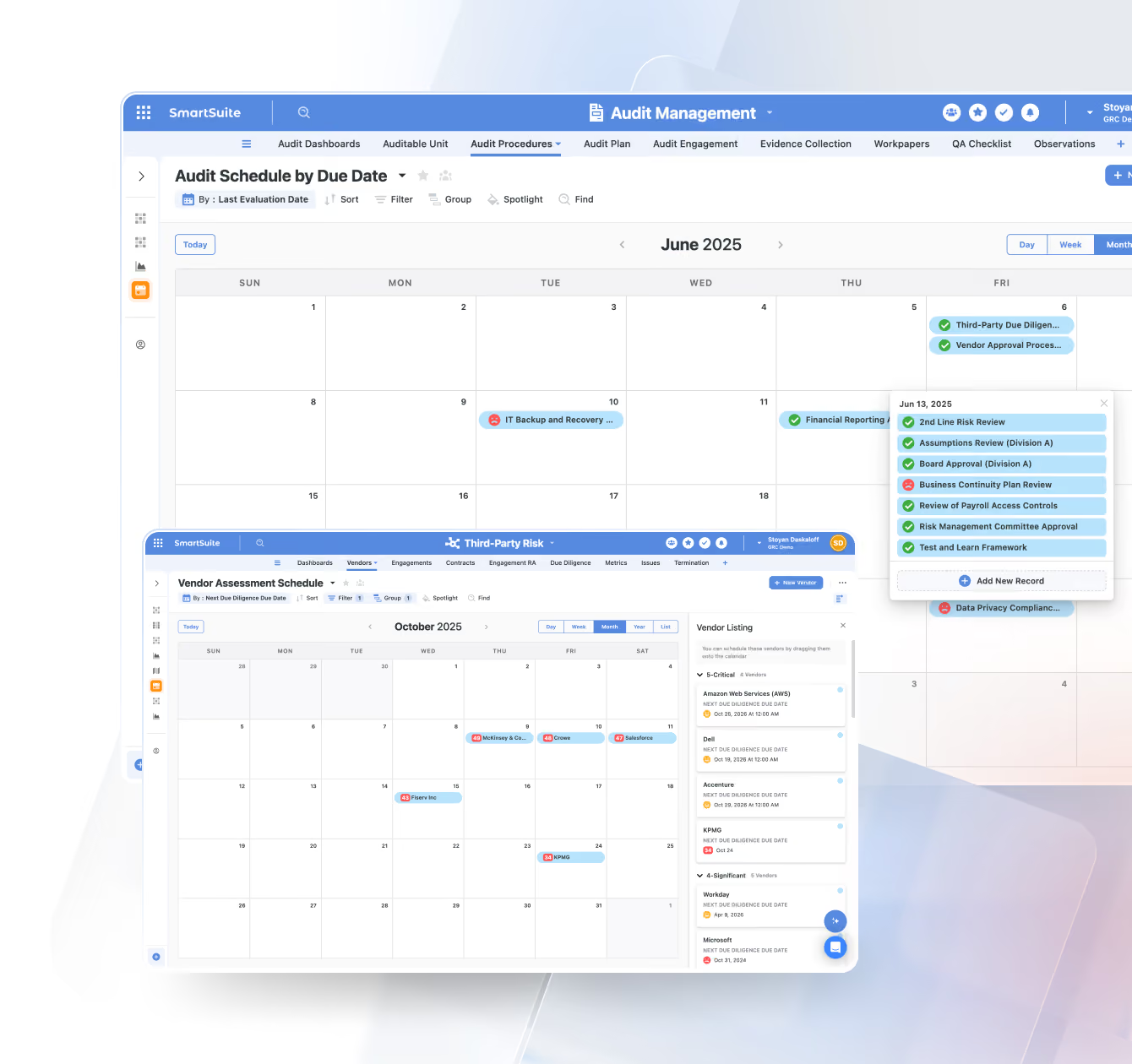
Calendar View
Plot records across days, weeks, or months to visualize schedules, timelines, or time-dependent activities.
- Compliance Deadlines
- Marketing Campaign Calendar
- Employee Time-Off Schedule
- Project Milestones
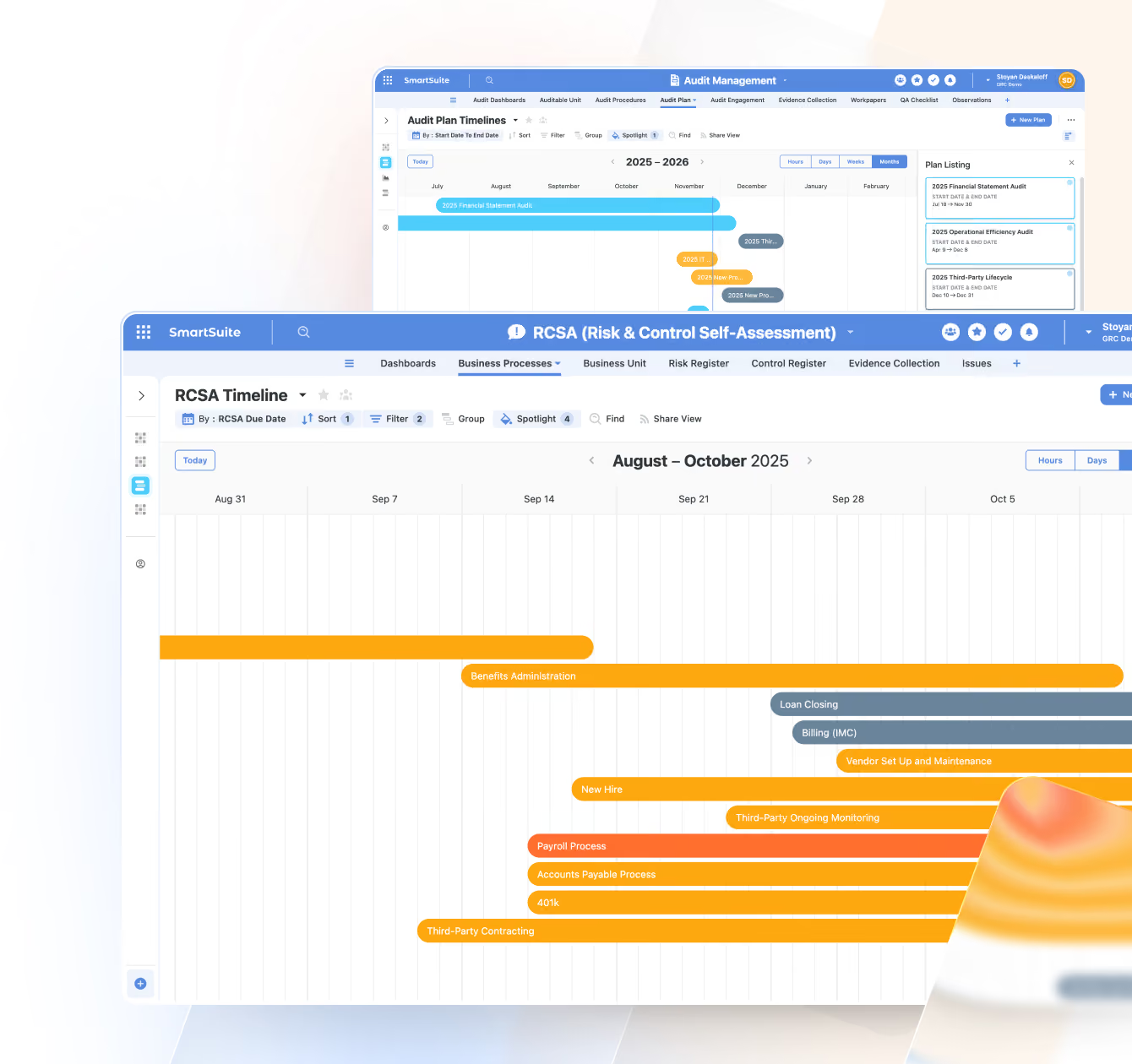
Timeline View
Understand duration-based work with a timeline that shows tasks and schedules over time—perfect for project and resource planning.
- Implementation Roadmap
- Risk Assessment Activities
- Hiring Pipeline Stages
- Grant or Contract Timelines
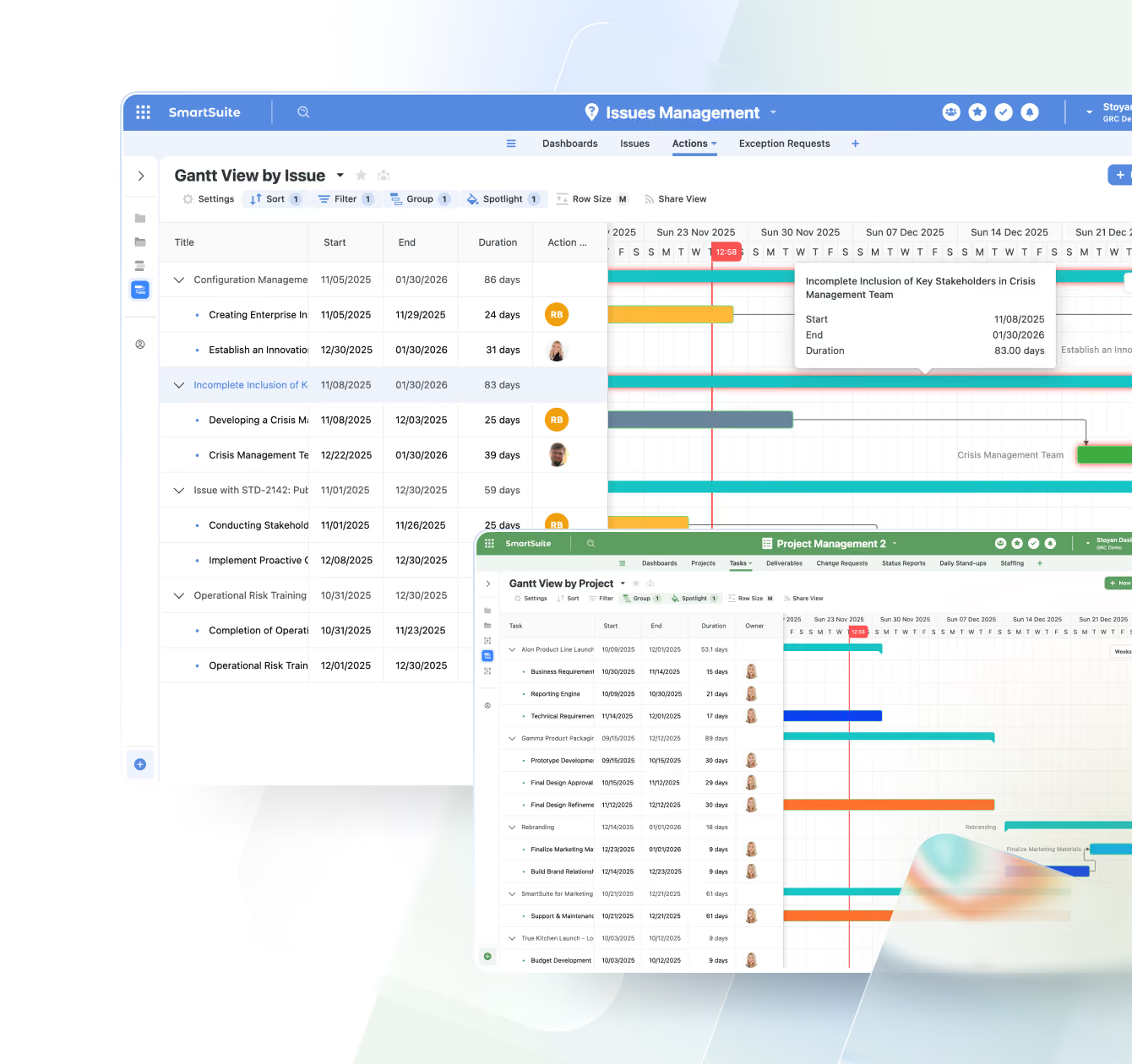
Gantt View
A project management essential. Visualize timelines, dependencies, and critical paths to keep teams aligned and projects on track.
- Software Release Plan
- Business Continuity Plan Testing Schedule
- Construction Project Phases
- Event Planning Schedule
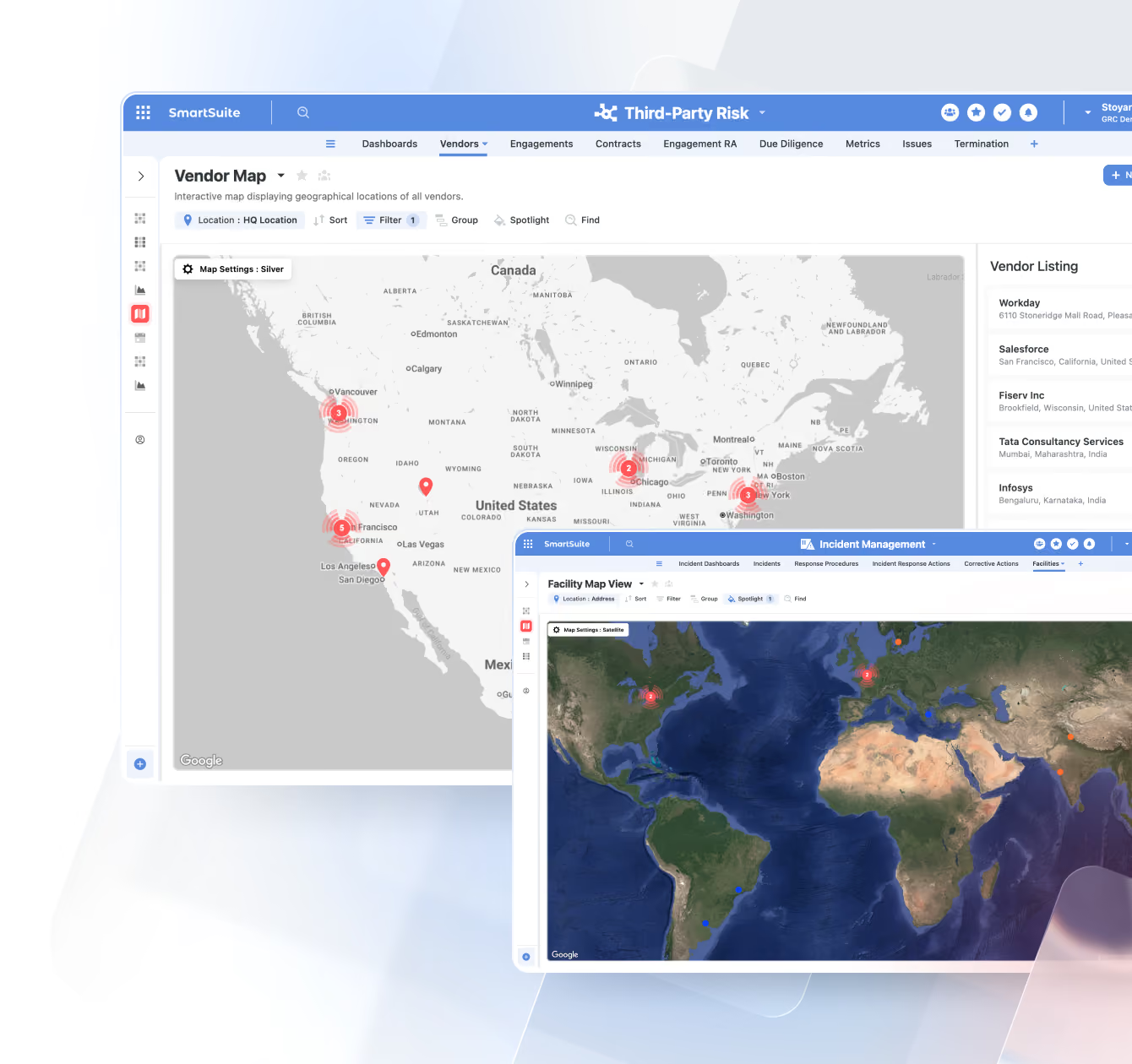
Map View
Plot any record with a location field on an interactive map—ideal for geographically distributed assets, customers, or operations.
- Store or Facility Locations
- Field Service Routes
- Incident or Outage Locations
- Customer Geo Distribution
Forms View
Collect structured data through branded, user-friendly forms that feed directly into your workflows—no integrations required.
- Intake for Support Tickets
- New Vendor / Third-Party Requests
- Project or Work Intake Forms
- Customer Feedback & Surveys
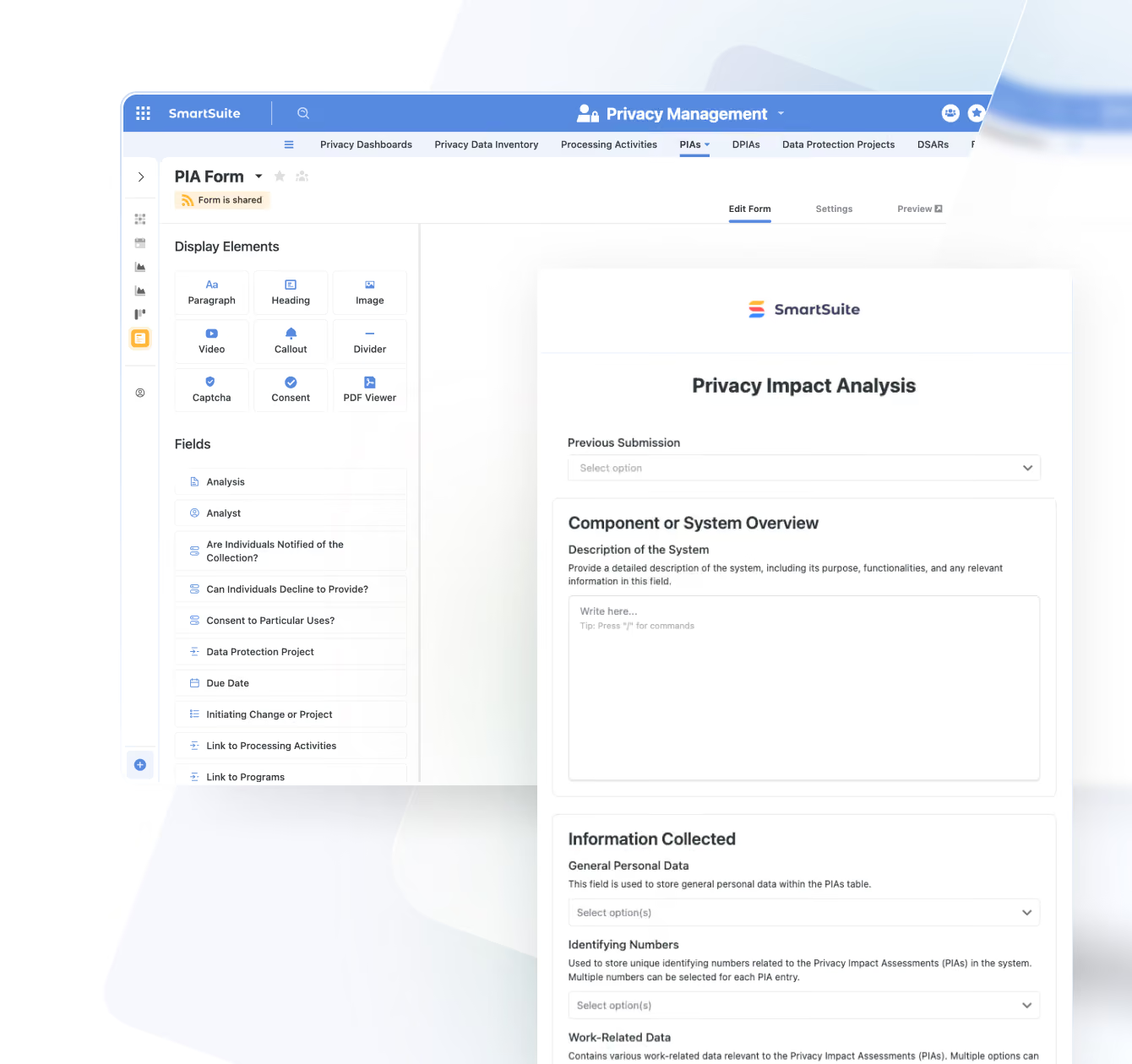
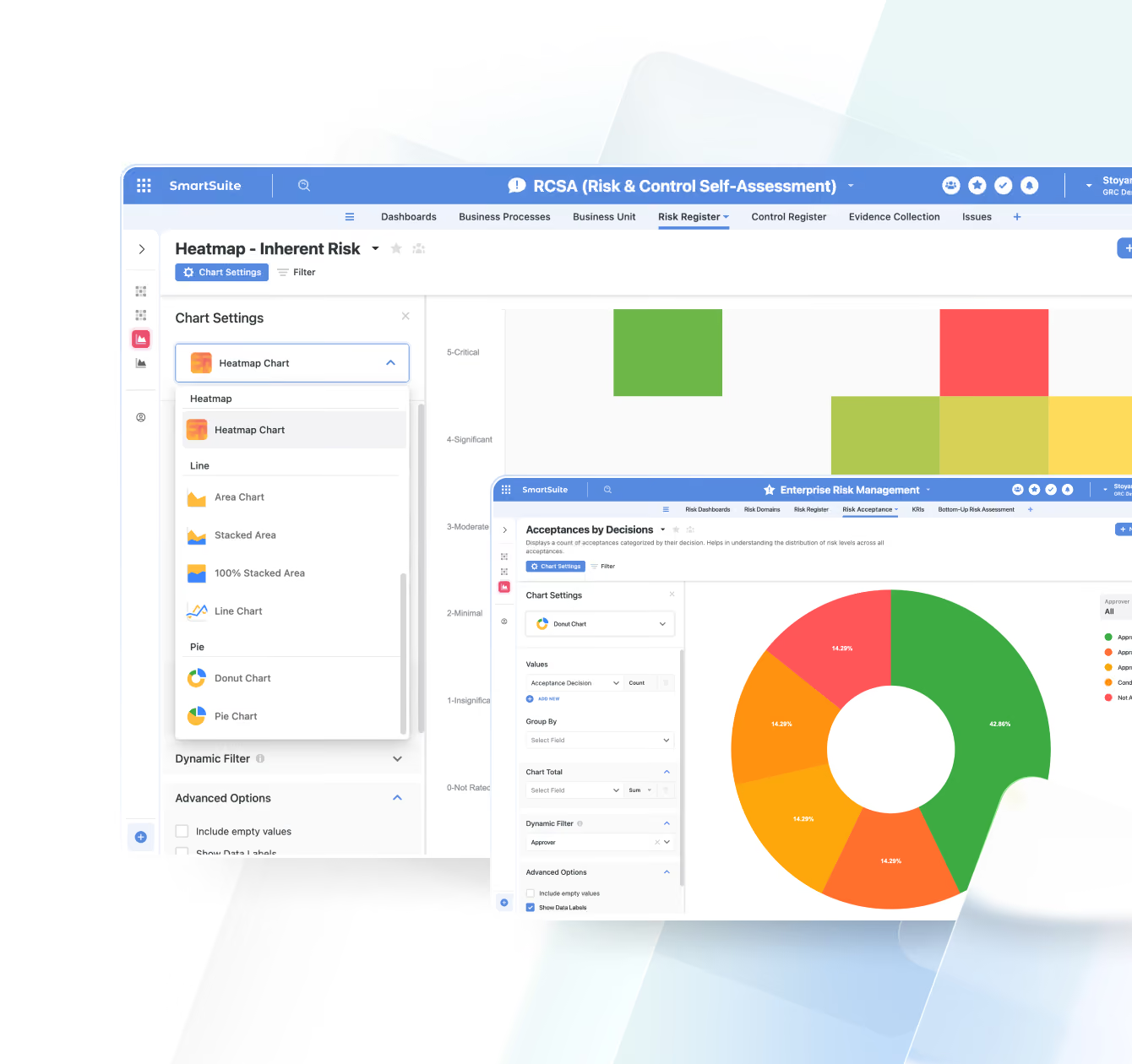
Chart View
Turn your data into insights with bar, line, pie, donut, bubble, and other chart types. Ideal for quick reporting and KPI tracking.
- Control Effectiveness Trends
- Sales by Region
- Time-to-Close KPIs
- Budget vs Actuals
Document View
Write, edit, and collaborate on rich documents right next to your workflow data. Perfect for narrative reporting and documentation.
- Audit or Assessment Reports
- Project Briefs
- Policies & Procedures
- Meeting Notes & Summaries

Built For Every Level Of Your Organization
SmartSuite reporting supports leaders, managers, and individual contributors with the right level of visibility for their work.

Portfolio dashboards across risk, projects, incidents, and key initiatives to understand overall posture and performance.
Live views of SLAs, throughput, and workload that make it easy to spot bottlenecks and rebalance work.

My work today/this week views that keep priorities clear and reduce the need for status meetings.
High-level dashboards that consolidate organizational performance, risk posture, and strategic initiatives—giving boards the clarity needed for confident oversight.
Unified Dashboards For Every Team
Dashboards give every team a shared, trusted view of performance — from executive oversight to frontline operations. Whether you're tracking risk posture, project timelines, or departmental throughput, dashboards provide a consolidated picture of what’s happening right now. For example, a GRC dashboard might combine open issues, upcoming assessments, and vendor risk ratings into a single review board for the risk committee.
- Build executive-level overviews that surface trends across projects, risks, incidents, or customers.
- Give managers visibility into bottlenecks, SLA performance, and team workloads.
- Standardize recurring reviews — weekly syncs, monthly check-ins, QBRs — with dashboards that never go stale.
- Pull in any View, chart, or metric to build contextual, workflow-specific reporting.


Stay Aligned With The Rhythms Of Your Business
SmartSuite keeps reporting in sync with how work actually moves. As records progress, escalate, or close, dashboards and views update instantly — giving teams clarity during every daily stand-up, weekly planning session, or high-stakes escalation.
- Use live boards during stand-ups to review what changed in the last 24 hours.
- Eliminate slide decks for leadership updates — dashboards are the deck.
- Track SLA breaches, overdue work, and workflow exceptions as they happen.
- Make decisions based on current data, not exports created hours or days earlier.
The Working Surface For Every Team’s Day-To-Day
Views are where teams actually live. They provide the personalized, filtered, and organized perspective each user needs to get work done — while staying directly tied to real-time data and automations. Export views when you need a static snapshot, but keep stakeholders in live dashboards and views as the source of truth.
- Create personal or team-based Views like My Open Items, Upcoming Reviews, or Critical Risks.
- Use filtering, grouping, and sorting to narrow large datasets into actionable slices.
- Work in the format that fits the task: Grid, Kanban, Timeline, Calendar, Chart, Map, or Card.
- Trigger automations from status changes, assignments, or date-driven groupings inside any View.


Security And Governance Built Into Every Chart
SmartSuite ensures that dashboards and views honor the same record-level and field-level permissions that govern your workflow. Sensitive data stays protected — even when teams share dashboards across departments or with external collaborators.
- Field and record level permissions flow through to every metric, chart, and widget automatically.
- Prevent unauthorized access without managing separate reporting permissions.
- Share dashboards confidently with internal executives or external stakeholders.
- Maintain compliance by controlling what users see — and what they never see.
Reporting That Scales With Your Workflows
As your organization adds new processes, builds new solutions, or expands across teams, reporting grows with you. The SmartSuite analytics layer unifies data across workflows so insights stay consistent — no rebuilding or duplicating reports.
- Roll up data from multiple Solutions into unified cross-workflow dashboards.
- Reuse metrics, charts, and saved configurations as your workspace expands.
- Ensure consistent reporting across departments, even as processes evolve.
- Build a long-term analytics foundation that supports broader automation, AI, and governance.

Reporting Driven by SmartSuite’s Connected Architecture
Dashboards and views don’t live in isolation. They sit on top of your data model, automations, and permission framework, so every insight reflects how your business actually operates.
Reporting pulls directly from structured Solutions and relationships you define.
Metrics and charts reflect the latest state driven by workflows, SLAs, and AI-powered updates.
Record and field-level controls flow straight through to what people see in dashboards and views.
Reporting elements can be embedded into tailored interfaces for specific teams and use cases.
Explore Further
Great reporting turns raw information into clear, actionable insight. These articles introduce the core ideas behind data visualization, global filtering, drill-down analysis, and predictive analytics — the foundations of modern, insight-driven decision-making.
Explore these topics to understand how SmartSuite helps teams interpret data more effectively and uncover opportunities hidden inside their workflows.
Frequently Asked Questions About Visualizing Data in SmartSuite
SmartSuite dashboards pull directly from your live workflows—projects, risks, incidents, tickets, assets, controls, requests, or any table—so every metric, chart, and visualization reflects the most current operational reality. There’s no exporting, syncing, or manual refresh required.
Yes. Dashboards are cross-solution by design. You can pull metrics, charts, lists, calendars, or KPIs from any table across your workspace, making them ideal for executive rollups, PMO oversight, GRC reports, ITSM health, or multi-department programs.
Permissions flow directly from your underlying data model. Users only see the records and fields they have access to, even when viewing shared widgets or dashboards. This preserves confidentiality while still enabling broad visibility.
SmartSuite includes charts, graphs, gauges, KPIs, calendars, kanban boards, lists, record galleries, hero sections, banners, text blocks, filters, buttons, and embedded external content. This enables both analytical dashboards and page-like, narrative experiences.
Absolutely. Dashboards can be fully tailored by team, role, or department. You can create executive views, operational command centers, department-specific portals, customer-facing dashboards, and everything in between.
Yes. Users can filter, drill into records, expand views, pivot data, adjust date ranges, and explore linked information in context. Interactions always reflect the user’s permissions and the live state of your data.
Yes. Dashboards can be shared in a controlled, view-only mode with external stakeholders such as clients, partners, and auditors. Access remains secure, does not reveal underlying Solutions, and respects all permission rules.
Dashboards update automatically whenever your data changes, making them ideal for tracking KPIs, SLAs, compliance status, project health, risk exposure, capacity planning, and operational throughput. They act as a real-time system of record for your entire business.
See SmartSuite Reporting In Action.
Explore how dashboards, views, and permission-aware reporting can align your teams around a single source of truth — without adding another BI tool to your stack.
An Integration Layer That Powers End-to-End Workflows
SmartSuite connects to your business systems with native actions, iPaaS platforms, APIs, and webhooks that power end-to-end workflows across your organization.
From automating updates to integrating external apps or building custom connections, SmartSuite ensures information flows securely and consistently wherever work happens.
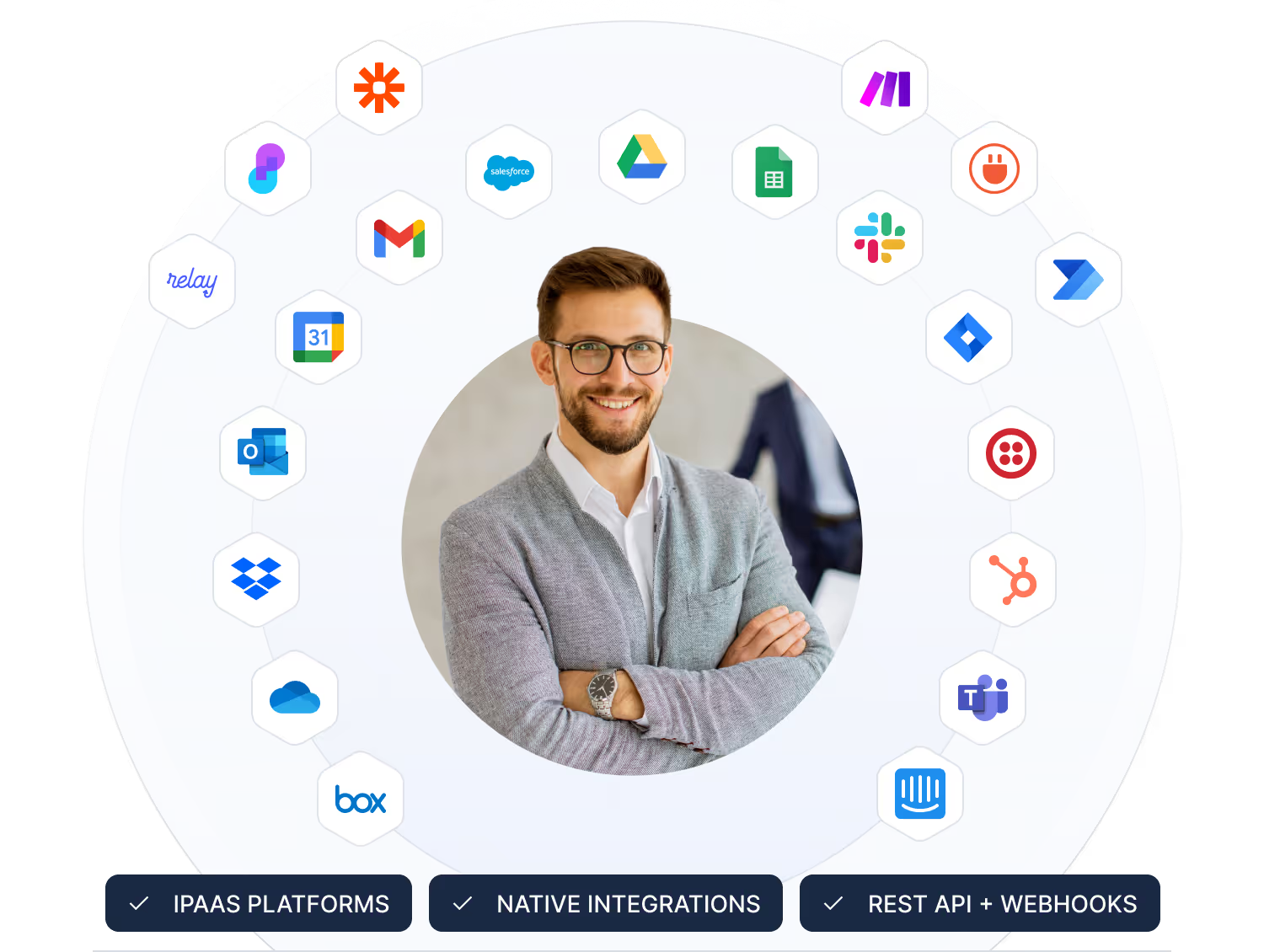
Use built-in actions to send updates to tools like Slack, Teams, Google, and Salesforce.
- Send notifications to Slack or Microsoft Teams.
- Create events in Google or Outlook calendars.
- Keep CRM and service tools in sync.
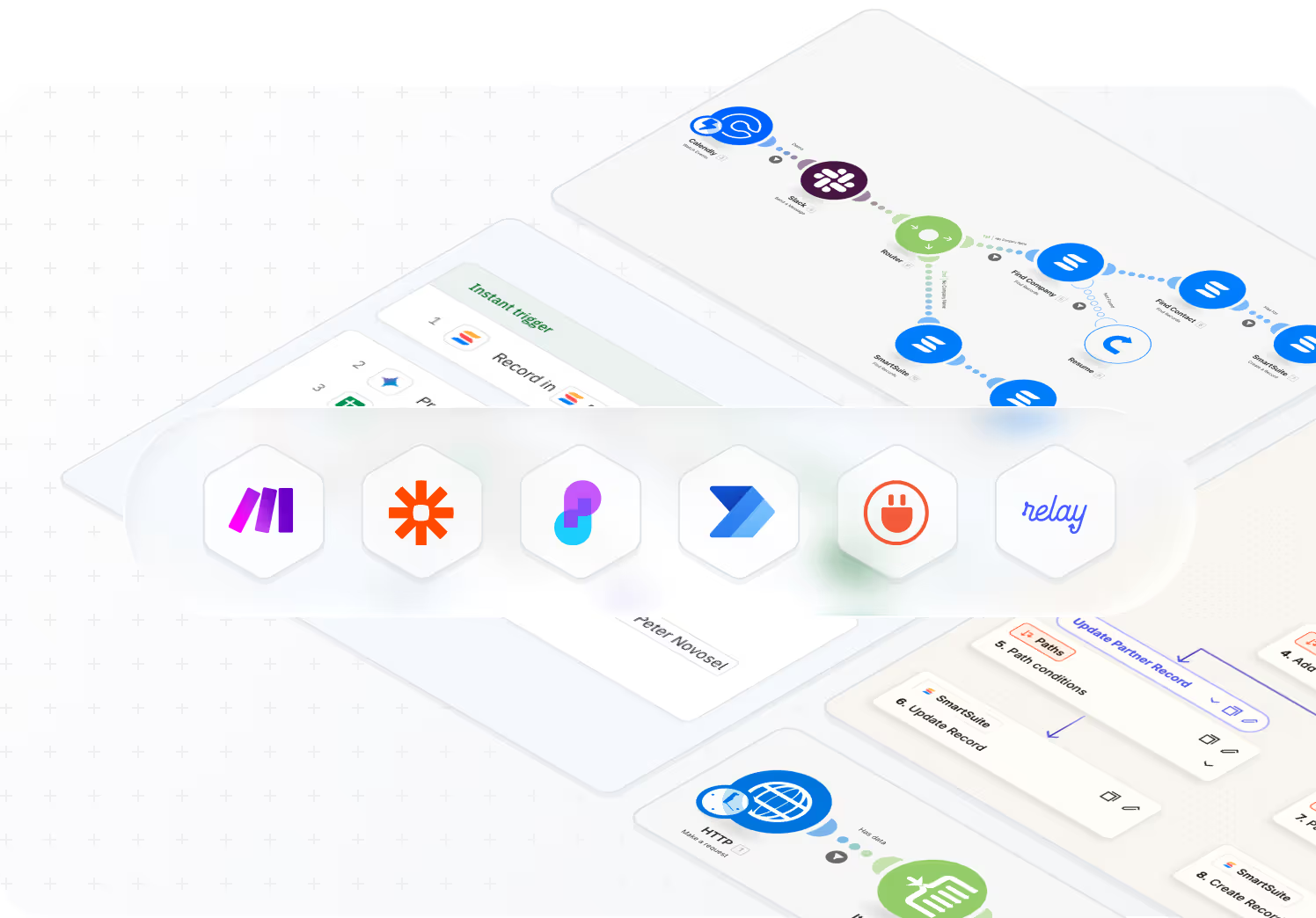
Use platforms like Make, Zapier, Power Automate, and others to orchestrate complex flows.
- Connect SmartSuite with thousands of SaaS apps.
- Chain multi-step workflows across systems.
- Use visual builders your teams already know.
Use our API and webhooks to build custom integrations or embed SmartSuite into your apps.
- Read and write records programmatically.
- React to events with inbound webhooks.
- Embed SmartSuite data into internal tools.


Native Integrations
SmartSuite includes a growing library of native actions that allow teams to trigger updates across tools you use every day. Keep conversations aligned, calendars in sync, and customer data unified without writing a single line of code.
- Send notifications to Slack or Microsoft Teams.
- Create events in Google or Outlook calendars.
- Keep CRM and service tools up to date through automated actions.
iPaaS & Connectors
For organizations that rely on orchestration platforms, SmartSuite works with the leading iPaaS tools. Build cross-system workflows, sync multi-step processes, and orchestrate logic without custom engineering.
- Connect SmartSuite with thousands of SaaS platforms.
- Build complex multi-step workflows with Make, Zapier, Microsoft Power Automate, Relay, and more.
- Use visual builders your teams already know.
REST API & Webhooks
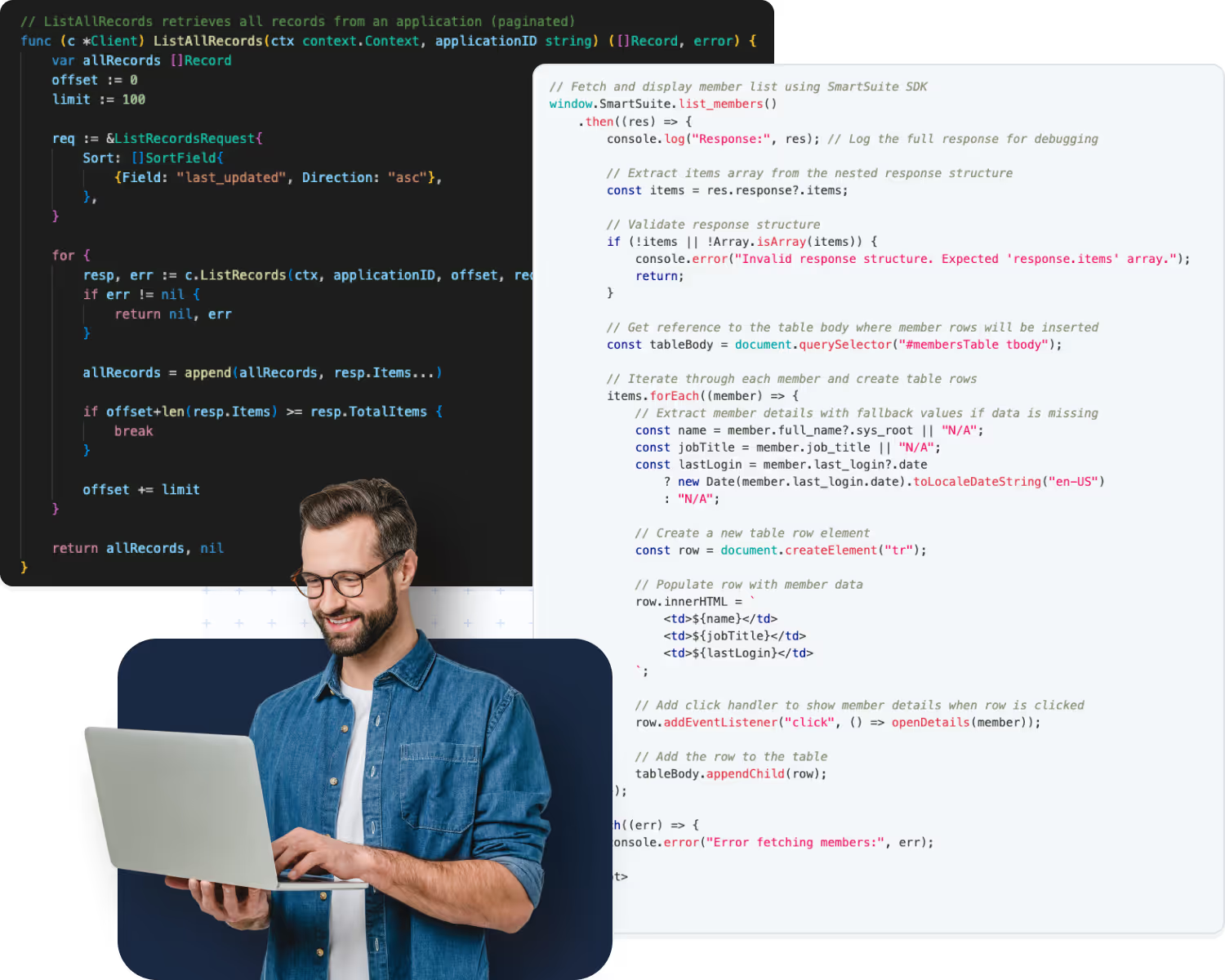
SmartSuite’s API gives engineering teams full control to integrate deeply with existing systems, build custom applications, or embed SmartSuite into your internal tools.
- Read and write SmartSuite records programmatically.
- Trigger automations or downstream systems with outbound webhooks.
- React to SmartSuite events such as updates, new records, and data changes.
Governance & Monitoring
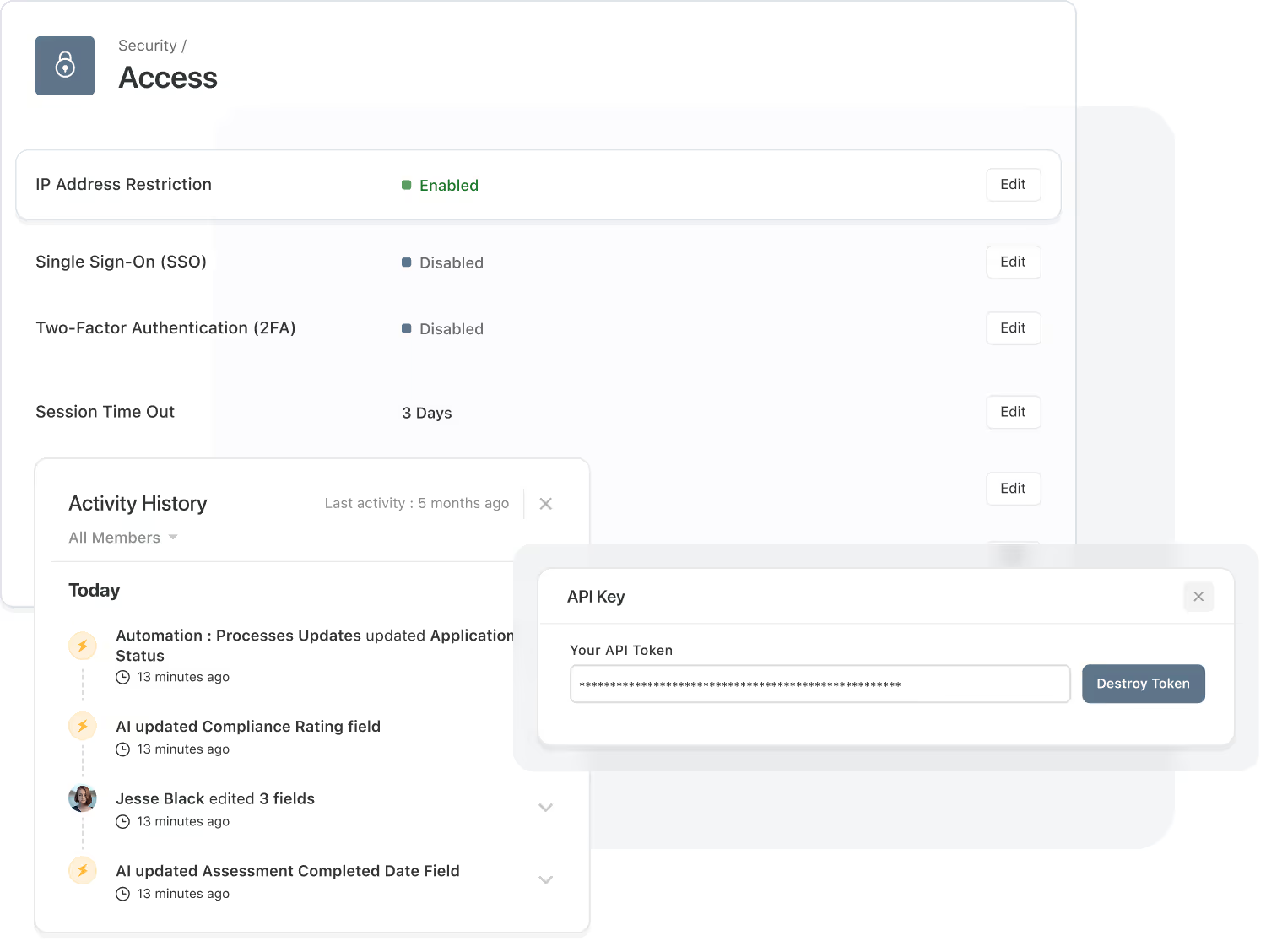
Governance is built into every integration. SmartSuite provides centralized controls, full auditability, and enterprise‑grade security so your data flows safely across every connected system.
- Admin Controls: Manage API keys, iPaaS connections, and native integration actions.
- Audit Trails: Track every integration event for compliance, troubleshooting, and observability.
- Security Enforcement: Permissions, roles, IP restrictions, and authentication rules apply globally.
Explore Further
Integrations connect SmartSuite to the rest of your technology ecosystem, ensuring information flows smoothly across tools and teams. These articles introduce the fundamentals behind system integration, APIs, connectors, iPaaS platforms, and webhooks — the building blocks that make modern automation possible.
Explore these topics to understand how SmartSuite helps you unify your systems and create end-to-end workflows.
Frequently Asked Questions About Connecting SmartSuite to Your Tech Stack
SmartSuite provides multiple ways to connect with external systems, including native integration actions, webhook triggers, webhook actions, iPaaS partners (Make, Zapier, Relay, Workato, Bardeen, Integrately), and a fully documented REST API. This ensures compatibility with nearly any modern SaaS platform.
Native integration actions are built directly into SmartSuite and allow you to send messages, post updates, create files, schedule events, and sync data without additional tools. They are ideal for high-volume, low-latency workflows where reliability and simplicity are critical.
iPaaS tools like Make, Zapier, Relay, Workato, and others act as orchestration layers between SmartSuite and external systems. They enable multi-step logic, branching, transformations, batch processing, and complex enterprise integrations, all without writing code.
Webhooks allow SmartSuite to receive data from external systems (triggers) or send structured payloads out to other systems (actions). This is ideal for real-time events like ticket creation, risk updates, deployments, approvals, or third-party alerts.
Yes. SmartSuite offers a secure, well-documented REST API that enables developers to retrieve, create, update, and manage data programmatically. The API supports large-scale integrations, system migrations, custom applications, and embedded platform use cases.
API usage and automation runs include plan-based limits designed to ensure system performance and workspace stability. SmartSuite includes throttling, run monitoring, and alerts to help teams manage usage at enterprise scale.
SmartSuite uses encrypted communication, OAuth-based authentication (when supported), IP allowlists, granular permissions, audit logs, and token-based access controls. Integrations follow the same security standards that protect the SmartSuite platform itself.
Often, yes. Teams frequently consolidate project tools, ticketing systems, reporting tools, spreadsheets, and form builders into SmartSuite—while still integrating with mission-critical systems like cloud storage, messaging platforms, CRMs, IDPs, and service desks.
Connect SmartSuite to Your Stack
Explore how SmartSuite integrates with your ecosystem to support connected, end-to-end workflows.
Security and Governance, Built for Enterprise Scale
SmartSuite provides fine-grained, role-based permissions that protect data without slowing innovation.
Define access down to the record, field, or workflow level, enforce compliance with SSO, 2FA, and IP restrictions, and maintain a complete audit trail of every action.
With SmartSuite, governance and agility work together — innovation moves fast, and your security moves with it.

Control visibility by user, role, or team.
SSO, 2FA, and IP restrictions built-in.
Track every change for up to 3 years, by plan.
SOC 2, GDPR, and enterprise governance ready.
Trusted by Security Teams
All SmartSuite traffic is HTTPS encrypted, and data at rest is encrypted using AES-256.
SmartSuite AI is designed with governance controls to help align usage with your security requirements and data handling policies.
Centralized admin controls, workspace roles, and audit-ready oversight help ensure the right people have the right access.
Monitoring and alerting help maintain platform reliability and support timely investigation of unusual activity or service issues.
SmartSuite runs on PCI-compliant AWS infrastructure, using secure services to help protect payment and transaction data.
Security is embedded across design, development, testing, and deployment as part of SmartSuite’s application development lifecycle.
Role-Based Permissions Model
A layered permission model designed for enterprise governance.
Workspace Permissions
Define broad access through predefined roles that determine what users can do across the entire workspace. Roles such as Admin, Solution Creator, General User, and View Only provide an easy way to manage overall privileges—covering configuration, creation, and read-only access.
- Assign global capabilities (admin, configure, create, view).
- Scope access per each workflow and its related tables.
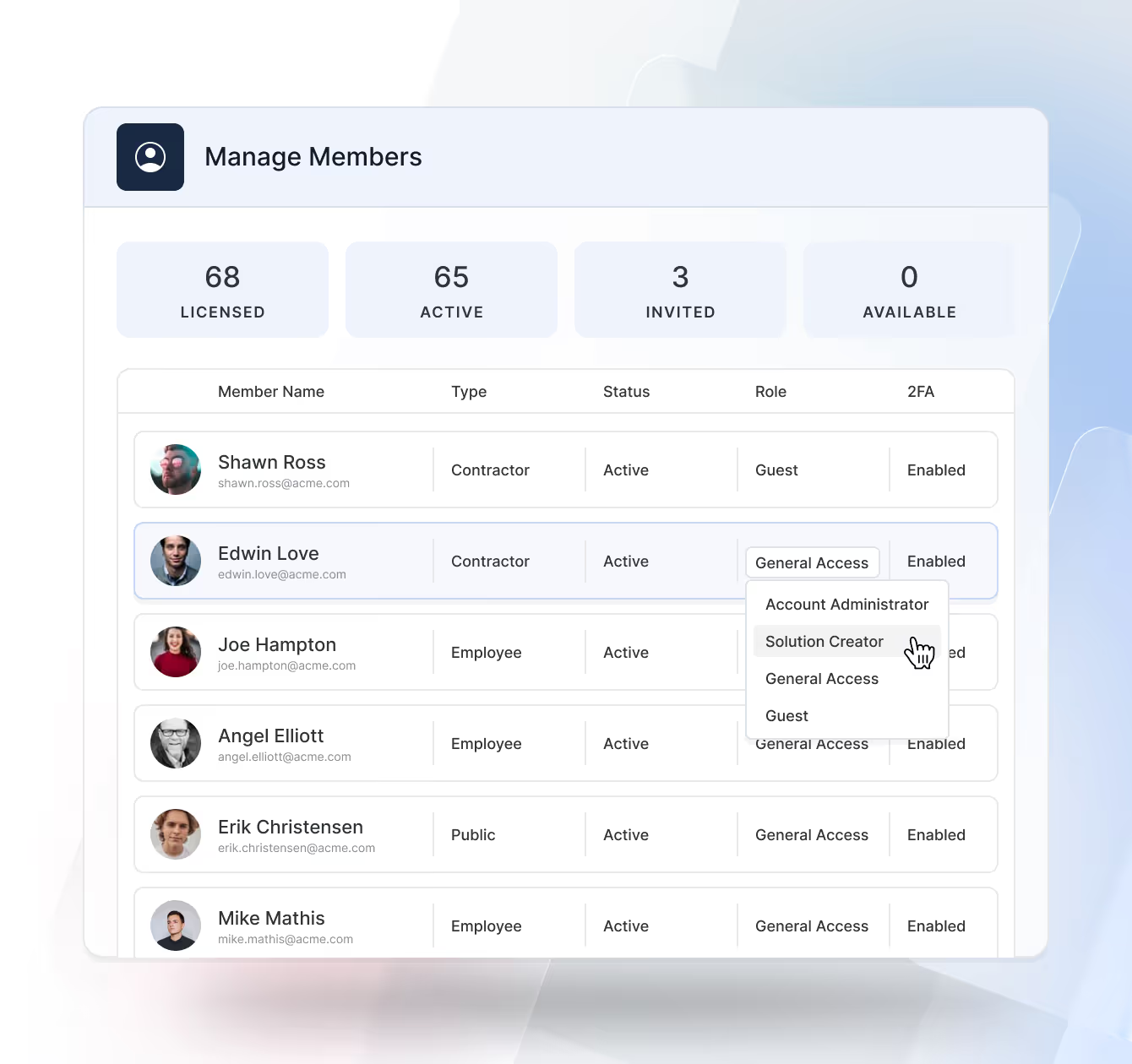
Solution Permissions
Grant or restrict access to specific Solutions so teams only see the business workflows relevant to them. Each Solution’s permissions cascade to its tables and records, enabling delegated ownership without compromising workspace security.
- Scope access per workflow and its tables.
- Delegate ownership to solution managers while keeping central governance.
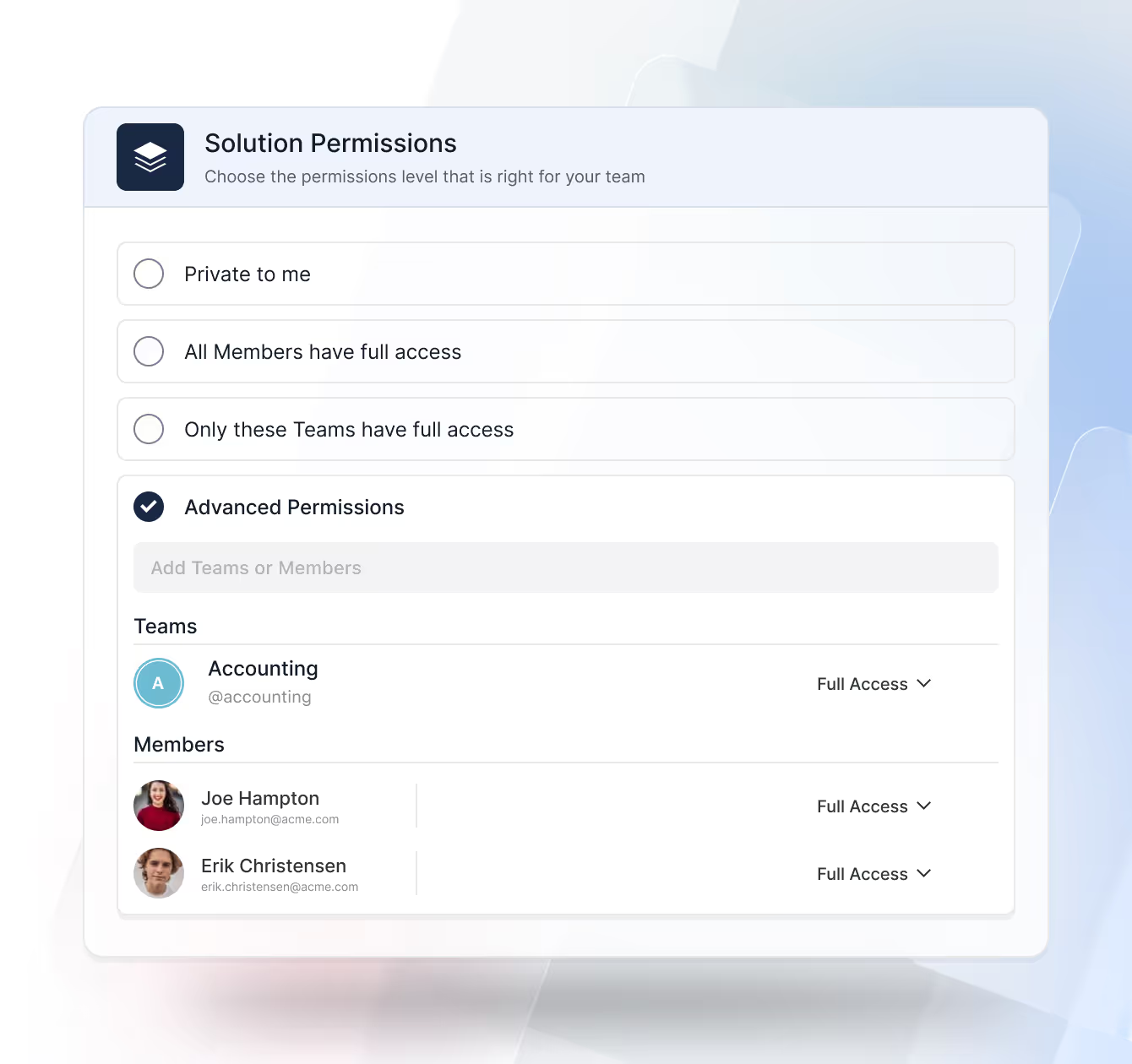
Table Permissions
Refine access at the table level to control which datasets users can work with inside a Solution. Tables inherit Solution permissions by default, but admins can override them when a workflow requires additional segmentation or restriction.
- Inherited Access: Tables automatically adopt the Solution’s permission model unless overridden.
- Table-Specific Rules: Grant or restrict access to individual tables without impacting the rest of the Solution.
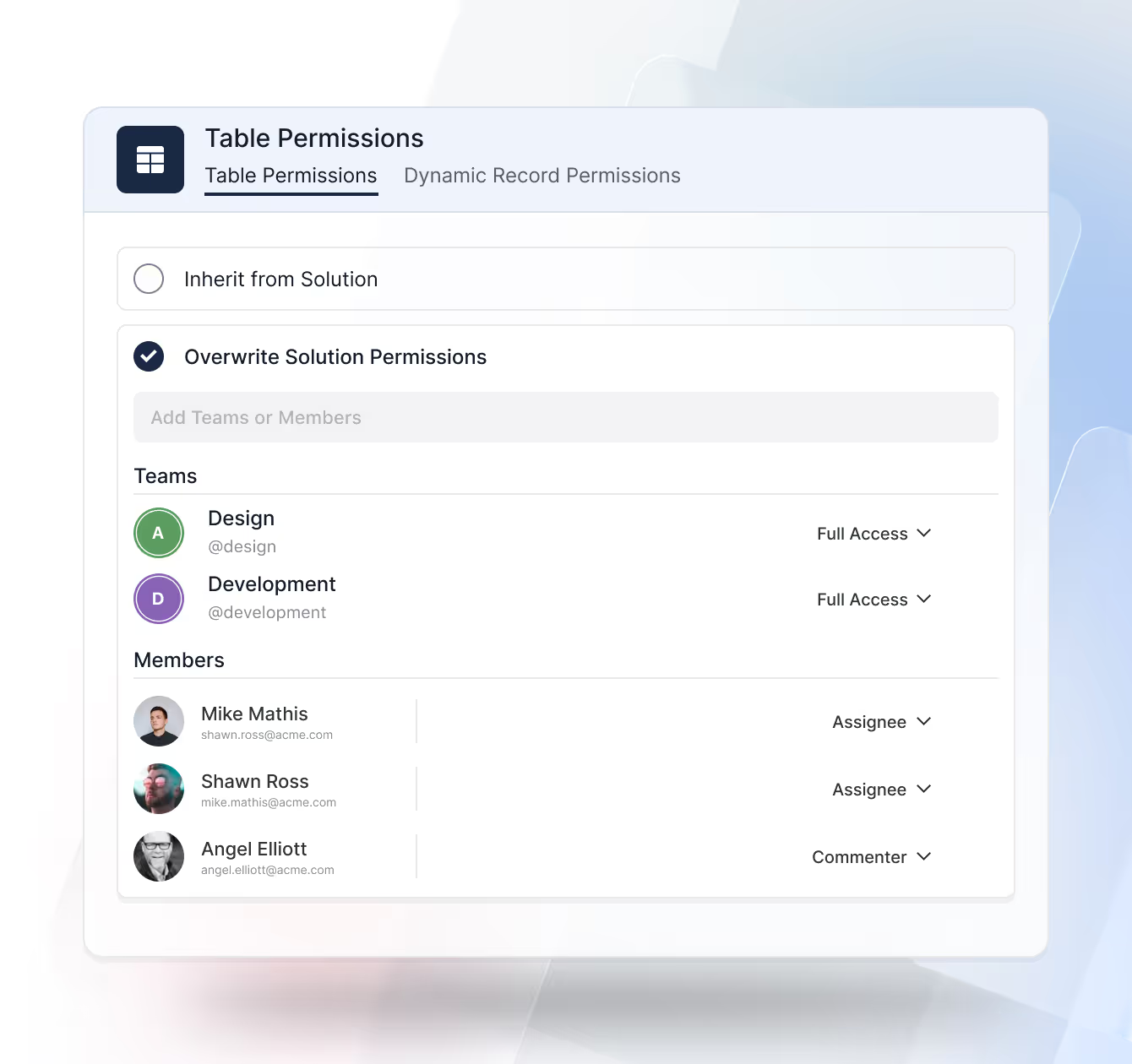
Record Permissions
Apply rule-based access to individual records using conditional logic. Access can be automatically granted based on user assignment, record ownership, workflow status, risk level, geographic region, or other defined criteria—ensuring the right people have access at the right time.
- Grant by assignment, owner, status, risk, or geo.
- Adjust dynamically as record values change.
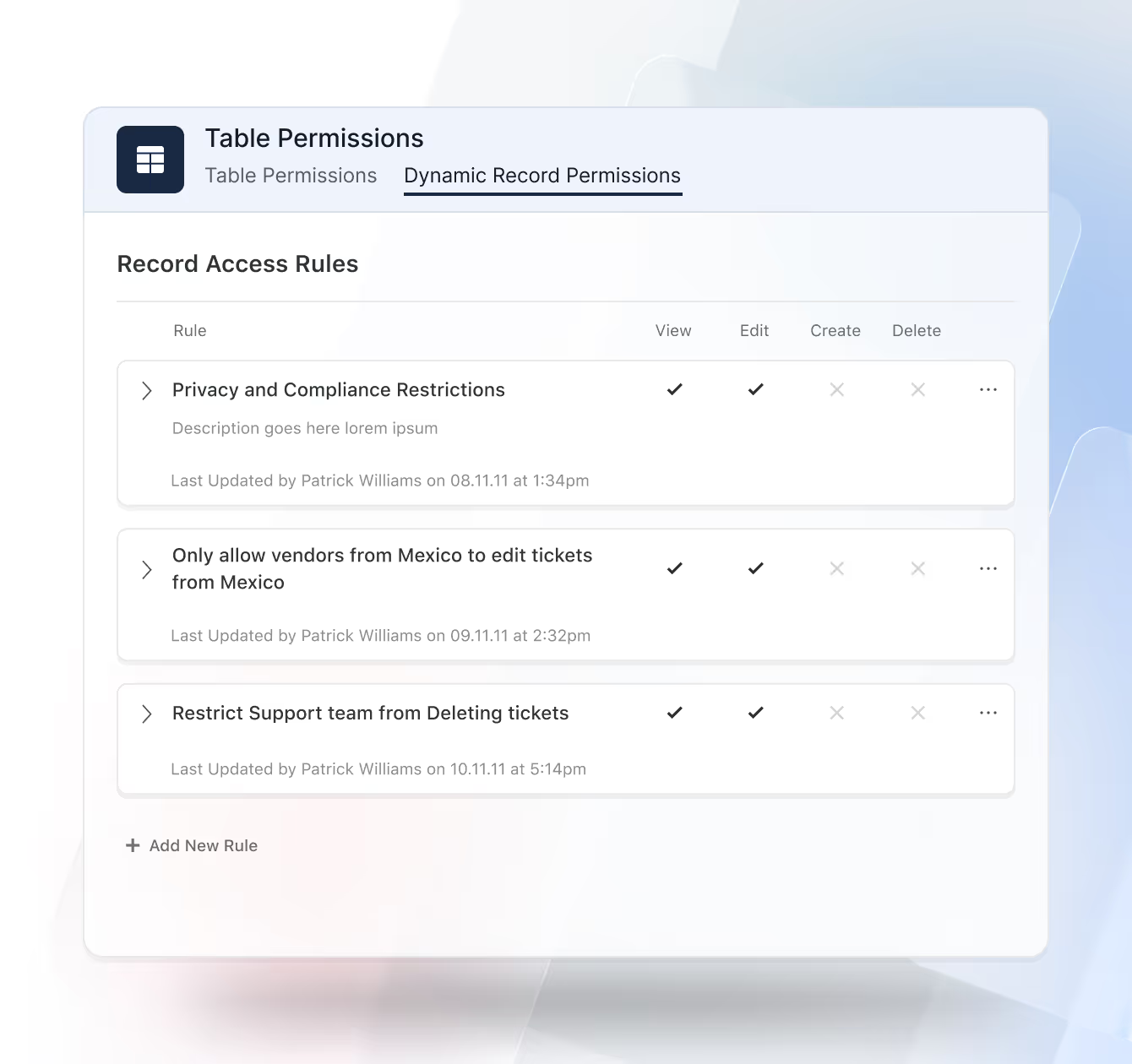
Field Permissions
Control visibility and editability at the most granular layer. Administrators can hide or make fields read-only for specific users or teams to protect sensitive information such as PII or financial data while maintaining visibility for those who need it.
- Hide or set read-only per user or team.
- Protect PII, financials, and other sensitive values.
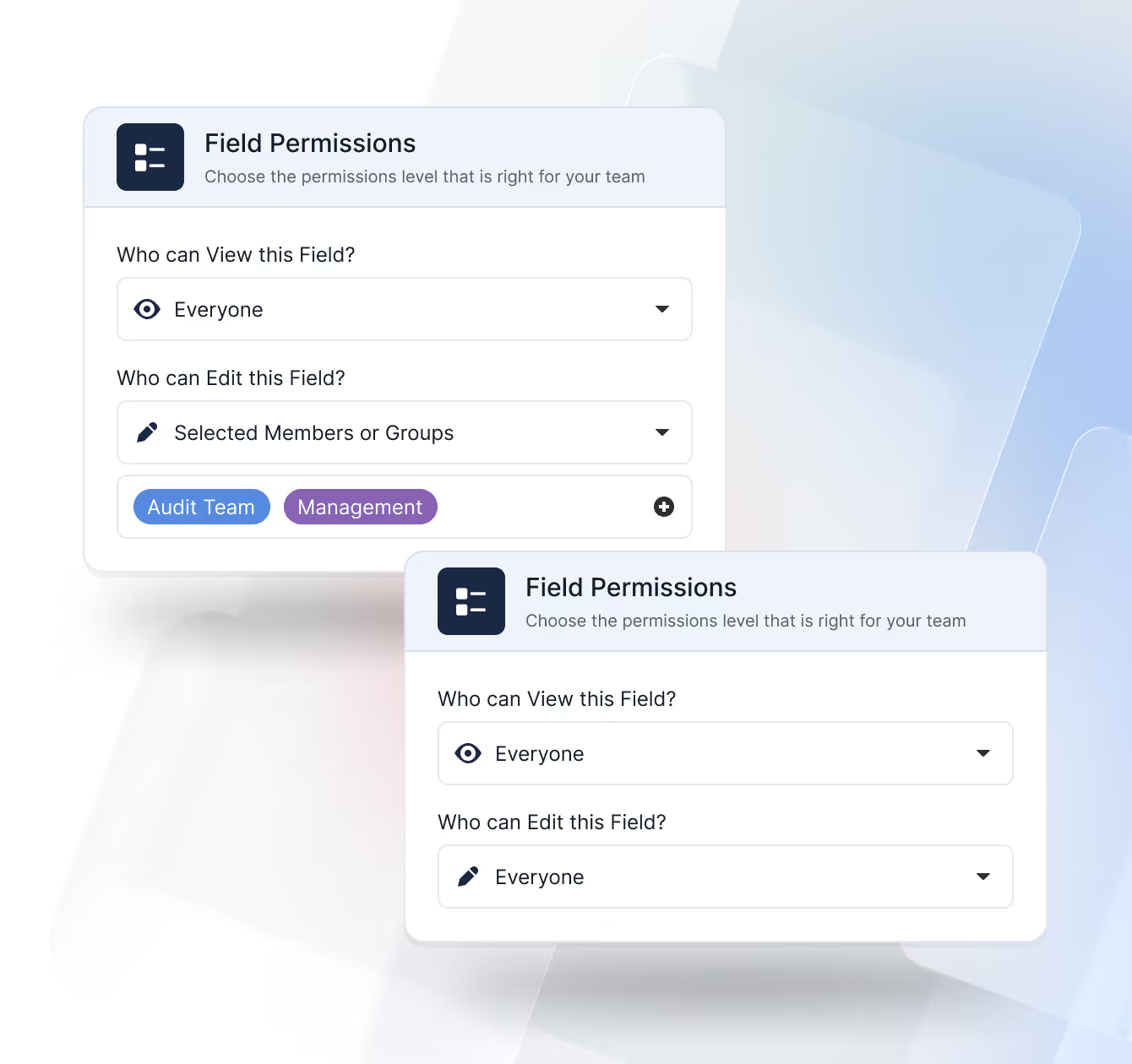
Folder Permissions
Control how users navigate data by managing access to View folders. Folders determine which Views appear in the left-hand navigation, allowing teams to see only the perspectives that matter to them.
- Folder-Based Access: Assign which users or teams can see a folder and the Views inside it.
- Clean Navigation: Hide Views and folders that are not relevant to a user’s role or responsibilities.
- Shared Solutions: Support multiple teams working in the same Solution while each sees a tailored set of Views.
Team Management
Organize users into teams and groups, align them to the right roles, and keep membership synchronized with your directory—so access reflects your org structure without manual upkeep.
Represent departments, functions, and project squads.
Map teams to reusable roles for consistent permissions.
Provision/deprovision users and groups automatically.
Start tight; expand deliberately with change history.
Logging, monitoring, and error recovery.
Assign roles, teams, and access automatically when new members join — ensuring consistent permissions from day one.
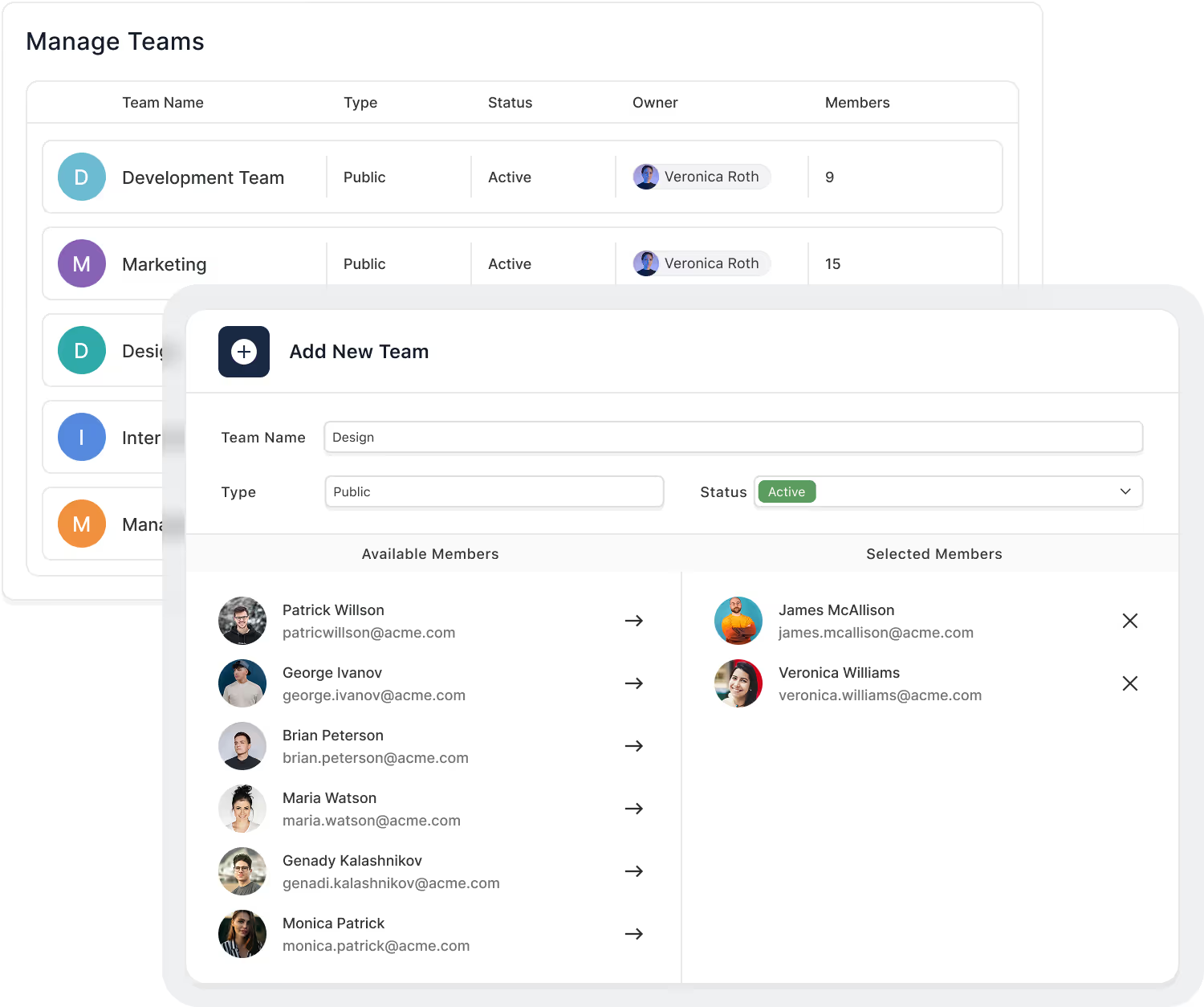
Authentication & SSO
Centralize identity with SAML or OIDC providers and enforce MFA across users or high-risk actions. Keep identities in your IdP, automate lifecycle with SCIM, and govern session behavior with org-level policies.
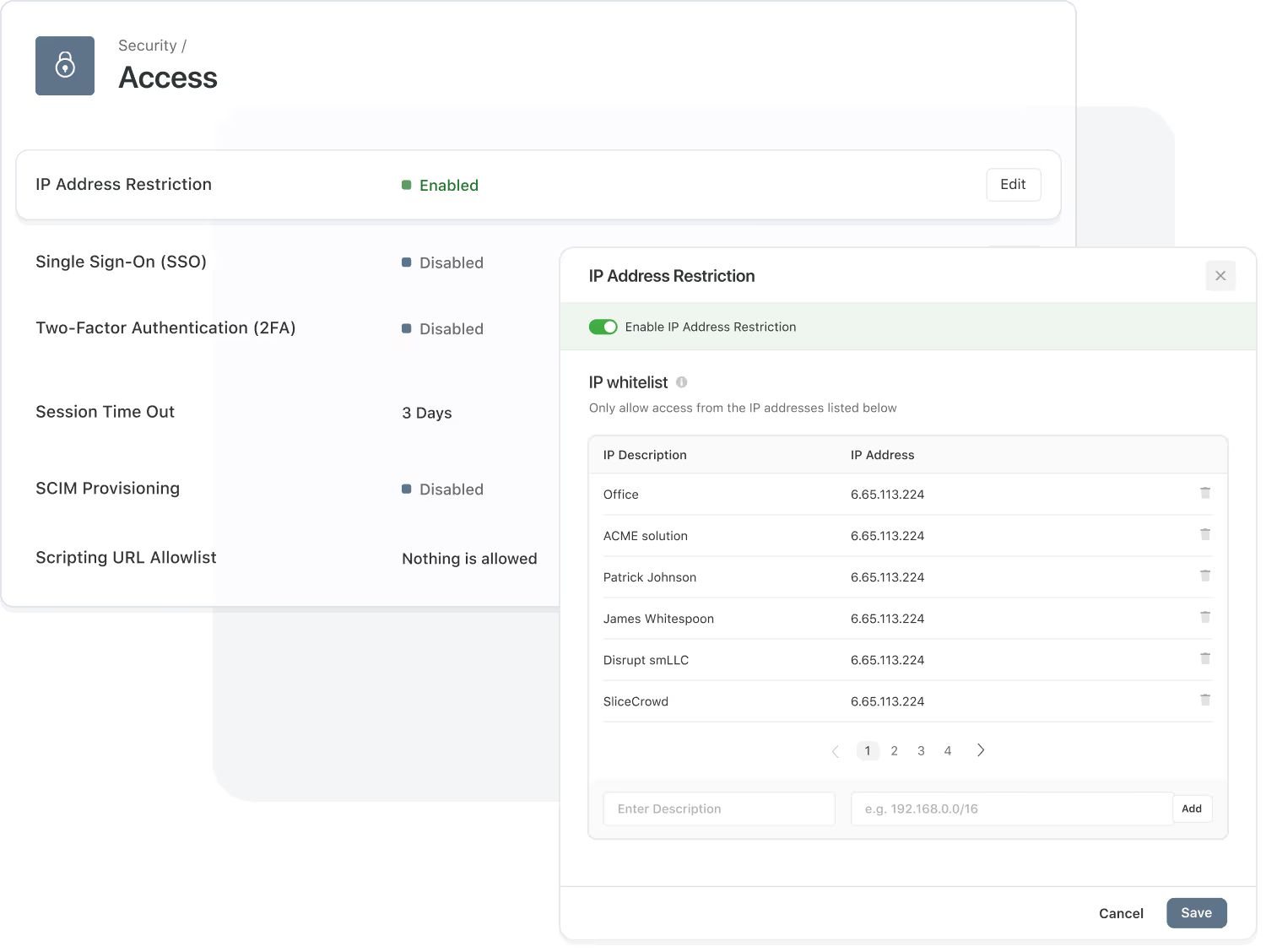
Microsoft Entra ID (Azure AD), Okta, Ping, Google, and Apple (SAML/OIDC).
Enforce per user or action; support for recovery and re-auth prompts.
Auto-create, update, and deactivate users and groups.
Idle timeout, max duration, step-up auth for sensitive flows.
Support secure cloud login via Google, Microsoft, Apple, and SSO providers without additional passwords.
Define allowed IP ranges to keep unauthorized networks from accessing your workspace.
IP Restrictions & Session Control
Limit access to trusted networks, observe active sessions in real time, and terminate risky activity immediately. Apply optional geo rules, inspect device/IP details, and keep a verifiable login history.
Permit access only from approved IPs or CIDR ranges.
View device, IP, and duration; terminate instantly.
Track successful and failed attempts with timestamps.
Track device and IP details to support security investigations.
Audit History & Logs
Every change and system event is captured in a searchable log for full visibility into user actions, configuration updates, and automation activity. Export and retain logs per policy.
Who changed what, when, and where.
Captured inputs and outcomes.
Keep logs up to 3 years.
Supports SOC 2, ISO 27001, GDPR.
Download logs for offline review.
Stream audit events to external monitoring tools.
Recycle Bin
The Recycle Bin safeguards against accidental data loss by allowing deleted records to be viewed and restored within a configurable retention period.
Items remain recoverable for up to 60 days (plan dependent).
Recover one or more selected records with audit trace.
Track who deleted and restored records for accountability.
Admins/Solution Managers can permanently purge when required.
View deleted items across all Solutions and tables for complete oversight and faster recovery.
Restored records automatically reconnect to their original relationships, fields, and history.
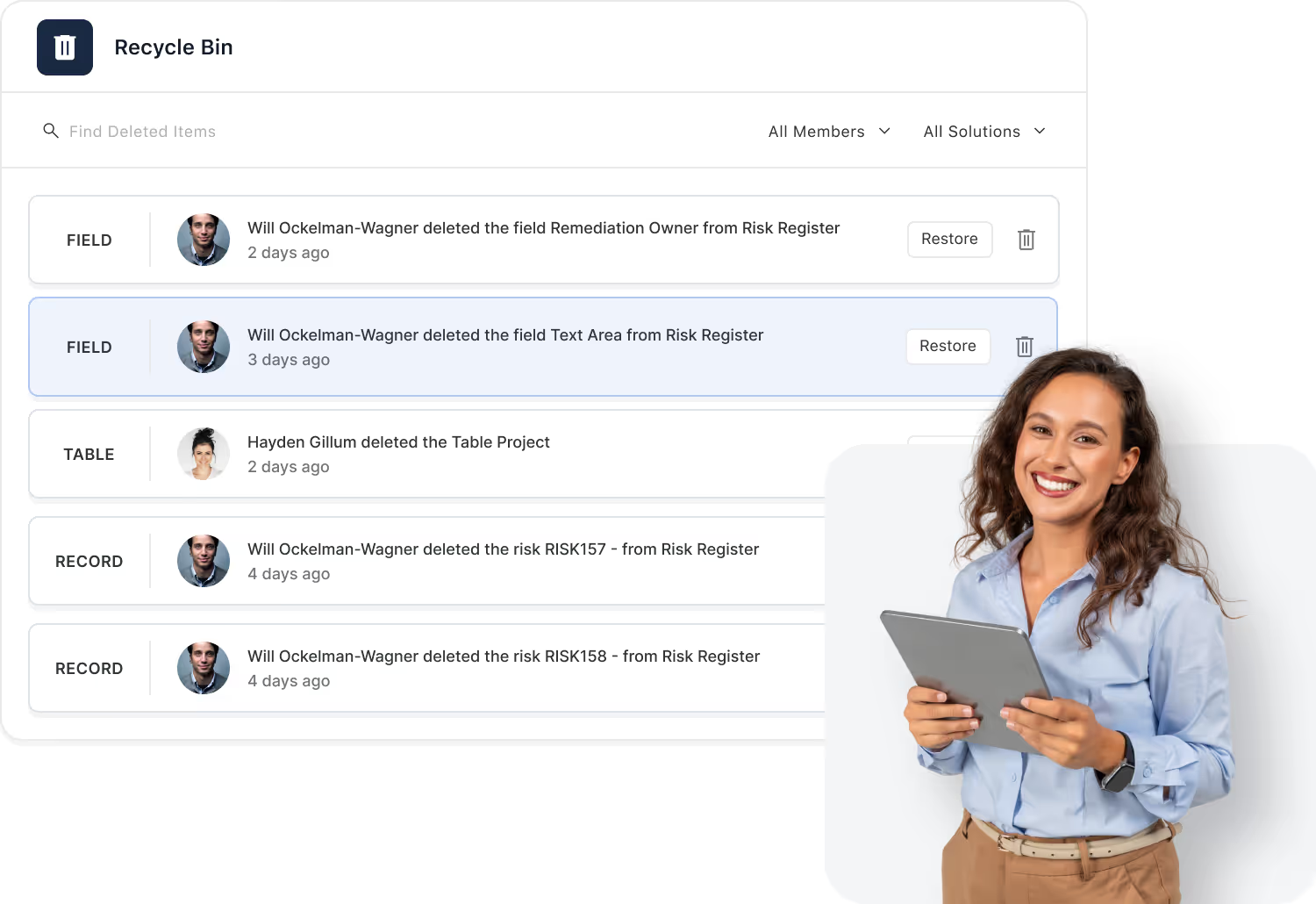

SmartSuite Trust Center
Security is mission-critical, and that’s why we’ve created a centralized Trust Center to make it easy to review our security, privacy, and compliance program. Access key policies, supporting documentation, and program details designed to protect customer data and support your vendor risk assessment process.
Data Privacy
SmartSuite takes the handling of personal data seriously. We maintain security and privacy policies, operational controls, and governance practices to safeguard the data processed in our platform and to support compliance with applicable privacy laws, including GDPR.

Certifications and Reports
SmartSuite completes independent audits and maintains recognized security and privacy standards—so your team can review controls, documentation, and assurances with confidence.


Certified information security management system (ISMS) with documented controls and continuous improvement.

Independent assurance report covering security and availability controls over an audit period.

Supports HIPAA-aligned security and privacy practices for organizations handling protected health information (PHI).

Privacy practices and controls designed to support GDPR requirements for personal data protection.

For uncompromising security, SmartSuite is hosted by Amazon AWS, which supports more security and compliance certifications than any other Cloud vendor, including PCI-DSS, HIPAA/HITECH, FedRAMP, FIPS 140-2, NIST 800-171, and GDPR. Enterprise and Signature customers choose a United States or a European Union data center.

SmartSuite provides a REST API designed to integrate with third-party vendor services that monitor the inflow and outflow of sensitive data to the platform. These systems empower administrators with proactive capabilities to safeguard the integrity and confidentiality of critical information, ensuring compliance with regulatory standards and bolstering overall security.

All communications with SmartSuite are HTTPS encrypted, and data at rest is encrypted with the AES-256 algorithm.
Keeping SmartSuite Secure
If you believe you’ve found a security vulnerability in SmartSuite, please let us know so we can address it quickly and responsibly.
Submit the vulnerability report form or email us at security@smartsuite.com.
Explore Further
Permissions are the foundation of trust in any work platform, ensuring that the right people have access to the right information at the right time. These articles introduce the core concepts behind secure access control, data protection, auditability, and governance in modern no-code environments.
Explore these topics to understand how SmartSuite supports strong security practices while giving teams the flexibility to work confidently at scale.
Frequently Asked Questions About Access & Security in SmartSuite
SmartSuite uses a layered permission model that includes Workspace roles, Solution access, Table permissions, Record permissions, Field-level visibility, Folder permissions, and Interface-based access. This ensures teams only see and interact with the data relevant to their responsibilities.
Workspace roles determine the user’s global capabilities (e.g., Admin, Builder, Member).
Solution permissions define what a user can do inside a specific workflow—view, edit, create, delete, manage automations, configure structures, or access all related Tables.
Yes. Record Permissions allow specific users to be assigned as “Assignees,” granting them visibility and access to only the records they own. This is ideal for case management, HR records, tickets, assessments, and any sensitive workflow.
Field-level permissions let you control who can view or edit individual fields. Sensitive formulas, compensation data, security notes, or internal-only comments can be hidden from non-authorized users while keeping the workflow intact.
Folder permissions govern access to groups of Views—letting workspace admins create role-based navigation. Teams can share dashboards, filtered views, or reports without exposing underlying data or unrelated Views.
Yes. Interfaces have their own permission framework. Users can be granted access to an Interface without gaining visibility into the underlying Solution structure, ensuring clean separation between internal builders and internal/external consumers.
SmartSuite logs changes to records, captures who viewed or modified data, maintains activity history, enforces field access rules, supports SSO and MFA, and provides role-based access controls that align with enterprise governance standards.
Absolutely. SmartSuite’s permission model is designed for organizations with hundreds or thousands of users. Workspace Admins can create repeatable permission patterns, apply roles consistently, and adjust access without disrupting active workflows
Enterprise Security Meets Developer Flexibility
Admins configure policy in the UI; developers integrate with APIs (REST, Webhooks, SCIM, SSO). Export logs, review access, and request audit packages anytime.
Featured Resources
Explore thought leadership, case studies, and insights from financial services leaders.

%2520(1).avif)

%252520(1).jpeg)
.avif)
SmartSuite Resources
Everything you need to learn, build, connect, and grow with SmartSuite — from expert guidance and self-paced learning to community collaboration and continuous innovation.
Explore Further
Great reporting turns raw information into clear, actionable insight. These articles introduce the core ideas behind data visualization, global filtering, drill-down analysis, and predictive analytics — the foundations of modern, insight-driven decision-making.
Explore these topics to understand how SmartSuite helps teams interpret data more effectively and uncover opportunities hidden inside their workflows.
Frequently Asked Questions About SmartSuite Resources
If you’re new to SmartSuite, we recommend starting with the Platform overview videos and the getting-started resources highlighted at the top of this page. From there, you can dive into role-specific guides and solution-focused materials.
You’ll find videos, guides, best-practice frameworks, and examples that show how to get more value from the SmartSuite Platform—across building, automating, and scaling workflows.
Resources are designed for everyone who works with SmartSuite: workspace admins, solution builders, IT and security teams, and everyday users who want to become more confident and effective.
The Help Center focuses on “how-to” articles for specific features. The Resources tab focuses on the bigger picture—platform overviews, getting-started paths, solution patterns, and best-practice guidance you can share with your teams.
SmartSuite Academy offers structured learning paths and deeper training. The Resources tab highlights a curated set of videos and materials you can use to quickly orient teams, explore new capabilities, or support onboarding.
Yes. We include resources that highlight how SmartSuite supports common solution areas such as GRC, IT Service Delivery, Business Continuity, and Project Management, along with examples your teams can adapt.
We update resources regularly as we release new capabilities, solution patterns, and best practices—so what you see here reflects the current state of the platform.
Yes. Most resources are designed to be shared with internal teams, executives, and stakeholders to help explain how SmartSuite works and how your organization is using it.
Experience the Power of a Connected Platform
Learn how SmartSuite unifies workflows, teams, and information into a single, scalable system.