


Modernizing Higher Education Operations
SmartSuite centralizes Higher Ed Operations, Assessment & Accreditation, Finance & Administration, Grants & Research, Curriculum workflows, and campus-wide service operations in one connected platform. Empower colleges and universities to streamline processes, reduce manual work, and improve campus coordination with flexible, no-code solutions.
One Platform for Connected Higher Education Operations
SmartSuite connects the academic and administrative workflows that power colleges and universities — unifying assessment, accreditation, operations, finance and administration, research, curriculum processes, and service delivery in one modern platform.
Academic Workflows
Coordinate assessment, curriculum, and accreditation processes across programs.
Administrative Operations
Manage hiring, finance, events, and IT service requests consistently.
Approval Governance
Route reviews and approvals with traceable, role-based workflows.
Institutional Insight
Monitor academic progress and operational performance with dashboards.
Higher Education Operations Products
Manage curriculum, course planning, and scheduling with real-time visibility across departments and academic programs.
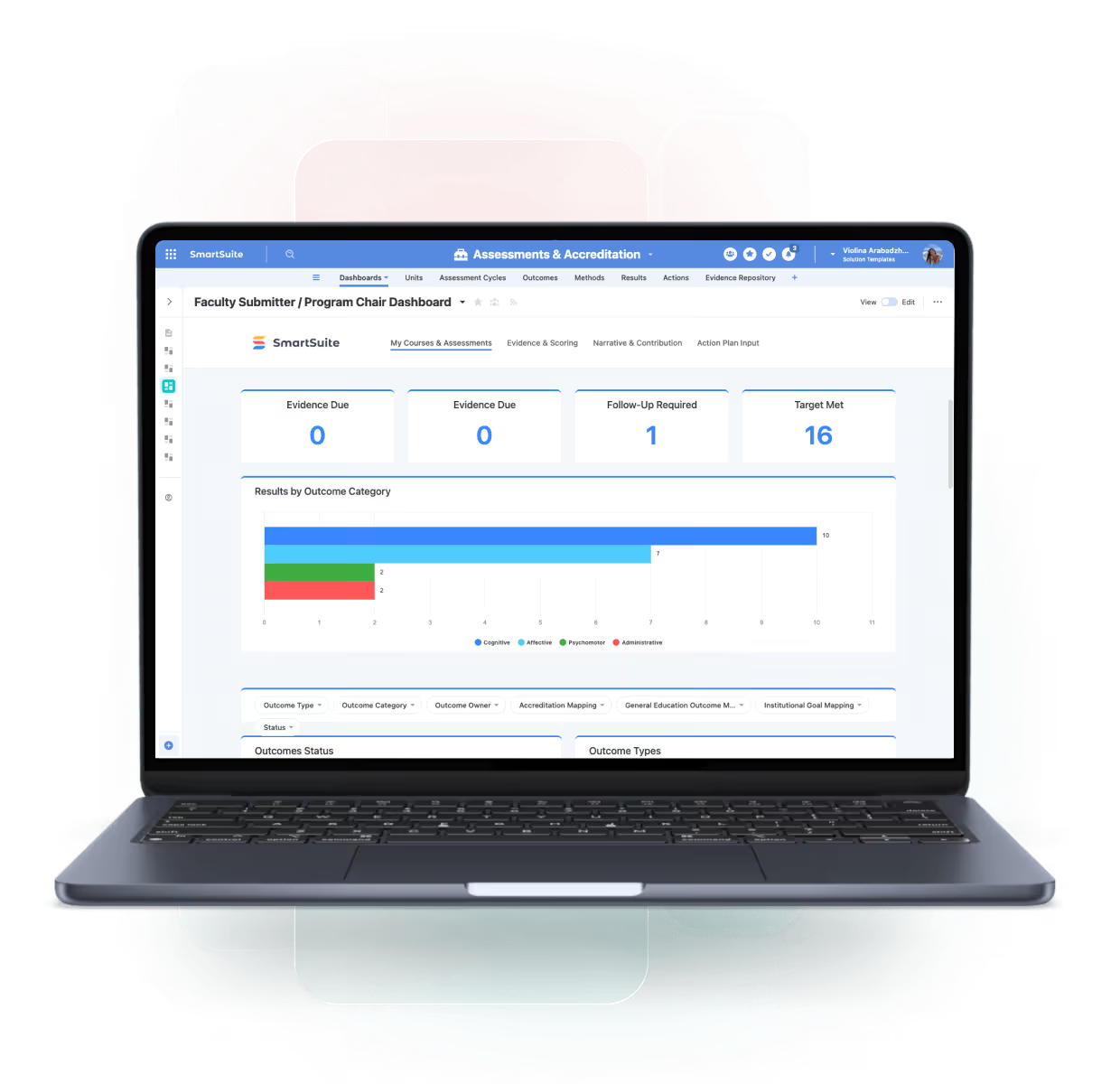
Manage outcomes, accreditation, and continuous improvement with a centralized, audit-ready platform for higher education.
Manage faculty assignments, workloads, and staff responsibilities with real-time visibility across departments and academic operations.
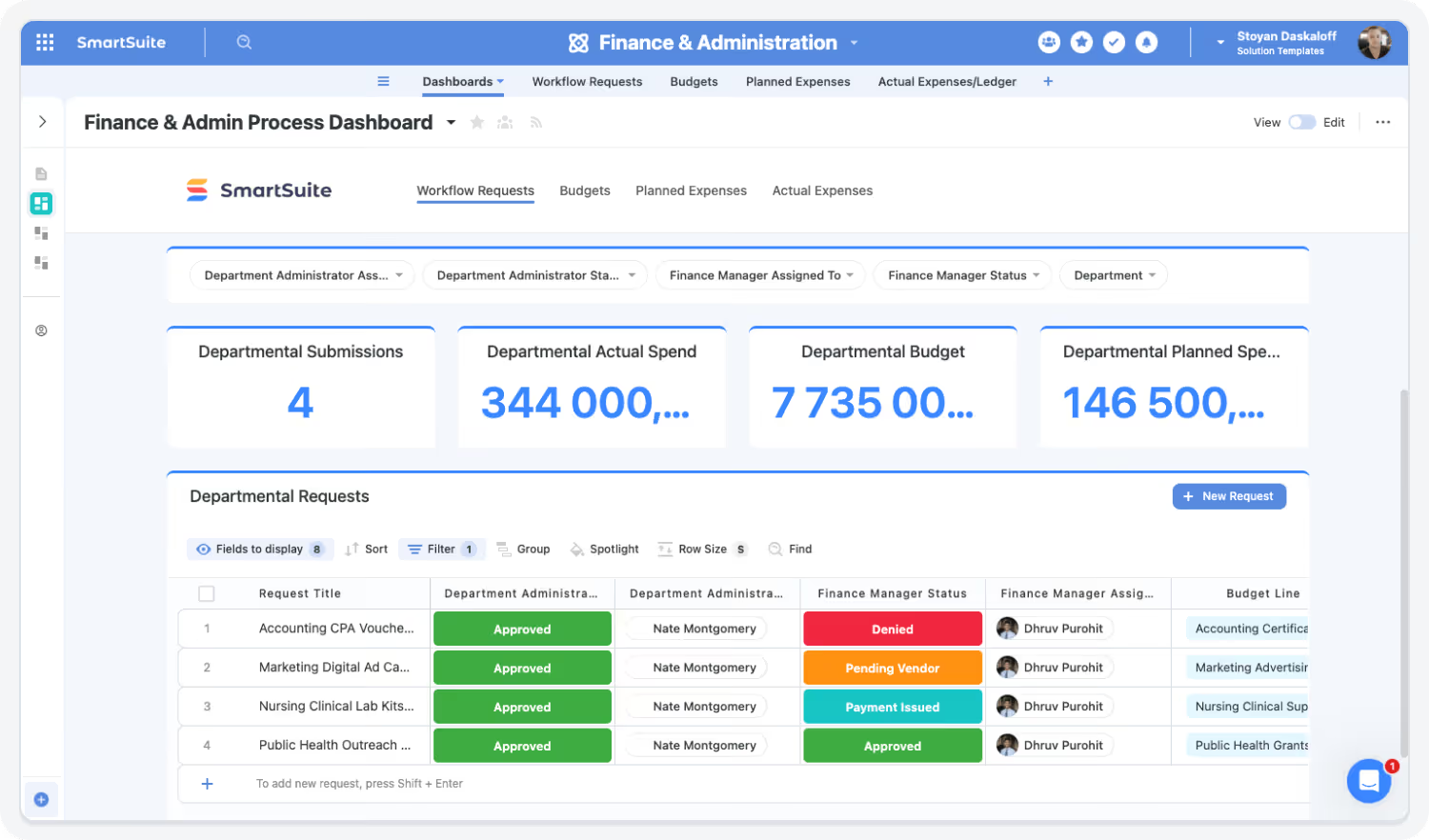
Manage financial requests, budgets, procurement, and vendors with a centralized platform for higher education institutions.
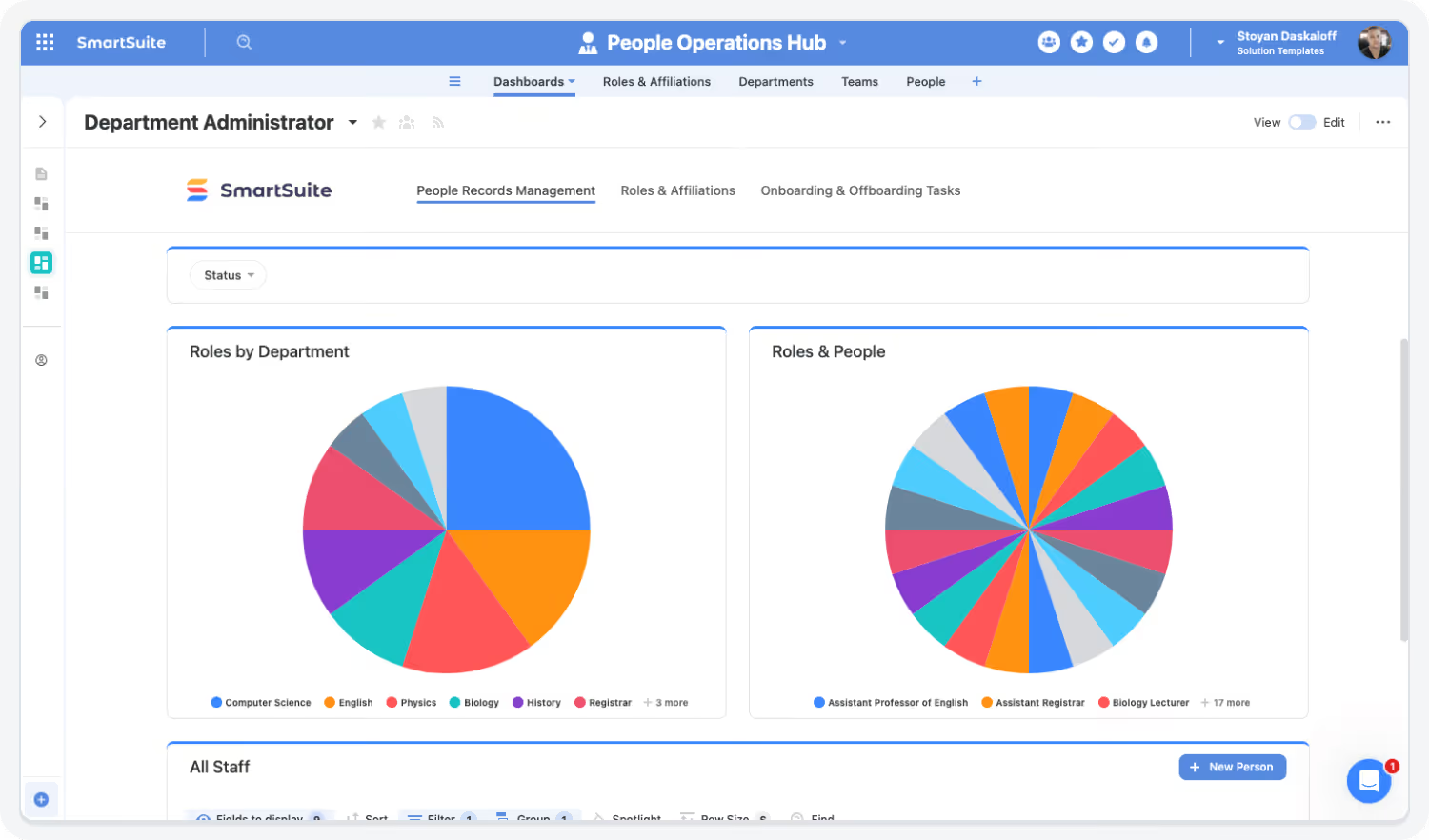
Manage people, roles, and relationships with a centralized system of record for higher education institutions.
Manage research projects, grant lifecycles, and funding workflows with real-time visibility across teams and compliance requirements.
Core Capabilities of the Higher Education Operations Suite
SmartSuite delivers a curated set of solutions that support academic quality, administrative operations, and student experience.
Coordinate education operations with clarity, governance, and cross-campus alignment.
Unify student affairs workflows, academic administration, communications approvals, events, and accreditation activities in one connected workspace. SmartSuite links educational operations to ownership, evidence, and outcomes—providing real-time visibility, audit-ready processes, and consistent execution across departments and programs.
Manage assessments and accreditations—standards, evidence, tasks, reviewers, findings, and reporting.
Streamline finance/admin requests—approvals, documentation, SLAs, and status tracking for internal customers.
Track grant lifecycles—proposals, awards, budgets, compliance, deliverables, and reporting.
Central hub for student and staff operations—requests, cases, tasks, policies, and communications in one place.
Manage curriculum planning, course development, approvals, schedules, and updates with traceability and collaboration.
Track HECVAT assessments and a compliance register—requirements, evidence, gaps, and remediation progress.
Manage student cases, services, interventions, and follow-ups with structured workflows and role-based access.
Plan, execute, and report on campus events, programs, and conferences with intake, run-of-show, and post-event tracking.
Streamline Assessment, Accreditation & Continuous Improvement
Modernize institutional effectiveness workflows with SmartDocs redlining, rubric scoring, version control, and automated review cycles.
Highlights:
- Outcomes → Methods → Results relational model
- Faculty collaboration
- Automated approvals

Modernize Campus Operations
Handle hiring, onboarding, event ops, resource checkout, communications, and finance workflows — all from one platform.
Highlights:
- Student worker hiring
- Communications intake
- Equipment/resource tracking
Accelerate Finance & Administration Workflows
Centralize purchase requests, reimbursements, routing, documentation, and audits.
Highlights:
- Multi-step approvals
- Audit history
- Budget dashboards
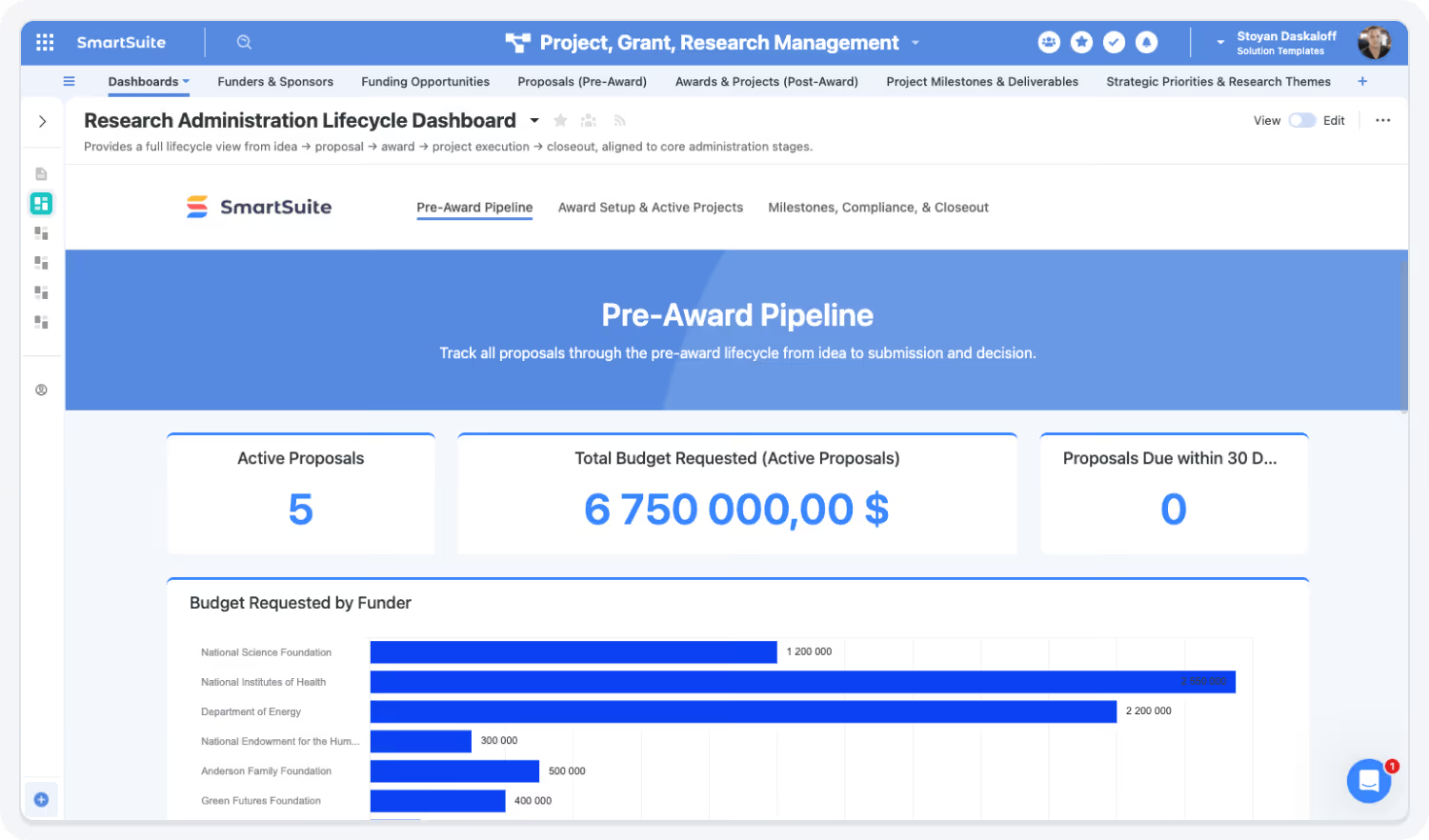
Simplify Grants & Research Lifecycle Management
Track proposals, compliance attachments, awards, and milestones with personalized PI/RA workspaces.
Highlights:
- Proposal pipelines
- Gantt timelines
- Evidence collection
Strengthen Campus-Wide Governance & Vendor Compliance
Use FERPA-aligned permissions, HECVAT evidence registers, and policy workflows to strengthen data and vendor governance across the institution.
Highlights:
- HECVAT workflows
- Evidence registers
- Policy attestations

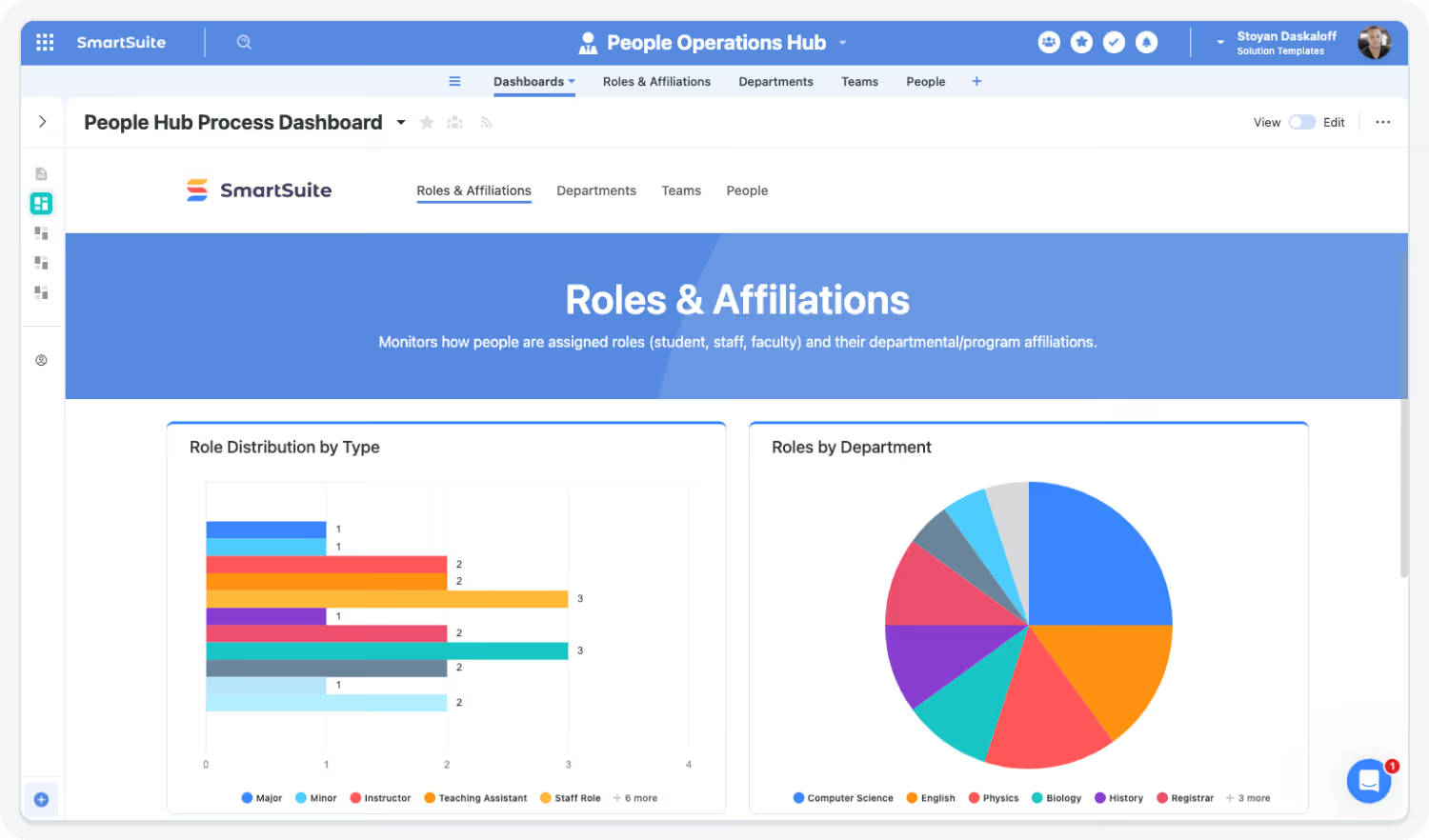
Centralize People Management Across the Institution
Create a unified directory for students, staff, faculty, researchers, and affiliates, complete with connected workflows for hiring, onboarding, training, engagement tracking, and offboarding. Replace fragmented spreadsheets and departmental rosters with a single system of record that provides rich profiles, linked affiliations, and dashboards that show how each person is connected across programs and departments.Track proposals, compliance attachments, awards, and milestones with personalized PI/RA workspaces.
Highlights:
- Unified people directoryProposal pipelines
- Affiliation & lifecycle trackingGantt timelines
- Hiring, onboarding & offboarding workflows
Built For Modern Higher Education Teams
SmartSuite brings enterprise-grade higher education operations with consumer-grade usability. Choose the rollout path that fits your department today—and expand as cross-campus workflows and governance needs grow.
Adopt a Single Capability
Begin with Accreditation Tracking, Event Management, or Communications Approvals—prove value fast and expand from there.
Roll Out a Full Category
Enable higher education operations end-to-end—connecting student services, academic administration, approvals, events, and evidence in one coordinated system.
Deploy the Entire Higher Education Operations Suite
Standardize campus workflows with shared data, audit-ready processes, and real-time dashboards—delivering consistent execution, stronger governance, and cross-department alignment across your institution.
Explore Further
Learn more about assessment, accreditation, operations, grant management, policy governance, and higher-education workflow automation.
Frequently Asked Questions
Answers to common questions about how SmartSuite improves visibility, collaboration, and efficiency across higher-education operations.
SmartSuite centralizes workflows across operations, institutional effectiveness, academic departments, finance, HR, and IT.
This unified platform eliminates fragmented tools and email threads — giving everyone the same source of truth.
SmartSuite replicates complex assessment models (Outcomes → Methods → Results) with SmartDocs redlining, rubric scoring, multi-stage reviews, and version tracking — streamlining accreditation workflows.
Yes — SmartSuite’s intuitive UI, templates, and guided workflows help faculty, student workers, and staff adopt the platform quickly — even without technical backgrounds.
Instead of using different tools for assessment, hiring, budget approvals, research proposals, events, and ticketing, SmartSuite consolidates everything into one no-code platform.
SmartSuite handles hiring, onboarding, communications requests, finance workflows, recreation/checkout systems, student experience tracking, and more.
See How SmartSuite Transforms Campus Operations
Experience how SmartSuite unifies academic and administrative processes — from assessment and accreditation to operations, finance workflows, research management, and IT services.
The Connected Value of SmartSuite Higher Education Operations
Quantifiable improvements achieved when institutions centralize assessment, accreditation, operations, finance/admin workflows, curriculum review, and research management in SmartSuite.
Source: EDU Process Modernization Survey, 2024 — institutions using connected assessment platforms reduced review cycles by 30–40%.
Faster Assessment, Accreditation & Review Cycles
SmartSuite standardizes Outcomes → Methods → Results reporting with automated routing, SmartDocs redlining, rubric scoring, and version-controlled reviews — significantly reducing faculty and reviewer workload.
Source: NASPA Administrative Efficiency Report, 2023 — centralized campus systems reduced admin effort by 28–35%.
Reduction in Manual Administrative Work Across Departments
Shared workspaces replace spreadsheets, links, siloed databases, email-driven reviews, and duplicated data entry across academic teams.Shared control libraries across CRI, SOC 2, and ISO 27001 eliminate redundant mapping and testing tasks.
Source: McKinsey Higher Education Operations Benchmark, 2023 — institutions implementing unified operational systems improved visibility by ~30%.
Improved Visibility Into Academic & Administrative Operations
Dashboards connect assessment status, accreditation readiness, student hiring, event workflows, finance requests, and research activity — giving leadership a unified view of campus operations.
Source: EDU Workflow Alignment Study, 2023 — connected higher-ed workflows reduced cross-department delays by 25–30%.
Reduction in Delays Across Cross-Department Workflows
Integrated workflows streamline Higher Ed operational processes, administrative approvals, curriculum workflows, and cross-unit operations such as hiring, finance requests, and research routing.
Key Benefits of the Higher Education Operations Suite
Institutions need connected, transparent, and efficient academic and administrative workflows. SmartSuite unifies assessment, accreditation, operations, finance/admin processes, curriculum review, and research management — creating one platform for streamlined campus operations.
Academic Quality, Assessment Integrity & Accreditation Readiness
Connect Outcomes, Methods, and Results with structured reviews and version control.
Give provosts, deans, and assessment leaders real-time visibility into progress and outcomes.
Centralize artifacts and improvement actions for accreditation agencies and reviews.
Track deadlines, stages, renewals, and improvement plans across multi-year cycles.
Enable role-based access for faculty, coordinators, and assessment committees.
Capture scores, comments, and revision requests directly within SmartDocs.
Campus Operations, Student Experience & Administrative Efficiency
Manage hiring, onboarding, finance requests, communications, events, and services in one system.
Replace email-based approvals and reimbursements with auditable workflows.
Standardize job postings, applications, verification, and onboarding across departments.
Coordinate planning, execution, and evaluation of student and staff programs.
Connect HR, Finance, IT, Facilities, and Academic units through shared dashboards.
Protect student, staff, and faculty data with role-based permissions.
Governance, Compliance, Research Administration & Institutional Reliability
Track proposals, reviews, awards, milestones, budgets, and deliverables end-to-end.
Manage policies, attestations, and documentation for governance and accreditation.
Capture vendor assessments, evidence, and risk scores for IT and security oversight.
Map critical student and academic services to support operational resilience.
Maintain full histories of changes, approvals, and decisions for auditors and sponsors.
Start with one workflow and expand campus-wide without rebuilding systems.
Streamline Campus Workflows With Connected Data and Automation
SmartSuite eliminates siloed tools and manual processes.
Centralize assessment, accreditation, hiring, finance requests, research tracking, and operations — all in one place.
How the SmartSuite Platform Powers Higher Education
SmartSuite connects people, processes, programs, and academic workflows in one secure, FERPA-aligned platform.
Design campus workflows — academic or administrative — without custom development.
An Institutional Effectiveness team configures an Outcomes → Methods → Results assessment workflow, while Student Affairs builds hiring and onboarding workflows—both on the same platform, without IT development.
Automate review cycles, notifications, approvals, rubric scoring, financial requests, and hiring workflows.
When a faculty assessment report is submitted, SmartSuite automatically routes it for rubric scoring, notifies reviewers, and tracks revisions until final approval.
Draft assessment summaries, research proposals, meeting notes, rubric feedback, and accreditation narratives instantly.
Before an accreditation review, AI Assist generates a summary of program outcomes, improvement actions, and supporting evidence across multiple departments.
Connect outcomes → methods → results → evidence, or students → staff → hiring → onboarding → tasks, or suppliers → documents → HECVAT.
A department assessment record links directly to faculty submissions, supporting evidence, improvement plans, and accreditation standards—or a HECVAT assessment links vendors, documents, and risk decisions.
Monitor assessment status, hiring pipelines, requests, budgets, research milestones, and portfolio KPIs.
Provosts and Deans view dashboards showing assessment completion rates, accreditation readiness, open hiring requests, and research funding progress.
Support FERPA, HECVAT, SSO/SCIM, IP restrictions, and audit trails for campus compliance.
Faculty can only view their own program data, reviewers see assigned assessments, and leadership accesses rollups—every change is logged automatically for audits.
Connect Academic & Administrative Workflows
SmartSuite links core campus operations — assessment, hiring, research, finance, curriculum, events, and IT service — into one cohesive environment.
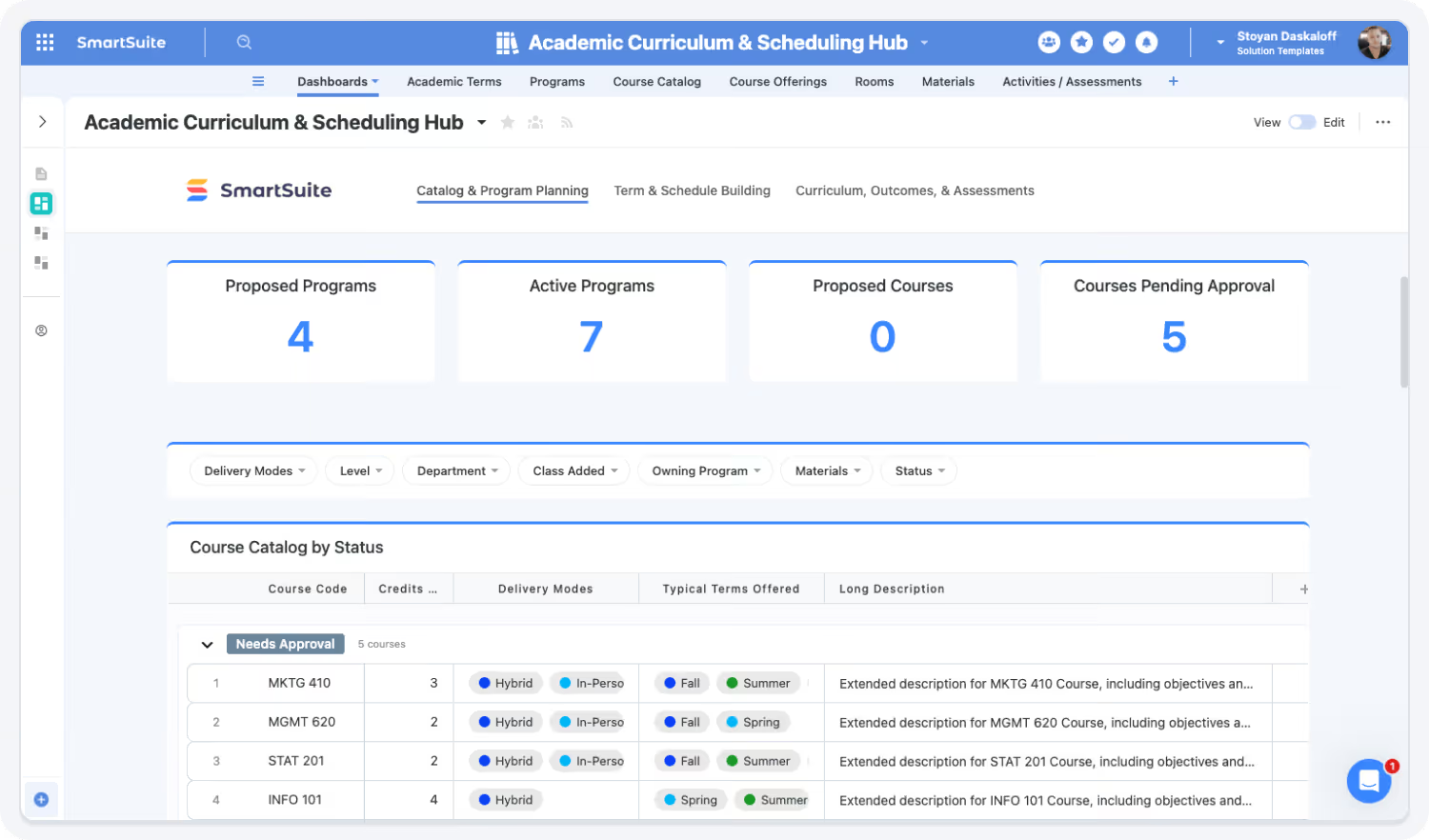
Streamline Reviews, Approvals & Campus Processes
Automate the workflows that universities rely on: assessment reviews, staff onboarding, budget approvals, research submissions, curriculum proposals, and more.
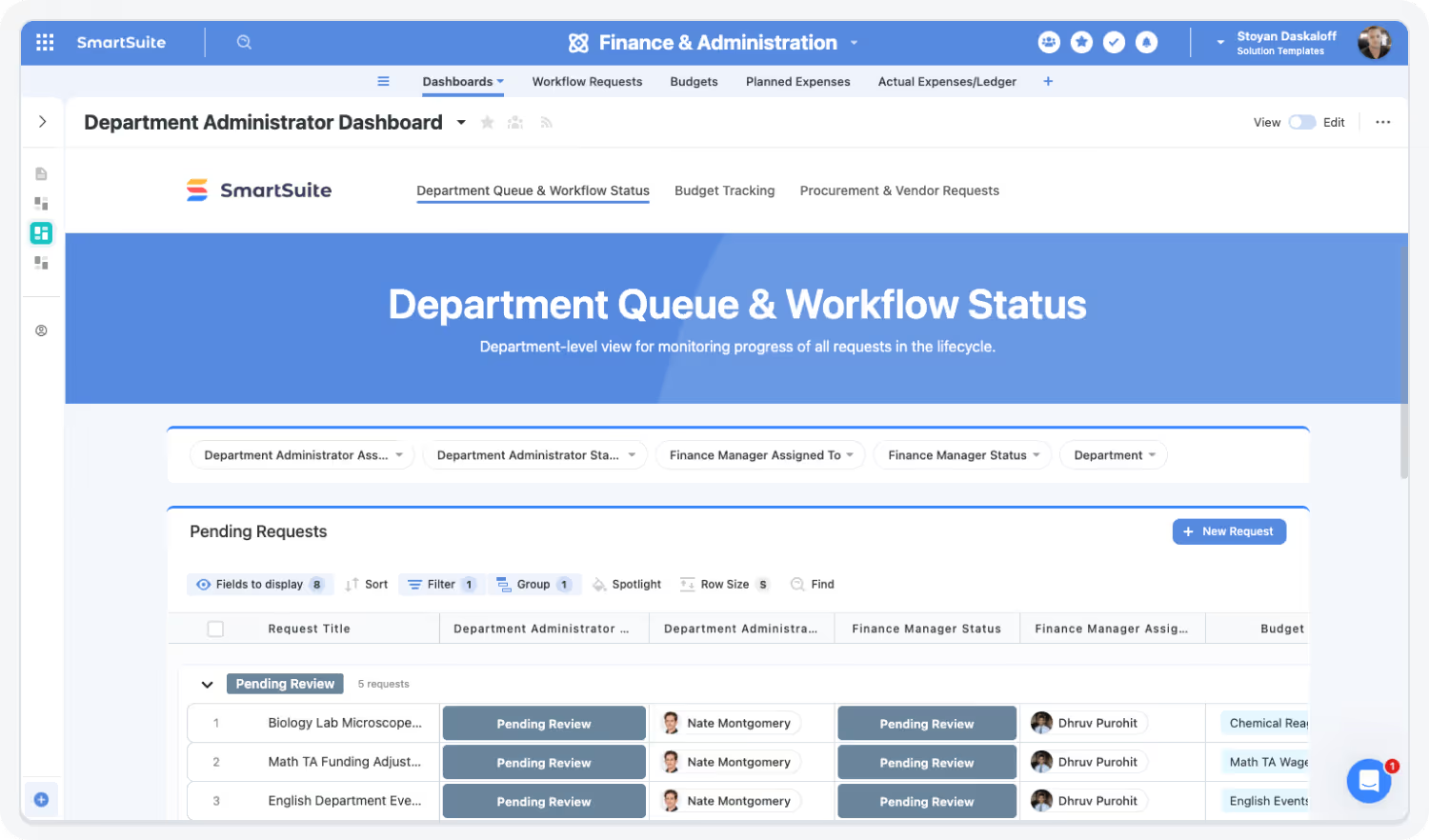
Gain Real-Time Insight Across the Institution
Dashboards provide actionable visibility into academic progress, administrative throughput, campus resources, requests, and compliance signals.

AI Assist & Governance Strengthen Higher-Ed Excellence
AI Assist accelerates rubric scoring, summary creation, report drafting, and proposal writing — while governance tools ensure accuracy, privacy, and traceability.

The SmartSuite Platform:
Powered by Eight Interconnected Frameworks
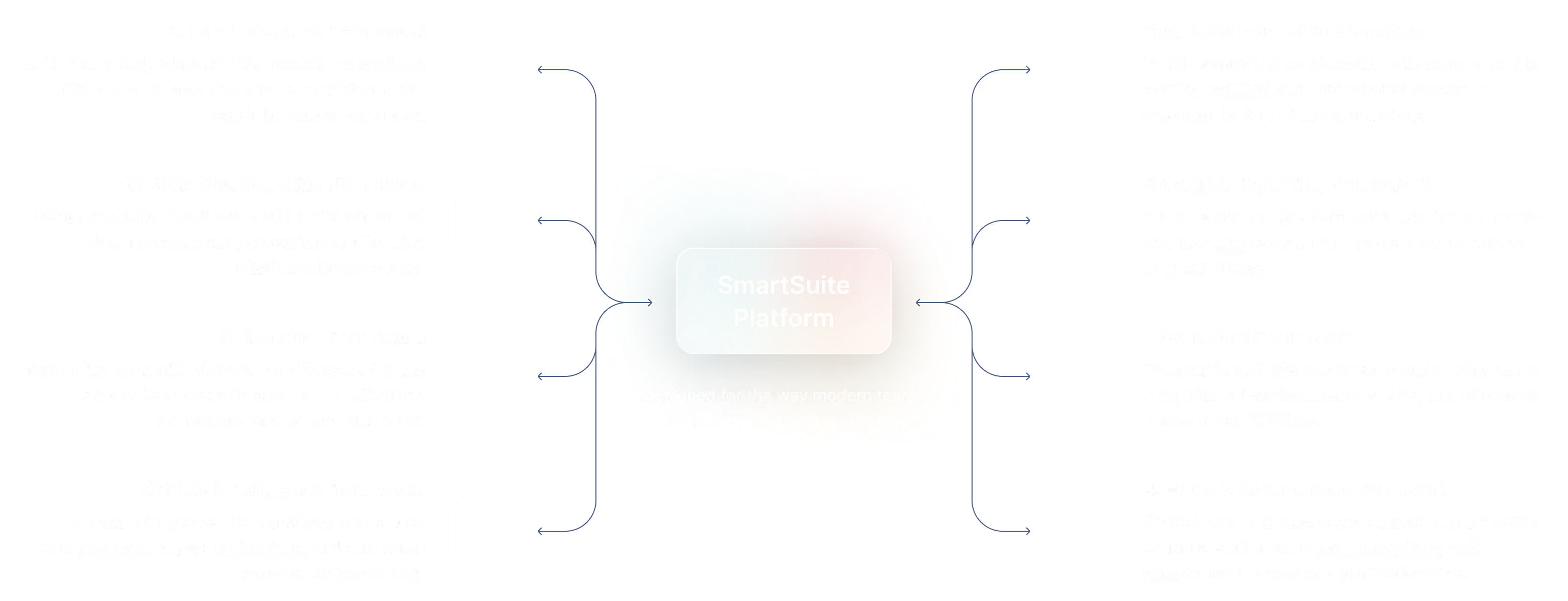
The SmartSuite Platform consists of eight interconnected frameworks that provide a foundation for designing, automating, analyzing, and governing connected workflows.
Build structured, relational data models using tables, fields, and records that ensure consistency and scalability across workflows.
Design and tailor workflows visually with structured data models, clear progression, and intuitive interfaces for every step.
Streamline work with triggers, conditions, and multi-step actions that eliminate manual effort and orchestrate end-to-end processes.
Embed intelligence into workflows with AI that analyzes data, supports decisions, and automates complex steps securely.
Platform
Enable contextual collaboration with comments, file sharing, notifications, and external access—all governed by SmartSuite permissions.
Visualize and analyze data using dashboards, charts, and real-time reports that update instantly across your workspace.
Connect SmartSuite to your ecosystem using native integrations, iPaaS connectors, APIs, and webhooks so data flows between systems.
Protect data with role-based access, authentication controls, audit history, and enterprise-grade governance that scales organization-wide.
Security and Governance, Built for Enterprise Scale
SmartSuite provides fine-grained, role-based permissions that protect data without slowing innovation. Define access down to the record, field, or workflow level, enforce compliance with SSO, 2FA, and IP restrictions, and maintain a complete audit trail of every action. With SmartSuite, governance and agility work together — innovation moves fast, and your security moves with it.

Control visibility by user, role, or team.
SSO, 2FA, and IP restrictions built-in.
Track every change for 3+ years.
SOC 2, GDPR, and enterprise governance ready.
Work Anytime, Anywhere, on Any Device
Stay connected and productive wherever you are. SmartSuite works flawlessly across web, tablet, and mobile, so your team can manage projects, collaborate, and automate workflows in real time — whether in the office, remote, or on the go.


The Platform That Connects Academic, Administrative, and Student Operations
SmartSuite unites data, workflows, permissions, and reviews across departments — improving visibility, trust, and cross-functional alignment.
Role-Based Capabilities for Higher Education Teams
SmartSuite is built for academic leaders, operations teams, finance offices, research administrators, and campus-wide staff.
Institutional Leadership

Provost / VP for Academic Affairs
Oversees academic quality, assessment cycles, and accreditation.
- Benefit Statement:
SmartSuite provides real-time insight into outcomes, program reviews, and accreditation readiness.
- Benefit Sources:
Dashboards, assessment summaries, evidence tracking..
Academic Oversight
Reviews outcomes, assessments, and improvement plans.
Accreditation Readiness
Monitors evidence and reporting status.
Executive Reporting
Delivers institution-wide academic performance insights.
Institutional Leadership

Vice President for Student Affairs (VPSA)
Leads student experience, operations, staffing, and campus programs.
- Benefit Statement:
SmartSuite unifies student-facing workflows and operational visibility.
- Benefit Source:
Dashboards, approvals, Student Affairs workflows.
Operational Oversight
Reviews staffing, hiring, and program activity.
Resource Allocation
Approves requests and budgets.
Student Experience Monitoring
Tracks service delivery and outcomes.
Academic, Enrollment & Assessment Roles

Director of Institutional Effectiveness / Accreditation
Manages assessment, accreditation, and continuous improvement processes.
- Benefit Statement:
SmartSuite supports end-to-end assessment workflows with rubric scoring and version control.
- Benefit Source:
Assessment models, SmartDocs, dashboards.
Assessment Coordination
Manages submissions and review cycles.
Evidence Management
Tracks artifacts and improvement actions.
Accreditation Reporting
Produces audit-ready documentation.
Academic, Enrollment & Assessment Roles

Registrar
Oversees academic records, curriculum integrity, and student data governance.
- Benefit Statement:
SmartSuite centralizes curriculum workflows and approval processes.
- Benefit Source:
Linked records, approvals, dashboards.
Curriculum Governance
Reviews and approves program changes.
Records Oversight
Ensures data consistency and compliance.
Reporting
Tracks academic changes institution-wide.
Academic, Enrollment & Assessment Roles

Enrollment / Admissions Director
Manages admissions pipelines, enrollment planning, and yield strategies.
- Benefit Statement:
SmartSuite provides structured workflows and visibility into enrollment operations.
- Benefit Source:
Pipelines, dashboards, approvals.
Pipeline Tracking
Monitors applications and decisions.
Coordination
Aligns admissions with academic and finance teams.
Reporting
Reviews enrollment trends and forecasts.
Built for Every Role in Higher Education
Whether you’re an AVP, Institutional Effectiveness leader, Student Affairs director, department admin, or IT stakeholder — SmartSuite provides connected workflows for the work that keeps campuses running.
Flexible Pricing Designed for Every Organization
Whether you’re a growing team or a global enterprise, SmartSuite’s pricing adapts to how your business works.
Choose platform-wide access with user-based pricing or tailor licenses to your organization’s scale and structure with our solution-based model.
User-Based Pricing
provides access to the entire SmartSuite platform under one per-user license, perfect for connected workflows across teams and departments.
Solution-Based Pricing
is purpose-built for enterprises with thousands to tens of thousands of users, offering the flexibility to license only the specific SmartSuite Solutions needed for scale, compliance, and control.
User-Based Pricing: Simplify Access Across Every Team
Our Team, Pro, and Enterprise plans make it easy to scale access across your organization. Each licensed user
can access all SmartSuite solutions — with predictable pricing that grows as you do.
- One per-user license for all SmartSuite solutions.
- Ideal for organizations connecting workflows across departments.
- Scalable across teams and business functions.
- Available in Team, Pro, and Enterprise plan tiers.
unified access.
- SmartSuite AI
- Min 3 Billable Users
- Unlimited Solutions
- 5,000 Records per Solution
- 50GB of File Storage
- 30 Days Recycle Bin
- SmartSuite AI
- Min 5 Billable Users
- Unlimited Solutions
- 100,000 Records per Solution
- 100GB of File Storage
- 45 Days Recycle Bin
- Folders
- Gmail and Outlook Integrations
- Advanced Permissions
- SmartSuite AI
- Min 10 Billable Users
- Unlimited Solutions
- 400,000 Records per Solution
- 500GB of File Storage
- 60 Days Recycle Bin
- SSO
- SCIM User Provisioning
- SCIM-Synced User Groups
- Audit Logs
- IP Address Restrictions
- Data Loss Prevention (DPL)
- European Data Residency
- Premium Support
Solution-Based Pricing: Purpose-Built for Enterprise Scale
For global organizations and regulated industries requiring complex governance or large-scale rollouts, SmartSuite offers a Solution-Based Pricing model. This model allows enterprises to license specific SmartSuite Solutions — such as GRC, ITSM, or Procurement — for tens of thousands of users, tailored to their exact needs.
- Tailored Licensing — Structure licenses by department, region, or regulatory requirement.
- Purpose-Built for Scale — Designed for enterprises managing thousands of users.
- Customizable Agreements — Includes the ability to tailor terms and access levels to meet unique business needs.
- Enterprise Confidence — Built for large financial institutions, insurers, and global enterprises who require high-performance
and governance.
- Audit Management
- Issues Management
- Operational Resilience
- Business Impact Analysis (BIA)
- Incident Management
- Crisis Management
- Enterprise Risk Management:
- Third-Party Risk
- Vendor Portal
- Cyber Threat Management
- RCSA (Risk & Control Self-Assessment):
- Issues Management
- Business Structure
- Contract Management
- Policy Management
- Regulatory Change Management
- SOC 2 Compliance
- CRI Profile Compliance
- Control Framework & Regulatory Libraries
- Compliance Assessments & Testing
- ESG & Sustainability Management
Compare Our Pricing Models
Frequently Asked Questions
Answers to common questions about SmartSuite’s pricing models, plan options, and onboarding programs.
SmartSuite offers four plan types: Team, Pro, Enterprise, and Signature.
- Team, Pro, and Enterprise Plans use a per-user pricing model with feature and usage limits designed to scale as your organization grows.
- Signature Plan provides per-solution pricing for enterprises that need to license specific SmartSuite Solutions — such as GRC, ITSM, or Procurement — for large user populations with advanced governance and support requirements.
You can start by filling out the partner program registration form here.
By signing up to the Service Provider Partner Program you agree to our terms and conditions.
There is no cost. However, there are additional eligibility requirements to join.
First, you must be a customer of SmartSuite to be eligible to participate in the Service Provider Partner program. We believe it is important for all of our partners to be active SmartSuite users (minimum 5 active account members). It’s difficult to recommend a SaaS product that you do not see value in using yourself!
Additionally, you must have 15+ employees and $1.5M in annual revenue to join our network of solution partners.
You will be able to work leads through your sales process to a closed-won or closed-lost state.
You will be able to work leads through your sales process to a closed-won or closed-lost state.
Flexible Pricing for Institutions of All Sizes
SmartSuite offers EDU pricing options that scale from departments to divisions to institution-wide site licenses — with guest user ratios ideal for faculty and staff collaboration.
.jpeg)
.png)


.jpeg)
.avif)
.jpeg)
.avif)
.jpeg)
.png)
SmartSuite Resources
Everything you need to learn, build, connect, and grow with SmartSuite — from expert guidance and self-paced learning to community collaboration and continuous innovation.
SmartSuite Academy
Demo Center
Support
Customer Stories
Feature Requests
Community
Developer Resources
Frequency Asked Questions
Explore Further
Learn more about assessment, accreditation, operations, grant management, policy governance, and higher-education workflow automation.
Getting Started with SmartSuite

Learn the SmartSuite layout: workspace, Solutions, Views, Records. See how to navigate, search, filter, and create items to get productive fast.

Understand the Homepage layout: sidebar, header, search, and activity. Pin favorites, review assignments, and launch Solutions with one click. Make it your daily command center.

See your data from every angle. Learn Grid, Kanban, Calendar, and more. Switch views, sort and filter, group records, and save personal or shared views for repeatable workflows.

Explore SmartSuite field types: text, number, date, select, user, files, links, formulas, lookups, and more. Learn when to use each to capture, calculate, relate, and display data clearly.

Your command center: one Dashboard to track goals, tasks, and dependencies. Mix charts with lists, watch trends over time, and click through to fix issues immediately.

Automations do the busywork. Set a trigger, choose actions—notify people, update fields, create records, send webhooks—and let SmartSuite run it whenever conditions are met.

Set permissions once, scale safely. Use solution roles, table permissions, and saved views with filters to expose only relevant records to each team or stakeholder group.

Prompt-driven automations. Provide instructions with placeholders for record fields; AI uses that context to produce exactly what you need, then the automation stores or sends it.

Use Formula fields to calculate values from other fields. Combine math, logic, and text to automate totals, statuses, scores, and dynamic results across records. Quickly.

Use Power Search to instantly find records across fields and Solutions. Combine keywords, filters, and operators to pinpoint exactly what you need in seconds.

Stay informed with SmartSuite notifications. Get real-time alerts for updates, assignments, comments, and changes so you never miss important activity.
Star items you use most to access them fast. Keep important Solutions, Views, and records pinned for quick access and a more focused daily workflow.
Resources to Help You Improve Campus Operations
Explore case studies, assessment guides, operational workflows, and research management templates built for higher education teams.