


SmartSuite Services
Work with SmartSuite experts and partners to design, implement, and optimize your solutions—so the platform always keeps pace with your evolving business.

Services Aligned To Your SmartSuite Journey
SmartSuite Services bring together our in-house experts and certified partners to support every stage of your journey—from onboarding and roadmap design, to implementation, ongoing evolution, training, and premium support. Whether you’re just getting started or expanding SmartSuite across the enterprise, we align our services to the way your business runs.
We help you design and deliver Solution Suites across:
Risk, compliance, audit, third-party risk, operational resilience, and business continuity programs.
Incidents, changes, requests, and service operations.
Intake, planning, execution, and portfolio reporting.
Core business workflows across teams and departments.
Together, we bring structure, best practices, and a repeatable delivery model—so SmartSuite becomes the platform your organization can rely on as you scale.
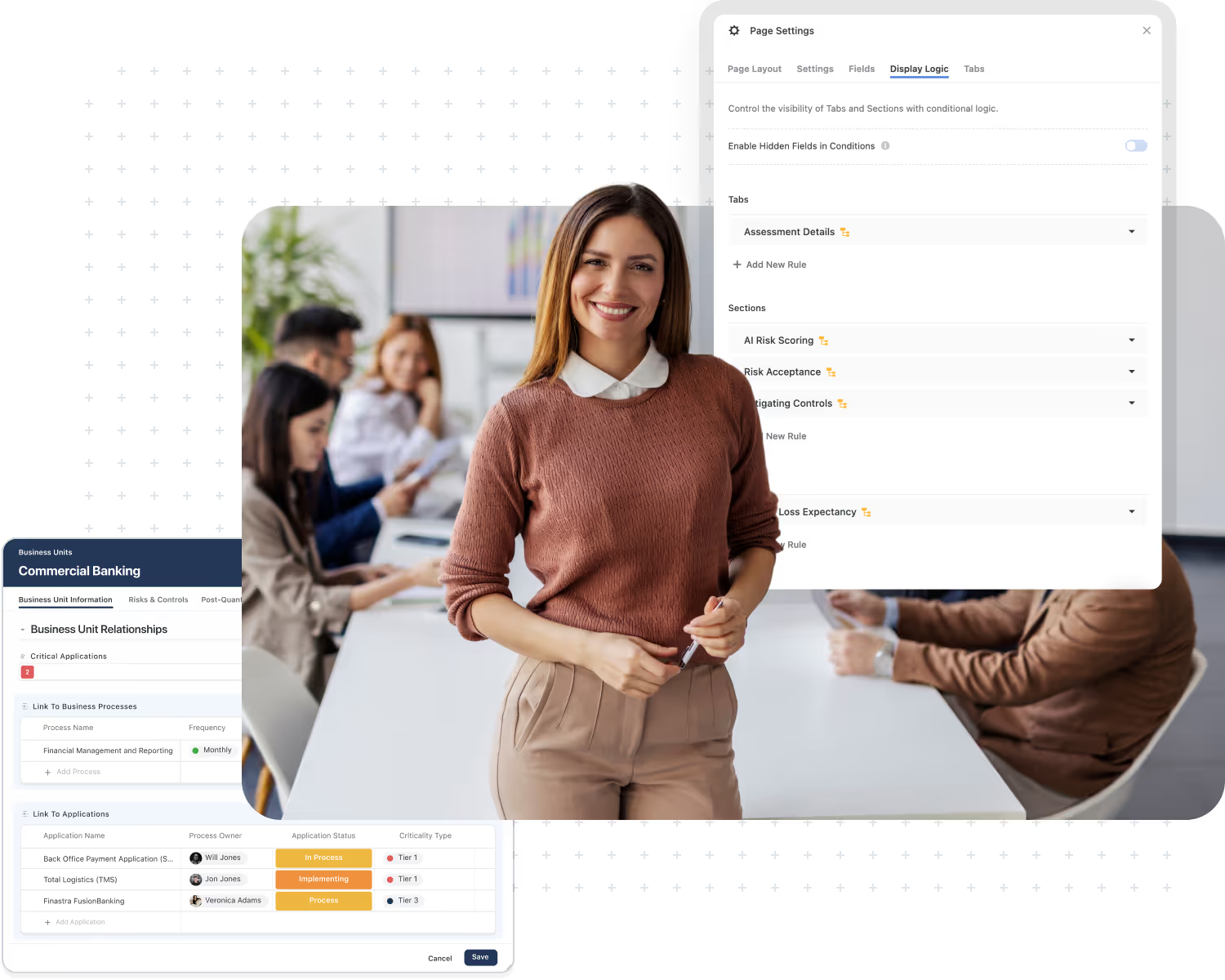
Launch SmartSuite with a structured 4-week program that configures your initial Solutions, views, dashboards, starter automations, SSO/SCIM, and trains your first teams to use the platform.
Design your SmartSuite roadmap and architecture, then implement broader GRC, IT, PMO, and operations workflows through Strategy Roadmap engagements, Solution Launch Packs, integrations, and reporting.
Services
Add Expert on Demand to your Enterprise plan for monthly hours with a fractional SmartSuite team that enhances workflows, adds new Solutions, maintains integrations, and helps you adopt new features.
Onboarding
Start with a structured, best-practice launch.
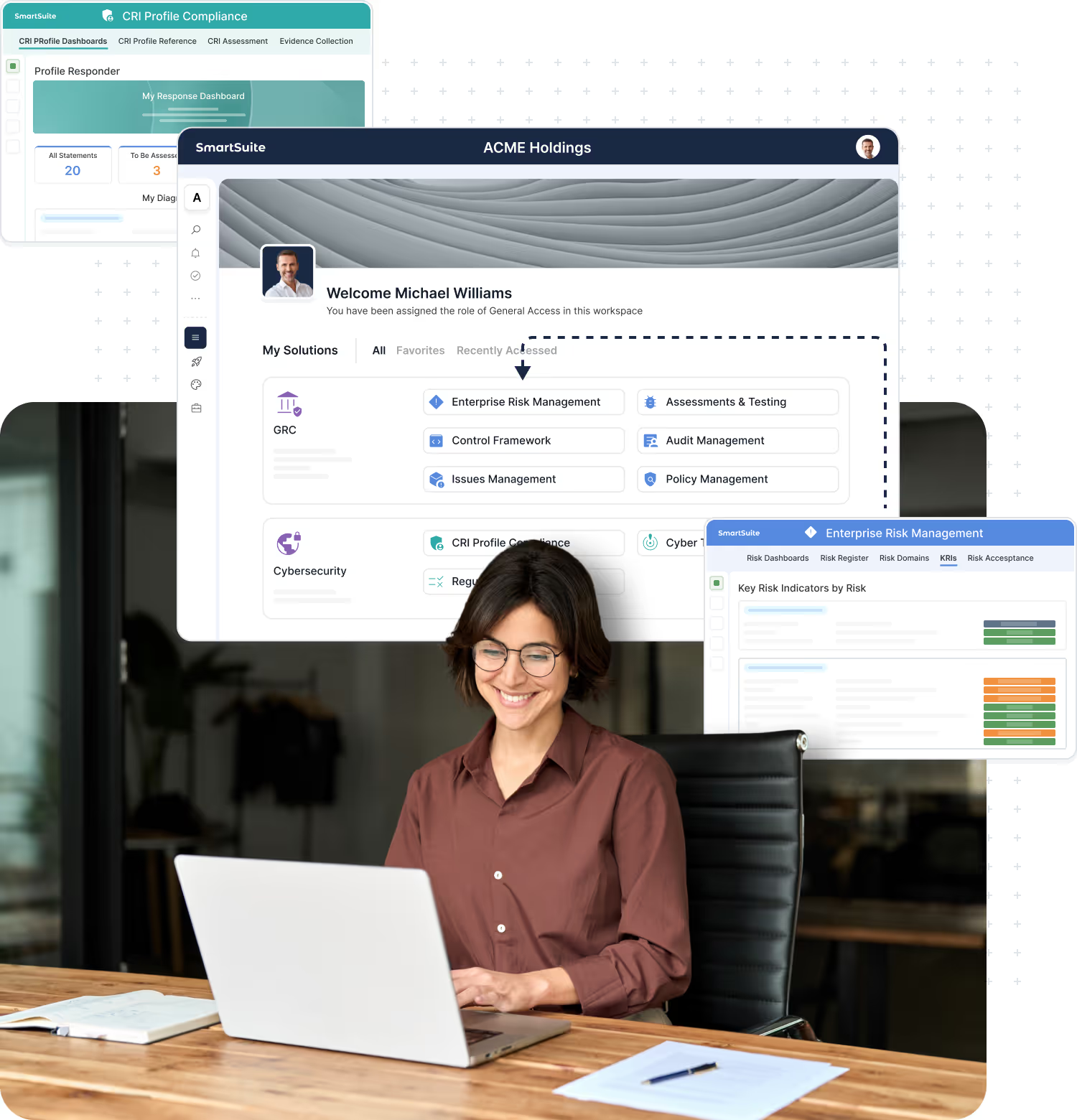
Onboarding gives new customers a guided 4-week start with SmartSuite. We configure your initial Solutions around 1–2 priority workflows, set up practical views and dashboards, and train your early teams so they can work in SmartSuite from day one.
- Configure initial Solutions, views, dashboards, and starter automations for real use cases.
- Establish a straightforward roles and access approach, including SSO/SCIM where supported.
- Provide foundational admin and key-user training plus orientation to Academy, in-product help, and office hours.
Advisory & Implementation
Align SmartSuite with the way you business operates.
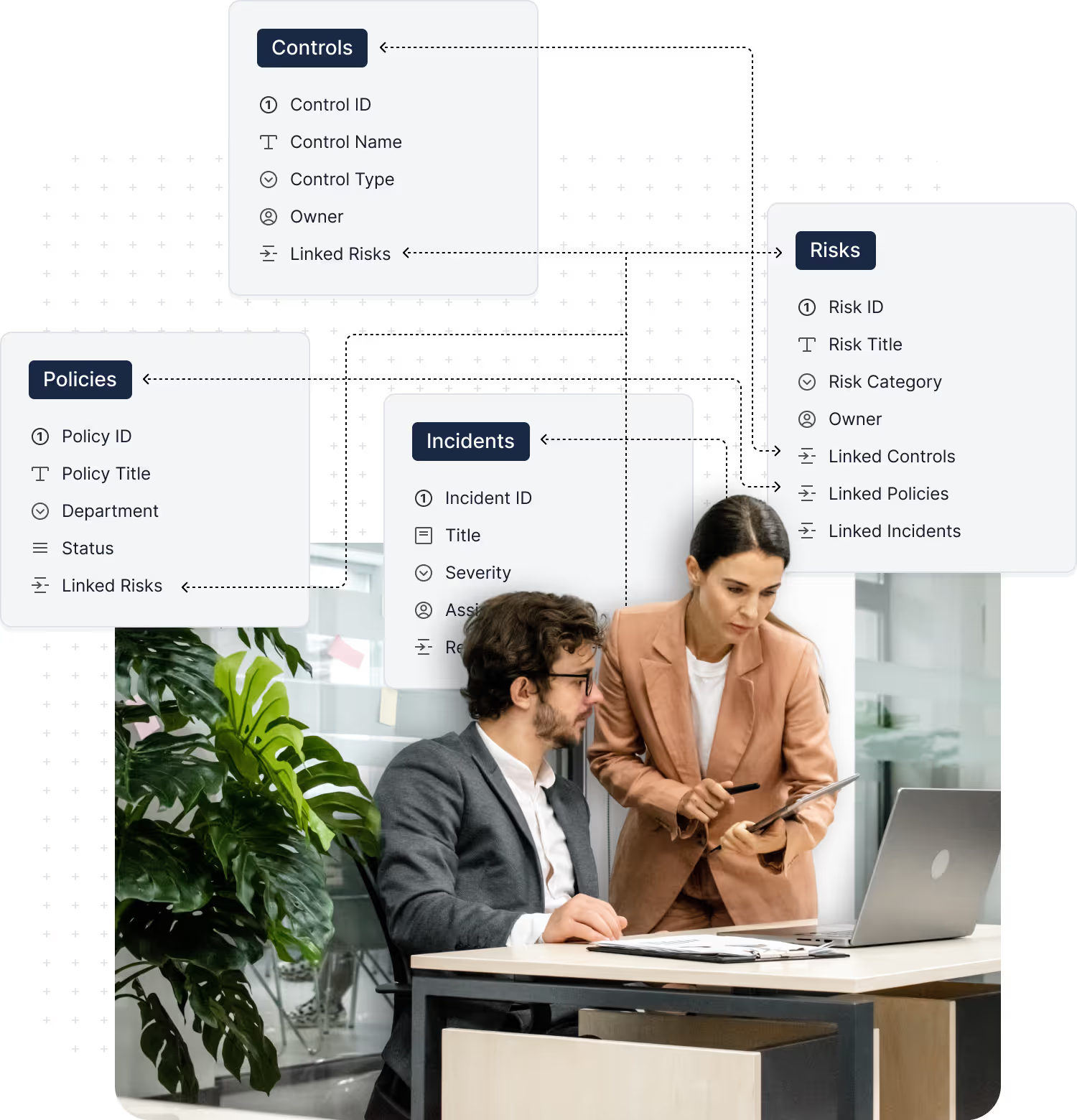
Advisory & Implementation is for organizations that want to go beyond first steps and design SmartSuite around their GRC, IT, PMO, and operations programs. We help you clarify your roadmap, align SmartSuite to the frameworks and regulations that matter, and implement high-value domain workflows using structured Launch Packs and supporting integration and migration services.
- Strategy Roadmap to align stakeholders and prioritize use cases, teams, and phases in a phased rollout plan.
- Framework & Regulatory Alignment to map frameworks and obligations (e.g., SOC 2, NIST CSF, CRI profile, DORA) into SmartSuite workflows, controls, and reporting.
- Implementation of key workflows via Solution Launch Packs, with Integration & Migration Services to connect SmartSuite to your ecosystem and move critical data into the platform.
Managed Services
Keep SmartSuite optimized as you scale.
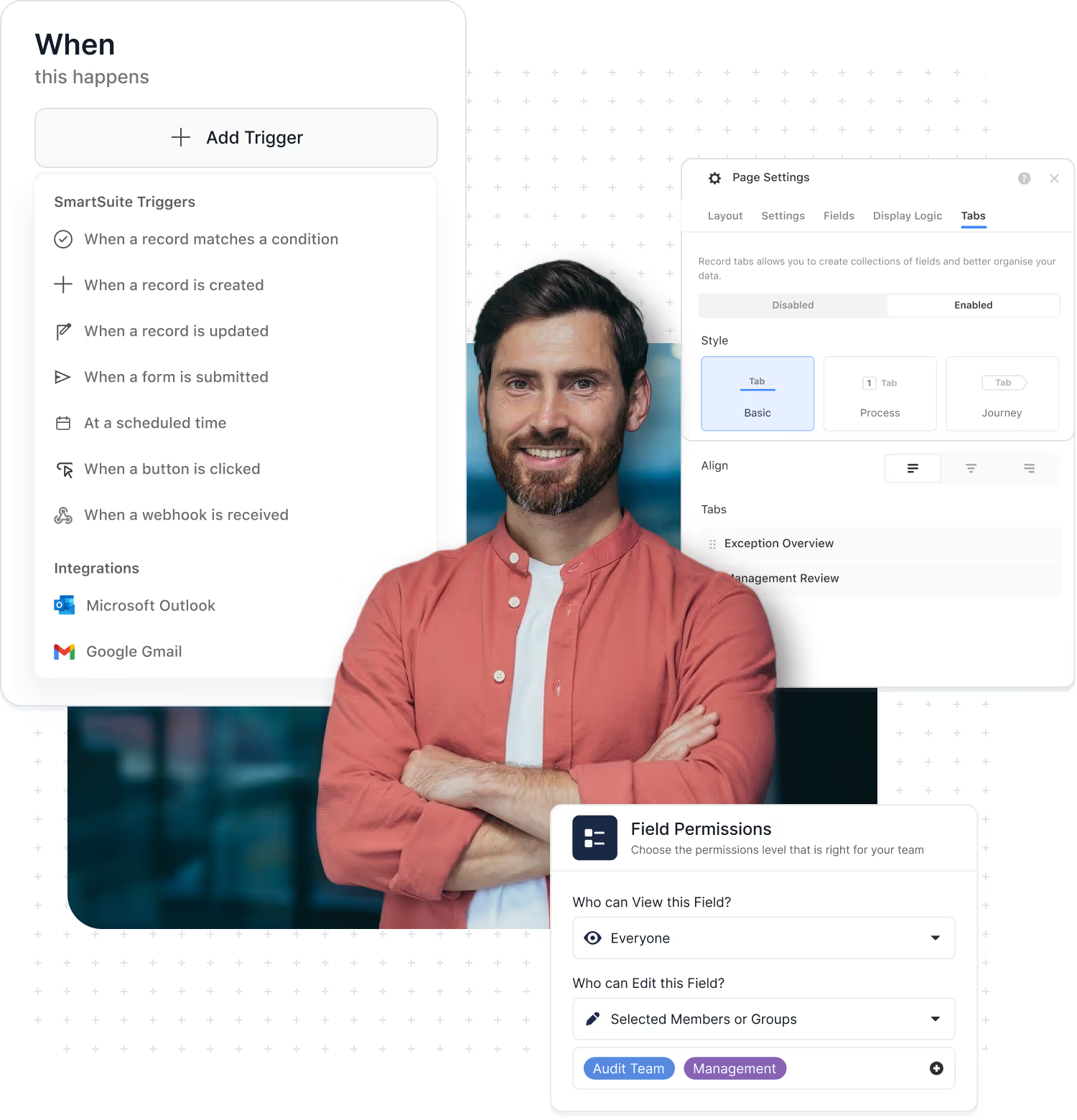
Managed Services is delivered through Expert on Demand, an optional managed-services add-on to the SmartSuite Enterprise plan. It provides a set number of hours each month over a 12-month term, giving you a fractional SmartSuite team to continuously evolve your implementation.
- Enhance existing workflows and add new Solutions and Interfaces over time.
- Implement and maintain integrations and refine dashboards and reporting.
- Get ongoing advisory on roadmap decisions and adopting new SmartSuite features.
Training & Enablement
Structured training programs and enablement resources.
Training & Enablement builds the skills your admins and GRC teams need to design and run programs on SmartSuite. We combine platform admin tracks, functional GRC training, and private enterprise workshops with self-paced learning and certifications through SmartSuite Academy.
- Live training for admins and builders, from essentials to advanced topics.
- GRC program workshops for risk, compliance, audit, third-party, and resilience teams.
- Self-paced Academy content and certifications with options for private enterprise training.
Premium Support
Elevated support for mission-critical workflows.
Premium Support adds an extra layer of protection on top of standard support for customers running high-stakes workflows in SmartSuite. With priority SLAs and a Technical Account Manager, issues are triaged faster and complex cases get coordinated attention.
- Priority response targets and enhanced coverage for Sev1/Sev2 incidents.
- Named Technical Account Manager who understands your environment.
- Guidance on releases, upgrades, and recurring support trends.
Compare SmartSuite Services
Use this comparison to understand what each service provides—then select the packages that align with your goals, timeline, and internal capacity.
Trusted by Over 2,000 Organizations Worldwide
From Global enterprises to innovative startups, SmartSuite helps organizations in every industry modernize their workflows, strengthen governance, and deliver measurable results.





Frequently Asked Questions
SmartSuite Services are optional programs that help you design, implement, and scale the platform: Onboarding, Advisory & Implementation, Managed Services (Expert on Demand), Training & Enablement, and Premium Support. Your subscription gives you the product; Services give you varying levels of expert help on top.
Onboarding is a structured 4-week program focused on configuring your initial Solutions, setting up views and dashboards, adding starter automations, and training your first teams. Advisory & Implementation is for larger programs—it covers roadmap and architecture design plus deeper implementations via Solution Launch Packs, integrations, and data migration.
Managed Services, delivered through Expert on Demand, is ideal when SmartSuite becomes a strategic platform and you want ongoing expert capacity—not just one-time projects. It’s an optional, separately priced add-on for Enterprise customers that provides hours per month over 12 months to enhance workflows, add Solutions, manage integrations, and advise on roadmap and new features.
Premium Support focuses on incidents and questions: priority SLAs, faster responses, and a Technical Account Manager for complex issues. Managed Services / Expert on Demand focuses on proactive change: configuration work, new Solutions, integrations, reporting improvements, and advisory tied to your roadmap. Many Enterprise customers use both together.
Onboarding includes foundational training to get your first teams using SmartSuite. Training & Enablement goes further with professional admin tracks, GRC program workshops, private enterprise training, and self-paced learning and certifications through SmartSuite Academy—designed to build durable skills across admins and business teams.
You can pick and choose. Some customers start with Onboarding only; others combine Onboarding with Advisory & Implementation for major GRC/IT programs or add Managed Services for ongoing evolution. Training & Enablement and Premium Support can be added when you want deeper education or elevated support for mission-critical use.
For larger or industry-specific programs, we often work with certified consulting and implementation partners. SmartSuite typically leads platform strategy, architecture, and configuration, while partners bring additional GRC/IT domain expertise, framework mapping, and change management. Engagements can be SmartSuite-led, partner-led, or co-delivered.
It usually depends on where you are in your journey and how quickly you need to move. A short discovery conversation with our team can clarify your goals, timelines, internal capacity, and risk profile. From there we’ll recommend the right mix—typically starting with Onboarding, then layering in Advisory & Implementation, Managed Services, Training & Enablement, and Premium Support as needed.
Ready to Plan Your SmartSuite Rollout?
Connect with our services team to map the right mix of onboarding, advisory, managed services, training, and support for your organization.
SmartSuite Onboarding
A structured 4-week program to launch SmartSuite.
SmartSuite Onboarding is a guided, time-boxed program designed to help new customers start strong. Over four weeks, your Engagement Manager and product specialist lead a series of focused working sessions to configure the Solutions you’ve licensed for your first use cases, set up practical views and dashboards, turn on starter automations, shape initial roles and access, and train your key users.
Onboarding focuses on getting your first workflows live and your early teams productive. Deeper program design, cross-department rollouts, and complex integrations are handled through our Advisory & Implementation services.
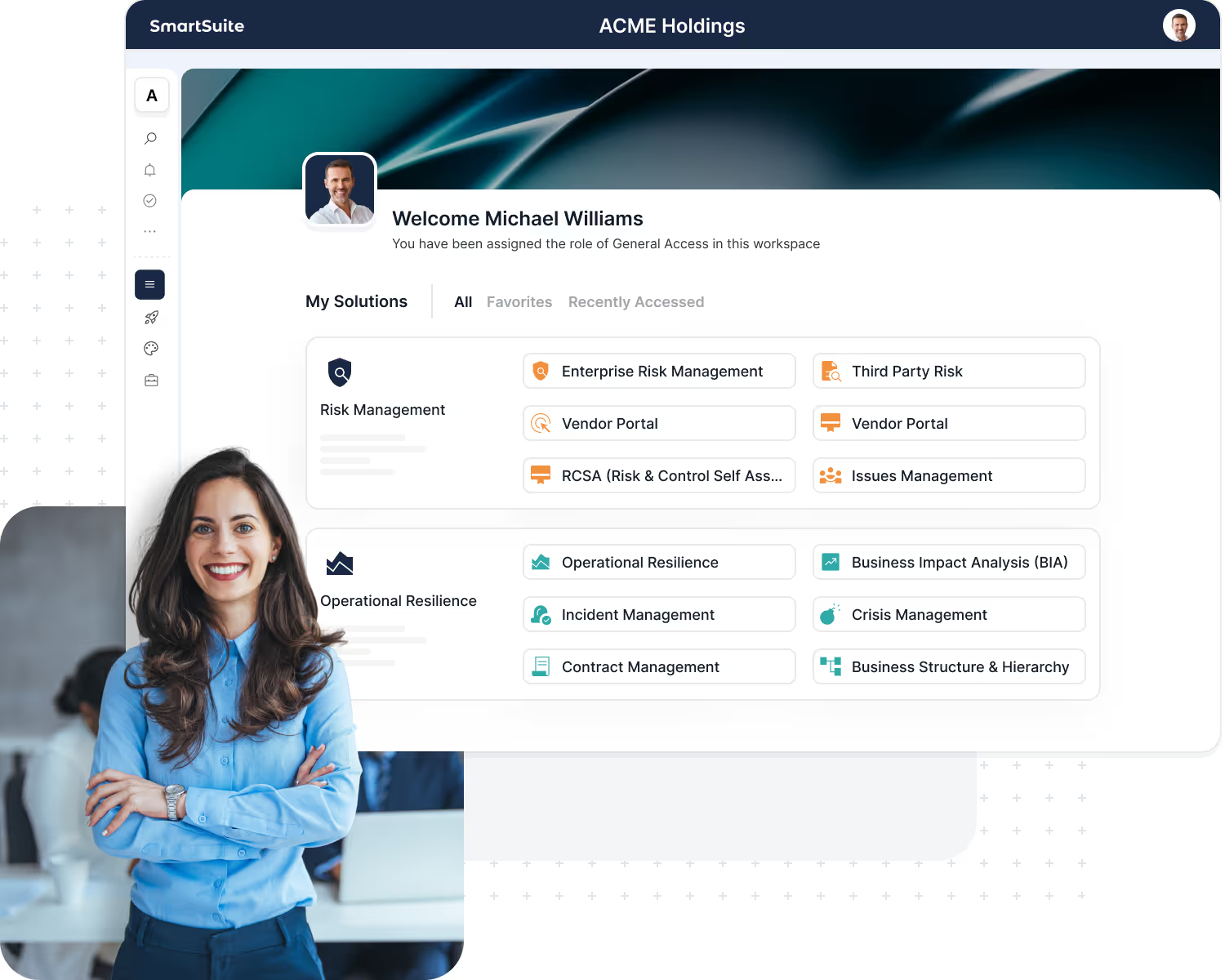
Set up your first licensed Solutions around 1–2 priority workflows so teams can start using SmartSuite in real work, not just a sandbox.
Create core views and dashboards that give each role clear visibility into their work and the key metrics that matter.
Turn on simple automations—assignments, notifications, reminders—to reduce manual steps and keep things moving without constant chasing.
Access
Establish a straightforward roles and access approach for your initial teams, with guidance on how to extend it as you grow.
Equip admins, builders, and process owners with hands-on training and show them how to keep learning via SmartSuite Academy, in-product help, office hours, and webinars.
Onboarding Programs
Choose the onboarding program that matches your scope and complexity.
Ideal for smaller teams or a focused first workflow.
- Configure 1–2 licensed Solutions around a priority workflow your team will actually use.
- Set up core views and dashboards so everyday users and team leads see what matters most.
- Add a first set of simple automations (assignments, notifications, reminders) to keep work moving.
- Provide foundational training for admins/builders and key end users, plus an orientation to SmartSuite resources.
For organizations rolling out SmartSuite across multiple teams or pillars.
- Everything in Starter Onboarding, plus configuration of additional Solutions across GRC, IT, PMO, or operations.
- Expand your roles and access model to support more teams, use cases, and data sets.
- Add leadership dashboards to monitor adoption, work in progress, and key program metrics.
- Implement additional automations and first-wave integrations (email, Slack/Teams, simple webhooks) to reduce manual work.
- Include extra working sessions with process owners and internal champions to refine workflows and rollout plans.
For complex, multi-team or regulated environments that need deeper setup from day one.
- Everything in Growth Onboarding, plus more advanced governance and access design across business units, regions, and lines of defense.
- Configure SSO and SCIM (where available in your SmartSuite plan) and align identity and access with your internal policies.
- Co-design key elements of Solution architecture for priority GRC, IT, or PMO workflows to prepare for deeper implementation via Launch Packs.
- Implement deeper integrations (CRM, security tools, legacy platforms via iPaaS/webhooks) so SmartSuite sits cleanly in your ecosystem.
- Deliver an expanded training program, including train-the-trainer sessions and guided go-live support for additional teams.
Onboarding Deliverables
What You’ll Walk Away With.
Every SmartSuite Onboarding program ends with a clear set of deliverables so you know exactly what’s been accomplished and what comes next.
You can expect to walk away with:
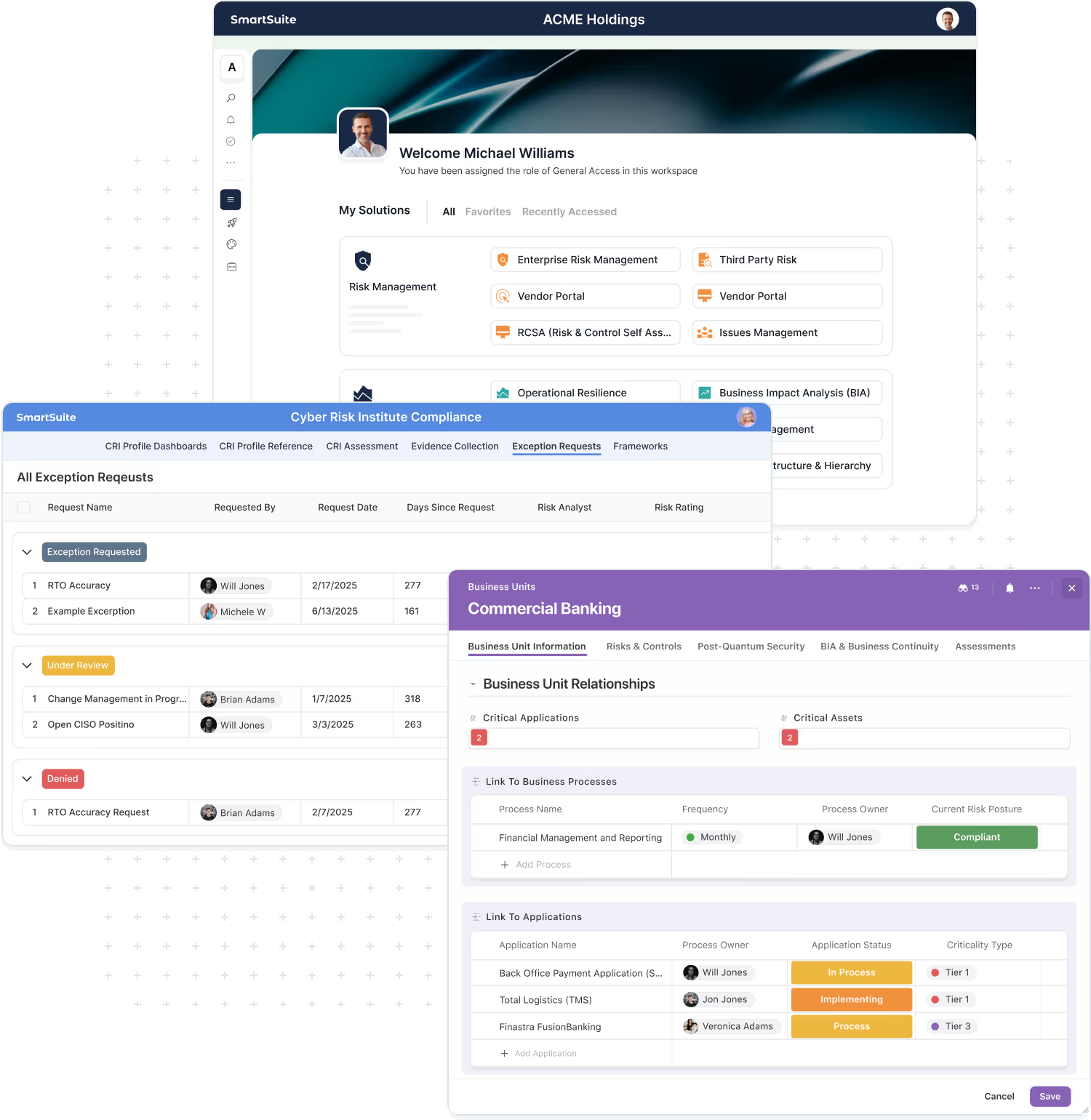
- Configured initial Solutions, views, dashboards, and starter automations for 1–2 priority workflows, so your team can start using SmartSuite in real work.
- A documented roles and access approach for your first teams and use cases, including how you’ll manage changes as more users and workflows come on.
- Foundational training materials and recordings (where applicable) for admins, builders, and key users, plus guidance on recommended Academy paths.
- Orientation to ongoing resources—in-product help, office hours, webinars, the public roadmap, and feedback channels—so your team knows where to go with questions and ideas.
The Value of
SmartSuite Onboarding
Onboarding isn’t just a setup step—it’s how you de-risk your rollout and accelerate time to value. By working through a structured onboarding program, you start with a well-designed SmartSuite environment, aligned to your first use cases and ready for real teams to use from day one.

Go from contract to live workflows in weeks, not months, with a guided program focused on real use cases instead of generic demos.
Begin with Solution structures, views, dashboards, and automations shaped by proven patterns, so you’re not guessing at design.
Shape your first Solutions around how your teams actually operate, so SmartSuite feels intuitive and useful from day one.
Equip admins, builders, and process owners with hands-on training so they can support others, answer questions, and own SmartSuite internally.
Make foundational configuration decisions once, with guidance, so adding new workflows, teams, and regions later doesn’t mean starting over.
Finish onboarding with a documented next-step plan—such as Launch Packs, Expert on Demand, and additional training—so you know exactly how to keep growing.
The SmartSuite Team Behind Your Onboarding
Every onboarding engagement is guided by a small, focused team that knows how to get SmartSuite live the right way—securely, on time, and aligned to your roadmap.

Leads your onboarding project from kickoff to go-live—clarifying scope, managing the plan, coordinating resources, and keeping stakeholders aligned.

Designs your initial workspace architecture and permission model, including how Solutions, roles, and security settings fit together so you can scale without rework.

Configures your environment: SSO and SCIM, Solutions, fields, views, dashboards, and starter automations—using best practices from other GRC, IT, and PMO deployments.

Coordinates foundational training for admins, builders, and key users, and ensures you leave onboarding with clear next steps for ongoing learning.
Compare SmartSuite Services
Use this comparison to understand what each service provides—then select the packages that align with your goals, timeline, and internal capacity.
Frequently Asked Questions
SmartSuite Onboarding is a structured program—typically delivered over 4 weeks—that gives new customers a guided start with the platform. We configure the Solutions you’ve licensed for your first use cases, set up views and dashboards, add starter automations, establish initial roles and access, and train your key users so they can start working in SmartSuite with confidence.
Onboarding focuses on getting you live quickly with your initial Solutions and workflows. Advisory & Implementation is for broader, deeper programs—designing your roadmap and architecture, then delivering larger GRC, IT, PMO, or operations rollouts via Strategy Roadmap and Solution Launch Packs. Many customers start with Onboarding and then engage Advisory & Implementation for multi-team or framework-driven initiatives.
Onboarding is designed as a 4-week guided program with one focused working session per week to give your team time to absorb and apply what they learn. Some customers choose to compress the sessions into a shorter timeframe if they’re ready to move quickly—we’ll work with you to match the schedule to your team’s availability and urgency.
The programs share the same structure but differ in depth and scope:
- Starter Onboarding – 1–2 priority workflows and Solutions, core views/dashboards, starter automations, foundational training.
- Growth Onboarding – everything in Starter plus additional Solutions, expanded roles and access, more dashboards, and basic integrations.
- Enterprise Onboarding – everything in Growth plus more advanced governance, SSO/SCIM setup where supported, deeper integrations, and extended training for larger or regulated environments.
We can help you choose the right program based on your size, complexity, and initial goals.
Yes—for customers and plans that support SSO/SCIM, configuration can be included as part of Enterprise Onboarding (and in some Growth engagements where appropriate). We’ll discuss identity and access during scoping and confirm whether SSO/SCIM setup should be part of your onboarding program.
Onboarding includes light data import and basic integrations where they directly support your first workflows (for example, initial CSV imports or simple email/Slack/Teams connections). Larger-scale data migrations and more complex integrations—especially those spanning multiple systems—are typically handled as part of Advisory & Implementation projects or Solution Launch Packs, so they can be properly designed and tested.
From your side, we recommend including at least:
- A project owner (often a GRC, IT, or operations lead),
- One or more admins/builders, and
- Representatives from the first team(s) using SmartSuite.
On the SmartSuite side, onboarding is delivered by an Engagement Manager and Product/Implementation Specialist, with support from a Training & Enablement Lead as needed.
At the end of Onboarding, you’ll have: configured initial Solutions, views, dashboards, starter automations, an initial roles/access approach, trained core users, and a recommended next-step plan. Most customers then:
- Use Advisory & Implementation to design and deploy broader GRC, IT, or PMO programs, and/or
- Add Managed Services (Expert on Demand) for ongoing configuration and advisory support, and
- Continue building skills through Training & Enablement and SmartSuite Academy.
Your Engagement Manager will walk through these options and help you decide what makes sense based on your roadmap.
Ready to Plan Your Onboarding?
Advisory & Implementation Services
Advisory & Implementation Services are for customers who want to go beyond “getting started” and design SmartSuite around how their organization really works. We help you clarify your roadmap, then implement high-value workflows through structured Launch Packs and supporting integration and migration services.
Where Onboarding focuses on configuring your initial Solutions and getting early teams productive, Advisory & Implementation focuses on program design and deeper rollout—especially across GRC, IT, PMO, and enterprise operations.
With Advisory & Implementation, you will:
- Clarify Your SmartSuite Roadmap through Strategy Roadmap engagements that prioritize use cases, teams, and phases.
- Align SmartSuite To Your Frameworks and Obligations through Framework & Regulatory Alignment, so workflows, controls, and reports support audits and regulatory requirements (e.g., SOC 2, NIST CSF, CRI profile, DORA).
- Implement Domain-Specific Workflows using Solution Launch Packs for GRC, IT Service Delivery, PMO, and operations.
- Connect SmartSuite to your ecosystem through integration and migration services.
Roadmap
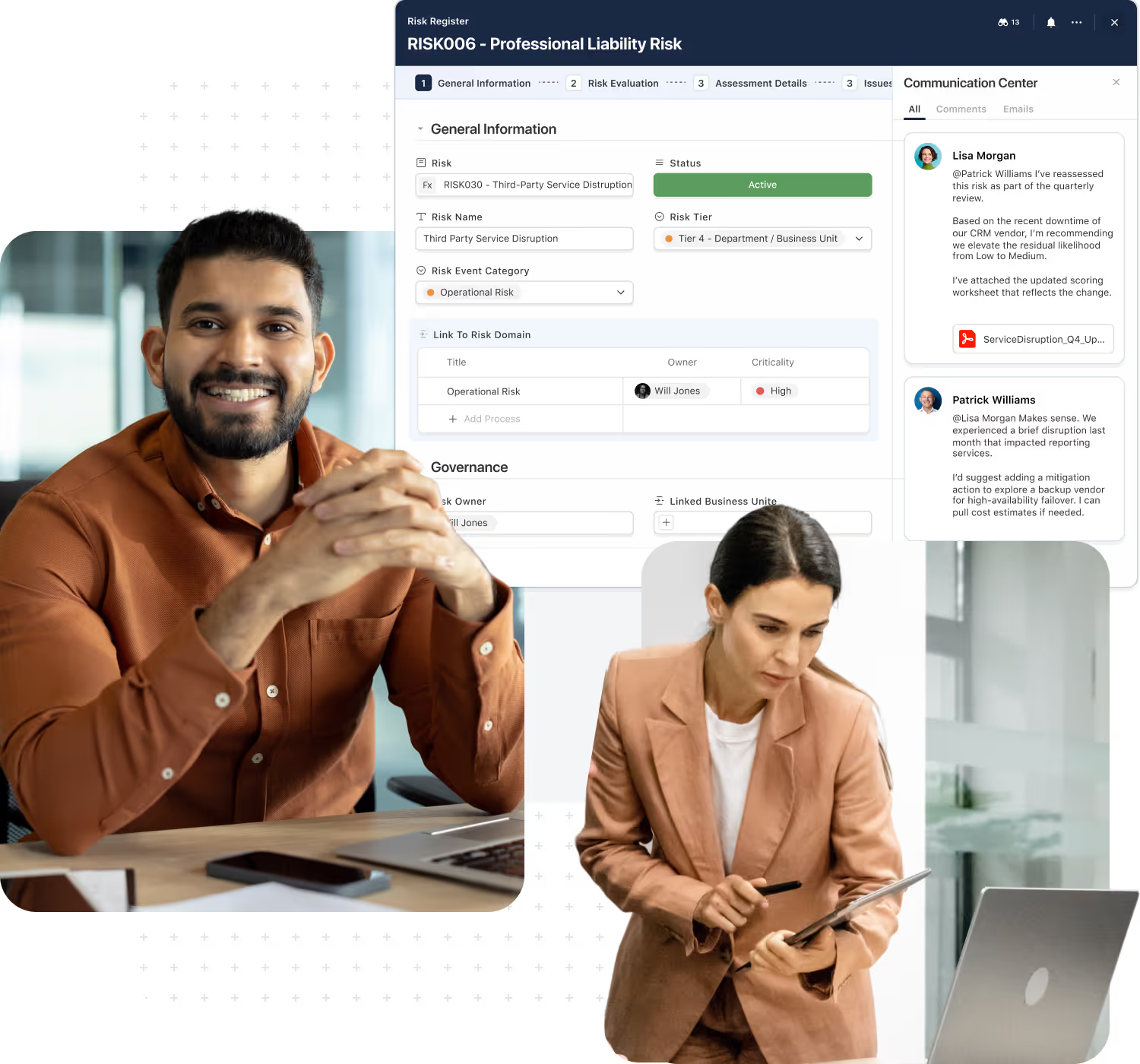
Define a phased SmartSuite plan for your GRC, IT, PMO, and operations programs. We align stakeholders, prioritize what to implement first, second, and next, and map each phase to specific Solutions and Launch Packs.
Map key frameworks and regulations (e.g., SOC 2, NIST CSF, CRI profile, DORA) into SmartSuite so your fields, workflows, controls, and reports support audits, exams, and regulatory requirements.
Launch Packs
Implement high-value domain workflows using structured Launch Packs for GRC, IT Service Delivery, PMO, and enterprise operations. Each pack has clear scope, timeline, and outcomes, so you know exactly what will be delivered.
Move key data into SmartSuite and connect the systems your teams rely on. We handle data migration, design and implement integrations, and set up automations so SmartSuite sits cleanly within your existing ecosystem.
Strategy Roadmap
Align on Where To Start And What’s Next.
Our Strategy Roadmap engagement is the primary advisory service for customers planning broader SmartSuite programs—especially in GRC, IT, PMO, and operations.
We work with stakeholders across risk, compliance, audit, IT, and business lines to:
- Discover current state – capture existing processes, tools, pain points, and desired outcomes.
- Identify and map use cases – group high-value workflows and align them to SmartSuite.
- Assess complexity and dependencies – consider effort, integrations, data, and change impact.
- Design a phased roadmap – define what to implement first, next, and later.
You leave with a clear, stakeholder-aligned plan for how SmartSuite will support your program over time—and which Launch Packs to use to get there.
Framework & Regulatory Alignment
Align SmartSuite to your frameworks, controls, and regulatory obligations.
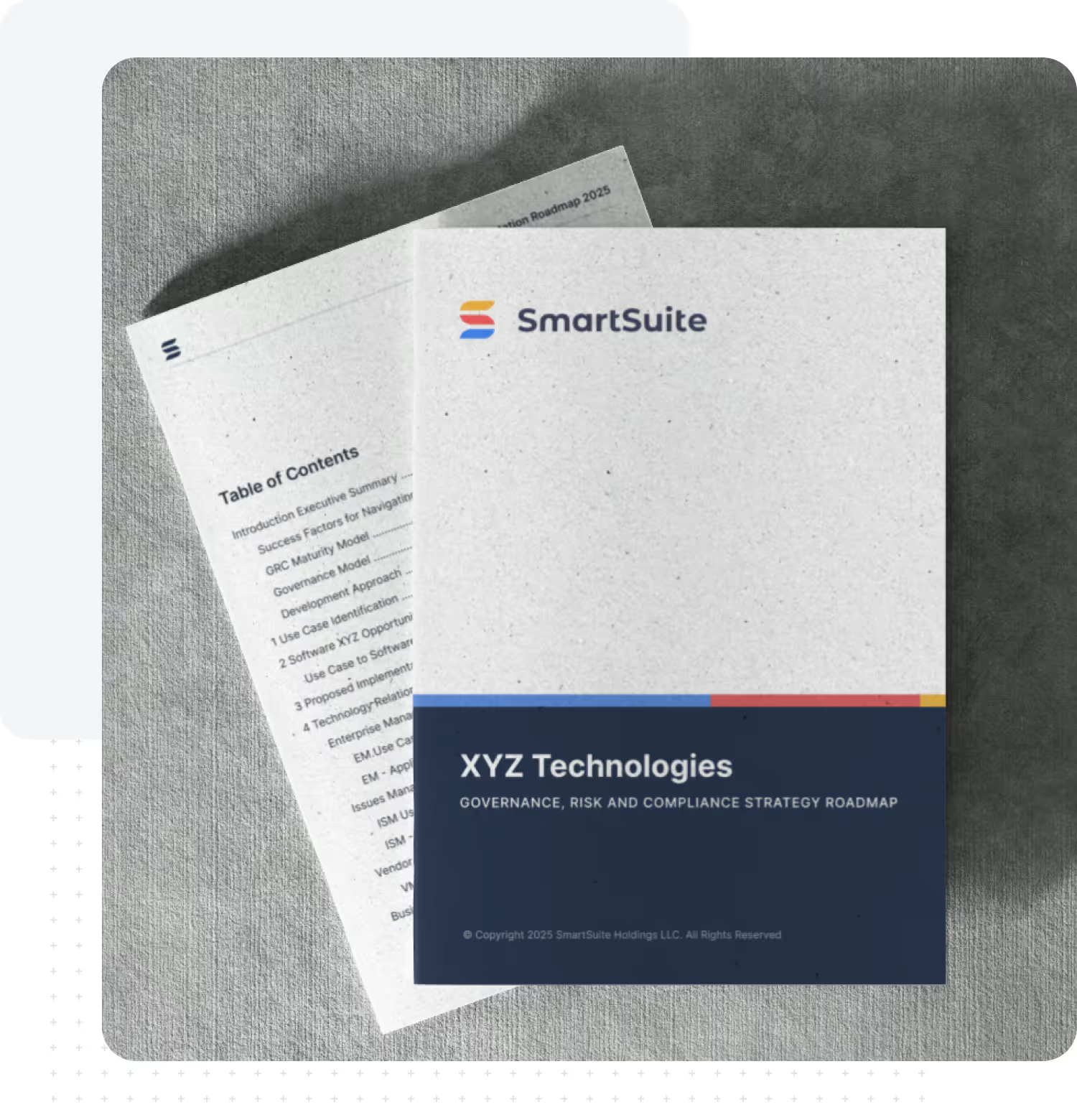
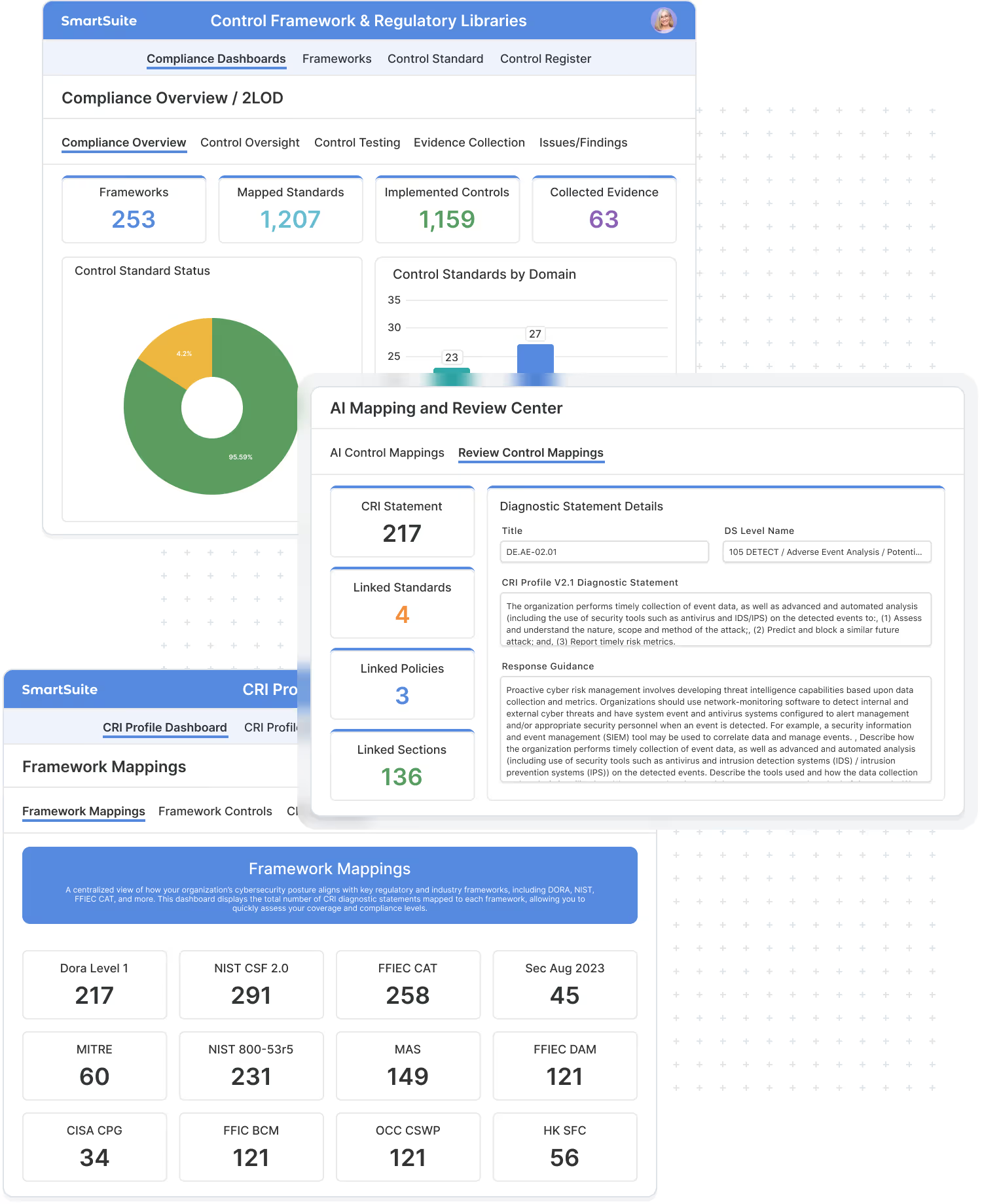
For regulated organizations, getting SmartSuite right means more than just workflows—it means aligning to frameworks and regulatory expectations. Our Framework & Regulatory Alignment service helps you map requirements into SmartSuite so your data, workflows, and reporting support audits and exams.
We work with your risk, compliance, and audit teams to:
- Identify the key frameworks and regulations in scope (e.g., SOC 2, NIST CSF, CRI profile, DORA, ISO standards).
- Map requirements and controls into SmartSuite objects, fields, and relationships.
- Design how evidence, issues, and remediation are captured and linked across workflows.
- Define reporting needed for internal stakeholders, auditors, and regulators.
- Highlight where GRC Core Launch Packs and Customer Workflow Launch Packs can be used to implement what we’ve designed.
You leave with a clear, stakeholder-aligned plan for how SmartSuite will support your program over time—and which Launch Packs to use to get there.
Implement Domain Workflows With Solution Launch Packs
Solution Launch Packs are structured implementation programs for specific domains, combining design and build into a single, predictable engagement. Each pack takes you from workflow definition and data design through configuration, reporting, and enablement for that domain.
Solution Launch Pack include:
- Workflow and data design for the target domain
- Configuration of one or more primary Solutions, fields, views, automations, and permissions
- Domain-specific dashboards and reports for key stakeholders
- Light integrations where needed
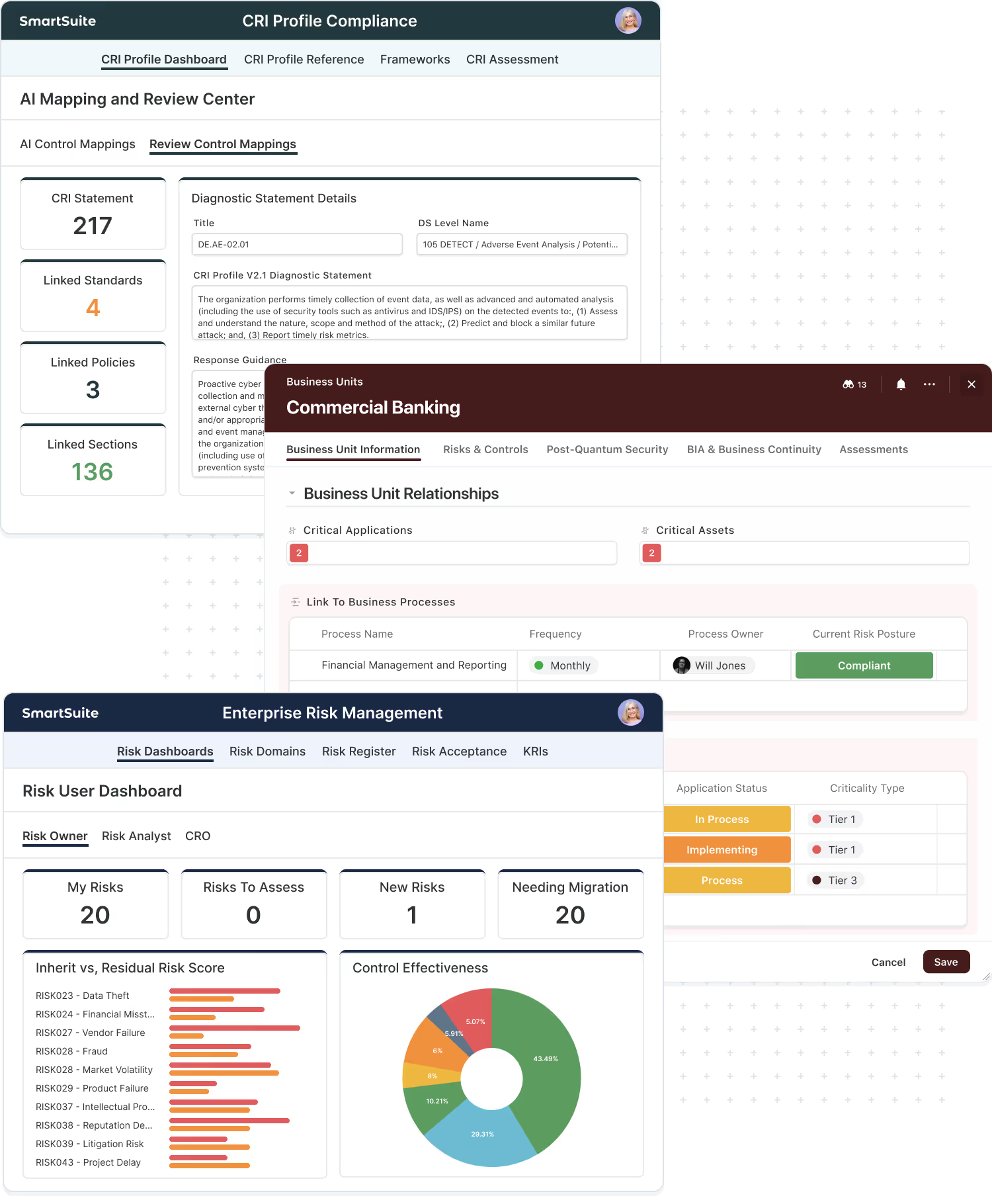
Stand up connected risk, compliance, third-party, and issues workflows on SmartSuite. Design your GRC operating model and data structures, configure core Solutions, implement key integrations, and deliver dashboards that support audits, regulators, and leadership.
Implement modern IT and service workflows including incident, request, change, and basic asset/CMDB structures. Define queues, SLAs, and escalation paths; integrate with messaging and ticketing tools; and build dashboards for service desk teams, managers, and executives.
Enable portfolio, program, and project management with standardized templates and governance. Configure portfolio and project Solutions, set up milestones and dependencies, align with your PMO processes, and deliver reporting that gives leaders a single view of change and delivery.
Digitize high-impact operational workflows across HR, finance, and business operations. Select and design 1–3 core processes (such as employee onboarding, vendor intake, or approvals), configure SmartSuite to support them end to end, integrate with surrounding systems, and provide operational dashboards for owners and leadership.
Custom Workflow Launch Packs
For Your Unique Business Processes.
Not every workflow fits a standard pack. Custom Workflow Launch Packs are implementation programs focused on your unique processes and supporting Solutions.
Use a Custom Workflow Launch Pack when:
- You need supporting Solutions around a main domain (e.g., custom intake, approvals, cross-team handoffs, or specialized records).
- You have a workflow that doesn’t map cleanly to a pre-defined Launch Pack but is critical to your business.
- You want SmartSuite to mirror a specific internal process that’s part of your operating model.
Each Custom Workflow Launch Pack includes:
- Collaborative design of your specific workflow and supporting Solutions
- Data model and relationships between core and supporting Solutions
- Configuration of fields, views, dashboards, automations, and permissions
- Light integrations as needed
- Targeted training for admins and workflow owners
Integration & Migration Services
Connect SmartSuite to your ecosystem so data and workflows flow.
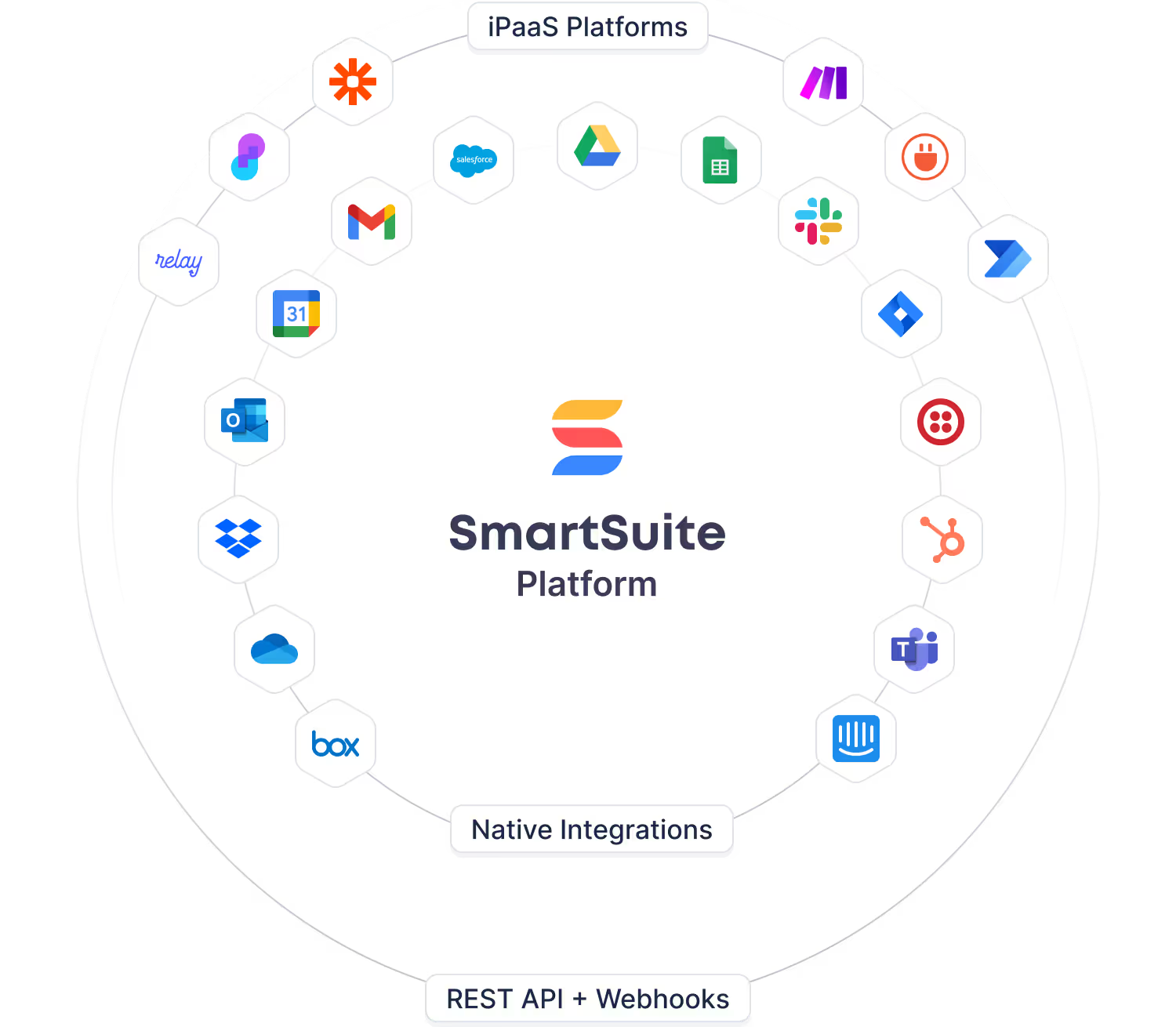
Integration & Migration Services are all about turning SmartSuite into a connected part of your ecosystem, not another silo. We design and implement integrations so data can move seamlessly between SmartSuite and the systems your teams already rely on—identity, ticketing, CRM, security, collaboration, and more. The result is a single, consistent view that lets workflows span tools, decisions be made on complete information, and reporting reflect what’s really happening across your business.
- Design integrations with systems like identity providers, ticketing tools, CRMs, security platforms, collaboration tools, and data warehouses.
- Implement integrations using native connectors, APIs, webhooks, or iPaaS where appropriate so data flows reliably in both directions.
- Plan and execute data migrations from legacy tools and spreadsheets into SmartSuite, including mapping and transformation rules.
- Validate and refine migrated data with stakeholders to ensure accuracy, completeness, and traceability.
- Implement automations and orchestration around integration events so end-to-end workflows span tools—not just SmartSuite.
Our Approach to Advisory & Implementation
Every Advisory & Implementation engagement follows a clear, repeatable approach so you know exactly what happens when—from first strategy conversations through go-live.
Understand your goals, current tools, stakeholders, and constraints. We clarify scope, success metrics, and which workflows and Solutions matter most.
Through Strategy Roadmap, we define your phased rollout plan—what to implement first, second, and next—and map each phase to Launch Packs and supporting work.
We implement workflows using Solution Launch Packs and Custom Workflow Launch Packs, and connect SmartSuite to the surrounding systems and data sources that matter.
We test with real users, refine based on feedback, and move into production with targeted training and change support.
The result is not just configured apps, but implemented workflows that match how your teams actually operate.
The SmartSuite Team Behind Advisory & Implementation
Every onboarding engagement is guided by a small, focused team that knows how to get SmartSuite live the right way—securely, on time, and aligned to your roadmap.
Owns the overall engagement, plan, and communication. Coordinates resources, manages the backlog, and keeps stakeholders aligned.
Designs the overall Solution and workflow patterns for your domains, ensuring configurations are scalable and consistent.
Builds Solutions, fields, views, dashboards, automations, and permissions based on agreed designs and best practices.
Coordinates training and enablement activities so admins and program teams can own the solutions after go-live.
Compare SmartSuite Services
Use this comparison to understand what each service provides—then select the packages that align with your goals, timeline, and internal capacity.
Frequently Asked Questions About Advisory Services
Advisory & Implementation Services cover Strategy Roadmap, domain-specific Solution Launch Packs, Customer Workflow Launch Packs for unique processes, and Integration & Migration Services to connect SmartSuite to your ecosystem.
Onboarding focuses on getting initial Solutions and workflows live quickly. Advisory & Implementation is for larger, deeper programs—designing your roadmap and implementing multiple workflows, teams, or frameworks through Launch Packs and supporting services.
Strategy Roadmap is most useful when you have multiple stakeholders, domains, or frameworks to coordinate (e.g., enterprise-wide GRC, ITSM, or PMO). It aligns everyone on what to do first, second, and next, and maps those phases to specific Launch Packs.
Solution Launch Packs implement standard domains like GRC Core, ITSM, PMO, or ops. Customer Workflow Launch Packs focus on your specific workflows and supporting Solutions that don’t fit a standard pack but are critical to your business.
Yes. Integration & Migration Services can be added to Launch Packs or run as a focused engagement to design and implement integrations and data migrations required for your rollout.
Many projects are led by SmartSuite (Engagement Manager, Architect, Consultants, Data/Integration). For larger or industry-specific programs, we often co-deliver with certified partners who bring additional domain and regulatory expertise.
Strategy Roadmap engagements are often 2–4 weeks. Launch Packs typically run several weeks to a few months, depending on scope, number of workflows, and integrations. Multi-phase programs are sequenced to deliver value in stages.
Advisory & Implementation delivers projects—roadmap, design, and implementations. Expert on Demand provides ongoing capacity after those projects to enhance workflows, add Solutions, maintain integrations, and adopt new features over time.
Yes. Our Framework & Regulatory Alignment service is designed for exactly that. We work with your risk, compliance, and audit teams to:
- Identify the frameworks and regulations in scope (e.g., SOC 2, NIST CSF, CRI profile, DORA, ISO standards).
- Map requirements and controls into SmartSuite objects, fields, and relationships.
- Design how evidence, issues, and remediation are captured and linked across workflows.
- Define the reports and dashboards you need for internal stakeholders, auditors, and regulators.
Plan Your Advisory & Implementation Program
Share your goals, timelines, and priority workflows—our team will recommend the right mix of Strategy Roadmap, Advisory Services, and Launch Packs for your SmartSuite rollout.
Expert on Demand
Expert on Demand is SmartSuite’s managed services program—an optional add-on to the annual Enterprise plan.
Instead of a single admin, you get a fractional SmartSuite team: an Engagement Manager coordinating Solution Architects, product/implementation specialists, integration engineers, and enablement support. They learn your environment and become an extension of your internal team.
Each month you have a set number of service hours you can point at whatever matters most—enhancing workflows, adding new Solutions, refining dashboards, maintaining integrations, or getting hands-on help with roadmap and design decisions. You’re not limited to one person’s skill set; you draw on different experts as needs change.
Expert on Demand is built for customers who treat SmartSuite as a strategic platform and want ongoing expert capacity without adding full-time headcount.
Optimizations
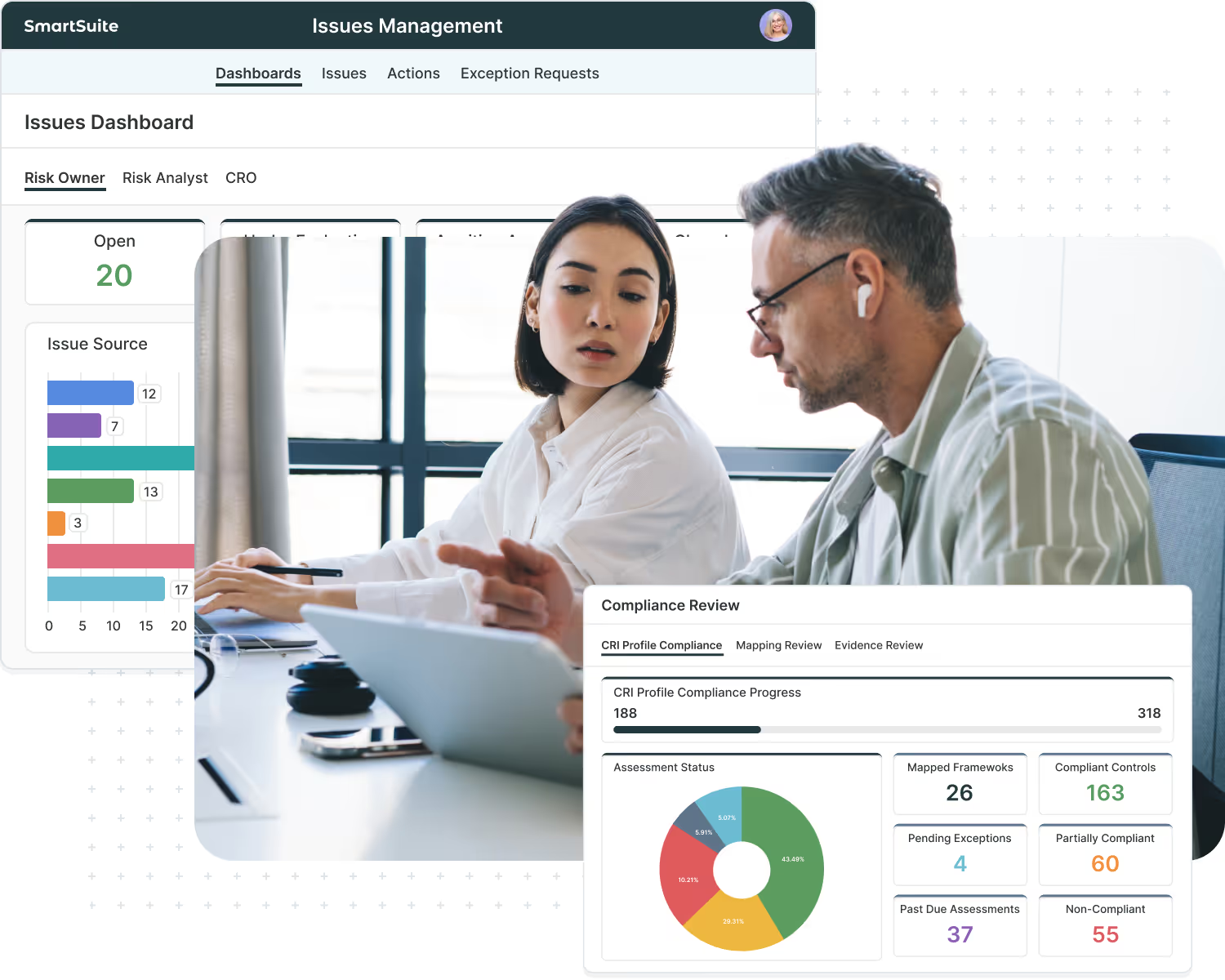
Continuously tune existing workflows—refining fields, views, permissions, and the use of AI — so SmartSuite keeps pace with how your teams actually operate.
Workflows
Design and configure new workflows as you roll the platform out to additional use cases, teams, and regions.
Automations
Create and enhance automations that handle assignments, notifications, reminders, and multi-step processes—reducing manual work and keeping everything moving.
Insights
Improve dashboards and reporting so managers, executives, boards, and regulators get clear, role-based visibility into the status and performance of your programs.
Choose the Tier That’s Best For You
Select the Expert on Demand tier that matches your pace of change and internal capacity. Each plan includes a fixed number of service hours per month, giving you flexible access to a fractional SmartSuite team for workflow enhancements, new solutions, integrations, reporting improvements, and advisory support across your GRC, IT, PMO, and operations programs.
For smaller teams that need light enhancements, new views and dashboards, and occasional advisory support.
For growing programs with regular workflow tweaks, new Solutions, light integrations, and periodic roadmap discussions.
For mature GRC, IT, or PMO programs that need frequent enhancements, integrations, and reporting improvements across multiple teams.
For large or regulated environments that want a true extension of their internal team, with ongoing architecture, automation, and integration work across departments.
Program Guidelines
Expert on Demand is designed to be flexible, but also predictable. Each tier includes a set number of service hours per month that you can use across configuration, integrations, reporting, advisory work, and high-touch support.
Workflow Enhancements
Hours are allocated each month. If you don’t use them all, up to 50% of your unused hours can roll into the following month and must be used by the end of that month.
Borrowing Hours From Future Months
If you have a spike in work, your Program Owner can request to use additional hours from future months. Borrowing is approved based on available capacity and is tracked in your Expert on Demand dashboard so everyone can see the updated balances.
Single Point of Contact
On your side, a Program Owner prioritizes requests and works with our Engagement Manager to maintain a shared backlog. Anyone in your organization can propose work, but the Program Owner decides what moves forward.
Client Portal For Transparency
You’ll have access to an Expert on Demand portal where you can see hours used, rollover and borrowed hours, work logs, meeting notes, and request status, along with your Rules of Engagement document.
What We Can Manage For You
Expert on Demand provides much more than simple admin support. Your fractional SmartSuite team can handle the day-to-day work of evolving your implementation—so your internal teams can stay focused on running the business.
- Workflow Enhancements
Adjust fields, views, permissions, and automations as your GRC, IT, PMO, and operational processes mature—without needing to spin up a new project every time.
- New Solutions
Configure additional SmartSuite Solutions and Interfaces as you expand into new teams, business units, or regions, using patterns that keep your architecture clean and consistent.
- Integrations
Connect and refine integrations with identity providers, ticketing tools, CRMs, security tools, messaging platforms, and other systems in your ecosystem—so SmartSuite stays in sync with the rest of your stack.
- Dashboards & Reporting
Design and refine dashboards, views, and reports so managers, executives, boards, and regulators always have clear, reliable visibility into the state of your programs.
- Product Updates & Enhancements
Review new SmartSuite features and releases, decide which ones matter for your workflows, plan how to adopt them, and track enhancement ideas and requests from your teams.
- Ongoing Advisory
Join roadmap sessions, design reviews, and steering meetings as a trusted platform advisor who understands both SmartSuite and your specific implementation and priorities.
Our Expert on Demand Engagement Model
Every Expert on Demand engagement follows a simple, structured rhythm so you always know what’s happening and what’s next.
We start by understanding your current implementation, roadmap, and internal capacity. Together we confirm which workflows (GRC, IT, PMO, operations) are in scope for Expert on Demand, what success looks like over the next 12 months, and who will act as your Program Owner. We also agree on communication channels and review the Rules of Engagement.
Next, we choose the right Expert on Demand tier and build an initial 60–90 day plan. We translate your goals into a prioritized backlog of work—workflow enhancements, new Solutions, integrations, dashboards, product updates, and advisory sessions—and estimate the hours each item will require. Your Program Owner and our Engagement Manager align on what to tackle first and set the cadence of check-ins.
Each month (and, for higher tiers, each week), your Expert on Demand team works through the backlog, delivering changes in small, meaningful increments. Work and hours are tracked in your EOD portal, so you can see what’s complete, what’s in progress, how hours are being used, and which requests are next in line—even as new ideas and needs come in.
On a regular cadence, we step back to review outcomes, hour usage (including rollover or approved borrowing), and what’s changed in your business or in the product. Together, we adjust priorities, refine the backlog, and expand the scope to new workflows, teams, or regions as your SmartSuite program matures.
The result is a predictable, programmatic way to improve SmartSuite continuously—
without spinning up a new project for every change.
Your Expеrt on Demand Team
With Expert on Demand, you’re not paying for a single resource—you’re getting access to a flexible bench of SmartSuite experts that can be pulled in as needed. Your Engagement Manager is your primary point of contact and orchestrates the right mix of skills each month based on your backlog and priorities.
Your main point of contact and program lead. The Engagement Manager owns the plan and backlog, coordinates the broader Expert on Demand team, and makes sure the right resources are engaged at the right time.
Ensures your overall architecture and governance stay healthy as you evolve—covering data model, workspace structure, roles, and permissions across GRC, IT, PMO, and operations.
Handles day-to-day configuration work in SmartSuite: designing and updating Solutions, fields, views, automations, dashboards, and Interfaces using proven patterns.
Builds and maintains integrations with your surrounding systems and supports data migrations or refactors when your model changes.
Compare SmartSuite Services
Use this comparison to understand what each service provides—then select the packages that align with your goals, timeline, and internal capacity.
Frequently Asked Questions About Managed Services
Expert on Demand is SmartSuite’s managed services add-on for Enterprise customers. It provides a set number of service hours each month over a 12-month term, giving you a fractional SmartSuite team that can enhance workflows, add new Solutions, refine dashboards, maintain integrations, and provide ongoing advisory as your needs evolve.
Premium Support focuses on incidents and questions—priority SLAs, faster responses, and a Technical Account Manager (TAM) to coordinate complex issues. Expert on Demand is about proactive change—using service hours for configuration work, new Solutions, integrations, reporting, roadmap-aligned improvements, and high-touch support activities. Over time, most Enterprise customers will pair Premium Support for incident handling with Expert on Demand for ongoing evolution.
Expert on Demand hours are intentionally flexible. You can use them for:
- Workflow enhancements (fields, views, dashboards, automations)
- New Solutions and Interfaces built within your existing architectureImp
- lementing and maintaining integrations
- Reporting and dashboard improvements for managers, executives, boards, and regulators
- Reviewing new SmartSuite features and planning adoption
- Participating in calls, design workshops, and roadmap/steering discussions
The constraint is hours, not a narrow scope of tasks—your EOD team acts as a fractional member of your team.
Expert on Demand is a separately priced add-on available to customers on the SmartSuite Enterprise plan. It’s designed for organizations that treat SmartSuite as a strategic platform and want ongoing expert capacity embedded in their subscription.
You choose an Expert on Demand tier that specifies hours per month over a 12-month term:
- Essentials – 10 hours per month
- Growth – 20 hours per month
- Premium – 40 hours per month
- Enterprise – 80 hours per month
Your Engagement Manager helps you build and prioritize a backlog so those hours are used effectively each month.
You won’t lose everything. Up to 50% of your unused hours can roll into the following month and must be used by the end of that month. Any rolled hours that still aren’t used by the end of that following month expire. This gives you flexibility without building up a large bank of hours that’s hard to consume.
Yes. If you anticipate a spike in work, your Program Owner can request to borrow hours from future months. Borrowing is approved based on our delivery capacity and is then reflected in your Expert on Demand dashboard so you can see how many hours remain in upcoming months. This lets you tackle bigger initiatives when it makes sense, while keeping the overall program predictable.
On your side, you’ll name a Program Owner who is the single point of contact for Expert on Demand. They collect requests from your stakeholders, prioritize what matters most, and submit any formal borrowing requests. On our side, your Engagement Manager works with the Program Owner to estimate effort, maintain a shared backlog, and decide what can be delivered with the hours available.
Cadence depends on your tier, but every EOD engagement includes a regular planning rhythm:
- Essentials / Growth – at least a monthly check-in to review completed work, remaining hours, and next priorities.
- Premium – typically bi-weekly working sessions that combine delivery and backlog review.
- Enterprise – usually weekly working sessions with key stakeholders, plus periodic deeper reviews aligned to your roadmap.
Between these touchpoints, we still respond to new requests as they come in, subject to hours and capacity.
You’ll have access to an Expert on Demand dashboard/client portal where you can see:
- Hours allocated, used, rolled over, and (when approved) borrowed from future months
- A log of completed and in-progress work items
- Meeting notes and decisions
- Open requests and their status
- Your signed Rules of Engagement document
This gives both teams a shared, transparent view of how EOD is being used and what’s coming next.
Onboarding is a structured, time-boxed program that gets your initial Solutions live and your first teams productive. Advisory & Implementation delivers larger, project-based initiatives—such as Strategy Roadmap, architecture design, and Solution Launch Packs for GRC, IT, PMO, and operations. Expert on Demand picks up after and alongside those efforts to handle ongoing enhancements, new workflows, integrations, reporting, and advisory needs over time.
Yes. For larger or industry-specific programs, we can co-deliver Expert on Demand with certified partners. SmartSuite focuses on platform best practices and configuration, while partners bring additional GRC/IT domain expertise and capacity. Your Program Owner and our Engagement Manager coordinate how everyone works together.
Traditional professional services are typically one-off projects with their own SOWs—for example, a specific implementation or migration. Expert on Demand is sold as a subscription add-on to your Enterprise plan, with a fixed number of hours per month that you can apply to whatever is most important. It’s designed to be multi-year and part of your subscription giving you a stable, fractional SmartSuite team instead of a series of disconnected projects.
Make SmartSuite Part of Your Long-Term Team
Share your roadmap across GRC, IT, PMO, and operations—our team will recommend the right Experts on Demand tier and how Managed Services can complement your internal resources and Premium Support.
Training & Enablement Services
Training & Enablement Services help your teams build the skills to confidently design, run, and expand SmartSuite—both as a platform and as a GRC or enterprise workflow solution. We combine SmartSuite Academy, certifications, and deeper live training for admins and functional GRC teams, as well as private enterprise workshops for large deployments.
With Training & Enablement, you can:
- Develop strong platform admins and builders through structured training that covers SmartSuite fundamentals, solution design, and advanced topics like automations and integrations.
- Train your GRC program teams—risk, compliance, audit, and third-party risk—on how to run their day-to-day work in SmartSuite’s GRC Solutions.
- Leverage SmartSuite Academy and certifications for self-paced learning and role-based credentialing, with the option to extend into paid, advanced courses over time.
- Offer private enterprise training (virtual or onsite) tailored to your environment, workflows, and rollout plan.
Training
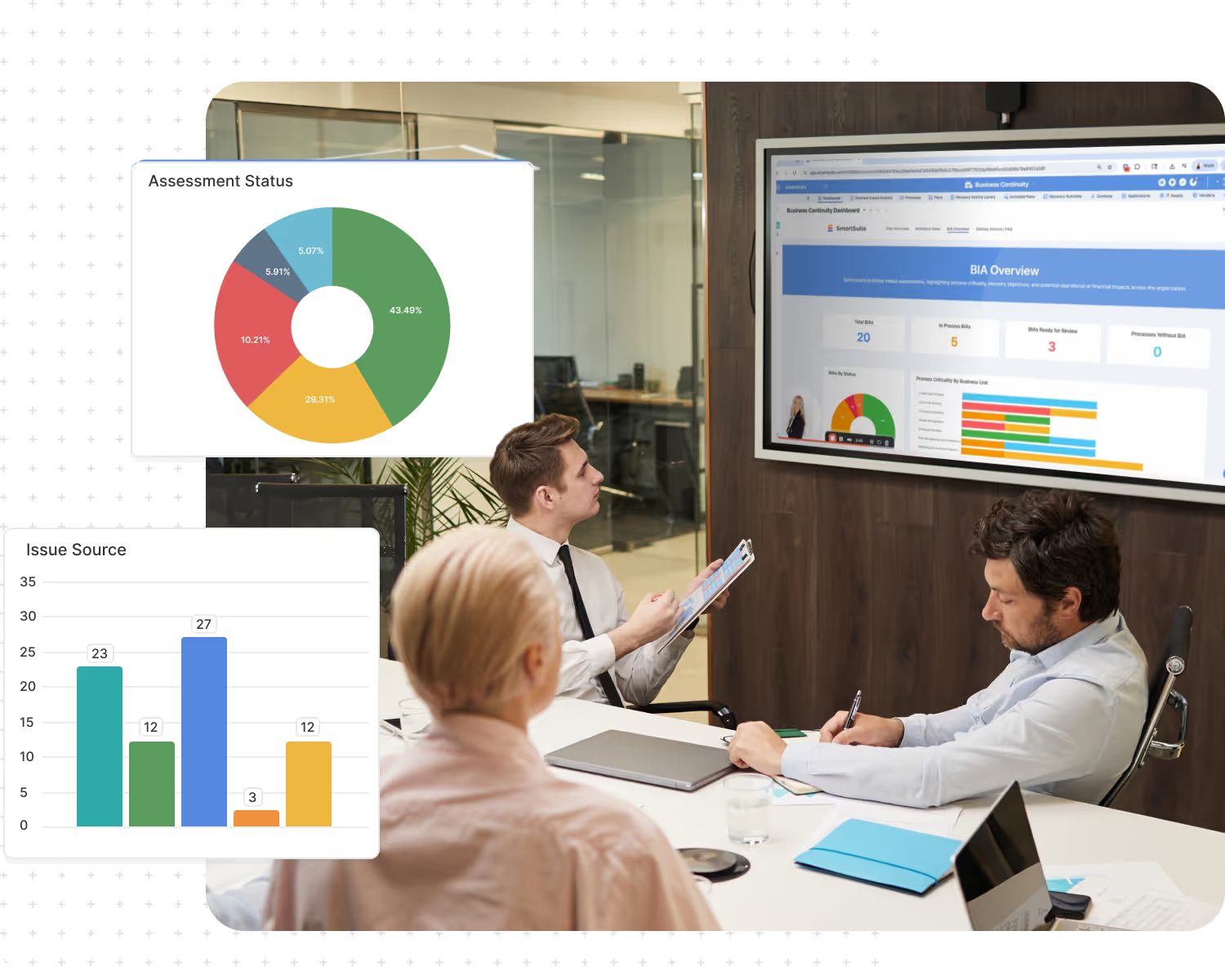
For admins and builders who design and maintain solutions, views, automations and integrations in SmartSuite.
Training
For GRC, IT Service Management, PMO, and operations teams to learn both SmartSuite capabilities and the functional workflows behind each Solution Suite.
Academy
Self-paced learning paths and role-based certifications that support ongoing skill development.
Training
Private virtual or onsite workshops tailored to your environment, workflows, rollout plan, and target audiences (admins, practitioners, end users, executives).
Technical Platform Training
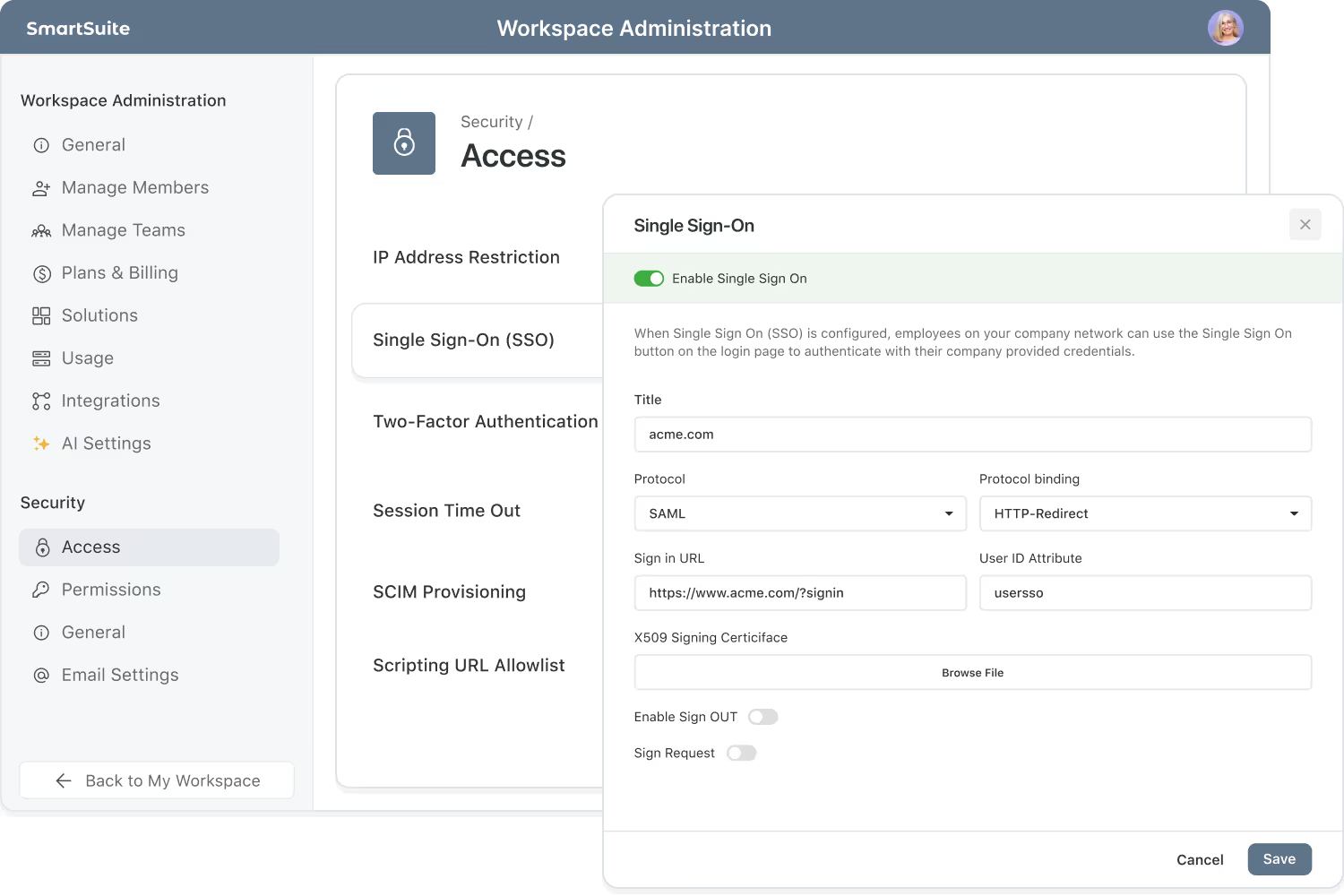
Platform admin training is all about giving your internal SmartSuite owners the depth they need to safely design, configure, and extend the platform. We offer a path from foundational skills through advanced automation and integrations, with options that fit both new admins and seasoned platform owners.
Admin Essentials
You’re a consulting firm, advisor, association, investor, or ecosystem partner with a trusted network.
Admin Foundations – GRC Edition
A deeper training track for Enterprise and GRC-focused customers. We go beyond fundamentals into modeling GRC data (risks, controls, issues, vendors, audits, policies), designing relationships between Solutions, building dashboards for first/second/third line, and configuring automations that support real GRC workflows.
Advanced Admin – Automations & Integrations
For senior admins and platform owners who want to push SmartSuite further. This course dives into advanced automation patterns, integration design with key systems (identity, ticketing, CRM, security, etc.), and governance best practices for administering SmartSuite in larger, regulated organizations.
Functional Solution Suite Training
Functional Solution Suite Training helps your teams understand both the SmartSuite Solutions and the functional disciplines behind them. These sessions go beyond “where to click” to cover the key concepts, workflows, and best practices—drawing on our experience implementing thousands of workflows with organizations across GRC, IT Service Delivery, PMO, and enterprise operations.
Plan, execute, and report on audits linked to risks and controls.
Track obligations, controls, and evidence across regulations.
Manage technology risks, vulnerabilities, and security controls in one view.
Centralize enterprise risks, scoring, owners, and mitigation plans.
Capture ESG metrics, initiatives, and disclosures in a single workspace.
Protect critical services with impact, continuity, and recovery tracking.
Operationalize privacy obligations, data flows, and incident response.
Assess, monitor, and remediate risk across vendors and partners.
Standardize incidents, requests, changes, and service delivery.
Manage employee requests, approvals, and fulfillment across every team.
Track infrastructure, devices, and configuration changes in a single system.
Plan, execute, and track projects, programs, and portfolios in one place.
Align goals, OKRs, and initiatives to track progress against strategy.
Streamline onboarding, support, renewals, and account health.
Align campaigns, pipeline, and launches across marketing, sales, and CS.
Run academic, administrative, and student-success workflows in one hub.
SmartSuite Academy & Certifications
SmartSuite Academy provides always-on, self-paced training that supports both new and experienced users. Certifications add a formal way to recognize and validate skills for key roles.
SmartSuite Academy:
- Role-based learning paths for admins/builders, GRC practitioners, IT/Service owners, project leaders, and end users.
- Short, focused lessons that cover platform fundamentals, Solution design basics, views & dashboards, and starter automations.
- On-demand access so new team members can ramp up without waiting for the next live class.
SmartSuite Certifications:
- Admin-level certifications that validate core platform and configuration skills.
- A roadmap for GRC-focused certifications (e.g., SmartSuite GRC Admin, GRC Practitioner) as your program matures.
- A way to build a recognized community of SmartSuite experts inside your organization.

Customized Training Programs
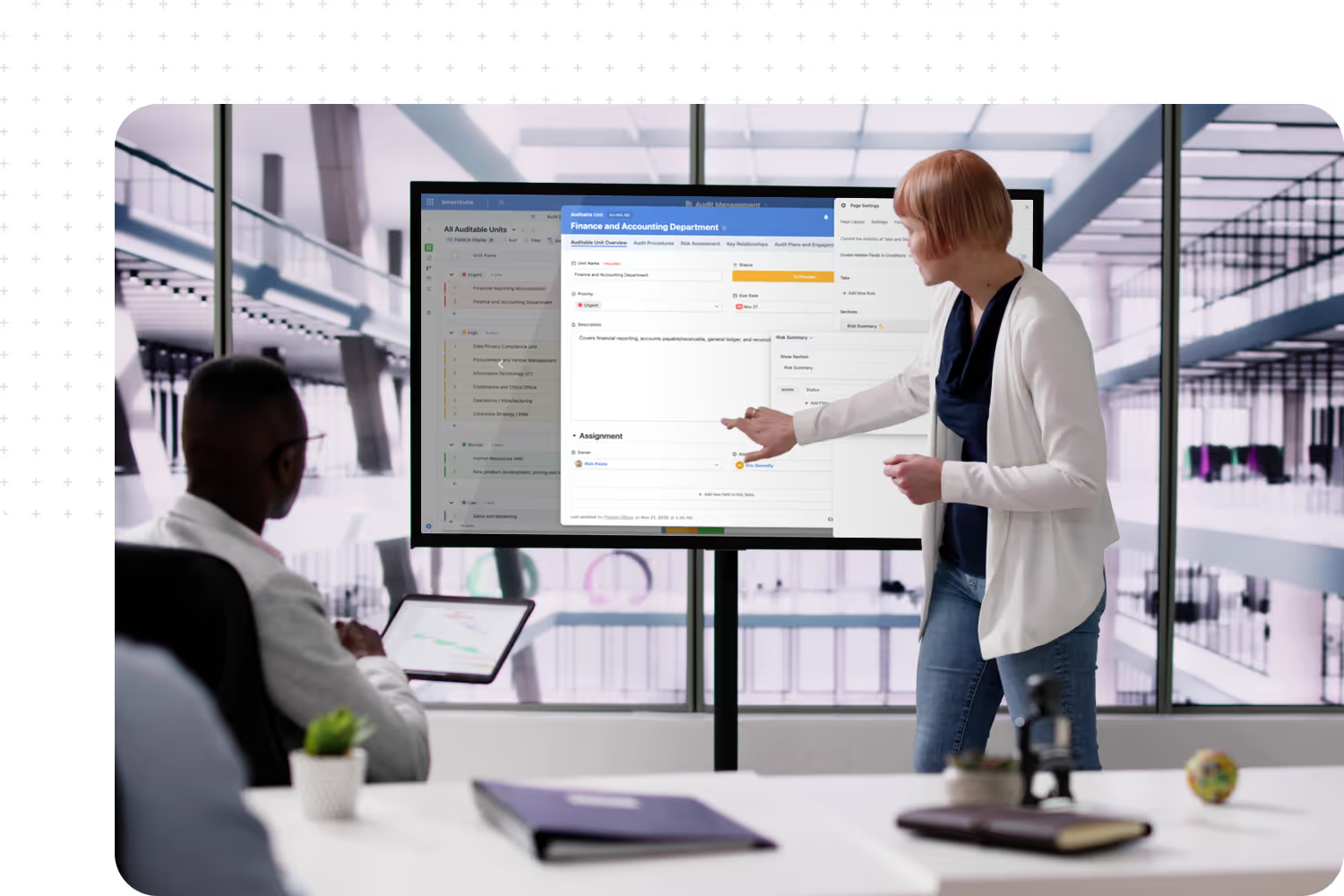
For larger teams and strategic deployments, we offer customized group training built around your exact SmartSuite environment, use cases, and roles. Whether delivered onsite or virtually, these sessions use your Solutions, data structures, and real workflows so attendees walk away with skills they can apply immediately.
We tailor each program to the audiences you care about—admins and builders, GRC and IT practitioners, frontline end users, and even executives—focusing on what they need to be successful in their roles. The result is training that feels less like a generic class and more like a working session on your SmartSuite implementation.
Admin & Builder Training
Hands-on configuration sessions in your instance or a cloned sandbox—covering Solutions, fields, views, automations, and best practices tailored to your environment
Functional Team Workshops
Role-based training for GRC, IT Service Delivery, PMO, and operations teams, using your actual workflows so practitioners learn SmartSuite in the context of their day-to-day work.
Leadership Sessions
Focused sessions for executives and managers on dashboards, reporting, and how to use SmartSuite for oversight, decision-making, and risk or performance visibility.
Rollout Bootcamps
Intensive multi-day programs that bring admins and business users together to prepare for a major rollout, aligned to the specific workflows going live next.
In-Product Help, Just a Click Away
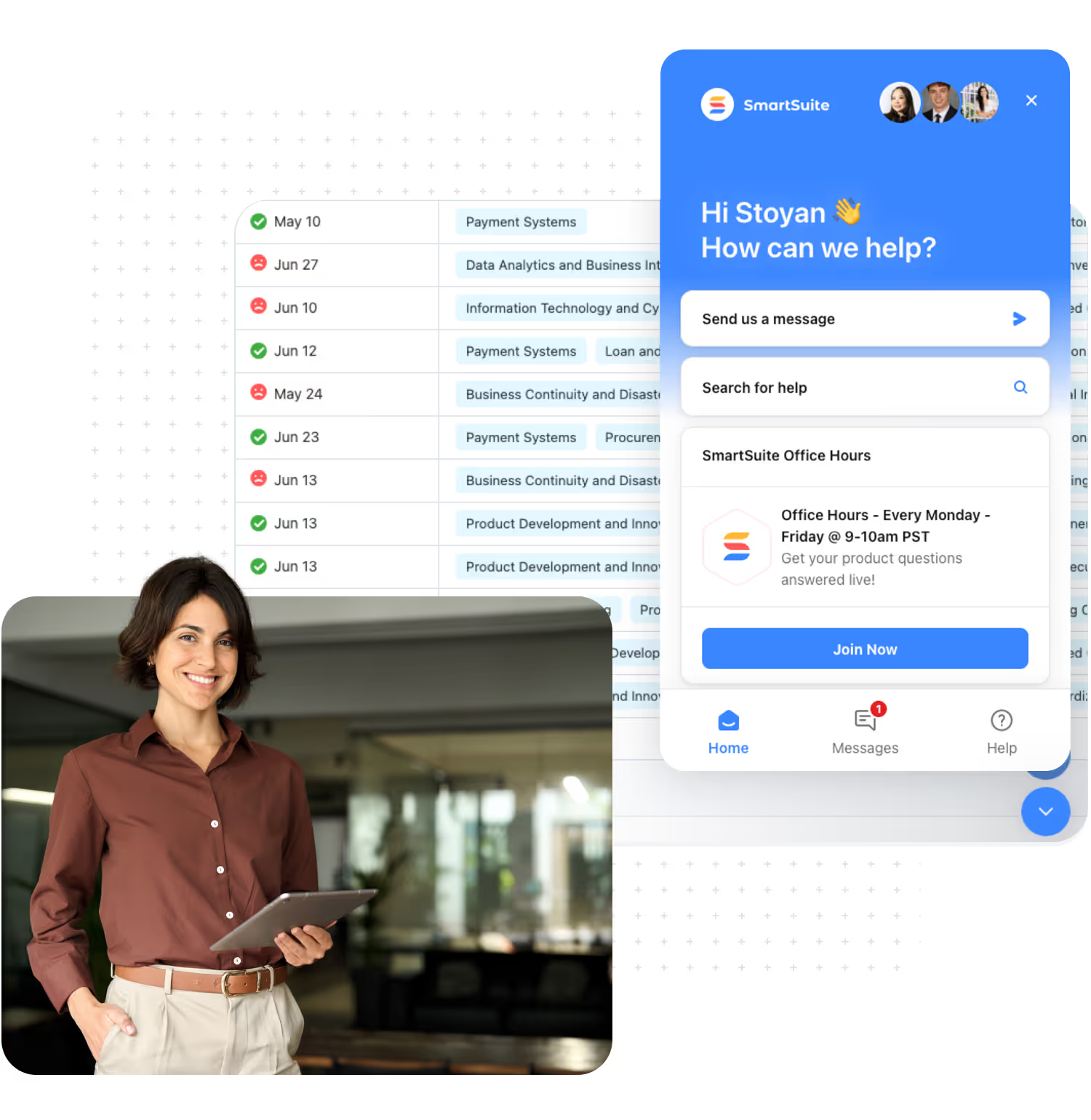
SmartSuite doesn’t make your teams leave their work to find answers. Our in-product help, powered by our Intercom help center and chat, puts guidance one click away anywhere in the platform.
With in-product help, your teams can:
- Open the help modal about clicking on the assistance icon that is located on the bottom right of all pages.
- Search for help articles and guides that are relevant to your specific questions and needs.
- Start a conversation with our team when they can’t find what they need, so small questions don’t turn into blockers.
- Stay informed on what’s new through in-app announcements about product updates, new features, and upcoming trainings or webinars.
A Consistent Cadence of Live Enablement
Your teams don’t just get a one-time training and a PDF. We offer a predictable rhythm of live enablement so people can ask questions, see patterns, and stay informed as SmartSuite evolves.
These recurring touchpoints create an ongoing learning environment—so training isn’t an event, it’s part of how your teams work with SmartSuite.
Daily office hours give your team live access to SmartSuite experts. It’s the place to test ideas, review workflow designs, and resolve small issues quickly—so admins and builders can keep making progress.
Once a month, we host deeper, role-based training sessions—covering topics like admin fundamentals, advanced automations, GRC-specific workflows, IT Service Delivery patterns, or project and portfolio best practices. These sessions are great for new team members or for taking existing users to the next level.
Every two weeks, we run webinars focused on product updates, new features, and real-world use cases. Sessions often highlight GRC, IT, and operational workflows, giving your teams fresh ideas and repeatable patterns they can bring back into their own Solutions.
SmartSuite Enablement Resources
Everything you need to learn, build, connect, and grow with SmartSuite — from expert guidance and self-paced learning to community collaboration and continuous innovation.
SmartSuite Academy
Demo Center
Support
Customer Stories
Feature Requests
Community
Developer Resources
Frequency Asked Questions
Getting Started with SmartSuite
Learn the SmartSuite layout: workspace, Solutions, Views, Records. See how to navigate, search, filter, and create items to get productive fast.

Understand the Homepage layout: sidebar, header, search, and activity. Pin favorites, review assignments, and launch Solutions with one click. Make it your daily command center.

See your data from every angle. Learn Grid, Kanban, Calendar, and more. Switch views, sort and filter, group records, and save personal or shared views for repeatable workflows.

Explore SmartSuite field types: text, number, date, select, user, files, links, formulas, lookups, and more. Learn when to use each to capture, calculate, relate, and display data clearly.
Your command center: one Dashboard to track goals, tasks, and dependencies. Mix charts with lists, watch trends over time, and click through to fix issues immediately.
Automations do the busywork. Set a trigger, choose actions—notify people, update fields, create records, send webhooks—and let SmartSuite run it whenever conditions are met.
Set permissions once, scale safely. Use solution roles, table permissions, and saved views with filters to expose only relevant records to each team or stakeholder group.

Prompt-driven automations. Provide instructions with placeholders for record fields; AI uses that context to produce exactly what you need, then the automation stores or sends it.

Use Formula fields to calculate values from other fields. Combine math, logic, and text to automate totals, statuses, scores, and dynamic results across records. Quickly.
Use Power Search to instantly find records across fields and Solutions. Combine keywords, filters, and operators to pinpoint exactly what you need in seconds.
Stay informed with SmartSuite notifications. Get real-time alerts for updates, assignments, comments, and changes so you never miss important activity.
Star items you use most to access them fast. Keep important Solutions, Views, and records pinned for quick access and a more focused daily workflow.
Compare SmartSuite Services
Use this comparison to understand what each service provides—then select the packages that align with your goals, timeline, and internal capacity.
Frequently Asked Questions About Training Services
Training & Enablement Services cover the full spectrum of education for SmartSuite: live platform admin training, functional GRC program training, private enterprise workshops, and self-paced learning through SmartSuite Academy and certifications. Together, these offerings help both admins and business teams build the skills they need to run real programs on SmartSuite.
Onboarding includes foundational training as part of getting your initial Solutions live in a structured, time-boxed program. Training & Enablement goes further—it provides ongoing, professional education for admins and GRC teams, including deeper admin tracks, domain-specific GRC workshops, and private training tailored to your environment.
Platform admin training is designed for workspace admins, builders, and platform owners—the people configuring Solutions, views, automations, and integrations. GRC program training is for business-side teams—risk, compliance, audit, third-party risk, and resilience/BCM owners—who need to understand how to run their programs in SmartSuite’s GRC Solutions.
SmartSuite Academy provides self-paced, always-on learning that supports both new and existing users with role-based paths. Live training builds on that foundation with deeper, interactive sessions—admin tracks, GRC workshops, and private enterprise training—where your teams can ask questions, work through examples, and learn directly in a SmartSuite environment.
Certifications are not required, but they are recommended for admins and power users who lead SmartSuite efforts internally. Today, our certifications and Academy content are available at no additional cost to customers. Over time, we may introduce advanced, paid certifications alongside the core free program.
We offer both. Many customers start with open-enrollment admin sessions and GRC workshops, then add private enterprise training—virtual or onsite—tailored to their environment, Solutions, and rollout plan. Private engagements are ideal for onboarding larger teams or preparing for major GRC/IT deployments.
Advisory & Implementation services are project-based—they focus on designing your roadmap, architecture, and implementing specific workflows (often via Launch Packs). Training & Enablement runs alongside that work to ensure your admins and GRC teams know how to use, maintain, and extend what’s been built. In many programs, training is woven into major implementation phases.
On your side, you’ll name a Program Owner who is the single point of contact for Expert on Demand. They collect requests from your stakeholders, prioritize what matters most, and submit any formal borrowing requests. On our side, your Engagement Manager works with the Program Owner to estimate effort, maintain a shared backlog, and decide what can be delivered with the hours available.
Design a training plan for your teams
Tell us which roles you’re enabling and which workflows you’re rolling out—our team will recommend the right mix of SmartSuite Academy paths, certifications, daily office hours, live trainings, webinars, and custom sessions.
SmartSuite
Premium Support
When SmartSuite is running your GRC program, IT operations, PMO or cross-functional workflows, you can’t afford slow responses when something goes wrong. Premium Support adds an elevated safety net on top of standard support—prioritizing your issues, accelerating resolution, and giving you a dedicated Technical Account Manager (TAM) as your main point of contact inside SmartSuite. Your TAM understands your environment and coordinates the right experts, escalations, and proactive guidance when it matters most.
- Priority Response SLAs
Accelerated first-response targets for high-severity issues, so critical incidents are acknowledged, triaged, and moving toward resolution as quickly as possible.
- Enhanced Coverage Options
Support coverage aligned to your operating hours and risk profile, with clearly defined paths for escalating urgent issues when stakes are high.
- Senior Support Engineers On Call
Priority routing to experienced SmartSuite product specialists for complex, multi-layer problems that go beyond basic troubleshooting.
- Executive-Level Escalation Path
A defined, structured escalation route to SmartSuite leadership for critical situations—ensuring executive visibility and alignment when it matters most.
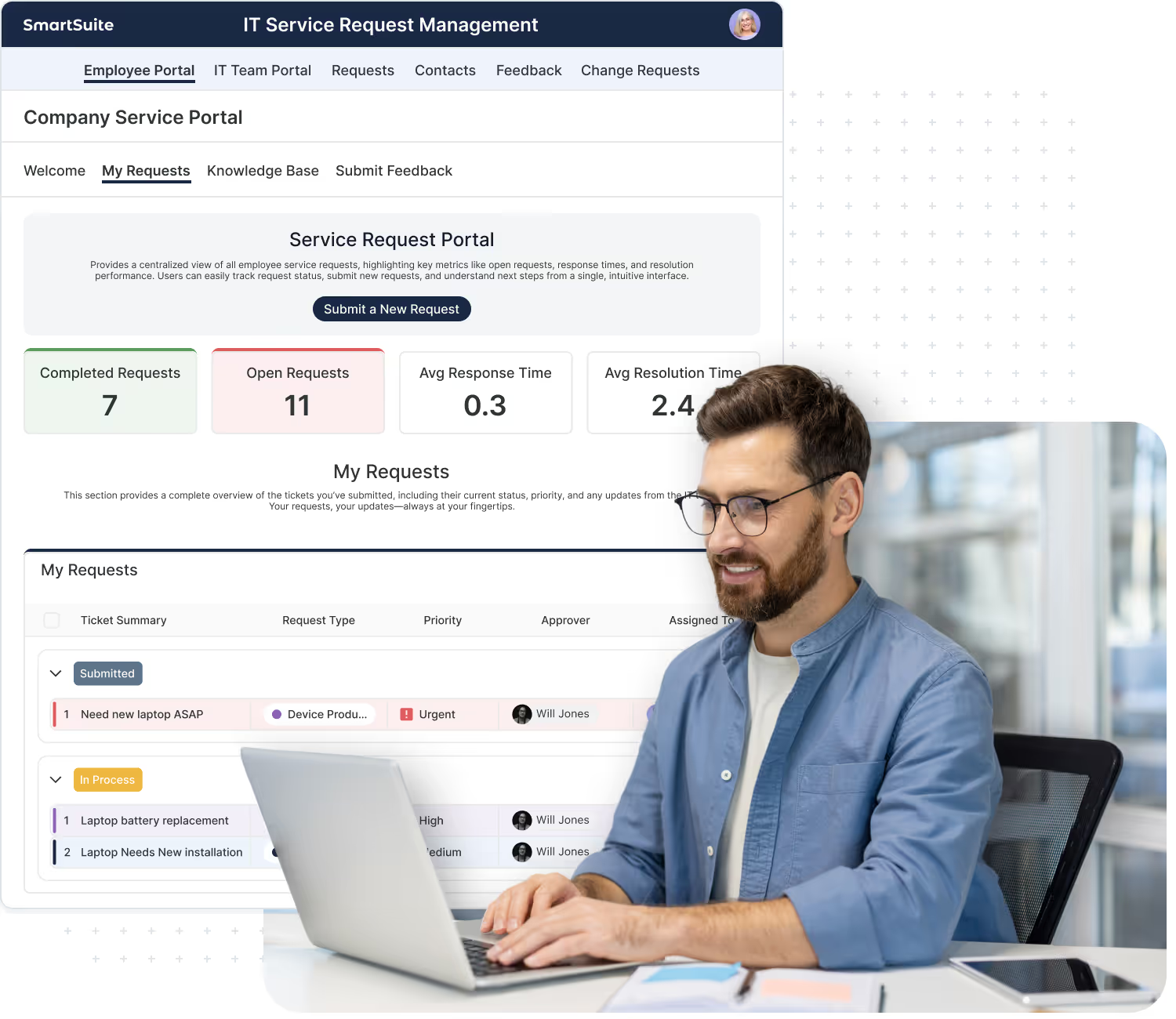
A Technical Account Manager Who Knows Your Environment
What your TAM helps with:
Your TAM learns your core GRC, IT, PMO, and operations use cases, so conversations start from context, not zero.
Periodic reviews of configuration, usage patterns, and recurring issues, with concrete recommendations to improve stability, performance, and resilience.
Coordination across support, product, and (when needed) services teams to resolve multi-layer issues that span configuration, integrations, data, or infrastructure.
Scheduled sessions where your team can walk through tricky scenarios, understand best practices, and talk through options before making changes.
When appropriate, your TAM manages a structured escalation path to SmartSuite leadership—ensuring executive awareness and alignment on critical issues and follow-up actions.
Be Ready For What’s Coming Next
Premium Support also keeps you in sync with where the SmartSuite platform is headed. Instead of reacting to changes, you’ll have a clear line of sight into upcoming releases and how they impact your environment.
The goal is to help you plan, not just respond—so SmartSuite continues to support your evolving GRC, IT, and enterprise strategies.
Understand new features, deprecations, and recommended actions before they hit your environment, so upgrades are planned—not surprises.
Discuss your priorities with your TAM so we can highlight roadmap items that matter most to your use cases and timing.
Provide structured feedback on what’s working, what’s missing, and which enhancements would have the biggest impact—so your needs are represented in future planning.
Premium Support customers are prioritized for Product Advisory Council participation—giving your organization a stronger voice and direct influence on SmartSuite’s long-term roadmap.
The SmartSuite team behind Premium Support
Premium Support gives you more than a ticket queue. You get a named Technical Account Manager backed by a specialized team that understands your environment, coordinates complex issues, and keeps your SmartSuite usage aligned with your goals.

Your main point of contact and program lead. The Engagement Manager owns the plan and backlog, coordinates the broader Expert on Demand team, and makes sure the right resources are engaged at the right time.

Experienced product specialists who handle complex, multi-layer incidents. They diagnose issues that span configuration, data, integrations, and infrastructure, working closely with your TAM to drive resolution.

Contacts within our product and engineering teams who your TAM engages when cases reveal product bugs, feature gaps, or roadmap opportunities—ensuring the right items get visibility and prioritization.

Premium Support customers have structured access to SmartSuite’s executive leaders—not only for critical escalations, but also for periodic strategic alignment discussions about your roadmap, priorities, and long-term partnership.
Premium Support vs. Expert on Demand
Premium Support and Expert on Demand are designed to work together, but they solve different problems. Premium Support focuses on support, SLAs, and advocacy. Expert on Demand focuses on configuration, enhancements, and ongoing build work.
Keep mission-critical workflows online and aligned.
- Focus: incidents, questions, and stability
- Priority response SLAs and enhanced coverage
- Named Technical Account Manager (TAM) as your primary support advocate
- Coordination of complex cases across support, product, and services
- Executive escalation path for critical issues
- Proactive release briefings, upgrade guidance, and roadmap alignment
- Priority consideration for Product Advisory Council opportunities
Use Premium Support when you need a strong support posture for regulated or high-impact SmartSuite usage.
Continuously evolve how you use SmartSuite.
- Focus: configuration, enhancements, and integrations
- Fixed hours per month with a fractional SmartSuite team
- Workflow enhancements (fields, views, dashboards, automations)
- New Solutions and Interfaces for additional teams and use cases
- Implementing and maintaining integrations
- Improving reporting and dashboards across programs
- Ongoing advisory on workflow design and feature adoption
Use Expert on Demand when you want ongoing capacity to change and extend your implementation.
Together, Premium Support keeps you online, supported, and aligned with SmartSuite’s direction, while Expert on Demand gives you the hands-on capacity to evolve your workflows, Solutions, and integrations over time.
Compare SmartSuite Services
Use this comparison to understand what each service provides—then select the packages that align with your goals, timeline, and internal capacity.
Frequently Asked Questions About Premium Support
Premium Support is an elevated support offering for customers running mission-critical workflows on SmartSuite. It adds priority SLAs, enhanced coverage, a Technical Account Manager (TAM), and a structured escalation path on top of standard support—so issues are triaged faster and complex cases get coordinated attention.
Standard support gives you access to our help center and support team on a best-effort basis. Premium Support adds defined response targets for high-severity issues, priority routing, a named TAM, and proactive elements such as release briefings, roadmap alignment conversations, and a more formal feedback loop.
Premium Support is reactive and incident-focused—it’s about resolving issues, answering questions, and guiding you through upgrades or edge cases. Managed Services / Expert on Demand is proactive and configuration-focused—it provides hours each month for workflow changes, new Solutions, integrations, reporting, and roadmap-aligned improvements. Many Enterprise customers use both together.
Your TAM is your primary technical advocate inside SmartSuite. They learn your environment and key workflows, review recurring issues and configuration patterns, coordinate complex cases across support/product/services, host expert guidance sessions, and manage structured escalations—including executive visibility when appropriate.
Premium Support includes accelerated response targets for high-severity issues (such as Sev1/Sev2) and priority routing of your tickets. Exact SLAs and coverage details (hours, regions, severity definitions) are documented in your Premium Support agreement.
Premium Support may advise you on how to configure something, but it does not include ongoing configuration or build work in your workspace. Configuration changes, new workflows, and integrations are handled through Advisory & Implementation projects or Managed Services (Expert on Demand).
Premium Support is best suited for customers running critical GRC, IT, or operational workflows on SmartSuite—where downtime, unresolved issues, or delayed responses could have significant business, regulatory, or reputational impact, and where executive awareness of critical incidents is important.
Premium Support includes release briefings and upgrade guidance, roadmap alignment conversations with your TAM, and a structured feedback loop. This helps you understand upcoming changes before they hit your environment and ensures your needs are represented as we plan future releases.
Premium Support customers are prioritized for Product Advisory Council opportunities. While we can’t guarantee every customer a seat, Premium Support customers are at the front of the line when we assemble councils—giving your organization a stronger voice and direct influence on SmartSuite’s long-term roadmap.
Talk with your SmartSuite account team. We’ll review your current usage, critical workflows, and support needs, then recommend a Premium Support model—and, if helpful, how it should pair with Expert on Demand and other SmartSuite Services. Once agreed, we’ll finalize your Premium Support agreement, assign your TAM, and schedule an onboarding session.
Add Premium Support to your SmartSuite deployment
Tell us about your critical workflows, risk profile, and internal support model—our team will recommend the right Premium Support approach and how it pairs with Managed Services and the rest of your services program.