

Marketing Operations

Modernizing Marketing Operations

Unify campaigns, content, and analytics in one connected platform. SmartSuite empowers marketing teams to plan, execute, and measure performance collaboratively — driving engagement, visibility, and growth across the organization.

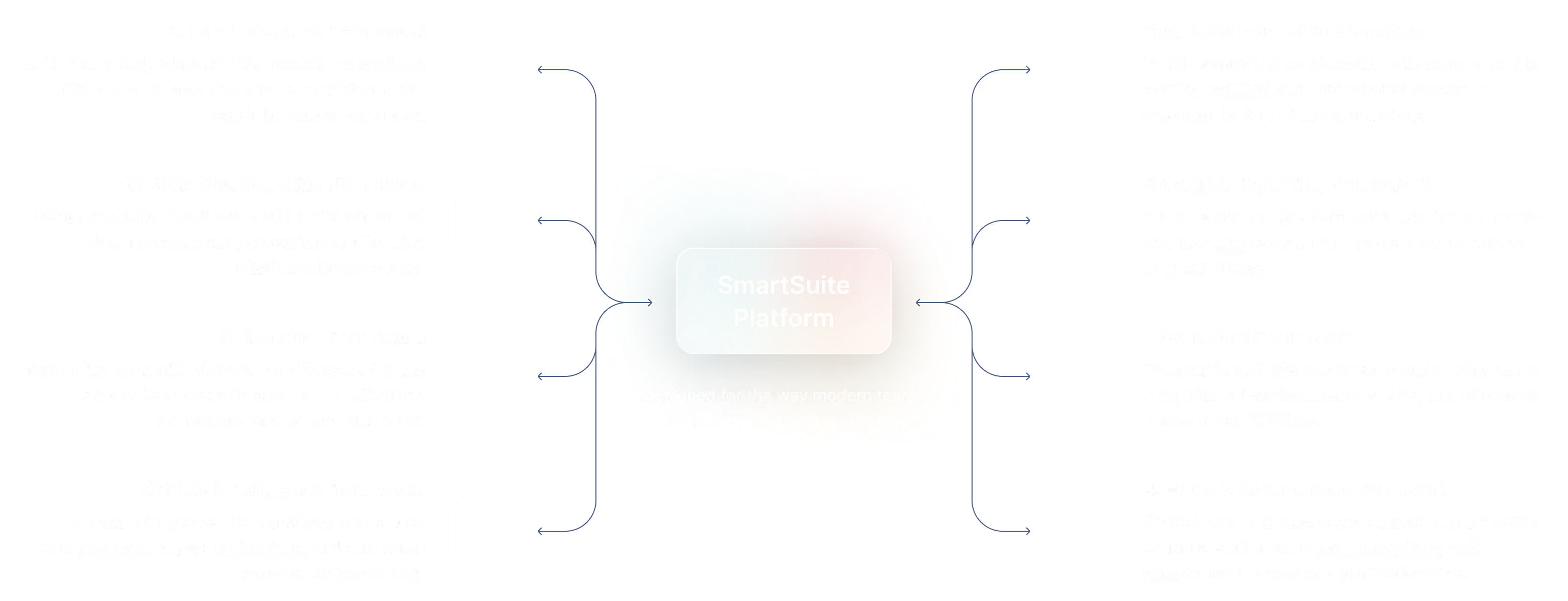
One Platform for Connected Marketing Operations

SmartSuite brings every part of your marketing ecosystem into one workspace — connecting campaigns, content, and performance analytics. Eliminate silos between strategy, execution, and reporting with automated workflows and real-time visibility.

Campaign Planning

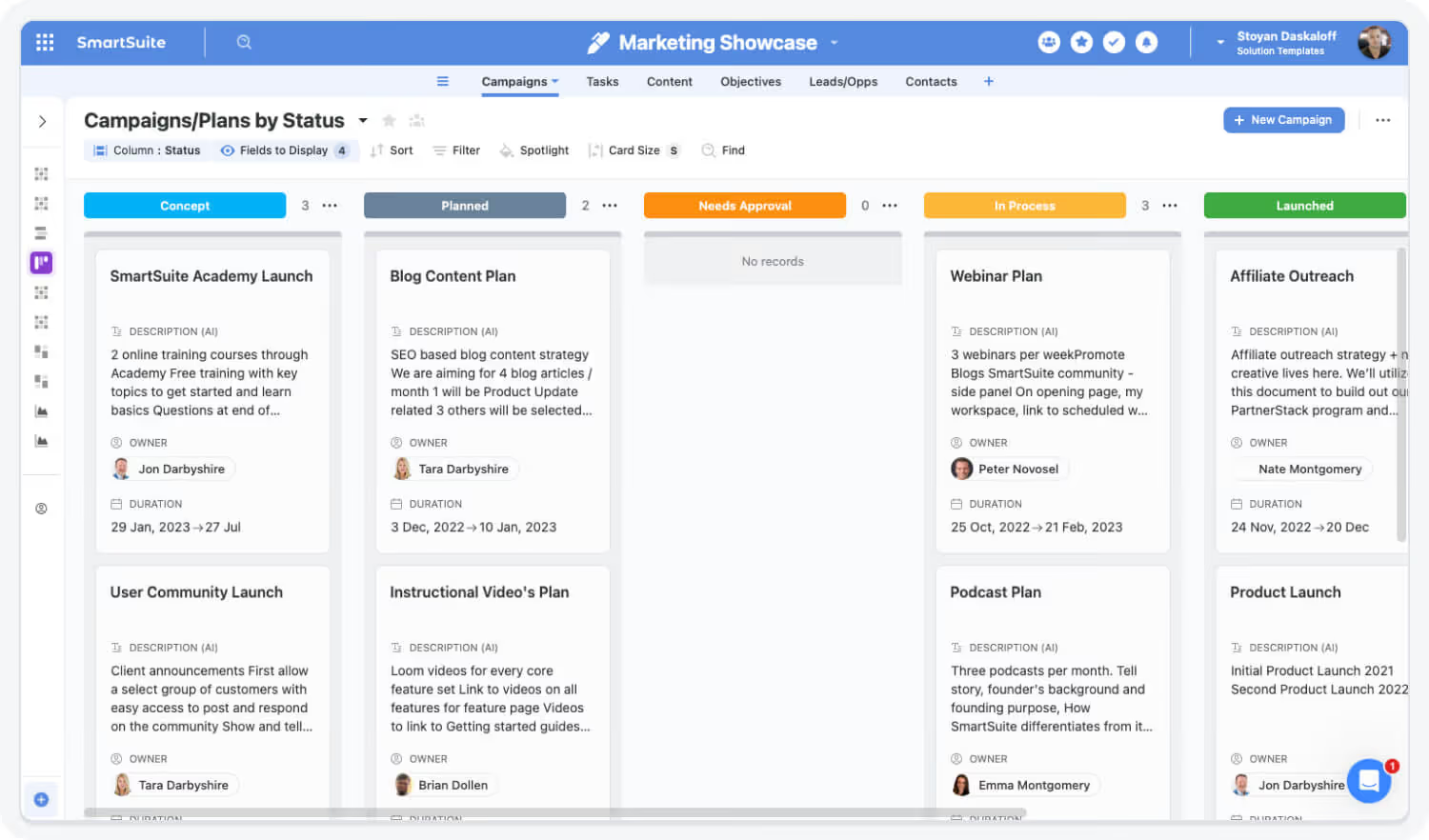
Plan campaigns, timelines, and dependencies in one connected workspace.

Workflow Automation

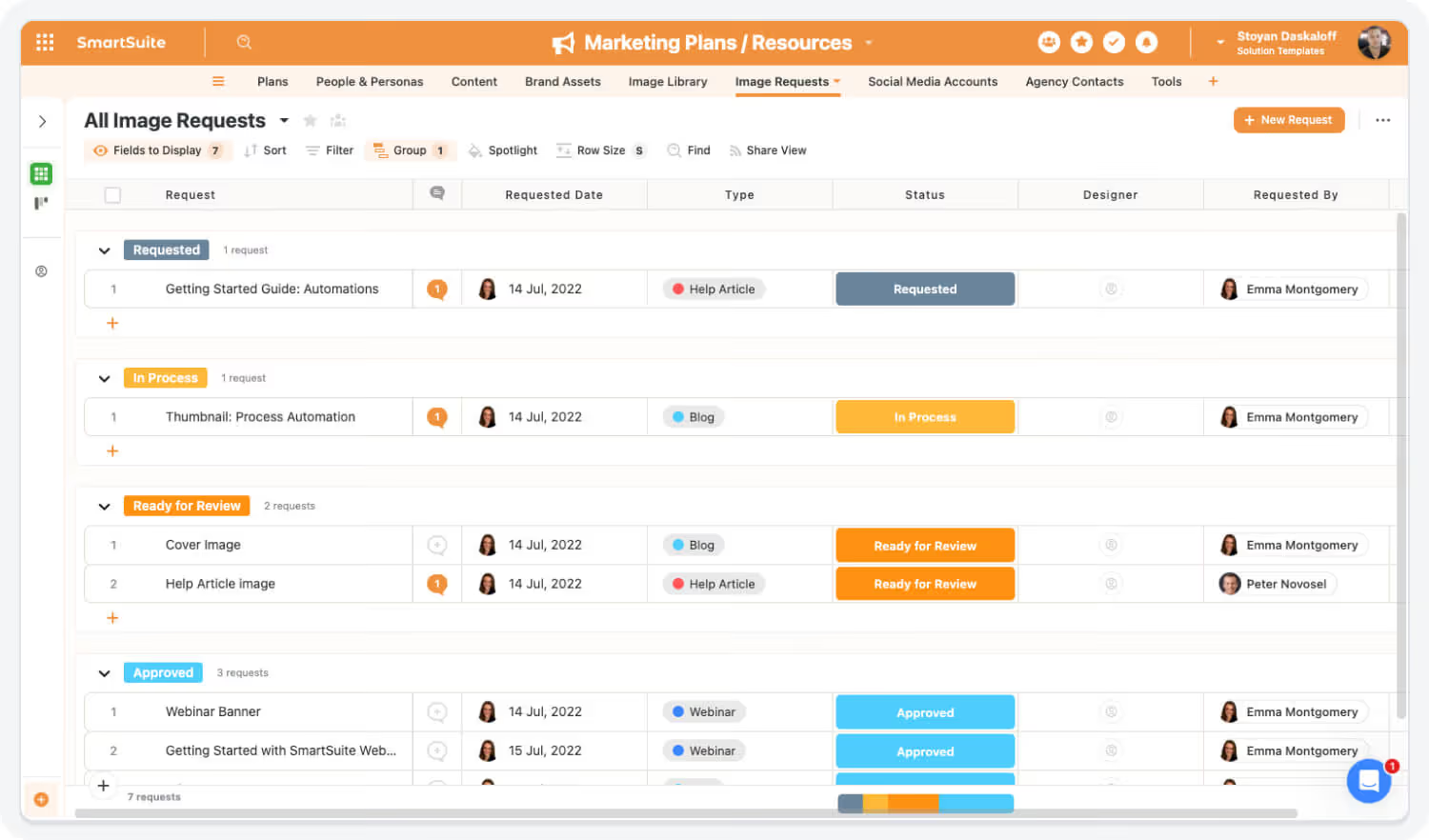
Automate reviews, approvals, and handoffs to keep campaigns moving.

Performance Tracking

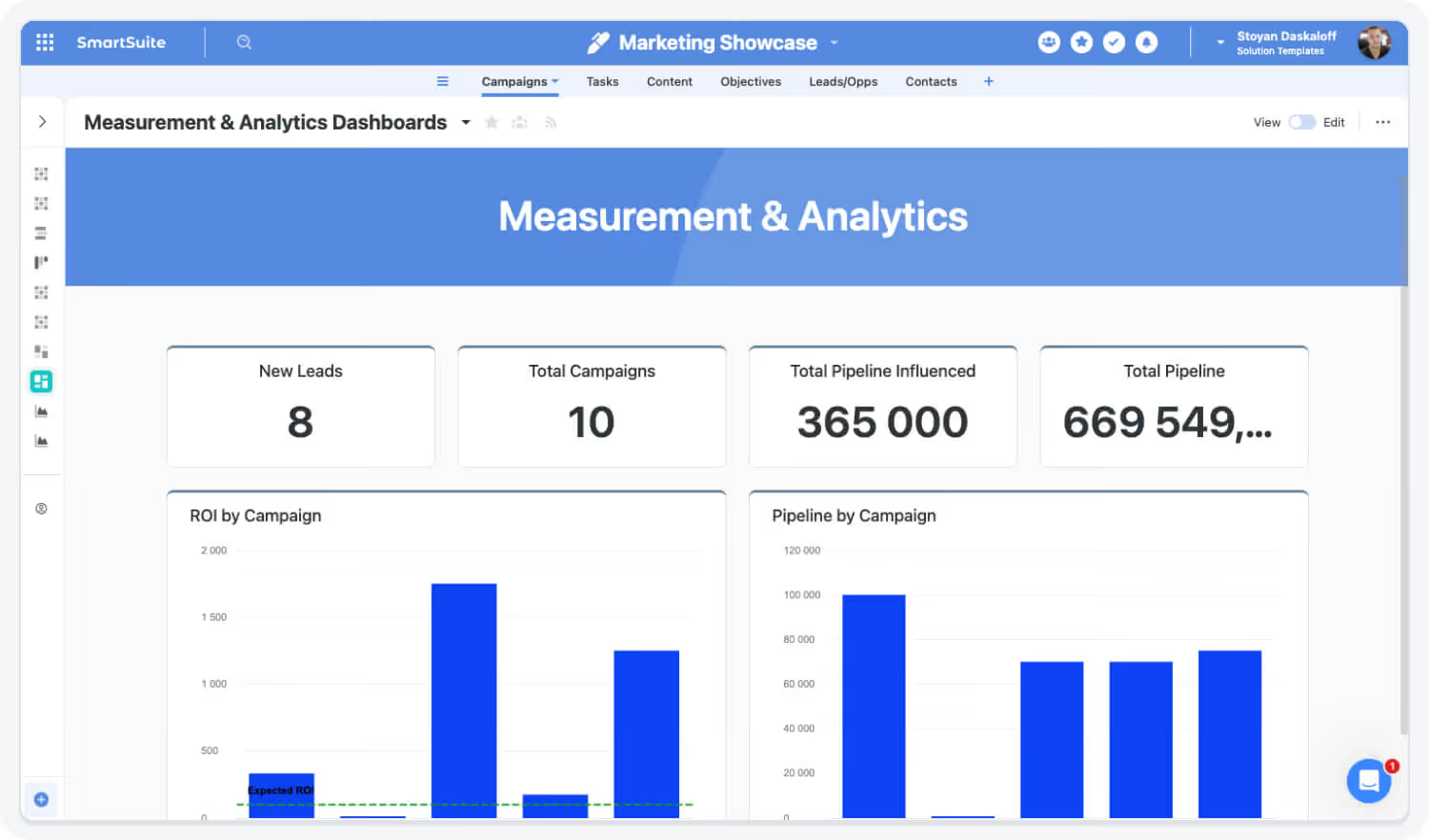
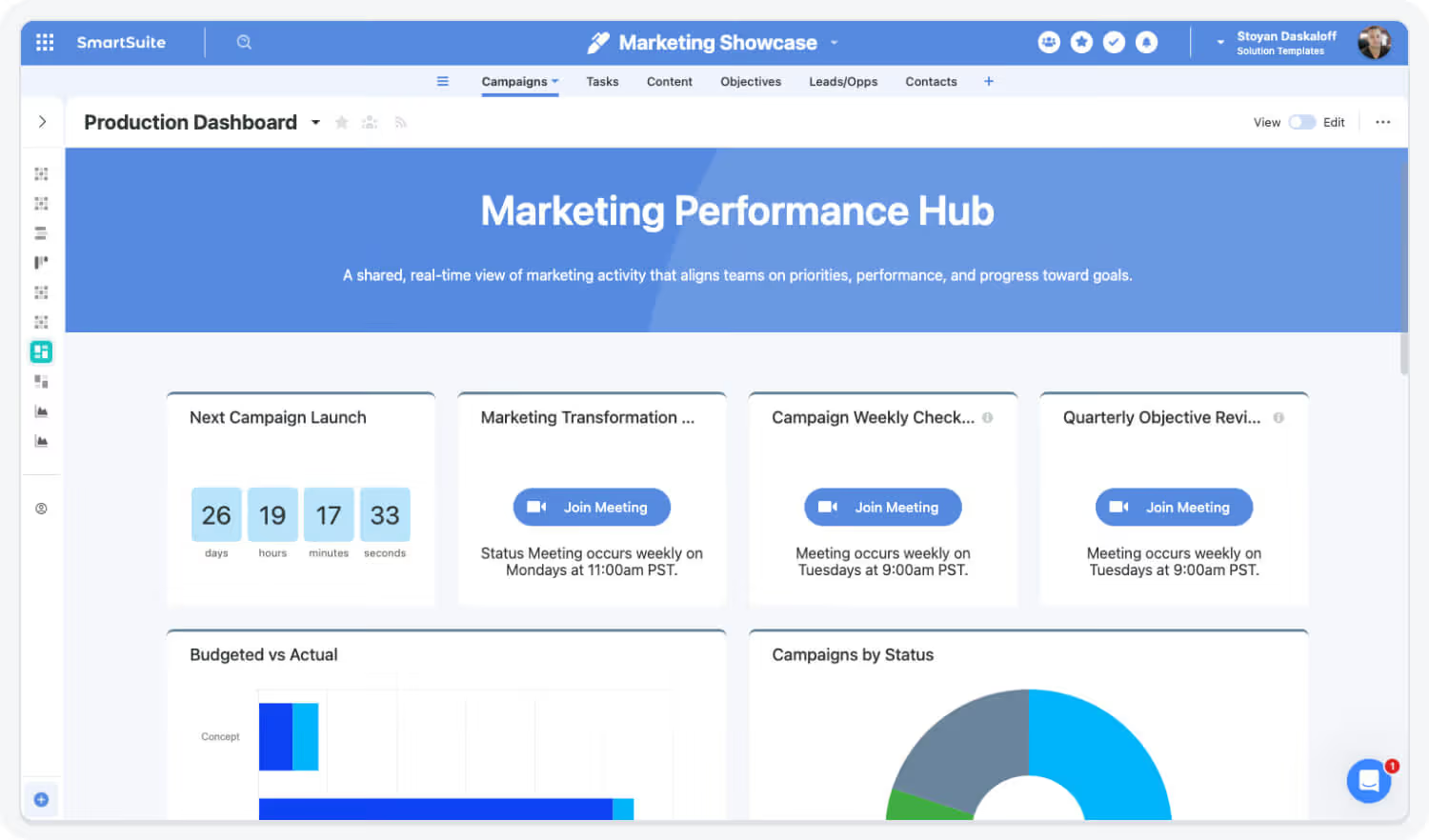
Measure ROI, conversions, and engagement with real-time dashboards.

Content Governance

Maintain version control, approvals, and auditability across assets.

Core Capabilities of the Marketing Operations Suite

SmartSuite connects all aspects of marketing operations — from planning and content creation to campaign execution and analytics — in one flexible, no-code platform.

Orchestrate marketing operations with speed, consistency, and compliance.

Centralize campaign planning, content production, reviews, approvals, and calendars in one connected workspace. SmartSuite links marketing work to owners, assets, and compliance checks—providing real-time visibility, faster launches, and confident execution across channels and teams.

Plan and Execute Campaigns with Clarity

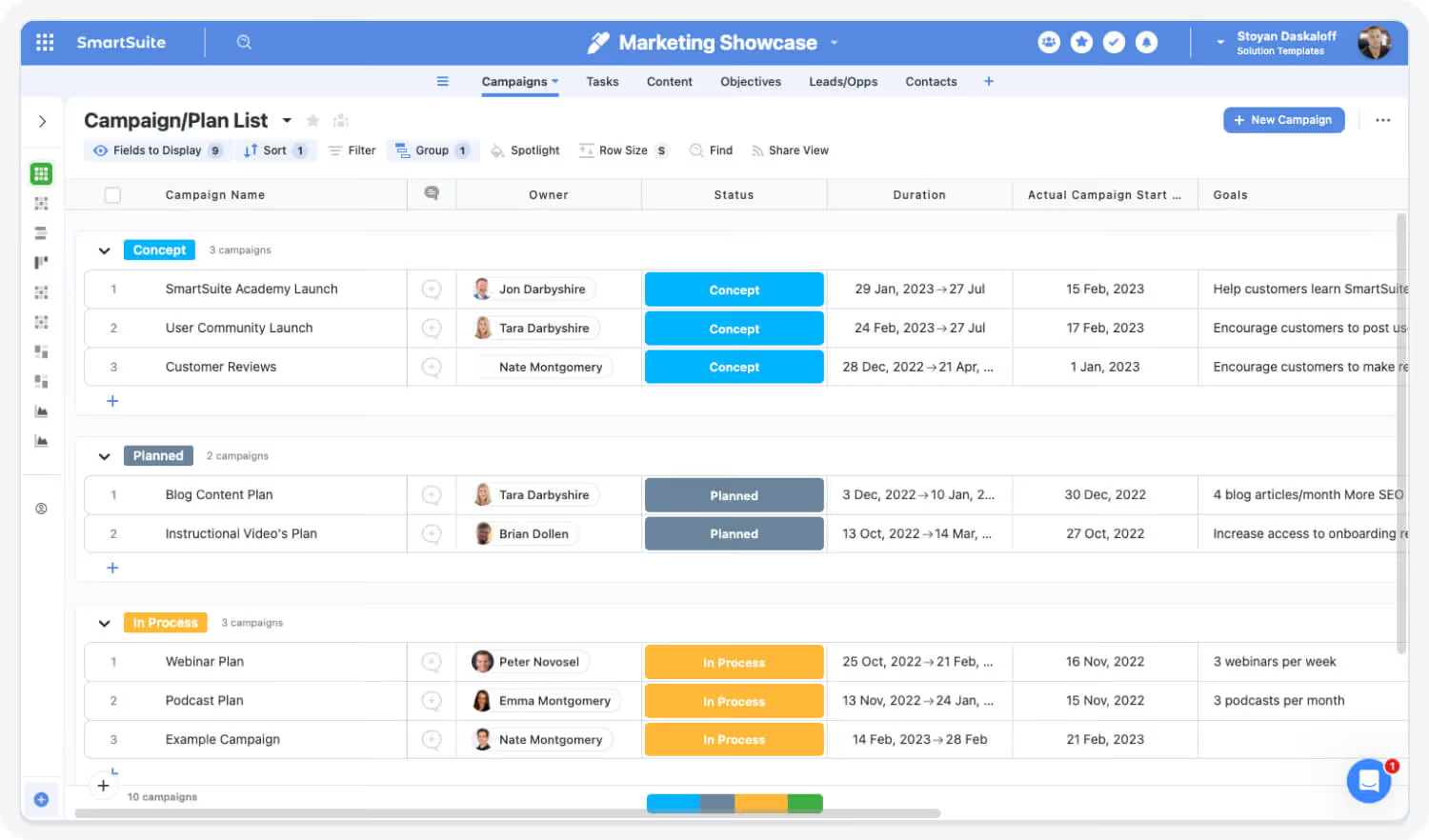
Manage every campaign from concept to reporting in one shared workspace. SmartSuite connects marketing and sales to keep activities aligned with business goals.

Highlights:

  • arrow_forward
    Unified campaign planning and calendars
  • arrow_forward
    Linked assets, channels, and stakeholders
  • arrow_forward
    Cross-team visibility into milestones and status

Collaborate on Content Production

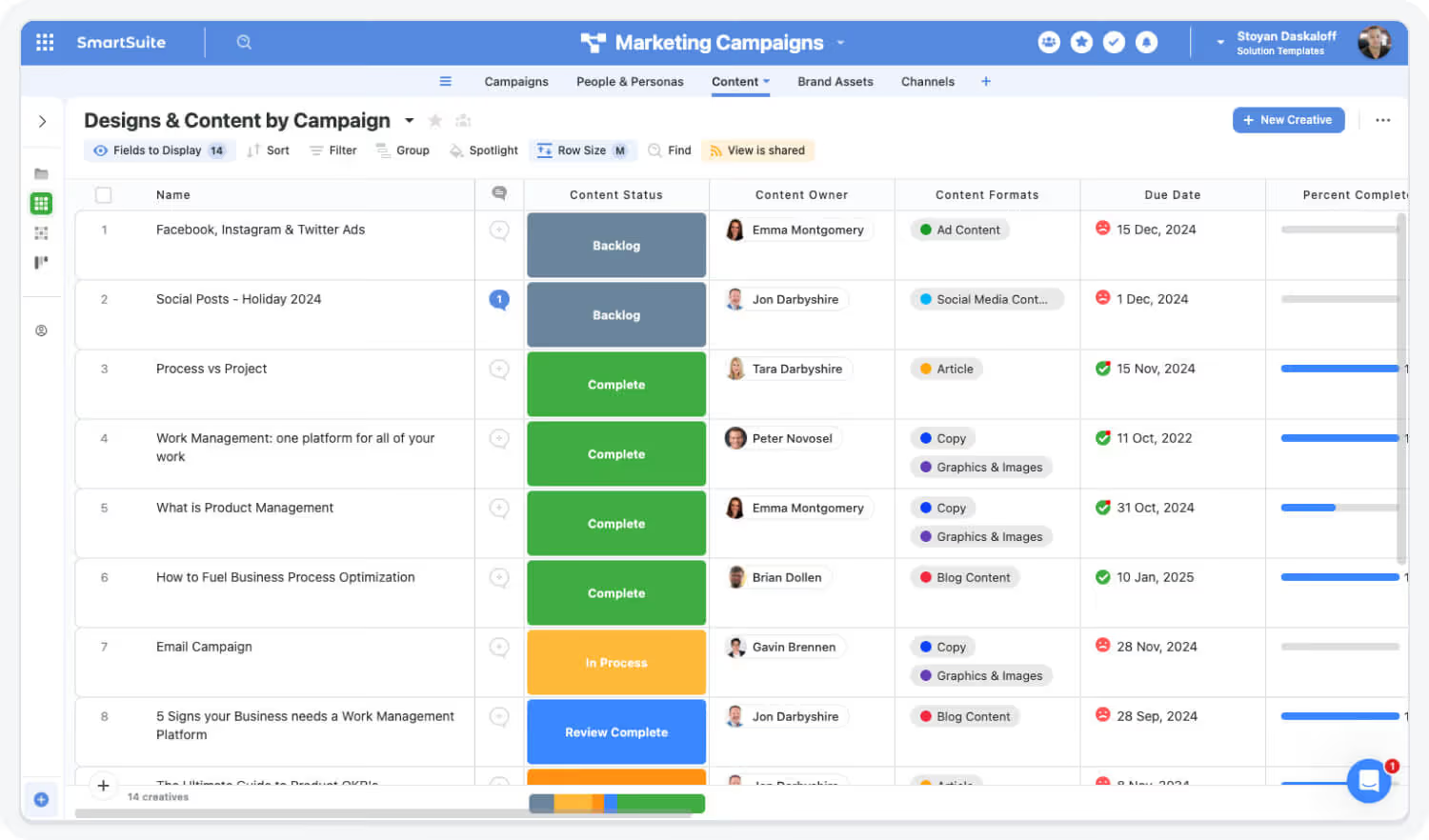
Coordinate creative teams, copywriters, and designers with structured workflows for planning, approvals, and publishing.

Highlights:

  • arrow_forward
    Role-based task assignments and review cycles
  • arrow_forward
    Integrated asset libraries with version control
  • arrow_forward
    Approval workflows and automated notifications

Automate Marketing Processes

Save time and reduce manual effort with automation across approvals, campaign handoffs, and reporting.

Highlights:

  • arrow_forward
    Automated campaign kickoffs and alerts
  • arrow_forward
    Workflow triggers for asset delivery and reviews
  • arrow_forward
    Integrations with email, Slack, and project tools

Track Performance and ROI

Gain complete visibility into campaign effectiveness with real-time analytics and dashboards.

Highlights:

  • arrow_forward
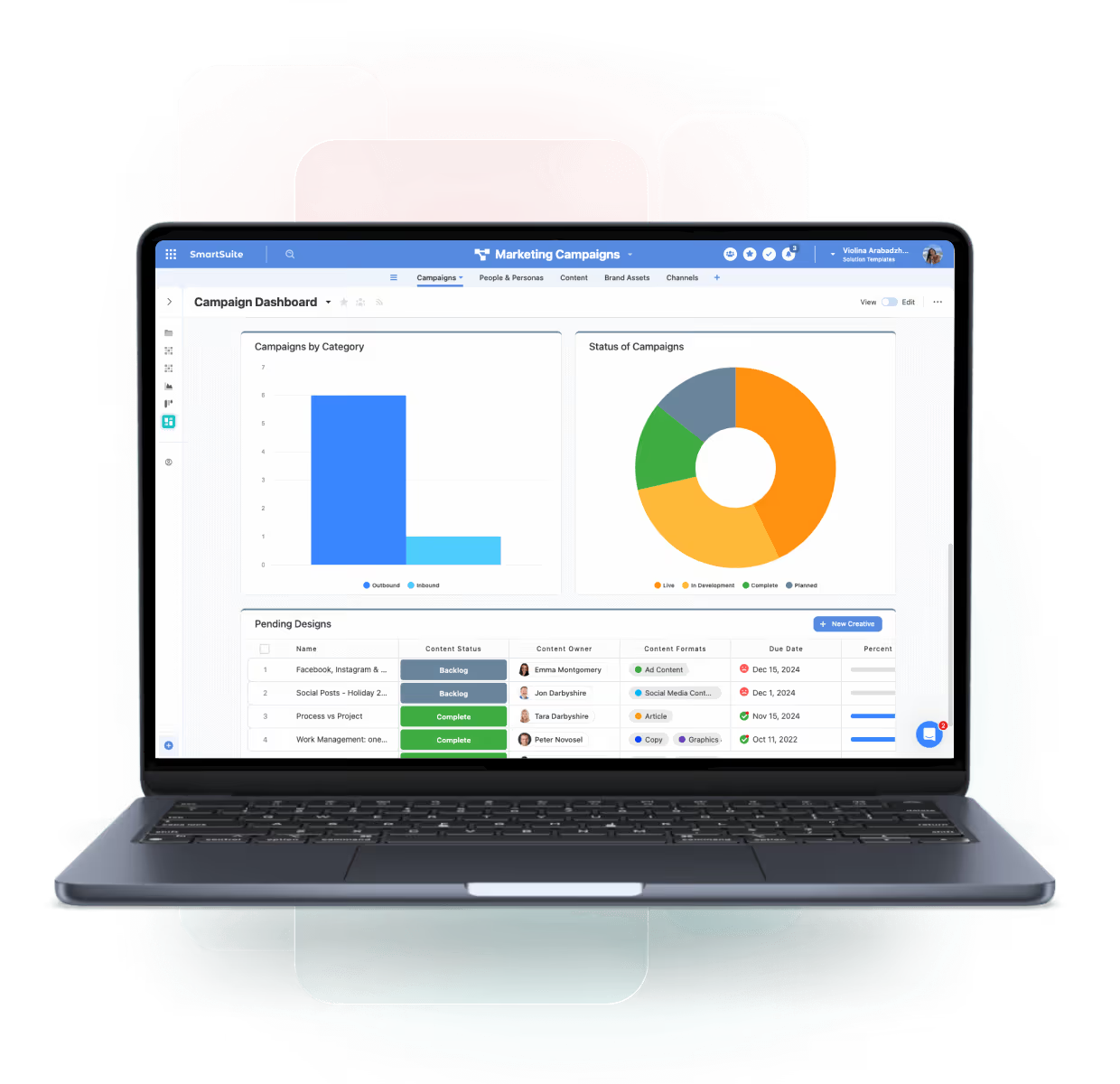
    Customizable marketing dashboards
  • arrow_forward
    ROI and conversion tracking across campaigns
  • arrow_forward
    Attribution insights by channel and audience

Align Marketing with Business Goals

Connect marketing performance directly to sales and company objectives. SmartSuite’s connected data model bridges teams and delivers a complete view of marketing impact.

Highlights:

  • arrow_forward
    Linked KPIs across sales and marketing pipelines
  • arrow_forward
    Shared data models for revenue attribution
  • arrow_forward
    Executive dashboards for leadership insights

Built For Modern Marketing Operations Teams

SmartSuite brings enterprise-grade marketing operations with consumer-grade usability. Choose the rollout path that fits your team today—and expand as campaigns, channels, and compliance requirements grow.

Start Small

Adopt a Single Capability

Begin with Campaign Planning, Content Production, or Review & Approval Workflows—prove value fast and expand from there.

Scale Confidently

Roll Out a Full Category

Enable marketing operations end-to-end—connecting planning, execution, reviews, approvals, calendars, and performance tracking in one coordinated system.

Unify Everything

Deploy the Entire Higher Education Operations Suite

Standardize marketing execution with shared workflows, version control, and real-time dashboards—delivering faster launches, reduced risk, and consistent brand governance across the organization.

Frequently Asked Questions

Answers to the most common questions about SmartSuite’s Marketing Operations capabilities.

See How SmartSuite Unifies Campaigns, Content, and Analytics

Experience how SmartSuite connects marketing teams, workflows, and data in one place — helping you plan smarter, execute faster, and measure results with confidence.

The Connected Value of SmartSuite Marketing Operations

Quantifiable improvements achieved when organizations unify campaign planning, content workflows, approvals, and performance reporting in SmartSuite.

28%
info

Source: Gartner Marketing Operations Benchmark, 2023 — integrated campaign management platforms accelerated time-to-launch by 25–30%.

Faster Campaign Execution Cycles

Centralized planning, automated approvals, and shared calendars reduce delays between ideation, launch, and execution across teams.

30%
info

Source: Forrester Marketing Workflow Automation Study, 2023 — workflow automation reduced manual coordination effort by 25–35%.

Reduction in Manual Coordination & Rework

Automated routing, version control, and standardized intake eliminate email-driven coordination and repeated revisions across Marketing, Legal, and Creative.

27%
info

Source: McKinsey Marketing Analytics Impact Report, 2022 — organizations with unified performance visibility improved campaign effectiveness by ~25–30%.

Improved Campaign Performance Visibility

Real-time dashboards unify spend, engagement, conversion, and pipeline impact — enabling faster optimization and better ROI decisions.

33%
info

Source: BCG Go-To-Market Productivity Study, 2023 — connected GTM platforms increased cross-team efficiency by 30–35%.

Stronger Cross-Functional Alignment

Shared records, approval histories, and contextual communication improve collaboration between Marketing, Sales, RevOps, and Compliance teams.

Key Benefits of the Marketing Operations Solution Suite

Marketing teams need connected workflows, performance visibility, and seamless collaboration across campaigns, assets, and channels. SmartSuite unifies marketing operations into one platform—helping teams move faster, stay aligned, and demonstrate measurable impact.

Strategic Planning, Visibility & Performance Insights

Unified Campaign Planning

Centralize campaign briefs, messaging, timelines, assets, and KPIs in one workspace.

Cross-Channel Visibility

Track email, paid media, social, events, and web initiatives consistently.

Real-Time Marketing Dashboards

Monitor spend, engagement, conversions, pipeline contribution, and ROI live.

Integrated Content Calendars

Plan and visualize content across teams, channels, and regions.

Funnel Transparency

Give Sales and Leadership insight into MQL quality, lead flow, and impact.

Audience & Segmentation Insight

Connect lead and customer data to campaigns for smarter targeting.

Execution Efficiency, Workflow Automation & Collaboration

Automated Campaign Workflows

Trigger tasks, approvals, reminders, and asset reviews automatically.

Contextual Creative Collaboration

Centralize feedback, attachments, and discussions around creative work.

Asset & Version Management

Store and manage creative files with controlled versions and history.

Standardized Intake & Briefs

Ensure consistent requests, requirements, and execution workflows.

Launch & Promotion Coordination

Align teams using structured launch checklists and automated handoffs.

AI-Assisted Campaign Support

Use AI Assist to draft copy, summarize analytics, and generate insights.

Governance, Brand Consistency & Measurable Impact

Brand Governance & Quality Control

Ensure content meets brand, legal, and compliance standards.

Privacy & Permission Controls

Protect data and workflows with role-based access and audit trails.

Scalable Global Marketing

Support teams across regions and business units with flexible workflows.

Campaign Effectiveness Measurement

Track campaigns from planning through execution to results.

Standardized Marketing Playbooks

Reuse proven frameworks for emails, events, launches, and paid media.

Continuous Optimization Culture

Use insights and retrospectives to refine strategy and performance.

Drive Alignment, Speed, and Measurable Marketing Impact

Break down silos between marketing, sales, and creative teams.
SmartSuite helps you collaborate in real time, automate approvals, and track performance across every campaign and channel.

Talk to an Expert
arrow_forward

How the SmartSuite Platform Powers Marketing Operations

SmartSuite connects marketing planning, campaign execution, and performance reporting in one flexible platform. From automation and analytics to AI-assisted content and approvals, it empowers marketing teams to move faster and prove impact.

No-Code Configuration

Build and adapt campaign, content, and reporting workflows instantly without relying on IT.

arrow_forward
Example:

A Marketing Ops Manager creates a “Campaign Brief” workflow with fields for objectives, target audience, and KPIs — fully customized in minutes.

Automation Engine

Automate campaign kickoffs, content approvals, and performance reporting.

arrow_forward
Example:

When a campaign is approved, SmartSuite automatically assigns creative tasks, notifies stakeholders, and schedules key dates.

AI Assist for Marketing Teams

Generate content summaries, draft copy, and campaign reports automatically.

arrow_forward
Example:

AI Assist summarizes weekly campaign performance and drafts optimization recommendations for the team.

Linked Record Architecture

Connect campaigns, content assets, budgets, and performance data for full traceability.

arrow_forward
Example:

A Campaign record automatically links to related ads, landing pages, and leads generated from CRM.

Dashboards & Analytics

Visualize KPIs across channels, measure ROI, and identify trends in real time.

arrow_forward
Example:

CMOs monitor ROI, cost per lead, and campaign status in an executive dashboard updated daily.

Integrations & APIs

Sync SmartSuite with marketing and analytics tools like HubSpot, Google Analytics, and LinkedIn Ads.

arrow_forward
Example:

Automatically pull lead data from HubSpot or engagement metrics from LinkedIn for consolidated reporting.

Connect Campaign Planning and Execution

SmartSuite centralizes marketing planning and execution by linking every campaign, task, and asset in one platform. Teams gain complete visibility into timelines, dependencies, and performance while ensuring cross-functional alignment across marketing, sales, and creative teams.

Powered by :
Linked Records
Views (Grid, Kanban, Timeline, Calendar, Map)
Real-Time Updates
Dashboards & Reporting

Automate Marketing Workflows and Approvals

SmartSuite’s automation engine replaces manual coordination with automated triggers that route tasks, approvals, and notifications. This keeps campaigns on schedule and ensures visibility at every stage of the process.

Powered by :
Approval Workflows
Automations
Version History
Notifications

Measure and Optimize Campaign Performance

SmartSuite dashboards consolidate performance data from multiple tools into a single view. Marketing leaders can measure ROI, track lead conversions, and optimize budgets based on real-time performance insights.

Powered by :
Dashboards & Reporting
Global Filters
KPI Scorecards
Native Integrations

AI Assist and Automation Drive Marketing Agility

AI Assist accelerates reporting and content generation, while automation keeps work moving. Together, they enable marketing teams to focus on strategy and creativity instead of coordination.

Powered by :
AI Assist
Automations
Task Management
Real-Time Updates

The SmartSuite Platform:
Powered by Eight Interconnected Frameworks

The SmartSuite Platform consists of eight interconnected frameworks that provide a foundation for designing, automating, analyzing, and governing connected workflows.

Security and Governance, Built for Enterprise Scale

SmartSuite provides fine-grained, role-based permissions that protect data without slowing innovation.
Define access down to the record, field, or workflow level, enforce compliance with SSO, 2FA, and IP restrictions, and maintain a complete audit trail of every action.
With SmartSuite, governance and agility work together — innovation moves fast, and your security moves with it.

assignment_ind
Role-Based Access

Control visibility by user, role, or team.

local_police
Authentication

SSO, 2FA, and IP restrictions built-in.

policy
Audit History

Track every change for 3+ years.

assured_workload
Compliance

SOC 2, GDPR, and enterprise governance ready.

Work Seamlessly — Anytime, Anywhere, on Any Device

Stay connected and productive wherever you are.
SmartSuite works flawlessly across web, tablet, and mobile, so your team can manage projects, collaborate, and automate workflows in real time — whether in the office, remote, or on the go.

App Store IconGoogle Play Icon

The Platform That Connects Every Marketing Workflow

From content planning and campaign automation to performance reporting, SmartSuite gives marketing teams a connected platform to manage the entire lifecycle of their work — with complete visibility from strategy to ROI.

Role-Based Capabilities for Higher Education Teams

SmartSuite is built for academic leaders, operations teams, finance offices, research administrators, and campus-wide staff.

Executive Leadership

Chief Marketing Officer (CMO)

Owns marketing strategy and business outcomes, setting direction across positioning, growth priorities, and budget allocation.

  • Benefit Statement:

SmartSuite gives CMOs a single view of marketing impact and execution health — enabling better investment decisions and clearer accountability to revenue.

  • Benefit Source:

Executive dashboards, KPI scorecards, pipeline influence reporting, and portfolio-level visibility.

How They Use It:

Strategic Direction

Sets priorities and evaluates whether programs align to company goals and revenue targets.

Investment Oversight

Allocates budget across initiatives using performance and pipeline signals.

Board & Executive Reporting

Delivers leadership-ready summaries on impact, spend efficiency, and momentum.

Executive Leadership

VP / Head of Marketing

Owns operational execution of the marketing plan across teams and channels, accountable for delivery, performance, and team throughput.

  • Benefit Statement:

SmartSuite helps marketing leaders run execution with discipline — ensuring campaigns ship on time, spend is controlled, and performance is visible.

  • Benefit Source:

Campaign calendars, workflow dashboards, approval tracking, and spend visibility.

How They Use It:

Execution Governance

Monitors campaign readiness, dependencies, and cross-team delivery timelines.

Performance Management

Reviews channel performance and adjusts priorities to hit targets.

Operational Leadership

Identifies bottlenecks and drives process improvements across teams.

Marketing Operations & Strategy

Director / Manager of Marketing Operations

Owns marketing’s operating model — processes, systems, data hygiene, automation, and reporting standards across the marketing org.

  • Benefit Statement:

SmartSuite gives Marketing Ops a unified system to standardize workflows and reporting — reducing tool sprawl and increasing execution consistency.

  • Benefit Source:

Workflow automation, data models, dashboards, and governance controls.

How They Use It:

Process Standardization

Builds repeatable workflows for intake, approvals, and campaign operations.

Data & Reporting Governance

Maintains consistent definitions, fields, and dashboards for measurement.

Automation Enablement

Automates routing, status updates, SLAs, and cross-team handoffs.

Marketing Operations & Strategy

Campaign Manager / Demand Generation Lead

Owns campaign execution and pipeline impact across channels, including planning, launch readiness, and optimization.

  • Benefit Statement:

SmartSuite keeps demand programs on schedule with clear ownership, approvals, and performance visibility.

  • Benefit Source:

Campaign workflows, task tracking, approvals, and dashboards.

How They Use It:

Campaign Delivery

Manages timelines, assets, and dependencies from brief to launch.

Cross-Team Coordination

Aligns creative, web, ops, and stakeholders through shared workflows.

Optimization Actions

Uses performance signals to adjust targeting, spend, and sequencing.

Creative & Content Teams

Content Marketing Manager

Owns content strategy, editorial planning, and program execution to support awareness, demand, and customer lifecycle needs.

  • Benefit Statement:

SmartSuite connects content planning, production, approvals, and publishing — improving throughput and reducing rework.

  • Benefit Source:

Editorial calendars, briefs, approval workflows, and asset linking.

How They Use It:

Editorial Planning

Manages calendar, themes, briefs, and deadlines.

Workflow Orchestration

Routes content through review, approval, and publishing steps.

Content Performance

Links content assets to engagement and campaign outcomes.

Creative & Content Teams

Copywriter / Communications Specialist

Produces copy for campaigns, landing pages, emails, announcements, and enablement assets with consistent messaging.

  • Benefit Statement:

SmartSuite gives writers clear requirements, feedback structure, and version control for faster review cycles.

  • Benefit Source:

Templates, reviewer workflows, comments, and version history.

How They Use It:

Draft Production

Writes copy tied to briefs with clear deliverables and deadlines.

Review Cycles

Iterates with stakeholders through structured feedback and approvals.

Asset Management

Maintains approved messaging and reusable copy blocks.

Creative & Content Teams

Design Lead / Creative Director

Owns creative production and design quality across campaigns, ensuring assets are delivered on time and meet brand standards.

  • Benefit Statement:

SmartSuite provides structured creative workflows and visibility into workload, feedback, and delivery timelines — reducing rework and last-minute rush.

  • Benefit Source:

Request intake, asset workflows, collaboration threads, timelines, and dashboards.

How They Use It:

Creative Production

Manages design requests, priorities, and delivery schedules across campaigns.

Feedback & Iteration

Tracks comments, revisions, and approvals in one place with full history.

Capacity Visibility

Monitors workload and utilization to balance creative team throughput.

Analytics & Marketing Technology

Marketing Analyst / Insights Lead

Owns performance measurement, reporting, and insight generation across channels and campaigns.

  • Benefit Statement:

SmartSuite consolidates campaign and funnel data into a consistent reporting layer for faster insights and better decisions.

  • Benefit Source:

Dashboards, KPI scorecards, analytics views, and linked campaign records.

How They Use It:

Measurement Frameworks

Defines KPIs, attribution logic, and reporting standards.

Performance Reporting

Builds dashboards for ROI, conversion, and channel effectiveness.

Insight & Recommendations

Identifies trends and prescribes actions to improve outcomes.

Analytics & Marketing Technology

Marketing Technologist / Automation Specialist

Owns marketing tech stack configuration and integrations, ensuring systems sync and automation runs reliably.

  • Benefit Statement:

SmartSuite provides a workflow layer that connects tools and operationalizes execution — improving data flow and reducing manual work.

  • Benefit Source:

Integrations, automation triggers, data validation, and sync monitoring.

How They Use It:

System Integration

Connects SmartSuite with CRM/MAP tools for unified GTM workflows.

Automation Reliability

Builds and maintains triggers for launches, routing, and lifecycle updates.

Data Hygiene Controls

Monitors sync health and resolves data quality issues across systems.

Extended Roles

Sales Development Manager / RevOps Partner

Owns cross-functional funnel governance, ensuring lead handoffs, attribution, and pipeline reporting are consistent and actionable.

  • Benefit Statement:

SmartSuite creates shared visibility between Sales and Marketing — reducing lead leakage and improving conversion accountability.

  • Benefit Source:

Connected lead/opportunity records, shared dashboards, handoff workflows, and reporting.

How They Use It:

Handoff Governance

Tracks MQL→SQL progression and identifies conversion bottlenecks.

Attribution & Pipeline Reporting

Links campaigns to opportunities for accurate pipeline contribution reporting.

Funnel Optimization

Coordinates workflow and SLA changes to improve velocity and quality.

Built for Every Role in Higher Education

Whether you’re an AVP, Institutional Effectiveness leader, Student Affairs director, department admin, or IT stakeholder — SmartSuite provides connected workflows for the work that keeps campuses running.

Flexible Pricing Designed for Every Organization

Whether you’re a growing team or a global enterprise, SmartSuite’s pricing adapts to how your business works.
Choose platform-wide access with user-based pricing or tailor licenses to your organization’s scale and structure with our solution-based model.

account_circle

User-Based Pricing

provides access to the entire SmartSuite platform under one per-user license, perfect for connected workflows across teams and departments.

deployed_code

Solution-Based Pricing

is purpose-built for enterprises with thousands to tens of thousands of users, offering the flexibility to license only the specific SmartSuite Solutions needed for scale, compliance, and control.

User-Based Pricing: Simplify Access Across Every Team

Our Team, Pro, and Enterprise plans make it easy to scale access across your organization. Each licensed user
can access all SmartSuite solutions — with predictable pricing that grows as you do.

  • arrow_forward
    One per-user license for all SmartSuite solutions.
  • arrow_forward
    Ideal for organizations connecting workflows across departments.
  • arrow_forward
    Seamlessly scalable across teams and business functions.
  • arrow_forward
    Available in Team, Pro, and Enterprise plan tiers.
arrow_forward
Ideal For:
Small to mid-sized businesses or companies deploying SmartSuite across multiple teams who value simplicity and
unified access.
Explore Pricing
arrow_forward
Team
$12
seat / month
Total $36 / month billed annually
For teams that need a better way to manage workflows
  • check
    SmartSuite AI
  • check
    Min 3 Billable Users
  • check
    Unlimited Solutions
  • check
    5,000 Records per Solution
  • check
    50GB of File Storage
  • check
    30 Days Recycle Bin
Professional
$24
seat / month
Total $90 / month billed annually
For teams and departments who need more advanced features to manage their workflows.
  • check
    SmartSuite AI
  • check
    Min 5 Billable Users
  • check
    Unlimited Solutions
  • check
    100,000 Records per Solution
  • check
    100GB of File Storage
  • check
    45 Days Recycle Bin
Included Team Plan plus:
  • check
    Folders
  • check
    Gmail and Outlook Integrations
  • check
    Advanced Permissions
Enterprise
$45
seat / month
Total $135 / month billed annually
For organizations that need scalable workflows with advanced features, security, and support.
  • check
    SmartSuite AI
  • check
    Min 10 Billable Users
  • check
    Unlimited Solutions
  • check
    400,000 Records per Solution
  • check
    500GB of File Storage
  • check
    60 Days Recycle Bin
Included Professional Plan plus:
  • check
    SSO
  • check
    SCIM User Provisioning
  • check
    SCIM-Synced User Groups
  • check
    Audit Logs
  • check
    IP Address Restrictions
  • check
    Data Loss Prevention (DPL)
  • check
    European Data Residency
  • check
    Premium Support

Solution-Based Pricing: Purpose-Built for Enterprise Scale

For global organizations and regulated industries requiring complex governance or large-scale rollouts, SmartSuite offers a Solution-Based pricing model. This model allows enterprises to license specific SmartSuite Solutions — such as GRC, ITSM, or Procurement — for tens of thousands of users, tailored to their exact needs.

  • arrow_forward
    Tailored Licensing — Structure licenses by department, region, or regulatory requirement.
  • arrow_forward
    Purpose-Built for Scale — Designed for enterprises managing thousands of users.
  • arrow_forward
    Customizable Agreements — Includes the ability to tailor terms and access levels to meet unique business needs.
  • arrow_forward
    Enterprise Confidence — Built for large financial institutions, insurers, and global enterprises who require high-performance
    and governance.
arrow_forward
Example:
A global bank licenses SmartSuite’s GRC Solution Suite for 12,000 users across multiple regions, integrating risk, compliance, and audit functions on a secure, unified platform — all within a tailored license framework that meets regulatory and performance requirements.
Explore Pricing
arrow_forward
GRC Solution Suite
Audit Management
  • arrow_forward
    Audit Management
  • arrow_forward
    Issues Management
Operational Resilience
  • arrow_forward
    Operational Resilience
  • arrow_forward
    Business Impact Analysis (BIA)
  • arrow_forward
    Incident Management
  • arrow_forward
    Crisis Management
Risk Management
  • arrow_forward
    Enterprise Risk Management:
  • arrow_forward
    Third-Party Risk
  • arrow_forward
    Vendor Portal
  • arrow_forward
    Cyber Threat Management
  • arrow_forward
    RCSA (Risk & Control Self-Assessment):
  • arrow_forward
    Issues Management
  • arrow_forward
    Business Structure
  • arrow_forward
    Contract Management
Compliance Management
  • arrow_forward
    Policy Management
  • arrow_forward
    Regulatory Change Management
  • arrow_forward
    SOC 2 Compliance
  • arrow_forward
    CRI Profile Compliance
  • arrow_forward
    Control Framework & Regulatory Libraries
  • arrow_forward
    Compliance Assessments & Testing
  • arrow_forward
    ESG & Sustainability Management

Compare Our Pricing Models

Access
Pricing Basis
Plans
Ideal For
Scalability
Governance
Flexibility
User-Based Pricing
All SmartSuite Solutions
Per active user license
Team, Pro, Enterprise
Growing businesses, cross-team workflows
Add users instantly
Standard platform permissions
Unified platform access
Solution-Based Pricing (Enterprise)
Licensed Solutions Only
Per solution license
Enterprise-only, tailored
Large-scale or regulated enterprises
Add new solutions as needed
Enterprise-grade compliance and controls
Tailored by solution, region, or compliance scope

Frequently Asked Questions

Answers to common questions about SmartSuite’s pricing models, plan options, and onboarding programs.

What are the different SmartSuite plan types?

SmartSuite offers four plan types: Team, Pro, Enterprise, and Signature.

  • Team, Pro, and Enterprise Plans use a per-user pricing model with feature and usage limits designed to scale as your organization grows.
  • Signature Plan provides per-solution pricing for enterprises that need to license specific SmartSuite Solutions — such as GRC, ITSM, or Procurement — for large user populations with advanced governance and support requirements.
How does the Signature Plan differ from other plan types?

You can start by filling out the partner program registration form here.

Are there limits on automations, API calls, or usage?

By signing up to the Service Provider Partner Program you agree to our terms and conditions.

What onboarding, training, and support services are included?

There is no cost. However, there are additional eligibility requirements to join.

First, you must be a customer of SmartSuite to be eligible to participate in the Service Provider Partner program. We believe it is important for all of our partners to be active SmartSuite users (minimum 5 active account members). It’s difficult to recommend a SaaS product that you do not see value in using yourself!

Additionally, you must have 15+ employees and $1.5M in annual revenue to join our network of solution partners.

Can SmartSuite provide customized pricing for complex organizations?

You will be able to work leads through your sales process to a closed-won or closed-lost state.

How can I get a customized quote for my organization?

You will be able to work leads through your sales process to a closed-won or closed-lost state.

Flexible Pricing for Institutions of All Sizes

SmartSuite offers EDU pricing options that scale from departments to divisions to institution-wide site licenses — with guest user ratios ideal for faculty and staff collaboration.

Featured Resources

Explore through leadership, case studies, and insights from financial services leaders.

Trusted by Over

2,000 Organizations Worldwide

Flom Global enterprises to innovative startups, SmartSuite helps organizations in every industry modernize their workflows, strenghten governance, and deliver measurable results.

How Moriarty Law Firm Cut Manual Work and Organized Their Clients

Law Firm – US

Read Story
arrow_forward

How ELRA Unified Project and CRM Workflows

Custom Manufacturing Provider – Europe

Read Story
arrow_forward

How LTC Ally Streamlined Payroll Workflows

LTC Services – US

Read Story
arrow_forward

How Det Andre Teatret Brought Clarity and Coordination to Its Creative Operations

Improv Theater – Norway

Read Story
arrow_forward

How AB Tech Modernized Student Services and Cut Manual Workflows in Half

AB Tech

Read Story
arrow_forward

SmartSuite Resources

Everything you need to learn, build, connect, and grow with SmartSuite — from expert guidance and self-paced learning to community collaboration and continuous innovation.

school

SmartSuite Academy

Learn. Build. Get Certified.
Access interactive courses, live sessions, and certifications to help you master SmartSuite and accelerate success across your organization.
Explore Academy
arrow_forward
play_circle

Demo Library

See SmartSuite in Action.
Browse short, on-demand videos that demonstrate how SmartSuite’s Solutions and features work — from automation setup to real-world use cases.
Watch Demos
arrow_forward
headset_mic

Support

Help When You Need It.
Access the knowledge base for best practices and step-by-step guidance, or connect directly with our support team for personalized assistance.
Get Support
arrow_forward
favorite

Customer Stories

See How Leading Companies Succeed with SmartSuite.
Explore real-world examples of how organizations use SmartSuite to connect teams, improve efficiency, and achieve measurable results.
Read Stories
arrow_forward
person_raised_hand

Feature Requests

Help Shape the Future of SmartSuite.
Submit new ideas, vote on upcoming features, and see what’s on our product roadmap — your feedback drives innovation.
Share Ideas
arrow_forward
diversity_3

Community

Collaborate with Builders and Innovators.
Join thousands of SmartSuite users to share ideas, learn best practices, and collaborate on creative solutions for real-world challenges.
Join the Community
arrow_forward
developer_mode_tv

Developer Resources

Build and Extend with SmartSuite.
Access APIs, SDKs, and integration tools to connect SmartSuite to your enterprise stack and develop custom extensions.
partner_exchange

Partners

Expand Your SmartSuite Ecosystem.
Connect with trusted implementation, consulting, and technology partners who bring deep expertise to help you scale faster.
Meet Our Partners
arrow_forward
partner_exchange

Security at SmartSuite

Enterprise Security You Can Trust.
Access detailed information on SmartSuite’s security architecture, compliance certifications, data protections, and enterprise-grade governance practices.
Learn More
arrow_forward

Getting Started with SmartSuite

arrow_back
arrow_forward
Part 1: Navigation

Learn the SmartSuite layout: workspace, Solutions, Views, Records. See how to navigate, search, filter, and create items to get productive fast.

Part 2: Homepage

Understand the Homepage layout: sidebar, header, search, and activity. Pin favorites, review assignments, and launch Solutions with one click. Make it your daily command center.

Part 3: Views

See your data from every angle. Learn Grid, Kanban, Calendar, and more. Switch views, sort and filter, group records, and save personal or shared views for repeatable workflows.

Part 4: Field Types

Explore SmartSuite field types: text, number, date, select, user, files, links, formulas, lookups, and more. Learn when to use each to capture, calculate, relate, and display data clearly.

Part 5: Dashboards

Your command center: one Dashboard to track goals, tasks, and dependencies. Mix charts with lists, watch trends over time, and click through to fix issues immediately.

Part 6: Automations

Automations do the busywork. Set a trigger, choose actions—notify people, update fields, create records, send webhooks—and let SmartSuite run it whenever conditions are met.

Part 7: Permissions

Set permissions once, scale safely. Use solution roles, table permissions, and saved views with filters to expose only relevant records to each team or stakeholder group.

Part 8: SmartSuite AI

Prompt-driven automations. Provide instructions with placeholders for record fields; AI uses that context to produce exactly what you need, then the automation stores or sends it.

Part 9: Formula Field

Use Formula fields to calculate values from other fields. Combine math, logic, and text to automate totals, statuses, scores, and dynamic results across records. Quickly.

Part 10: Power Search

Use Power Search to instantly find records across fields and Solutions. Combine keywords, filters, and operators to pinpoint exactly what you need in seconds.

Part 11: Notifications

Stay informed with SmartSuite notifications. Get real-time alerts for updates, assignments, comments, and changes so you never miss important activity.

Part 12: Starred Items

Star items you use most to access them fast. Keep important Solutions, Views, and records pinned for quick access and a more focused daily workflow.

Resources to Help You Improve Campus Operations

Explore case studies, assessment guides, operational workflows, and research management templates built for higher education teams.