


Modernizing Real Estate Operations
SmartSuite centralizes property workflows, leasing pipelines, tenant communication, maintenance, financial reporting, and portfolio insights — giving real estate teams the visibility, automation, and consistency they need to operate at scale.
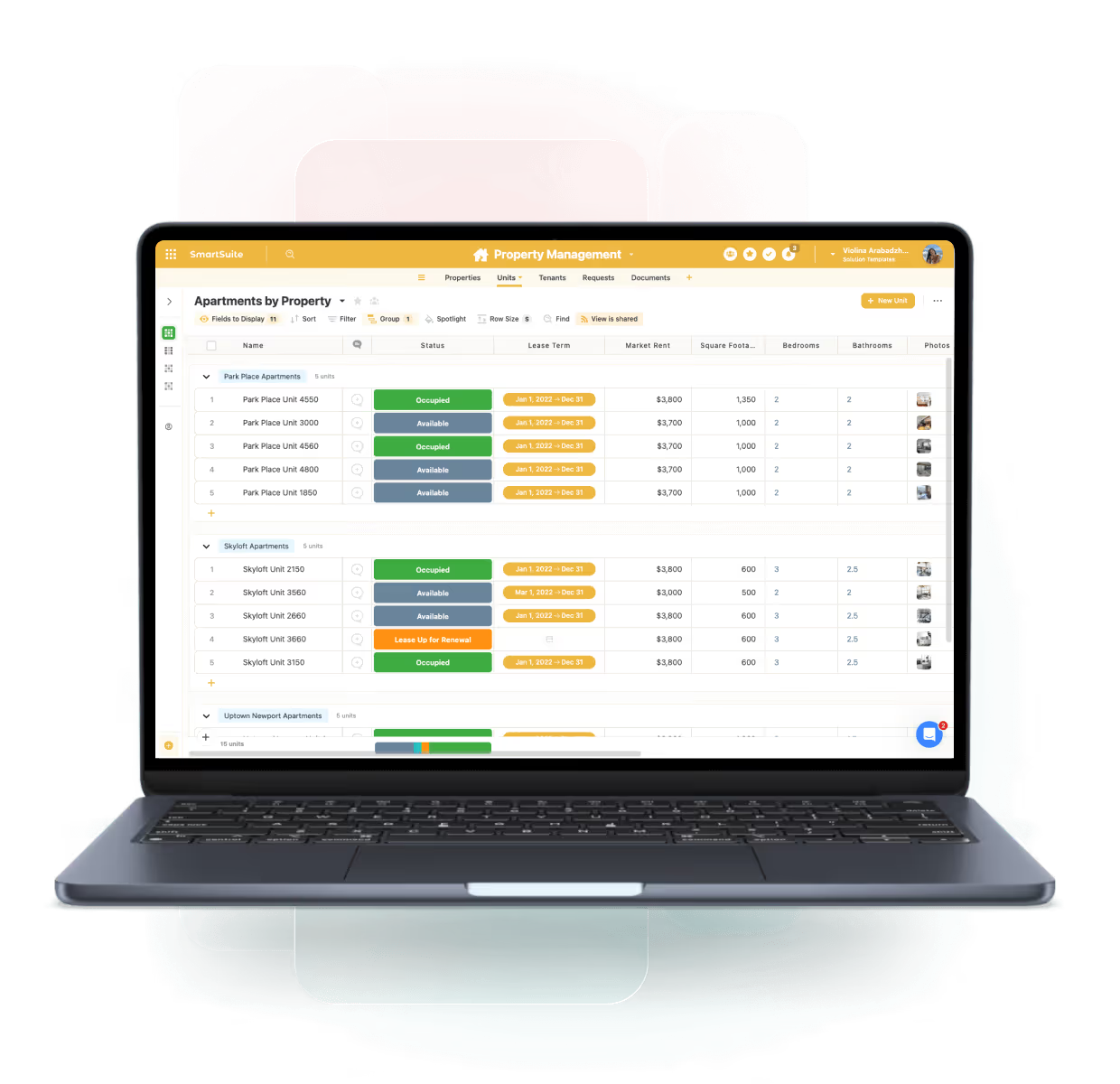
One Platform for Connected Real Estate Operations
SmartSuite centralizes property data, leasing activity, maintenance workflows, tenant interactions, financial visibility, and construction handoffs — helping real estate teams operate efficiently and scale with confidence.
Portfolio Dashboards
Track occupancy, NOI, expenses, and property performance.
Leasing Workflows
Manage deals, renewals, approvals, and handoffs.
Work Orders
Track tasks, SLAs, and vendor performance.
Operational Handoffs
Standardize workflows between development and property teams.
Real Estate Operations Products
Manage maintenance requests, work orders, and facility operations with real-time visibility and automated workflows.
Track lease agreements, timelines, and financial obligations with real-time visibility and automated workflows.
Core Capabilities of the Real Estate Operations Suite
SmartSuite provides the tools needed to manage properties, tenants, construction, vendors, and financial operations in one system.
Manage real estate operations with centralized oversight and operational confidence.
Unify property portfolios, leases, maintenance activities, inspections, and vendor coordination in one connected workspace. SmartSuite links real estate operations to assets, obligations, and approvals—providing real-time visibility, reduced risk, and consistent execution across locations and properties.
Manage properties, locations, ownership details, and portfolio structures with centralized visibility.
Track leases, renewals, amendments, expirations, and deal stages with automated reminders and approvals.
Capture, assign, and track maintenance requests, work orders, and vendor activities end to end.
Centralize tenant inquiries, service requests, and communications with clear ownership and status tracking.
Standardize handoff from development or construction into ongoing property operations with documented checklists and approvals.
Monitor occupancy, rent rolls, expenses, NOI, and portfolio performance in real time.
Manage service vendors, contracts, SLAs, compliance documents, and performance across properties.
Track inspections, safety checks, regulatory requirements, and lease or policy obligations with audit-ready history.
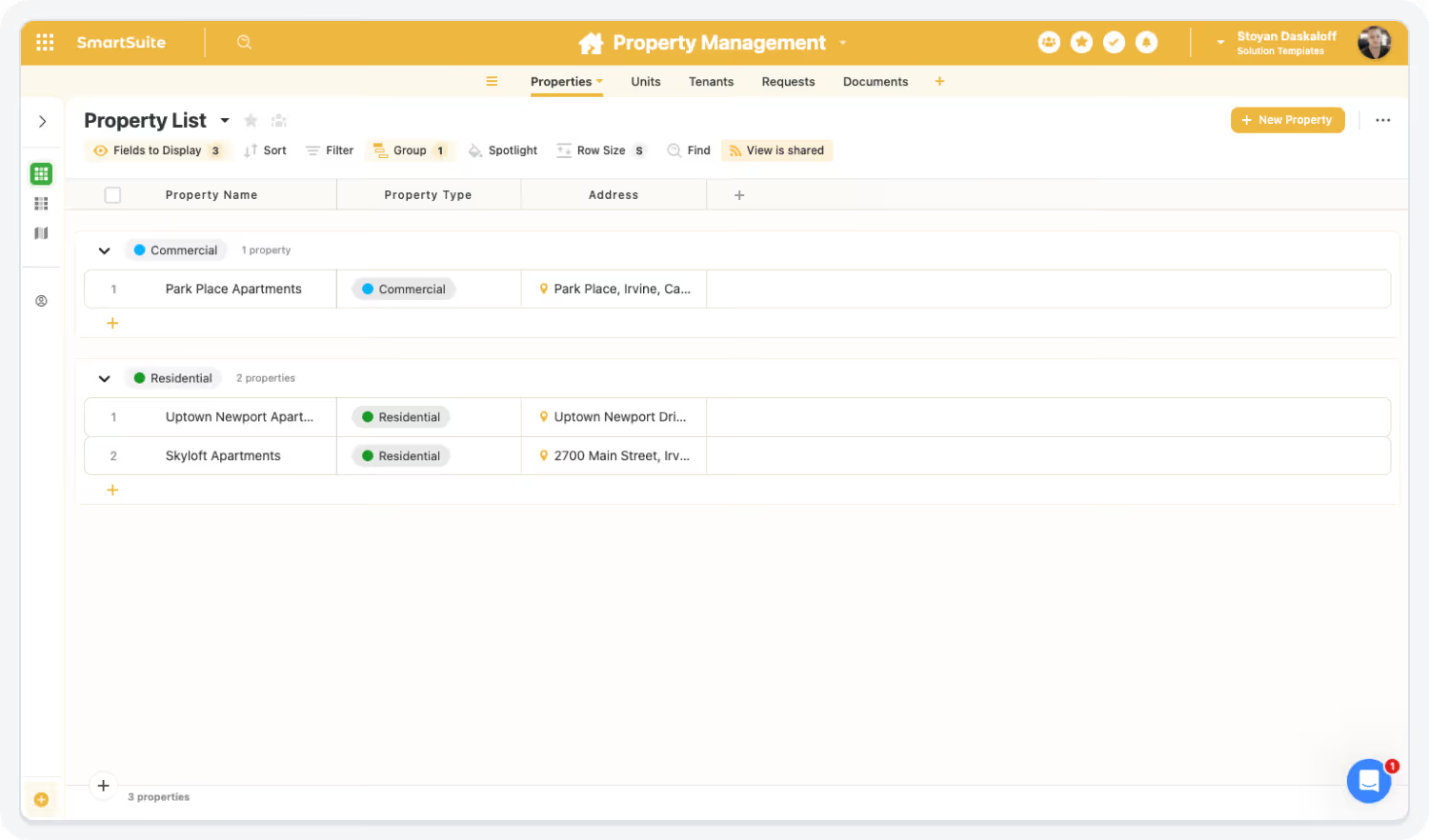
Streamline Property & Portfolio Management
Centralize data across properties, regions, and portfolios for complete visibility.
Highlights:
- Portfolio dashboards
- Centralized records
- Multi-property views
Accelerate Leasing & Deal Pipeline Execution
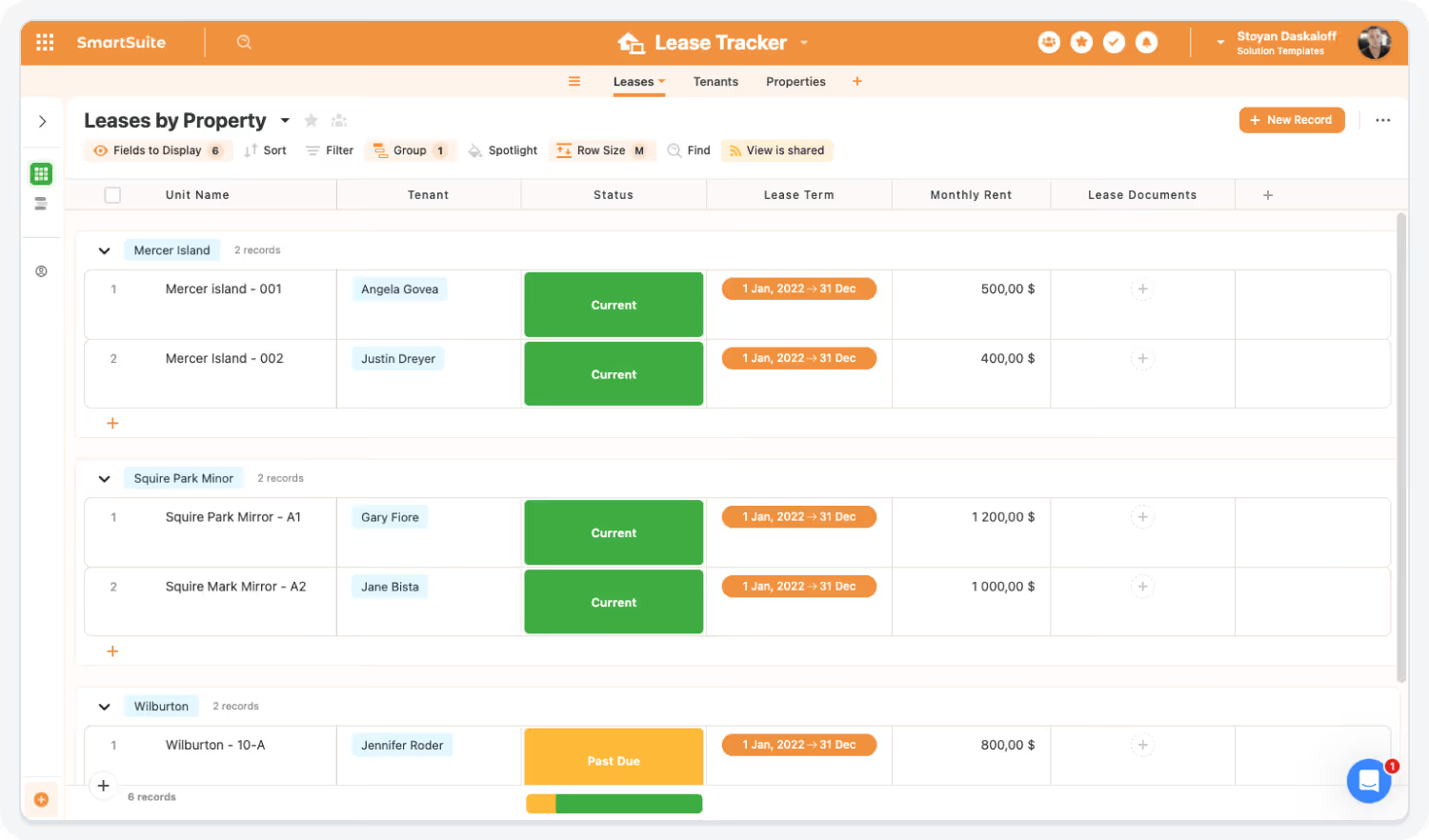
Track leasing stages, documents, and approvals with full transparency.
Highlights:
- Deal pipelines
- Renewal workflows
- Document management
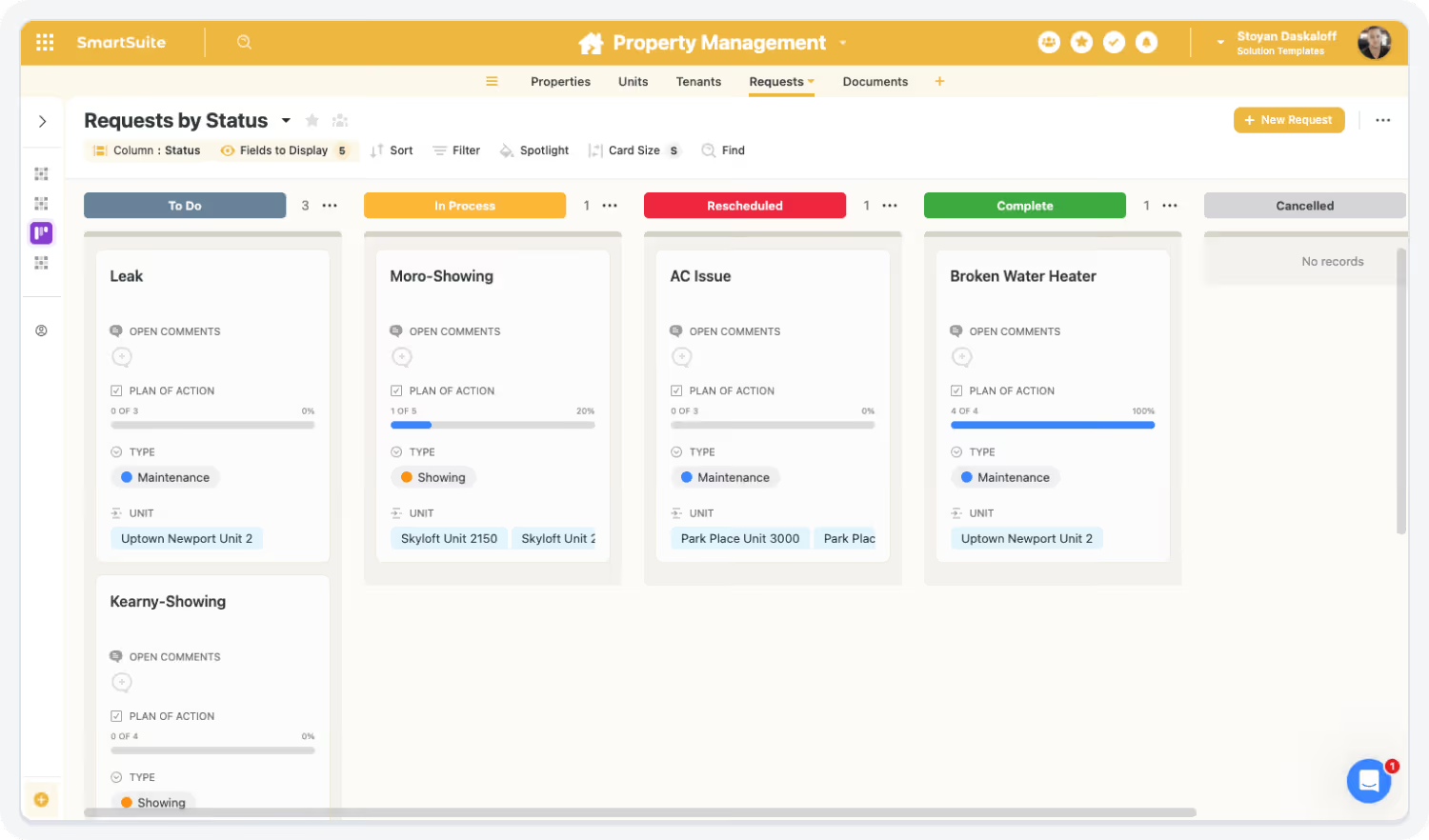
Improve Tenant Experience & Communication
Create structured workflows for tenant communication, feedback, and requests.
Highlights:
- Tenant communication logs
- Service request workflows
- Automated updates
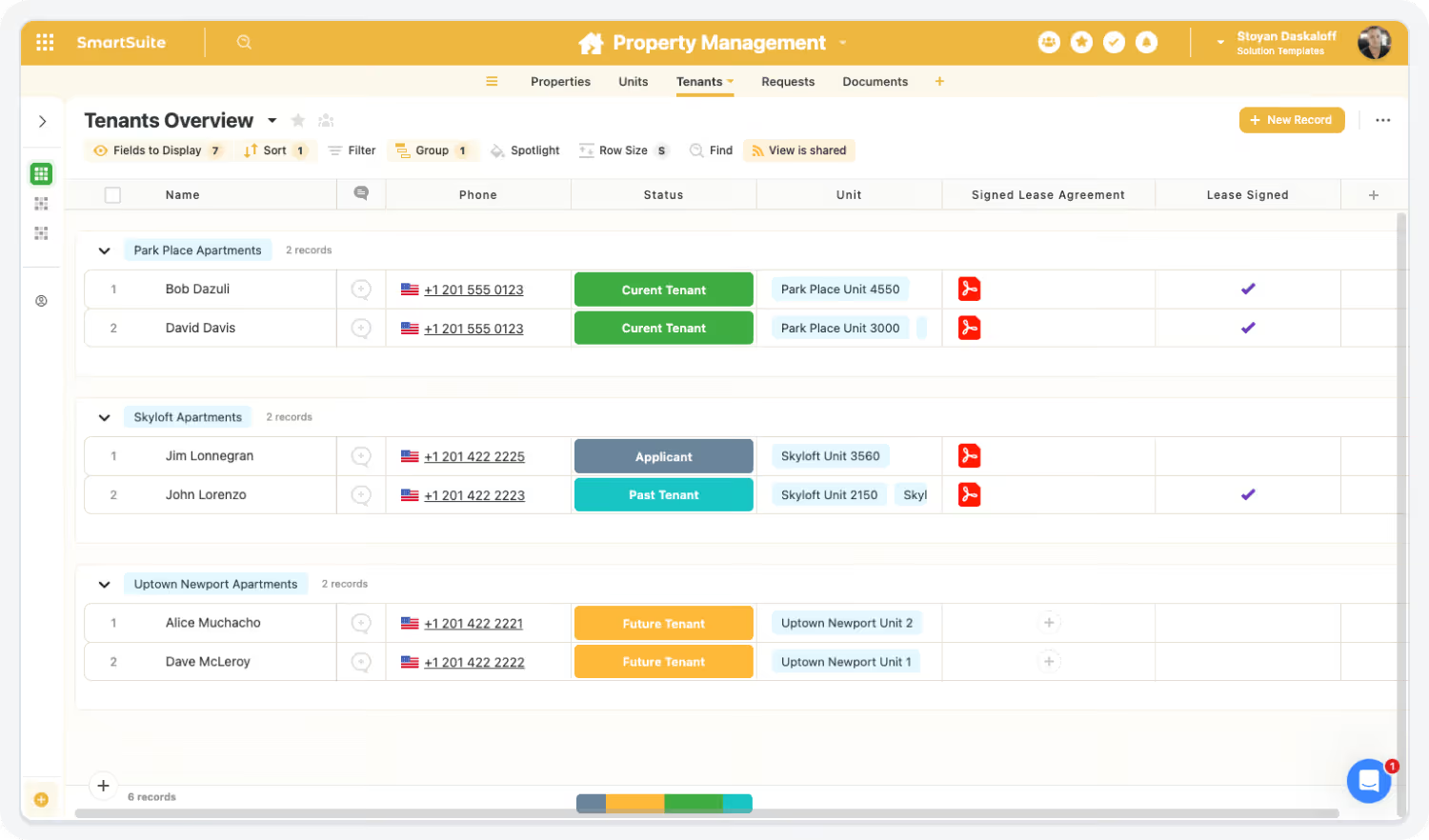
Connect Real Estate, Construction, Finance & Operations
Break down silos with linked records across departments.
Highlights:
- Linked construction handoffs
- Financial integration
- Unified dashboards
Built For Modern Real Estate Operations Teams
SmartSuite brings enterprise-grade real estate operations management with consumer-grade usability. Choose the rollout path that fits your portfolio today—and expand as properties, leases, and operational complexity grow.
Adopt a Single Capability
Begin with Lease Tracking, Property Maintenance, or Inspection Management—prove value fast and expand from there.
Roll Out a Full Category
Enable real estate operations end-to-end—connecting properties, leases, maintenance activities, vendors, and approvals in one coordinated system.
Deploy the Entire Real Estate Operations Suite
Standardize real estate oversight with linked assets, obligations, workflows, and dashboards—delivering real-time visibility, reduced risk, and consistent execution across your entire property portfolio.
Explore Further
Explore key articles on Real Estate Operations and learn how SmartSuite streamlines property management, deal tracking, and financial oversight in one connected system.
Frequently Asked Questions
Answers to common questions about how SmartSuite enhances collaboration, visibility, and efficiency across real estate and property operations teams.
SmartSuite unifies properties, leases, deals, maintenance tasks, and financial data in one platform — ensuring that all teams operate from the same real-time source of truth.
Shared dashboards, cross-team workflows, and centralized communication enable maintenance, leasing, operations, and finance teams to work together without delays.
Yes — SmartSuite is intuitive, mobile-friendly, and provides consistent layouts and templates, making onboarding fast for property managers, leasing agents, and field staff.
SmartSuite replaces spreadsheets, point solutions, shared drives, and email coordination by consolidating all property workflows — leasing, maintenance, inspections, tenant comms, and portfolio dashboards — in one platform.
Dashboards provide real-time insight into occupancy trends, leasing pipelines, maintenance performance, NOI, and property-level or portfolio-level KPIs.
See How SmartSuite Transforms Real Estate Operations
Experience how SmartSuite centralizes portfolio, leasing, tenant, and maintenance workflows — enabling faster coordination, clearer visibility, and more confident decision-making.
The Connected Value of SmartSuite Real Estate Operations
Quantifiable improvements achieved when organizations centralize property management, deal flow, financial oversight, and operational workflows in SmartSuite.
Source: Deloitte Real Estate Operations Benchmark, 2023 — connected deal systems accelerated pipeline cycles by 25–32%.
Faster Deal & Pipeline Management Cycles
Centralized deal tracking, automated workflows, and integrated document management reduce delays across acquisition and leasing processes.
Source: CBRE Property Operations Efficiency Study, 2023 — centralized data reduced reporting labor by ~25–30%.
Reduced Manual Reporting Across Properties
Automated dashboards and integrated data sources eliminate spreadsheet-driven reporting and manual consolidation.
Source: McKinsey Cross-Portfolio Visibility Study, 2022 — unified platforms improved visibility and alignment by ~30%.
Higher Cross-Team Visibility Into Property & Portfolio Performance
Shared dashboards give Leasing, Asset Management, Finance, and Operations unified visibility into NOI, occupancy, and deal status.
Source: JLL Compliance & Documentation Study, 2023 — digital documentation platforms improved accuracy by 30–35%.
More Accurate & Audit-Ready Documentation
Digitized approvals, lease data, inspections, and compliance workflows improve accuracy and reduce risk.
Key Benefits of the Real Estate Operations Solution Suite
Real estate organizations need connected workflows, real-time portfolio visibility, and standardized processes to improve operations, reduce manual work, and accelerate growth. SmartSuite unifies real estate operations across the full property and asset lifecycle.
Portfolio Visibility, Insights & Coordination
Centralize leasing activity, property details, financials, documents, and communications.
Give Asset Management, Leasing, Finance, and Operations shared portfolio visibility.
Track acquisition, leasing, and disposition pipelines with standardized stages.
Monitor occupancy, revenue, expenses, maintenance, and deal KPIs live.
Connect property data with budgets, NOI metrics, capex forecasts, and rent rolls.
Manage tenant, vendor, and partner communication through centralized workflows.
Workflow Efficiency & Real Estate Automation
Route approvals and reminders for leases, renewals, and rent changes.
Standardize transitions from development and construction into operations.
Digitize requests, automate assignments, and track resolution progress.
Run inspections and recurring compliance tasks with audit-ready tracking.
Store contracts, control versions, and track expirations securely.
Generate portfolio summaries, lease abstracts, and performance snapshots with AI Assist.
Governance, Compliance & Operational Confidence
Protect financials and lease data with granular role-based access.
Maintain full histories of approvals, changes, and documentation.
Apply consistent templates and workflows across properties and markets.
Track vendor performance, terms, renewals, and compliance centrally.
Support multi-property and multi-region growth in one platform.
Customize acquisition, leasing, maintenance, and reporting workflows without IT.
Streamline Property & Portfolio Management With Connected Workflows
SmartSuite replaces spreadsheets, disconnected systems, and email-based coordination with automated workflows, unified dashboards, and shared communication channels.
How the SmartSuite Platform Powers Real Estate Operations
SmartSuite connects leasing, maintenance, tenant communication, and financial workflows — enabling real estate teams to operate with greater clarity and fewer manual steps.
Customize workflows for leasing, maintenance, inspections, and reporting without engineering support.
An Institutional Effectiveness team configures an Outcomes → Methods → Results assessment workflow, while Student Affairs builds hiring and onboarding workflows—both on the same platform, without IT development.
Automate renewals, reminders, approvals, escalations, and work order assignments.
When a faculty assessment report is submitted, SmartSuite automatically routes it for rubric scoring, notifies reviewers, and tracks revisions until final approval.
Generate summaries, performance insights, tenant communication drafts, or property briefs instantly.
Before an accreditation review, AI Assist generates a summary of program outcomes, improvement actions, and supporting evidence across multiple departments.
Connect units → leases → tenants → maintenance → financials → documents → vendors.
A department assessment record links directly to faculty submissions, supporting evidence, improvement plans, and accreditation standards—or a HECVAT assessment links vendors, documents, and risk decisions.
Monitor occupancy, revenue, work order trends, expenses, and tenant satisfaction.
Provosts and Deans view dashboards showing assessment completion rates, accreditation readiness, open hiring requests, and research funding progress.
Protect property, tenant, and financial data with role-based access and full audit trails.
Faculty can only view their own program data, reviewers see assigned assessments, and leadership accesses rollups—every change is logged automatically for audits.
Connect Properties, Tenants & Workflows
SmartSuite brings together leasing, operations, maintenance, vendors, tenants, and finance — eliminating data fragmentation.
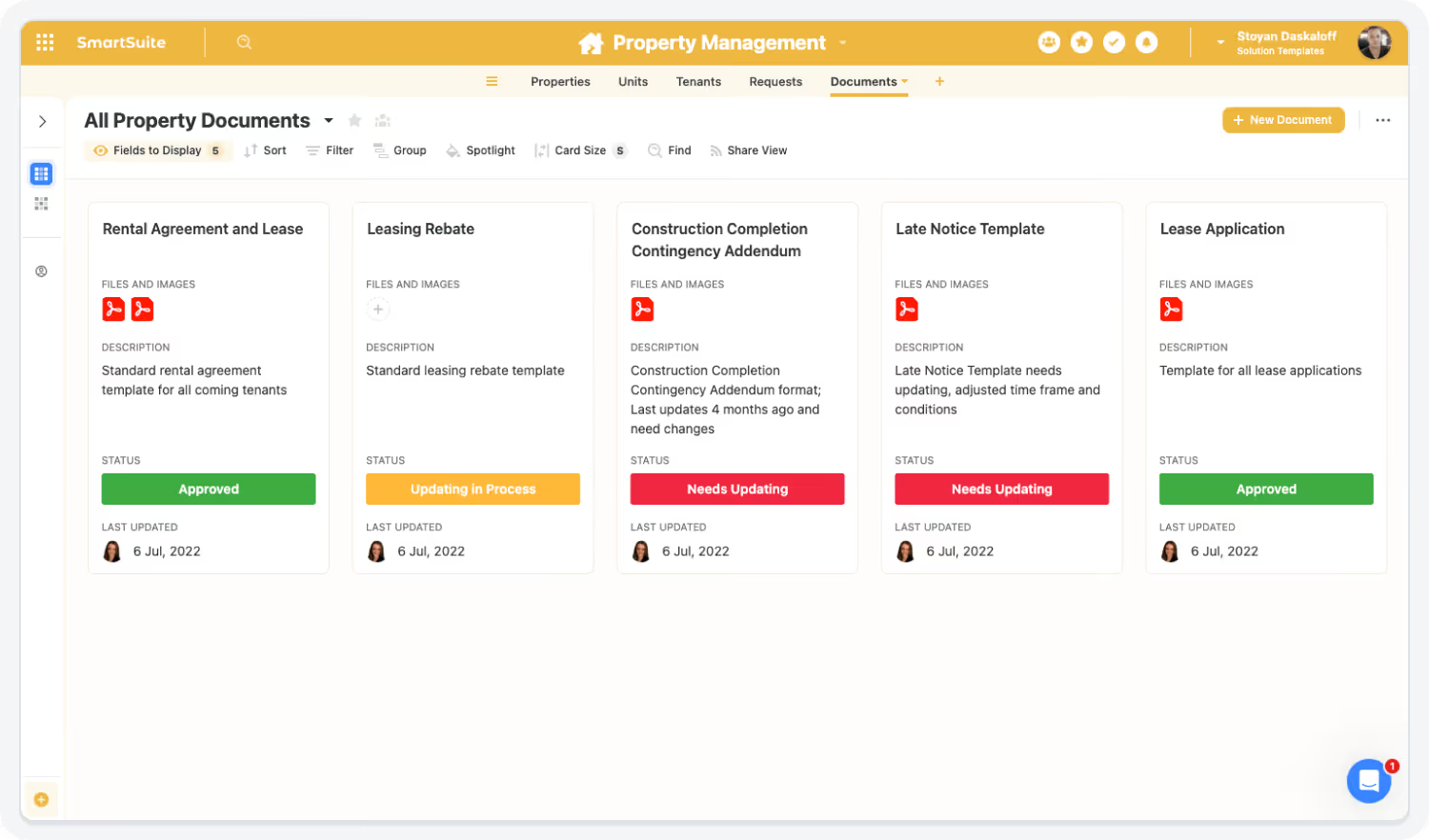
Streamline Leasing, Maintenance & Communication
Automate renewals, maintenance requests, approvals, reminders, and tenant notifications — ensuring smooth operations.
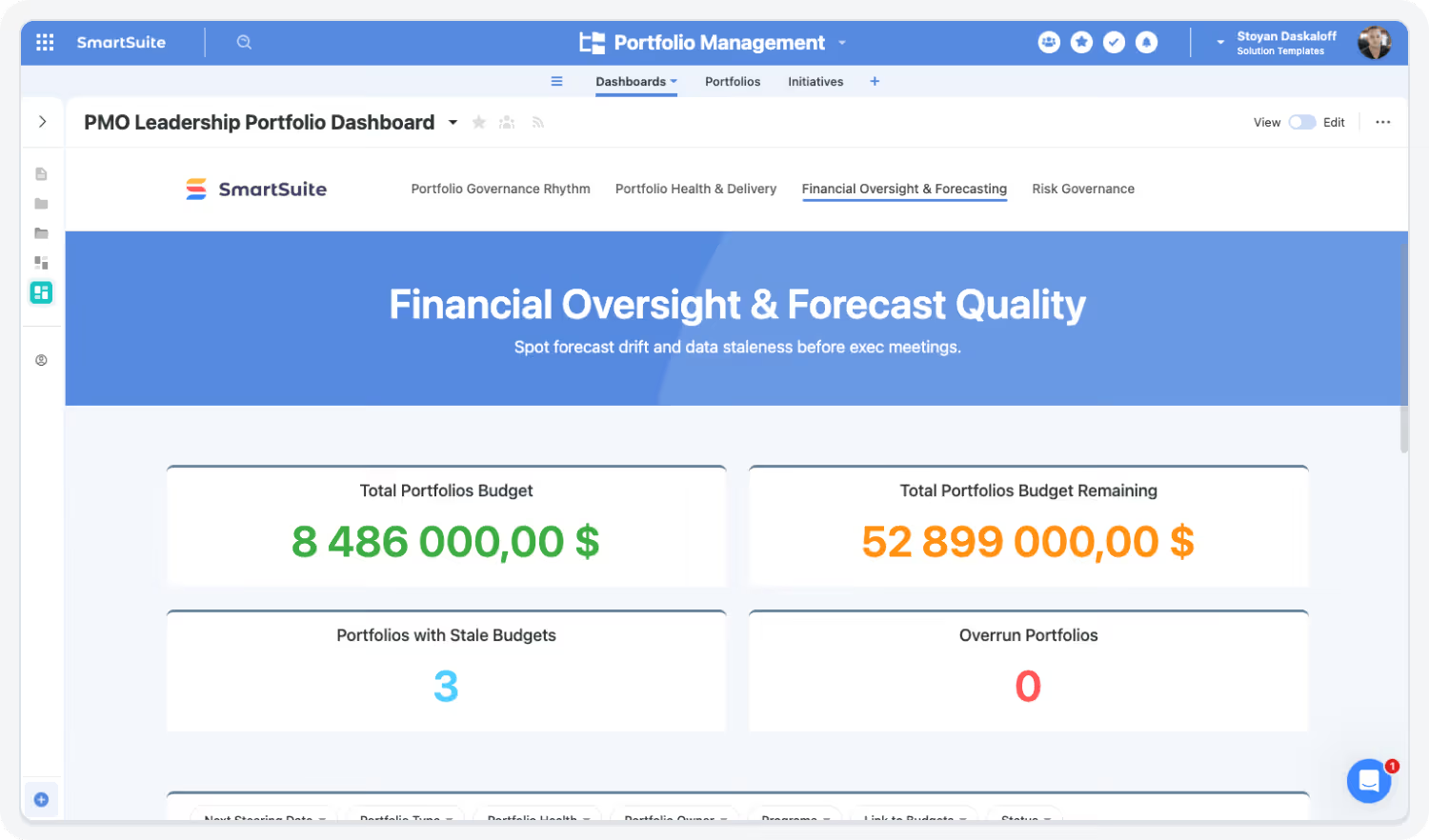
Gain Real-Time Portfolio Insight
Interactive dashboards surface property performance, leasing pipeline status, maintenance trends, and tenant satisfaction — enabling data-driven decisions.
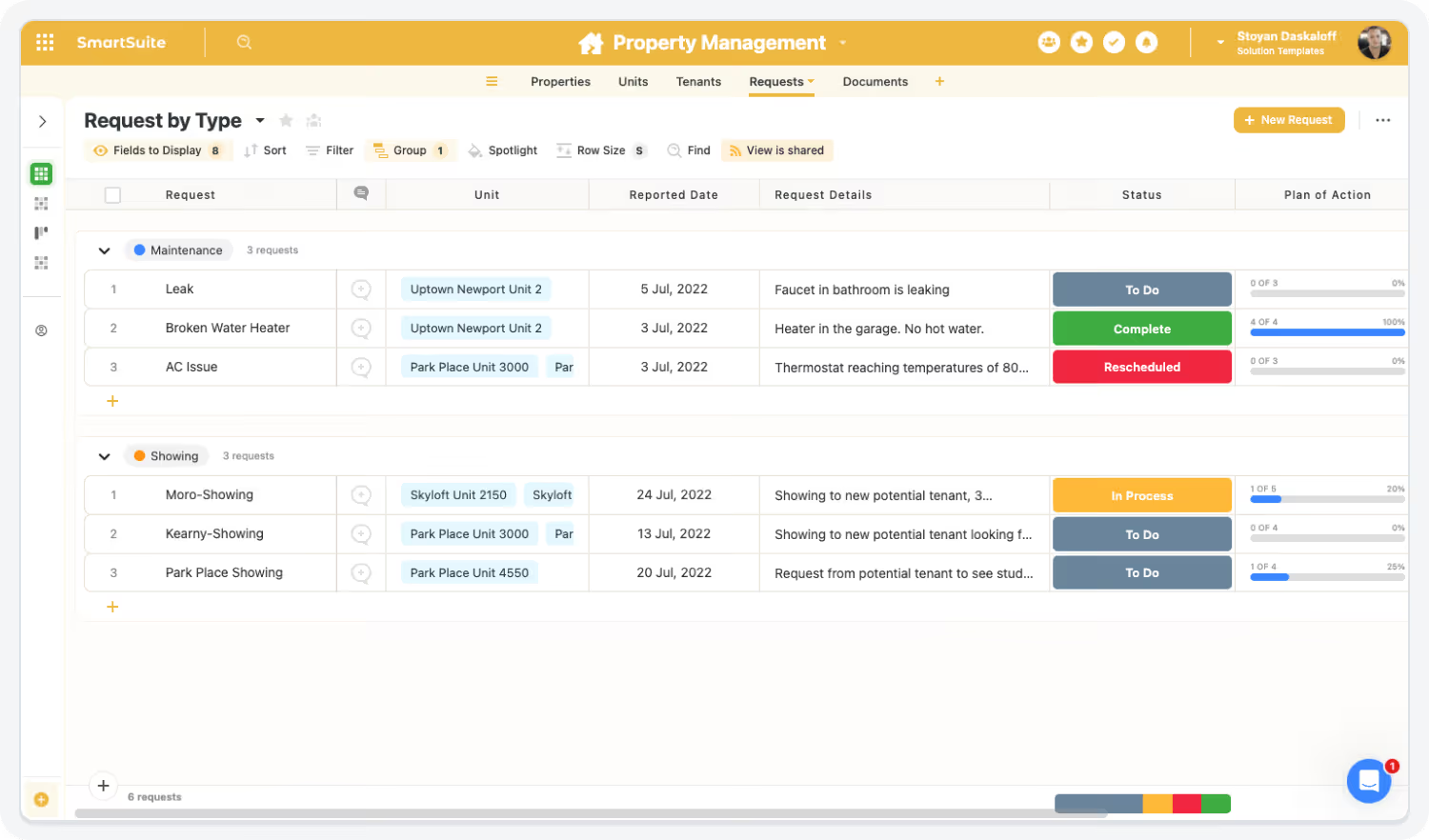
AI Assist & Governance Elevate Operational Precision
AI Assist accelerates reporting and insight generation, while governance features ensure compliance, accuracy, and complete traceability.
The SmartSuite Platform:
Powered by Eight Interconnected Frameworks
The SmartSuite Platform consists of eight interconnected frameworks that provide a foundation for designing, automating, analyzing, and governing connected workflows.
Build structured, relational data models using tables, fields, and records that ensure consistency and scalability across workflows.
Design and tailor workflows visually with structured data models, clear progression, and intuitive interfaces for every step.
Streamline work with triggers, conditions, and multi-step actions that eliminate manual effort and orchestrate end-to-end processes.
Embed intelligence into workflows with AI that analyzes data, supports decisions, and automates complex steps securely.
Platform
Enable contextual collaboration with comments, file sharing, notifications, and external access—all governed by SmartSuite permissions.
Visualize and analyze data using dashboards, charts, and real-time reports that update instantly across your workspace.
Connect SmartSuite to your ecosystem using native integrations, iPaaS connectors, APIs, and webhooks so data flows between systems.
Protect data with role-based access, authentication controls, audit history, and enterprise-grade governance that scales organization-wide.
Security and Governance, Built for Enterprise Scale
SmartSuite provides fine-grained, role-based permissions that protect data without slowing innovation. Define access down to the record, field, or workflow level, enforce compliance with SSO, 2FA, and IP restrictions, and maintain a complete audit trail of every action. With SmartSuite, governance and agility work together — innovation moves fast, and your security moves with it.
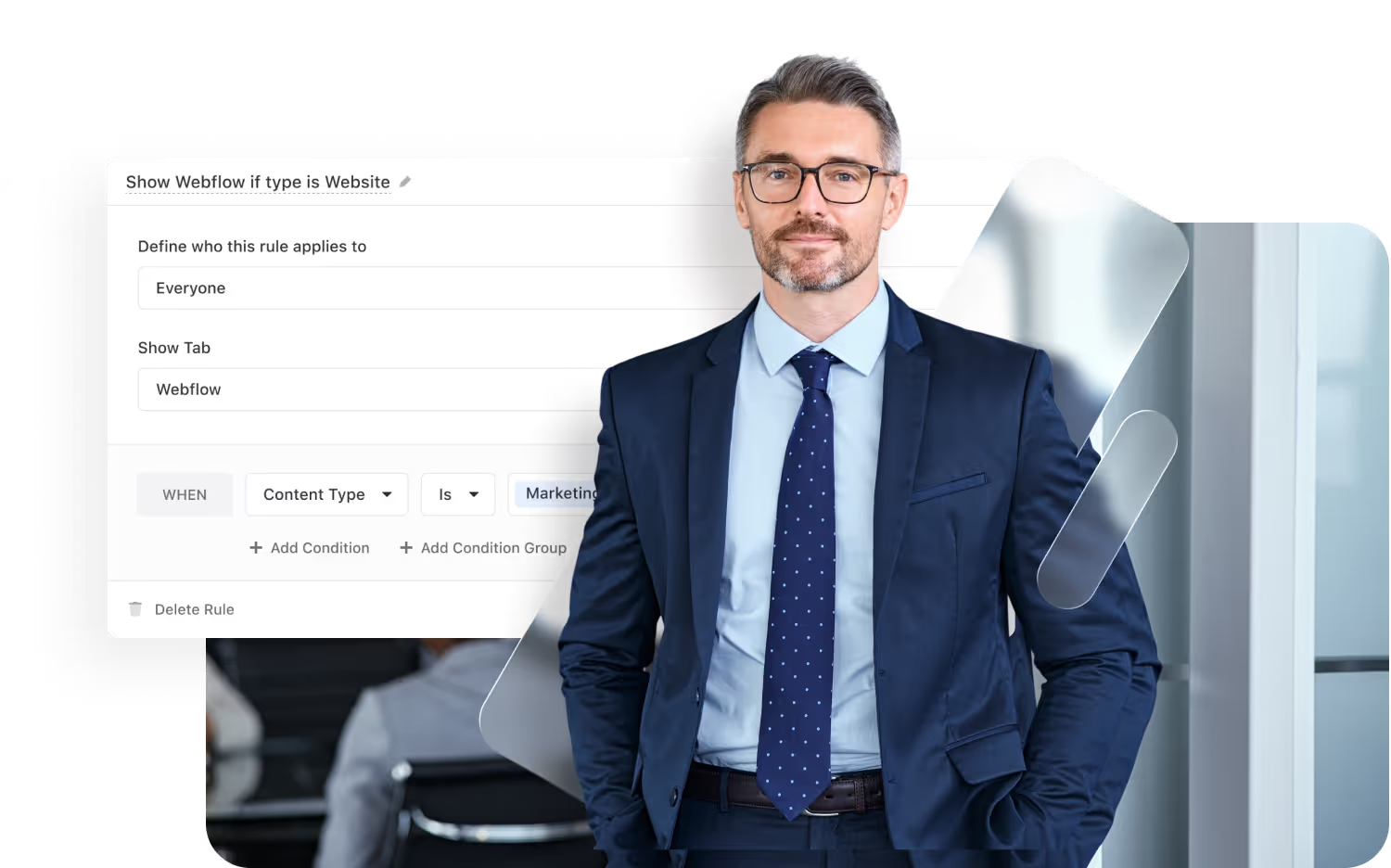
Control visibility by user, role, or team.
SSO, 2FA, and IP restrictions built-in.
Track every change for 3+ years.
SOC 2, GDPR, and enterprise governance ready.
Work Anytime, Anywhere, on Any Device
Stay connected and productive wherever you are. SmartSuite works flawlessly across web, tablet, and mobile, so your team can manage projects, collaborate, and automate workflows in real time — whether in the office, remote, or on the go.


The Platform That Connects Leasing, Operations, and Asset Management
SmartSuite unifies property data, financial info, leasing records, maintenance workflows, and portfolio dashboards — enabling real-time operational alignment.
Role-Based Capabilities for Real Estate Operations Teams
SmartSuite empowers real estate leaders, asset managers, property teams, finance, and operations staff with connected workflows that improve portfolio visibility, operational efficiency, and risk control across the entire property lifecycle.
Executive & Portfolio Leadership

Chief Real Estate Officer (CREO)
Owns enterprise real estate strategy, portfolio performance, capital planning, and long-term asset optimization.
- Benefit Statement:
SmartSuite gives CREOs real-time visibility into portfolio performance, risks, and operational efficiency — enabling confident, data-driven real estate decisions.
- Benefit Source:
Portfolio dashboards, financial rollups, risk tracking, and linked property records.
Portfolio Oversight
Reviews occupancy, NOI, capex, and risk trends across all properties.
Strategic Planning
Aligns leasing, capital projects, and operating plans with business strategy.
Executive Reporting
Delivers board-ready insights on portfolio health and performance.
Executive & Portfolio Leadership

VP / Director of Real Estate Operations
Oversees day-to-day real estate operations, property performance, and cross-functional coordination.
- Benefit Statement:
SmartSuite centralizes operational workflows and performance data, reducing fragmentation and improving execution consistency.
- Benefit Source:
Operational dashboards, workflow automation, and cross-property reporting.
Operational Governance
Monitors property operations, maintenance, and compliance activities.
Performance Management
Tracks KPIs across properties and identifies underperforming assets.
Cross-Team Coordination
Aligns leasing, facilities, finance, and vendors through shared workflows.
Asset, Property & Leasing Roles

Asset Manager
Manages asset-level financial performance, leasing strategy, and value optimization initiatives.
- Benefit Statement:
SmartSuite gives Asset Managers a connected view of financials, leasing activity, and operational risks for each property.
- Benefit Source:
Asset dashboards, financial tracking, and linked leasing records.
Asset Performance Analysis
Reviews revenue, expenses, and NOI trends by property.
Leasing Strategy
Tracks lease expirations, renewals, and vacancy risk.
Capital Planning
Coordinates capex initiatives with construction and operations teams.
Asset, Property & Leasing Roles

Property Manager
Oversees daily property operations, tenant relationships, and service delivery.
- Benefit Statement:
SmartSuite centralizes tenant requests, work orders, inspections, and documentation — improving responsiveness and transparency.
- Benefit Source:
Task workflows, request forms, mobile updates, and dashboards
Maintenance coordination
Routes and tracks work orders and vendor tasks.
Tenant communication
Manages tenant requests, updates, and issue resolution.
Operational Reporting
Reviews service performance and compliance status.
Asset, Property & Leasing Roles

Leasing Manager
Manages leasing pipelines, renewals, negotiations, and deal execution.
- Benefit Statement:
SmartSuite streamlines leasing workflows and approvals, reducing cycle time and improving deal visibility.
- Benefit Source:
Leasing pipelines, automated reminders, approval workflows, and dashboards.
Deal management
Tracks prospects, renewals, and lease stages.
Approval Coordination
Routes lease terms and concessions for review.
Renewal Visibility
Monitors expirations and tenant retention risk.
Built for Every Role in Higher Education
Whether you’re an AVP, Institutional Effectiveness leader, Student Affairs director, department admin, or IT stakeholder — SmartSuite provides connected workflows for the work that keeps campuses running.
Flexible Pricing Designed for Every Organization
Whether you’re a growing team or a global enterprise, SmartSuite’s pricing adapts to how your business works.
Choose platform-wide access with user-based pricing or tailor licenses to your organization’s scale and structure with our solution-based model.
User-Based Pricing
provides access to the entire SmartSuite platform under one per-user license, perfect for connected workflows across teams and departments.
Solution-Based Pricing
is purpose-built for enterprises with thousands to tens of thousands of users, offering the flexibility to license only the specific SmartSuite Solutions needed for scale, compliance, and control.
User-Based Pricing: Simplify Access Across Every Team
Our Team, Pro, and Enterprise plans make it easy to scale access across your organization. Each licensed user
can access all SmartSuite solutions — with predictable pricing that grows as you do.
- One per-user license for all SmartSuite solutions.
- Ideal for organizations connecting workflows across departments.
- Scalable across teams and business functions.
- Available in Team, Pro, and Enterprise plan tiers.
unified access.
- SmartSuite AI
- Min 3 Billable Users
- Unlimited Solutions
- 5,000 Records per Solution
- 50GB of File Storage
- 30 Days Recycle Bin
- SmartSuite AI
- Min 5 Billable Users
- Unlimited Solutions
- 100,000 Records per Solution
- 100GB of File Storage
- 45 Days Recycle Bin
- Folders
- Gmail and Outlook Integrations
- Advanced Permissions
- SmartSuite AI
- Min 10 Billable Users
- Unlimited Solutions
- 400,000 Records per Solution
- 500GB of File Storage
- 60 Days Recycle Bin
- SSO
- SCIM User Provisioning
- SCIM-Synced User Groups
- Audit Logs
- IP Address Restrictions
- Data Loss Prevention (DPL)
- European Data Residency
- Premium Support
Solution-Based Pricing: Purpose-Built for Enterprise Scale
For global organizations and regulated industries requiring complex governance or large-scale rollouts, SmartSuite offers a Solution-Based Pricing model. This model allows enterprises to license specific SmartSuite Solutions — such as GRC, ITSM, or Procurement — for tens of thousands of users, tailored to their exact needs.
- Tailored Licensing — Structure licenses by department, region, or regulatory requirement.
- Purpose-Built for Scale — Designed for enterprises managing thousands of users.
- Customizable Agreements — Includes the ability to tailor terms and access levels to meet unique business needs.
- Enterprise Confidence — Built for large financial institutions, insurers, and global enterprises who require high-performance
and governance.
- Audit Management
- Issues Management
- Operational Resilience
- Business Impact Analysis (BIA)
- Incident Management
- Crisis Management
- Enterprise Risk Management:
- Third-Party Risk
- Vendor Portal
- Cyber Threat Management
- RCSA (Risk & Control Self-Assessment):
- Issues Management
- Business Structure
- Contract Management
- Policy Management
- Regulatory Change Management
- SOC 2 Compliance
- CRI Profile Compliance
- Control Framework & Regulatory Libraries
- Compliance Assessments & Testing
- ESG & Sustainability Management
Compare Our Pricing Models
Frequently Asked Questions
Answers to common questions about SmartSuite’s pricing models, plan options, and onboarding programs.
SmartSuite offers four plan types: Team, Pro, Enterprise, and Signature.
- Team, Pro, and Enterprise Plans use a per-user pricing model with feature and usage limits designed to scale as your organization grows.
- Signature Plan provides per-solution pricing for enterprises that need to license specific SmartSuite Solutions — such as GRC, ITSM, or Procurement — for large user populations with advanced governance and support requirements.
You can start by filling out the partner program registration form here.
By signing up to the Service Provider Partner Program you agree to our terms and conditions.
There is no cost. However, there are additional eligibility requirements to join.
First, you must be a customer of SmartSuite to be eligible to participate in the Service Provider Partner program. We believe it is important for all of our partners to be active SmartSuite users (minimum 5 active account members). It’s difficult to recommend a SaaS product that you do not see value in using yourself!
Additionally, you must have 15+ employees and $1.5M in annual revenue to join our network of solution partners.
You will be able to work leads through your sales process to a closed-won or closed-lost state.
You will be able to work leads through your sales process to a closed-won or closed-lost state.
Flexible Pricing for Institutions of All Sizes
SmartSuite offers EDU pricing options that scale from departments to divisions to institution-wide site licenses — with guest user ratios ideal for faculty and staff collaboration.
Featured Resources
Explore through leadership, case studies, and insights from financial services leaders.
-min.jpeg)
-min.png)
.jpeg)
.png)
-min.jpeg)
-min.avif)
.jpeg)
.png)
.jpeg)
.png)
SmartSuite Resources
Everything you need to learn, build, connect, and grow with SmartSuite — from expert guidance and self-paced learning to community collaboration and continuous innovation.
SmartSuite Academy
Demo Center
Support
Customer Stories
Feature Requests
Community
Developer Resources
Frequency Asked Questions
Explore Further
Learn more about assessment, accreditation, operations, grant management, policy governance, and higher-education workflow automation.
Getting Started with SmartSuite
Learn the SmartSuite layout: workspace, Solutions, Views, Records. See how to navigate, search, filter, and create items to get productive fast.

Understand the Homepage layout: sidebar, header, search, and activity. Pin favorites, review assignments, and launch Solutions with one click. Make it your daily command center.

See your data from every angle. Learn Grid, Kanban, Calendar, and more. Switch views, sort and filter, group records, and save personal or shared views for repeatable workflows.

Explore SmartSuite field types: text, number, date, select, user, files, links, formulas, lookups, and more. Learn when to use each to capture, calculate, relate, and display data clearly.

Your command center: one Dashboard to track goals, tasks, and dependencies. Mix charts with lists, watch trends over time, and click through to fix issues immediately.
Automations do the busywork. Set a trigger, choose actions—notify people, update fields, create records, send webhooks—and let SmartSuite run it whenever conditions are met.
Set permissions once, scale safely. Use solution roles, table permissions, and saved views with filters to expose only relevant records to each team or stakeholder group.

Prompt-driven automations. Provide instructions with placeholders for record fields; AI uses that context to produce exactly what you need, then the automation stores or sends it.

Use Formula fields to calculate values from other fields. Combine math, logic, and text to automate totals, statuses, scores, and dynamic results across records. Quickly.

Use Power Search to instantly find records across fields and Solutions. Combine keywords, filters, and operators to pinpoint exactly what you need in seconds.

Stay informed with SmartSuite notifications. Get real-time alerts for updates, assignments, comments, and changes so you never miss important activity.
Star items you use most to access them fast. Keep important Solutions, Views, and records pinned for quick access and a more focused daily workflow.
Resources to Help You Improve Campus Operations
Explore case studies, assessment guides, operational workflows, and research management templates built for higher education teams.