



10 Best SysAid Alternatives & Competitors In 2026


SmartSuite provides work platform for standardizing workflows in the following areas:
-
Governance, Risk & Compliance
-
IT & Service Ops
-
Project / Portfolio Management
-
Business Operations

Are you looking for SysAid alternatives to manage your IT service management better?
- SmartSuite offers the best SysAid alternative for IT teams looking to manage IT processes, projects, and asset management in a customizable, all-in-one platform.
- Other enterprise-grade tools like ServiceNow and Ivanti offer a higher level of customization and workflow management, but can get really expensive if you want all the bells and whistles.
- On the other hand, solutions like Jira Service Management and ClickUp offer easier-to-use ITSM platforms with affordable per-seat pricing and customizable templates for both SMEs and enterprises.
SysAid offers an IT service management solution that helps organizations deliver an AI-powered automated service.
However, some customers of the software have not been happy with its occasional bugs, clunky interface that is outdated, and steep initial learning curve.
In this article, I’ll go over the 10 best SysAid alternatives for ITSM in 2026 that can help you manage your ITSM workflows.
But first, I wanted to cover the reasons why some IT leaders have been looking to make the switch from SysAid in the first place: ⤵️
Why have some IT leads been looking for SysAid alternatives?
The reasons why some IT managers have been looking to switch from SysAid are due to the platform’s occasional bugs, outdated interface that feels clunky, and how hard it is to learn how to best use the platform.
But don’t get us wrong here, we’re not trying to claim that SysAid is a poor ITSM solution that you should avoid.
There are hundreds of satisfied IT teams from around the world that will tell you otherwise.
After all, the tool helps you set up a knowledge base to help users find answers to common questions and a conversational AI chatbot for instant support.
However, some users have been dissatisfied with the solution for several reasons:
#1: Occasional bugs that cause interruptions and delays
The #1 issue for SysAid has been the platform’s occasional bugs that have caused interruptions for some users of the platform.
For example, a verified mid-market user of the platform mentions that the platform can start displaying error 504, which then affects their ticket resolution and customer-initiated requests.

‘’On some days, the platform goes off displaying error 504, which dramatically affects ticket resolution and customer-initiated requests, hence delaying turnaround times.’’ – G2 Review.
#2: Clunky and outdated interface
Next up, users of the tool are not happy with the solution’s interface and refer to it as ‘’outdated’’ and ‘’clunky.’’

‘’SysAid is powerful, but its interface can feel a bit clunky and outdated, especially for first-time users.’’ – G2 Review.
#3: A steep initial learning curve
And finally, enterprise-grade IT service desk managers are not happy with the fact that there’s a steep initial learning curve for the platform.
A verified user of the platform mentions that even though their company has been happy with SysAid, it has taken them some time to set up the platform initially and understand it fully.

‘’While SysAid has been great overall, we found that some initial configurations took a bit of time to understand fully.’’ – G2 Review.
What are the best SysAid alternatives on the market for ITSM?
Here are the top 10 SysAid alternatives on the market for IT service management after evaluating 30+ solutions:
#1: SmartSuite: Best for IT teams looking to manage IT processes, projects, and asset management in an all-in-one platform.
#2: ServiceNow ITSM: Best for IT leads who need a comprehensive ITSM platform to resolve issues quickly using AI and ML.
#3: SolarWinds: Best for enterprises looking for an ITSM solution that focuses on incident and asset management.
#4: Freshservice: Best for IT managers looking to automate and streamline service desk operations for their users.
#5: Jira Service Management: Best for organizations looking for enterprise-grade IT service management that is easy to implement and configure.
#6: Ivanti Neurons: Best for IT teams looking for a scalable ITSM solution that has no-code automation.
#7: Atera: Best for IT leads looking for an IT management solution with remote monitoring.
#8: HelpScout: Best for customer support teams looking to use AI to help support reps handle more tickets.
#9: Zendesk: Best for customer service teams that need to handle IT support tickets across multiple channels.
#10: ClickUp: Best for IT managers looking for an affordable ITSM solution for project management, team collaboration, and task management.
#1: What makes SmartSuite the best alternative to SysAid?
SmartSuite offers the best alternative to SysAid in 2026 for ITSM with our no-code, easy-to-use platform that helps you streamline critical IT processes, organize projects, and remove traditional obstacles in the tech landscape.

Here’s a quick walkthrough of the platform and our solution for IT leaders:
Let’s go over the capabilities that make SmartSuite the best choice for small and large IT teams looking for a SysAid alternative: 👇
All-In-One IT Service Management
SmartSuite helps teams manage their IT processes, projects, and assets all in one single solution. Our no-code, easy-to-use platform lets you automate all technical processes with ease.
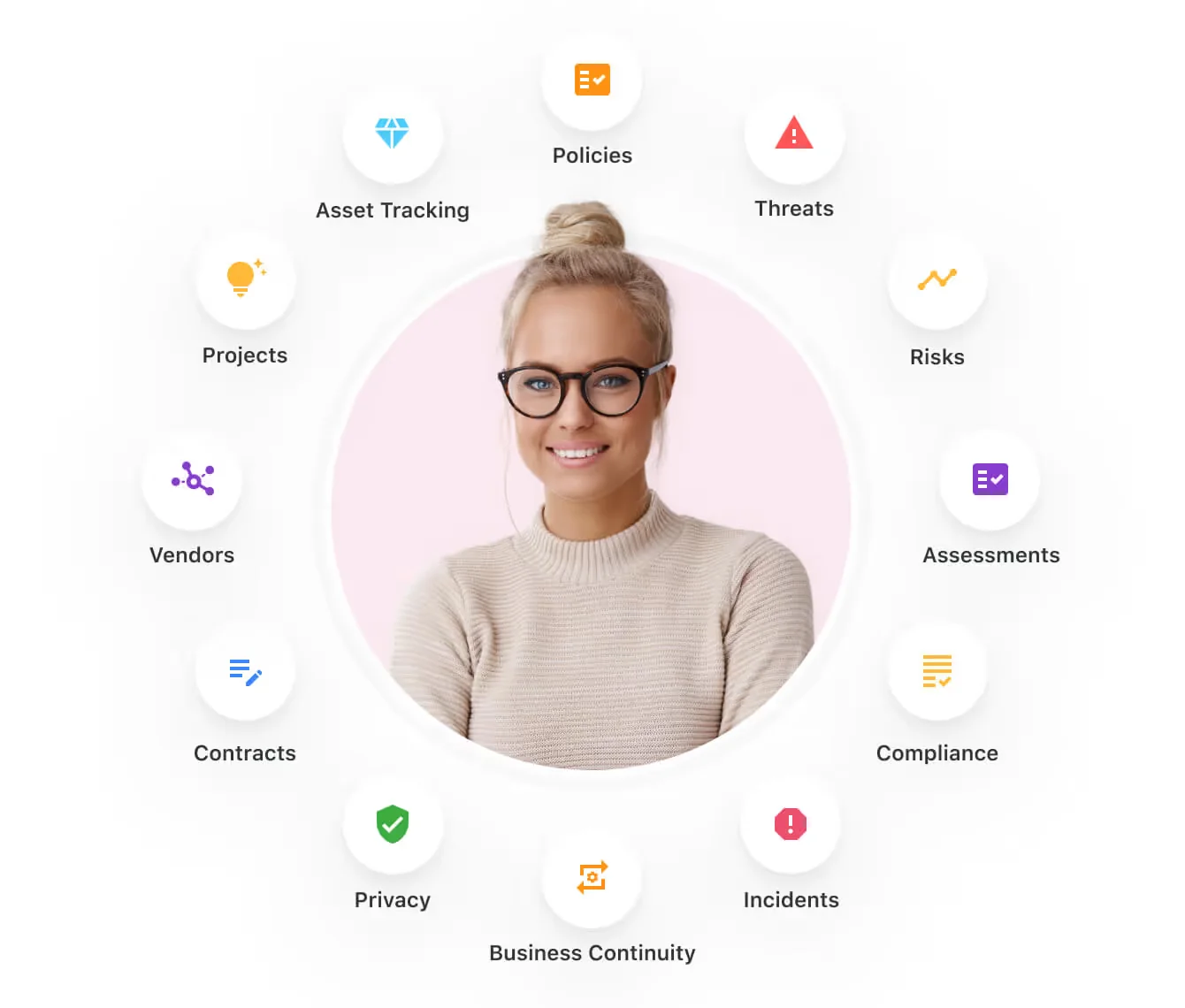
Here are the capabilities and use cases that your team will get with SmartSuite:
- Manage critical IT processes: You can manage IT data and workflows in one place, from deploying help desk and issue management solutions to ensuring core business operations stay uninterrupted.

- Track tickets & issues: It’s possible to deploy a help desk and issue management solutions to ensure your business operations are not interrupted.

- Manage your IT assets and licenses: Your team can track all of your IT assets, to whom they are deployed to and what software versions are deployed.

- Manage internal IT projects: You can plan deployments, schedule your teams, and monitor progress to ensure you deliver on time and under budget.

- Integrate with your existing systems: Your team can integrate with existing systems and data to consolidate and centralize your data.

- Automate for accuracy and efficiency: It’s possible to remove inefficiencies and the chance for human error by automating repeatable workflows.
- Monitor and report on your work with customizable IT dashboards: You can slice and dice data, track help tickets, work requests, and more in dynamic interactive dashboards.

Streamline Your Team’s IT Workflows
Your team can standardize your IT request workflow with a centralized work request process.
Our platform lets you prioritize tasks, assign IT staff and ensure that you achieve SLAs.

You’ll also be able to monitor your team with flexible reports and dashboards that keep you updated in real time.
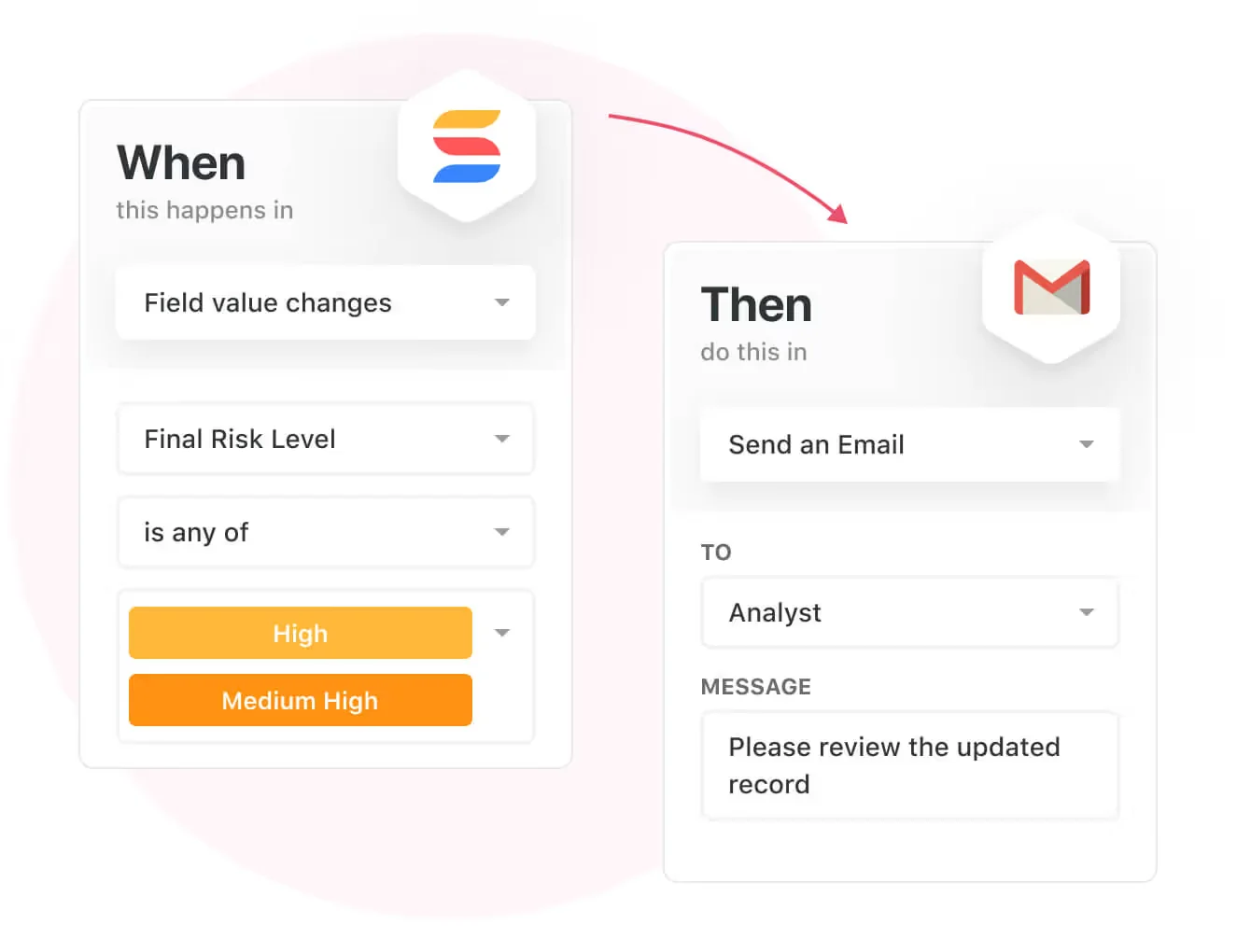
Apart from that, SmartSuite's no-code automation builder provides IT teams with a visual interface that makes it easy to respond to events and take action.
That means you can customize your ITSM workflows without technical resources.
💡 Working from mobile? Stay connected to critical IT information, tickets and device information with our native iOS and Android apps.
Your team can use our mobile apps to share files, images, updates and other feedback to resolve problems and close tickets.

Pre-Built ITSM Templates
Our team has prepared a few ITSM templates for IT teams looking to get started right away, instead of building everything from scratch, such as an IT Help Desk.

Our ITSM templates include:
- IT Service Request Management, where you can streamline work requests, automate repetitive tasks, and manage IT assets.

- IT Help Desk, which we built for internal IT departments looking to capture and resolve internal technology issues.

- IT Asset Tracker, where you can keep track of IT assets issued to employees or implemented in networks, facilities and workspaces.

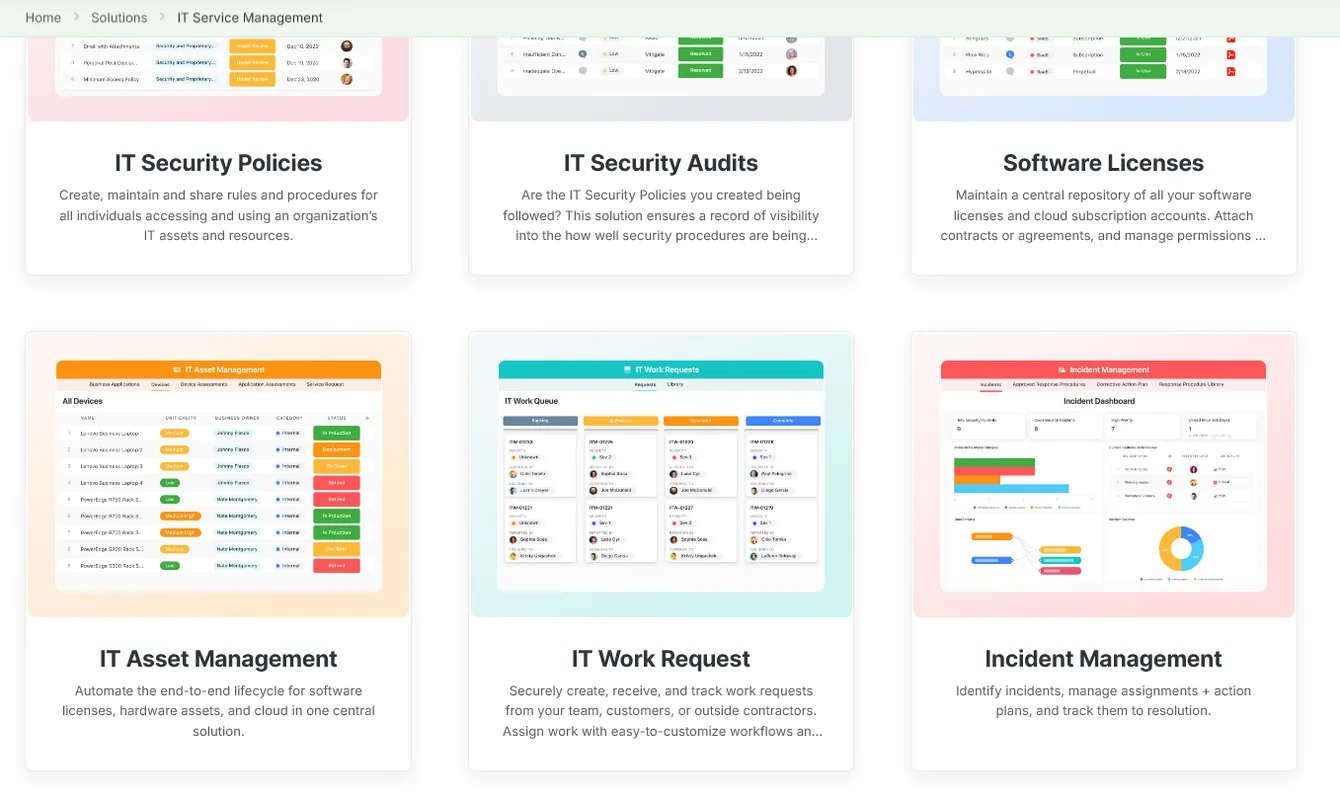
You can customize our ITSM management templates here for various use cases, such as IT Security Policies, IT Security Audits, and IT Work Requests.
How is SmartSuite different from SysAid?
Unlike SysAid, SmartSuite offers a platform with:
- A modern solution with an intuitive interface that does not confuse your IT team or require extensive training.
- A 14-day free trial to help you get started, as well as an Enterprise-grade fully custom plan.
- Automated workflows that can help you build multi-step automations to trigger actions at the right time.
- Customer support and account management will help you with setting up the automations inside the platform.
- The set-up is not complex - you can get started right away and set up the platform in a few days, not months.
💡 Case Study: Learn how MediaLab transformed operations, minimized risk, and saved $40,000+ per year by cutting software costs.
Pricing
Unlike SysAid, SmartSuite offers a 14-day free trial of its Professional plan (no credit card required), with automations, team collaboration, multi-dashboard views, and more.
There are three per-seat plans plus a per-solution Signature plan, all available through the 14-day free trial:
- Team: $15/user/month billed annually ($20 billed monthly, minimum 3 users), including 5,000 records per solution, 50GB of file storage, and 25,000 automation runs and API calls per month.
- Professional: $32/user/month billed annually ($36 billed monthly, minimum 5 users), adding 100,000 records per solution, 100GB of file storage, two-factor authentication, and Gmail & Outlook integrations.
- Enterprise: Custom pricing with no seat minimum, adding 400,000 records per solution, 500GB of file storage, audit logs, data loss prevention, SSO, and SCIM provisioning.
- Signature: A customized plan tailored to your organization’s needs and team size with no predefined limits.

Pros & Cons
✅ A 14-day free trial of the Professional plan with access to advanced features and unlimited solutions.
✅ 9 ready-to-use ITSM templates that you can get started with right away.
✅ Dynamic dashboards and reporting that are easy to navigate.
✅ Integrated document and file management.
✅ Automate risk scoring, compliance tracking, audits, and vendor reviews.
✅ Modern and intuitive UI.
❌ Fewer native integrations when compared to other competitors on the market.
#2: Who is ServiceNow ITSM best for?
Best for: IT leads who need a comprehensive ITSM platform to resolve issues quickly using AI and ML.
Similar to: Jira Service Management.
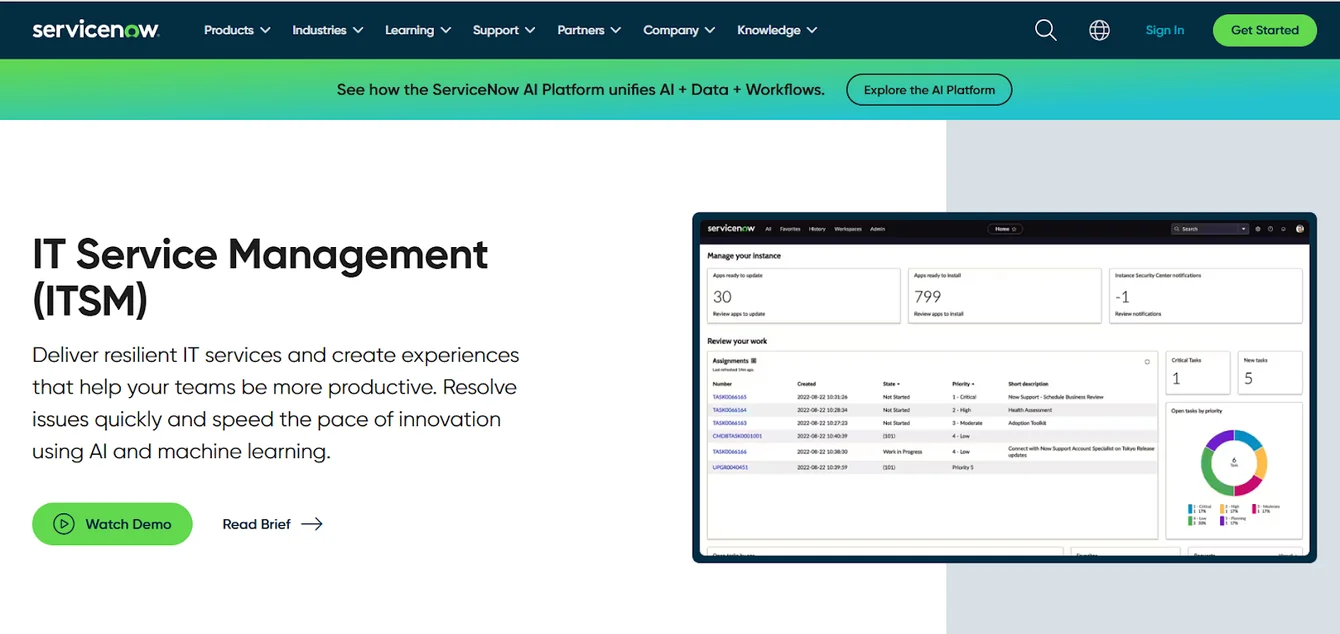
ServiceNow offers a comprehensive ITSM platform that enables IT teams to remove complexity and consolidate their IT services and tools.
The platform is a good alternative to SysAid for large teams looking to automate essential IT processes within a single system of action.
Features

- Performance analytics that enables IT teams to anticipate trends, prioritize resources, and improve operations with real-time analytics.
- Now Assist for ITSM to help you accelerate productivity with generative AI on the Now Platform.
- A management database that lets your team track the dependencies and relationships of supported IT services to maintain continuity.
Standout Feature: Virtual Agent

ServiceNow’s Virtual Agent stood out to me the most, which makes it easy for end users to resolve issues quickly from a conversational chatbot that has been trained with FAQs.
Pricing
ServiceNow’s pricing is not publicly disclosed, so you’d have to book a demo with their team.
I found ServiceNow customer and public reviews, which show that the average cost of ServiceNow contracts can range between $50,000 and $500,000 annually.
The pricing structure depends on the number of licenses, features, and other configuration requirements.

Pros & Cons
✅ Full IT service management capabilities that are scalable.
✅ Delight your end-users with relevant, contextual, and conversational exchanges with a chatbot.
✅ Integrations with other platforms and centralized management of alerts and IT service management tickets.
❌ Steep learning curve and complexity, which is why some IT teams have been looking for ServiceNow alternatives.
❌ Training, skills development, and ongoing support can be costly.
#3: Who is SolarWinds best for?
Best for: Enterprises looking for an ITSM solution that focuses on incident and asset management.
Similar to: Freshservice, Zendesk.
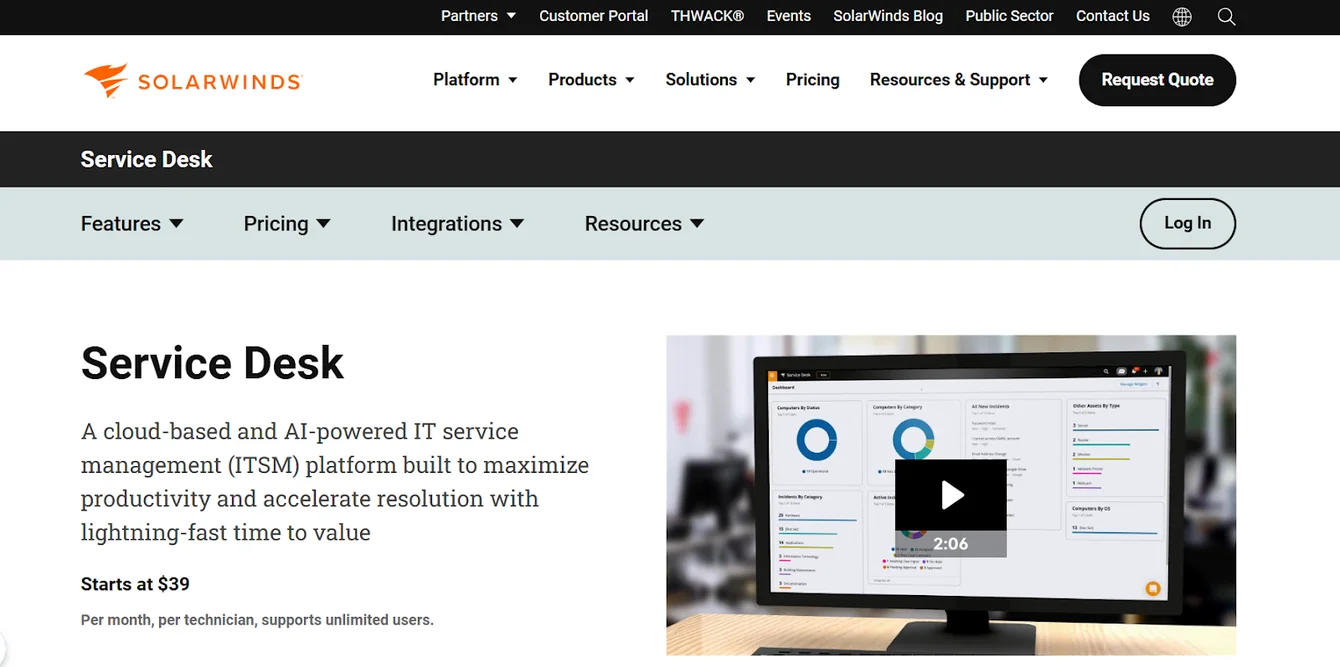
SolarWinds’s Service Desk offers an AI-powered knowledge base that aims to help your team with the resources they need to solve problems efficiently for end users.
The platform is a proper SysAid alternative for enterprises looking to set up the solution in a few days, and not months.
Features

- Automates ticket routing, prioritization, and reporting to help your team track and resolve IT incidents.
- A structured approach to managing changes ensures compliance with your organizational policies.
- Visibility into IT assets, including hardware, software, and licenses for effective lifecycle management and cost offsetting.
Standout Feature: SolarWinds AI
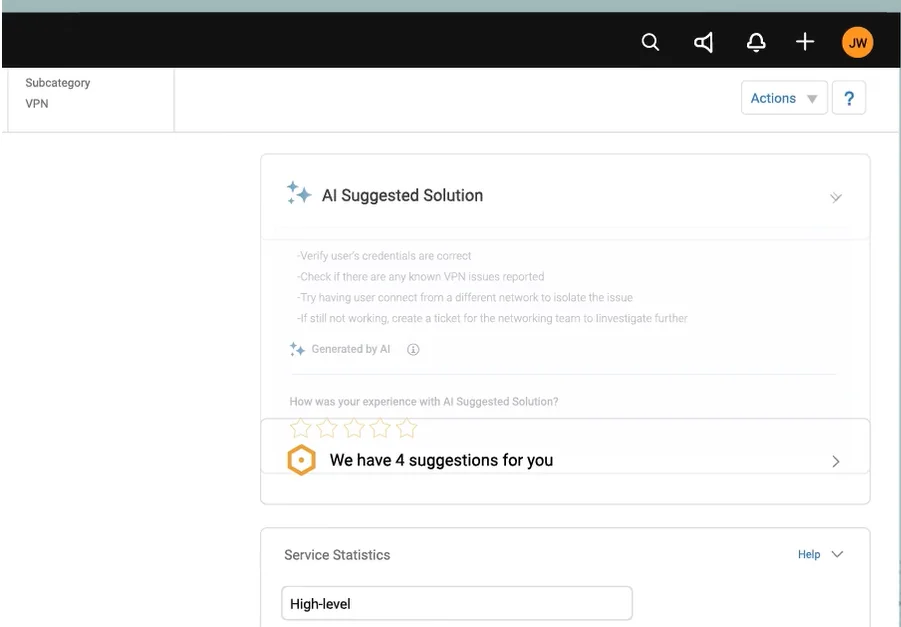
SolarWinds’ AI capabilities stood out to me as they let you build AI-powered support agents that can resolve or troubleshoot problems based on the initial request and comments within the ticket.
Pricing
SolarWinds Service Desk offers three pricing plans:
- Essentials: $39 per technician/month, includes incident management, knowledge base, service portal, asset management, and SLA management.
- Advanced: $99 per technician/month, adds custom fields, advanced automations, virtual agent, network discovery, and API access.
- Premier: $124 per technician/month, includes visual CMDB, advanced support, and up to 1,500 API calls per user per minute.

Pros and Cons
✅ Easy and quick implementation of the software, unlike SysAid, which can take months to set up.
✅ Advanced automation capabilities.
✅ It’s possible to build an AI-powered agent to answer common questions.
❌ The tool’s navigation can sometimes be confusing.
❌ Similar to SysAid, the platform has been reported to have an outdated and rather clunky UI.
#4: Who is Freshservice best for?
Best for: IT managers looking to automate and streamline service desk operations for their users.
Similar to: Jira Service Management, Zendesk.

Freshservice’s ITSM solution can help your team streamline IT operations and service delivery with its ticketing system, self-service portal, and asset management.
Unlike SysAid, the tool provides IT teams with a less technical and cost-efficient platform for improved productivity and lower costs.
Features

- A centralized platform to track and manage IT support requests efficiently, ensuring timely resolutions.
- Self-service portal that helps you independently find solutions and submit requests.
- Monitors and manages IT assets, including your team’s hardware and software.
Standout Feature: Automations
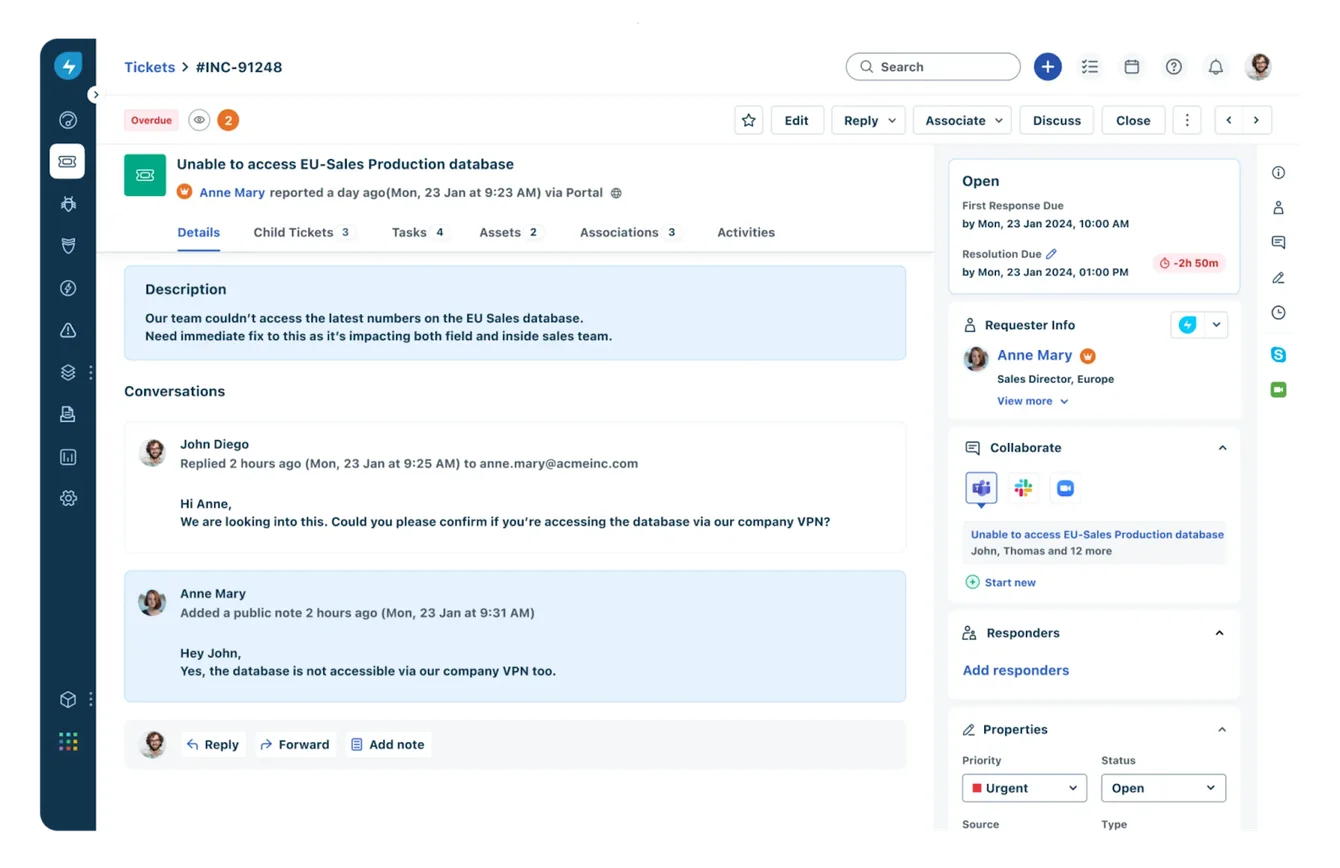
What stood out to me about Freshservice is its automation functionality that helps you automate tasks, such as ticket assignments, repetitive responses, and workflow management.
Pricing
Freshservice offers 4 paid plans with no free version, all of which have a free trial:
- Starter: $19/agent/month billed annually, or $29 billed monthly, which includes workspaces, incident management, and a self-service portal.
- Growth: $49/agent/month billed annually, or $59 billed monthly, which adds asset management, purchase order management, and business rules.
- Pro: $99/agent/month billed annually, which adds problem management, change management, and release management.
- Enterprise: Custom pricing, which adds a sandbox, audit logs, and access to beta features.

Pros and Cons
✅ The platform’s interface is easy to set up and use daily, unlike SysAid.
✅ Advanced automation capabilities that are easy to set up.
✅ The tool starts from $29/month/agent, which is considerably lower than other competitors on the market.
❌ Fewer native integrations when compared to alternatives.
❌ The customer support has been reported to be slow.
#5: Jira Service Management
Best for: Organizations looking for enterprise-grade IT service management that is easy to implement and configure.
Similar to: Freshservice, Zendesk.
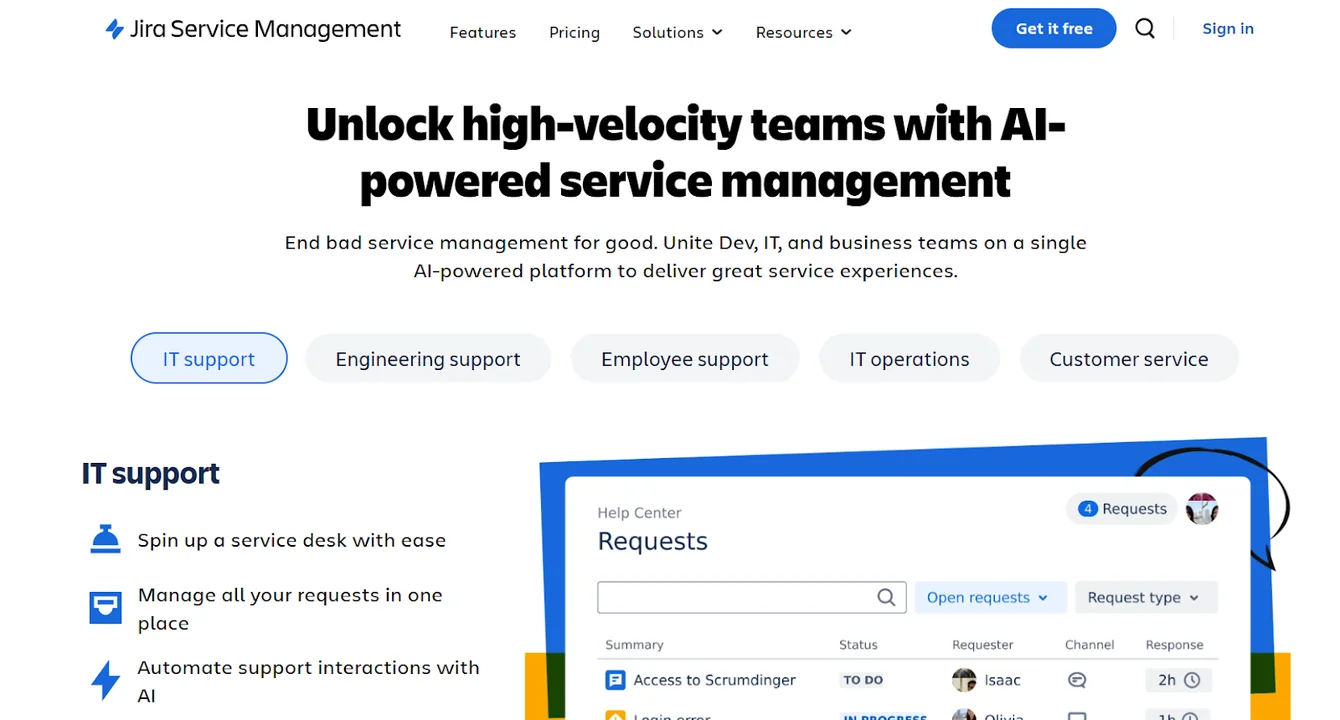
Jira Service Management solution helps IT teams to receive, track, manage, and resolve customer or internal employee requests.
The platform is a proper SysAid alternative to large tech-savvy teams looking for an ITSM solution that is easy to implement and configure.
Features

- You can manage work across various channels; this way, your employees and customers will receive the help they need quickly.
- The tool empowers development and IT operations teams to respond rapidly to incidents, resolve them, and continuously learn from them.
- A good range of plugins for additional integrations, workflow enhancements, reporting, and automation.
Standout Feature: Ready-To-Use ITSM Templates
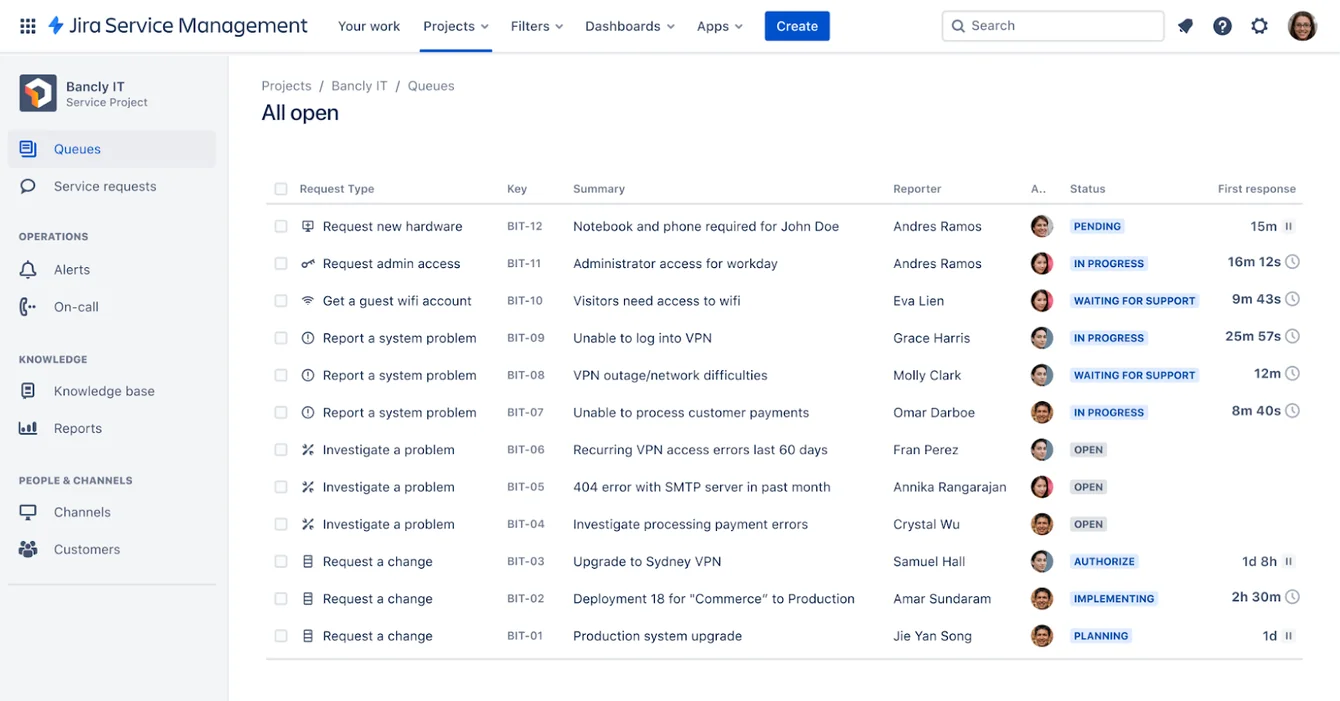
Jira Service Management helps you get started quickly with out-of-the-box ITSM templates that can be customized.
Pricing
Jira Service Management offers four pricing plans for IT teams:
- Free: $0, for up to 3 agents, with access to basic features.
- Standard: $21.50 per agent/month, includes custom-branded help center, alerts, on-call schedules, unlimited email notifications, and 9/5 support.
- Premium: $55.28 per agent/month, adds AI-powered services, virtual agent, asset and configuration management, advanced alert integrations, and 24/7 support.
- Enterprise: Custom pricing, adds advanced analytics, security, and unlimited automations, with up to 150 instances and 24/7 dedicated support.

Pros and Cons
✅ Centralized incident ticketing system that provides full visibility into ongoing issues.
✅ Advanced automation capabilities to establish predefined workflows and triggers.
✅ Pre-built ITSM templates that you can get started with.
❌ Dependence on plugins for certain features, which some users find inconvenient.
❌ Non-technical users might find Jira’s interface confusing at first, which is why some people have been looking for Jira SM alternatives.
#6: Ivanti Neurons
Best for: IT teams looking for a scalable ITSM solution that has no-code automation.
Similar to: ServiceNow.
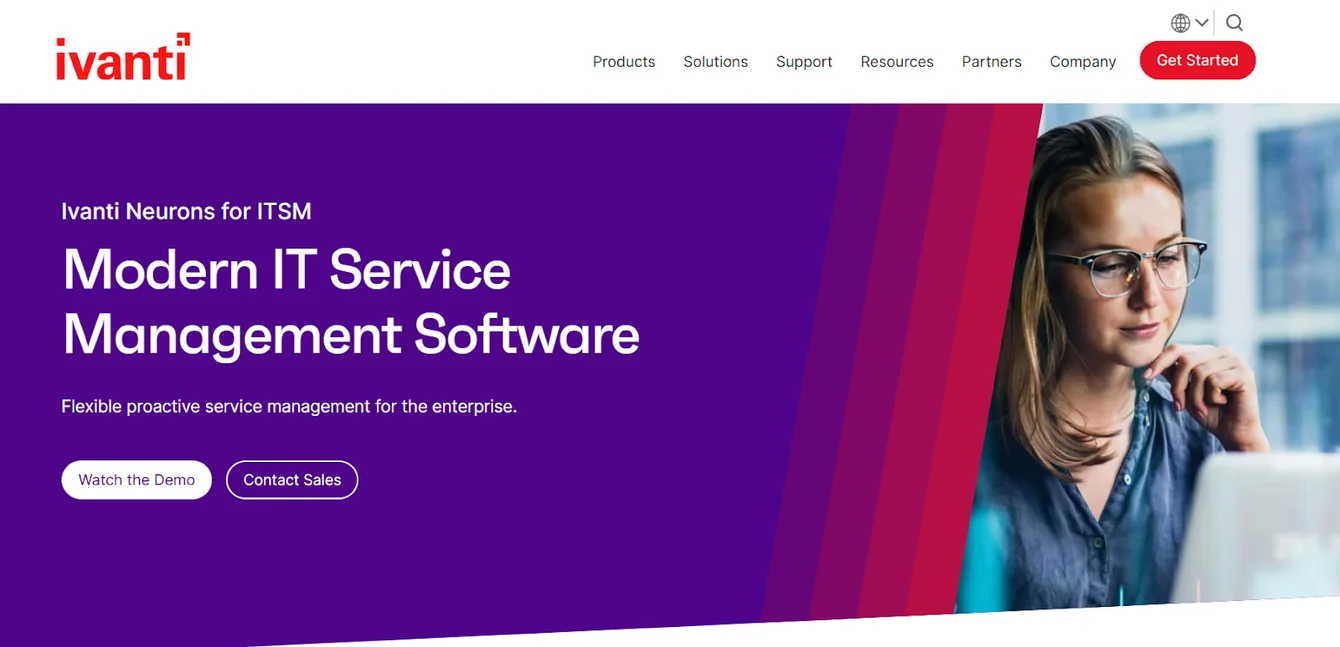
Ivanti offers an ITSM solution that helps large teams automate IT workflows, optimize assets, and improve user experiences.
Its drag-and-drop configuration lets you start small and add capabilities as your IT maturity grows, which will help you more easily switch from SysAid.
Features
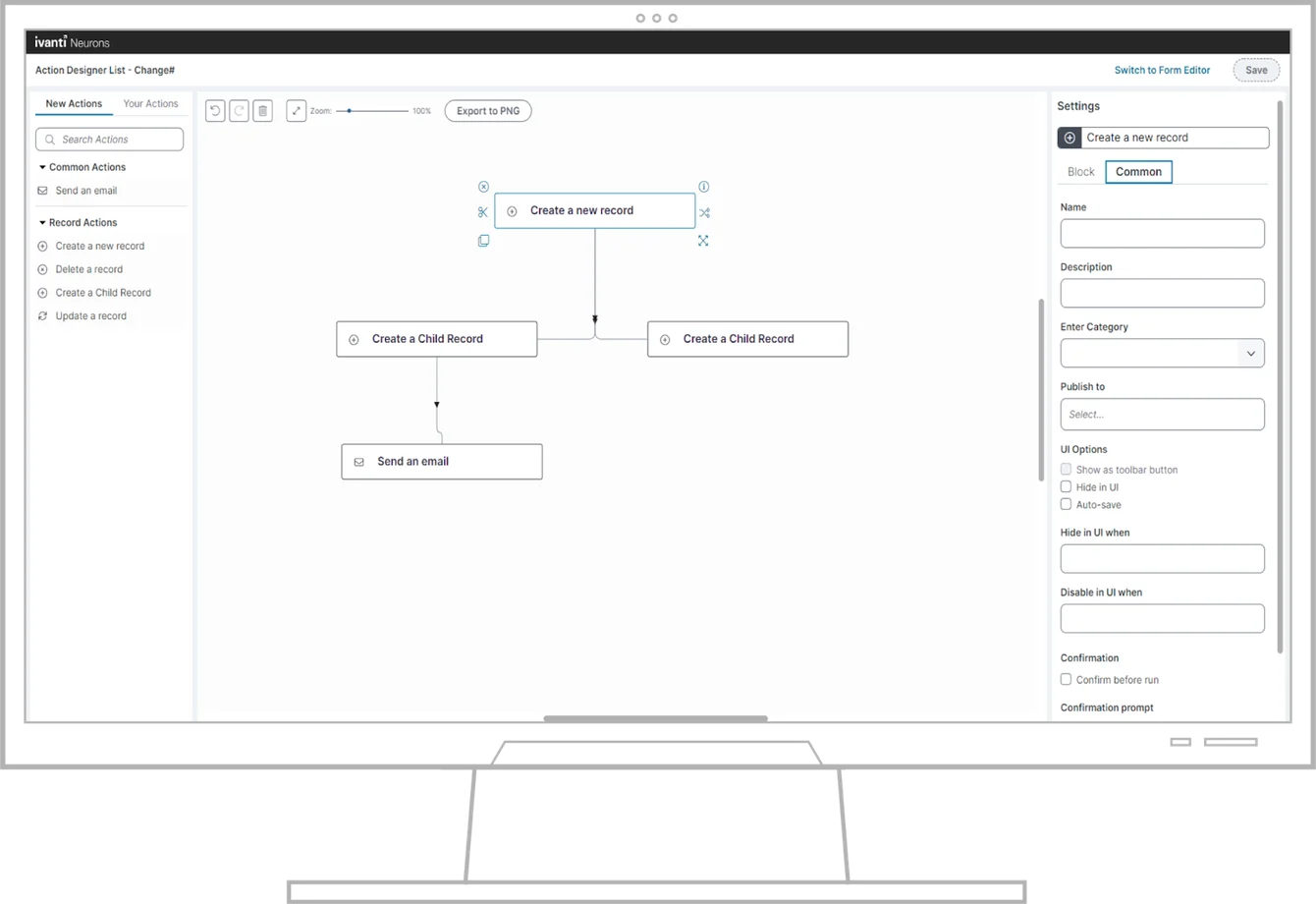
- You can configure and adapt service management processes through an intuitive drag-and-drop workflow and UI design.
- Deploy intelligent AI-powered chatbots and service portals that guide end users, surface knowledge articles, and resolve common issues.
- It’s possible to monitor service delivery, quality, and SLA commitments with customizable, role-specific dashboards for executives, managers, and technicians.
Standout Feature: Ivanti’s Modular, Maturity-Driven Scalability

Ivanti stood out to me with its modular architecture that lets you add advanced capabilities, such as shift-left automation and proactive AI remediation, to support your growth.
Pricing
Ivanti does not disclose its pricing, so you’d have to contact their team for a demo and a quote.
Pros & Cons
✅ Enterprise-grade ITSM solution that can be customized with its drag-and-drop configuration.
✅ Modular architecture that lets you add advanced capabilities, such as shift-left automation
✅ Good asset management capabilities.
❌ The platform’s customer support can be slow to respond, which is why some IT leads have been looking for Ivanti alternatives.
❌ The platform is complex to learn how to best use due to its comprehensive range of features.
#7: Atera
Best for: IT leads looking for an IT management solution with remote monitoring.
Similar to: SolarWinds.

Atera offers an ITSM platform with remote monitoring and management, professional services automation, and remote access abilities for IT managers.
The platform is a good enough alternative to SysAid for teams looking to get started with ITSM without excessive training.
Features

- It comes with an easy-to-use interface that helps IT teams navigate and manage tasks.
- Atera automates software patching and updates for Windows, Mac, and various applications to keep systems secure and up-to-date.
- The platform’s integrated helpdesk and ticketing system can help you better manage support requests and incidents.
Standout Feature: Remote Monitoring and Management (RMM)

Atera’s RMM software stood out to me with its full visibility and control over IT infrastructure to help you monitor and manage devices, servers, and networks.
Pricing
Atera offers four main pricing plans for IT departments:
- Professional: $149 per technician/month (billed annually), which includes remote monitoring, patch management, automations, helpdesk, and ticketing.
- Expert: $189 per technician/month (billed annually), which adds advanced security features, network discovery, and more customization options.
- Master: $219 per technician/month (billed annually), which adds audit logs with 1 year retention, custom support addresses, and reporting.
- Enterprise: Custom pricing, which adds onboarding, premium customer support, and enterprise-grade security with custom analytics.

Pros and cons
✅ Effective patch management and security scanning.
✅ Intuitive UI and easy deployment, covering the weakness of SysAid.
✅ More cost-effective for smaller IT teams.
❌ Limited mobile app functionality, according to users of the platform, similar to SysAid.
❌ Basic reporting capabilities.
#8: HelpScout
Best for: Customer support teams looking to use AI to help support reps handle more tickets.
Similar to: Zendesk, Freshdesk.
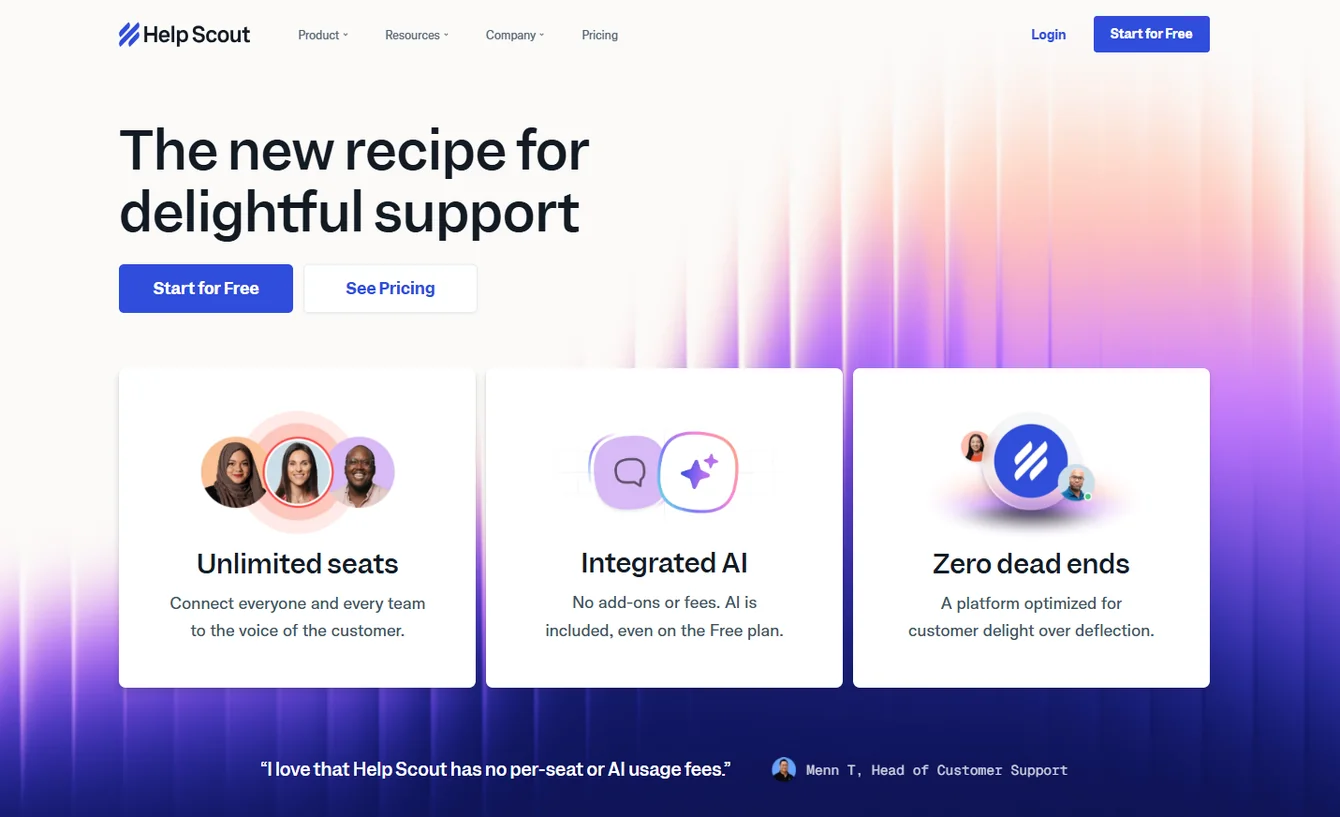
HelpScout helps you deliver personalized support to end users through a shared inbox platform that uses AI to let your support reps handle more tickets.
It’s a nice SysAid alternative for customer support teams that want to handle simple support tickets without getting too complicated.
Features
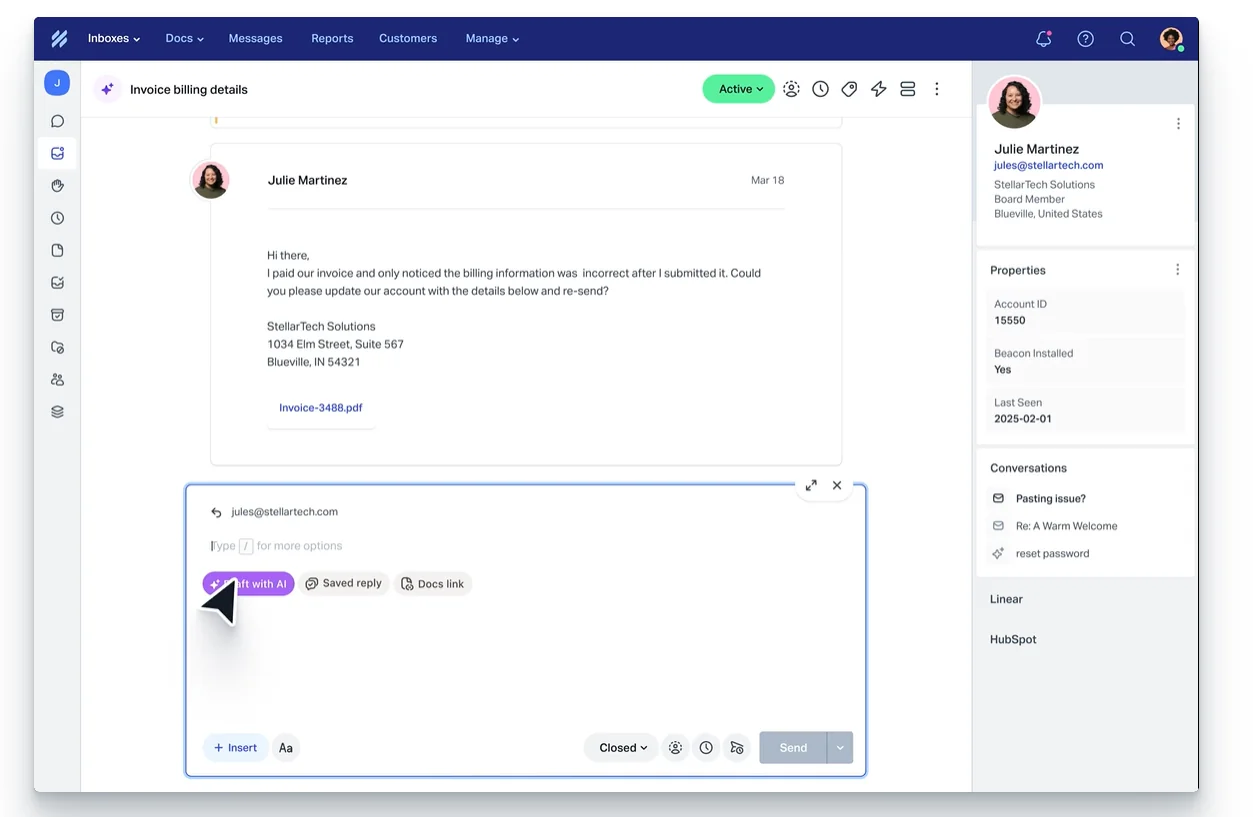
- It’s capable of automating routine tasks like ticket assignments and repetitive responses so your agents can focus on higher-value tasks.
- Provides a knowledge base and community forums to enable customers to find answers independently.
- The platform is highly customizable and can fit the specific needs of your team.
Standout Feature: Analytics & Reporting Capabilities

HelpScout offers strong analytics and reporting capabilities that dive deeper into each conversation of your reps and AI chatbot and evaluate responses from end users.
Pricing
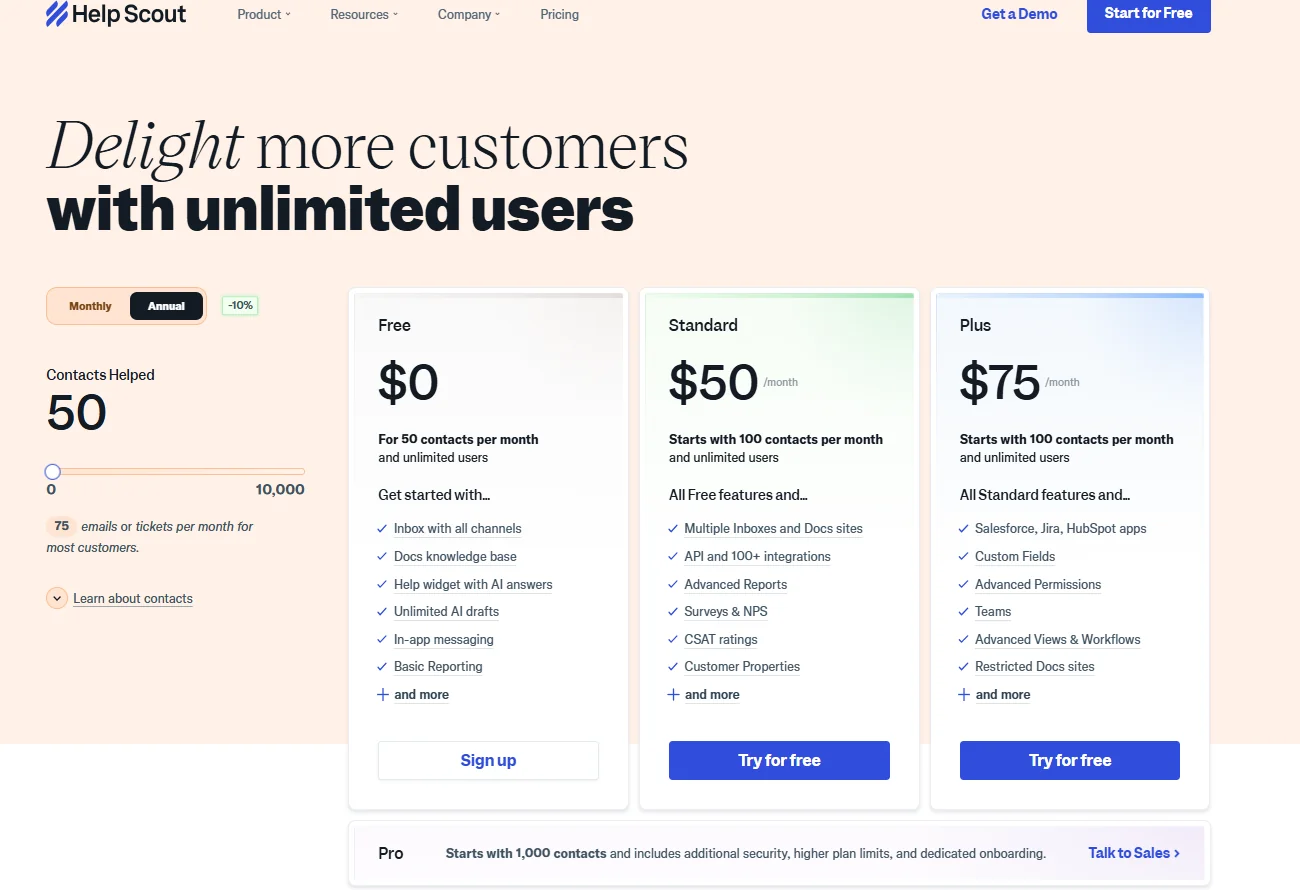
HelpScout offers four paid plans that teams can choose from:
- Free: $0/month, which includes an Inbox with all channels, a Docs knowledge base, and a help widget with AI answers.
- Standard: $25 per user/month billed annually, which includes 2 shared inboxes, 1 knowledge base, automated workflows, and reporting.
- Plus: $45 per user/month billed annually, which adds 5 shared inboxes, 2 knowledge bases, 25 light users, advanced permissions, and custom reporting.
- Pro: $75 per user/month billed annually, which adds 25 shared inboxes, 10 knowledge bases, 50 light users, enterprise security, HIPAA compliance, and dedicated support.
Pros and Cons
✅ The tool is easy to learn and use, with a simple and intuitive interface, covering the weaknesses of SysAid.
✅ Useful workflows to automate actions like sending notifications for bad customer ratings.
✅ Good reporting capabilities.
❌ The tool can get quite expensive if your platform is handling thousands of customer requests.
❌ The platform does not support live technical support features like screen control and risk identification, unlike some other competitors on the market.
#9: Zendesk
Best for: Customer service teams that need to handle IT support tickets across multiple channels.
Similar to: Freshdesk, SolarWinds.

Zendesk’s customer service solution helps IT teams deliver better customer experiences by providing a centralized ticketing system.
The tool makes up to be a good SysAid alternative as it helps you organize customer inquiries and support requests across multiple channels.
Features

- Multi-channel support that lets your end users reach out via email, chat, phone, social media, and more.
- Get access to an AI-powered live chat for effective customer support and engagement.
- Automations to help you streamline workflows, route tickets, and provide quick resolutions.
Standout Feature: Incident Management Automation

Zendesk’s standout feature for me has to be its Incident Management workflow that automatically assigns incidents to the right agents who can resolve the issue.
Pricing
Zendesk offers four main basic pricing plans:
- Suite Team: $55 per agent/month, which includes basic support features.
- Suite Growth: $89 per agent/month, which adds advanced tools like multiple ticket forms and SLAs.
- Suite Professional: $115 per agent/month, which includes custom analytics and skills-based routing.
- Suite Enterprise: $169 per agent/month, which offers advanced customization and compliance features.

💡 Note that some of the IT support capabilities will need to be purchased as add-ons, and they will be billed separately.
Pros and Cons
✅ A smart live chat, ticketing system, knowledge base, automation and analytics.
✅ The platform is highly customizable to meet specific business needs.
✅ Skill-based routing for incident management.
❌ Ticket management could be improved, with users of the platform requesting more filters and the ability to create folders.
❌ Some IT support capabilities need to be purchased as add-ons, which can scale your costs quickly.
#10: ClickUp
Best for: IT managers looking for an affordable ITSM solution for project management, team collaboration, and task management.
Similar to: Monday, SmartSuite.

ClickUp provides IT teams with an all-in-one project management platform that combines features like tasks, documents, goals, and chat in one place.
Even though the platform is not a direct alternative to SysAid, ClickUp offers a highly customizable and flexible UI that you can tweak to suit your team’s needs.
Features

- A comprehensive range of task management features, including Gantt charts, Kanban boards, and custom automation to help teams plan, track, and deliver IT projects.
- Collaboration capabilities that include real-time editing, comments, and mentions.
- Customizable dashboards, workload views, and goal tracking to provide IT teams with better visibility of project progress.
Standout Feature: Advanced ITSM Templates

ClickUp, similar to SmartSuite and Jira, offers customizable ITSM templates that your team can get started with right away.
Pricing
ClickUp’s pricing structure consists of 4 plans:
- Free Forever: $0, which is ideal for personal use, includes 100MB storage and essential features.
- Core: $9 per user/month billed yearly, ideal for small teams, offers unlimited storage, integrations, dashboards, and more.
- Business: $17 per user/month billed yearly, best for mid-sized teams, adds advanced time tracking, automations, and more.
- Enterprise: Custom pricing, designed for large teams, includes white labeling, advanced permissions, and dedicated support.

Pros and Cons
✅ The platform comes with good flexibility and customization options.
✅ Good for monitoring jobs and projects, especially for smaller teams.
✅ Relatively affordable when compared to other alternatives in this list.
❌ Some customers of the software have reported challenges with the desktop app and integrations.
❌ Doesn’t support complex automations, which is why some users have been looking for ClickUp alternatives.
Get Started With SmartSuite & Our Templates & Set Up Your ITSM Workspace In Days
That was it from our in-depth analysis of the 10 best SysAid alternatives on the market in 2026 for ITSM.
If you’re an IT lead looking to build IT service management workstreams, you can give SmartSuite a chance with our 14-day free trial and pre-built ITSM templates.
SmartSuite’s platform offers just the right customization, native collaboration capabilities and a library of 200+ project management templates to help teams create and maintain a project management workflow.
Here’s what's in it for your team when you try SmartSuite:
- A 14-day free trial of the Professional plan with multi-board views (Kanban, Chart, Map, Timeline, Card, and Calendar), automations, and 40+ field types, including formula and linked record fields.
- No-code automation builder to set up to 500,000 trigger/action workflows.
- Built-in productivity tools, including time tracking, status tracking, and checklists.
- Team collaboration and planning tools such as whiteboards and SmartSuite docs.
- Resource management across projects and teams.
- 40+ field types, including the option to add your custom fields.
Start a 14-day free trial to explore all its features.
Or, if you’d like to talk to our team of experts, schedule a demo.
Read More






Put these ideas to work
Start a free trial, or book a demo and see how it runs in SmartSuite.

