



Run Sales Execution with Structure, Visibility, and Control
SmartSuite Sales Operations connects CRM, quoting, proposals, and account planning in one unified platform. Sales teams gain real-time visibility into pipeline execution, deal progression, and customer engagement — while eliminating manual coordination and disconnected tools.
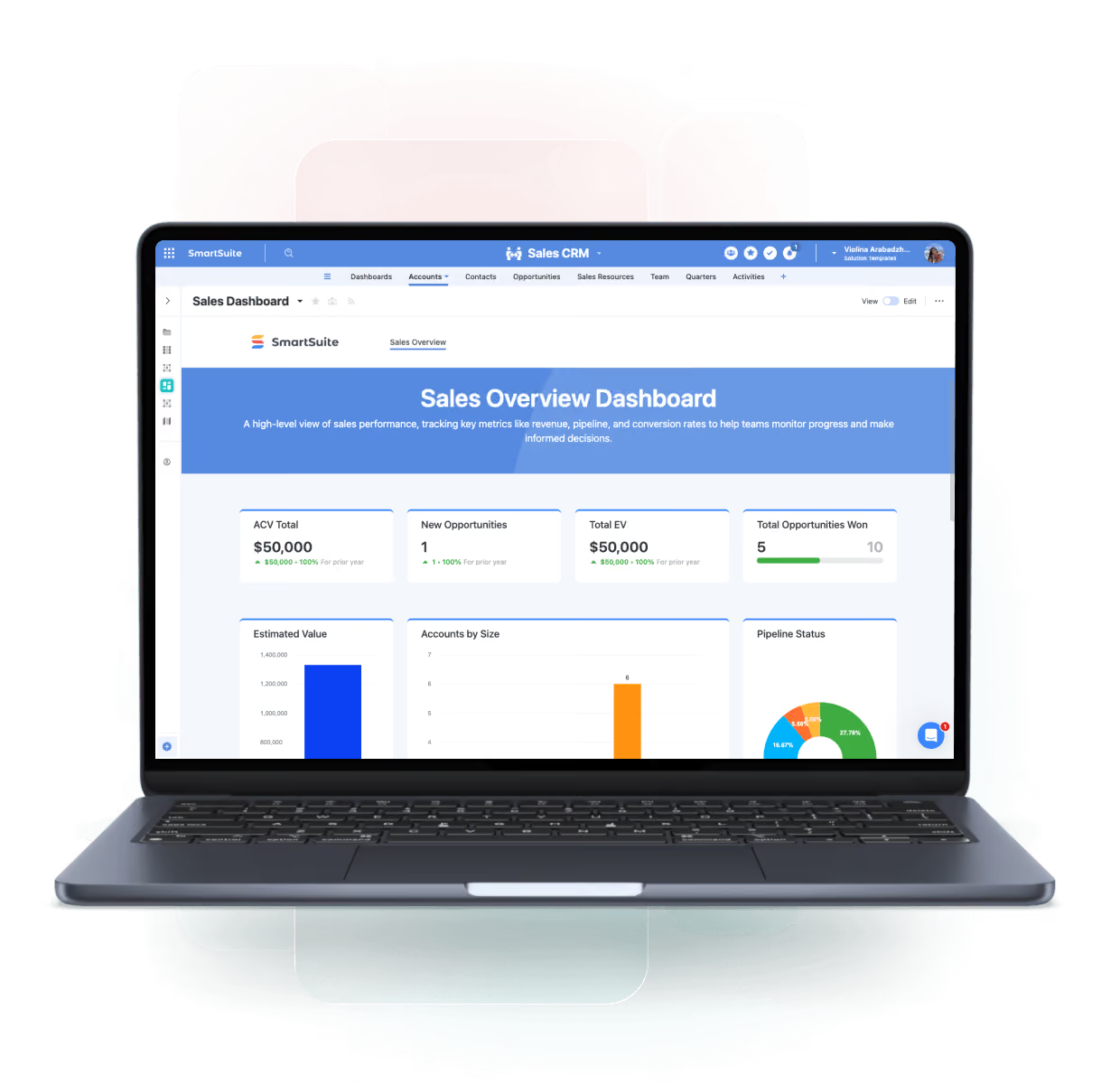
One Platform for Sales Execution
SmartSuite Sales Operations connects CRM, quoting, proposals, and account management into a single system that ensures consistent execution and full visibility across the sales lifecycle.
Sales CRM
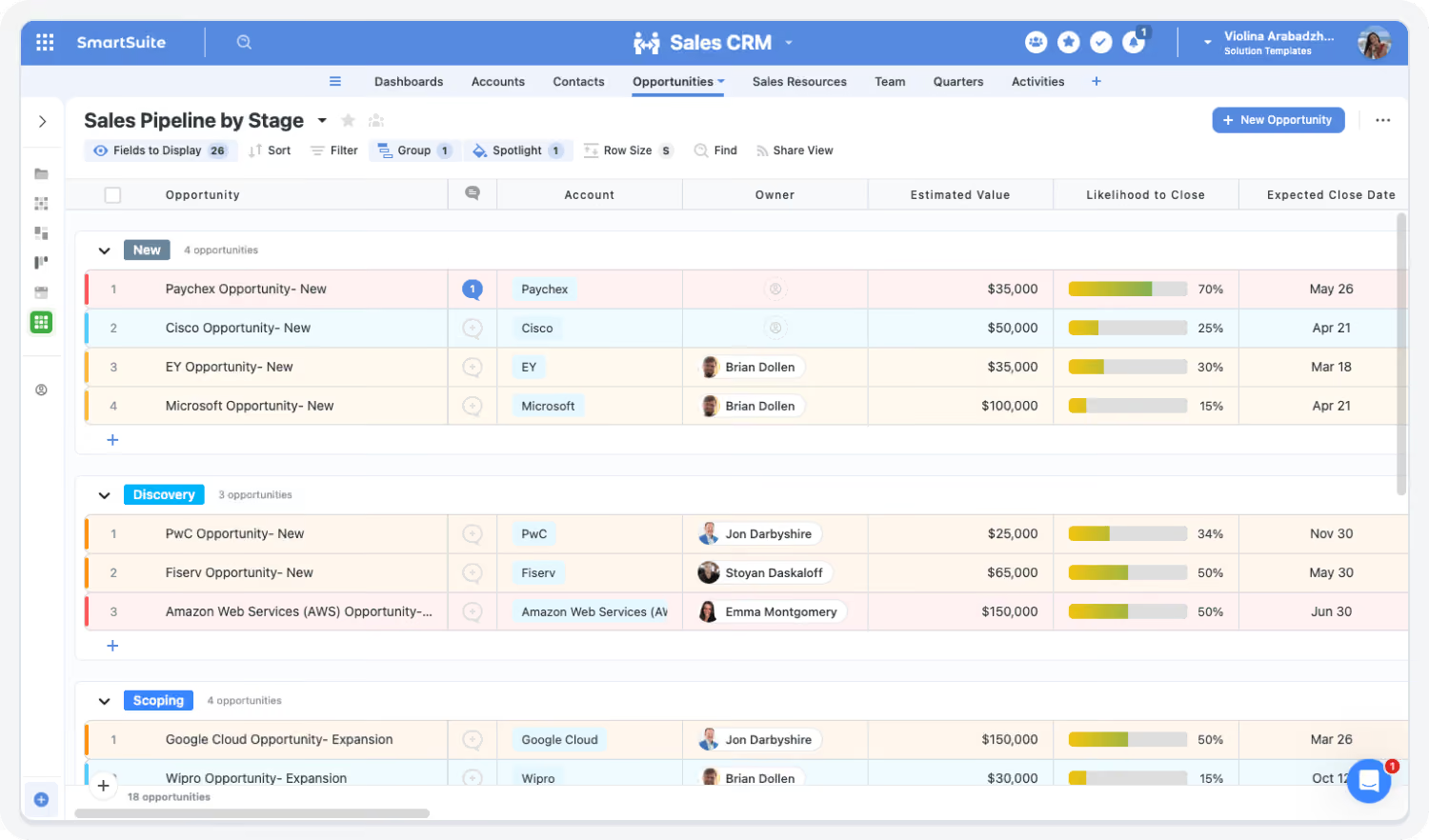
Manage accounts, contacts, and opportunities in a structured system that provides full visibility into pipeline progression and deal ownership.
Quote Management
Standardize pricing, approvals, and quote generation with workflows that ensure accuracy, consistency, and governance.
Proposal Management
Create, review, and approve proposals using templates and workflows with full version control and audit history.
Territory & Account Assignment
Organize accounts by territory, segment, or ownership model to ensure coverage, accountability, and strategic alignment.
Sales Operations Products
Core Capabilities of the Sales Operations Suite
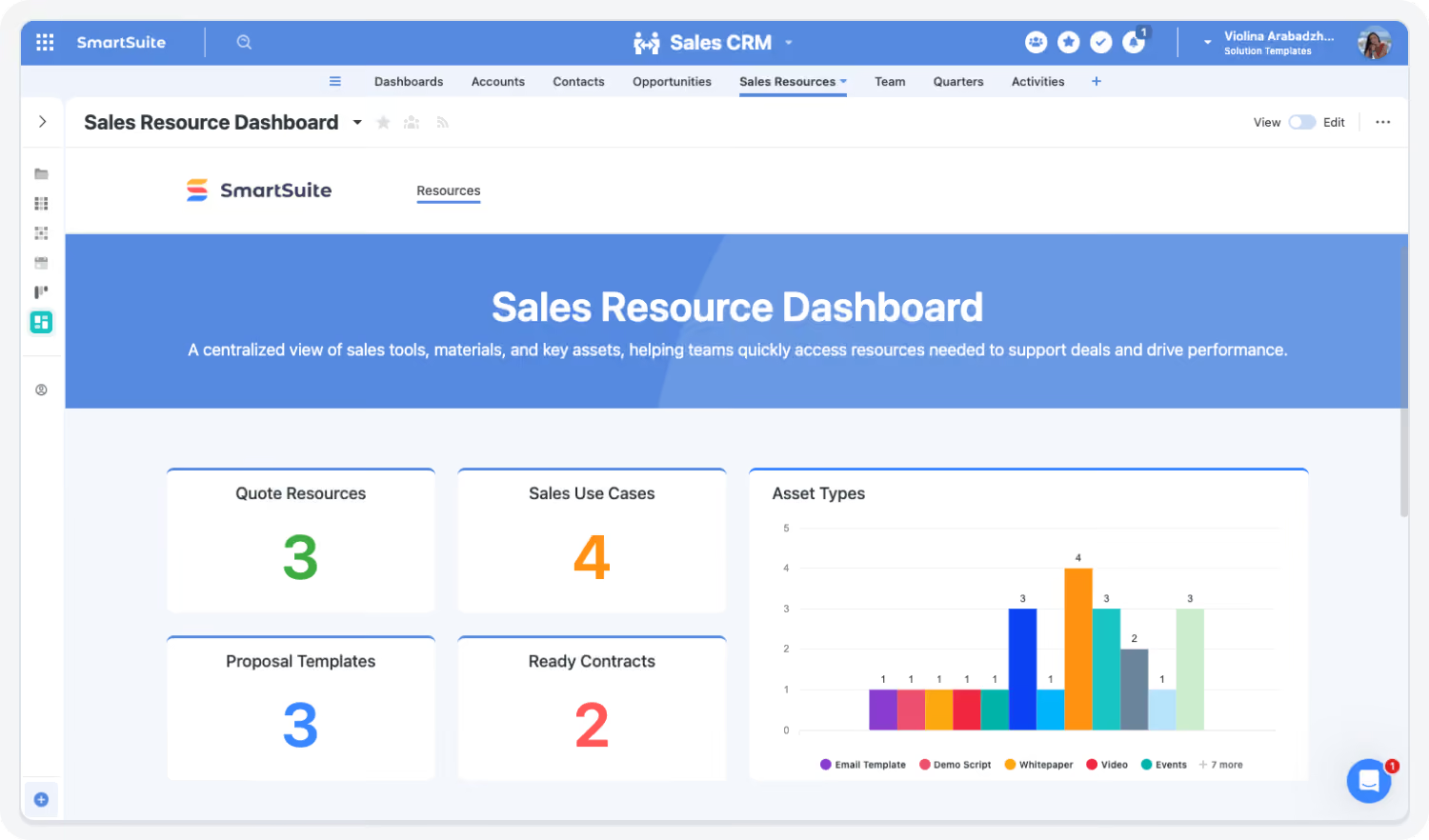
SmartSuite provides the building blocks to run sales execution in one system: CRM, quotes, proposals, approvals, and territories.
Simplify sales execution across pipeline, pricing, and proposals with confidence.
Centralize accounts, opportunities, quotes, proposals, and approvals in one workspace. SmartSuite links deal activity to pricing, approvals, and customer context—providing visibility, reducing manual coordination, and ensuring consistent execution across every stage of the sales lifecycle.
Track accounts, contacts, opportunities, and activities with stage workflows, forecasting, and reporting.
Generate and manage quotes with pricing controls, approval workflows, and audit-ready documentation.
Create, track, and approve proposals using standardized templates and version-controlled workflows.
Define territories, assign accounts, and manage ownership to ensure balanced coverage and accountability.
Automate stage progression, approvals, follow-ups, and task assignments to reduce manual coordination.
Route pricing exceptions, discounts, and deal approvals through structured governance workflows.
Provide real-time insight into pipeline health, conversion rates, deal velocity, and forecast performance.
Track meetings, follow-ups, and deal-related activities to ensure consistent execution and accountability.
Manage Accounts and Opportunities in One System
Centralize account, contact, and opportunity data for full pipeline visibility.
Highlights:
-
Unified account and opportunity records
-
Live pipeline visibility
-
Deal stages
Standardize Quotes and Proposals
Ensure consistency and accuracy in pricing and deal documentation.
Highlights:
-
Quote generation workflows
-
Proposal templates and approvals
-
Version control and audit tracking
Streamline Deal Execution and Approvals
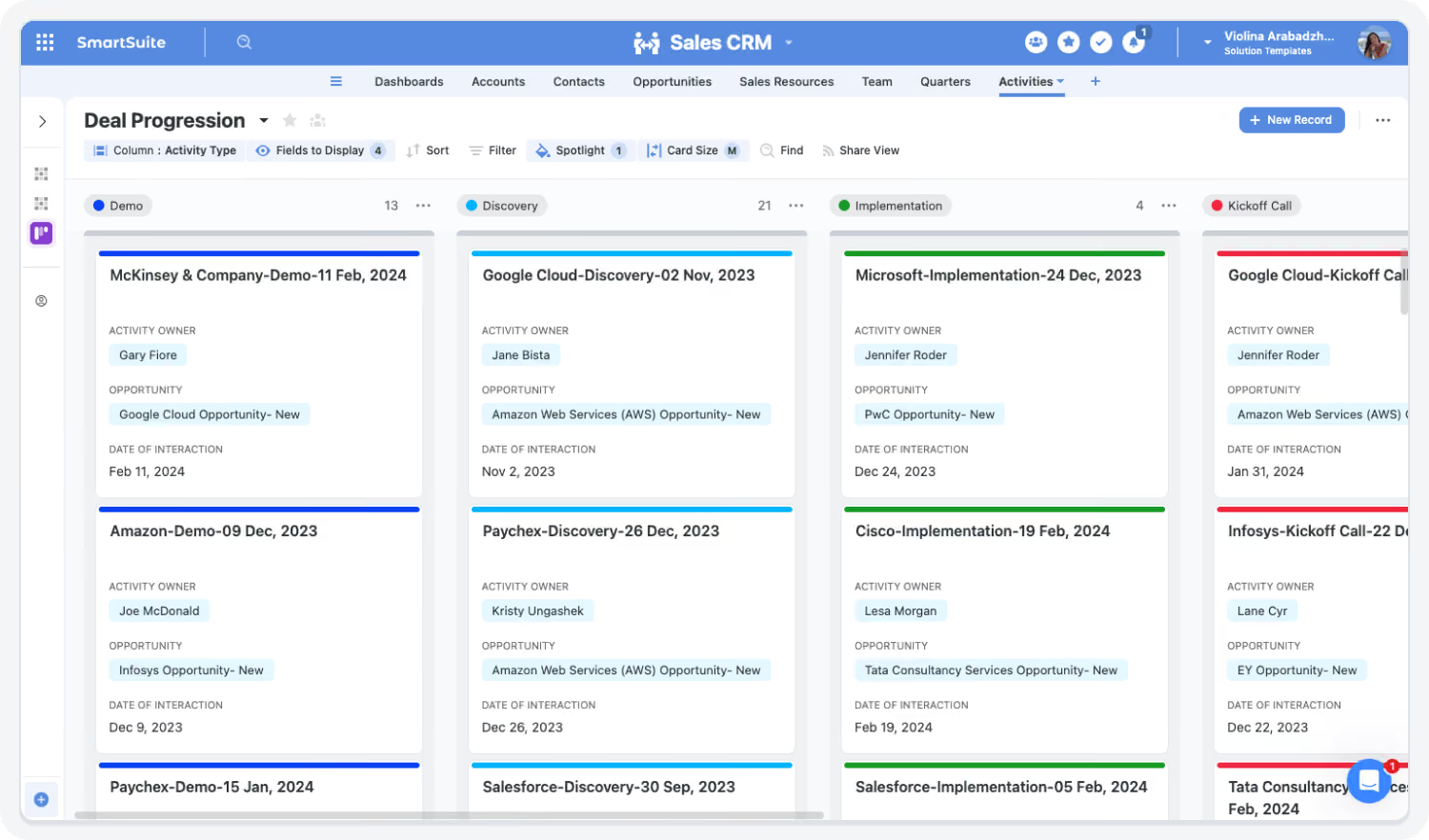
Automate deal progression and remove bottlenecks.
Highlights:
-
Automated approval routing
-
Task assignments and reminders
-
Escalation workflows
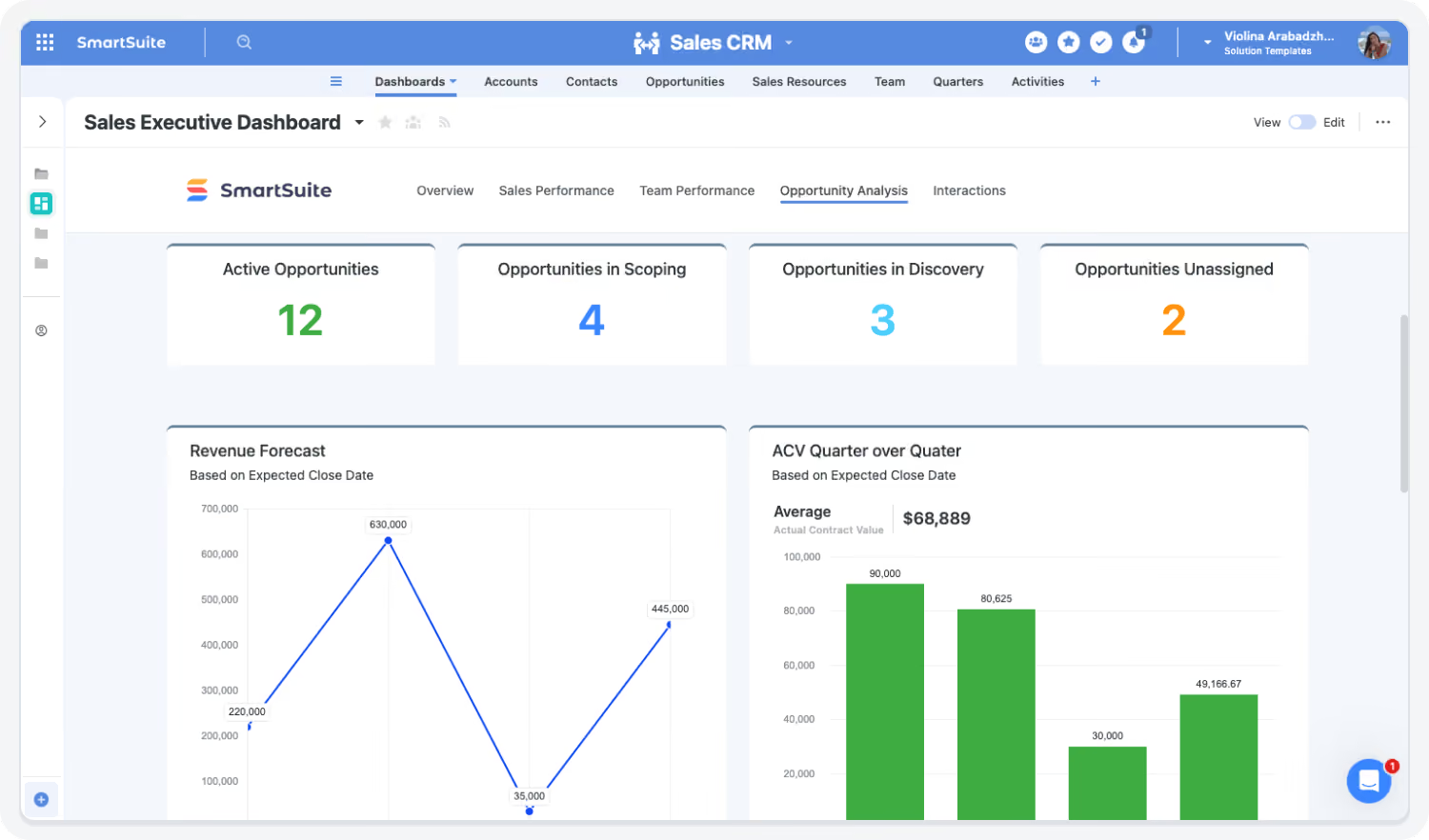
Gain Real-Time Pipeline and Performance Insight
Replace manual reporting with live dashboards.
Highlights:
-
Pipeline dashboards
-
Conversion tracking
-
Forecast visibility
Align Sales with Finance and Operations
Ensure deals are consistent with pricing, contracts, and processes.
Highlights:
-
Cross-functional workflows
-
Shared data model
-
Approval governance
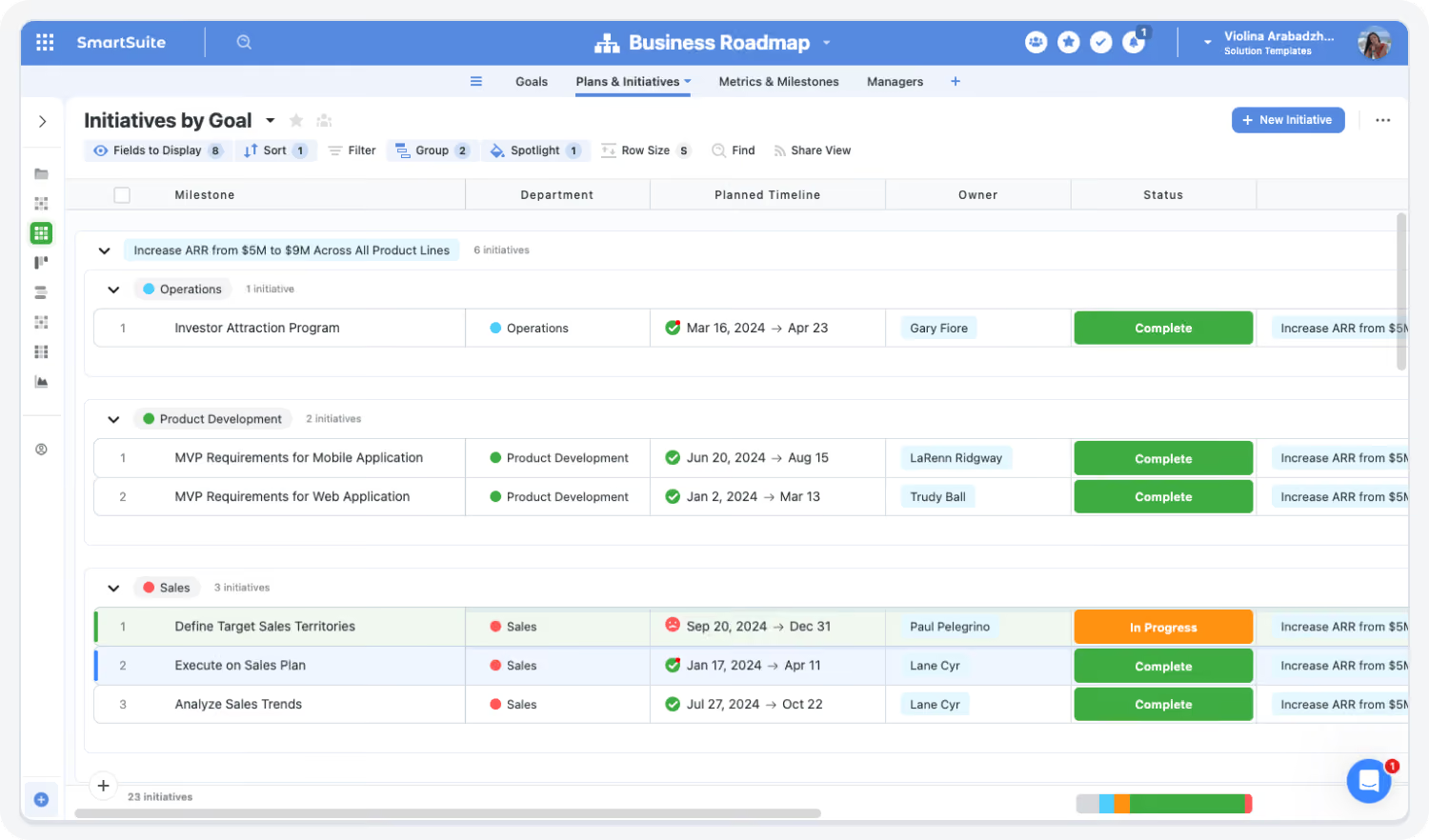
Built For Modern Sales Operations Teams
SmartSuite brings enterprise-grade sales execution with consumer-grade usability. Choose the rollout path that fits your sales motion today—and expand as deal volume, complexity, and governance requirements grow.
Adopt a Core Sales Capability
Begin with Sales CRM, Quote Management, or Proposal Workflows—standardize execution, improve visibility, and eliminate manual coordination across deals.
Roll Out End-to-End Sales Operations
Connect accounts, opportunities, quotes, proposals, approvals, and territory planning in one system—ensuring consistent execution and clear ownership across the sales lifecycle.
Deploy the Full Sales Operations Suite
Standardize deal workflows with shared data, automated approvals, and live dashboards—enabling faster deal cycles, better forecasting visibility, and disciplined execution across sales teams.
Explore Further
Discover best practices and insights into modern CRM strategies, automation, and linked sales execution with SmartSuite.
Frequently Asked Questions
Answers to common questions about SmartSuite Sales Operations.
SmartSuite Sales Operations brings together core sales execution workflows — including CRM, quoting, proposal management, territory planning, and deal approvals — into one connected system.
Instead of managing deals across multiple tools and documents, sales teams can track opportunities, generate quotes and proposals, manage approvals, and monitor execution in a single workspace. This ensures consistency across deals while improving visibility for both frontline teams and leadership.
Traditional CRM systems focus primarily on storing account and opportunity data. SmartSuite goes further by operationalizing how deals actually move forward.
It connects CRM data to execution workflows — such as quote generation, proposal management, approvals, and follow-ups — so teams can manage the entire deal lifecycle, not just track it. This reduces friction, eliminates manual coordination, and ensures that deals progress consistently through defined stages.
SmartSuite can be used either as a complementary system or as a replacement, depending on your organization’s needs.
Some teams use SmartSuite alongside Salesforce or HubSpot to manage execution workflows like quoting, proposals, and approvals. Others use SmartSuite as a unified platform that combines CRM functionality with structured workflows, reducing reliance on multiple systems and simplifying operations.
SmartSuite improves deal execution by connecting all deal-related activities — tasks, documents, approvals, and communications — into one structured workflow.
Instead of relying on emails, spreadsheets, or disconnected tools, sales teams follow consistent processes with clear ownership and automated reminders. This reduces delays caused by missed steps, unclear responsibilities, or approval bottlenecks, helping deals move forward more efficiently.
Yes. SmartSuite provides structured workflows for both quoting and proposal management.
Quotes can be generated, reviewed, and approved with defined pricing rules and approval thresholds, while proposals are managed through templates, version control, and approval workflows. This ensures accuracy, consistency, and traceability across all deal documentation.
See How SmartSuite Transforms Sales Operations
Connect your pipeline, quoting, and execution workflows in one platform — and gain visibility into every deal.
What the research shows
Independent research on what sales administration costs teams today, and what changes when the work lives in one system.
Source: SmartSuite customer story, a financial consulting firm in North America: 50% faster case processing with automation (https://www.smartsuite.com/customer-stories/case-study-53).
Faster case processing with automation, financial consulting firm
Automated workflows and centralized tracking move cases through each stage with fewer hand-offs.
Source: Salesforce, State of Sales research (news release, 8 Dec 2022): reps spend 28% of their week selling; the rest goes to tasks like deal management and data entry (https://www.salesforce.com/news/stories/sales-research-2023/).
Share of the week sales reps spend actually selling
Spreadsheets, document tracking, and email-based coordination take time away from selling; one workspace keeps deals and approvals together.
Source: Salesforce, State of Sales research (news release, 8 Dec 2022): sales teams use an average of 10 tools to close deals (https://www.salesforce.com/news/stories/sales-research-2023/).
Average number of tools sales teams use to close deals
Deal data scattered across tools makes pipeline status hard to see; shared dashboards pull it into one place.
Source: Salesforce, State of Sales research (news release, 8 Dec 2022): eight out of 10 sales reps report that team selling helps them close deals (https://www.salesforce.com/news/stories/sales-research-2023/).
Reps who say team selling helps them close deals
Standardized quoting, proposals, and approval workflows give every rep the same starting point.
Key Benefits of the Sales Operations Suite
Modern sales teams need one system for pipeline, pricing, and approvals. SmartSuite brings CRM, quotes, proposals, and approvals together so every deal follows the same process and leadership sees the same data.
Pipeline Visibility, Account Clarity & Execution Control
Centralize accounts, opportunities, contacts, and deal activity in one system.
Monitor deal progression, pipeline health, and stage conversion.
Organize accounts by territory, segment, or owner for clear coverage.
Track every deal from qualification to close with full visibility.
Align Sales, Finance, and Leadership with shared deal data.
Ensure every opportunity has clear ownership and accountability.
Execution Efficiency, Automation & Deal Velocity
Standardize stage progression, approvals, and task assignments.
Generate consistent quotes and proposals with workflows.
Automate pricing, discount, and exception approvals.
Track follow-ups, meetings, and deal actions with reminders.
Summarize deal activity and draft next steps for review.
Eliminate spreadsheets, emails, and disconnected processes.
Governance, Forecasting Confidence & Sales Alignment
Enforce consistent processes across teams and regions.
Maintain full traceability of deal changes, approvals, and actions.
Provide leadership with reliable pipeline and deal data.
Align Sales with Finance, Legal, and Operations.
Support SMB through enterprise sales organizations.
Adjust workflows, stages, and dashboards without engineering.
Eliminate Sales Friction with Connected Workflows
SmartSuite replaces disconnected tools and manual processes with workflows that improve deal speed, consistency, and visibility.
How the SmartSuite Platform Powers Sales Operations
SmartSuite connects CRM, quoting, proposals, and deal execution in one platform — enabling sales teams to manage pipeline activity, approvals, and customer interactions with full visibility and control.
Configure pipelines, deal stages, approval workflows, and templates without relying on engineering.
A Sales Ops Manager updates the approval workflow for discounts above a threshold and deploys it instantly across all deals.
Automate deal routing, follow-ups, approvals, and notifications across the sales process.
When a deal reaches “Proposal Sent,” SmartSuite assigns follow-up tasks and sends reminders to the Account Executive.
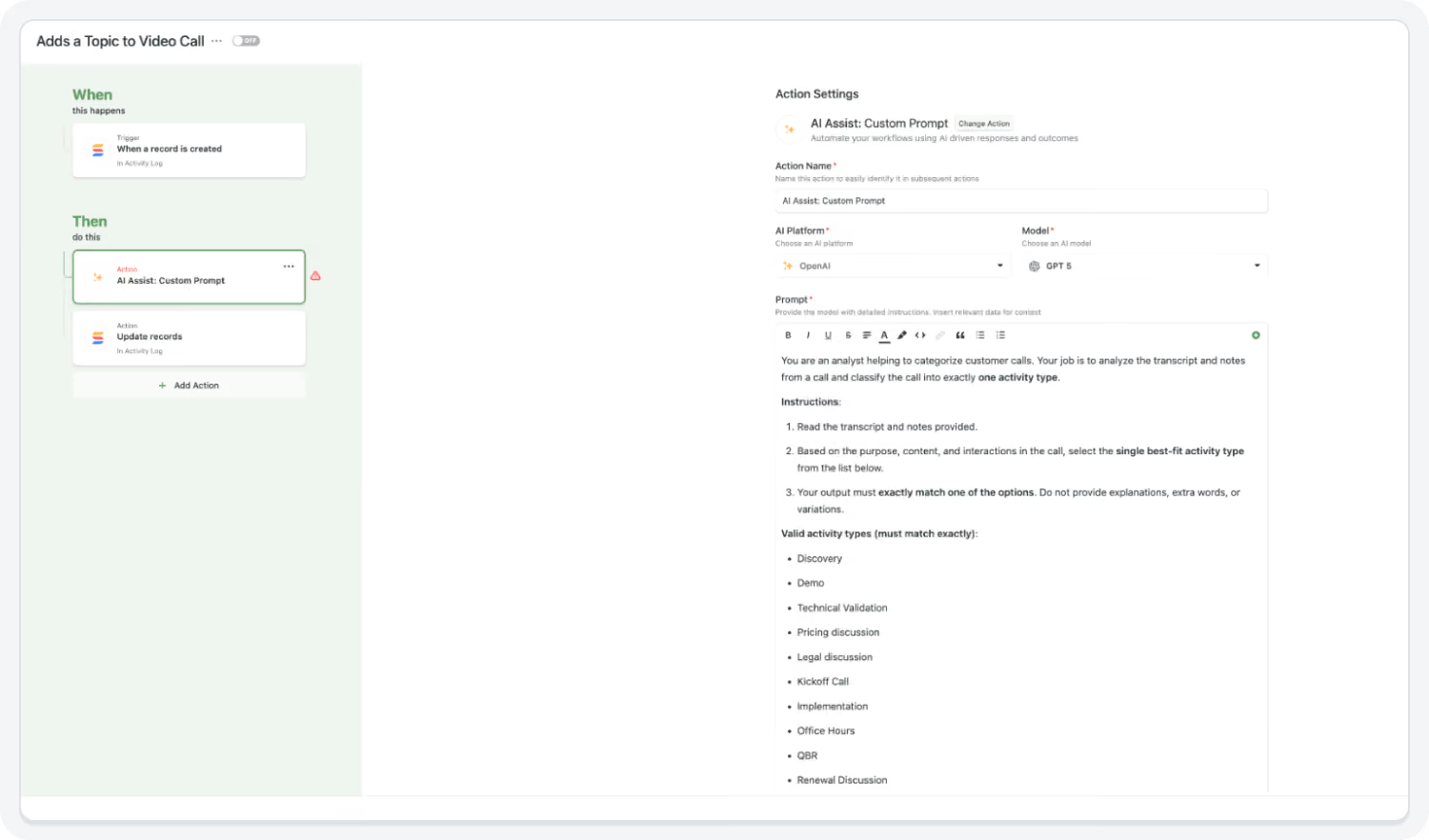
Summarize deal activity and draft updates for review.
The AI Assistant summarizes deal activity ahead of a forecast review.
Connect accounts, contacts, deals, quotes, proposals, and approvals for full traceability.
An opportunity record links to its proposal, pricing approvals, and communication history.
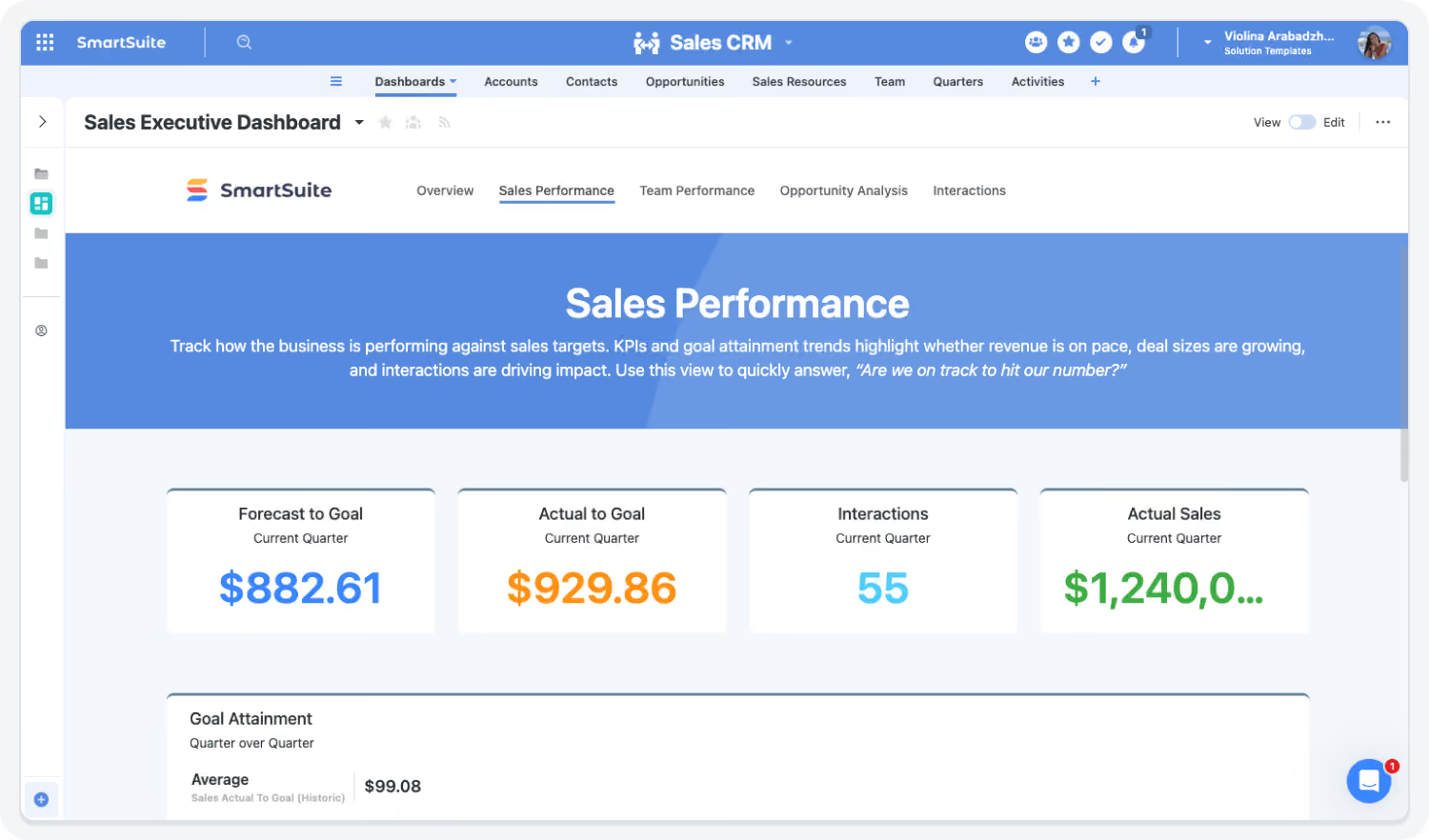
Track pipeline health, conversion rates, and deal performance.
Sales leaders monitor pipeline coverage and deal velocity through a live dashboard.
Connect SmartSuite with CRM, finance, and communication tools so data flows between them.
Sync account and opportunity data from Salesforce to maintain a unified view of deal execution.
Connect Pipeline and Deal Execution
SmartSuite links every deal, task, and approval in one system, ensuring that pipeline activity and execution are always aligned. Teams gain full visibility into deal progression while reducing manual coordination.
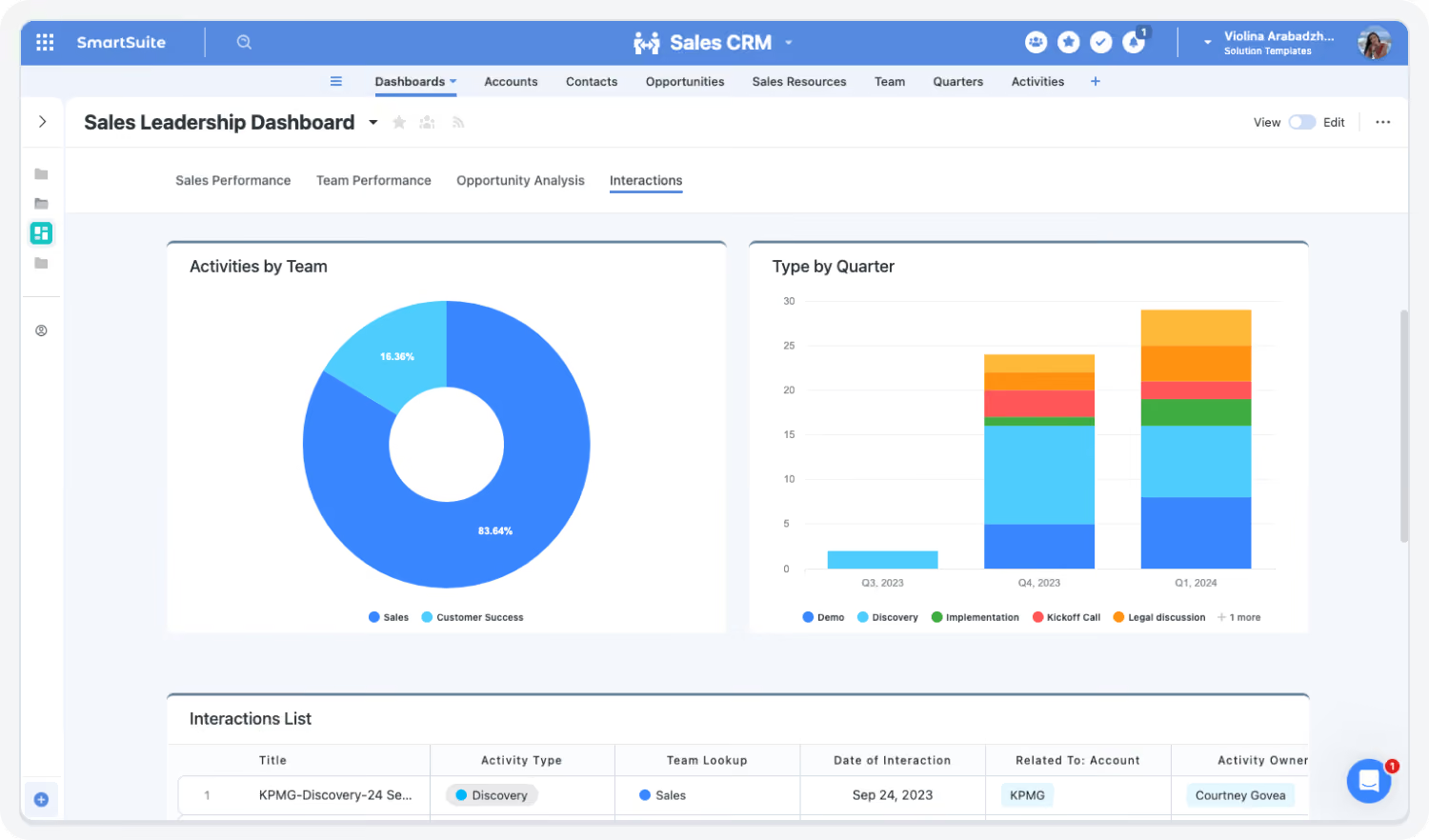
Automate Deal Workflows and Approvals
SmartSuite replaces manual coordination with automated workflows that route approvals, assign tasks, and trigger notifications. This ensures that deals move forward consistently and without delays.
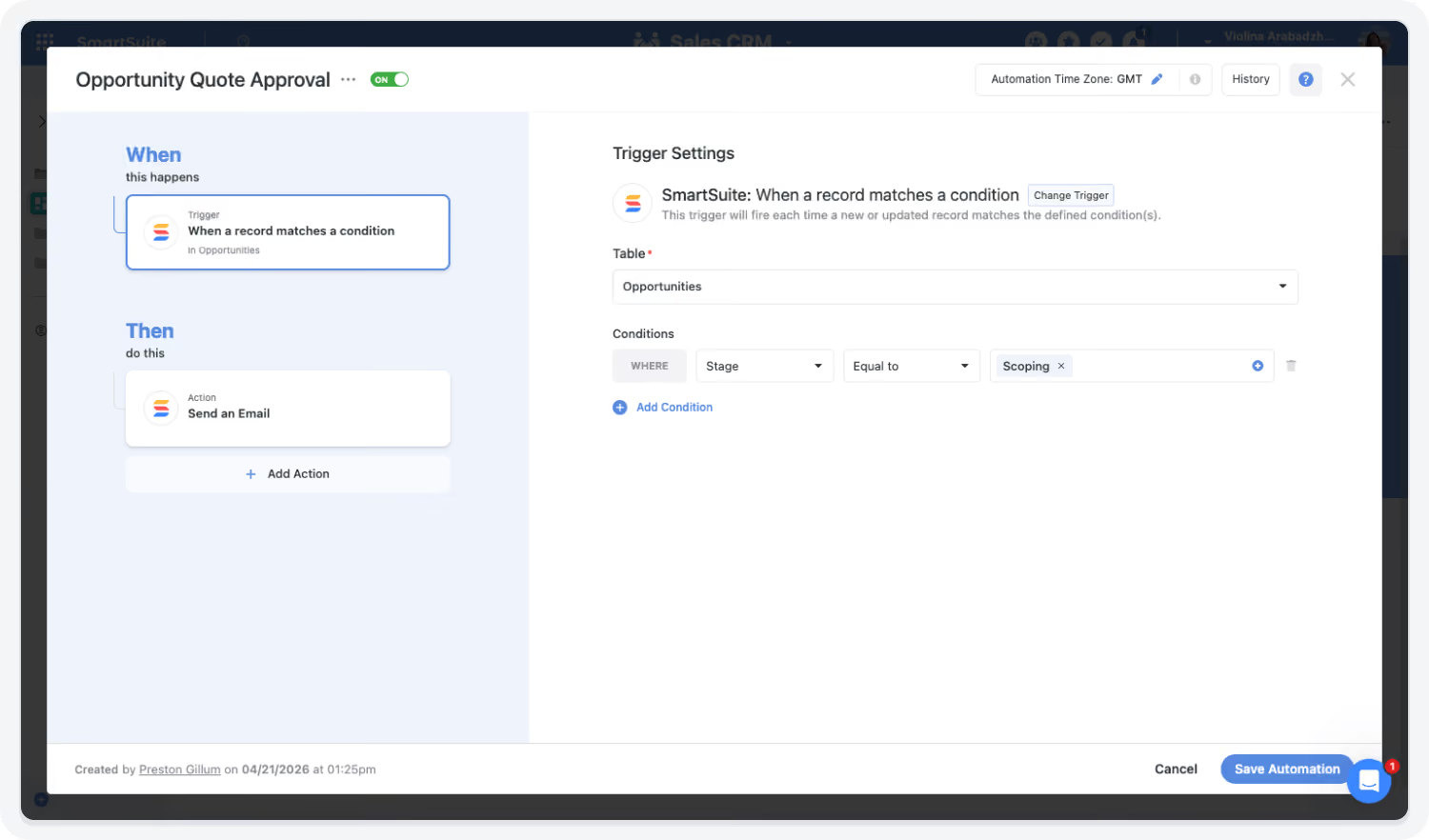
Monitor Pipeline Performance in Real Time
SmartSuite dashboards provide insight into pipeline health, deal progression, and conversion trends. Sales leaders can identify risks early and make informed decisions without relying on manual reports.
AI Assistant and Automation Improve Deal Execution
The AI Assistant summarizes deal activity, while automation keeps every deal on the same process.
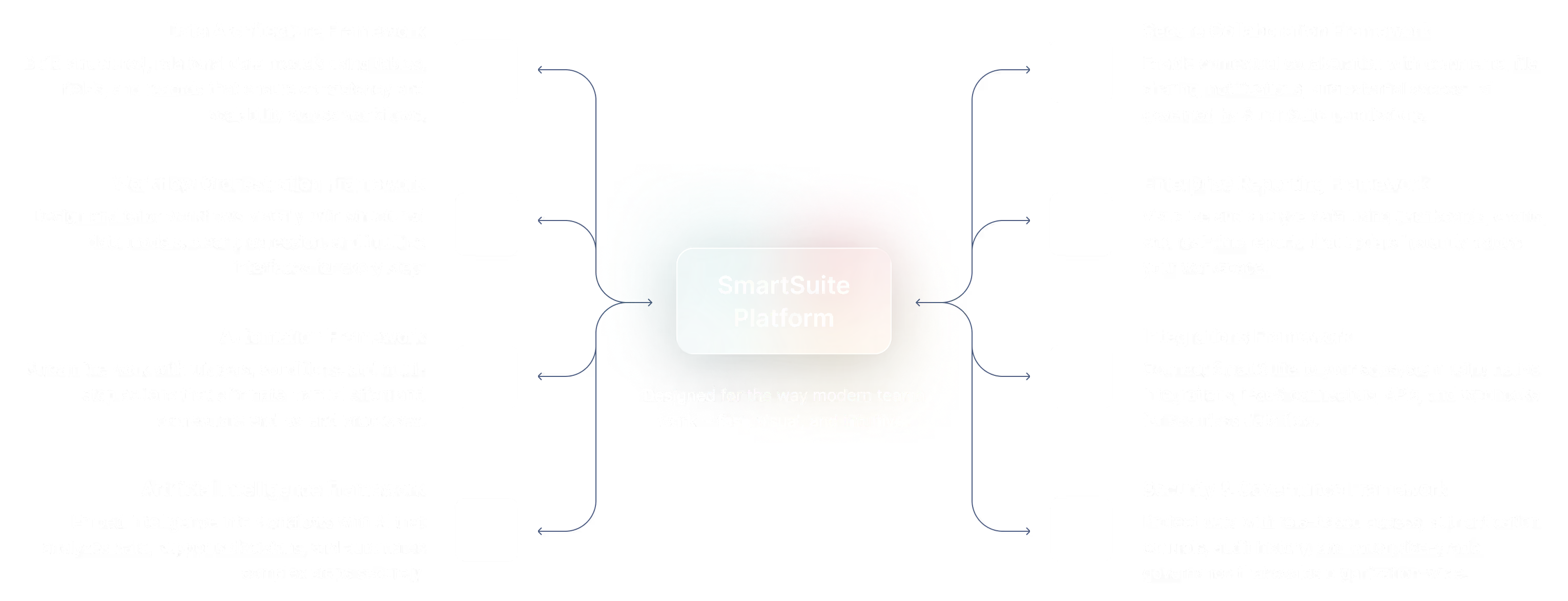
The SmartSuite Platform:
Powered by Eight Interconnected Frameworks
The SmartSuite Platform consists of eight interconnected frameworks that provide a foundation for designing, automating, analyzing, and governing connected workflows.
Platform
Security and Governance, Built for Enterprise Scale
SmartSuite provides fine-grained, role-based permissions that protect data without slowing innovation. Define access down to the record, field, or workflow level, enforce compliance with SSO, 2FA, and IP restrictions, and maintain a complete audit trail of every action. With SmartSuite, governance and agility work together — innovation moves fast, and your security moves with it.

Work Anytime, Anywhere, on Any Device
Stay connected and productive wherever you are. SmartSuite works across web, tablet, and mobile, so your team can manage projects, collaborate, and automate workflows in real time — whether in the office, remote, or on the go.


The Platform That Powers Modern Sales Execution
SmartSuite connects deals, approvals, pricing, and reporting into one governed system — improving execution discipline and forecasting confidence.
Role-Based Capabilities for Sales Operations
SmartSuite supports every role in the sales process — from account executives to the CRO — with linked records, approval workflows, and dashboards.

Account Executive (AE)
Owns pipeline execution for assigned accounts, managing deals from qualification through close.
- Benefit Statement:
SmartSuite centralizes account context and deal execution workflows, reducing friction and improving close discipline.
- Benefit Source:
Linked accounts, opportunity workflows, tasks, and dashboards.
How they use the suite
Deal Execution
Tracks stages, next steps, tasks, and approvals in one workflow.
Account Visibility
Reviews campaign touches, communications, and engagement history.
Forecasting Support
Maintains accurate deal health and close timing for leadership visibility.

Chief Revenue Officer (CRO)
Owns revenue strategy, pipeline performance, forecasting confidence, and cross-functional execution across the GTM organization.
- Benefit Statement:
SmartSuite gives CROs a unified view of pipeline health, campaign influence, and execution readiness — improving predictability and accountability.
- Benefit Source:
Executive dashboards, pipeline analytics, campaign-to-revenue reporting, and workflow visibility.
How they use the Revenue Operations suite
Revenue oversight
Reviews pipeline coverage, forecast categories, and conversion trends in real time.
Execution alignment
Ensures Sales and Marketing motions stay coordinated with clear priorities and handoffs.
Executive reporting
Delivers leadership-ready reporting on pipeline, campaign impact, and launch readiness.

Customer Success Manager (CSM)
Owns day-to-day customer relationships, adoption, retention, and expansion.
- Benefit Statement:
SmartSuite consolidates all customer signals into one workspace, enabling proactive, informed engagement.
- Benefit Source:
Unified customer records, tasks, dashboards, success plans, and communication history.
How they use the Customer Success Operations suite
Account management
Tracks goals, success plans, tasks, meetings, and communications in one place.
Health monitoring
Reviews health scores, usage trends, and risk indicators to prioritize outreach.
Renewal readiness
Prepares renewals with clear timelines, risk assessments, and stakeholder alignment.

Deal Desk Manager
Manages deal structuring, pricing approvals, and commercial governance.
- Benefit Statement:
SmartSuite standardizes deal approvals and pricing workflows, reducing delays and improving consistency.
- Benefit Source:
Approval workflows, pricing rules, dashboards, and audit logs.
How they use the Sales Operations suite
Approval management
Routes discounts, pricing, and deal exceptions for review.
Deal structuring
Ensures deals meet pricing and policy requirements.
Execution monitoring
Tracks approval cycle time and bottlenecks.

Legal Reviewer
Reviews contracts, proposals, and deal terms to ensure legal compliance.
- Benefit Statement:
SmartSuite streamlines legal review workflows while maintaining full traceability.
- Benefit Source:
Approval routing, version history, audit logs, document workflows.
How they use the Sales Operations suite
Contract review
Reviews terms and conditions within deal workflows.
Approval documentation
Tracks approvals and revisions with full history.
Risk mitigation
Ensures legal standards are consistently applied.

Sales Development Manager
Oversees lead qualification, pipeline creation, and early-stage opportunity progression.
- Benefit Statement:
SmartSuite ensures structured lead handling and consistent qualification workflows to improve pipeline quality.
- Benefit Source:
Lead workflows, routing automation, dashboards.
How they use the Sales Operations suite
Lead routing
Ensures leads are assigned quickly and accurately.
Qualification tracking
Monitors progression from lead to opportunity.
Team performance
Reviews activity levels and pipeline contribution.

Sales Enablement Manager
Supports sales teams with tools, content, processes, and training to improve execution.
- Benefit Statement:
SmartSuite connects sales content, workflows, and execution processes, ensuring reps follow consistent playbooks.
- Benefit Source:
Templates, workflows, dashboards, and document tracking.
How they use the Sales Operations suite
Process enablement
Ensures reps follow standardized workflows for deals, proposals, and approvals.
Content alignment
Links proposals and sales materials to deal workflows.
Execution monitoring
Tracks adoption of processes and identifies gaps.

Sales Finance / Commercial Finance Manager
Supports deal pricing, financial validation, and revenue alignment.
- Benefit Statement:
SmartSuite connects deal activity to financial visibility and approval workflows.
- Benefit Source:
Linked deal records, approval workflows, dashboards.
How they use the Sales Operations suite
Financial review
Validates pricing, margins, and deal structure.
Approval oversight
Participates in deal approvals and exception handling.
Revenue visibility
Tracks deal impact on forecasts and revenue targets.

Sales Operations Manager
Manages sales process execution, territory operations, pipeline hygiene, and sales enablement workflows.
- Benefit Statement:
SmartSuite improves pipeline consistency and rep execution by operationalizing workflows and visibility.
- Benefit Source:
Pipeline dashboards, workflow automation, and activity tracking.
How they use the Revenue Operations suite
Pipeline hygiene
Flags stalled deals and enforces stage and data requirements.
Rep execution support
Tracks next steps, approvals, and follow-ups through automated workflows.
Performance reporting
Builds rep and team dashboards for activity and conversion performance.

VP / Head of Sales
Leads sales execution, pipeline management, and team performance across regions and segments.
- Benefit Statement:
SmartSuite provides structured visibility into deals, accounts, and execution workflows — helping sales leaders drive consistency and performance.
- Benefit Source:
Pipeline dashboards, territory views, activity tracking, and reporting.
How they use the Sales Operations suite
Pipeline management
Tracks deal stages, conversion rates, and pipeline coverage.
Team performance oversight
Reviews rep activity, deal health, and execution consistency.
Forecast alignment
Uses real-time data to validate forecast assumptions and risks.
Built for Every Role in Sales Operations
From CROs and Sales Ops leaders to Account Executives and Deal Desk teams, SmartSuite provides the structure and visibility needed to execute deals with confidence.
Flexible Pricing Designed for Every Organization
Whether you’re a growing team or a global enterprise, SmartSuite’s pricing adapts to how your business works.
Choose platform-wide access with user-based pricing or tailor licenses to your organization’s scale and structure with the Signature plan (per-solution pricing).
User-Based Pricing: Simplify Access Across Every Team
Our Team, Professional, and Enterprise plans make it easy to scale access across your organization. Each licensed user
can access all SmartSuite solutions — with predictable pricing that grows as you do.
-
One per-user license for all SmartSuite solutions.
-
Ideal for organizations connecting workflows across departments.
-
Scalable across teams and business functions.
-
Available in Team, Professional, and Enterprise plan tiers.
unified access.
-
SmartSuite AI
-
Min 3 Billable Users
-
Unlimited Solutions
-
5,000 Records per Solution
-
50GB of File Storage
-
30 Days Recycle Bin
-
SmartSuite AI
-
Min 5 Billable Users
-
Unlimited Solutions
-
100,000 Records per Solution
-
100GB of File Storage
-
45 Days Recycle Bin
-
Folders
-
Gmail and Outlook Integrations
-
Advanced Permissions
-
SmartSuite AI
-
Min 10 Billable Users
-
Unlimited Solutions
-
400,000 Records per Solution
-
500GB of File Storage
-
60 Days Recycle Bin
-
SSO
-
SCIM User Provisioning
-
SCIM-Synced User Groups
-
Audit Logs
-
IP Address Restrictions
-
Data Loss Prevention (DLP)
-
European Data Residency
-
Premium Support
Signature Plan: Per-Solution Pricing for Enterprise Scale
For global organizations and regulated industries requiring complex governance or large-scale rollouts, SmartSuite offers the Signature plan (per-solution pricing). This plan allows enterprises to license specific SmartSuite Solutions — such as GRC, ITSM, or Procurement — for tens of thousands of users, tailored to their exact needs.
-
Tailored Licensing — Structure licenses by department, region, or regulatory requirement.
-
Purpose-Built for Scale — Designed for enterprises managing thousands of users.
-
Customizable Agreements — Includes the ability to tailor terms and access levels to meet unique business needs.
-
Enterprise Confidence — Built for large financial institutions, insurers, and global enterprises who require high-performance
and governance.
-
Audit Management
-
Issues Management
-
Operational Resilience
-
Business Impact Analysis (BIA)
-
Incident Management
-
Crisis Management
-
Enterprise Risk Management
-
Third-Party Risk
-
Vendor Portal
-
Cyber Threat Management
-
RCSA (Risk & Control Self-Assessment)
-
Issues Management
-
Business Structure
-
Contract Management
-
Policy Management
-
Regulatory Change Management
-
SOC 2 Compliance
-
CRI Profile Compliance
-
Control Framework & Regulatory Libraries
-
Compliance Assessments & Testing
-
ESG & Sustainability Management
Compare Our Pricing Models
Frequently Asked Questions
Answers to common questions about SmartSuite’s pricing models, plan options, and onboarding programs.
SmartSuite has three per-seat plans and one per-solution plan. Team ($15 per seat per month billed annually, minimum 3 users) and Professional ($32 per seat per month billed annually, minimum 5) are self-serve. Enterprise is custom priced and adds SSO, SCIM, audit logs, data residency and a Customer Success Manager. Signature licenses specific solutions, such as GRC or ITSM, for large user populations and is priced per solution.
Signature is priced per solution rather than per user, so an organization can roll a solution out to hundreds or thousands of people without per-seat cost. It pairs the Enterprise platform with governance and support arrangements agreed for your deployment. Terms, minimums and support levels are set in your contract.
Yes, by plan. Team includes 5,000 records per Solution, 50 GB of attachment storage per Solution and 25,000 automation runs and API calls per month. Professional includes 100,000 records, 100 GB and 100,000 runs and calls. Enterprise includes 400,000 records, 500 GB and 500,000 runs and calls. Solutions are unlimited on every plan, and reaching a limit never stops your Solutions from working.
Every plan includes the Help Center, real-time chat, onboarding guides, daily office hours, live monthly training and certifications, bi-weekly getting-started workshops, SmartSuite Academy and the user community. Enterprise adds a named Customer Success Manager and Professional Services, and Premium Support is available as an Enterprise add-on.
Yes. Enterprise is custom priced, with payment by invoice available for plans that meet a minimum fee, and Signature prices a whole solution rather than each user. Both are shaped around your user population, security review and support requirements.
Contact sales or schedule a demo. A member of the team will walk through your requirements and put together an Enterprise or Signature proposal.
Flexible Pricing for Sales Teams of Any Size
SmartSuite scales from small sales teams to enterprise organizations with configurable pricing and deployment models.
Featured Resources
Videos, a webinar, and an article on sales operations and revenue workflows.










SmartSuite Resources
Everything you need to learn, build, connect, and grow with SmartSuite — from expert guidance and self-paced learning to community collaboration and continuous innovation.











Resources to Improve Sales Execution and Pipeline Visibility
Explore guides, demos, and customer stories that show how teams modernize sales operations and improve deal execution.