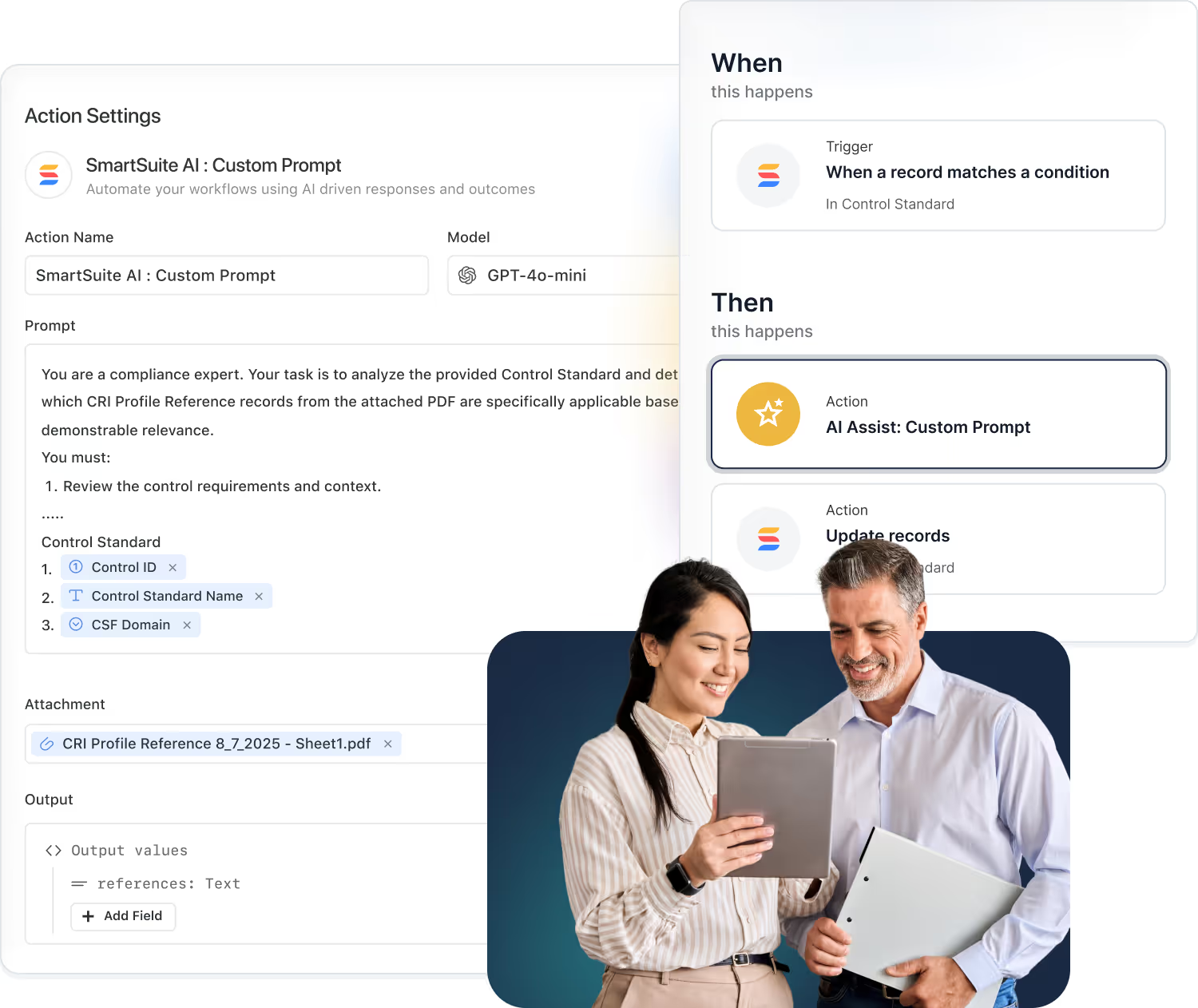
SmartSuite AI puts intelligence inside every workflow: AI Agent Studio, the AI Workflow Agent in automations, the AI Field Agent beside your data, human-in-the-loop controls and bring-your-own-LLM.
Key takeaways
- AI Agent Studio, the AI Workflow Agent and the AI Field Agent put AI inside automations and next to data.
- AI creates, summarizes and transforms content in the flow of work.
- Human-in-the-loop controls keep people deciding, and AI respects the permission model.
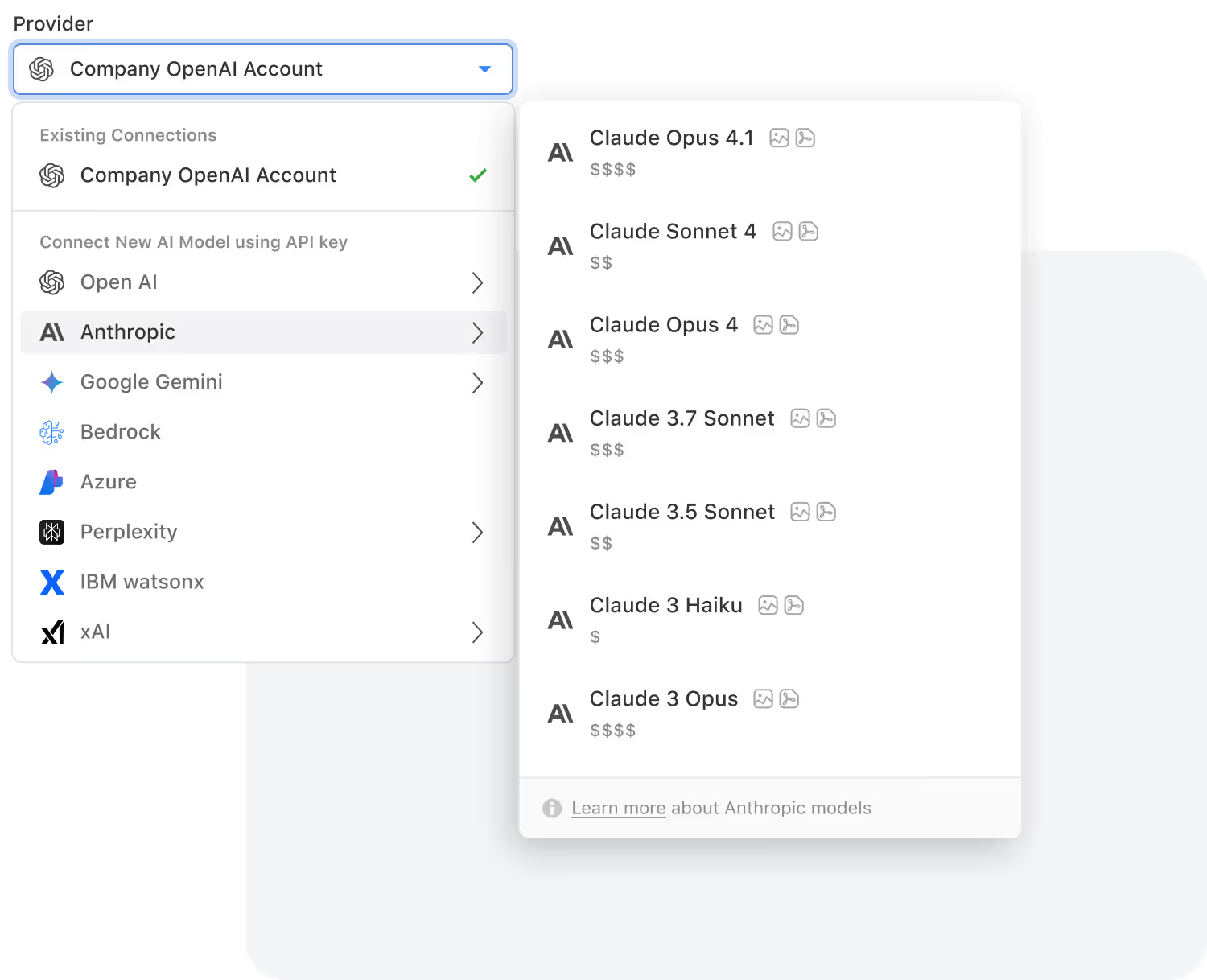
- Bring your own LLM: OpenAI, Anthropic, Google Gemini, Azure, Bedrock, Perplexity, IBM watsonx, xAI, Groq and Nscale.
How does AI work in SmartSuite?
AI in SmartSuite runs inside the workflow rather than beside it: AI Agent Studio builds agents, the AI Workflow Agent acts as an automation step, and the AI Field Agent works next to the data in a record. People approve what matters through human-in-the-loop controls, AI respects the permission model, and organizations can bring their own large language model.
SmartSuite AI Agent Studio
Smarter Workflows Start With Integrated AI
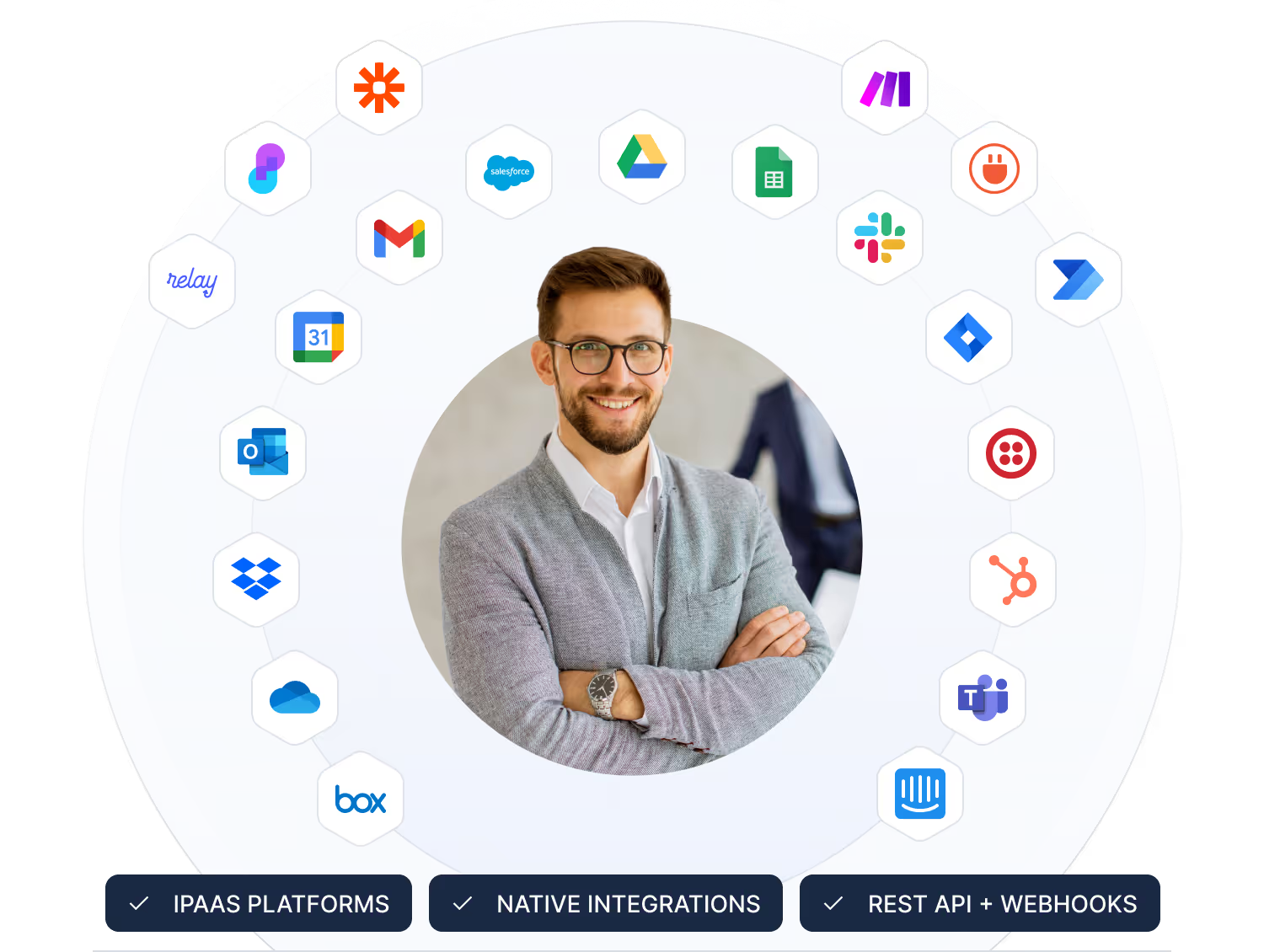
AI is embedded into the core of the SmartSuite Platform, not added as an afterthought. From content understanding to workflow execution, SmartSuite brings intelligence to every layer of your work. With flexible model choices and enterprise governance, teams stay in control while AI accelerates clarity, accuracy, and decision-making across all workflows. Supported models include: OpenAI, Gemini, Anthropic, Nscale, xAI, Groq, Bedrock AI, Azure, Perplexity and IBM WatsonX.
Intelligent Workflows. AI operates inside your processes, enriching data, refining steps, and supporting decisions where the work actually happens.
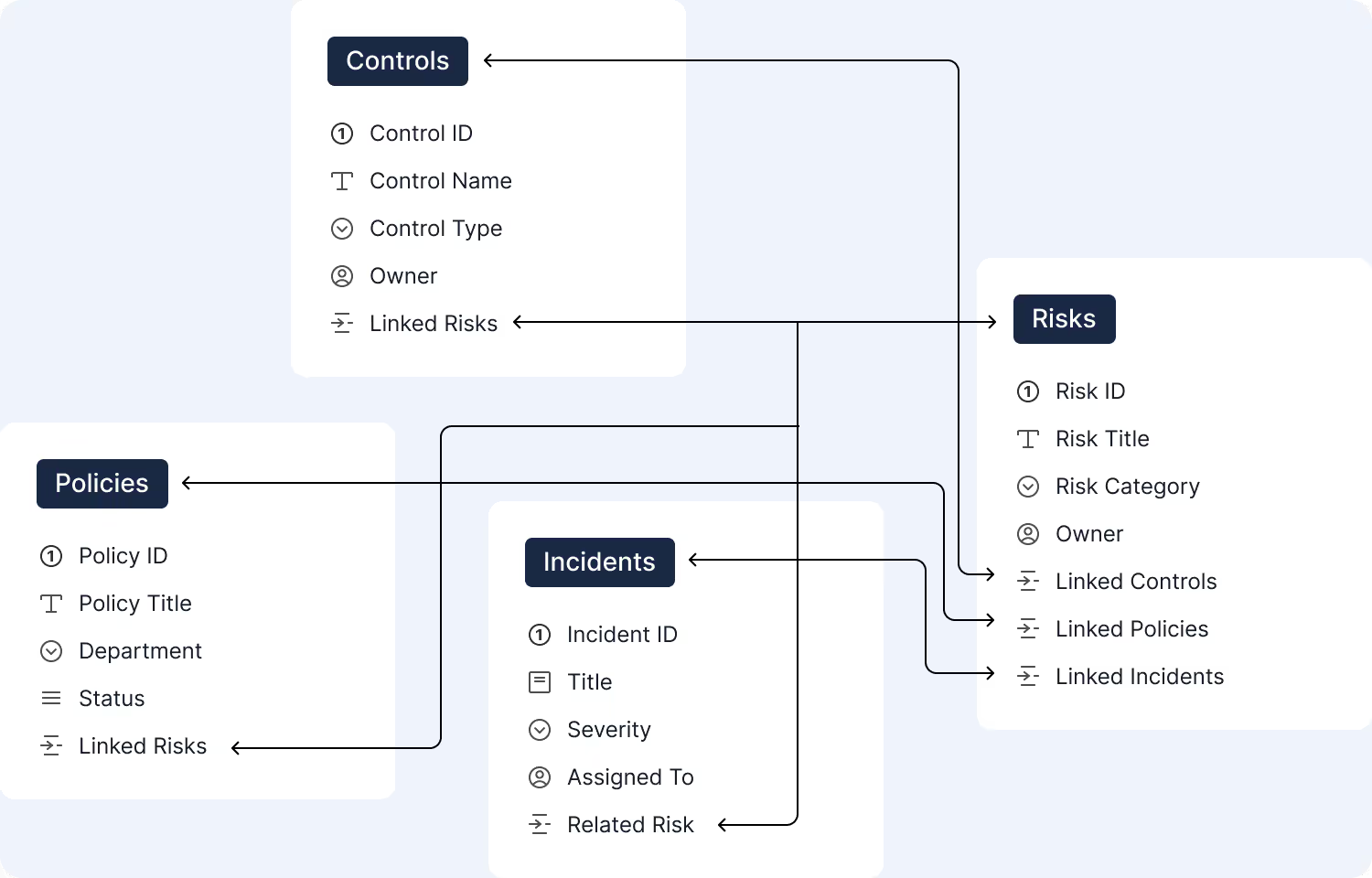
Business Insights. Because AI runs on structured solutions, fields, and relationships, insights stay grounded in your business context.
Faster Execution. AI accelerates routing, classification, summaries, and next steps so work flows smoothly across every department.
AI Governance. Connect SmartSuite to any system or data source with enterprise-grade security and governance.
How are teams using SmartSuite AI?
From risk assessments to ticket triage and project planning, AI supports the work that moves your business forward. These examples show how different teams take advantage of AI inside SmartSuite workflows.
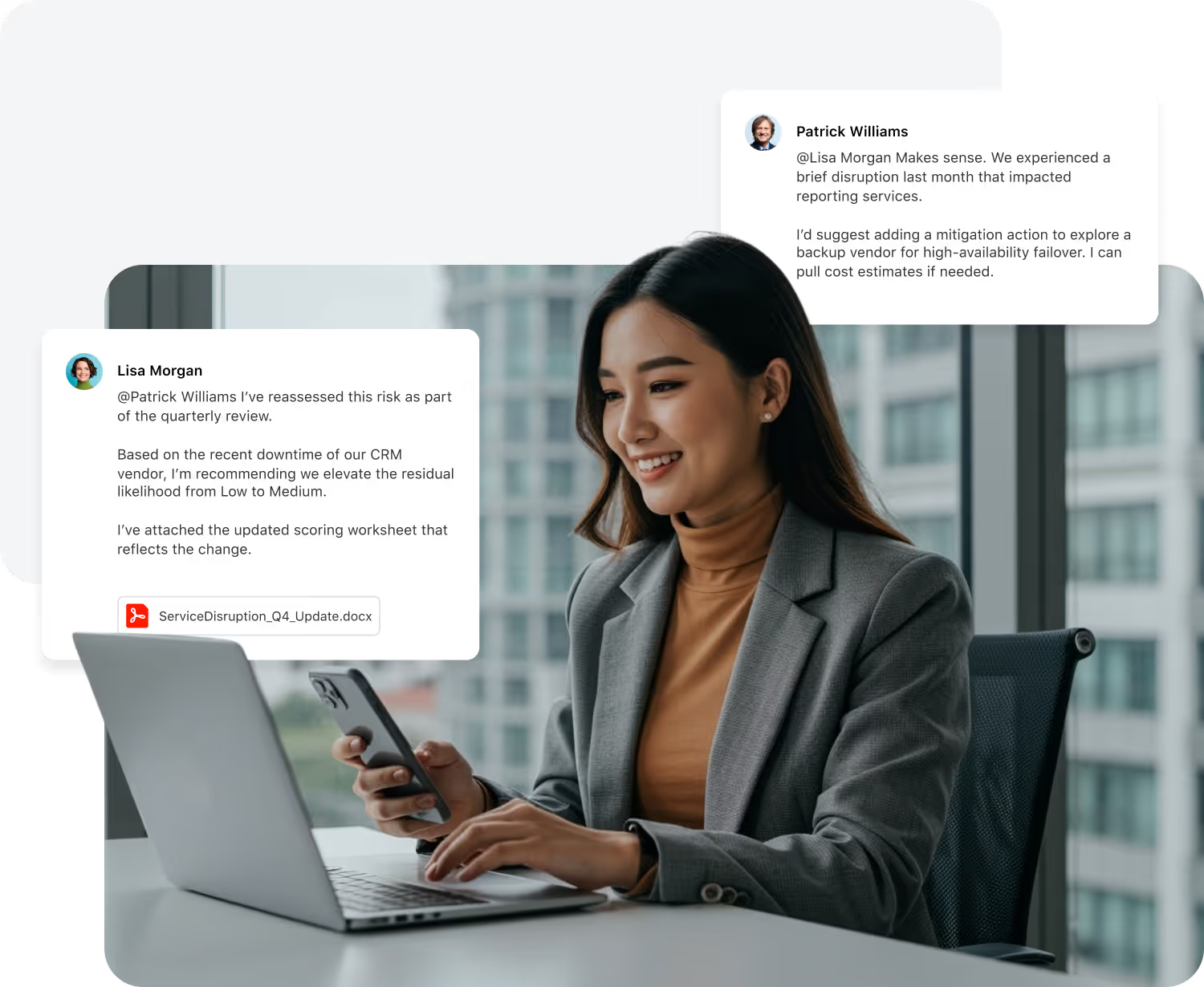
- Summarize assessments and control tests.
- Extract findings and recommended remediation.
- Propose risk severity based on key risk evaluation factors.
- Auto-categorize incidents and requests.
- Summarize long ticket threads for faster handoffs.
- Suggest likely root cause or next troubleshooting steps.
- Generate project status updates from recent activity.
- Flag timeline risks and potential bottlenecks.
- Highlight blockers before they delay critical milestones.
- Normalize data across teams and regions.
- Detect anomalies in key metrics and workflows.
- Turn unstructured input into clean, reportable data.
- Summarize campaign performance and test results.
- Extract key themes from customer and prospect feedback.
- Normalize briefs and messaging across teams and regions.
- Summarize vendor risk assessments and questionnaires.
- Highlight potential issues in third-party responses.
- Map responses to required controls and frameworks.
- Summarize incidents, recovery steps, and lessons learned.
- Highlight gaps between plans and actual response.
- Surface dependencies and emerging risks across critical processes.
- Summarize multi-channel conversations into clear updates.
- Suggest next-best responses or actions for agents.
- Group related tickets and themes for faster triage.
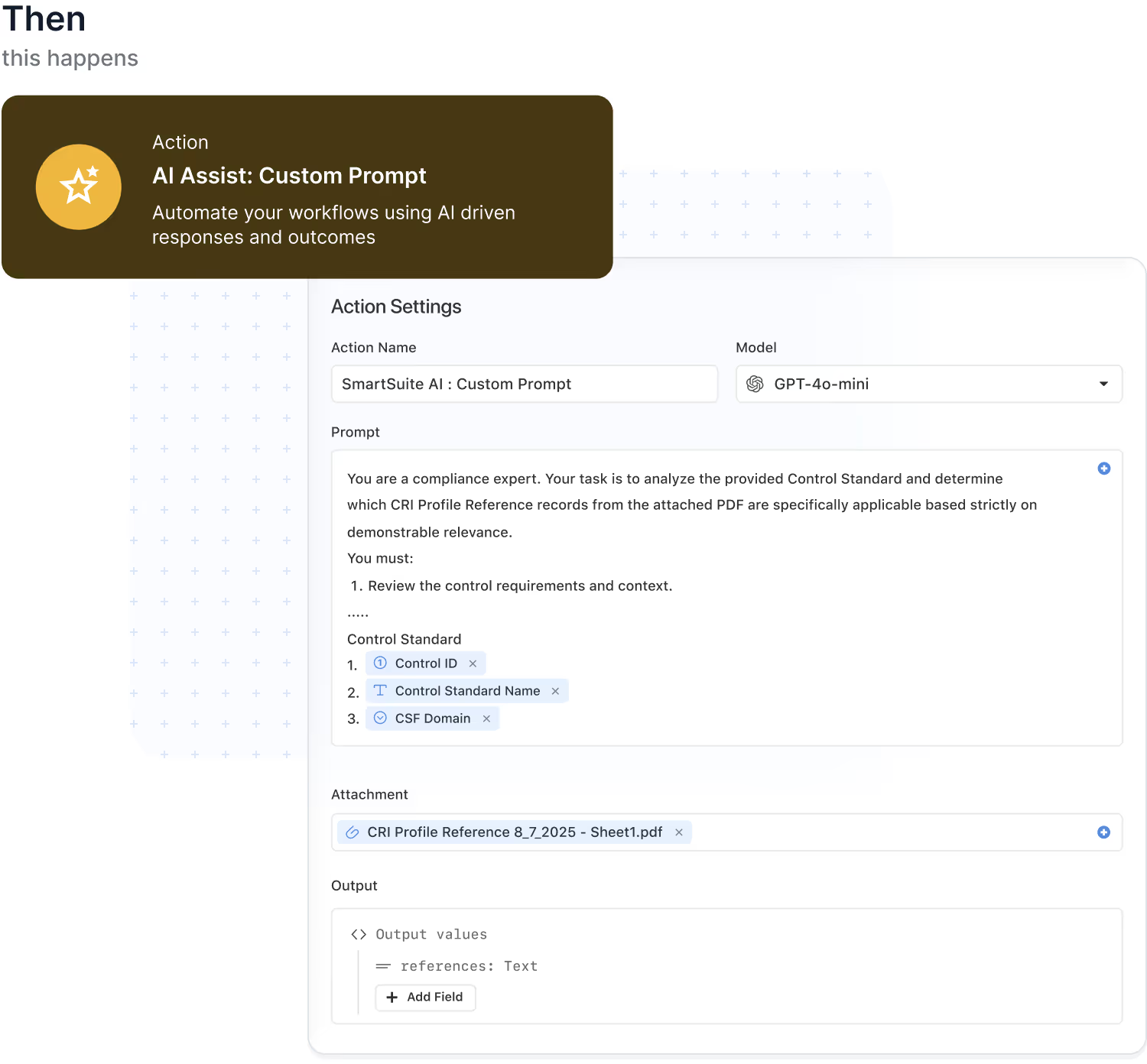
AI Workflow Agent: Intelligence embedded in every automation
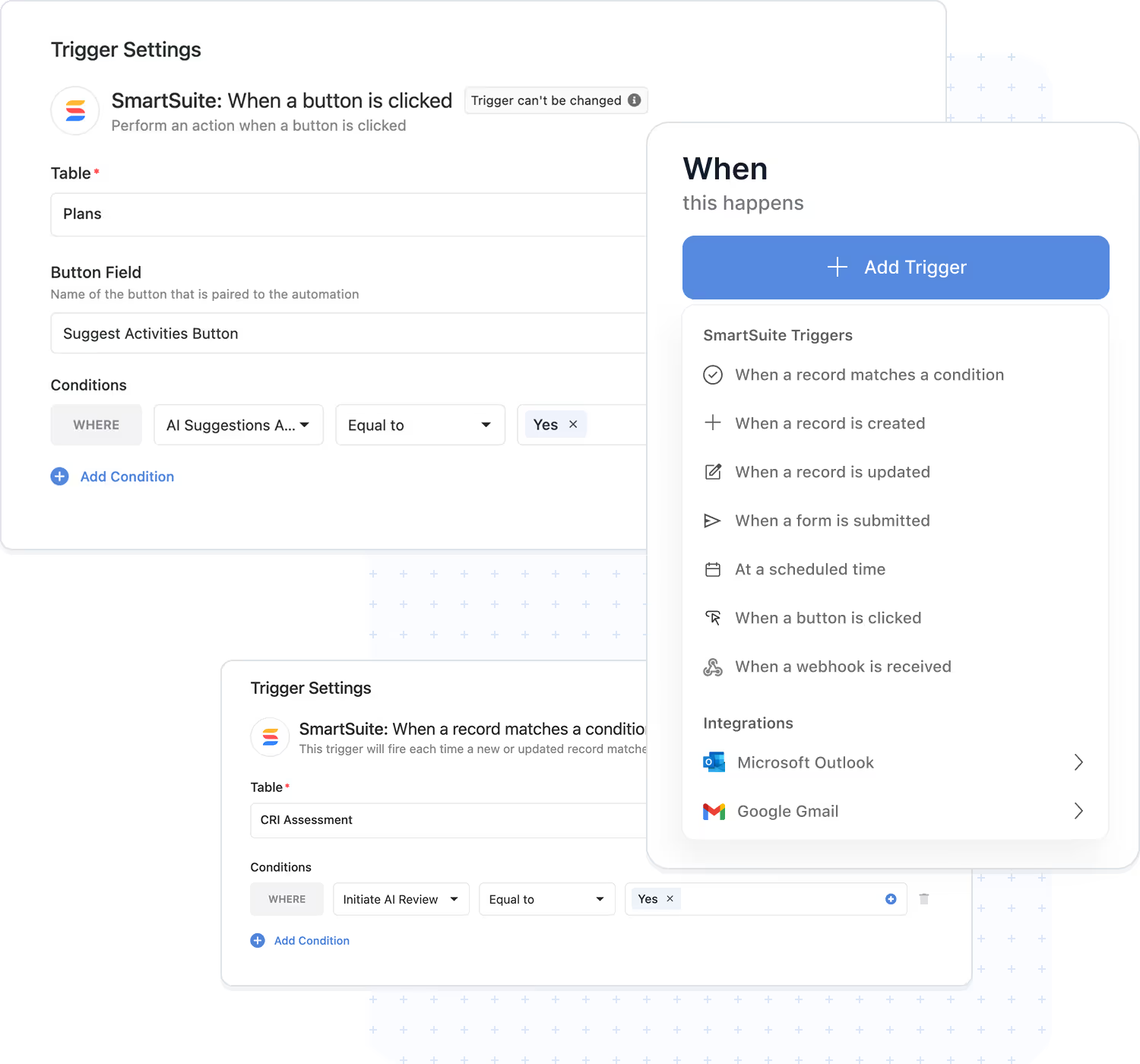
AI Workflow Agent brings intelligence into the flow of your automations. Instead of relying only on fixed rules, you can add AI steps that summarize, classify, translate, and enrich data as it moves through your workflows. Every AI action runs inside SmartSuite's automation engine and respects your triggers, conditions, and permission model.
- Turn raw inputs into structured fields so forms, requests, and assessments land in the right place.
- Classify and route work automatically by understanding the content of each record.
- Generate human-ready summaries and notifications that keep stakeholders aligned.
- Combine AI with conditions and loops to drive more adaptive, cross-solution workflows.
Create, summarize, and transform content with AI
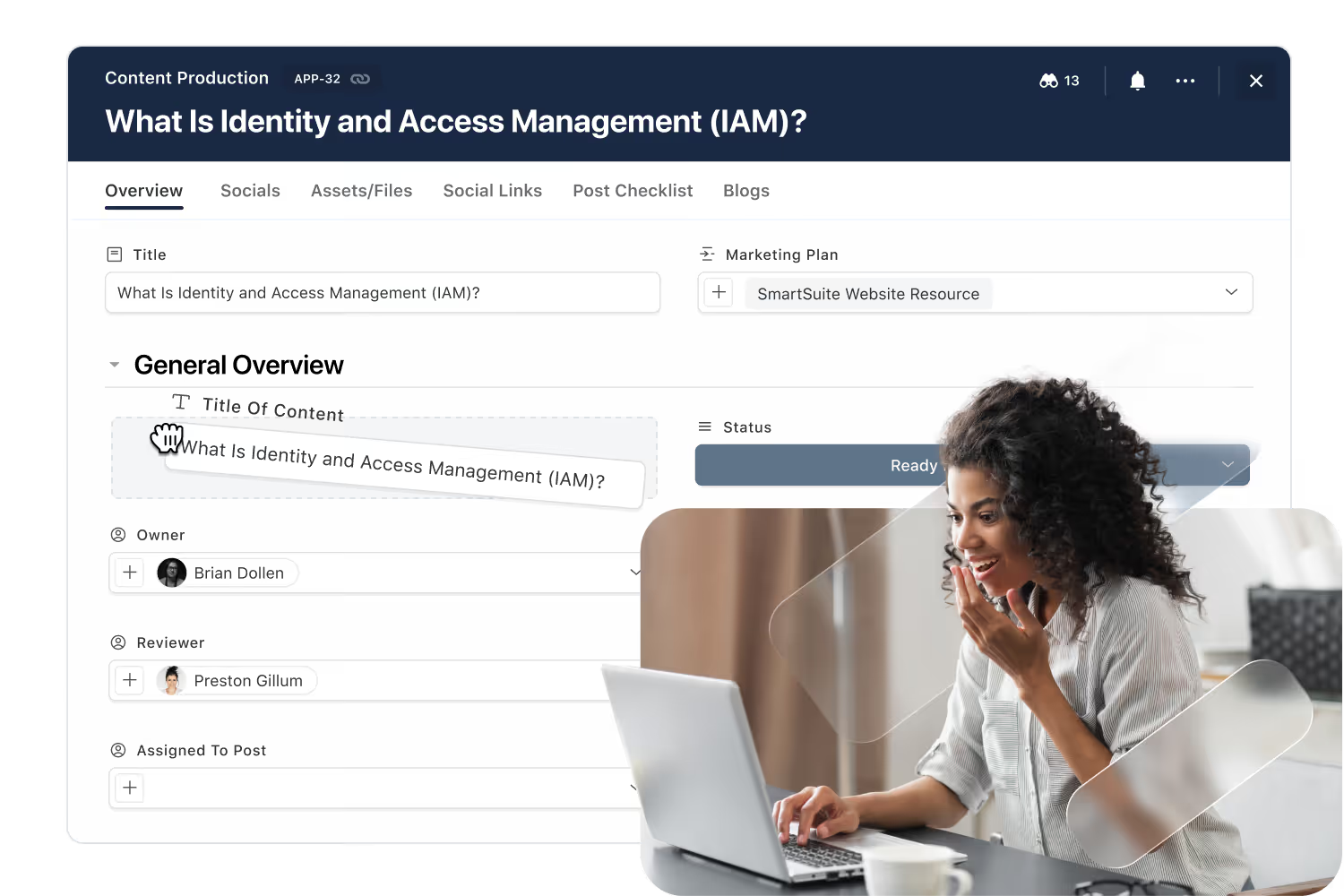
SmartDoc fields empower teams to produce high-quality content instantly. AI can generate new text, summarize lengthy inputs, translate languages, extract insights, or rewrite content for clarity. Every operation respects SmartSuite's permissions and integrates into your workflows.
- Generate new content for updates, summaries, or communications directly inside records.
- Summarize long narratives, notes, and attachments into clear, scannable takeaways.
- Translate content between languages while keeping key context intact.
- Rewrite and refine text for clarity, tone, and consistency across teams.
- Extract key insights or action items from unstructured content to feed downstream workflows.
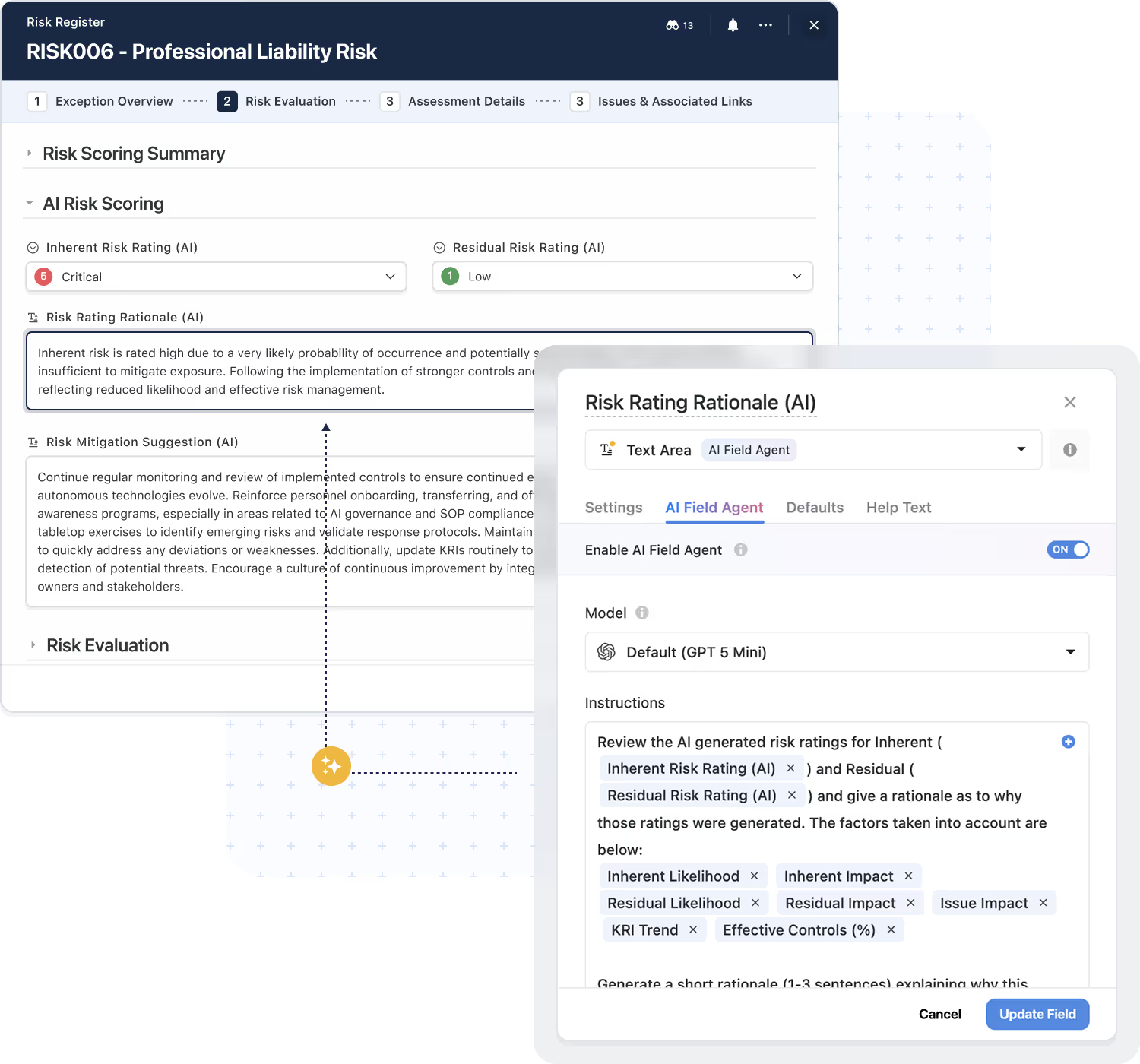
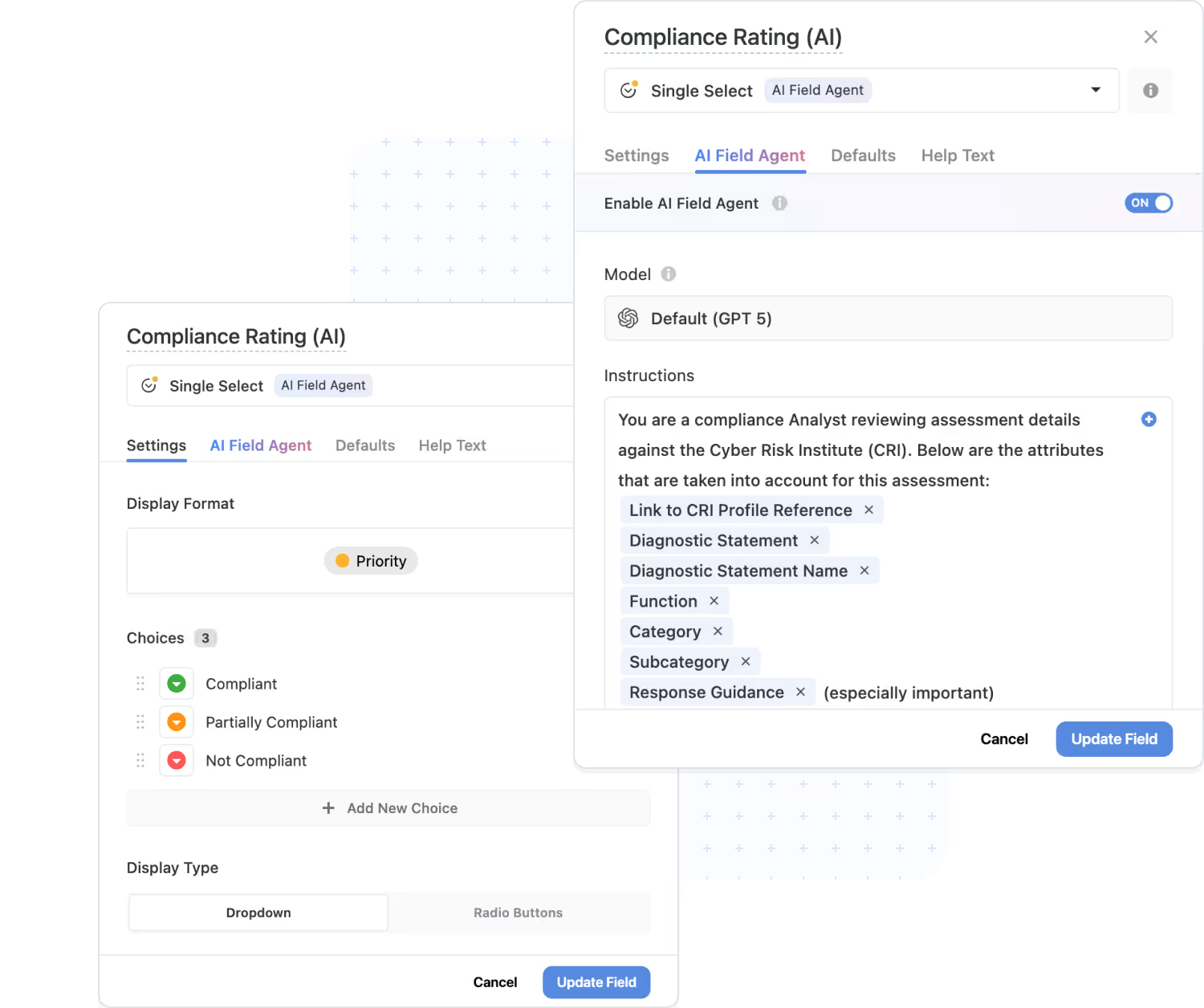
AI Field Agent: Intelligence that lives next to your data
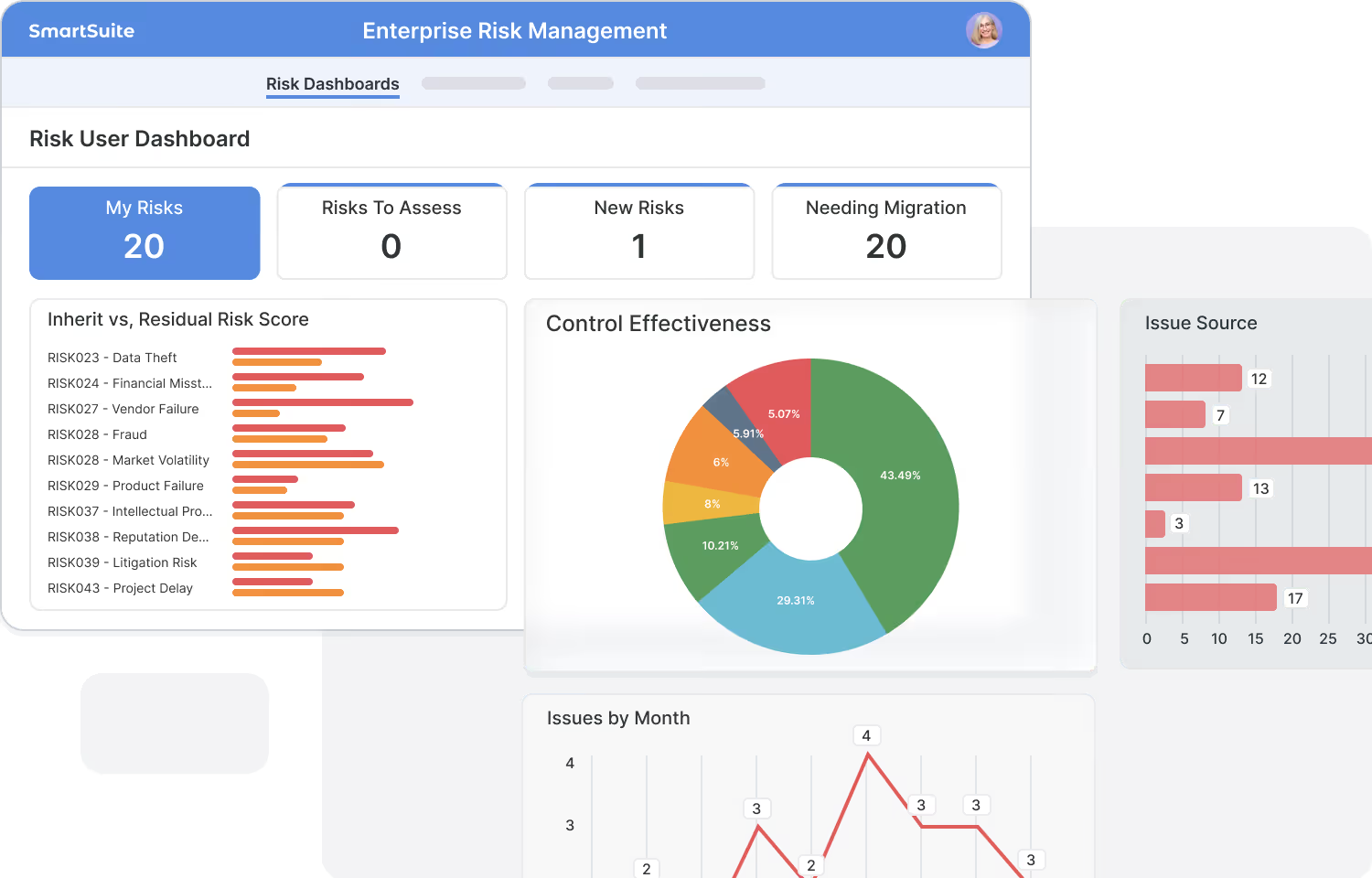
AI Field Agent brings intelligence down to the field level. Agents monitor records for patterns, anomalies, and missing context, then suggest or apply updates based on your rules. It is ideal for risk scoring, prioritization, and keeping large datasets clean without adding manual review overhead.
- Recommend values directly in the field, such as risk scores, severities, or priorities.
- Flag incomplete or inconsistent records before they move to the next stage.
- Enrich data with meaningful labels that make reporting and analysis stronger.
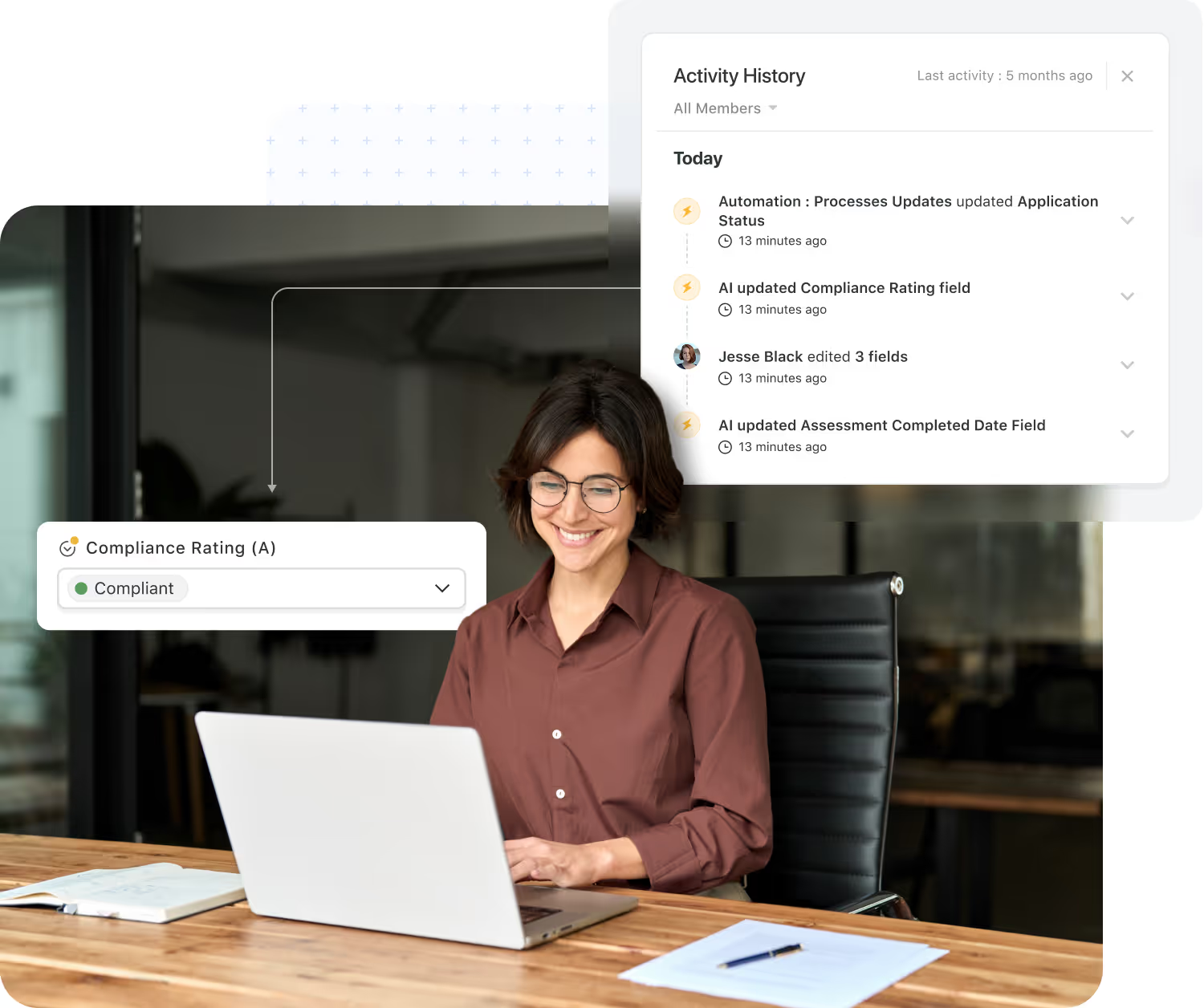
- Keep humans in control with review-and-apply patterns for AI suggestions.
Human-in-the-loop AI: Assistance with humans in control
SmartSuite uses AI to prepare information, not to take over decisions. Teams review and confirm AI-generated summaries, scores, and suggestions as part of the workflow, so every change carries both intelligence and human judgment.
- AI prepares summaries, suggestions, and classifications while humans validate the final outcome.
- Review-and-apply patterns fit naturally into risk reviews, issue triage, approvals, and audits.
- Permission-aware logic ensures AI only proposes changes users are allowed to make.
- All AI-assisted updates are captured in activity history for full transparency.
Bring your own LLM: AI on your terms
Every organization has its own requirements for model selection, data residency, and cost management. SmartSuite's AI architecture supports a bring-your-own LLM approach so you can plug in the models you trust while keeping a consistent experience for users inside workflows and automations.
- Use the models your organization trusts, including OpenAI, Anthropic, AWS Bedrock, IBM, or private deployments.
- Align AI usage with security, compliance, and data residency requirements.
- Route different workloads to different models to optimize accuracy, latency, and cost.
- Maintain a consistent user experience, regardless of which underlying model is used.
Frequently Asked Questions About AI in SmartSuite
AI is embedded directly into the platform — working inside your workflows, automations, records, and data model. It enhances the way work flows rather than acting as a separate tool or add-on.
Any workflow that involves text-heavy content, decision-making, prioritization, risk evaluation, or repetitive review steps benefits immediately. Common examples include GRC, ITSM, project management, vendor management, audits, support operations, and cross-team processes.
No. AI in SmartSuite is assistive—not autonomous. It generates recommendations, summaries, classifications, or next steps, but human users remain fully in control of approvals, edits, routing, or updates.
Yes. AI only operates on the data a user already has access to. It respects SmartSuite’s solution-level, table-level, record-level, and field-level permissions at all times.
Yes. SmartSuite supports a Bring Your Own LLM (BYO-LLM) approach that allows organizations to use the AI models they trust—including OpenAI, Anthropic, AWS Bedrock models, IBM, and private enterprise deployments.
SmartSuite enforces strict data boundaries, never trains external models on your data, provides access controls for where AI can be used, and maintains an audit trail for AI-assisted updates. This aligns with enterprise-grade security and compliance expectations.
Yes. AI can help teams build new workflows in SmartSuite Studio by translating plain-language descriptions into structured solutions with tables, fields, views, and initial logic. Users can refine and adapt everything before deploying.
Yes. SmartSuite can summarize documents, extract key insights, highlight risks, identify next steps, and convert unstructured content into structured data fields—all while staying within your permission model.
AI enhances automations by enabling smarter routing, classification, enrichment, normalization, translation, and interpretation of incoming data. This makes complex workflows more adaptive and context-aware.
Customers use AI to summarize assessments, extract findings, generate remediation tasks, classify tickets, identify missing data, calculate risk scores, produce executive summaries, predict bottlenecks, enrich records, and convert conversations or documents into structured data.

Written by
SmartSuite Staff
· Reviewed
October 17, 2026
Explore the platform
The ten capabilities of the SmartSuite platform, each on its own page.