SmartSuite automations run on triggers, filters and actions, with AI workflow agents, loops, conditional logic, webhooks and native integration actions, governed and monitored at enterprise scale.
Key takeaways
- Every automation is a trigger, optional filters and one or more actions, built without code.
- The AI Workflow Agent, looping actions and conditional logic handle multi-step, multi-record work.
- Webhook triggers and actions and native integration actions connect automations to outside systems.
- Reliability and governance controls show what ran, what failed and who can change it.
What is workflow automation in SmartSuite?
Workflow automation in SmartSuite is a trigger, optional trigger filters and one or more actions, configured without code. Automations update records, assign work, send messages, call outside systems through webhooks and native integrations, loop over related records and branch on conditions, with the AI Workflow Agent available as an action.
Streamline Workflows with Intelligent Automation
Streamline workflows with flexible, no-code automation.
Save time and eliminate repetitive work with SmartSuite Automations. Build simple or multi-step workflows that handle routine tasks, from sending notifications and updating statuses to syncing data across tools. With an intuitive drag-and-drop interface, anyone can automate processes in minutes, no coding required. Every automation combines triggers, trigger filters, and sequenced actions, including advanced Looping, Conditional Logic, and AI Workflow Agent steps, with full run history on every execution.
When a new GRC issue is logged, trigger an AI Assist Action to summarize the finding and draft a remediation plan for review.
When a task becomes High Priority, notify the team in Slack #Marketing
When a project is Confirmed, create a meeting in Google Calendar
When work is Complete, alert your team via Microsoft Teams
When “Due Date” arrives, change Status to “Critical” and notify “Manager”
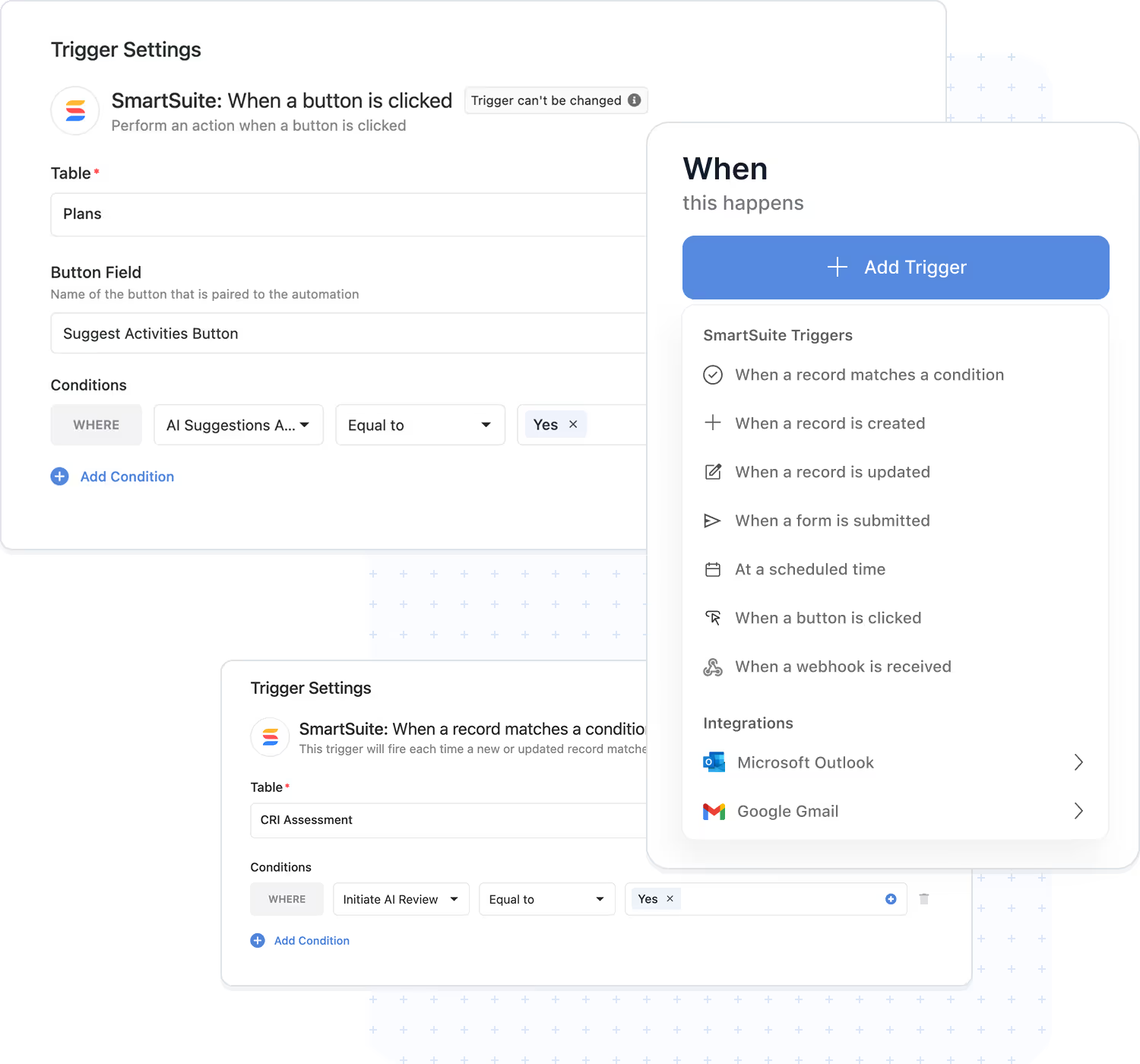
What triggers an automation?
Triggers are the starting point for every automation. They listen for activity in SmartSuite, records, forms, buttons, and schedules, or events from other systems via inbound webhooks and email integrations, and start your workflow the moment it matters.
- Record events: When a Record is Created, When a Record is Updated, and When a Record Matches a Condition fire the instant your data changes.
- People & forms: When a Form is Submitted captures every response, and When a Button is Clicked puts approvals and escalations one click away.
- Time & connected systems: At a Scheduled Time runs on any cadence, minutes to months; When an Email is Received watches a connected Gmail or Outlook inbox; authenticated inbound webhooks start automations from any external system.
- Use Case:
New Risk added; Control Test status = Failed; Policy Review due; Incident posted via webhook.
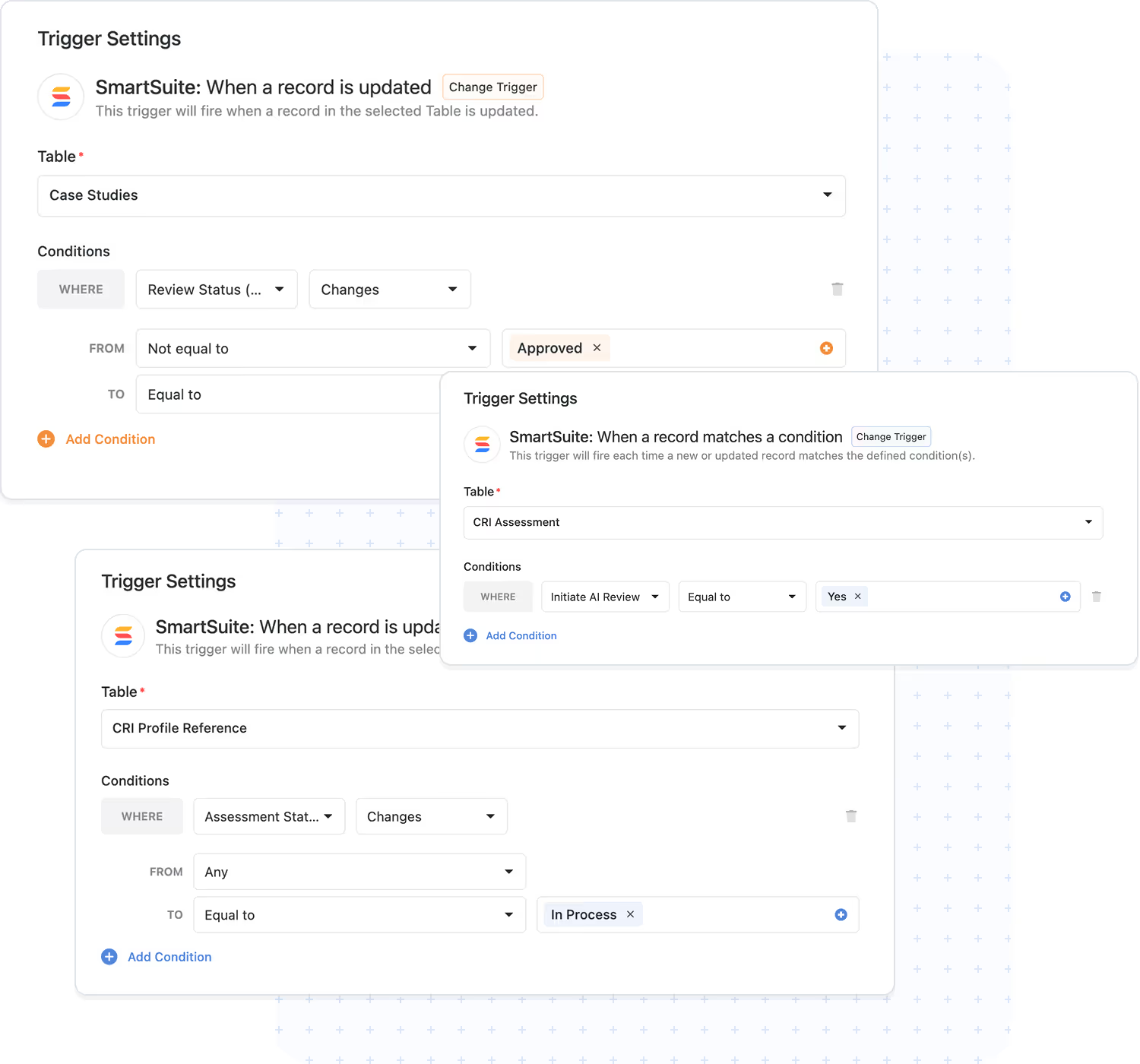
Trigger Filters
Every trigger supports filters, precise conditions that define exactly which records or values must be present before actions execute. Your automations run when they matter and stay quiet when they don't.
- Targeted execution: act only on records that match your rules, by status, owner, date, or any field.
- Visual builder: define filter criteria in seconds, without code.
- Data integrity: prevent unnecessary automation runs and keep workflows predictable.
- Use Case:
residual risk = High; evidence = Incomplete; control owner set.
Actions
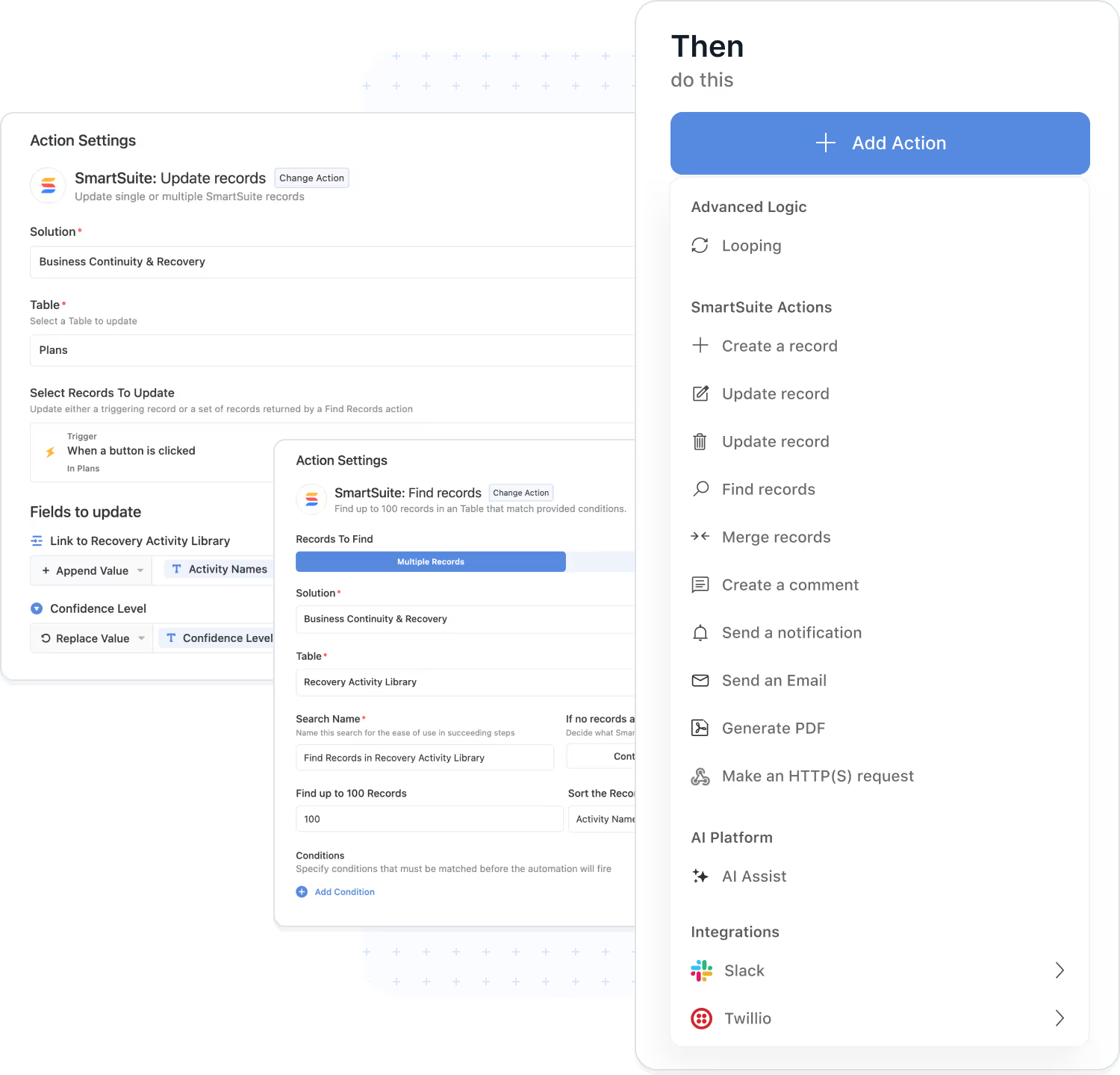
Actions define what happens after a trigger fires. A single automation can perform multiple actions in sequence, inside SmartSuite and in external systems, carrying your process from trigger to done.
- Records & data: Create a Record, Update Records, Find Records, Merge Records, and Delete Records keep information accurate across every table.
- Communication & documents: Send an Email, Create a Comment, and Generate PDF keep people informed and paperwork ready.
- External calls: Send Webhook Request reaches any REST API, and native integration actions connect Slack, Teams, Salesforce, Jira, and more.
- Advanced logic & AI: the Looping Action, Conditional Logic, and AI Workflow Agent add repetition, branching, and intelligence to any sequence.
- Monitoring: every run is logged with status and step-by-step details.
- Use Case:
control test fails → update related Risk, notify owner, create remediation task, call external ticketing API.
AI Workflow Agent
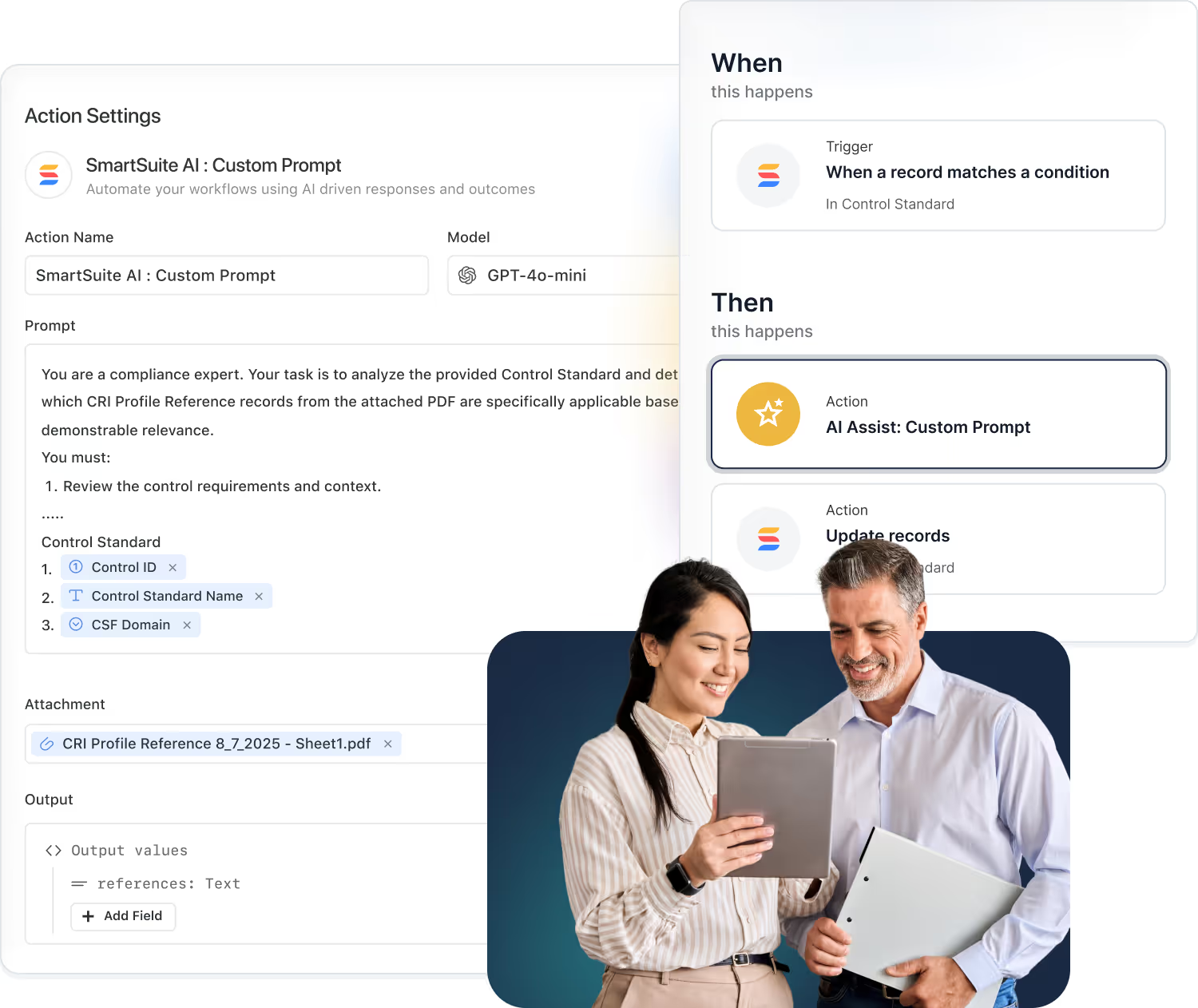
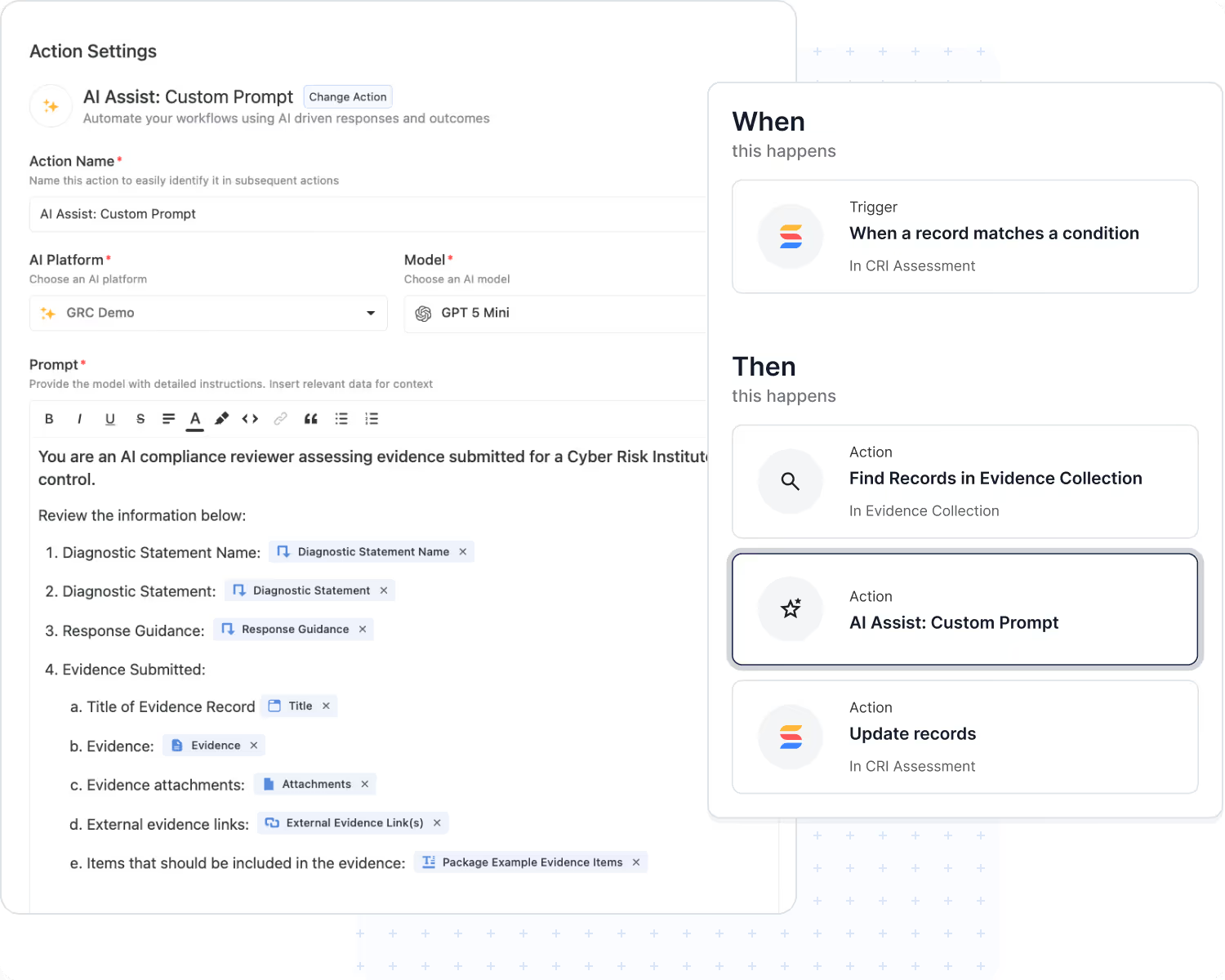
The AI Workflow Agent is an action that puts AI to work inside any automation. It reads record fields and attachments, follows your instructions, and returns results that later steps in the same automation use automatically.
- Attachment understanding: analyze PDFs, Word documents, and spreadsheets.
- Structured output: populate text, number, date, and select fields, or return structured data for downstream steps.
- Decision‑making: compute risk ratings, categories, and summaries that drive what happens next.
- Bring Your Own Model: connect the AI provider your organization trusts.
- Governed execution: runs under your organization's credentials with full logs.
- Use Case:
vendor assessment attachments → summary & risk score → trigger follow‑ups.
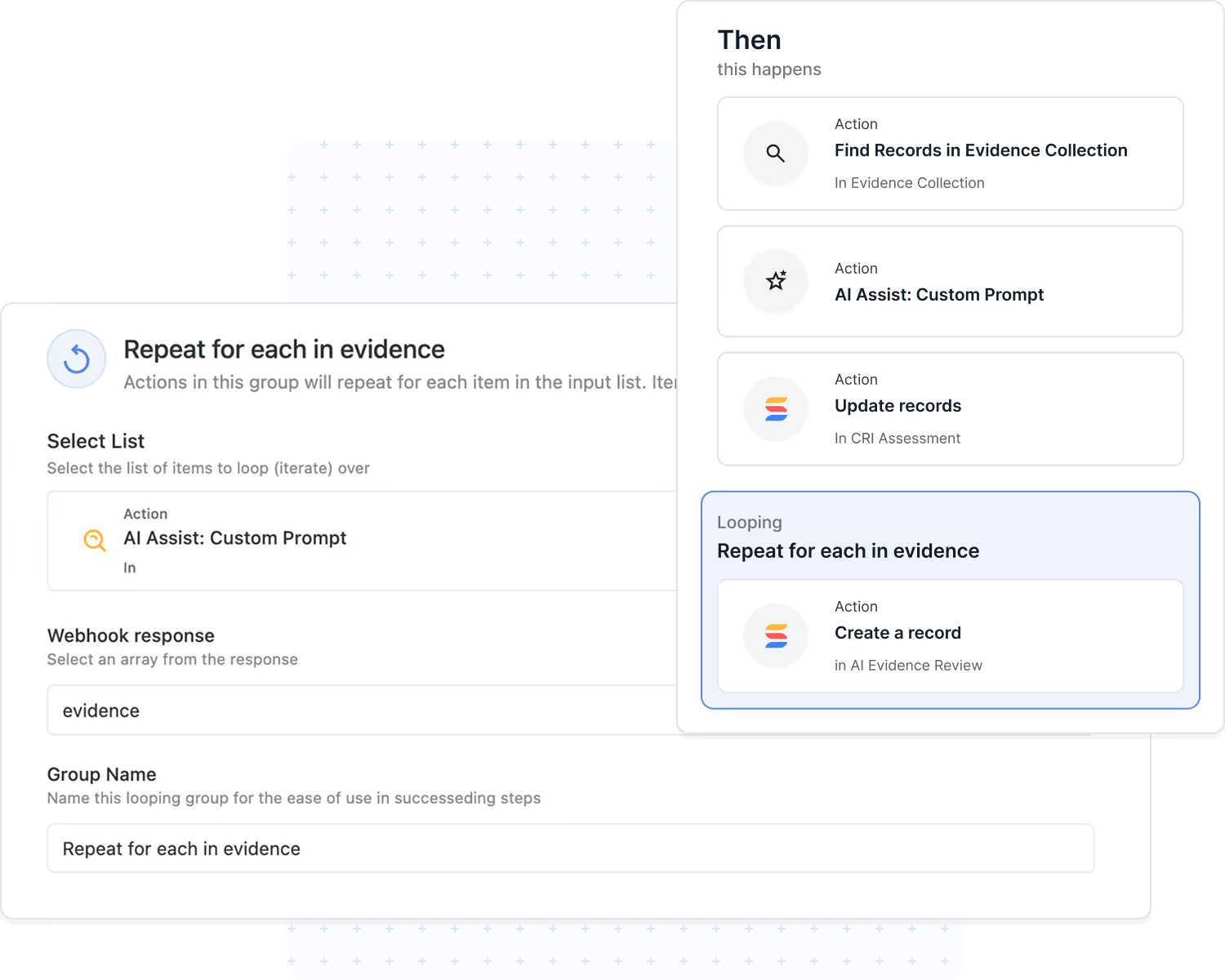
Looping Action
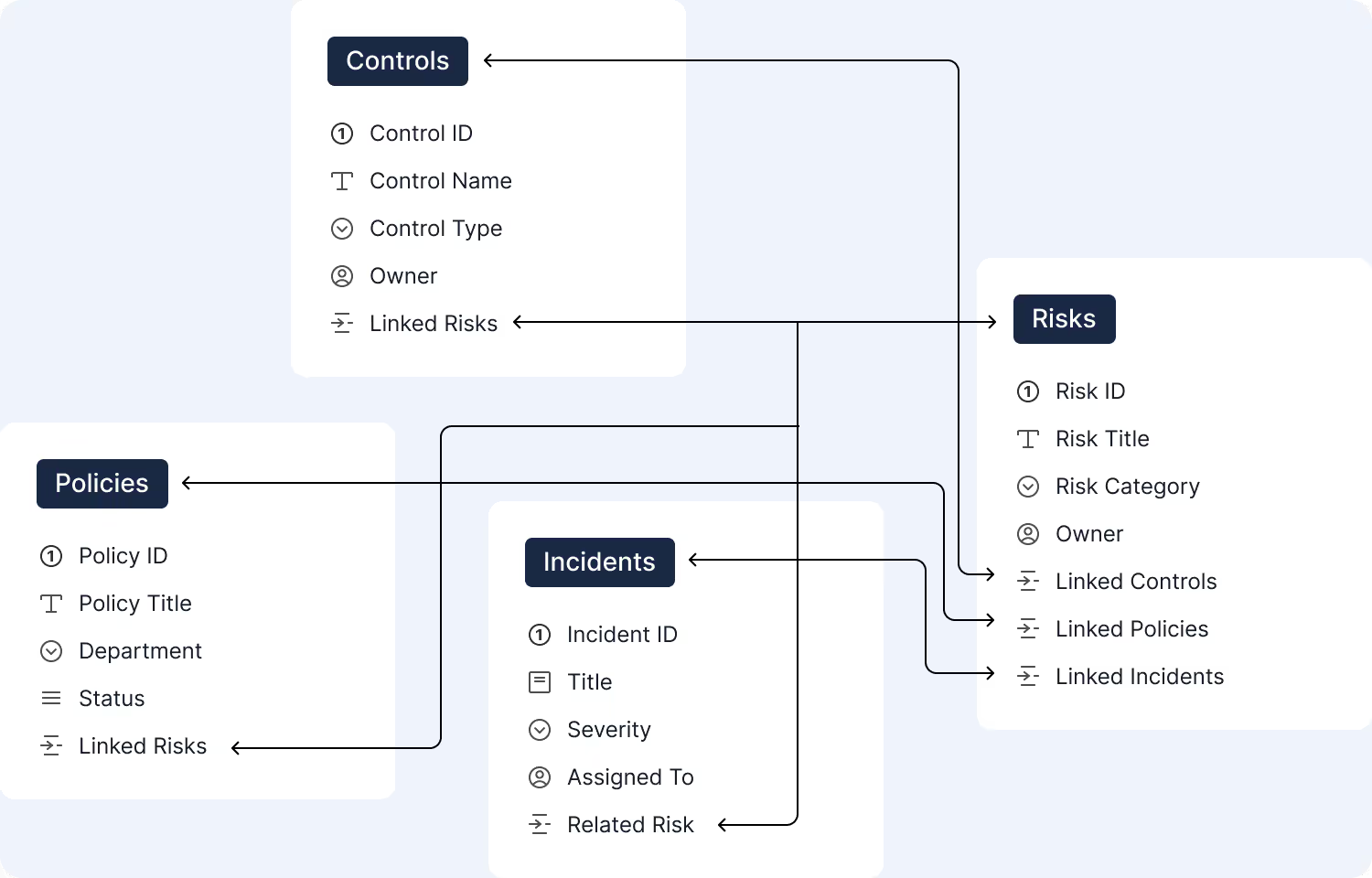
Looping lets a single automation repeat actions across all related records. When one change impacts many items, a risk and its controls, a finding and its remediation tasks, everything it touches gets updated in a single run.
- Record iteration: run the same steps for each linked or found record.
- Works with AI and logic: pair with the AI Workflow Agent, and nest Conditional Logic inside a loop to evaluate every item independently.
- Sequential execution: ordered runs maintain data integrity.
- Error isolation: one failed item is logged without stopping the rest.
- Use Case:
risk rating changes → update all linked controls; audit finding closed → complete all remediation tasks.
Conditional Logic
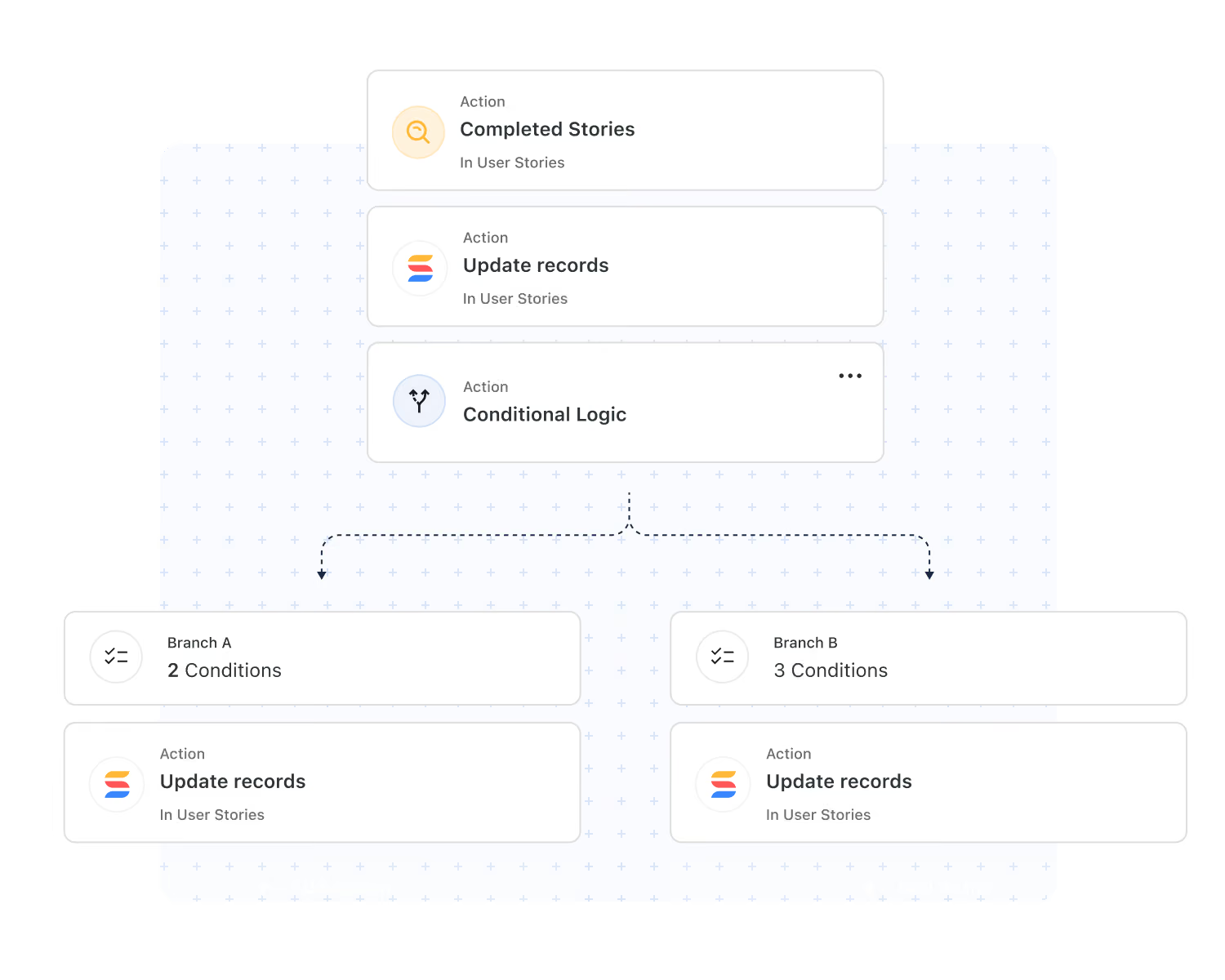
Conditional Logic lets a single automation take different paths depending on your data. When your conditions are met, one branch runs; when they're not, the other does, with any action available on either side.
- Branching paths: handle approvals, escalations, and exceptions without duplicating automations.
- Any action, any branch: create records, send emails, run AI, or call webhooks on either path.
- Combine with Looping: evaluate every related record independently.
- Full traceability: every branch decision is visible in Run History, available on all plans.
- Use Case:
incident severity = P1 → page on-call and open a bridge; otherwise → queue for triage.
Webhook Triggers & Actions
Use webhooks to connect SmartSuite automations with any external system.
GRC. Receive a webhook from your compliance tool and create a corrective action record in SmartSuite.
Send a webhook to your enterprise risk system so high-risk items are reviewed immediately.
IT Service Delivery. On critical ticket webhooks, log an incident in SmartSuite and notify the on-call team.
On approval webhooks from your IT Service Delivery tool, update the linked change record in SmartSuite.
BCP. On alert webhooks, activate the response plan in SmartSuite and assign recovery owners.
Update the third-party impact record automatically from supplier outage webhooks.
Project Management (PM). On deployment webhooks, move the related task to Completed and notify the project team.
On time-tracking webhooks, update task actuals and adjust resource allocations.
Native Integration Actions
Enterprise-grade actions that keep your systems synchronized and your teams aligned across communication, file storage, scheduling, service desks, and project platforms.

Automatically notify designated risk, compliance, or project channels when critical thresholds or workflow states are met.
Store finalized documents and evidence files in structured, audit-ready Drive folders for long-term governance.
Escalate high-severity items by posting real-time notifications to the correct Teams channels based on predefined rules.
Automatically schedule CAB reviews, risk assessments, or status meetings in Google Calendar or Outlook.
Trigger automated emails to continuity, security, or project leads containing assigned responsibilities and due dates.
Push SmartSuite task updates into ServiceNow queues to ensure enterprise service teams operate on the most current information.
Write back account, opportunity, or engagement updates into systems like HubSpot or Salesforce as workflows progress.
Automatically assemble PDFs or document bundles and deliver them to external stakeholders via email or storage platforms.
Open new issues or epics in Jira based on workflow triggers, ensuring engineering teams receive complete contextual data.
Provision and update tasks in external project systems to maintain alignment across distributed delivery teams.
When workflow blockers are identified, instantly broadcast them to the appropriate Slack or Teams channels for rapid resolution.
Send structured updates to vendors, auditors, or clients through predefined email templates or integrated communication channels.
Reliability & Governance
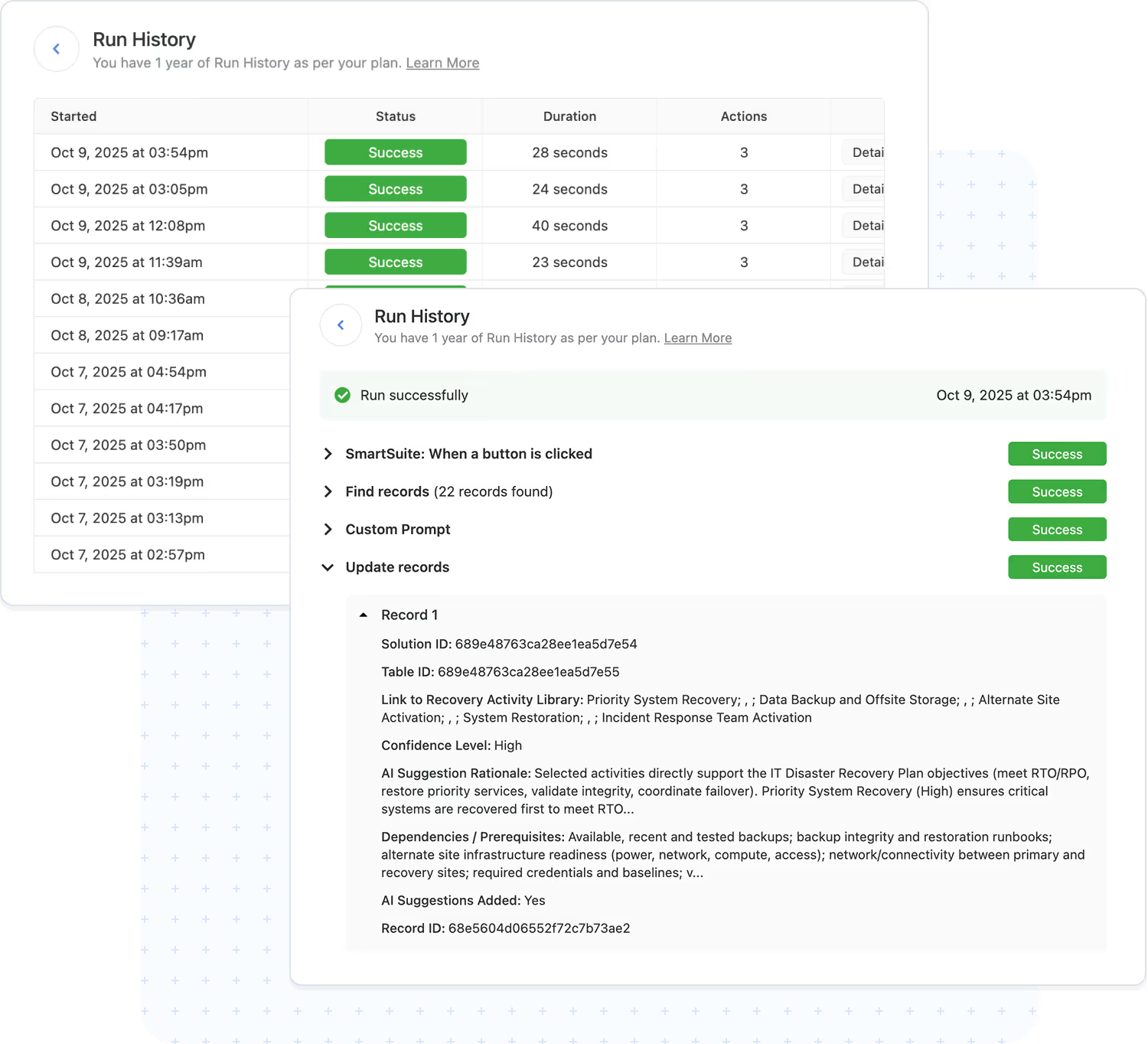
Automations are designed for reliability, transparency, and scale. Every run is traceable with full execution history.
- Run history: timestamps, triggers, and action results.
- Error handling: failures captured with context and alerts.
- Usage safeguards: built‑in limits maintain stability.
- Use Case:
Includes AI decisions and looped steps in the audit trail.
Frequently Asked Questions About Workflow Automation in SmartSuite
SmartSuite supports event-based automations, scheduled automations, user-initiated automations, button-triggered actions, webhook triggers, conditional logic, looping actions, and integrations with external systems. You can automate virtually any operational workflow without writing code.
No. Automations are built using a no-code, guided interface. Builders use simple “When this happens… then do this…” logic, select from prebuilt triggers and actions, and configure the workflow using intuitive controls.
Yes. Automations can read from and write to any Solution or Table (subject to permissions). This enables cross-department workflows like onboarding, case management, incident response, risk reviews, and project execution.
Actions include creating or updating records, sending notifications, assigning tasks, updating statuses, posting to Slack/Teams, generating documents, modifying linked records, creating calendar events, syncing external systems, running scripts, and more.
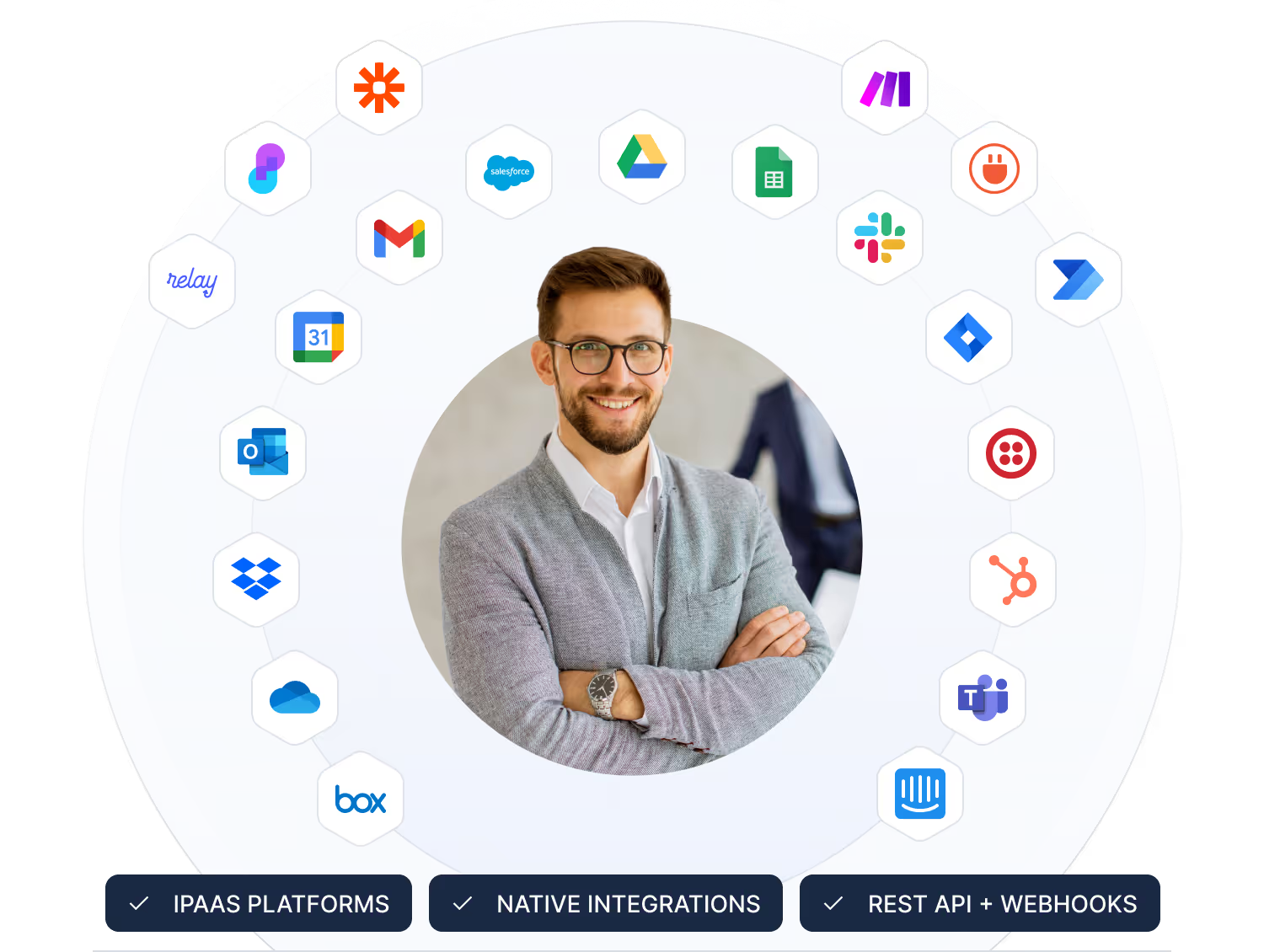
SmartSuite offers native integration actions, webhook triggers, webhooks as actions, iPaaS connectivity (Zapier, Make, Relay, Workato, Bardeen, Integrately), and a robust REST API. This allows SmartSuite to coordinate workflows across your entire technology stack.
Yes. Automation access is permission-controlled. Admins can restrict who can build automations, define workspace limits, manage API throttling, view logs, enforce run limits by plan type, and audit every executed action for compliance visibility.
SmartSuite includes run logs, detailed error messages, conditional fallbacks, retry logic for integrations, and alerts when runs exceed expected volume. This ensures mission-critical workflows remain stable and predictable.
No. SmartSuite’s automation engine is optimized to support enterprise-scale workflows, large data sets, and complex process logic. Performance controls, throttling, and processing limits maintain workspace stability as automation volume increases.

Written by
SmartSuite Staff
· Reviewed
October 17, 2026
Explore the platform
The ten capabilities of the SmartSuite platform, each on its own page.