SmartSuite security and governance: role-based permissions from workspace to field, team management, SSO and authentication, IP restrictions, audit history, a recycle bin, data privacy and certifications.
Key takeaways
- Permissions apply at six levels: workspace, solution, table, record, field and folder.
- Authentication supports SSO and SCIM provisioning; IP restrictions and session controls limit where and how people sign in.
- Audit history, logs and a recycle bin record and recover every change.
- The Trust Center publishes SmartSuite's certifications and reports, with compliance marks for SOC 2, ISO 27001, HIPAA and GDPR.
How does SmartSuite secure and govern work?
SmartSuite secures work through a role-based permissions model with six levels (workspace, solution, table, record, field and folder), authentication with SSO and SCIM provisioning, IP restrictions and session controls, audit history and logs, and a recycle bin. The Trust Center publishes the certifications and reports behind those controls.
Security and Governance, Built for Enterprise Scale
Secure and govern workflows at enterprise scale. SmartSuite provides fine-grained, role-based permissions that protect data without slowing innovation. Define access down to the record, field, or workflow level, enforce compliance with SSO, 2FA, and IP restrictions, and maintain a complete audit trail of every action. With SmartSuite, governance and agility work together, innovation moves fast, and your security moves with it.
Control visibility by user, role, or team.
SSO, 2FA, and IP restrictions built-in.
Track every change for up to 3 years, by plan.
SOC 2, GDPR, and enterprise governance ready.
Trusted by Security Teams
GRC and Risk. All SmartSuite traffic is HTTPS encrypted, and data at rest is encrypted using AES-256.
Secure AI. SmartSuite AI is designed with governance controls to help align usage with your security requirements and data handling policies.
Enterprise Governance. Centralized admin controls, workspace roles, and audit-ready oversight help ensure the right people have the right access.
Security Monitoring. Monitoring and alerting help maintain platform reliability and support timely investigation of unusual activity or service issues.
PCI-DSS. SmartSuite runs on PCI-compliant AWS infrastructure, using secure services to help protect payment and transaction data.
Security Lifecycle. Security is embedded across design, development, testing, and deployment as part of SmartSuite’s application development lifecycle.
How does the role-based permissions model work?
A layered permission model designed for enterprise governance.
Workspace Permissions
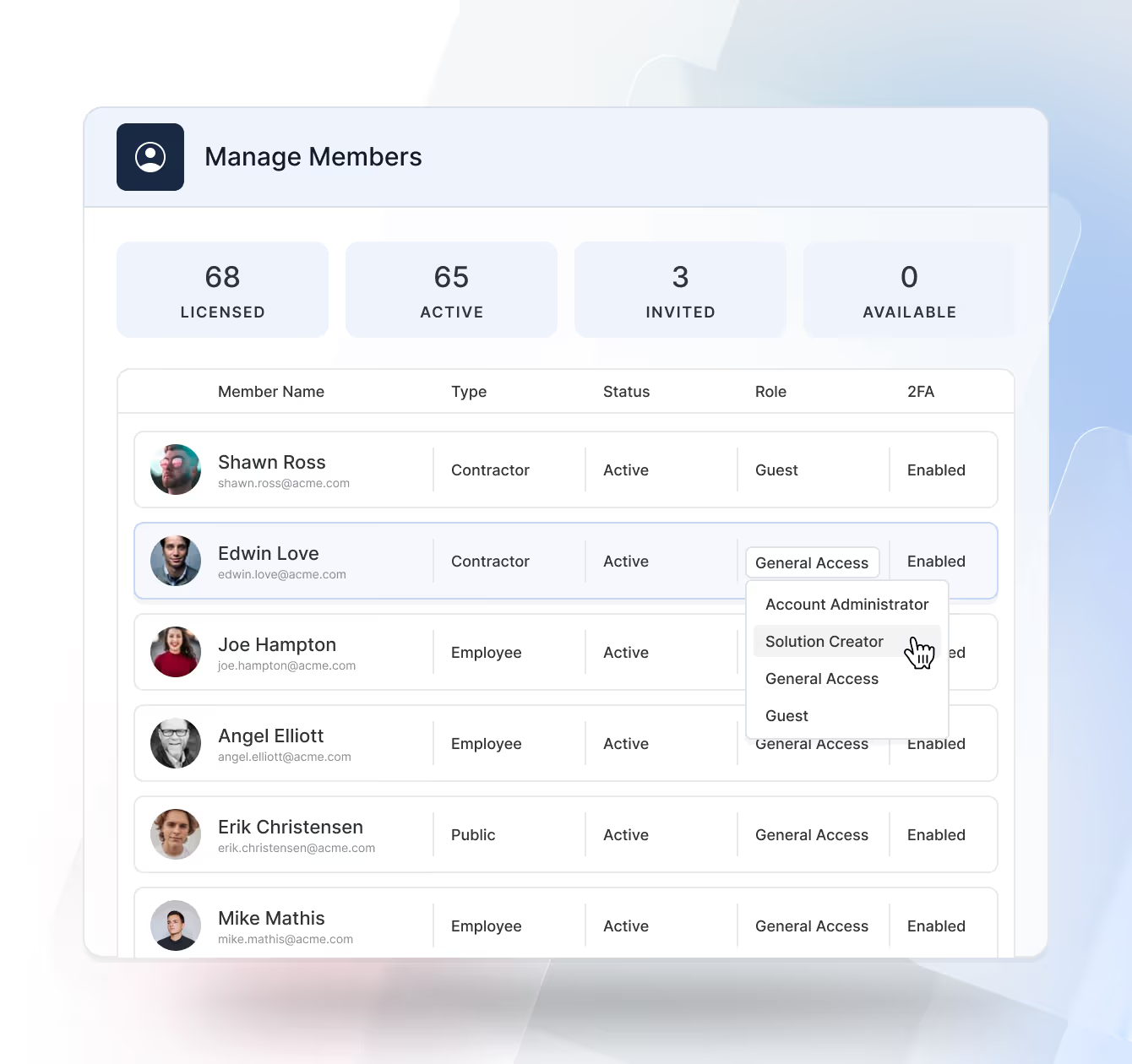
Define broad access through predefined roles that determine what users can do across the entire workspace. Roles such as Admin, Solution Creator, General User, and View Only provide an easy way to manage overall privileges, covering configuration, creation, and read-only access.
- Assign global capabilities (admin, configure, create, view).
- Scope access per each workflow and its related tables.
Solution Permissions
Grant or restrict access to specific Solutions so teams only see the business workflows relevant to them. Each Solution’s permissions cascade to its tables and records, enabling delegated ownership without compromising workspace security.
- Scope access per workflow and its tables.
- Delegate ownership to solution managers while keeping central governance.
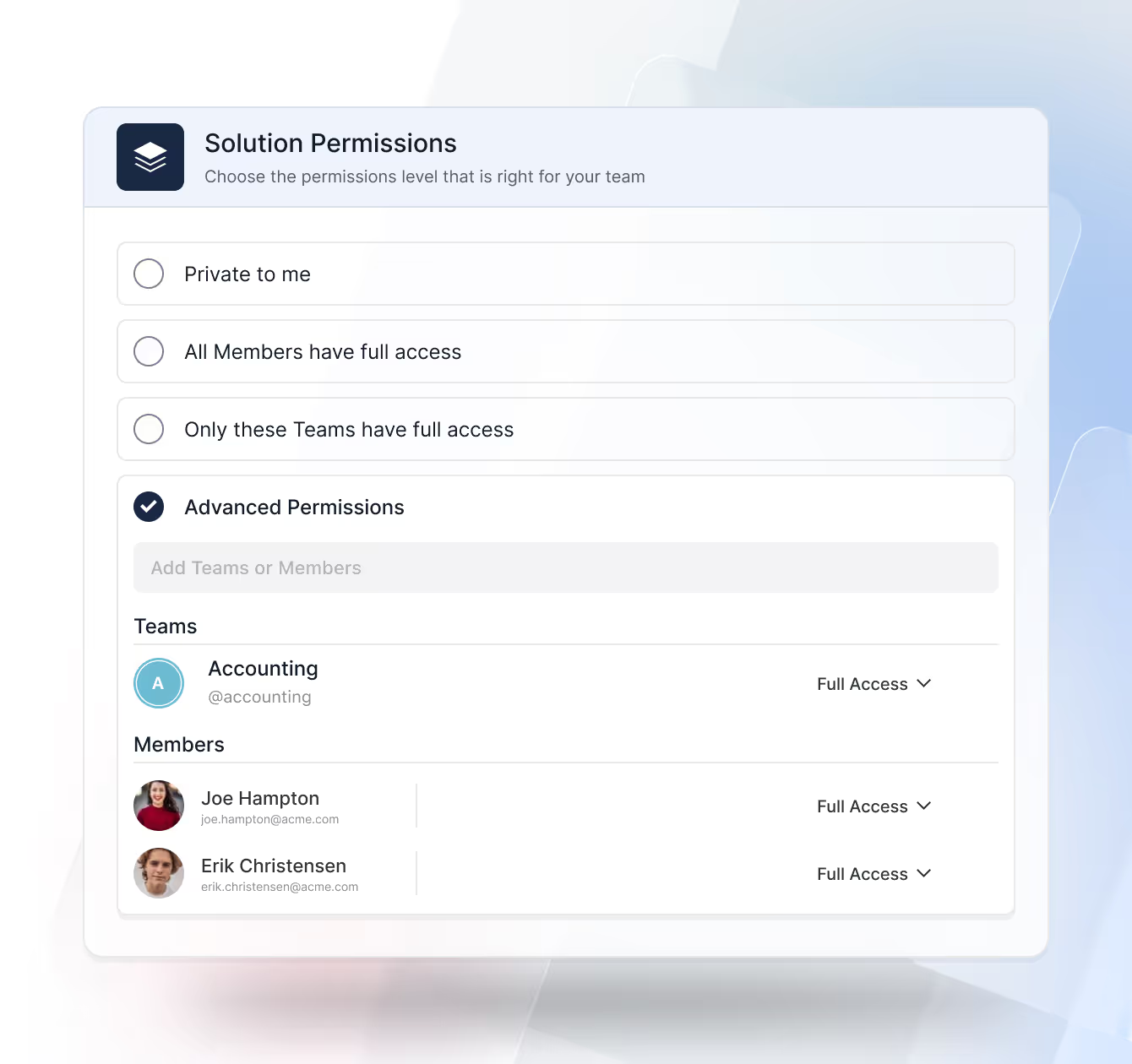
Table Permissions
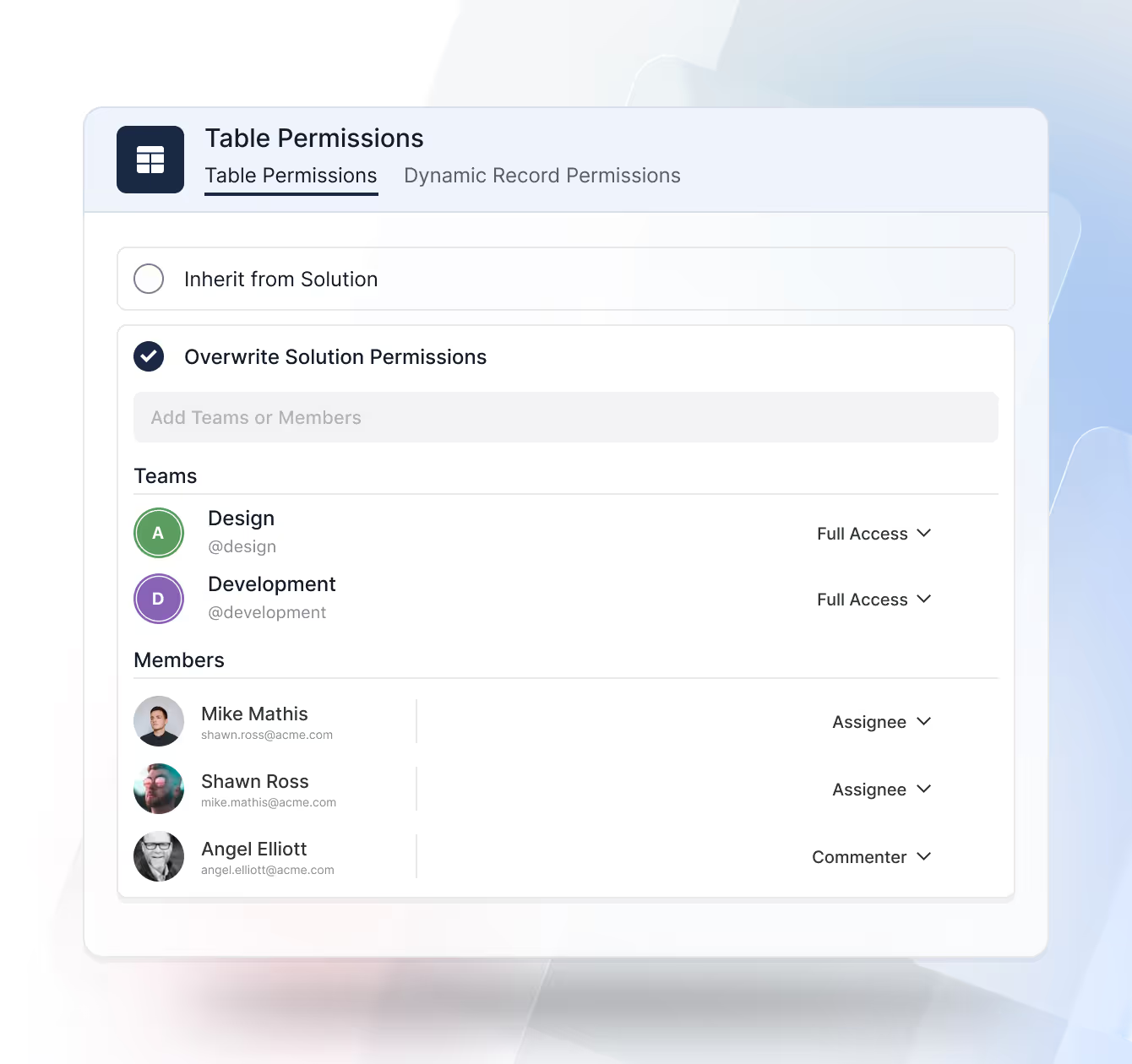
Refine access at the table level to control which datasets users can work with inside a Solution. Tables inherit Solution permissions by default, but admins can override them when a workflow requires additional segmentation or restriction.
- Inherited Access: Tables automatically adopt the Solution’s permission model unless overridden.
- Table-Specific Rules: Grant or restrict access to individual tables without impacting the rest of the Solution.
Record Permissions
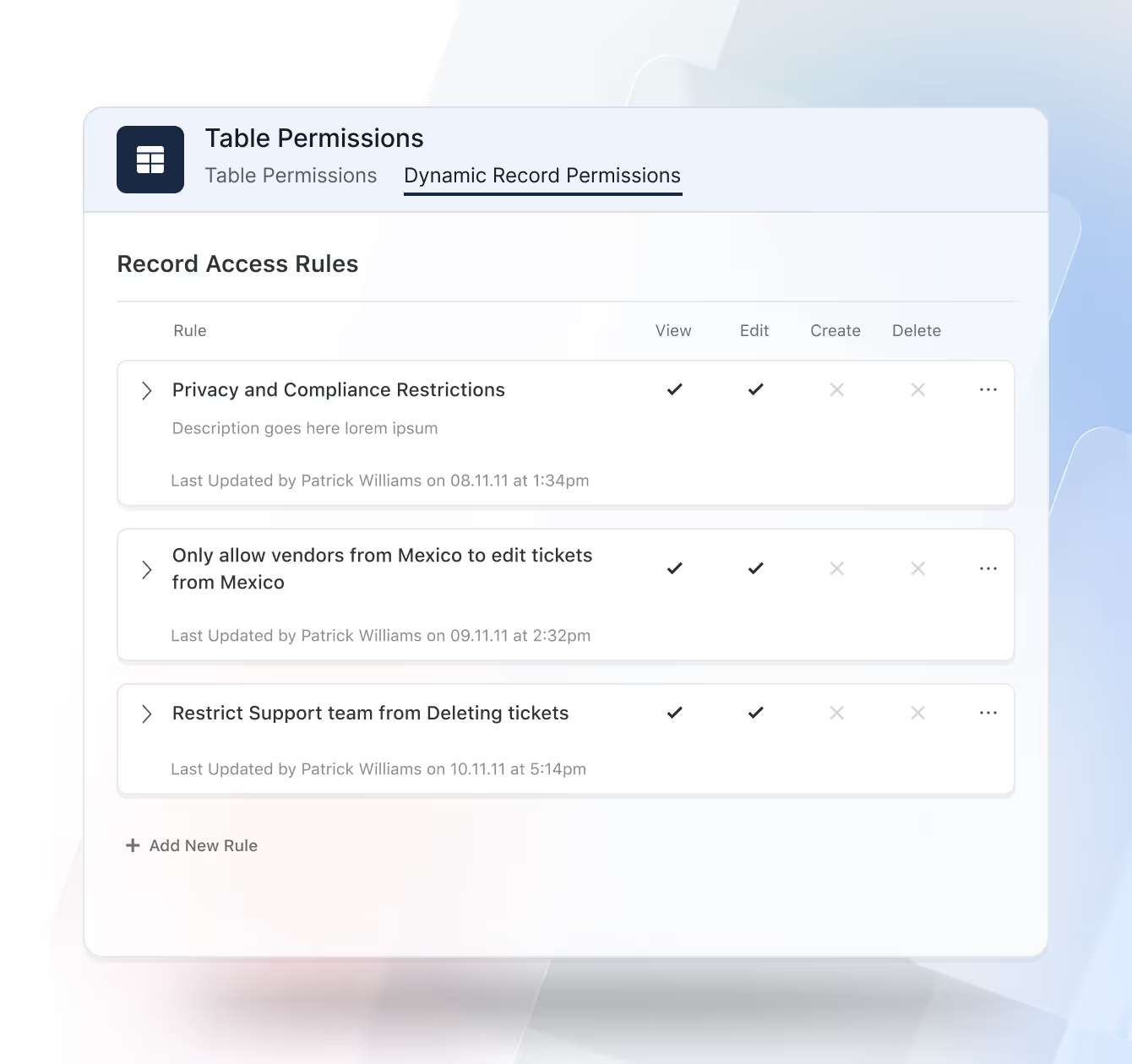
Apply rule-based access to individual records using conditional logic. Access can be automatically granted based on user assignment, record ownership, workflow status, risk level, geographic region, or other defined criteria, ensuring the right people have access at the right time.
- Grant by assignment, owner, status, risk, or geo.
- Adjust dynamically as record values change.
Field Permissions
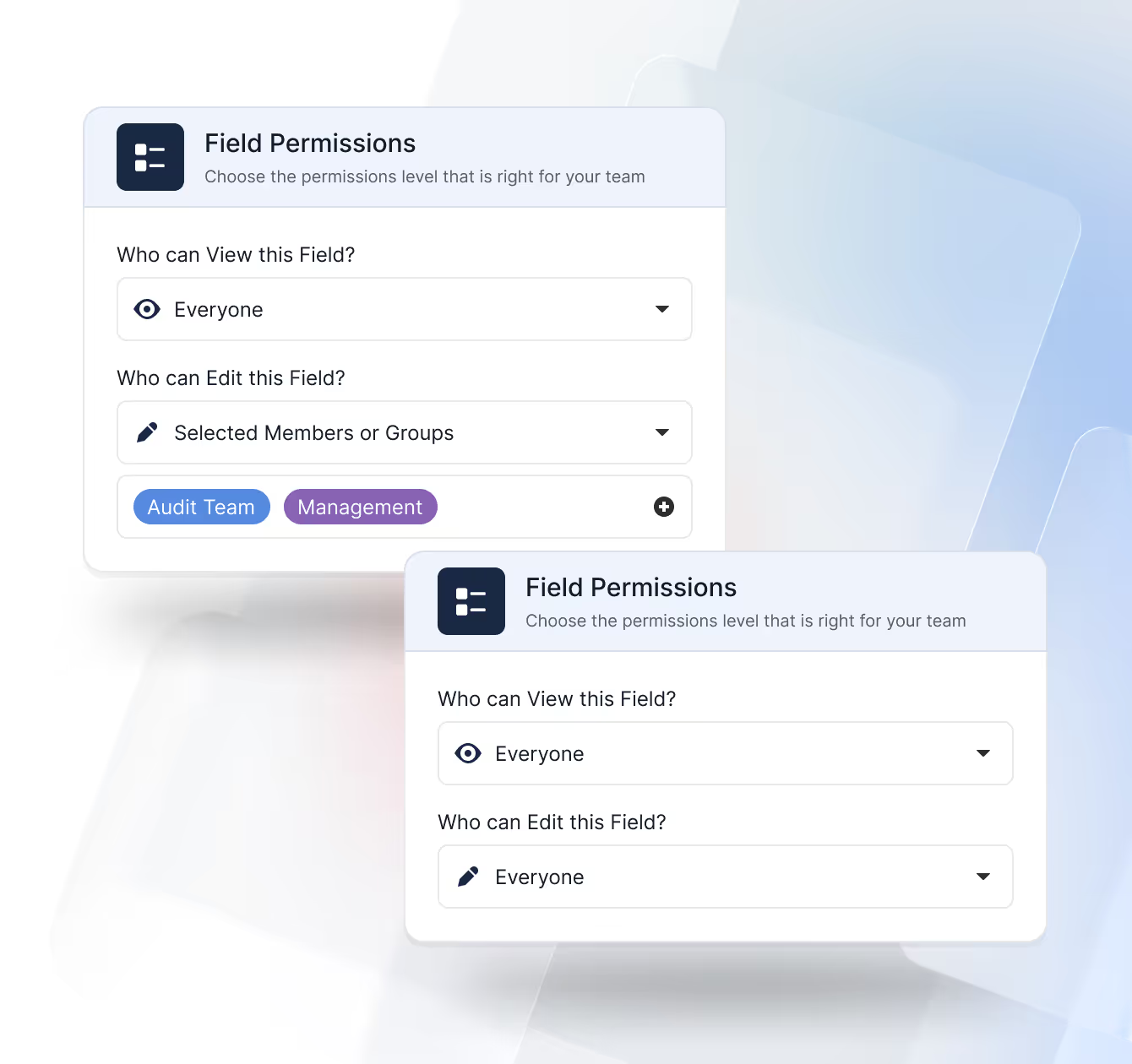
Control visibility and editability at the most granular layer. Administrators can hide or make fields read-only for specific users or teams to protect sensitive information such as PII or financial data while maintaining visibility for those who need it.
- Hide or set read-only per user or team.
- Protect PII, financials, and other sensitive values.
Folder Permissions
Control how users navigate data by managing access to View folders. Folders determine which Views appear in the left-hand navigation, allowing teams to see only the perspectives that matter to them.
- Folder-Based Access: Assign which users or teams can see a folder and the Views inside it.
- Clean Navigation: Hide Views and folders that are not relevant to a user’s role or responsibilities.
- Shared Solutions: Support multiple teams working in the same Solution while each sees a tailored set of Views.
Team Management
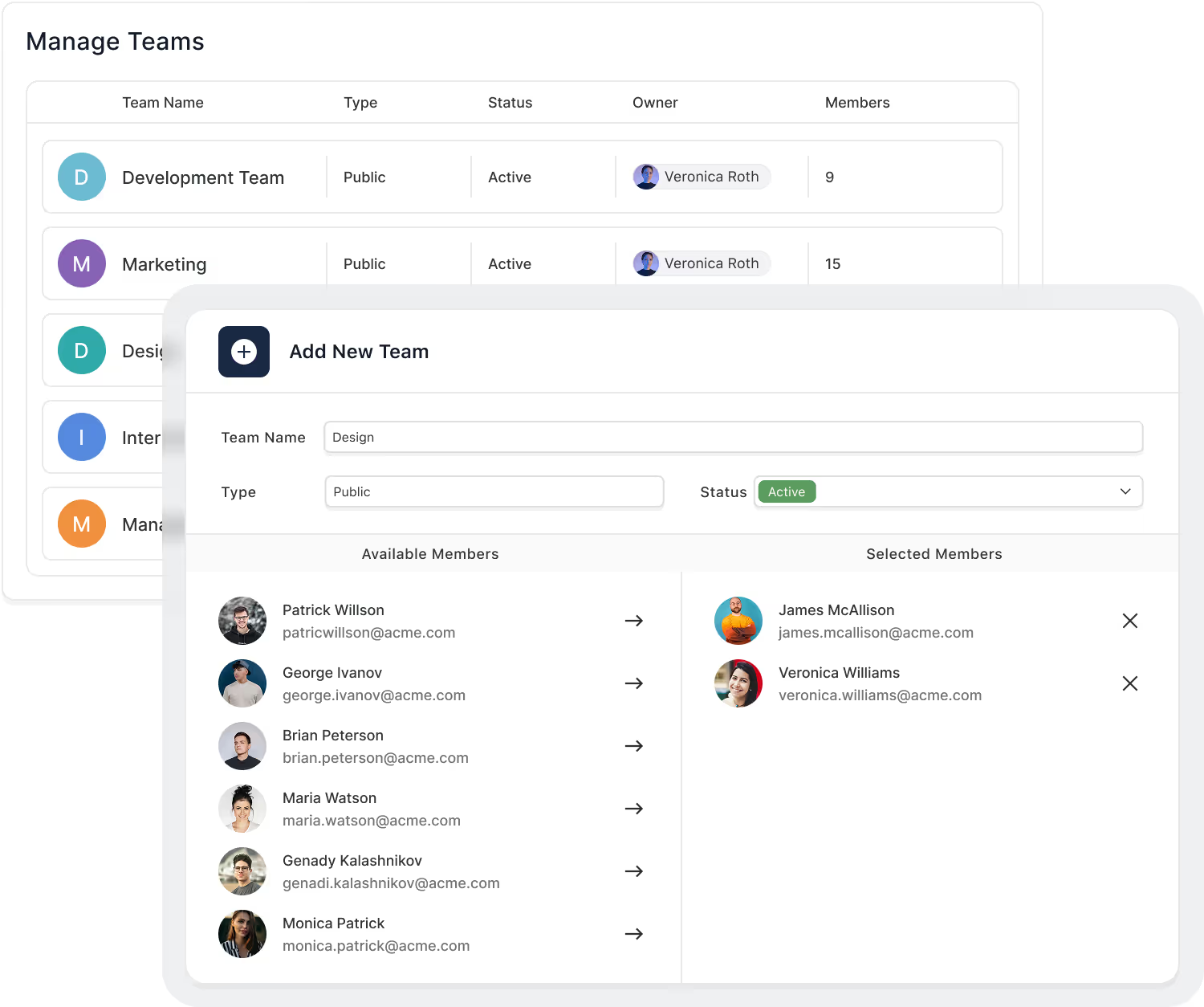
Organize users into teams and groups, align them to the right roles, and keep membership synchronized with your directory, so access reflects your org structure without manual upkeep.
Represent departments, functions, and project squads.
Map teams to reusable roles for consistent permissions.
Provision/deprovision users and groups automatically.
Start tight; expand deliberately with change history.
Logging, monitoring, and error recovery.
Assign roles, teams, and access automatically when new members join, ensuring consistent permissions from day one.
Authentication & SSO
Centralize identity with SAML or OIDC providers and enforce MFA across users or high-risk actions. Keep identities in your IdP, automate lifecycle with SCIM, and govern session behavior with org-level policies.
Microsoft Entra ID (Azure AD), Okta, Ping, Google, and Apple (SAML/OIDC).
Enforce per user or action; support for recovery and re-auth prompts.
Auto-create, update, and deactivate users and groups.
Idle timeout, max duration, step-up auth for sensitive flows.
Support secure cloud login via Google, Microsoft, Apple, and SSO providers without additional passwords.
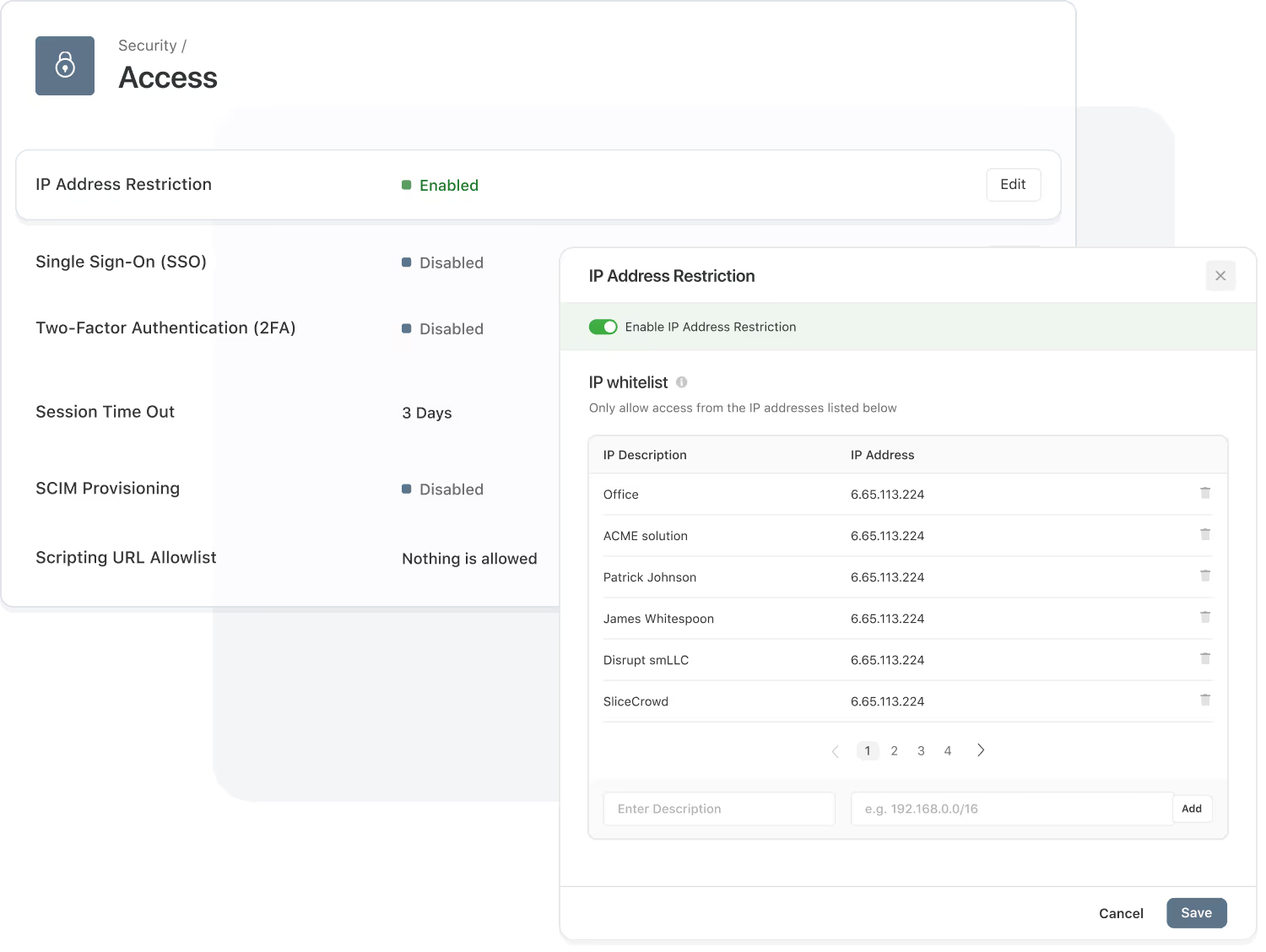
Define allowed IP ranges to keep unauthorized networks from accessing your workspace.
IP Restrictions & Session Control
Limit access to trusted networks, observe active sessions in real time, and terminate risky activity immediately. Apply optional geo rules, inspect device/IP details, and keep a verifiable login history.
Permit access only from approved IPs or CIDR ranges.
View device, IP, and duration; terminate instantly.
Track successful and failed attempts with timestamps.
Track device and IP details to support security investigations.
Audit History & Logs
Every change and system event is captured in a searchable log for full visibility into user actions, configuration updates, and automation activity. Export and retain logs per policy.
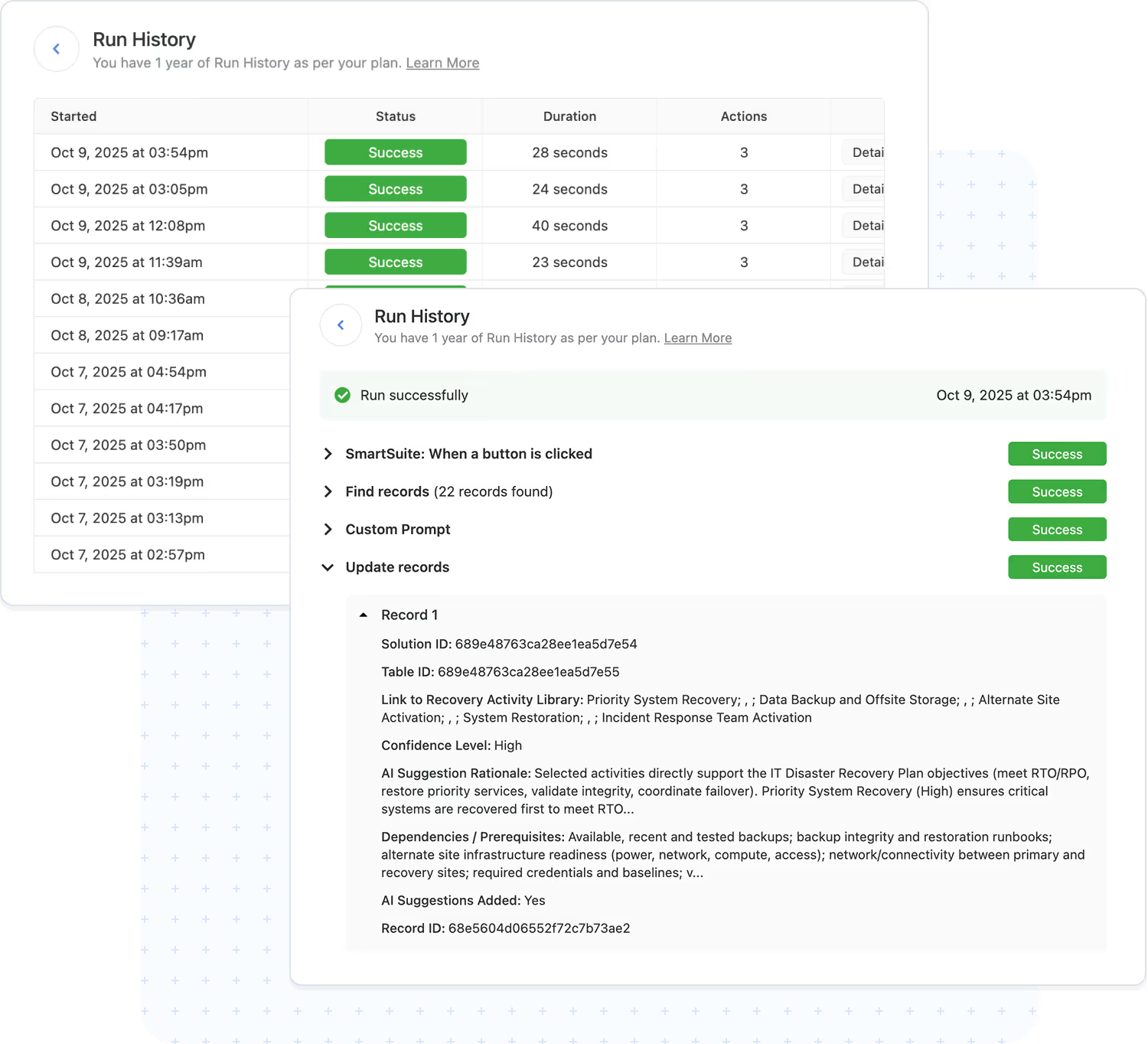
Who changed what, when, and where.
Captured inputs and outcomes.
Keep logs up to 3 years.
Supports SOC 2, ISO 27001, GDPR.
Download logs for offline review.
Stream audit events to external monitoring tools.
Recycle Bin
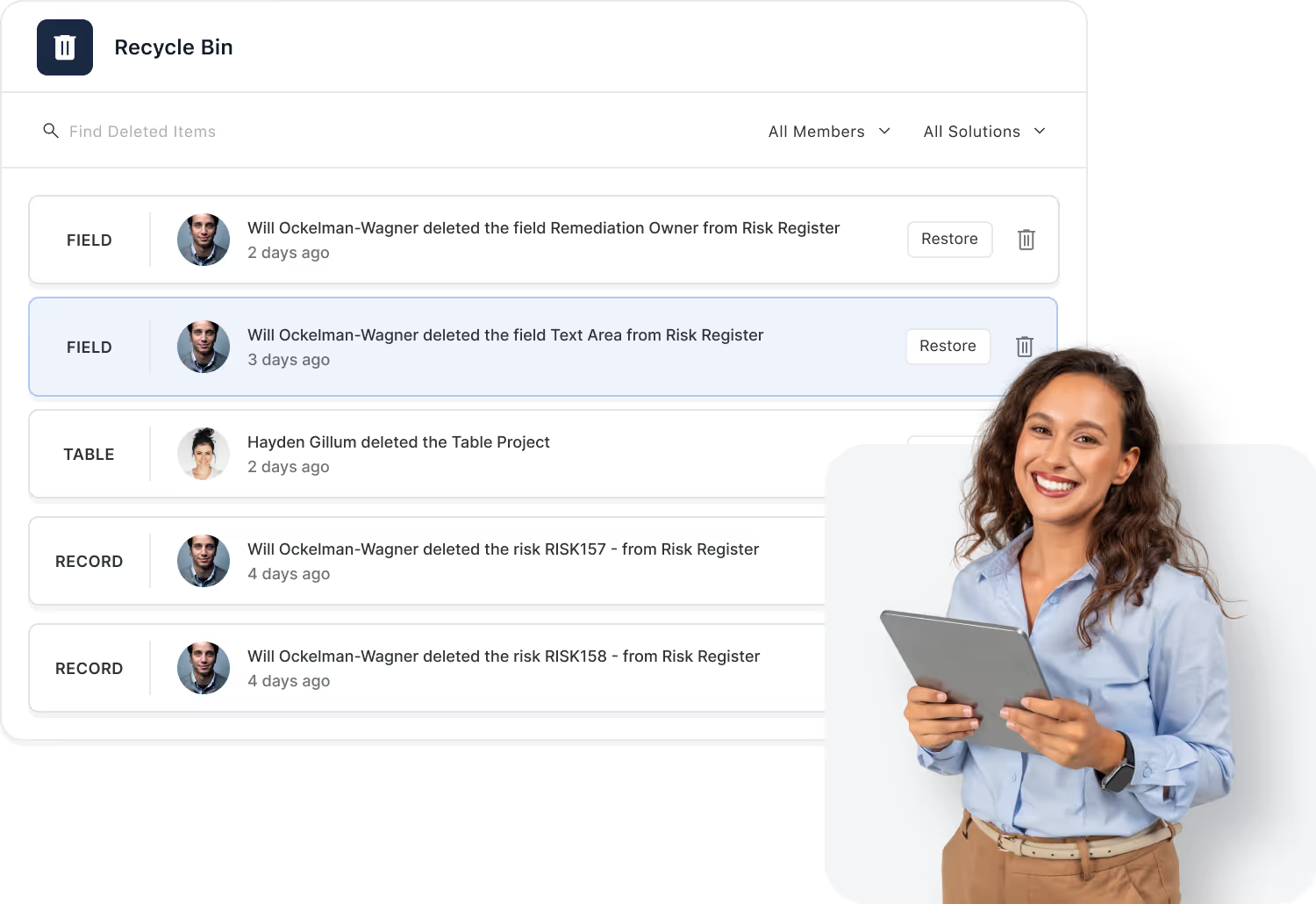
The Recycle Bin safeguards against accidental data loss by allowing deleted records to be viewed and restored within a configurable retention period.
Items remain recoverable for up to 60 days (plan dependent).
Recover one or more selected records with audit trace.
Track who deleted and restored records for accountability.
Admins/Solution Managers can permanently purge when required.
View deleted items across all Solutions and tables for complete oversight and faster recovery.
Restored records automatically reconnect to their original relationships, fields, and history.

SmartSuite Trust Center
Security is mission-critical, and that’s why we’ve created a centralized Trust Center to make it easy to review our security, privacy, and compliance program. Access key policies, supporting documentation, and program details designed to protect customer data and support your vendor risk assessment process.
Data Privacy
SmartSuite takes the handling of personal data seriously. We maintain security and privacy policies, operational controls, and governance practices to safeguard the data processed in our platform and to support compliance with applicable privacy laws, including GDPR.

Certifications and Reports
SmartSuite completes independent audits and maintains recognized security and privacy standards, so your team can review controls, documentation, and assurances with confidence.

Certified information security management system (ISMS) with documented controls and continuous improvement.
Independent assurance report covering security and availability controls over an audit period.
Supports HIPAA-aligned security and privacy practices for organizations handling protected health information (PHI).
Privacy practices and controls designed to support GDPR requirements for personal data protection.

AWS Cloud Platform. For uncompromising security, SmartSuite is hosted by Amazon AWS, which supports more security and compliance certifications than any other Cloud vendor, including PCI-DSS, HIPAA/HITECH, FedRAMP, FIPS 140-2, NIST 800-171, and GDPR.

Data Loss Prevention (DLP). SmartSuite provides a REST API designed to integrate with third-party vendor services that monitor the inflow and outflow of sensitive data to the platform. These systems empower administrators with proactive capabilities to safeguard the integrity and confidentiality of critical information, ensuring compliance with regulatory standards and bolstering overall security.

Data Encryption. All communications with SmartSuite are HTTPS encrypted, and data at rest is encrypted with the AES-256 algorithm.
Keeping SmartSuite Secure
If you believe you’ve found a security vulnerability in SmartSuite, please let us know so we can address it quickly and responsibly.
Submit the vulnerability report form or email us at security@smartsuite.com.
Frequently Asked Questions About Access & Security in SmartSuite
SmartSuite uses a layered permission model that includes Workspace roles, Solution access, Table permissions, Record permissions, Field-level visibility, Folder permissions, and Interface-based access. This ensures teams only see and interact with the data relevant to their responsibilities.
Workspace roles determine the user’s global capabilities (e.g., Admin, Builder, Member).
Solution permissions define what a user can do inside a specific workflow—view, edit, create, delete, manage automations, configure structures, or access all related Tables.
Yes. Record Permissions allow specific users to be assigned as “Assignees,” granting them visibility and access to only the records they own. This is ideal for case management, HR records, tickets, assessments, and any sensitive workflow.
Field-level permissions let you control who can view or edit individual fields. Sensitive formulas, compensation data, security notes, or internal-only comments can be hidden from non-authorized users while keeping the workflow intact.
Folder permissions govern access to groups of Views—letting workspace admins create role-based navigation. Teams can share dashboards, filtered views, or reports without exposing underlying data or unrelated Views.
Yes. Interfaces have their own permission framework. Users can be granted access to an Interface without gaining visibility into the underlying Solution structure, ensuring clean separation between internal builders and internal/external consumers.
SmartSuite logs changes to records, captures who viewed or modified data, maintains activity history, enforces field access rules, supports SSO and MFA, and provides role-based access controls that align with enterprise governance standards.
Absolutely. SmartSuite’s permission model is designed for organizations with hundreds or thousands of users. Workspace Admins can create repeatable permission patterns, apply roles consistently, and adjust access without disrupting active workflows

Written by
SmartSuite Staff
· Reviewed
October 17, 2026
Explore the platform
The ten capabilities of the SmartSuite platform, each on its own page.