



BMC Helix Pricing: Is It Worth It In 2026? [Reviewed]
![BMC Helix Pricing: Is It Worth It In 2026? [Reviewed]](https://cdn.prod.website-files.com/60db0944651d4b59a704ef93/6acad1e9d5603a17eba54a32_6acad1e57796407cec148d44_zengrc-pricing-thumbnail-image.webp)

SmartSuite provides work platform for standardizing workflows in the following areas:
-
Governance, Risk & Compliance
-
IT & Service Ops
-
Project / Portfolio Management
-
Business Operations

Even though BMC Helix does not publicly disclose its pricing on its website, I was still able to find some pricing information from verified user reviews and insiders.
In this guide, I’ll cover everything that is known about BMC Helix’s pricing structure, including how they calculate their pricing and reported numbers.
➡️ I’ll also introduce you to a BMC Helix alternative that has a more affordable pricing structure, is quick to set up, and comes with premium customer support.
How Much Does BMC Helix Really Cost?
According to insiders from Vendr, BMC Helix pricing costs approximately $30,000 per year, based on data from three recent deals.

Source: Vendr.
For teams looking at per-user pricing, the going rate for a named user (e.g., help desk analysts, asset owners, or admins) is $114.75/month, according to BMC Helix’s Salesforce AppExchange listing.

Source: Salesforce.
⚠️ Disclaimer: BMC Helix pricing is highly variable and customized based on your contract length, the modules you choose, the number and type of users, and whether you opt for SaaS or on-prem deployment. The prices above are representative, not definitive, and may shift depending on negotiations and enterprise scale.
Does BMC Helix Provide Good Value for Money?
Customers of BMC Helix are overall happy with its solution, including how they can automate and manage internal ITSM operations.

‘’Very modernized tool to automate and manage your operations. It helps in tracking tickets, tasks, changes, and data. Great support team. Integration friendly and gives options to customize as per your needs.’’ – G2 Review.
Despite this, there are many users on PeerSpot who expressed that BMC Helix ITSM is priced higher than other alternatives.

‘’The pricing of BMC Helix ITSM and its implementation costs are quite high, including subscription and maintenance costs per year.’’ – PeerSpot Review.
Looking For a BMC Helix Alternative?
All things considered, BMC Helix was designed for enterprises in mind. Users of the platform are happy with its functionality, but agree that the cost would be prohibitive for a small or medium-scale company.
ITSM leaders have been looking for BMC Helix alternatives not only due to the expensive pricing of the solution, but also because:
- The platform’s UI is not user-friendly and is rather outdated.
- The tool is difficult to configure and customize as the language is non-JSON, which makes it harder for developers to write.

‘’But UI is very old and needs to be changed. It is also very, very slow when switching between tabs and options.’’ – G2 Review.
SmartSuite (that’s us) offers the best BMC Helix alternative for ITSM with our modern, no-code project management software.
Our IT service management solution has been built to help you streamline critical IT processes, organize projects, and remove traditional obstacles in the tech landscape.

Here’s a quick walkthrough of the platform and our solution for IT teams:
Let’s go over the features that make SmartSuite the best choice for teams looking for a BMC Helix alternative: 👇
All-In-One IT Service Management
SmartSuite lets you manage your IT processes, projects, and asset management all in one single solution.
Our no-code, easy-to-use solution enables IT teams to automate all technical processes with ease.
Here are the features and use cases that you’ll get with SmartSuite:
- Manage critical IT processes: Manage IT data and workflows in one place, from deploying help desk and issue management solutions to ensuring core business operations stay uninterrupted.

- Track tickets & issues: You can deploy help desk and issue management solutions to ensure your business operations are not interrupted.

- Manage your IT assets and licenses: Track all of your IT assets, to whom they are deployed and what software versions are deployed.

- Manage internal IT projects: Plan deployments, schedule your teams, and monitor progress to ensure you deliver on time and under budget.

- Integrate with your existing systems: Our software lets you integrate with existing systems and data to consolidate and centralize your data.

- Automate for accuracy and efficiency: You’ll be able to remove inefficiencies and the chance for human error by automating repeatable workflows.
- Monitor and report on your work with customizable IT dashboards that help your team slice and dice data, track help tickets, work requests, and more in dynamic interactive dashboards.

Standardize Your Team’s IT Workflows
SmartSuite lets you streamline your IT request workflow with a centralized work request process.
You will be able to prioritize tasks, assign IT staff and ensure that you achieve service level agreements.

You can monitor your team with flexible reports and dashboards that keep you updated in real time.
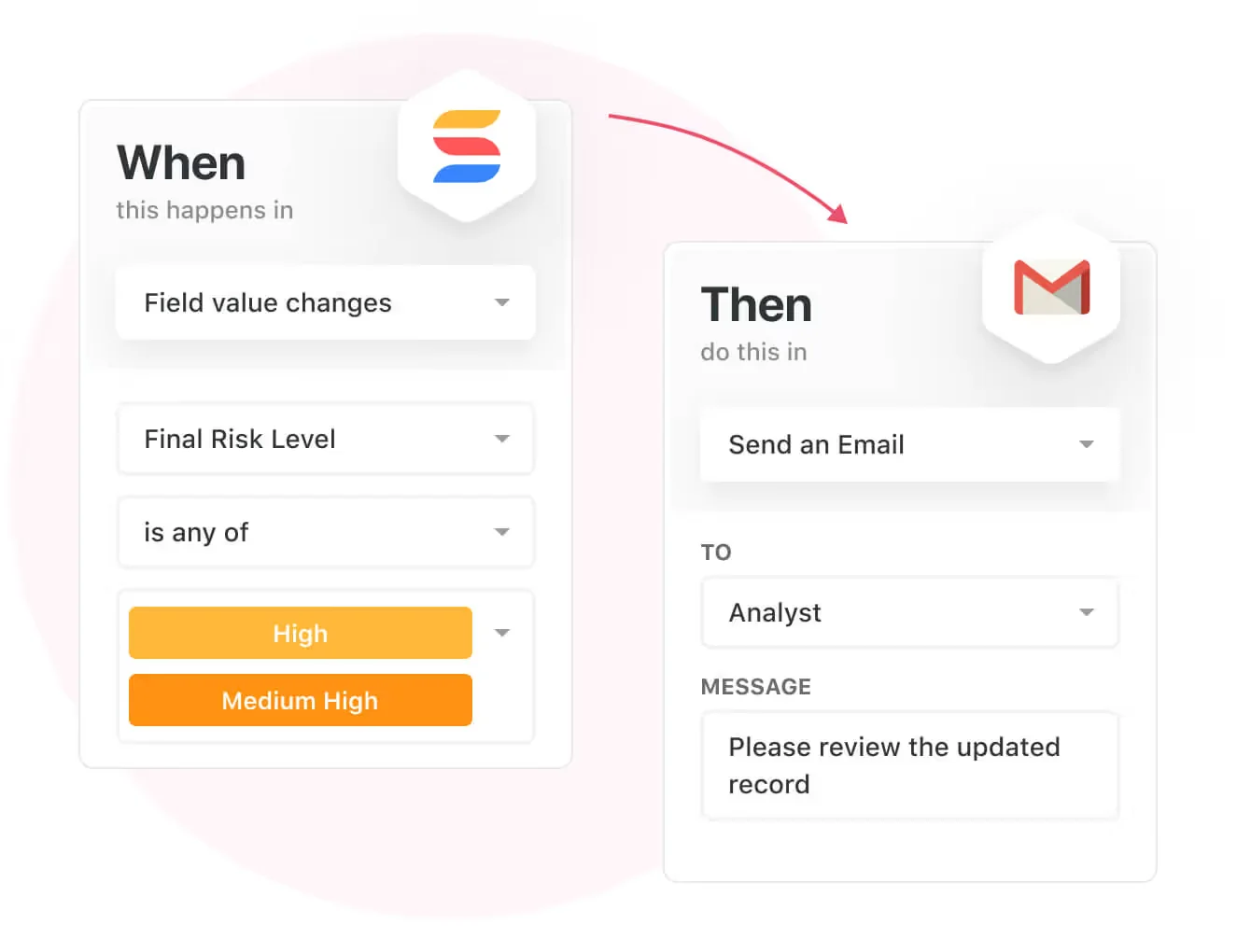
Apart from that, SmartSuite's no-code automation builder provides IT teams with a visual interface that makes it easy to respond to events and take action.
That means your team can customize your ITSM workflows without technical resources.
💡 Working from mobile? You can stay connected to critical IT information, tickets and device information with our native iOS and Android apps.
Your team can use our mobile apps to share files, images, updates and other feedback to resolve problems and close tickets.

Ready-To-Use ITSM Templates
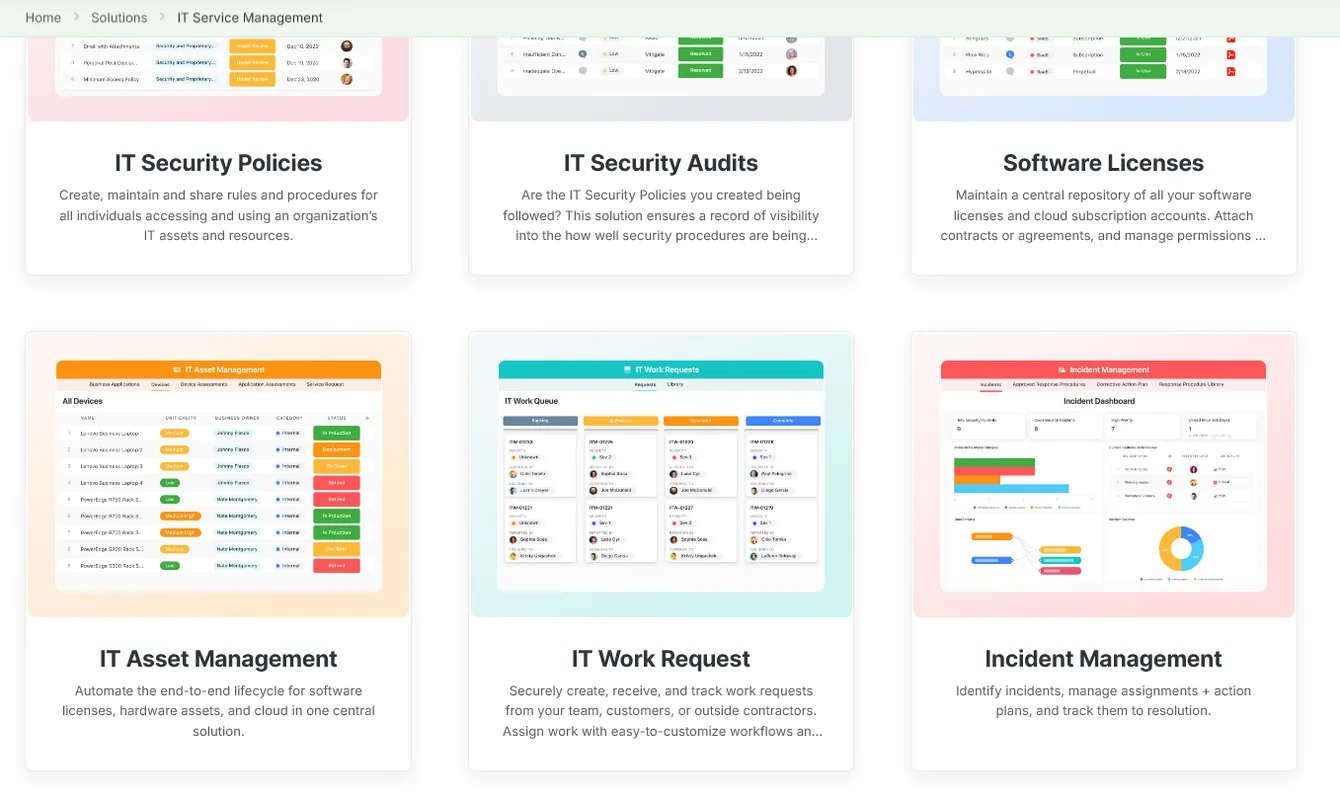
Our team has prepared a bunch of ITSM templates for IT teams looking to get started right away, instead of building everything from scratch, such as an IT Help Desk.

Our ITSM template includes a:
- IT Service Request Management, where you can streamline work requests, automate repetitive tasks, and manage IT assets.

- IT Help Desk, which we built for internal IT departments looking to capture and resolve internal technology issues.

- IT Asset Tracker, where you can keep track of IT assets issued to employees or implemented in networks, facilities and workspaces.

You can customize our ITSM management templates here for various use cases, such as IT Security Policies, IT Security Audits, and IT Work Requests.
How is SmartSuite different from BMC Helix?
Unlike BMC Helix, SmartSuite offers a platform with:
- A modern solution with an intuitive interface that does not confuse your IT team or require extensive training.
- An affordable and transparent pricing model with a 14-day free trial to help you get started.
- Automated workflows that can help you build multi-step automations to trigger actions at the right time.
- Customer support and account management, which will help you with setting up the automations inside the platform.
💡 Case Study: Learn how MediaLab transformed operations, minimized risk, and saved $40,000+ per year by cutting software costs.

Pricing
Unlike BMC Helix, smartSuite offers a 14-day free trial of its Professional plan, with no credit card required and no automatic charge when the trial ends.
There are four paid plans with a 14-day free trial (no CC required):
- Team: Starts at $15 per seat/month billed annually ($20 billed monthly, minimum 3 billable users), including Gantt charts, timeline views, 25,000 automation runs and API calls per month, and native time tracking.
- Professional: Starts at $32 per seat/month billed annually ($36 billed monthly, minimum 5 billable users) and adds two-factor authentication, Gmail & Outlook integrations, and unlimited editors.
- Enterprise: Custom pricing (no seat minimum), including audit logs, data loss prevention, and 500,000 automation runs and API calls per month.
- Signature: A customized plan tailored to your organization’s needs and team size with no predefined limits.

Next Steps For IT Teams: Get Started With SmartSuite & Our Templates For Free
If you’re an IT manager looking to build IT service management workstreams, you can give SmartSuite a chance with our 14-day free trial and ready-to-use ITSM templates.
SmartSuite’s platform offers just the right customization, native collaboration capabilities and a library of 200+ project management templates to help teams create and maintain a project management workflow.
Here’s what's in it for your team when you try SmartSuite:
- Access to a 14-day free trial with multi-board views (Kanban, Chart, Map, Timeline, Card, and Calendar) and 40+ field types, including formula and linked record fields.
- No-code automation builder with up to 500,000 automation runs a month on Enterprise.
- Built-in productivity tools, including time tracking, status tracking, and checklists.
- Team collaboration and planning tools such as whiteboards and SmartSuite docs.
- Resource management across projects and teams.
- 40+ field types, including the option to add your custom fields.
Start a 14-day free trial to explore all its features.
Or, if you’d like to talk to our team of experts, schedule a demo.
⚠️ Disclaimer: This article was last updated on December 11, 2025 and if there's any misinterpretation of the information, please contact us and we will fact check it.
Read More
- 10 Best BMC Helix Alternatives For ITSM In 2026
- Top 10 ServiceNow Alternatives and Competitors in 2026
- ServiceNow Pricing: Is It Worth It
- Jira Service Management Pricing: Is It Worth It
- Atera Pricing: Is It Worth It in 2026? [Reviewed]
- Freshservice Pricing: Is It Worth It in 2026? [Reviewed]






Put these ideas to work
Start a free trial, or book a demo and see how it runs in SmartSuite.

