

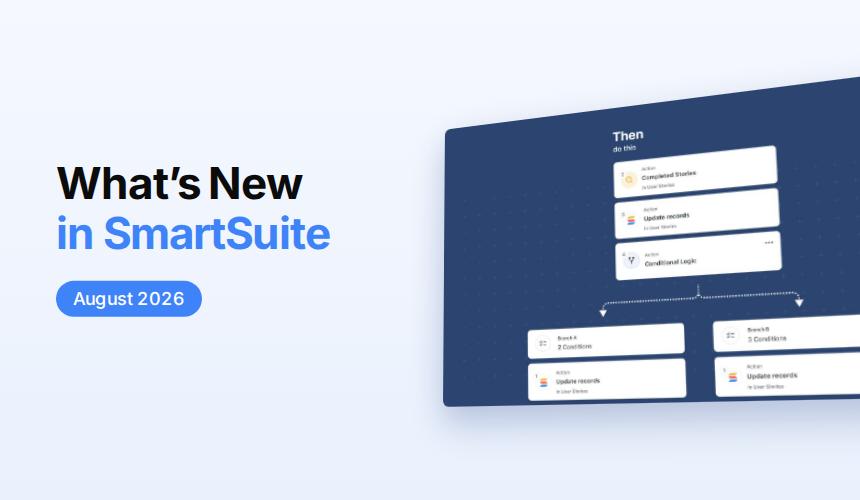

August 2026 Product Updates
SmartSuite's August 2026 updates bring Conditional Logic and nested Advanced Logic to Automations, plus Slack actionable notifications that let teams approve work without leaving Slack. AI Field Agents now fill Date and Address fields, and new enhancements to mobile forms and charts, Team mentions, linked records, and attachment limits make everyday workflows faster and easier to control.
Mobile: Chart Widget Support
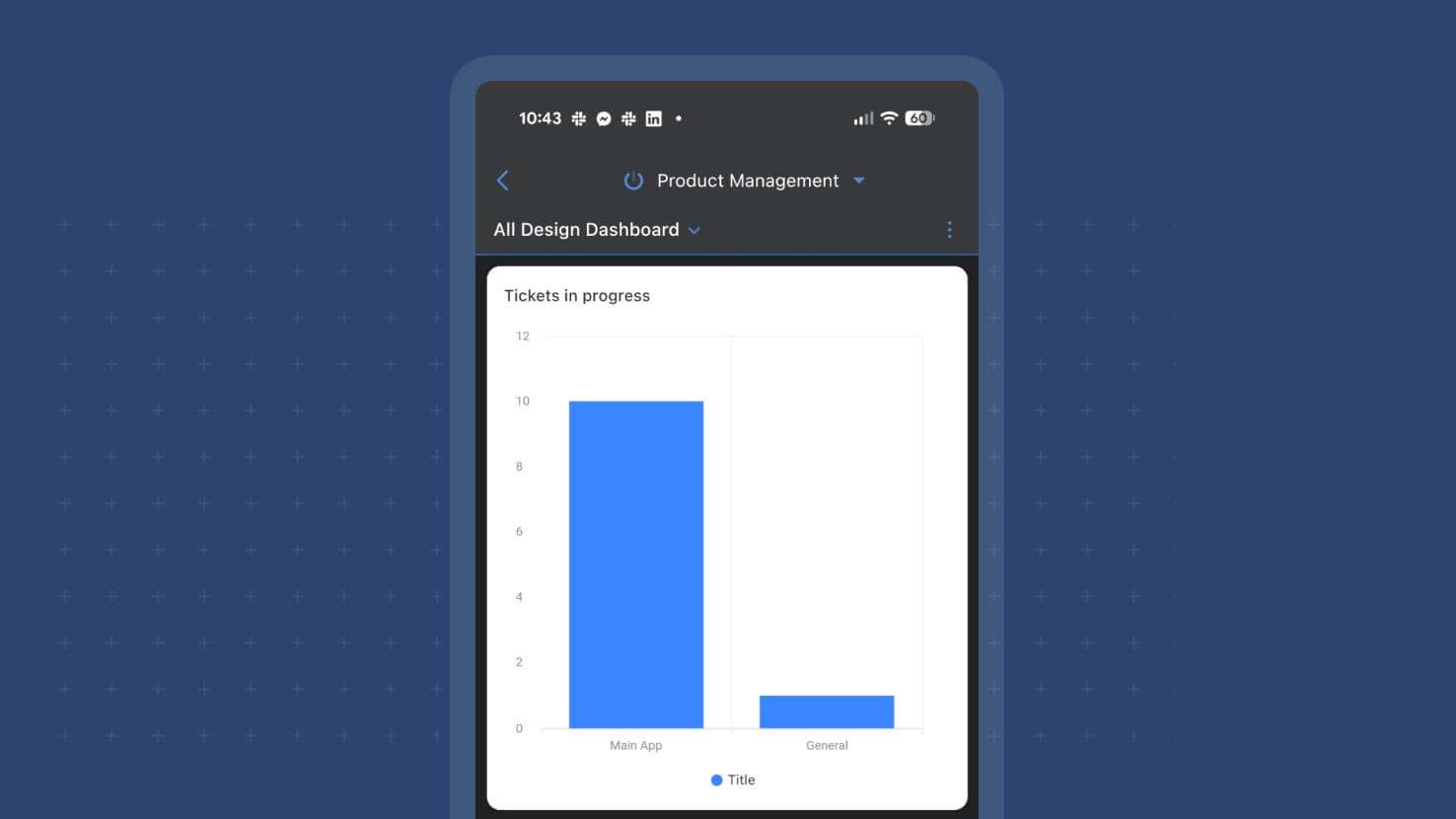
The Chart View widget now renders on SmartSuite Mobile with full desktop feature parity — grouping, sorting, filters, benchmark lines, and chart totals — across every chart type the widget already supports (Bar, Column, Line, Area including Stacked variants, Pie, Donut, Bubble, Scatter, Heatmap). Regional sales managers reviewing performance against benchmarks while traveling, executives checking KPI dashboards before meetings, and field supervisors monitoring grouped inspection data from job sites all get the full charting toolkit on phone and tablet.
AI Field Agent: Date Field Support
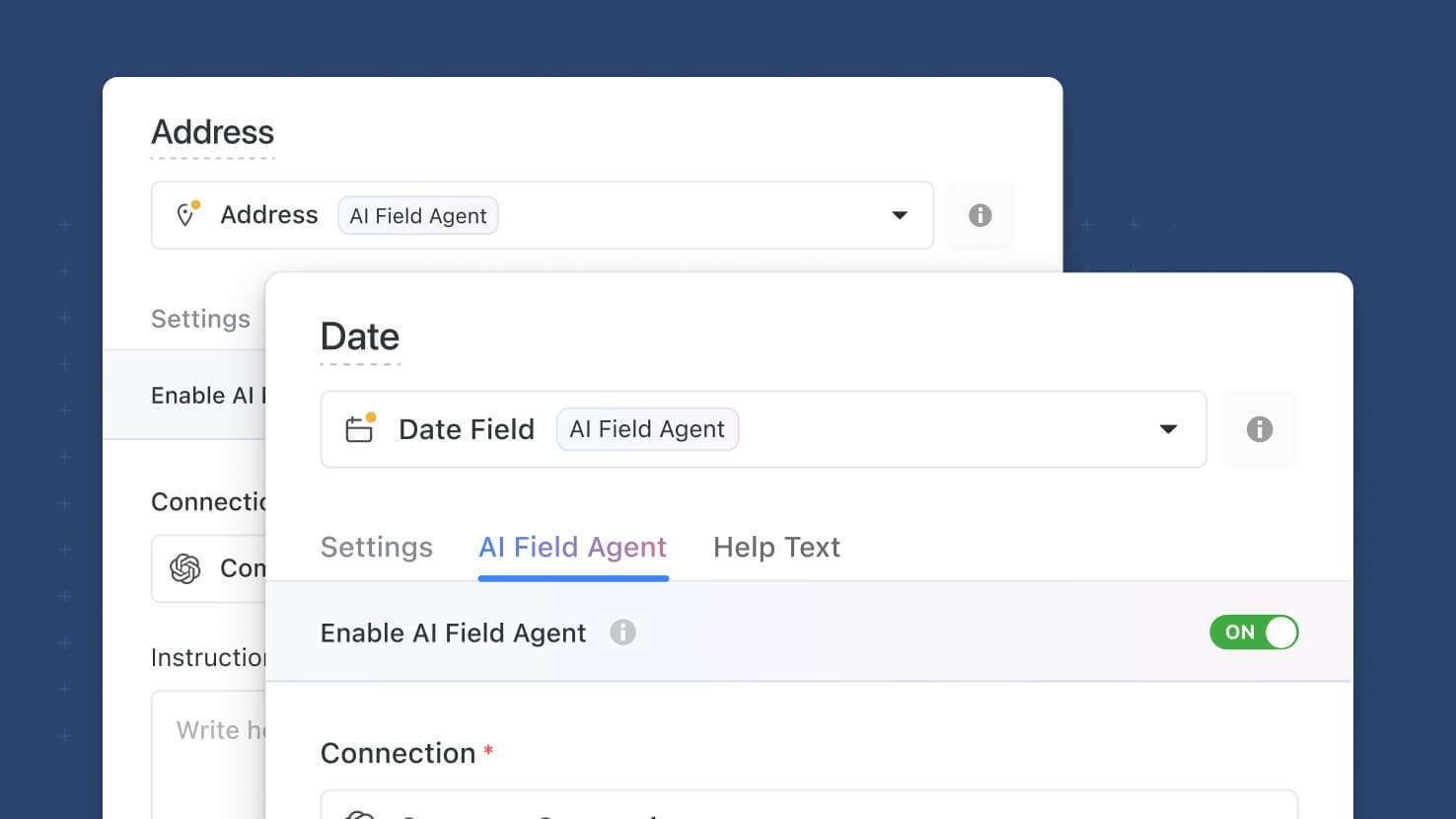
AI Field Agents now support the Date field as a target output. The agent generates a structured date value from record context — inferring project completion dates from status updates, SLA target dates from priority levels, or control review deadlines from Framework context — with the same governance, Manual/Automatic run controls, and audit-trail logging as the existing Text and Single Select Field Agents. PMO leads inferring project phase completion dates, ITSM service desks generating SLA target dates, GRC compliance teams computing control review deadlines, HR onboarding workflows setting 30-60-90 review dates, and any workflow where the date is derivable from other record context all get a first-class AI target for structured time data.
Learn More | Watch Product Video
AI Field Agent: Address Field Support
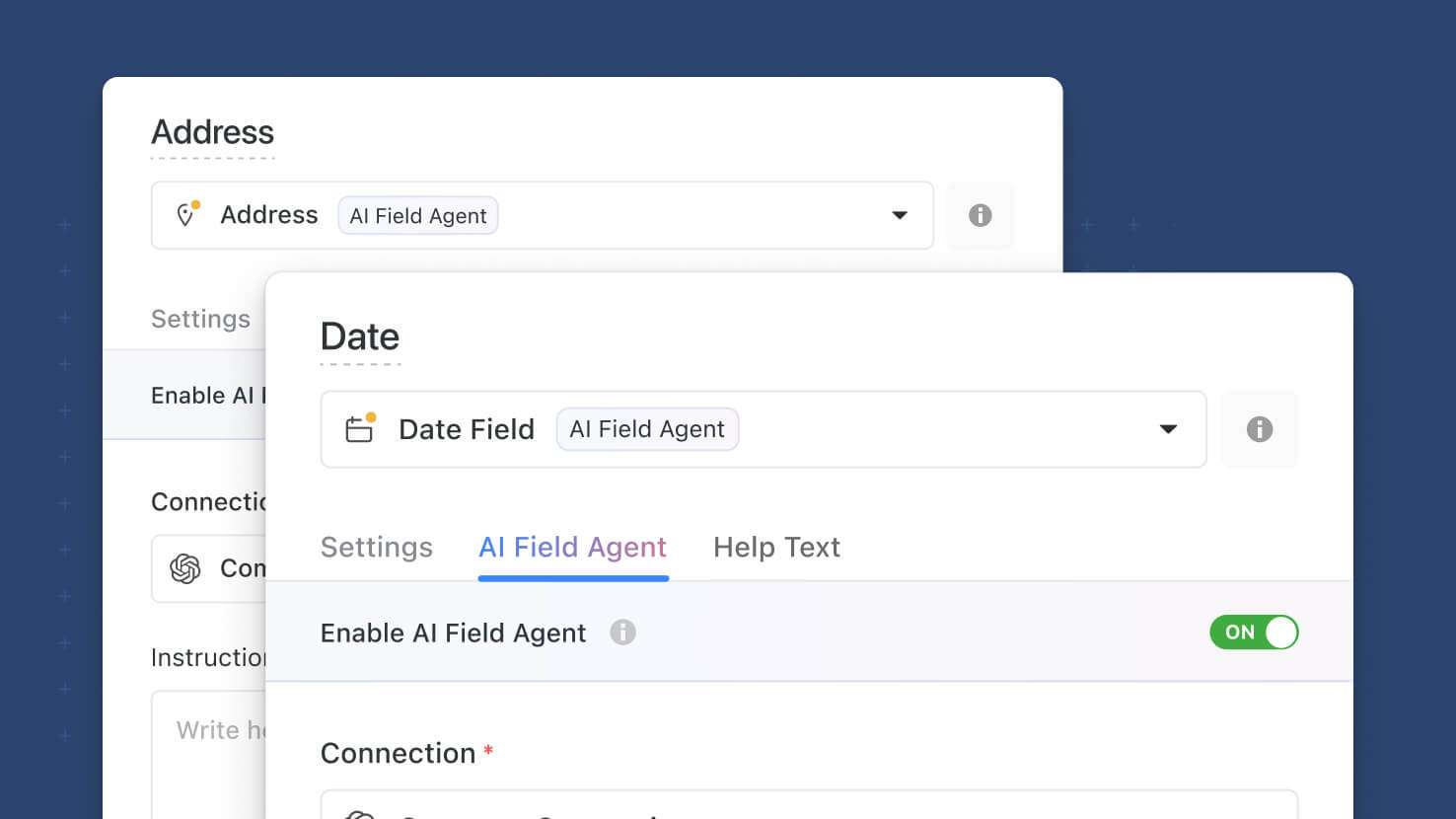
AI Field Agents now support the Address field as a target output. The agent generates a structured address from record context — populating dispatch locations from incident descriptions, shipping addresses from lead notes, or project sites from proposal text — with the same governance, Manual/Automatic run controls, and audit-trail logging as the existing Text and Single Select Field Agents. ITSM service desks generating dispatch locations, sales teams parsing prospect leads into shipping addresses, PMO leads inferring site locations from proposals, and any workflow where the address is knowable-from-context rather than typed by hand get a first-class AI target for structured location data.
Learn More | Watch Product Video
Mobile: Shared Forms Support
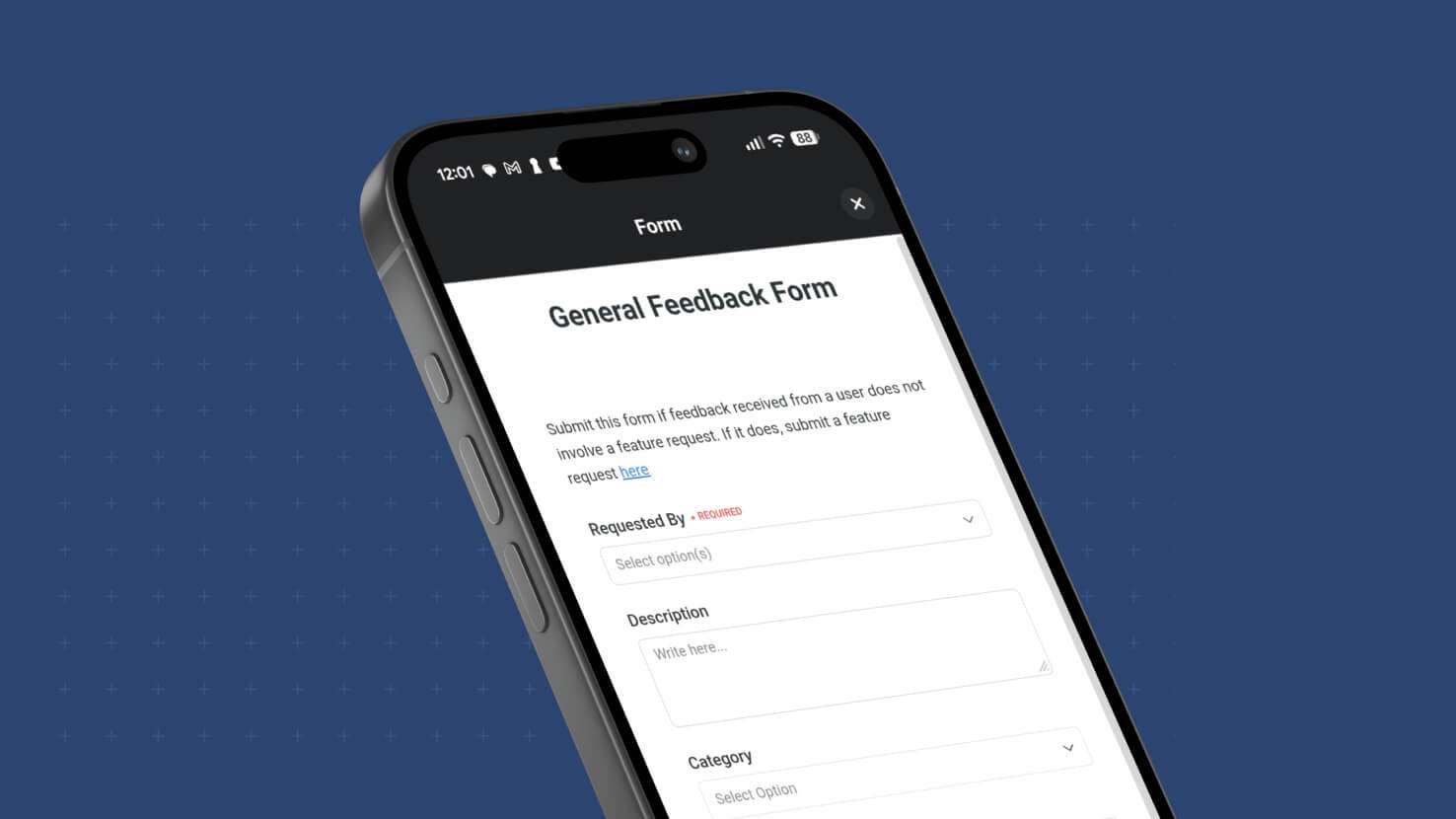
Shared Forms — public-link forms that any recipient can fill out without a SmartSuite login — now open natively inside the SmartSuite mobile app on iOS and Android instead of the mobile browser. Recipients tapping a shared form link on a phone or tablet with the SmartSuite app installed land in the app itself, keeping form submissions in one place alongside the rest of their SmartSuite work. Event teams collecting attendee registrations, HR teams running employee satisfaction surveys, and customer success teams gathering feedback from mobile-heavy audiences all benefit from the tighter mobile experience.
Mobile: Internal Forms Support
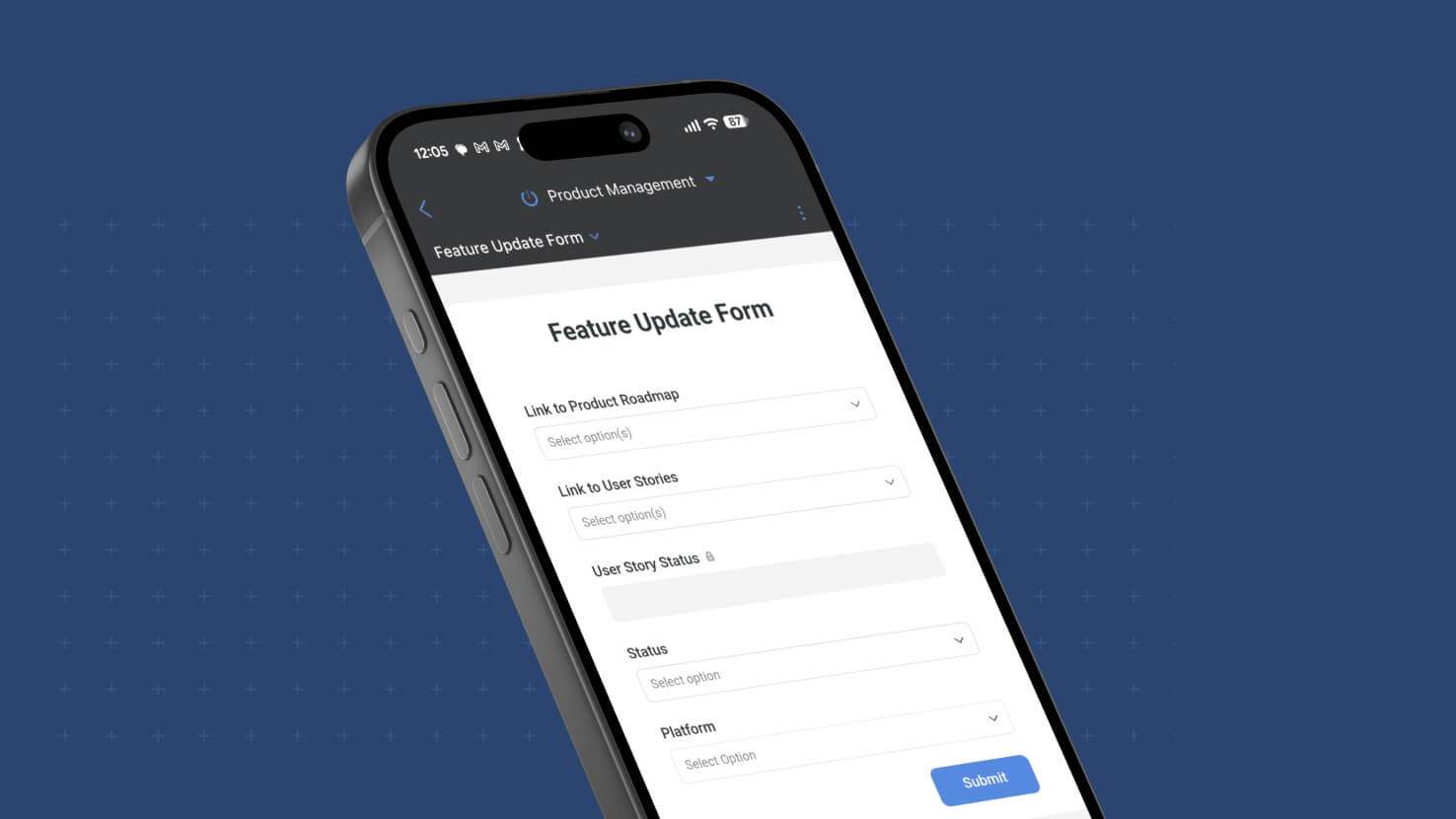
Internal Forms — the logged-in-member form mode that respects field and record permissions and captures the submitting member as Created By — now work natively on SmartSuite Mobile. Previously desktop-only; this release brings the full Internal Form experience to iOS and Android with no separate configuration required. Field service techs submitting inspection forms from the job site, HR managers filing employee change requests on the road, and ITSM operators opening tickets from a phone all get the same permissioned form experience on mobile they already had on desktop.
Assign and @Mention Teams in Comments and Checklists
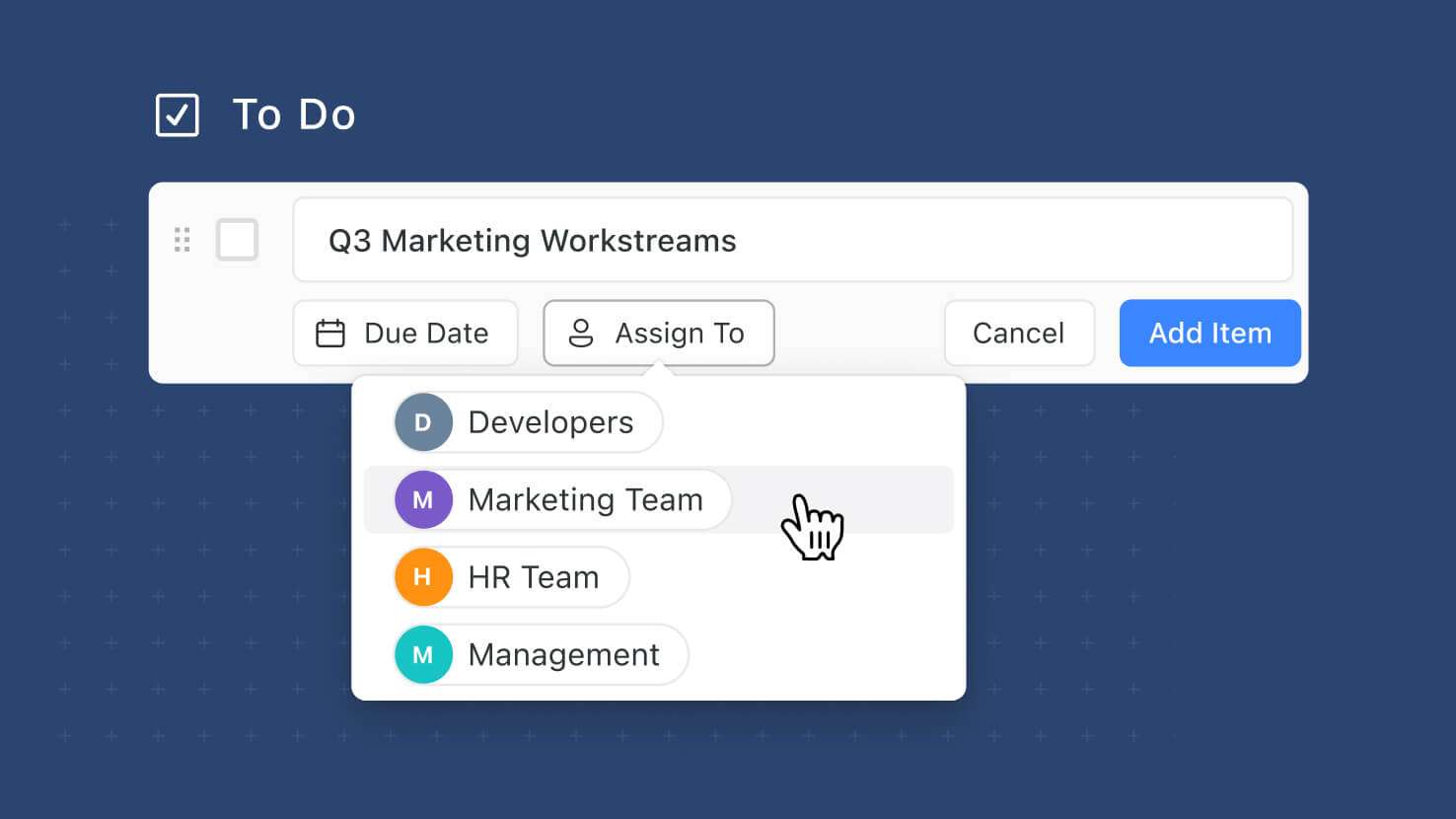
Comments and Checklist Items now support Team assignments and Team @-mentions, extending the Teams Field infrastructure from field-level assignments into the two most conversational surfaces in SmartSuite. Assign a Team to a comment or checklist item instead of picking a specific member, or @-mention a Team inline; every Team member gets an in-app notification and (if a Team Email is configured at the workspace level) one email goes to that address instead of individual member emails. ITSM service desks routing tickets to on-call teams, GRC compliance teams assigning control-review checklists to review committees, PMO leads @-mentioning cross-functional teams in project discussions, and HR teams distributing onboarding checklists across a Team all get first-class Team routing.
Linked Records: Record Selector Dropdown Mode
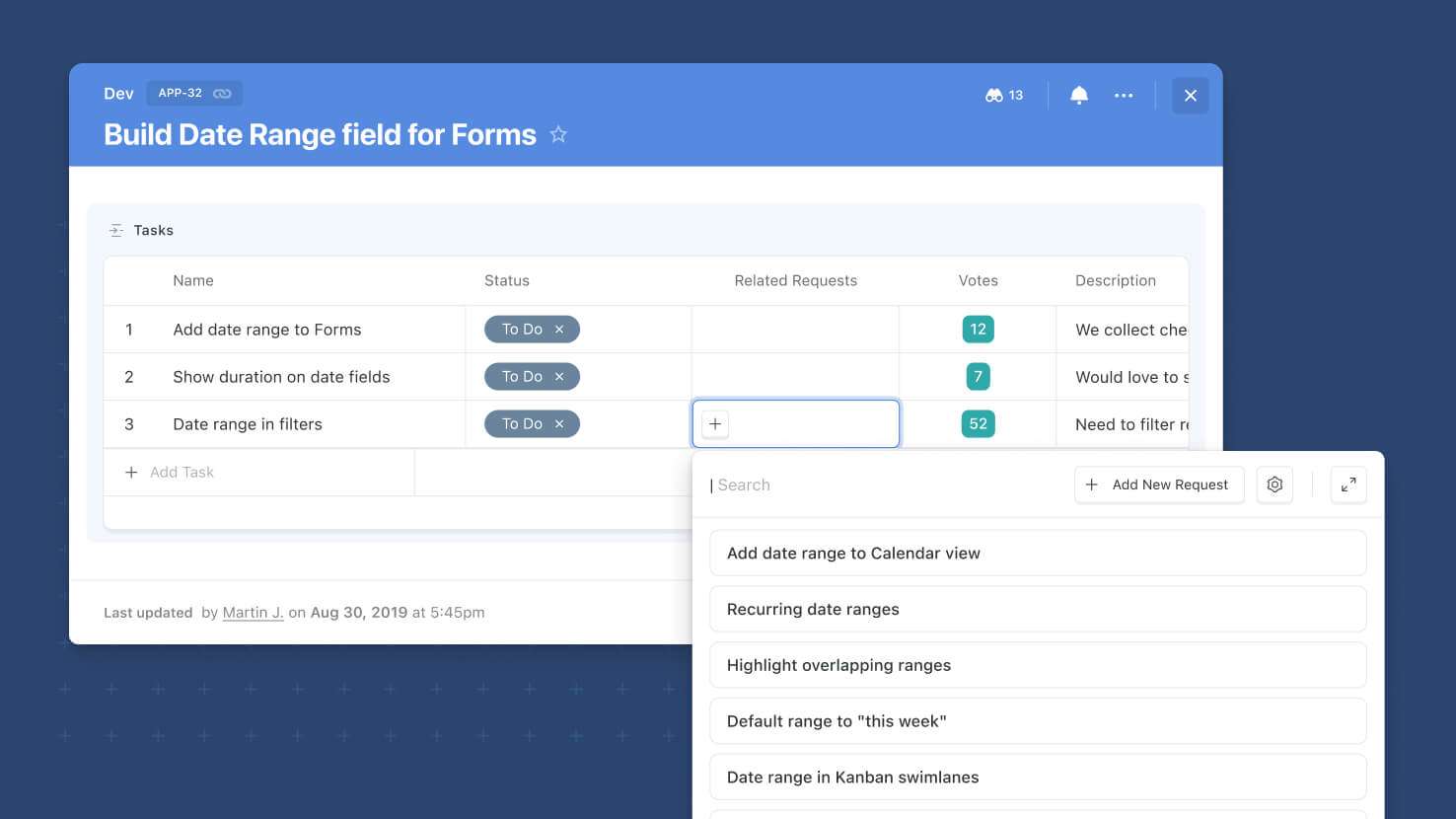
The Record Selector on Linked Records now opens as an inline dropdown by default instead of a full modal. Picking from a short list of existing records to link takes one click and no modal round-trip; the modal experience is still available for longer lists and advanced browsing. Service desks assigning a ticket to one of a small set of Change Requests, sales teams linking a deal to an Account from a short recent-account list, GRC compliance teams connecting a control test to a filtered short-list, and PMO leads connecting a task to a Sprint from a handful of active options all get quicker linking on the common case.
Learn More | Watch Product Video
Files and Images: Attachments Limits
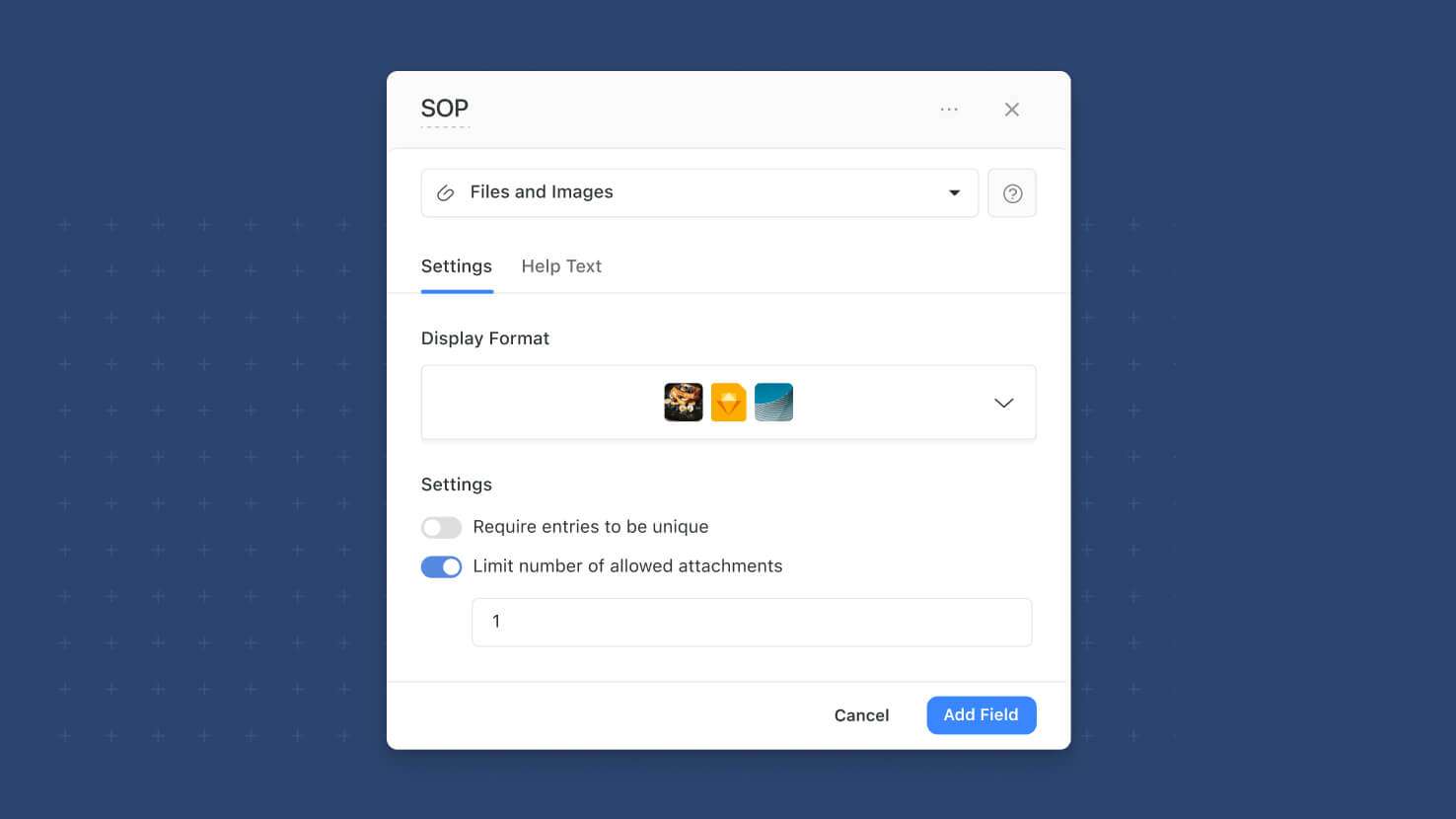
The Files and Images field can now cap how many attachments a single field instance will accept. Solution admins turn on "Limit the number of allowed attachments" in field settings and set the maximum — the field then refuses uploads beyond that count. Contract tables enforcing exactly one signed PDF per record, product catalogs capping reference images at a fixed number, HR employee profiles allowing only one headshot, and any workflow where the attachment count is a first-class part of the data model get field-level enforcement.
Learn More | Watch Product Video
Button Field: User Context in Click Event History
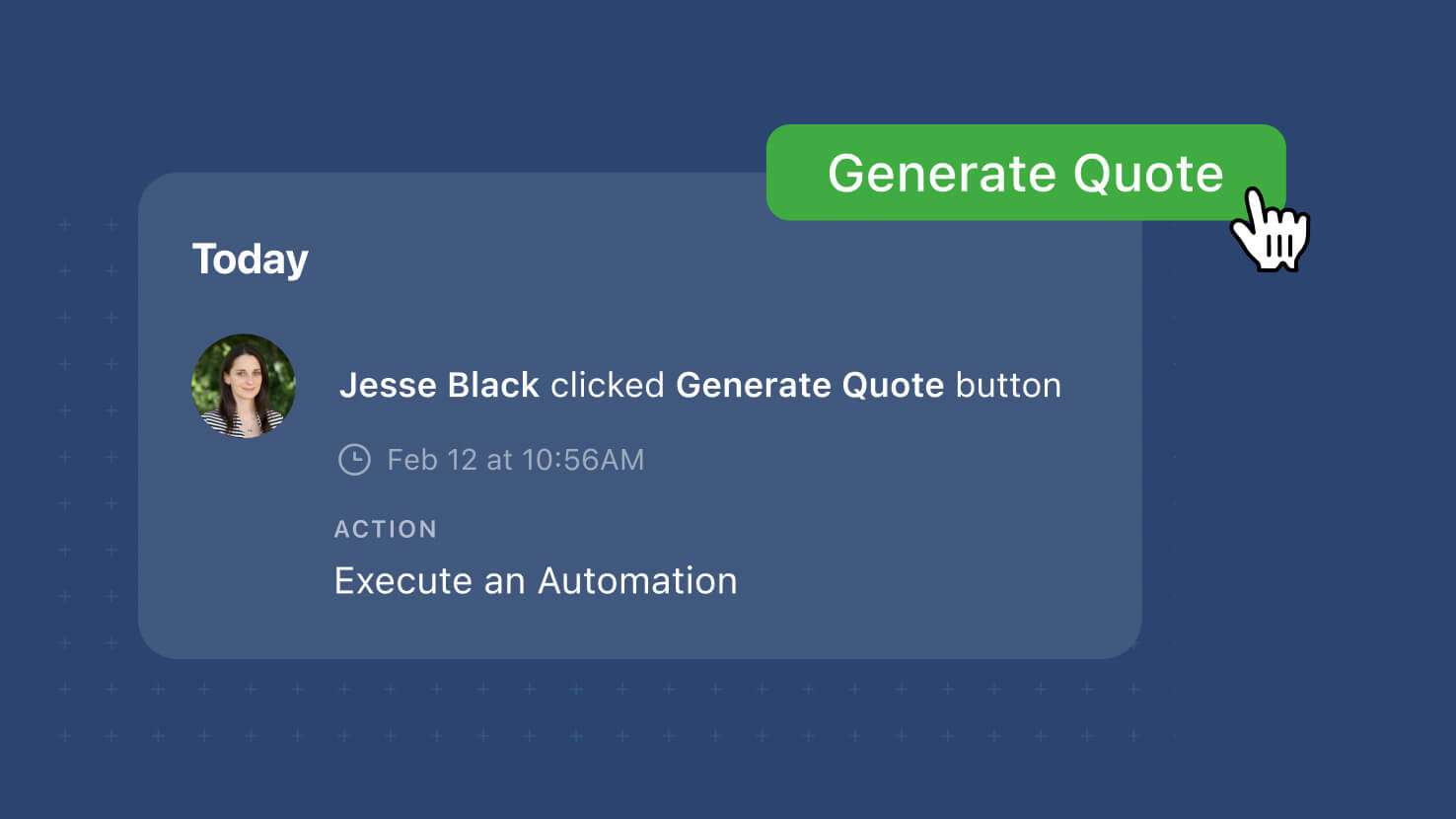
The Button field's click events on a record's activity history now record the user who clicked and the action that ran (Create a Record, Open a Form, Open URL, or Run an Automation). Button-driven workflows that dispatch actions from a record — service-desk agents opening a ticket-creation form, GRC reviewers launching an automation to snapshot evidence, PMO leads clicking through to a linked record — now have per-user attribution in the audit trail instead of an anonymous "button was clicked" entry.
Learn More | Watch Product Video
Automations: Advanced Logic Nesting
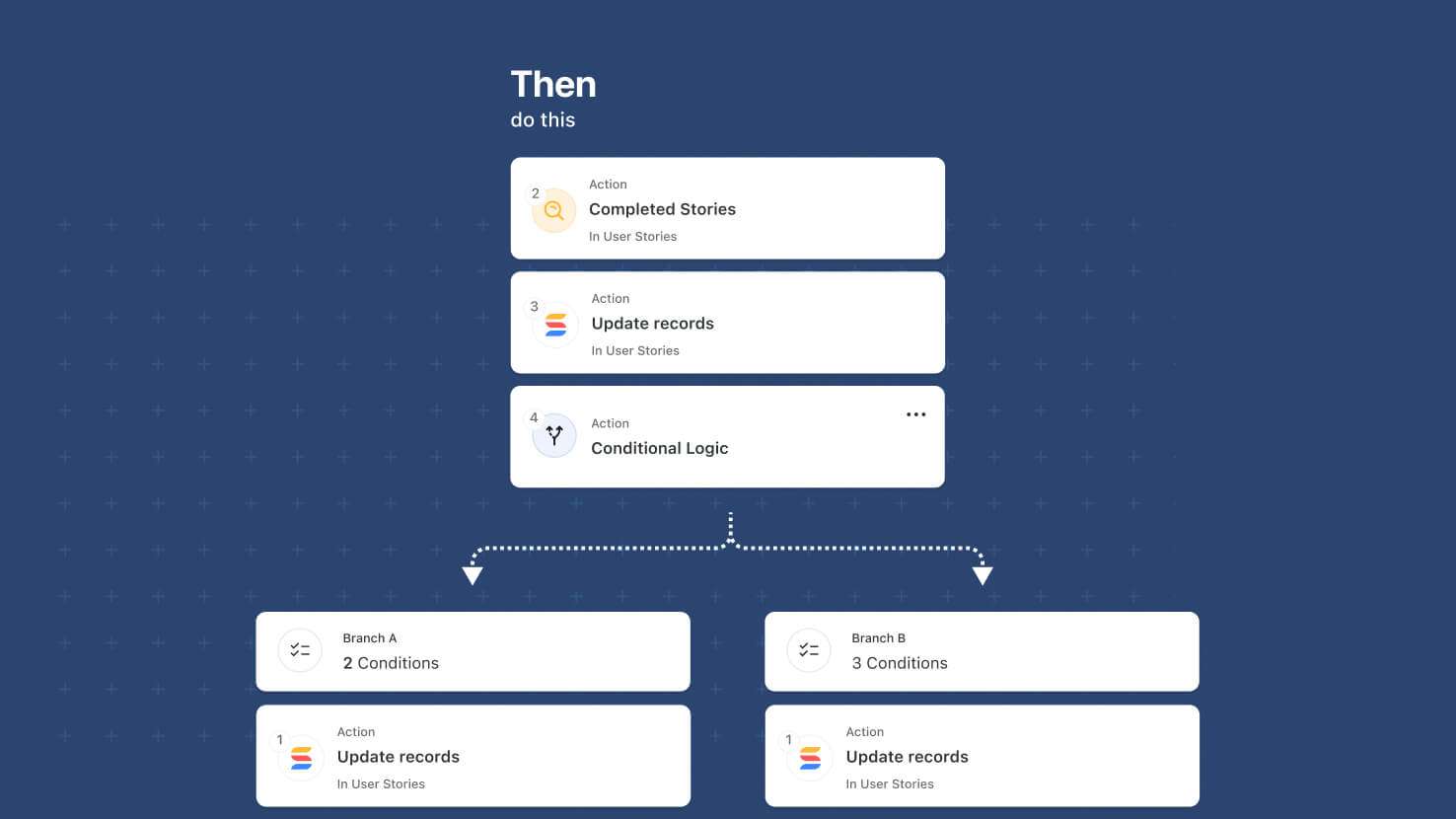
Automations' Advanced Logic building blocks — Conditional Logic (new this release) and Repeating Actions (Looping) — can now be nested inside each other, up to two levels deep. That unlocks multi-level workflows: a branch inside a branch, a loop inside a branch, a branch inside a loop, and a loop inside a loop. Process a set of records, loop over each one, and within each loop branch on a per-record condition — all inside a single automation.
Learn More | Watch Product Video
Automations: Slack Actionable Notifications
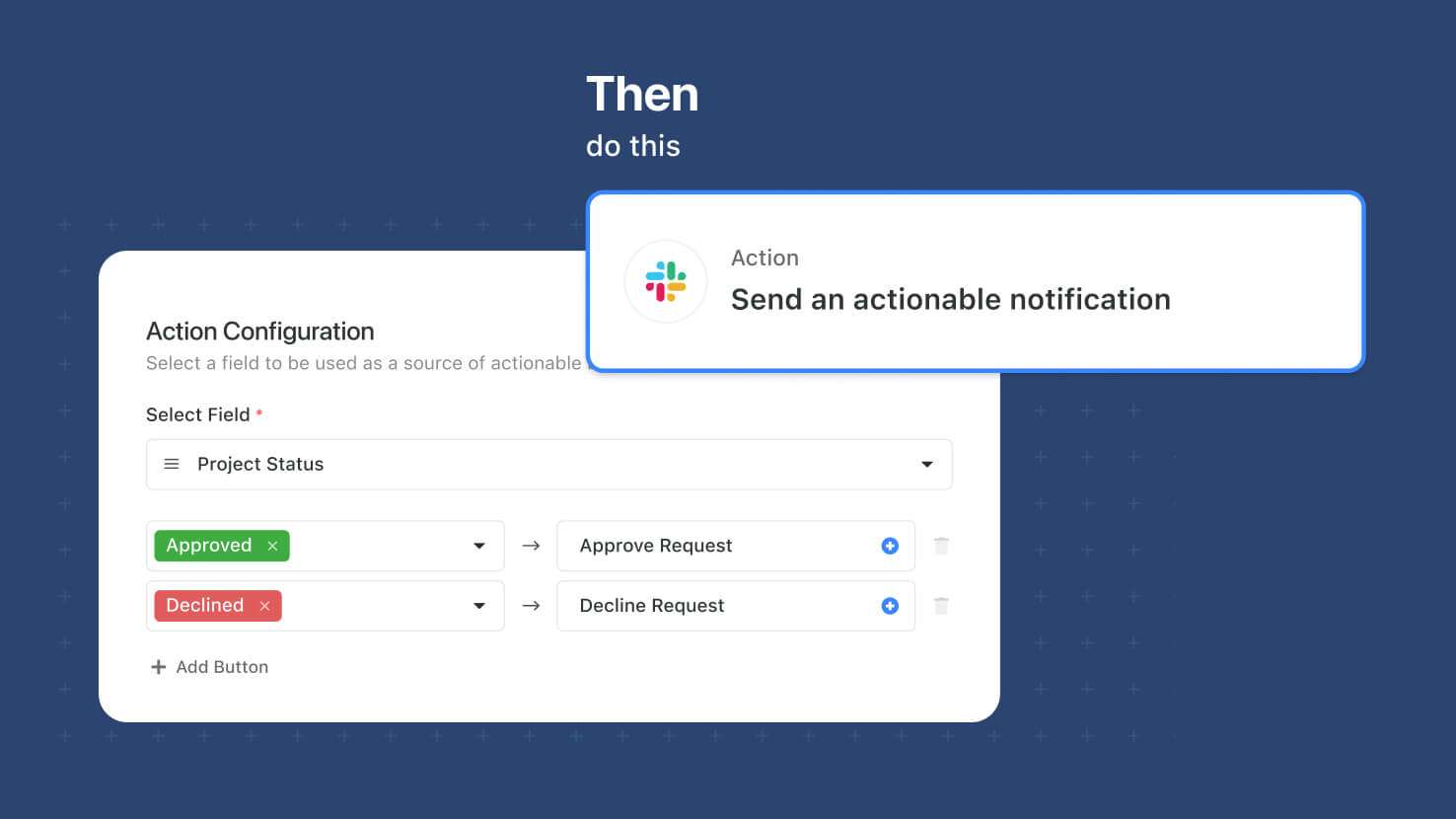
Automations can now send Slack messages with actionable buttons that update a SmartSuite record when clicked. Solution Managers pick a target record, compose the message, and choose a Status, Single Select, Multiple Select, or Yes/No field on the record as the button source — Slack recipients get up to three buttons and clicking one sets that field to the corresponding value in SmartSuite. Approval flows for contract sign-off, expense review, PTO requests, or GRC control attestations run entirely inside Slack while the audit trail lands on the SmartSuite record.
Automations: Conditional Logic
Automations pick up a new Conditional Logic action that lets a single automation take different paths depending on record data. Solution Managers build conditions with the standard condition builder, then place the actions that should run when conditions are met and the actions that should run when they aren't. Route ITSM tickets to the on-call team when priority is high, auto-approve purchase requests under a threshold and route larger ones for review, or send only backordered line items down a follow-up path inside a Repeating Action loop.
Learn More | Watch Product Video
Visit the What's New page for a complete list of enhancements, and subscribe to stay up to date on future releases.

SmartSuite provides work platform for standardizing workflows in the following areas:
- Governance, Risk & Compliance
- IT & Service Ops
- Project / Portfolio Management
- Business Operations