



What's new in SmartSuite, November 2026
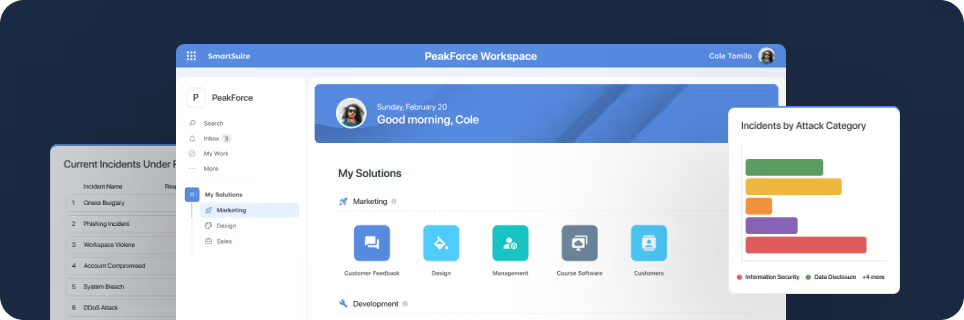
SmartSuite provides work platform for standardizing workflows in the following areas:
-
Governance, Risk & Compliance
-
IT & Service Ops
-
Project / Portfolio Management
-
Business Operations

- Service accounts give integrations a workspace-owned identity with scoped access and no paid seat, on the Enterprise and Signature plans.
- Seven updates shipped in October 2026, and three more, dated 28 September, were not in the October issue.
- Script Engine and Secrets give scripts and credentials one governed place in Workspace Administration.
- SmartSuite Copilot reaches new trials by 5 November 2026 and all customers by 10 November 2026.
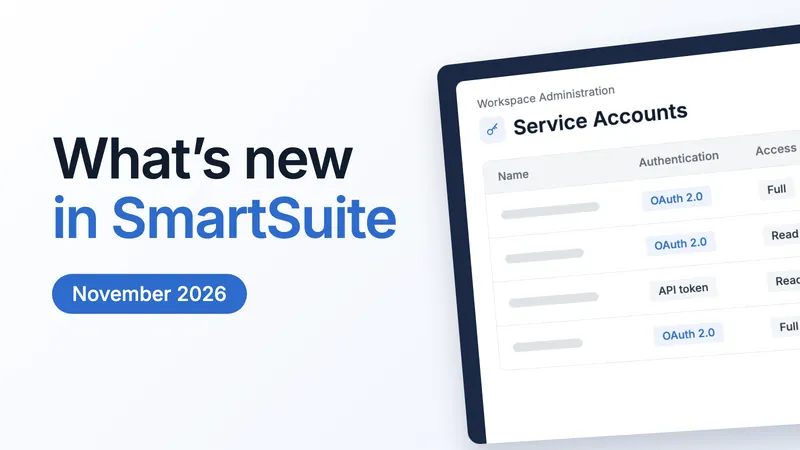
SmartSuite released seven updates in October 2026, led by service accounts: integrations now run on an identity the workspace owns instead of a person's login. This article is the companion to issue 27 of the What's New newsletter. It carries every update since the last issue, the plan each one is on, where to find it in the product and the dates to keep in November.
Integrations now have an identity of their own
A service account is a non-human identity owned by the workspace, for the integrations and scripts that today run on someone's API key. You grant it access one solution, table and scope at a time. It carries a client secret expiration and a rotation policy, and it keeps working when the person who set it up changes role or leaves. It does not take a paid seat and cannot sign in to the interface.
What you can now do:
- Move an integration off a former colleague's key and onto an account the workspace owns, with a named owner and a backup owner.
- Give each integration Read only or Full access on the tables it needs, and nothing more.
- Name each key, rotate it with overlap so the integration keeps working at cutover, or revoke one key without touching the others.
- Bound what an exposed key can do with rate limits, usage alerts and allowed IP ranges.
- Cover machine identities in an access review with the same evidence as people: owner, scopes, authentication method and last use.
Plan and setting path. Service accounts are on the Enterprise and Signature plans. An Administrator opens Workspace Administration > Service Accounts and selects New Service Account. The flow has four steps: Details, Authentication, Security and Access. Choose OAuth 2.0 for production integrations or an API token for simple scripts; the recommended client secret expiration is 90 days. A key or client secret is shown once, so copy it straight into your secrets manager.
See how it works | Watch the video
Everything we released in October
Seven updates, newest first. Each links to its help article and, where there is one, its video. The release notes for every update live on What's New.
Workspace: Service Accounts (29 Oct 2026)
A workspace-owned identity for integrations, with access scoped one table at a time and no paid seat, covered in full above. Enterprise and Signature plans.
See how it works | Watch the video
AI Platform: Support for Azure API Gateway (29 Oct 2026)
Azure connections in the AI Control Center now accept custom request headers and a custom deployment path. The AI Field Agent and the AI Workflow Agent can then reach Azure models through your corporate API gateway. Each request carries the headers the gateway expects, such as a subscription key or a cost allocation code. Header values are stored encrypted with the connection and masked once saved. Workspace Administrators set it up; solution builders pick the connection and never see its headers. All plans.
See how it works | Watch the video
SmartSuite Script Engine (22 Oct 2026)
A page in Workspace Administration to create, schedule and monitor the JavaScript scripts in your workspace, directly above Secrets. Run a script hourly, daily or weekly, or on a custom rate or cron expression. Choose the workspace secrets it may use, so credentials never live in code, and read a history of every run with the script version that ran. Enterprise and Signature plans.
See how it works | Watch the video
Recycle Bin: Restore Team (12 Oct 2026)
Deleted teams now go to the Recycle Bin, where an Administrator can restore one with its members. A deleted team can be restored for 14 days on a trial, 30 on Team, 45 on Professional and 60 on Enterprise and Signature. Setting a team to inactive is still there when you want to keep it in place but stop it granting permissions. All plans.
See how it works | Watch the video
Filter Widget: Multiple Operators in Dynamic Filters (12 Oct 2026)
Dynamic filters on a dashboard now carry an operator you choose, Is or Is not, so one control can include or exclude a value. Set the Default Condition in the filter's settings, and viewers switch the operator from the filter's footer without editing the dashboard. A ticket dashboard filtered to Status is not Closed no longer needs a second widget. All plans.
See how it works | Watch the video
Mobile: Data Schema Widget (5 Oct 2026)
Data Schema widgets now render on mobile dashboards on iOS and Android, with the same table cards, relationship lines and automatic layout as the web. Pan and pinch to zoom inside the card, or open the diagram full screen. Tables a member cannot access are left out, and configuration stays on the web. All plans. This update has no video.
Managed Secrets (5 Oct 2026)
Secrets now has its own page in Workspace Administration, directly below Script Engine. Store API keys, tokens and connection strings once, reference them by name in scripts and integrations, and see who revealed each value and when. The Used in column shows what depends on a secret before you rotate or delete it. Values are encrypted on save, and only their last four characters show in the list.
See how it works | Watch the video
Dated 28 September, not in the October issue
Three updates dated 28 September were not in the October newsletter, so they appear here for the first time.
SmartSuite MCP Server (28 Sep 2026)
Connect an MCP-compatible AI assistant, such as Claude or ChatGPT, to your workspace through a hosted connector. It acts as you and is bounded by your own permissions, with nothing to install and no API key to manage. At connection you choose read-only or read and write, and which workspaces the grant covers; read-only is the default. Workspace Administrators set MCP access for the whole workspace as Disabled, Read-Only, or Read and Write; each member can narrow it when connecting. All plans.
See how it works | Watch the video
Mobile: Pivot Table Widgets on Dashboards (28 Sep 2026)
Pivot Table widgets now render on phone and tablet with the same cross-tab as the web, and they stay interactive. Tap any value or total to open the records counted there, or open the table full screen. The header row and the first column stay pinned while the rest scrolls. All plans.
See how it works | Watch the video
AI: Updated Supported Models (28 Sep 2026)
The model picker in the AI Control Center now offers the current generation from each provider, and models their providers have retired are no longer offered. Existing connections keep the model they are on; to move one, edit the connection and choose the new model. All plans. This update has no video.
Where to find each update, and the plans it is on
- Service Accounts: Workspace Administration > Service Accounts. Enterprise and Signature.
- Azure API Gateway connections: AI Control Center, an Azure connection. All plans.
- Script Engine: Workspace Administration > Script Engine. Enterprise and Signature.
- Restore a team: the Recycle Bin, after Delete Team in Workspace Administration, Manage Teams. All plans.
- Filter operators: the Filter widget's Filters tab, Default Condition. All plans.
- Data Schema and Pivot Table widgets on mobile: any dashboard in the iOS or Android app; set up on the web. All plans.
- Secrets: Workspace Administration > Secrets. The help article carries the plan line.
- MCP Server: your assistant's connector settings; the workspace setting is MCP Access in AI Control Center. All plans.
- Supported models: AI Control Center, when you create or edit an AI connection. All plans.
Worth reading
How Apple Bank Unified Marketing, Legal, and Compliance Workflows. Three teams in one approval workflow, paper checklists replaced by real-time review, and automated history logs on every approval.
Operational resilience: business impact analysis, business continuity plan and DORA. DORA applies from 17 January 2025 to 21 categories of financial entity; the guide covers the impact analysis, the continuity plan and the five areas of DORA in one place.
Operationalizing AI Governance for the Enterprise. The recording of our 14 Oct 2026 session with KPMG on moving from AI governance principles to practical execution at scale.
Community and Academy
The community home has been rebuilt, with spaces that include Ask the Community, GRC Practitioners, Events and Product Updates. Anyone can read; to ask or reply, sign in with your SmartSuite account. Visit the community.
The Academy offers CPE credit on every course and certifications that prove what you can do, and platform training is free. Start learning on the Academy.
Coming up in November
- SmartSuite Copilot, the AI assistant inside the platform, reaches new trials by Thursday 5 November 2026 and all customers by Tuesday 10 November 2026. Its What's New page will carry the details once it is live.
- Executive Women's Forum Annual Conference, 4 to 6 November 2026. We will be there.
- Cyber Risk Institute event, Monday 9 November 2026, hosted by BNY in New York. We will be there.
- Monthly training class, Thursday 19 November 2026, from 7:00 am Pacific (15:00 UTC), on Zoom and free. Part 1 covers the fundamentals, Part 2 building Solutions, and an optional certification exam follows. Request a seat.
- Live office hours run on Zoom with a Product Specialist three times a week. The slots are Monday 9:00 to 10:00 am Pacific (17:00 to 18:00 UTC), Wednesday 7:00 to 8:00 am Pacific (15:00 to 16:00 UTC) and Friday 9:00 to 10:00 am Pacific (17:00 to 18:00 UTC). Register for office hours.
- Webinars: none is scheduled for November yet; the KPMG recording above is the latest.
Questions about this month's updates
Does a service account take a paid seat?
No. A service account does not count toward billed seats, and you can create one even when the workspace has reached its member limit. It cannot sign in to the interface; it authenticates only through the API.
Who can create and manage service accounts?
Administrators create and manage service accounts, their keys and their access, and only Administrators can be owners. Solution Managers cannot change a service account's access.
What happens when I delete a secret that a script uses?
The platform lists the affected scripts and integrations, turns them off, then removes the secret. The action cannot be undone, so check the Used in column first.
Will the updated model list change my existing AI connections?
No. Connections already set up keep the model they are on. To move one onto a current model, edit the connection and choose the new one; the change applies to everything using that connection.
Where can I see every update with its video?
On What's New, where each update has its own page with the help article and, where there is one, the product video.






Put these ideas to work
Start a free trial, or book a demo and see how it runs in SmartSuite.

