



Feature Improvement
AI Field Agent: Manual Stop
All plans
Summarize with
In this article
Published
May 7, 2026
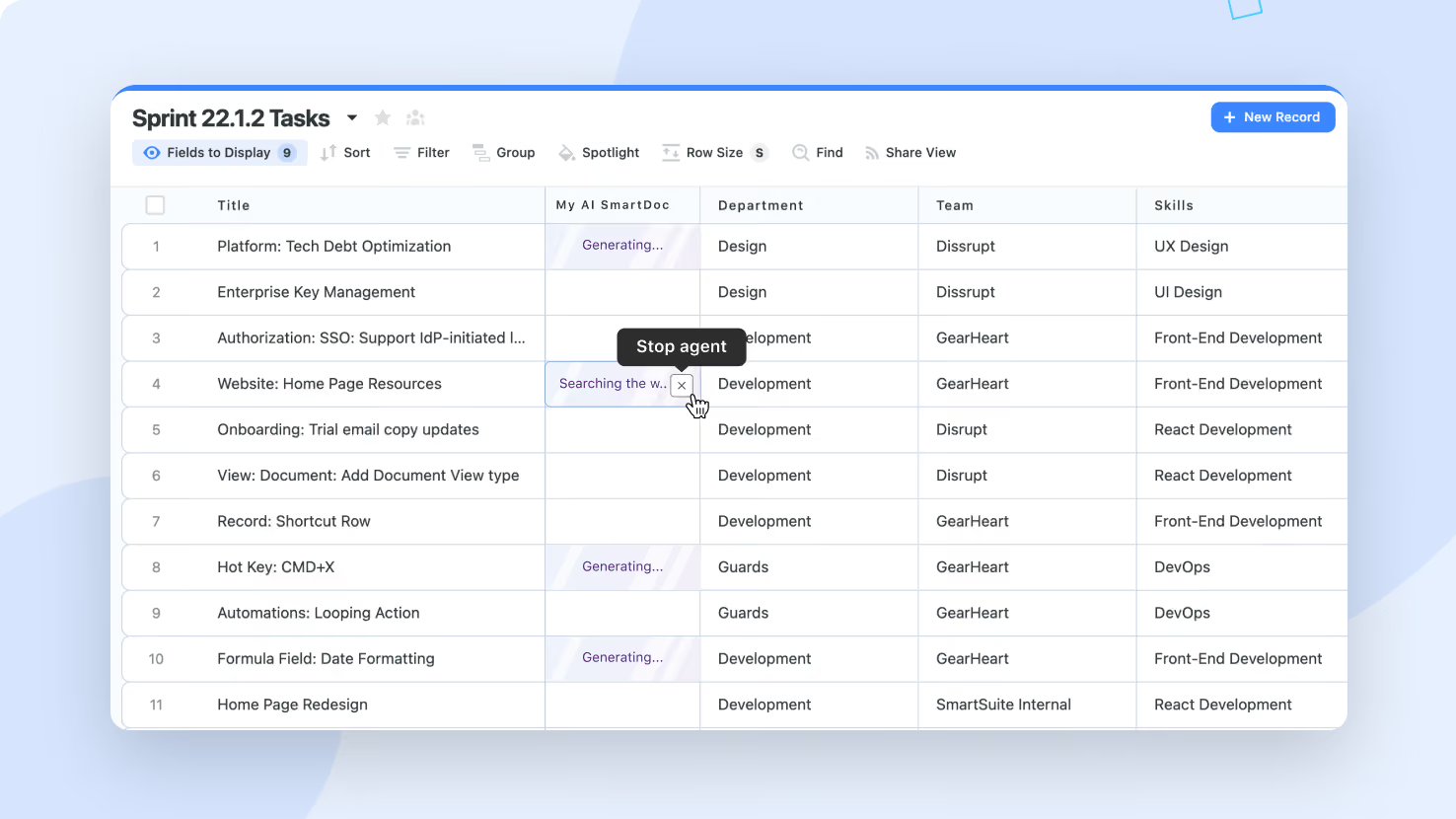
AI Field Agents in the middle of generating can now be stopped manually. When generation runs long or gets stuck in a perpetual loading state, click Stop Agent next to the field to immediately return it to its regular state and discard the in-flight LLM response.
Key highlights
- Stop Agent Button: A new Stop Agent button appears on every AI Field Agent currently in the generating state, with a 'Stop agent' tooltip on hover.
- Immediate Return: Clicking Stop returns the field to its regular state without waiting for the LLM response, so the user can continue working.
- Discarded Response: Any LLM response that arrives after a stop is discarded and does not write to the record, so the field stays in the state the user left it in.
- Configuration Preserved: Stopping an agent does not change its configuration; the prompt, the model, and any toggles stay in place for the next run.
- Free Runs Counted: Canceled executions still count against the workspace's Free Runs pool, since the LLM call has already been issued at the point of cancellation.
How it works
- When an AI Field Agent enters the generating state, a Stop Agent button appears next to the field.
- The button is available wherever the agent renders: inline editing in Grid View, the Record Page, and the Record Details Widget.
- On click, the field reverts to its regular state immediately, abandoning the in-flight LLM call from the user's perspective.
- The system listens for the LLM response in the background and discards it on arrival; the record value is never updated by a canceled run.
- The agent's configuration is untouched, so the next manual run or automatic trigger executes normally without reconfiguration.
Use this when an AI Field Agent is taking too long, when a slow model is blocking inline editing, or when an agent appears stuck and you need to recover the field without disabling the agent.
Released
May 7, 2026
Feature Improvement
More updates
The newest releases and improvements across the platform, each with its video and help article.
See all updates


Put these ideas to work
Start a free trial, or book a demo and see how it runs in SmartSuite.