



Feature Improvement
AI Field Agent: Static and Dynamic Attachment Support
All plans
Summarize with
In this article
Published
March 19, 2026
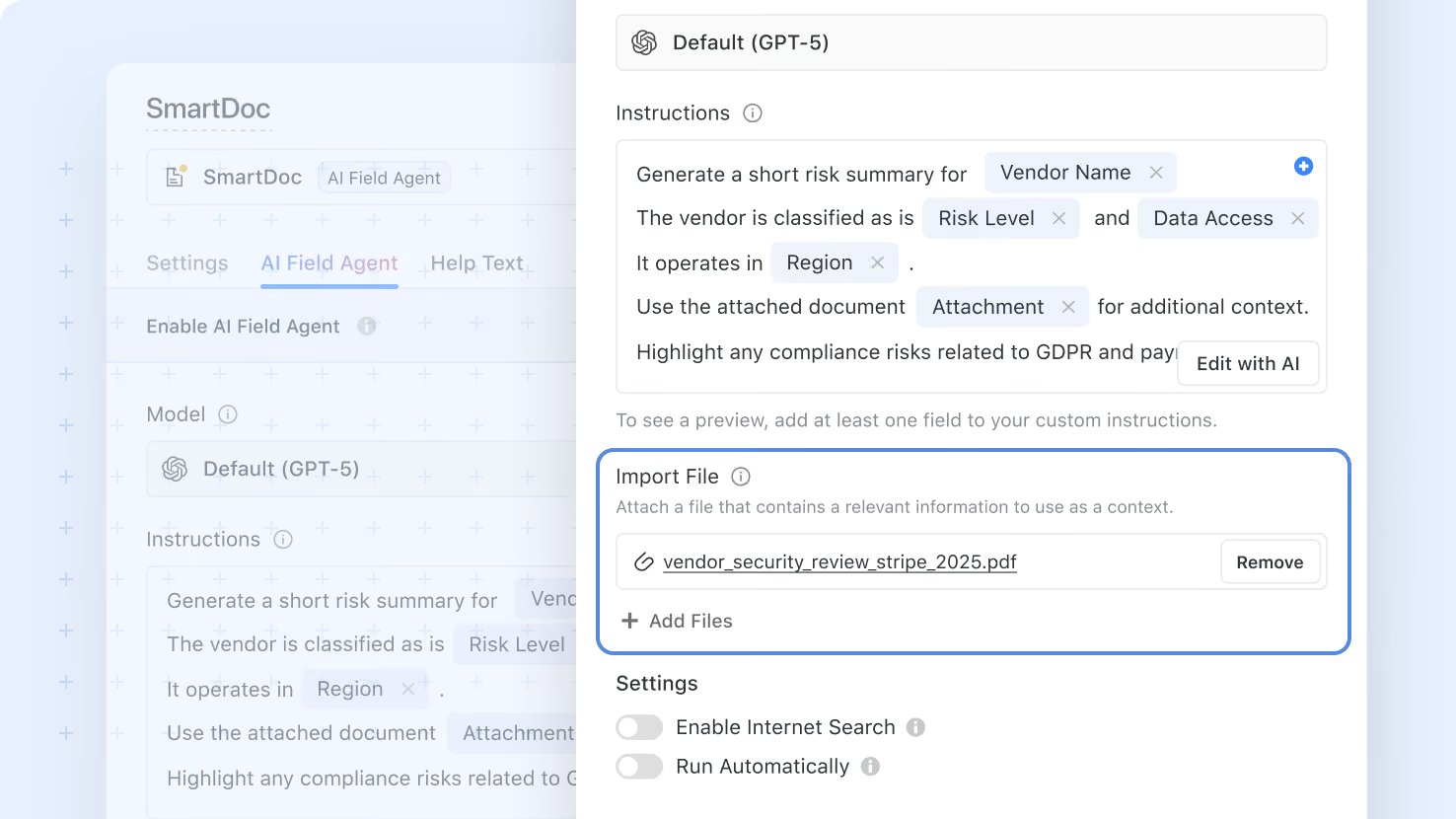
We’re excited to announce an update that makes it easier than ever for Field Agents to work with both static and dynamic file attachments in their requests. This improvement gives you more flexibility when using documents and images with AI Field Agents, helping you provide richer context and get more useful results.
Key highlights
- Static and Dynamic Attachments: Field Agents now support both files added directly in Field Settings and files pulled dynamically from Files and Images fields.
- More Flexible Inputs: You can use PDFs, CSVs, Excel files, and images to give your agent the context it needs.
- Support for Multiple Files: Add one or several files to an AI Field Agent, making it easier to work with more complete supporting materials.
- Smarter Model Experience: File attachments are only available when the selected model supports files and images, so the experience stays clear and relevant.
- Better Validation for Static Files: The system checks file size limits for static uploads and alerts you if attached files exceed the allowed total.
- Combined Attachments: You can use both static and dynamic attachments together in the same agent run for greater flexibility.
How it works
- Open the AI Field Agent settings and attach one or more static files if you want the same files included every time the agent runs.
- Add Files and Images fields as pills in your prompt if you want files to be pulled dynamically from a record during each run.
- Choose a model that supports files and images to enable file attachment options.
- Make sure each uploaded file is under 50 MB and that the total attached content in a single request does not exceed 50 MB.
- Run the agent and your attached files will be included automatically, giving the model additional context for the task.
Released
March 19, 2026
Feature Improvement
More updates
The newest releases and improvements across the platform, each with its video and help article.
See all updates


Put these ideas to work
Start a free trial, or book a demo and see how it runs in SmartSuite.