



AI Platform: Support for Azure API Gateway
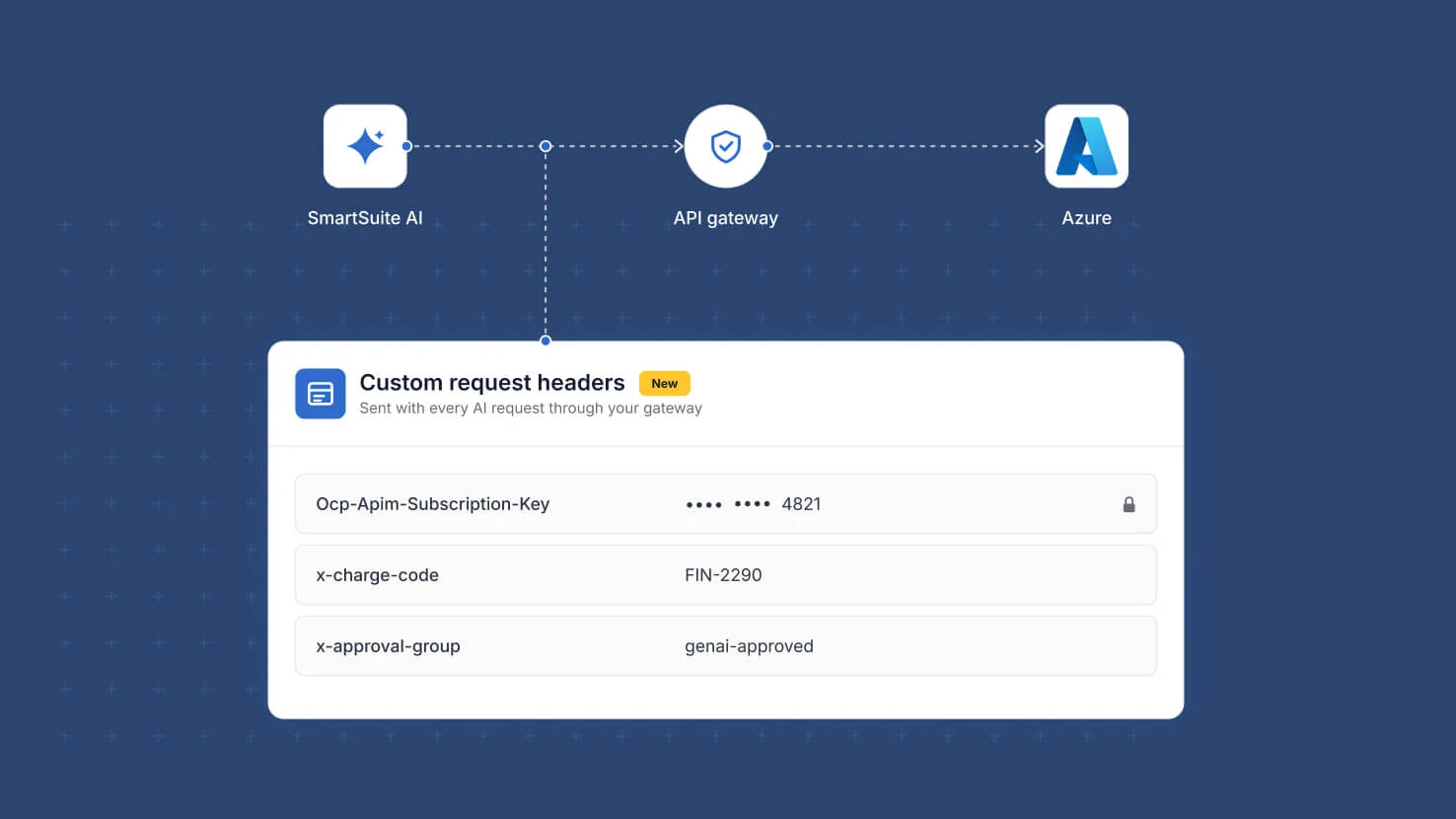
A security team that routes every AI call through a corporate API gateway had to keep the AI features in SmartSuite switched off, because the gateway rejects requests that do not carry its expected headers. Azure connections in the AI Control Center now accept custom request headers and a custom deployment path. Add whatever your gateway requires, such as a subscription key header, a cost allocation code or an approval routing group. The platform attaches them to every request made by the AI Field Agent and the AI Workflow Agent automation action. The deployment path can be set when your gateway fronts models on a non-standard base path. Header values are treated as secrets, stored encrypted with the connection and masked once saved, and the connection keeps the solution scope and feature scope you give it. For teams governing AI use, this keeps AI traffic inside the controls the security team already runs instead of around them. Available now in the AI Control Center.
Key highlights
- Gateway-ready connections. An Azure connection can sit behind a corporate API gateway rather than calling the model endpoint directly, which is the route many enterprises require.
- Custom request headers. Add the header name and value pairs your gateway requires, such as its subscription key, and they are sent with every AI request made on that connection.
- Custom deployment path. Point the connection at a non-standard base path when your gateway does not mirror the provider's default URL structure.
- AI governance. Route AI traffic through the gateway your security team already monitors. Prompts and responses stay inside the logging, policy and rate-limiting controls that govern every other AI call in your organization.
- Cost allocation and approval routing. Carry chargeback codes or approval group headers on the connection, so AI usage is attributed to the right cost center and routed to the right reviewers.
- Secrets handled as secrets. Header values are stored encrypted with the connection and masked after saving, alongside the credentials already held there.
How it works
- Open the AI Control Center and create or edit an Azure connection.
- Enter the endpoint, API version and key as you do today.
- Add each custom header your gateway expects as a name and value pair.
- Set the deployment path if your gateway fronts models on a non-standard base path.
- Save the connection and scope it to the solutions and AI features that may use it.
- Use it from the AI Field Agent or the AI Workflow Agent automation action; every call carries your headers.
Help article: AI Control Center: Azure API Gateway Connections and Custom Headers
More updates
The newest releases and improvements across the platform, each with its video and help article.
See all updates


Put these ideas to work
Start a free trial, or book a demo and see how it runs in SmartSuite.