



Feature Improvement
Auto Number Enhancements in Automations
All plans
Summarize with
In this article
Published
March 26, 2026
We’ve introduced expanded Auto Number output options in automations, giving you more control over how Auto Number values are passed into automation steps. With this update, you can continue using the numeric Auto Number output for backward compatibility, or choose a new option that returns the full formatted field value, including prefixes, suffixes, and leading zeros.
Key highlights
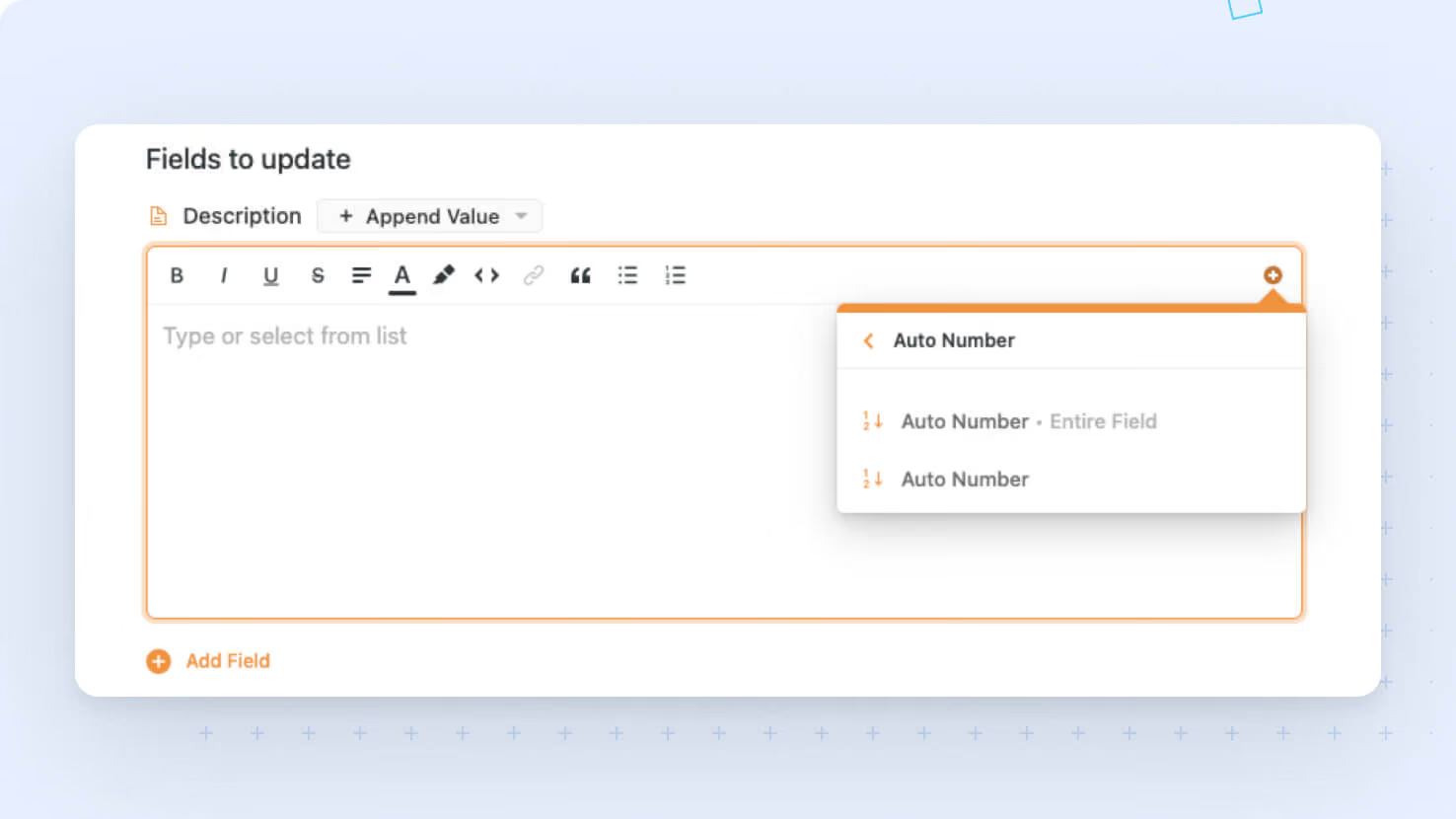
- Two Auto Number Output Options: You can now choose between Auto Number, which returns the numeric value only and preserves existing behavior, and Auto Number • Entire field, which returns the full formatted value as text, including any prefixes, suffixes, and leading zeros.
- Backward Compatibility Preserved: Existing automations continue to use the numeric Auto Number output by default, so no updates or migration are required.
- Improved Token Picker Experience: In the automation token picker, Auto Number now appears with both output options clearly available so you can select the format you need.
- Better Support for Formatted Outputs: The new Entire field option is especially useful when Auto Number values need to retain formatting in emails and other automation outputs, such as showing
001instead of1.
How it works
- When you use an Auto Number field in an automation, you’ll now see two available outputs in the token picker: Auto Number returns the value as an integer, while Auto Number • Entire field returns the value as a formatted string. For example,
001is passed as1with the numeric option and as001with the full-field option. - Existing automations continue using the numeric version automatically, ensuring current workflows behave exactly as before.
- Numeric Auto Number values remain fully supported in conditions.
This update gives you more flexibility when working with Auto Number fields in automations while preserving the behavior of your existing setups.
Released
March 26, 2026
Feature Improvement
More updates
The newest releases and improvements across the platform, each with its video and help article.
See all updates


Put these ideas to work
Start a free trial, or book a demo and see how it runs in SmartSuite.