



New Feature
Automations: Advanced Logic Nesting
All plans
Summarize with
In this article
Published
August 27, 2026
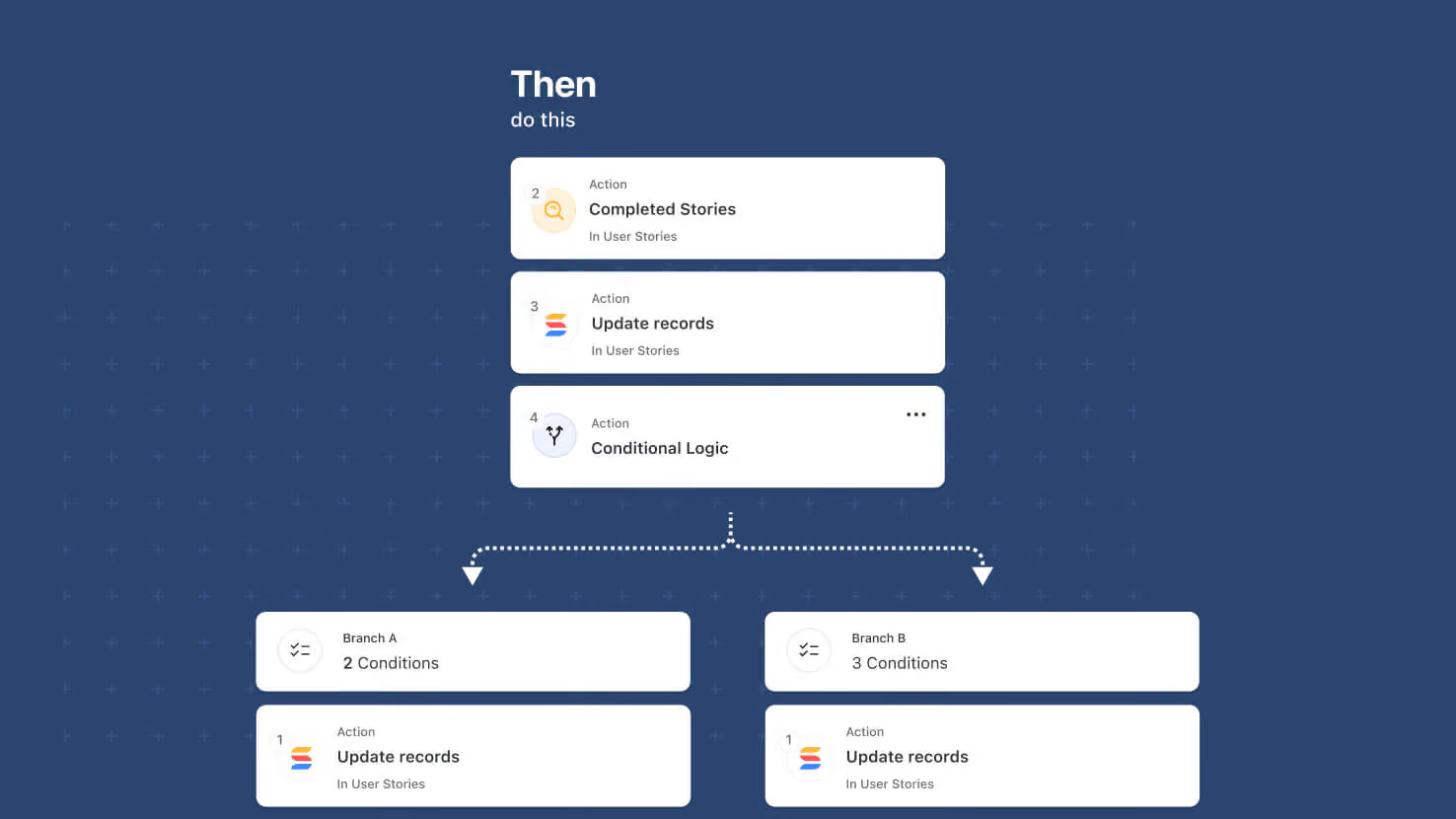
Automations' Advanced Logic building blocks — Conditional Logic (new this release) and Repeating Actions (Looping) — can now be nested inside each other, up to two levels deep. That unlocks multi-level workflows: a branch inside a branch, a loop inside a branch, a branch inside a loop, and a loop inside a loop.
Key highlights
- Four Nesting Combinations: A Conditional Logic branch inside another Conditional Logic branch, a Repeating Action loop inside a Conditional Logic branch, a Conditional Logic branch inside a Repeating Action loop, and a Repeating Action loop inside another Repeating Action loop.
- Two Levels of Nesting: Advanced Logic actions are available at the top level and at one nested level.
- All Other Action Types Unaffected: Updates, notifications, integrations, record creation, and every other automation action type remain available at every level of nesting.
- Same Editor Experience: The condition builder inside a nested branch works the same way as at the top level.
- Full Traceability: Run History expands each nested step so teams can trace which branch ran and which items in a loop went where.
How it works
- Open an automation and add a Conditional Logic action or a Repeating Action.
- Inside a branch or a loop, add another Advanced Logic action to create a second level of nesting.
- Inside that second-level action, add non-Advanced-Logic actions. Further Advanced Logic nesting is not offered at this level.
- Save the automation and open Run History to trace how each execution resolved through the nested levels.
Ships alongside this release's Conditional Logic launch. Available on all plans.
Released
August 27, 2026
New Feature
More updates
The newest releases and improvements across the platform, each with its video and help article.
See all updates


Put these ideas to work
Start a free trial, or book a demo and see how it runs in SmartSuite.