



New Feature
Automations : Append, Replace and Clear in Update Records
All plans
Summarize with
In this article
Published
March 4, 2024
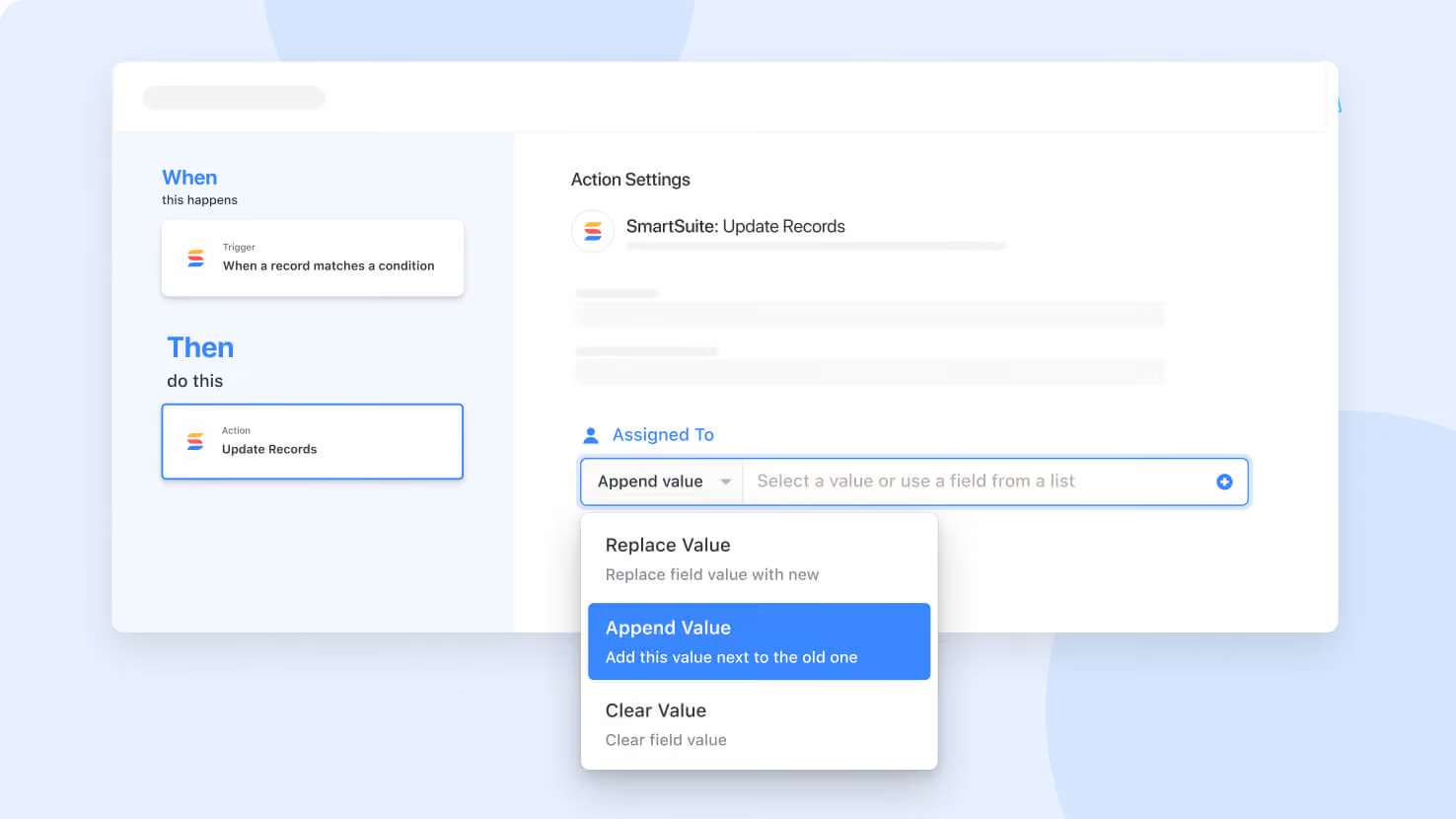
In the Update Records action, you can now specify the type of update for each field:
- Replace value (default)
- Append value
- Clear value
Just click the dropdown list displayed before the data entry portion of the field to change the behavior for individual fields.
Released
March 4, 2024
New Feature
More updates
The newest releases and improvements across the platform, each with its video and help article.
See all updates


Put these ideas to work
Start a free trial, or book a demo and see how it runs in SmartSuite.