



Automations: Dynamic values in URLs
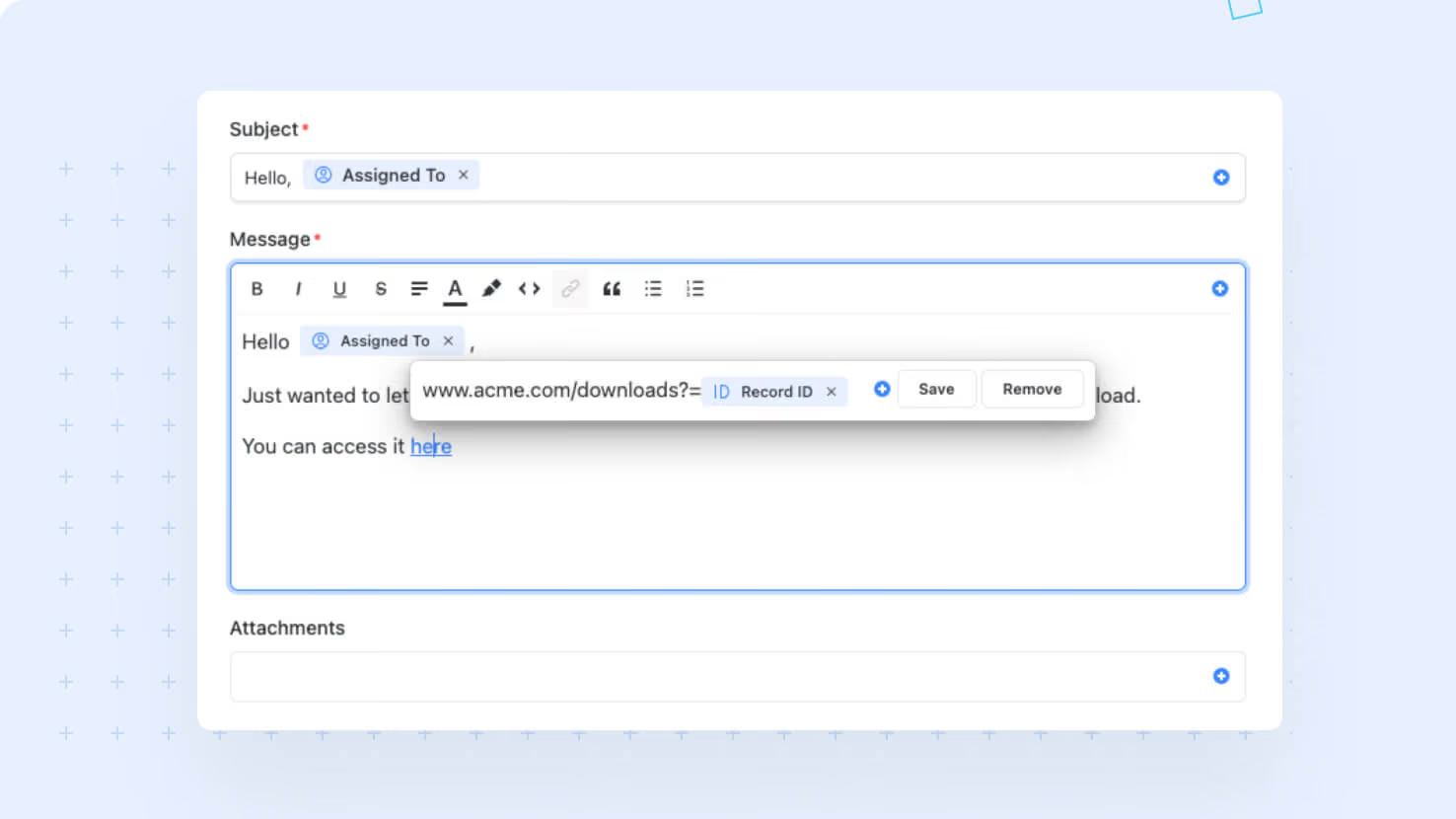
The Rich Text URL control now accepts dynamic field values, so URLs across SmartDoc, automation messages, and embedded rich-text content can resolve to the right record at runtime instead of pointing to a single hardcoded destination. ITSM teams sending MS Teams Actionable Notifications, GRC teams linking evidence pages to source records, and any builder embedding contextual links in rich text get a foundational upgrade.
Key highlights
- Dynamic URL Composition: Highlight text in any rich-text field, click the URL control, and insert a field placeholder using the same picker that powers automation message bodies.
- ITSM Notification Foundation: The Open Record button on the upcoming MS Teams Actionable Notification action uses this capability to link straight to the relevant ticket or change request.
- SmartDoc Live Links: Rich-text URLs in SmartDoc fields can now resolve to the correct record on every view, no manual editing per record required.
- Single Underlying Control: The same dynamic URL control works everywhere the Rich Text component is used, so a builder learns the pattern once and applies it across surfaces.
- Backward Compatible: Existing static URLs continue to function unchanged, so no automation or SmartDoc content needs to be migrated.
How it works
- Highlight the text you want to link in any rich-text field, click the URL control, and the URL input now supports the standard field picker.
- Use the field picker to insert placeholders that the system resolves to the live value at runtime when the automation runs or the SmartDoc renders for a record.
- Static URLs remain valid input; you can mix static and dynamic segments in the same URL when the destination needs both.
- The change applies wherever the Rich Text URL control appears, giving consistent behavior across automation messages, SmartDoc fields, and any embedded rich-text input.
Pair this with the upcoming MS Teams Actionable Notification action to send approval requests that land recipients on the exact record that triggered the workflow.
More updates
The newest releases and improvements across the platform, each with its video and help article.
See all updates


Put these ideas to work
Start a free trial, or book a demo and see how it runs in SmartSuite.