



New Feature
Button Action: Create a Record
All plans
Summarize with
In this article
Published
April 2, 2026
We’re excited to roll out a new button action that streamlines record creation across dashboards and widgets. This feature lets you open a Record Page pre-populated with static default values, ensuring a smoother and more structured workflow.
Key highlights
- New “Create a Record” action: Quickly launch a new record directly from dashboards or view widgets.
- Predefined default values: Set static values that override field-level defaults for consistent data entry.
- Enhanced enterprise workflows: Ideal for self-service request portals and multi-entry dashboards, keeping record creation simple and controlled.
- Broad support across interfaces: Now available in Dashboard tabs, Button Rows, Hero sections, and Simple Banners.
How it works
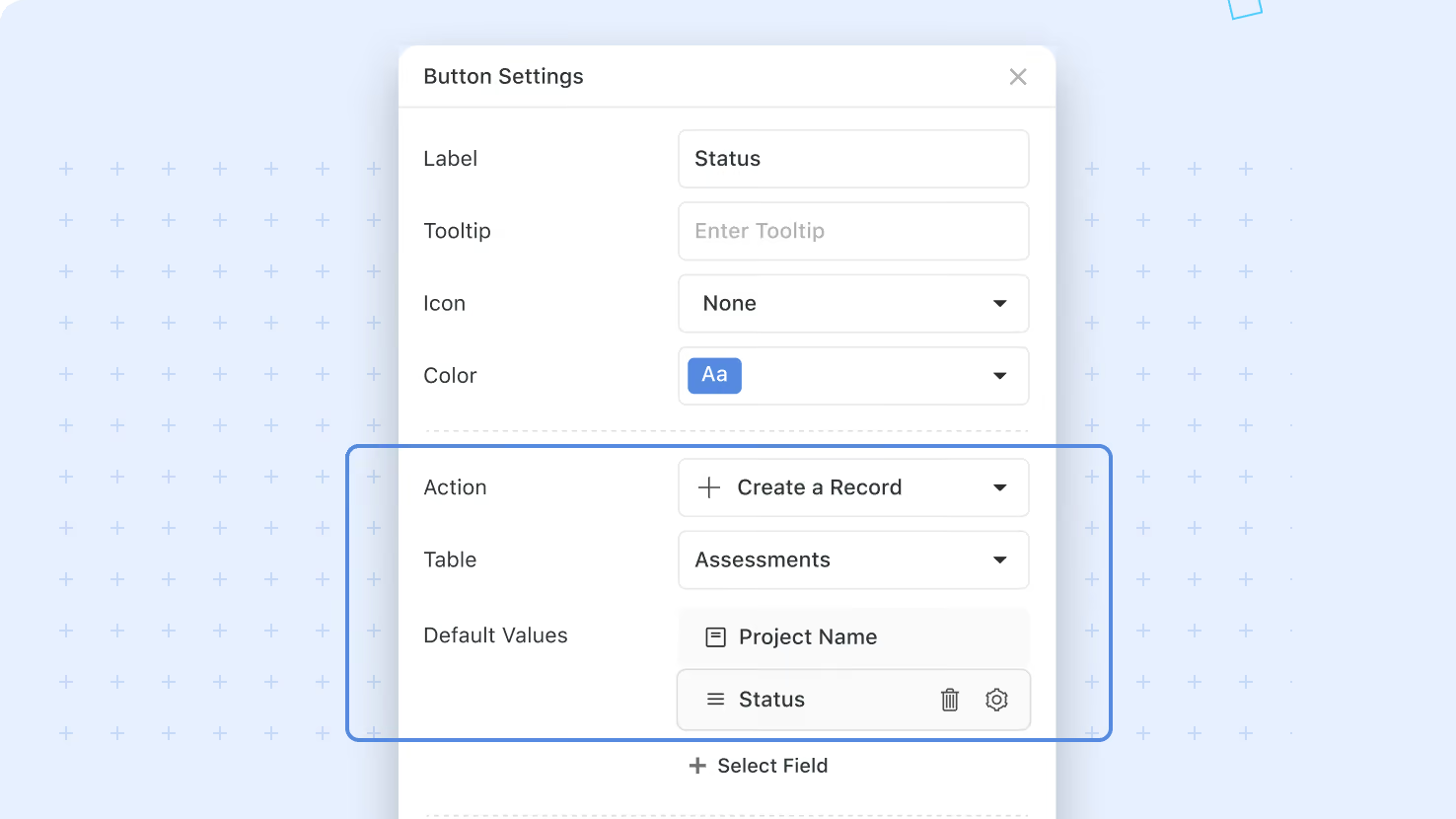
- In button configuration, selecting the Create a Record action type will prompt you to select the table you want to create a record in.
- You can optionally define default values for the new record, which will override any field-level default values.
- Once configured, clicking the “Create a Record” button will open a new record in the selected table, with any configured default values applied.
This enhancement is designed to support a controlled intake workflow while preserving consistency with existing record template logic. Enjoy a more direct and efficient way to create records in SmartSuite!
Released
April 2, 2026
New Feature
More updates
The newest releases and improvements across the platform, each with its video and help article.
See all updates


Put these ideas to work
Start a free trial, or book a demo and see how it runs in SmartSuite.