



Button Field: User Context in Click Event History
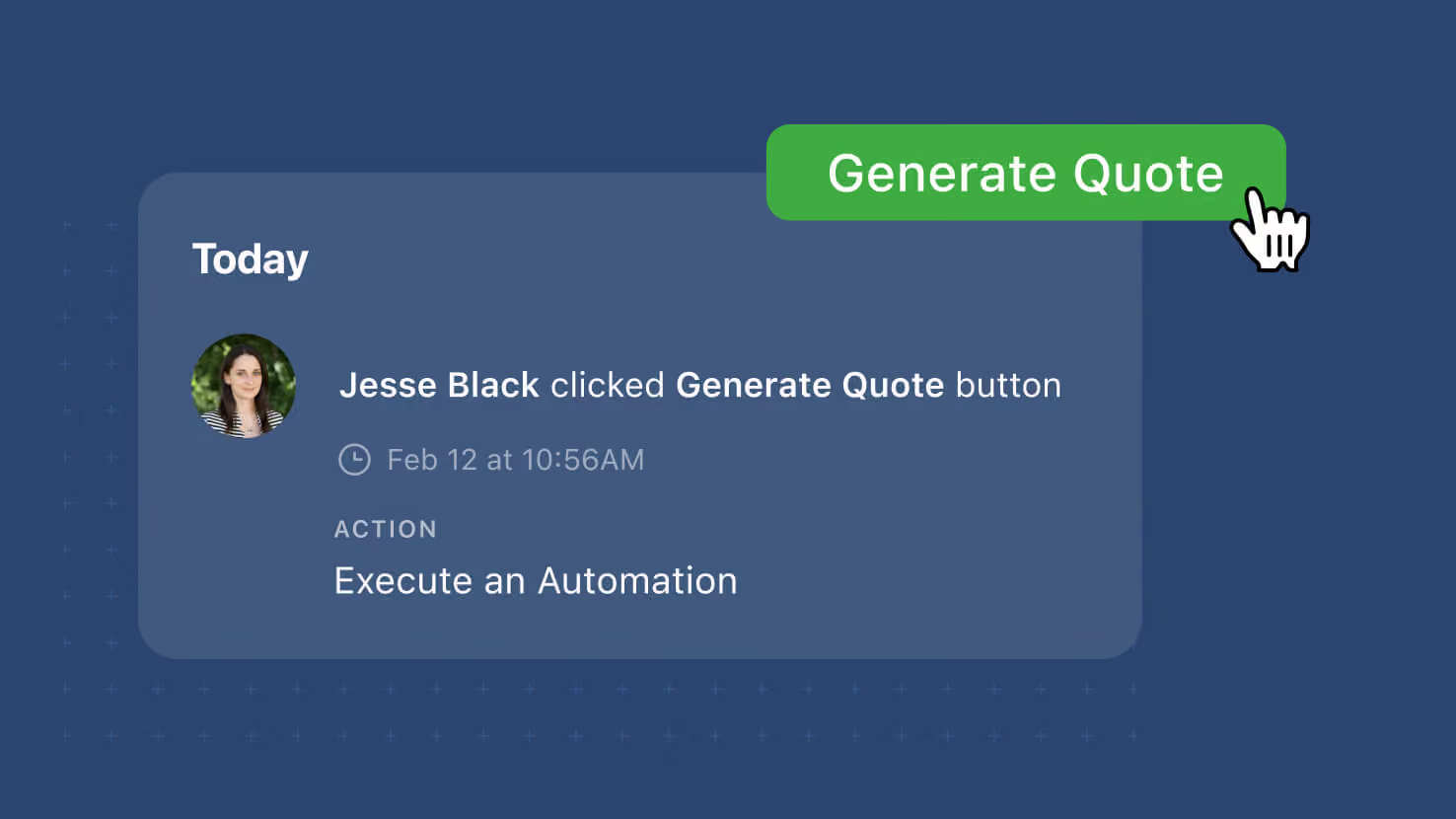
The Button field's click events on a record's activity history now record the user who clicked and the action that ran (Create a Record, Open a Form, Open URL, or Run an Automation). Button-driven workflows that dispatch actions from a record — service-desk agents opening a ticket-creation form, GRC reviewers launching an automation to snapshot evidence, PMO leads clicking through to a linked record — now have per-user attribution in the audit trail instead of an anonymous "button was clicked" entry.
Key highlights
- User Attribution on Every Click: Activity history now identifies the user who clicked the button by name.
- Action Type on Every Click: The log entry also records which action ran — Create a Record, Open a Form, Open URL, or Run an Automation.
- Click Events Remain Separate: Button click events continue to be logged as their own events, never grouped with other field changes.
- Covers Every Button Action Type: All four Button action types capture the same enriched context.
- Covers Every View That Supports Clicks: Grid, Card, Kanban, and the record edit surface all route their Button clicks into the same enriched activity log. Linked Records too.
- No Configuration, No Backfill: Existing Button fields inherit the enriched logging automatically.
How it works
- Users click a Button field on a record. The configured action runs the way it always has.
- Open the record's activity history. The click event now shows the user's name and the action that ran.
- Auditors, incident reviewers, and compliance teams can trace per-user attribution directly on the record's own activity history.
Available on all plans. No configuration required; existing Button fields inherit the enriched logging automatically.
More updates
The newest releases and improvements across the platform, each with its video and help article.
See all updates


Put these ideas to work
Start a free trial, or book a demo and see how it runs in SmartSuite.