



New Feature
Calendar View Widget
All plans
Summarize with
In this article
Published
January 13, 2026
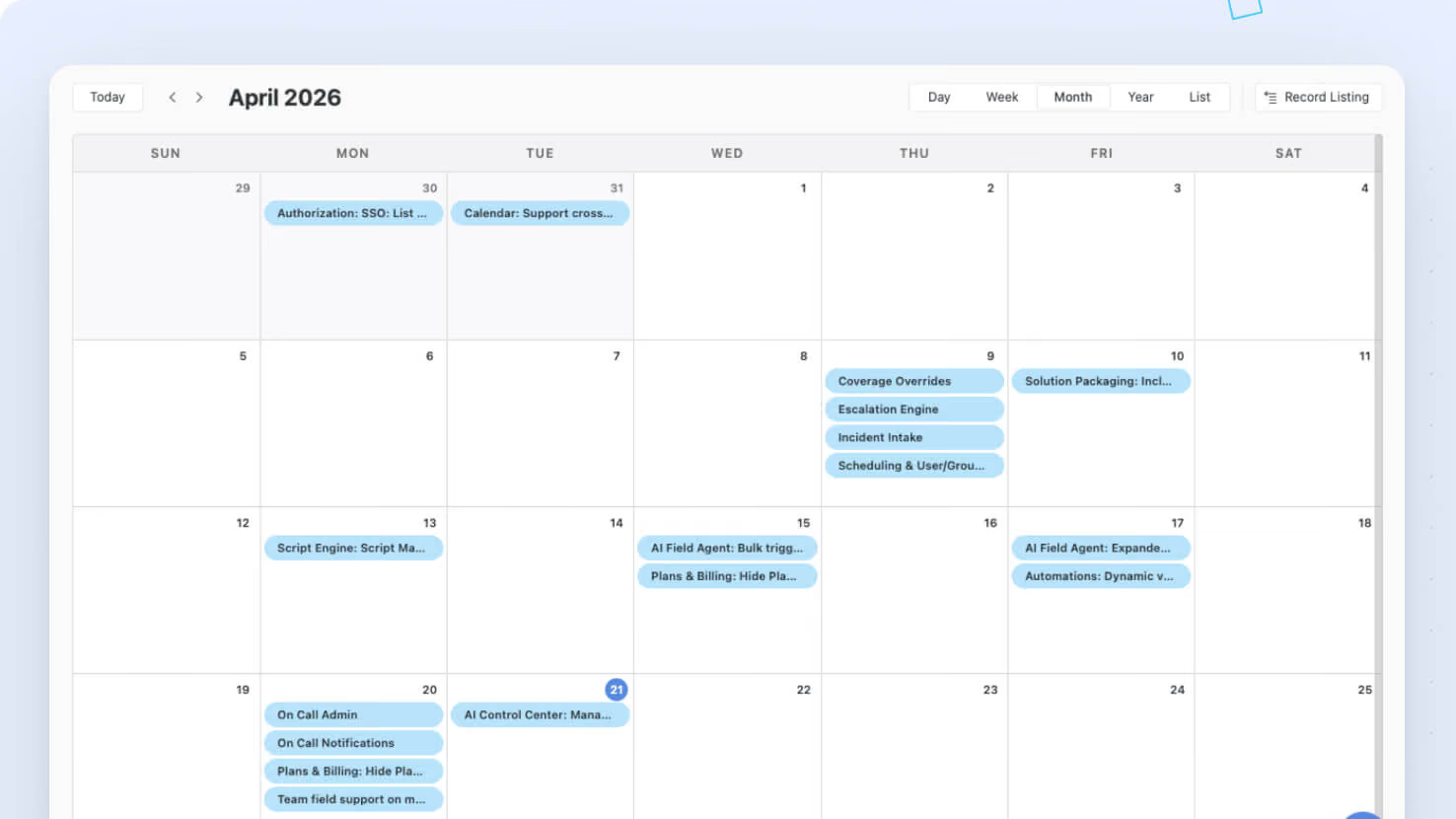
We've made several updates to the Calendar view and widget to give you a cleaner, simpler, and more intuitive experience. These changes are part of our ongoing work to improve layout consistency and responsiveness across SmartSuite.
Key highlights
- Navigation Arrows: Both “Prev” and “Next” arrows are now grouped together and shifted to the left of the current date display. The date text itself has been moved from the center to the left for a more natural reading flow.
- Record Listing Button: The Record Listing button now sits below the main toolbar. Even when the toolbar is turned off, the button is always easy to access and automatically reduces in size when the widget is resized.
- Adaptive Scale Controls: On smaller widget widths (2 columns), the standard scale buttons (Hours, Day, Week, Month) have been replaced with a dropdown menu. This ensures a neat, uncluttered interface while still offering all available views.
- Clean Widget Header: The horizontal line that appeared under the widget title in previous versions has now been
removed for a more open and consistent design—mirroring the look of the Timeline widget.
How it works
- When you open the Calendar widget or view, you’ll notice the navigation arrows are now all aligned to the left, making it easier to switch between dates.
- The repositioned Record Listing button remains visible below the toolbar, with its size automatically adjusting if the widget becomes smaller.
- For smaller displays, the scale control buttons transform into a dropdown list. This dropdown includes options for Hours, Day, Week, and Month, ensuring all view modes are still at your fingertips.
- The header has been refreshed by removing the divider below the title to match the clean aesthetic found in other similar widgets.
Released
January 13, 2026
New Feature
More updates
The newest releases and improvements across the platform, each with its video and help article.
See all updates


Put these ideas to work
Start a free trial, or book a demo and see how it runs in SmartSuite.