



Conditional Record Tabs
No items found.
Summarize with
In this article
Published
August 28, 2025
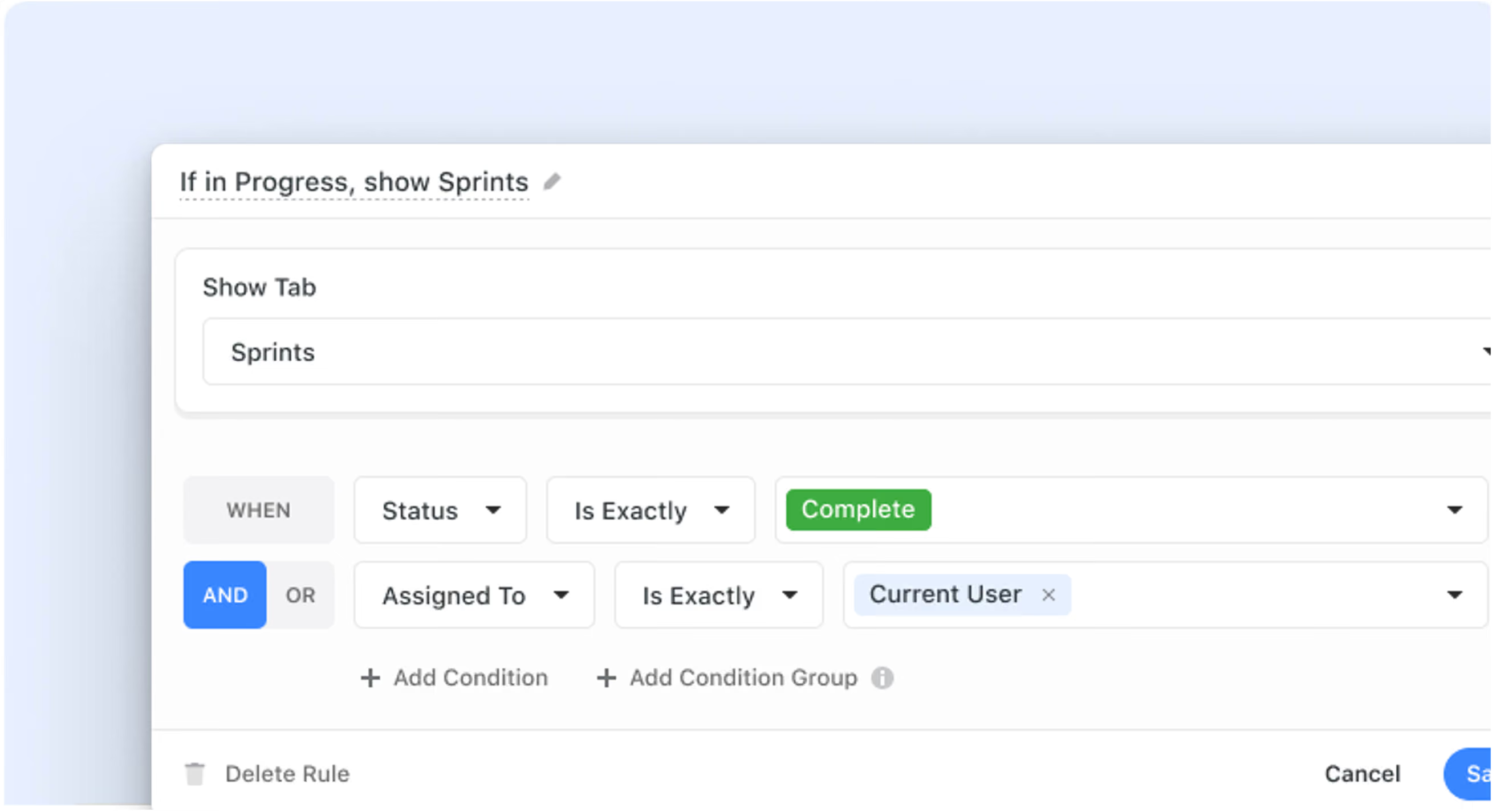
We’re excited to roll out a new update designed to make your record pages cleaner and easier to navigate. With this enhancement, you can now display tabs based on specific conditions, so you see only the details that matter at any given moment.
Key Highlights
- Conditional Tabs: Improve clarity on record pages by only showing relevant tabs based on your workflow.
- Cleaner Layouts: Organize long client assessments or complex workflows by grouping fields into conditional tabs.
- Simplified Setup: Configure visibility rules with an easy-to-use interface that lets you name and adjust rules as needed.
- Unified Display Logic: A unified "Display Logic" interface allow you to create rules for the display of tabs, sections, or both.
- Controlled Access: Only Solution Managers have the ability to set up these conditional display rules.
How It Works
- Set Up Rules: In the Page Settings, select Display Logic to add rules for both tabs and sections.
- Define Conditions: Choose the tab you wish to control, assign a default or custom rule name, and specify one or several conditions to determine visibility.
- Priority for Tabs: Visibility rules for tabs override those for sections, ensuring that if a tab’s condition isn’t met, all its corresponding sections remain hidden.
With conditional tabs, you’ll have a more focused, streamlined record view that adapts to the way you work.
Released
August 28, 2025
More updates
The newest releases and improvements across the platform, each with its video and help article.
See all updates


Put these ideas to work
Start a free trial, or book a demo and see how it runs in SmartSuite.