



Files and Images Field: Attachments limit
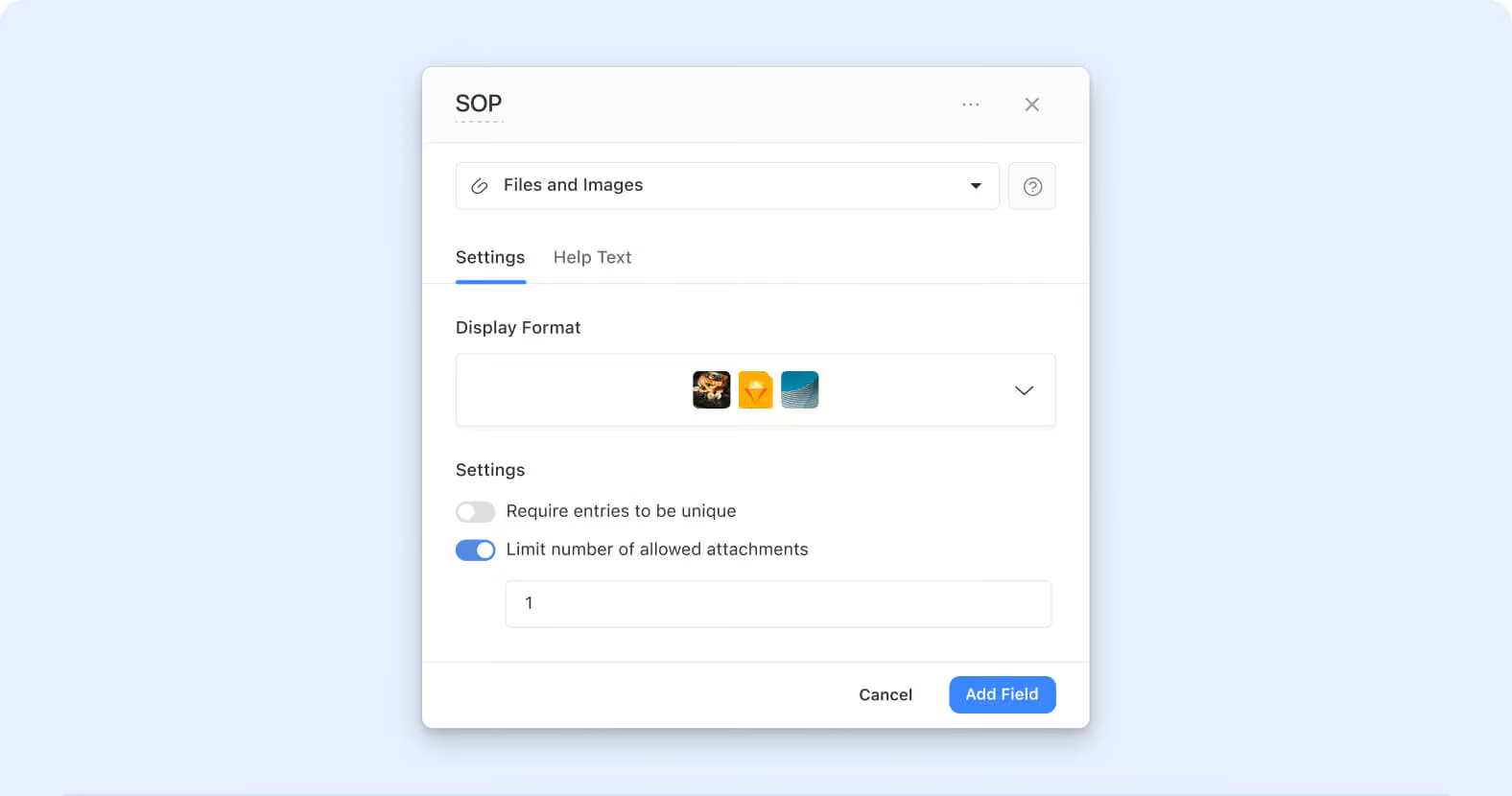
The Files and Images field can now cap how many attachments a single field instance will accept. Solution admins turn on "Limit the number of allowed attachments" in field settings and set the maximum — the field then refuses uploads beyond that count. Contract tables enforcing exactly one signed PDF per record, product catalogs capping reference images at a fixed number, HR employee profiles allowing only one headshot, and any workflow where the attachment count is a first-class part of the data model get field-level enforcement.
Key highlights
- New Field-Level Setting: "Limit the number of allowed attachments" appears in the Files and Images field's configuration modal. Off by default; existing fields keep their current unlimited behavior until an admin explicitly turns the limit on.
- Whole-Number Maximum: When enabled, a numeric input accepts a whole-number maximum (default 1). Decimals, zero, and values above the system maximum are silently ignored — the input reverts to the last valid value, keeping the setting model predictable.
- Enforcement at Upload Time: The constraint is enforced at the record edit surface — uploads beyond the configured count are refused, so the invariant holds when the value is entered rather than surfaced as a validation error after save.
- Backward Compatible: Existing Files and Images fields are unaffected unless a solution admin opts into the limit. No migration; no accidental data loss on records already exceeding a newly-configured limit.
- Same Governance Model as Other Fields: The setting sits with the rest of the Files and Images field configuration, exposed to Solution Managers and Workspace Admins per the standard field-configuration permission model.
How it works
- Open the field settings on a Files and Images field (or create a new one).
- Toggle on "Limit the number of allowed attachments." A numeric input appears with a default value of 1.
- Enter the maximum attachment count (whole numbers only). Save the field.
- On the record edit surface, the field now refuses uploads beyond the configured count. Users see the constraint at the point of upload rather than after save.
Available on all plans; existing Files and Images fields keep their prior unlimited behavior until an admin explicitly opts into the limit.
More updates
The newest releases and improvements across the platform, each with its video and help article.
See all updates


Put these ideas to work
Start a free trial, or book a demo and see how it runs in SmartSuite.