



Feature Improvement
Form View: Support for Lookup Fields
All plans
Summarize with
In this article
Published
April 16, 2026
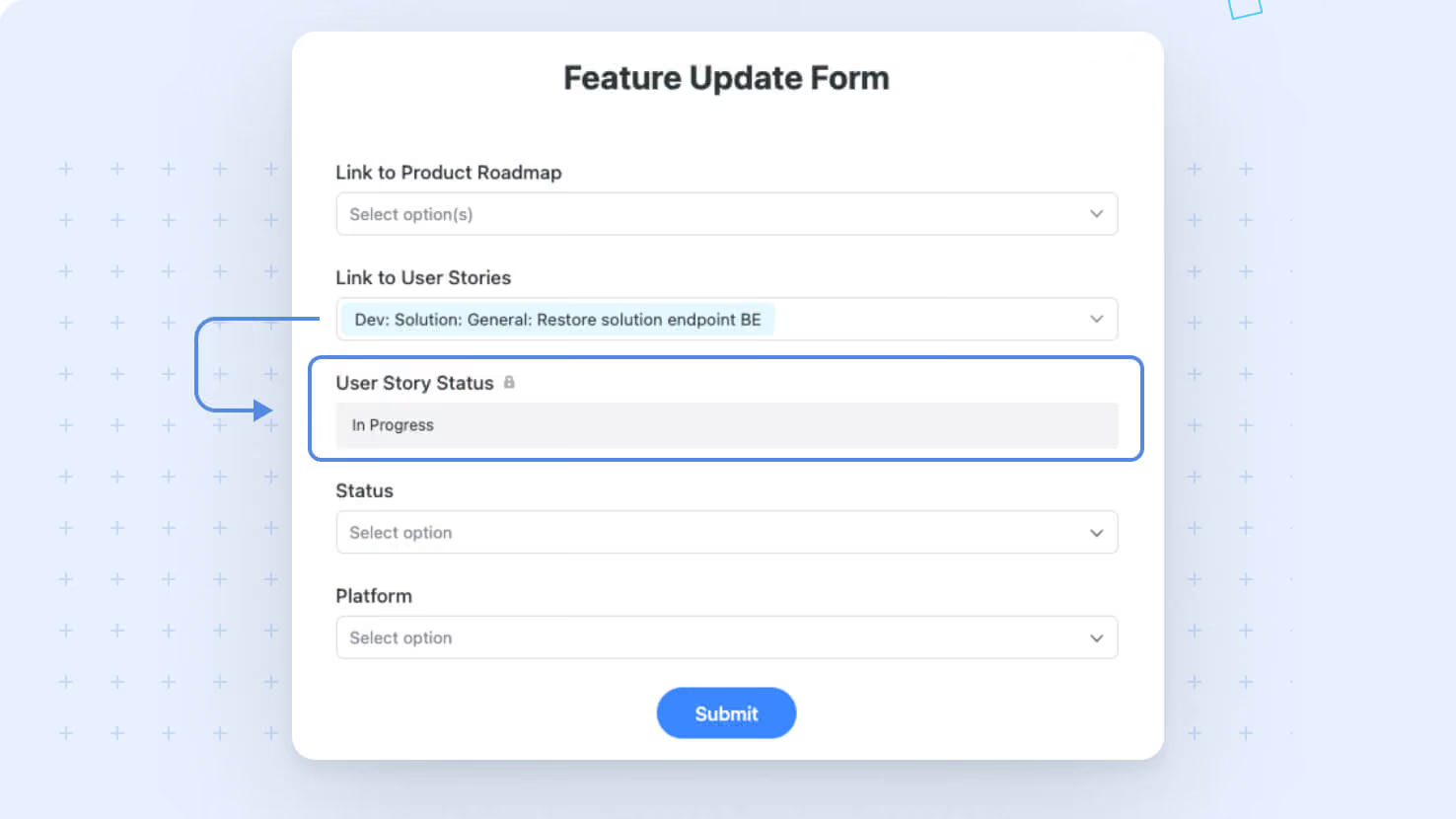
We've enhanced our Forms experience by introducing support for Lookup fields. This update makes it easier for you to display related information from linked records right within your forms, ensuring data is clearly presented without the need to save the record.
Key highlights
- Lookup Field Integration: Form creators can now include Lookup fields to automatically pull in related record details, offering richer context for form respondents.
- Automatic Update: Lookup field values populate as soon as their dependent Linked Record's value is updated, providing you with information about the related field even before the record is saved.
- Streamlined User Experience: The new setup prevents hidden Lookup fields from interfering with form submissions and keeps the form clean and functional across different stages of deployment.
How it works
- Lookup fields now appear in the Form Editor, allowing you to select them and place them on your form canvas.
- The implementation guarantees that hidden fields won’t block form submissions, maintaining a smooth user experience throughout.
With this update you now have immediate access to details from selected Linked Records while you edit the form, improving visibility and enhancing the user experience.
Released
April 16, 2026
Feature Improvement
More updates
The newest releases and improvements across the platform, each with its video and help article.
See all updates


Put these ideas to work
Start a free trial, or book a demo and see how it runs in SmartSuite.