



Feature Improvement
Forms: Clickable Logo Links
All paid plans
Summarize with
In this article
Published
June 3, 2025
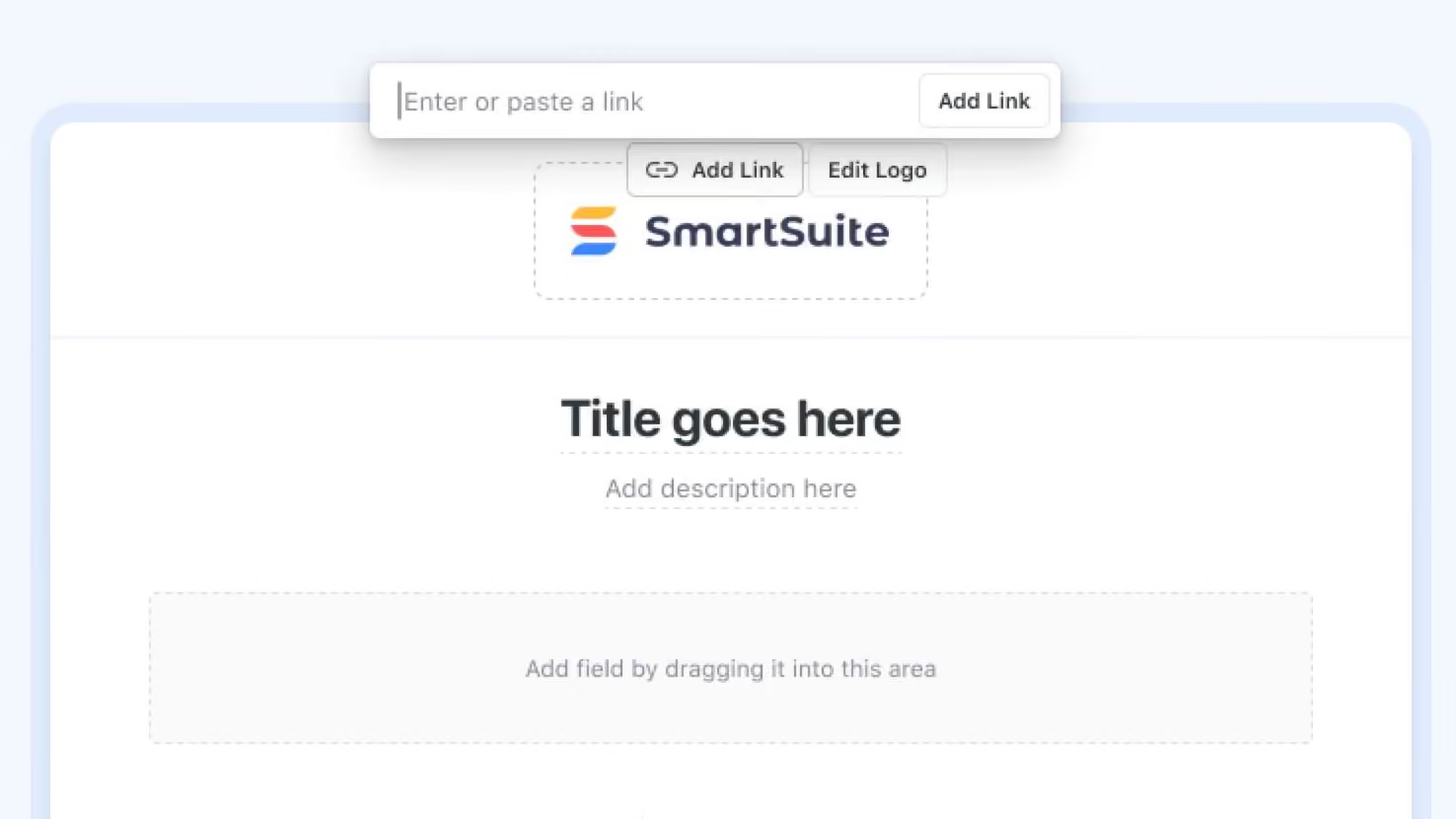
SmartSuite Forms now let you turn the header logo into a live hyperlink, perfect for guiding respondents back to your company website or any resource you choose.
Key Points
- Paid plan workspaces can now attach any URL to a form’s header logo
- A context-aware Add Link / Edit Link button appears next to Edit Logo once a logo is uploaded.
- Links always open in a new browser tab, preserving the responder’s place in the form.
- Removing the URL instantly reverts the logo to a non-clickable image.
How it Works
- Upload or select a logo in your Form
- Click Add Link to specify destination URL and save.
- The feature reuses SmartSuite’s rich-link component for consistent styling and future enhancements.
- If no URL is set (or it’s deleted), the logo behaves like a standard image with no default redirect.
Put your brand front and center and guide form visitors exactly where you want them with a single click on your logo.
Released
June 3, 2025
Feature Improvement
More updates
The newest releases and improvements across the platform, each with its video and help article.
See all updates


Put these ideas to work
Start a free trial, or book a demo and see how it runs in SmartSuite.