



Feature Improvement
Forms: Enhanced Submission Page
All plans
Summarize with
In this article
Published
June 4, 2026
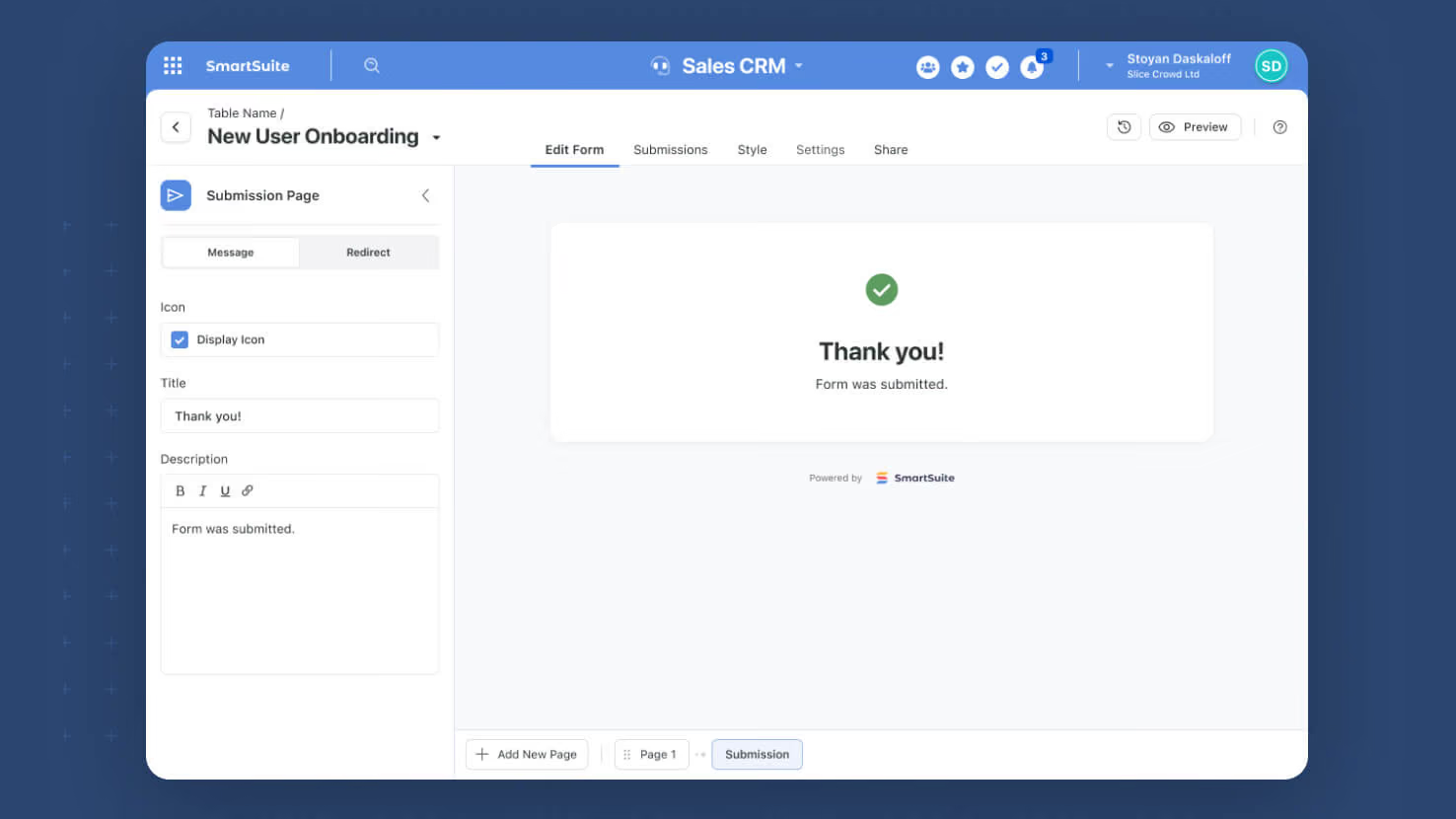
Publicly shared SmartSuite forms now have a fully configurable Submission Page. Service desk intake forms, GRC attestation flows, and any customer-facing form can show a polished Thank You message or redirect submitters directly to a follow-up URL of your choosing.
Key highlights
- Two Configurations: Pick Message mode for an inline Thank You page, or Redirect mode to send submitters to a URL of your choice.
- Custom Thank You Page: Configure a toggleable icon, a Title (default "Thank you!"), and a rich-text Description, all editable with the same controls used elsewhere in the form designer.
- Redirect Handling: Specify a URL with inline validation; submitters land there automatically after clicking Submit.
- Public-Only Behavior: The Submission Page applies to publicly shared forms only; internal forms continue to close their dialog on submit, so existing internal workflows are untouched.
- Always Present: The Submission step cannot be removed from a form's setup, so every public form has a defined post-submit experience without builders having to remember to configure it.
How it works
- Open the Pages control on any form and select the Submission Page; it is always present at the end of the form's page list and cannot be deleted.
- Choose Message (default) or Redirect for the page mode.
- For Message mode, set whether the icon shows, write a custom Title, and compose a rich-text Description; the defaults work fine if you want a generic confirmation.
- For Redirect mode, enter a destination URL; standard inline validation flags any malformed input before you save.
- Publicly share the form and submitters experience the page you configured on submit; internal users continue to see the dialog close as before.
Pair this with Multi-Page Forms and the Progress Bar shipped earlier in May to give long public forms a polished start-to-finish experience.
Released
June 4, 2026
Feature Improvement
More updates
The newest releases and improvements across the platform, each with its video and help article.
See all updates


Put these ideas to work
Start a free trial, or book a demo and see how it runs in SmartSuite.