



New Feature
Forms: Progress Bar
All plans
Summarize with
In this article
Published
May 21, 2026
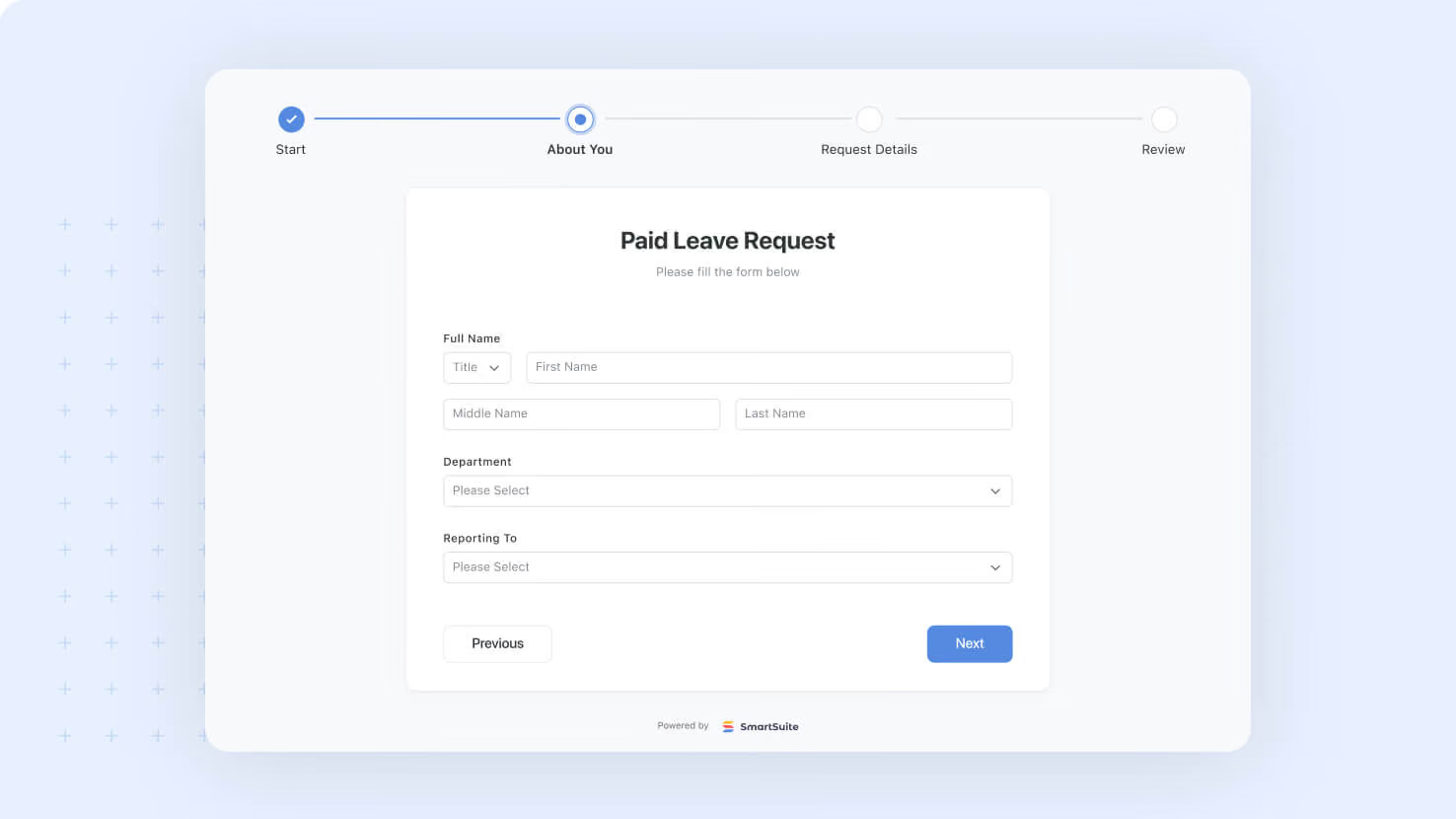
Multi-page forms now support a configurable Progress Bar at the top. Service desk intake forms, GRC attestation flows, and any structured multi-page submission can show users where they are in the form, complete with one-click backward navigation to any previous page.
Key highlights
- New Progress Bar Option: Toggle a Progress Bar on any form with two or more pages from the Style Tab.
- Two Visual Styles: Choose Dot or Numbers to match the form's design language.
- Page Name Display: Optionally show the name of each page next to its progress indicator, or hide names for a cleaner look.
- Backward Navigation: Completed pages are clickable, so submitters can jump back to fix an earlier answer without losing form state.
- Safe Default Behavior: The feature is off by default, requires at least two pages to enable, and auto-disables if page count drops below two.
How it works
- Open the Style Tab on a multi-page form and find the Progress Bar section near the bottom of the panel.
- Toggle the Progress Bar on (only available when the form has two or more pages, not counting the Submission step).
- Pick a Style (Dot or Numbers) and decide whether to Show or Hide page names alongside the indicator.
- Submitters see the bar at the top of each page, with their current page highlighted, completed pages shown as clickable history, and upcoming pages shown but not yet navigable.
- If a builder removes a Page Break and the form drops to a single page, the Progress Bar disables automatically and no half-configured bar appears on the live form.
Pair this with Multi-Page Forms (released last week) to give long forms the pacing cues submitters need to push through.
Released
May 21, 2026
New Feature
More updates
The newest releases and improvements across the platform, each with its video and help article.
See all updates


Put these ideas to work
Start a free trial, or book a demo and see how it runs in SmartSuite.