



Forms: Support for Date Range Field
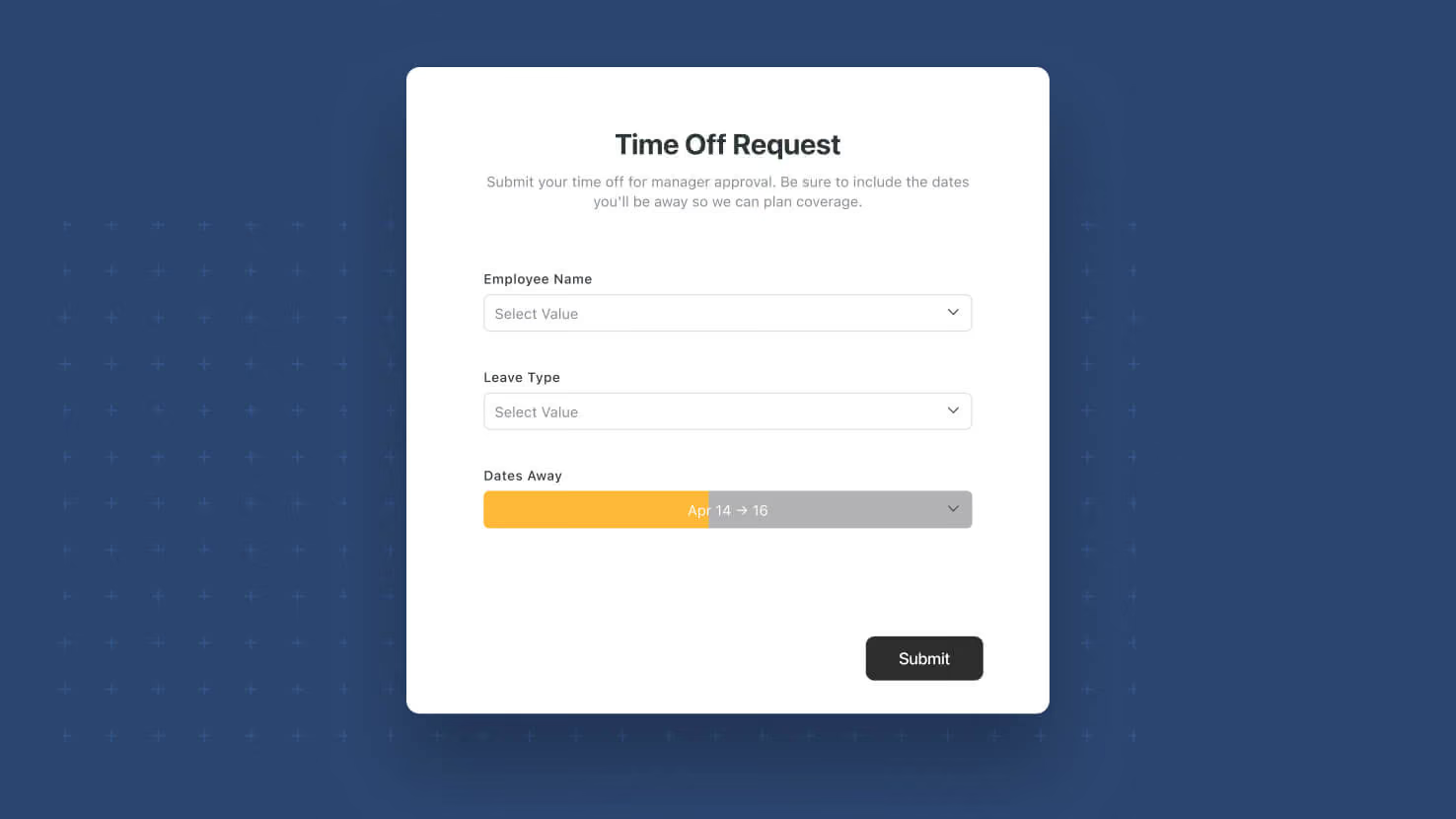
Forms now support the Date Range field. Respondents can submit both a start date and end date in a single form field, using whichever Display Format (Compact, Standard, Long, or Pill) the underlying field is configured with. Event teams collecting session times, PMO leads gathering project phase start and end dates, and HR teams scheduling interview windows all get a native single-field control instead of composing two separate date fields.
Key highlights
- First-Class Form Input: Date Range fields now appear alongside every other supported field type when building a Form, with no extra configuration needed beyond adding the field to the underlying table.
- Display Format Honored: The form field renders using whichever Display Format (Compact, Standard, Long, or Pill) is set on the underlying Date Range field. No separate form-only styling to configure.
- Time Entry Support: If the underlying Date Range field has time enabled, respondents can enter both date and time components — otherwise it's date-only.
- Works in Read-Only Forms: Date Range fields display correctly in read-only form contexts, so confirmation and review flows work as expected.
- Same Auto-Fill Invariant: If a respondent enters only a start or only an end value, the missing side auto-fills to the same value, preserving the invariant that Date Range fields always carry both endpoints.
How it works
- Add or open a Date Range field on the source table (from Grid View column menu, or Record View add-field control).
- Open the Form Builder for that table and drag the Date Range field into the form layout, or turn it on via the field toggle if you're editing an existing form.
- Save the form. Respondents see a Date Range control on the live form, matching the Display Format configured on the underlying field.
- Submitted responses populate the Date Range field on the record as expected, including in Timeline View, which relies on Date Range values.
With Date Range as a native form input, SmartSuite's Form Builder now covers the full span of scheduling, phase-capture, and window-based workflows in a single field.
More updates
The newest releases and improvements across the platform, each with its video and help article.
See all updates


Put these ideas to work
Start a free trial, or book a demo and see how it runs in SmartSuite.