



New Feature
Forms: Support for Multiple Pages
All plans
Summarize with
In this article
Published
May 14, 2026
SmartSuite Forms now support multiple pages with a built-in Review step and a configurable post-submit experience. Service desks running long intake forms, GRC teams gathering attestations across multiple control areas, and HR teams onboarding new hires can pace longer forms cleanly instead of presenting one wall of fields.
Key highlights
- Multiple Form Pages: Group related fields into pages, with up to 10 pages per form including an optional Review page.
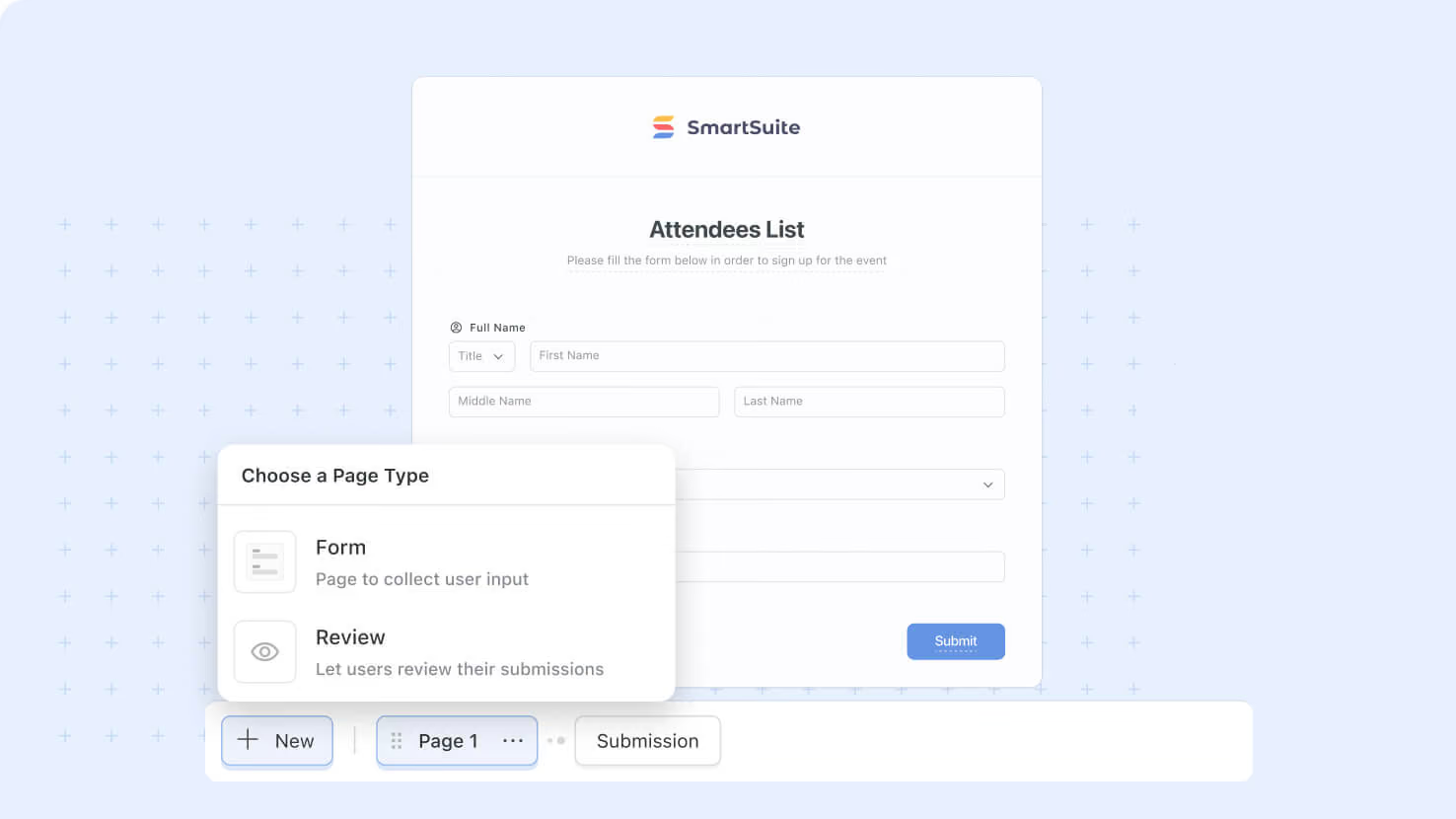
- Three Page Types: Form Pages hold the fields, the optional Review Page lets users confirm answers before submitting, and the Submission Page handles the post-submit message or redirect.
- Automatic Navigation Buttons: The system shows Next, Back, and Submit buttons in the right places based on which page the user is on, with no manual configuration.
- Page-Level Field Moves: Any field can be moved between pages from its three-dot menu, keeping a form organized as it grows.
- Progress Bar Pairing: Form Pages work hand-in-hand with the new Progress Bar option on the Style Tab to show users their position in a multi-step form.
How it works
- Open a form's Pages control at the bottom of the canvas to add, rename, reorder, or delete pages.
- Add a Review Page (one per form, optional) to show users their answers grouped by page, with an Edit button next to each page name for jumping back to make changes.
- Configure the Submission Page to either display a thank-you message (with a customizable title, description, and optional icon) or redirect submitters to a URL.
- The form's Title and Header display on every page, so the form's identity stays clear no matter which page the user is on.
- The Submit button only shows on the last Form-type page; Back and Next buttons appear automatically on the right pages.
Use this to break long forms apart into manageable steps, especially for service desk intake, compliance attestation, structured HR onboarding, and any workflow where the form would otherwise feel overwhelming.
Released
May 14, 2026
New Feature
More updates
The newest releases and improvements across the platform, each with its video and help article.
See all updates


Put these ideas to work
Start a free trial, or book a demo and see how it runs in SmartSuite.