



New Feature
Forms: Yes/No Default Value Support
All plans
Summarize with
In this article
Published
June 25, 2026
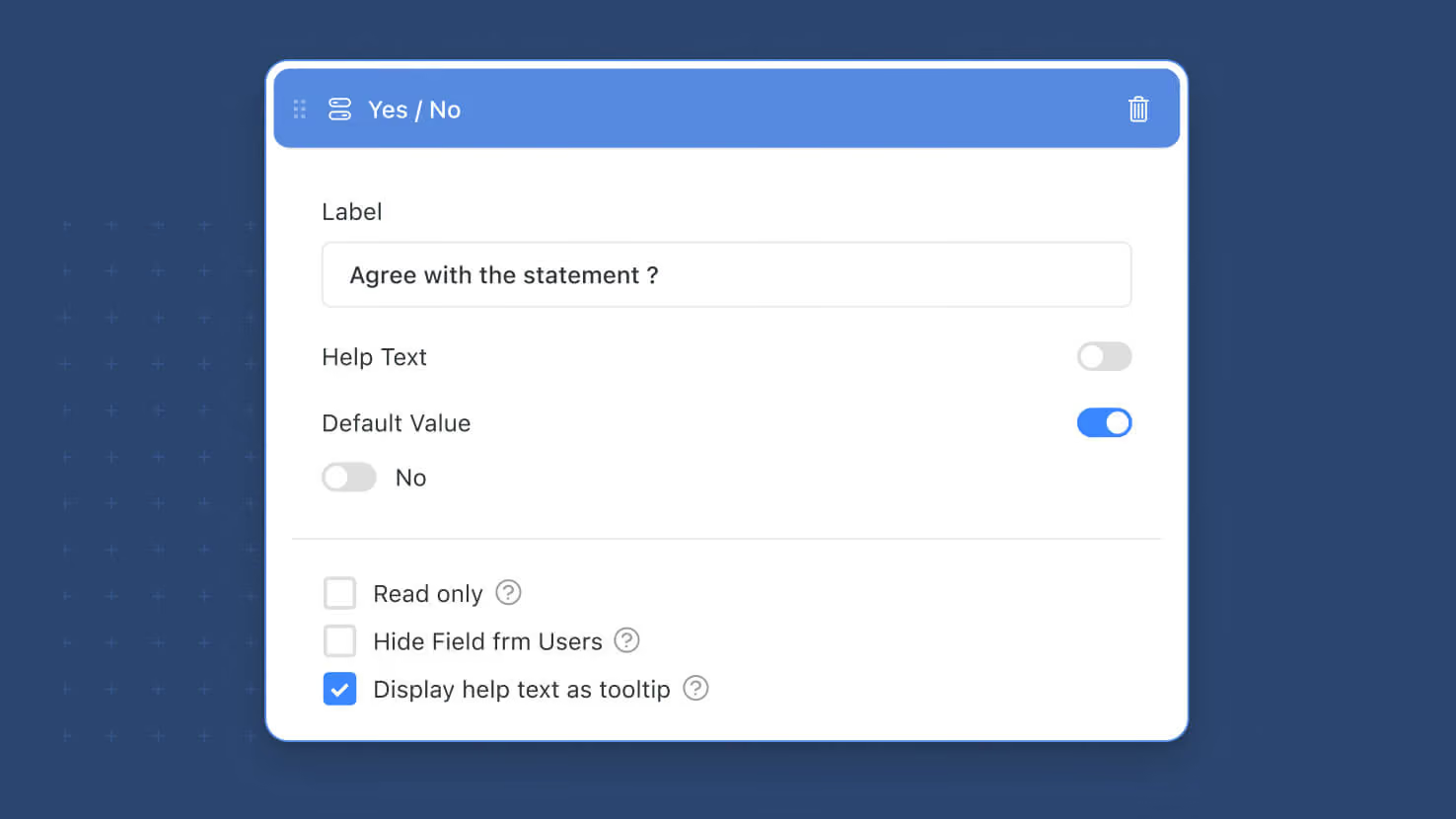
Yes/No fields can now have form-level default values, joining the growing list of field types that support form-specific defaults. Set the starting state (Yes, No, or empty) per-form, so risk acknowledgment toggles default to No, opt-in checkboxes default to Yes when appropriate, and any boolean question comes pre-set to fit the form's audience.
Key highlights
- Yes/No Defaults on Forms: Configure a default value (Yes, No, or empty) for any Yes/No field on a form. Until this release, Yes/No fields on forms loaded blank.
- Per-Field Per-Form Configuration: The same Yes/No field on the underlying record can default to Yes on one form and No on another, with no change to the field's underlying definition.
- Form Defaults Override Field Defaults: A default value set at the form level takes priority over the default defined in the underlying field's settings, so each form expresses its own intent.
- URL Parameter Priority Preserved: For publicly-shared forms, pre-filled URL parameters continue to take priority over form-level defaults, so query-string overrides still work as before.
- Joins a Growing Default Values List: Adds to the field types already supporting form-level defaults including text, numeric, select-based, Linked Record, Assigned To, and date fields.
How it works
- Open a form in the designer and click any Yes/No field to enter its edit mode.
- Find the Default Value toggle and switch it on; pick Yes or No (or leave the field blank for no default).
- The canvas updates in real time to show how the field will render to submitters with the chosen default selected.
- Save the form. Submitters see the configured default as the pre-selected state when they open the form.
- On publicly-shared forms, URL parameters still override the form-level default when present, so existing query-string workflows continue to work.
Pair this with the rest of the Default Values rollout this year, including Linked Record default values and the broader Default Values framework documented in the form designer.
Released
June 25, 2026
New Feature
More updates
The newest releases and improvements across the platform, each with its video and help article.
See all updates


Put these ideas to work
Start a free trial, or book a demo and see how it runs in SmartSuite.