



Linked Record: Default Value Support
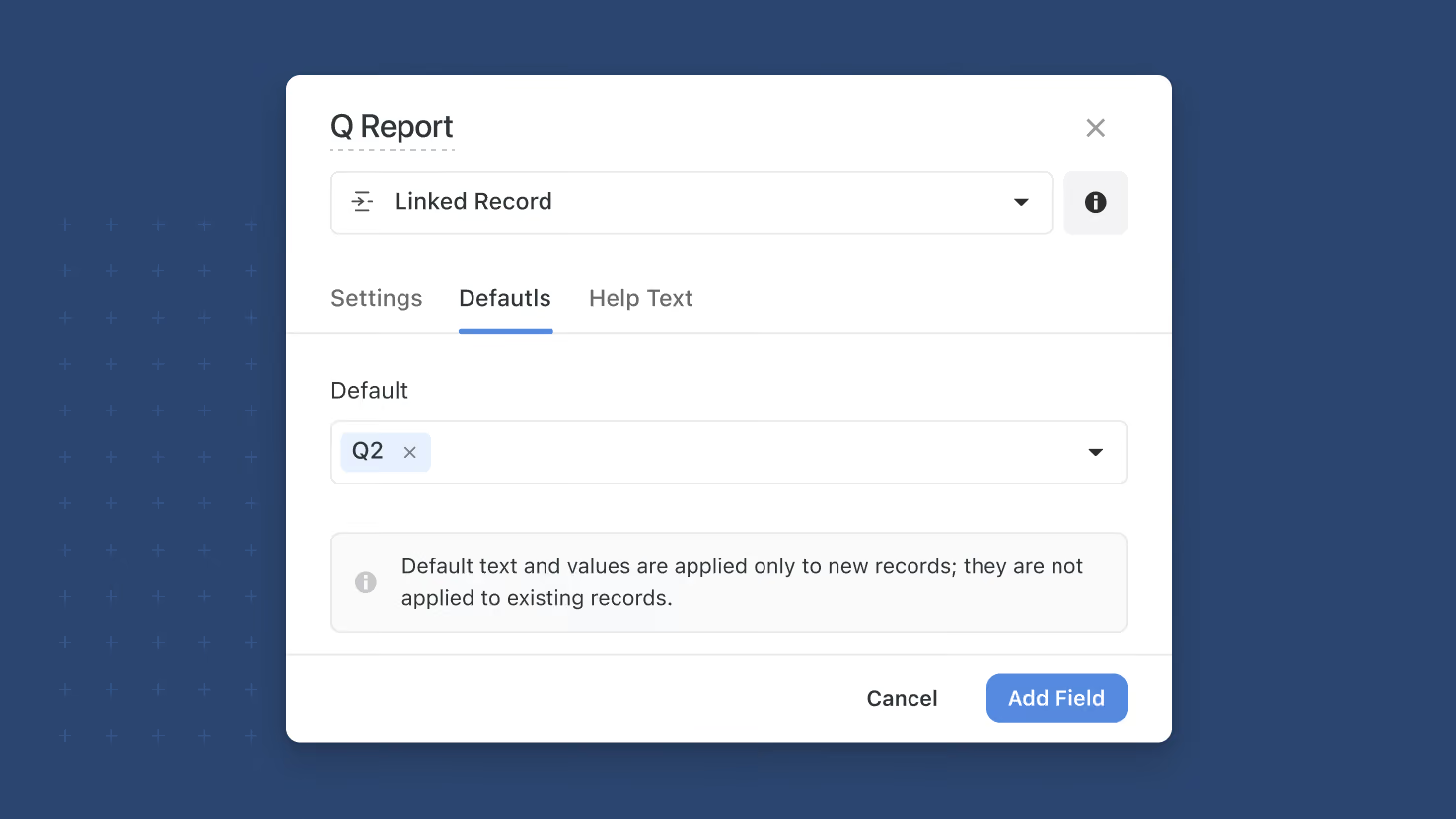
Linked Record fields now support default values on the field, on Create-a-Record button actions, and on forms. Pre-populate the most common relationship so new records start with the right connections in place; multi-link fields can carry multiple defaults. Service desks routing new tickets to a default queue, GRC programs attaching new findings to a default control area, and PMO templates pre-populating a linked Sprint all benefit.
Key highlights
- Default Values on Linked Record: Pick one or more existing records (by Title) as the pre-selected value for any Linked Record field. Multi-link fields support multiple defaults; single-link supports one.
- Three Places of Application: Set defaults on the field itself, on a Create-a-Record button action, or per-form. Form-level defaults override field-level defaults inside their form, matching the pattern from other Default Values work this year.
- Search-and-Pick UI: The default picker reuses the existing Filter control for selecting records, with lazy loading for long tables and a search filter that kicks in once the choice list exceeds five records.
- Graceful Deletion Handling: If a record used as a default is later deleted from the linked table, the default-value control voids automatically and falls back to a no-default state instead of erroring out.
- No Retroactive Changes: The default applies only to new records created after the default is configured; existing records with an empty or different Linked Record value stay as they were.
How it works
- Open a Linked Record field's settings on any table where you have edit access, and enable the Default Value toggle.
- Pick one record (single-link) or multiple records (multi-link) from the picker; use the search input to filter long lists.
- Save the field settings. Every new record created in that table will pre-populate the Linked Record field with the selected record(s).
- On a Create-a-Record button action, configure the same default-value control in the button's settings; the button's default applies when a user clicks it to create a record.
- On a form, use the field-in-form default control to override the field-level default for that specific form; the form's default value takes priority when a submitter opens the form.
Pair this with the rest of the Default Values rollout this year, including Yes/No default values from last week and the broader Default Values framework in the form designer.
More updates
The newest releases and improvements across the platform, each with its video and help article.
See all updates


Put these ideas to work
Start a free trial, or book a demo and see how it runs in SmartSuite.