



Linked Records: Record Selector Dropdown Mode
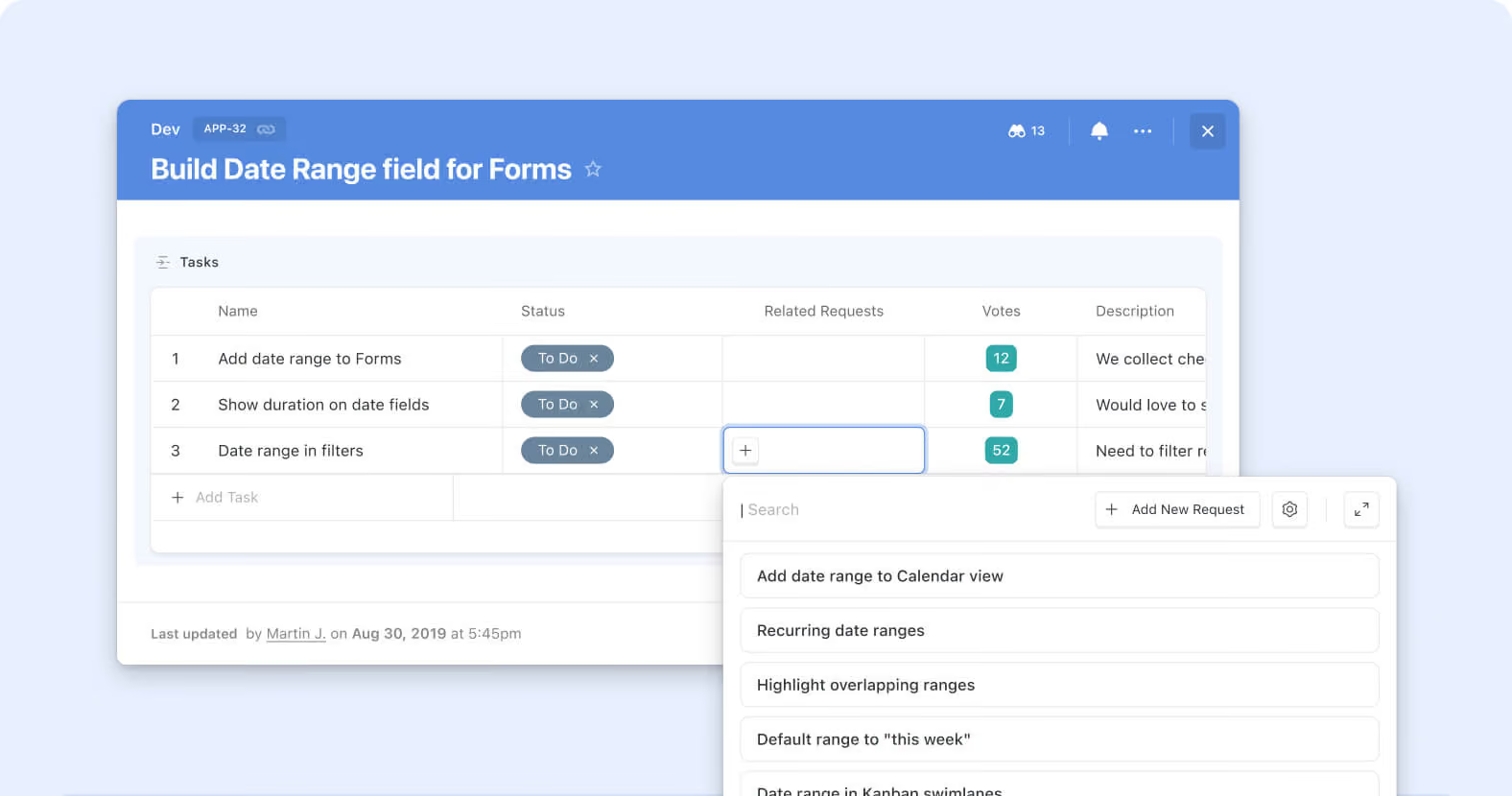
The Record Selector on Linked Records now opens as an inline dropdown by default instead of a full modal. Picking from a short list of existing records to link takes one click and no modal round-trip; the modal experience is still available for longer lists and advanced browsing. Service desks assigning a ticket to one of a small set of Change Requests, sales teams linking a deal to an Account from a short recent-account list, GRC compliance teams connecting a control test to a filtered short-list, and PMO leads connecting a task to a Sprint from a handful of active options all get quicker linking on the common case.
Key highlights
- Dropdown by Default: The Record Selector now opens as an inline dropdown when users click into a Linked Record cell, cutting the full-modal round-trip out of the common single-click pick.
- Same Records, Same Configuration: The dropdown surfaces the same records the modal would show — same Solution-Manager-configured static and dynamic filters, same sort order, same Fields configuration, same Grouping (from the Jul 27 Grouping for Record Selector release).
- Modal Still Available: When users need the richer browsing experience — grouped views, filter panels, advanced controls that don't fit inline — the modal is one click away as an expansion from the dropdown.
- Inline Search: Users can type in the dropdown to filter the visible records, the same way they would inside the modal.
- No Configuration Migration: Existing Linked Record fields inherit the dropdown default automatically; no Solution Manager action required, no data changes, no configuration migration.
How it works
- Open a record and click into any Linked Record cell to open the Record Selector. The Selector opens inline as a dropdown by default.
- Scroll through the visible records or type to search within the list; click a record to link it. No modal opens.
- When the dropdown isn't enough (long list needing filter panels, grouped browsing, or other advanced controls), click the expand affordance to open the full modal instead — same records, same configuration, richer surface.
Third refinement in the Linked Records 2.0 arc, following the Sticky Add New button and Grouping for Record Selector from Jul 27. Pure UX change — no new business logic, no configuration to migrate. Available on all plans.
More updates
The newest releases and improvements across the platform, each with its video and help article.
See all updates


Put these ideas to work
Start a free trial, or book a demo and see how it runs in SmartSuite.