



New Feature
Microsoft Teams Automations v2: Actionable Notifications
Enterprise
Signature
Summarize with
In this article
Published
May 21, 2026
Microsoft Teams Automations v2 turns one-way notifications into two-way workflows. Service desks running approval flows, change-management boards routing requests through Teams, and any GRC workflow that needs a recipient to take a documented action in Teams can now do it with a single click, attributed back to SmartSuite with a full audit trail.
Key highlights
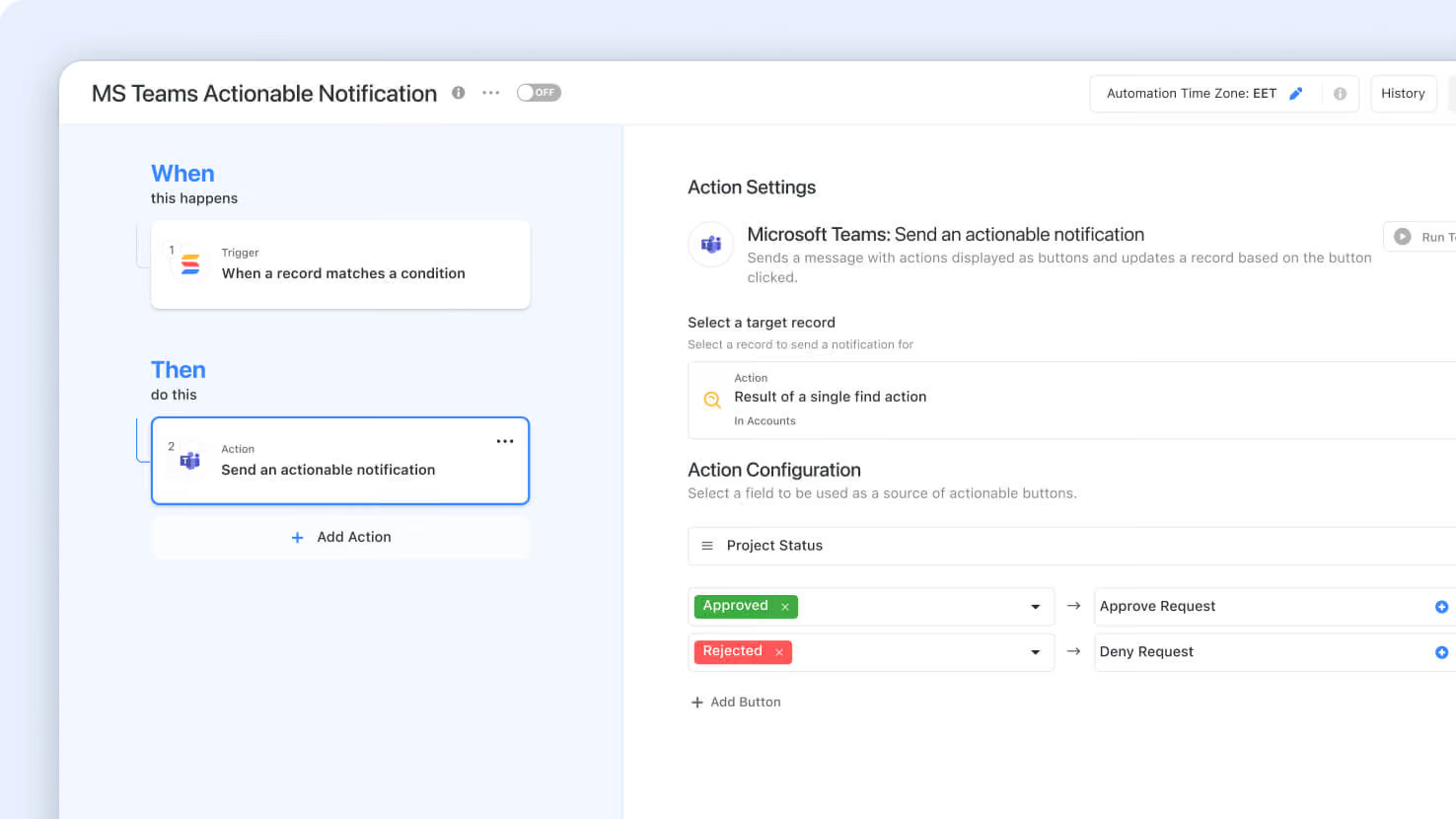
- Actionable Notifications: Send a Teams message with up to three clickable buttons mapped to values in a Status, Single Select, Multiple Select, or Yes/No field. Clicking a button updates the target record directly.
- Personal and Team Messaging: Target an individual (static or dynamic mapping from Assigned To, Email, Text, Lookup, Formula, or Single Select fields) or post into a specific Team and Channel.
- Dynamic Record Targeting: Drive notifications from a Trigger output, a Single Find output, or the Current Item inside a Loop, without hardcoding records.
- Dynamic Links in SmartDoc: Build hyperlink URLs inside the message body by mixing static text with dynamic field values, so Open Record buttons always point to the right record.
- Built-In Run History and Error Capture: Failed executions are recorded as comments on the target record with human-friendly reasons (Not enough permissions, Record not found) and a link back to the originating automation.
How it works
- Admins configure the O365 integration once in Workspace Administration by registering an Azure application and granting the delegated Microsoft Graph permissions.
- Automation builders add the new 'Send an actionable notification' action under Integrations, Microsoft Teams, pick a target record source, choose Personal or Team message, write the title and body with dynamic values, and map a field to buttons.
- When the notification lands in Teams, the recipient clicks a button. SmartSuite validates their record-edit permissions, applies the update, and attributes the change to the person who clicked via the automation.
- Anything that goes wrong (a permission issue, a missing record, a timeout) surfaces as a comment on the record with a clear reason, so automation owners can resolve it quickly.
- Available on Enterprise and Signature plans. Existing legacy Teams actions remain operational.
Upgrade your connection to take advantage of Actionable Notifications and the faster O365 configuration.
Released
May 21, 2026
New Feature
More updates
The newest releases and improvements across the platform, each with its video and help article.
See all updates


Put these ideas to work
Start a free trial, or book a demo and see how it runs in SmartSuite.