



New Feature
Mobile: Document View
All plans
Summarize with
In this article
Published
March 26, 2026
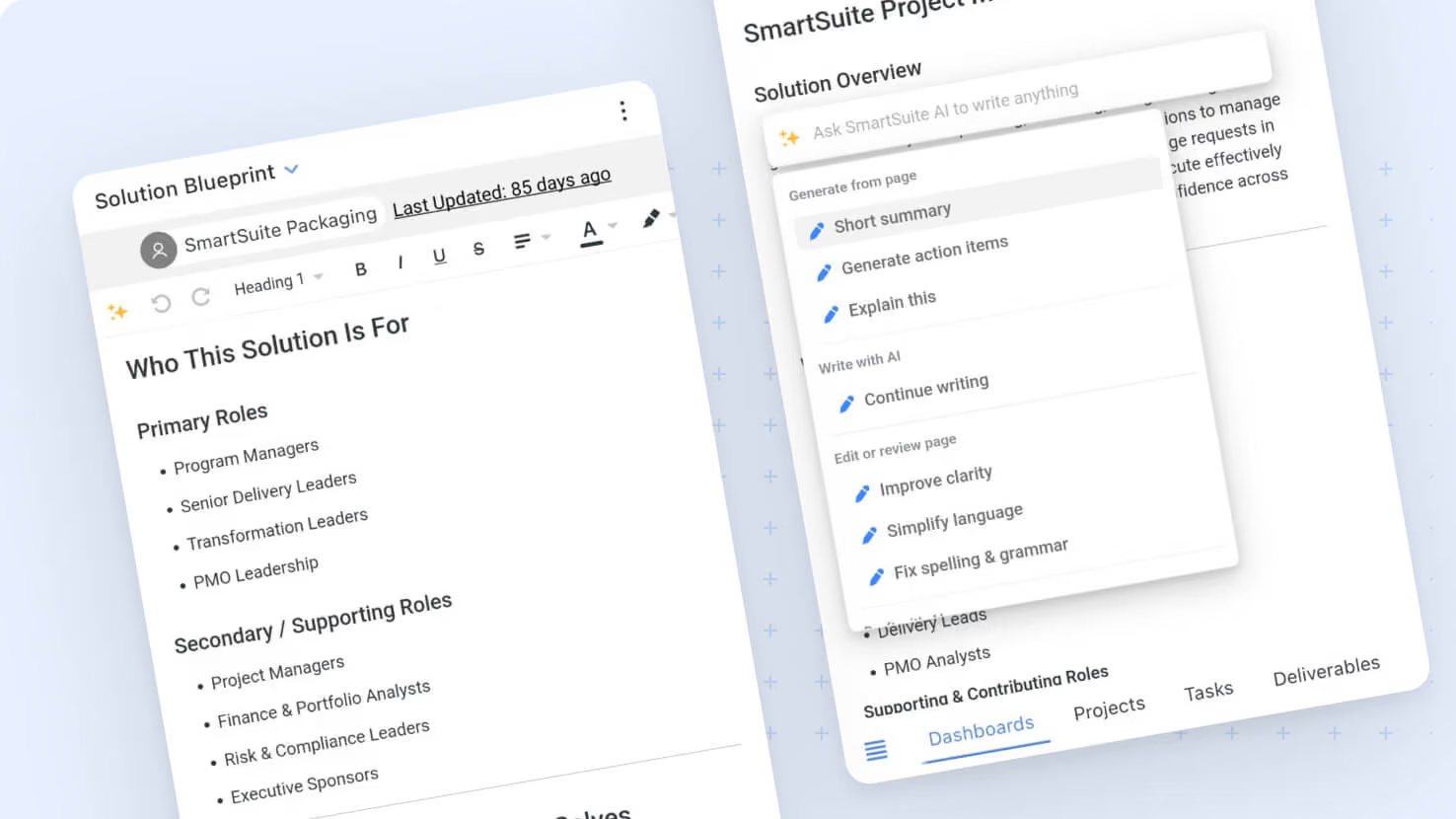
We've improved our mobile experience with new support for Document Views. This update brings a range of mobile-friendly enhancements designed to make working with your documents smoother and more efficient.
Key highlights
- AI Assistance: Use the "Ask AI" option to leverage SmartDoc’s AI features while working on your documents.
- Custom Document Views: Easily create document views tailored to your workflow.
- Clear Document Details: Depending on your settings, the mobile app will now display the Document Title, Created By, and Last Updated fields.
- Seamless Editing: Enjoy inline editing with auto-save functionality and support for undoing or redoing your changes.
- Rich Content Insertion: Quickly add images, videos, and attachments using the file upload modal.
- Optimized Layout: Mobile screens automatically adopt a wide page view for maximum usability, while tablets provide options between Default and Wide.
- Permission Controls: The mobile experience will honor your existing permissions settings.
- Enhanced Integration: Benefit from the updated Smartdoc Embed Widget built with the latest features.
How it works
- Open the mobile app to find the new Document View support, which integrates multiple enhancements to simplify your document management.
- To take advantage of AI assistance, select “Ask AI” from the designated menu.
- Create and customize document views with straightforward controls, then adjust which document details are displayed based on your preferences.
- Enjoy hassle-free inline editing that auto-saves your work, complete with undo/redo options for improved control.
- Insert images, videos, or attachments easily via the in-app upload interface.
- The app automatically sets mobile devices to a wide layout for easier viewing, while tablets allow a choice between default and wide page widths.
- All changes made within the mobile app respect your current permissions and prompt a smooth, integrated experience.
Enjoy exploring Document View support on your mobile device!
Released
March 26, 2026
New Feature
More updates
The newest releases and improvements across the platform, each with its video and help article.
See all updates


Put these ideas to work
Start a free trial, or book a demo and see how it runs in SmartSuite.