



New Feature
Mobile: Timeline View
All plans
Summarize with
In this article
Published
April 30, 2026
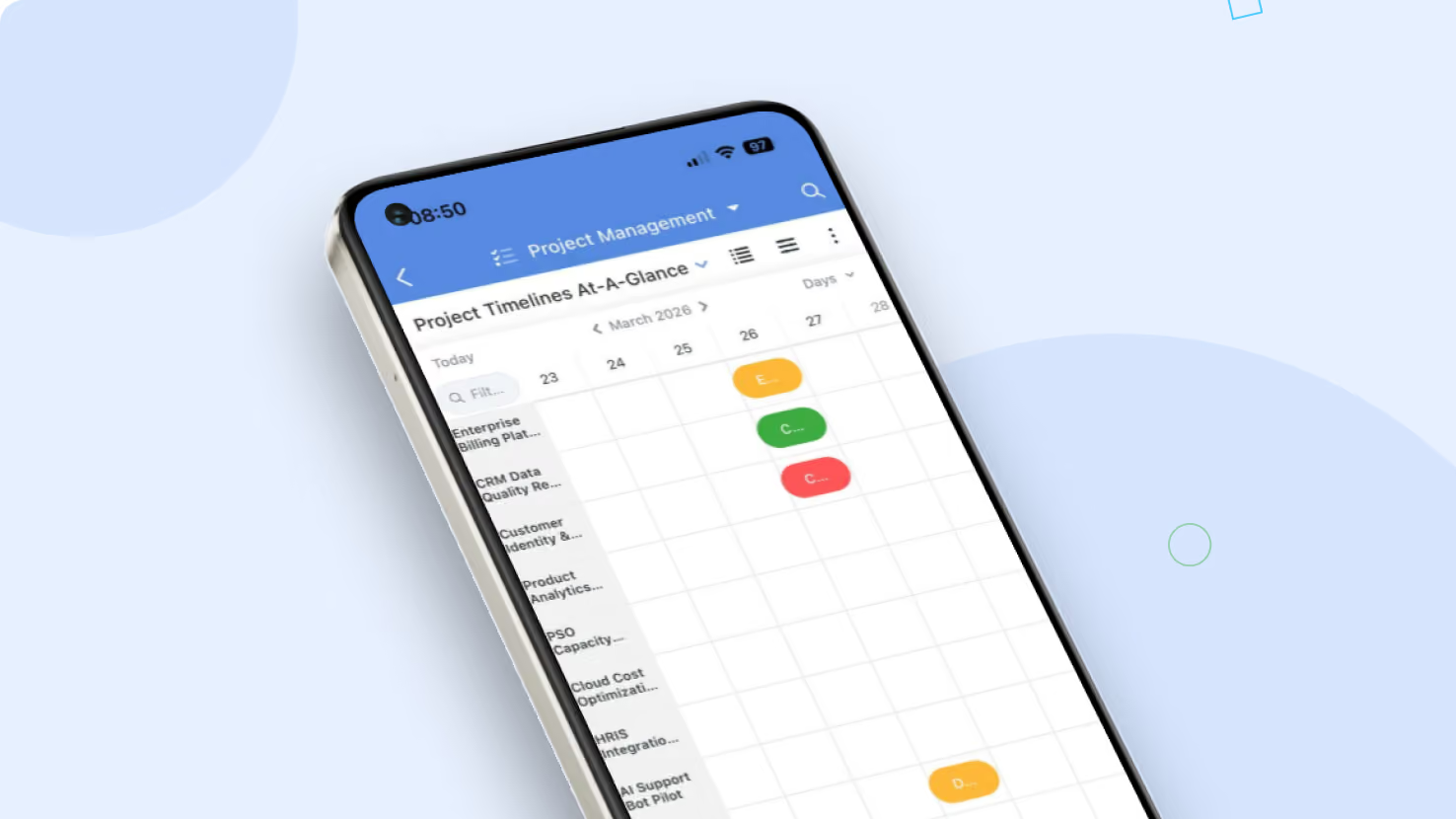
Timeline View now runs natively in the SmartSuite mobile app, with the same layout, scale options, and inline edit behavior as the desktop client. Project managers, PMO leads, and any team running a Timeline View can review schedules and milestone progress from a phone or tablet without losing fidelity.
Key highlights
- Full Mobile Parity: Open any Timeline View directly from the mobile app, with the same fields, dependencies, and color coding as on desktop.
- PPM Ready: Portfolio reviews, release planning, and milestone tracking work the same way on a phone as they do on a laptop.
- Configurable Scale: Switch between Hours, Days, Weeks, and Months from the mobile view's scale control, defaulting to Days.
- Touch-Optimized: Pinch to zoom across time, drag to pan, and tap any record bar to open the record detail in mobile context.
- Permission Aware: Field-level and record-level permissions apply the same way on mobile as they do on desktop.
How it works
- Open a solution that has a Timeline View configured and tap the view selector to switch to it.
- The view renders a touch-friendly timeline layout, automatically adapting controls for narrower screens.
- Pinch and drag gestures replace the desktop scrollbar and zoom controls; the toolbar collapses into a dropdown when space is tight.
- Tap a record bar to open the record detail panel for inline edits when permissions allow.
- All changes flow back to the underlying table the same way they do on desktop, so the team sees updates immediately.
Update the SmartSuite mobile app to the latest version to access Timeline View on the go.
Released
April 30, 2026
New Feature
More updates
The newest releases and improvements across the platform, each with its video and help article.
See all updates


Put these ideas to work
Start a free trial, or book a demo and see how it runs in SmartSuite.