



New Feature
Restore Solutions from Recycle Bin
All plans
Summarize with
In this article
Published
May 7, 2026
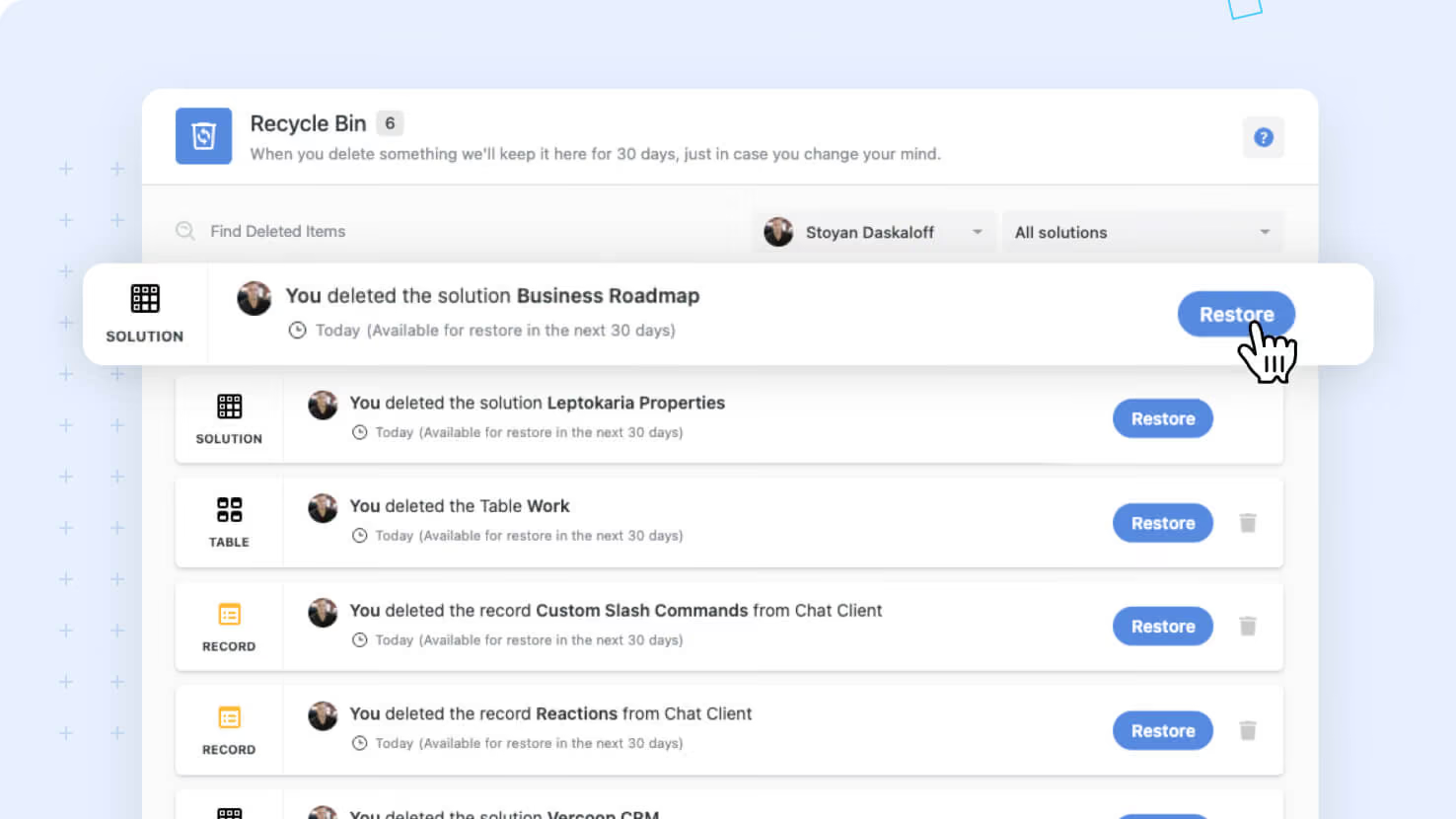
Solutions deleted in error can now be restored from the Recycle Bin, complete with every child object and even the Linked Record relationships to other Solutions. Solution Managers running short-lived Solutions for projects, audits, or pilots gain a safety net that previously required IT-level intervention or a from-scratch rebuild.
Key highlights
- Solution-Level Restore: Solution Managers and Account Admins can restore a deleted Solution from the User Profile Recycle Bin in a single click.
- Full Child Recovery: Restoring a Solution brings back all its applications, automations, reports, records and comments, fields, My Work items, and dashboard widgets.
- Cross-Solution Link Repair: Linked Records pointing from other Solutions get reconnected automatically when both Solutions are present, with Mirrored Links and dependent Lookups restored end-to-end.
- Disambiguating Names: Restored Solutions get a '(Restored)' suffix, with a number appended if multiple restores happen for the same name.
- Safe Bin Behavior: Child elements that were already in the bin before the Solution was deleted return to the bin on restore and continue counting their original deletion timer rather than resetting.
How it works
- Solution Managers and Account Admins access the Recycle Bin from their User Profile to see deleted Solutions alongside other deleted items.
- Click Restore on a deleted Solution to begin the restore; the system walks the Solution's child objects and Linked Record relationships before completing.
- For Linked Records pointing to other Solutions, the system checks whether the target is still available: if yes, the link is restored along with the Mirrored Link and dependent Lookups; if no, the Linked Record remains in text mode until the target is restored.
- Permanent deletion is also available from the bin for Solutions that should be cleaned up rather than restored.
Use this to recover from accidental deletions without rebuilding from a backup, especially in environments where Solution Managers create short-lived Solutions for project planning, compliance audits, or feature pilots.
Released
May 7, 2026
New Feature
More updates
The newest releases and improvements across the platform, each with its video and help article.
See all updates


Put these ideas to work
Start a free trial, or book a demo and see how it runs in SmartSuite.