



Sign-Up: Choose Your Data Region
New SmartSuite workspaces now choose where their data lives.
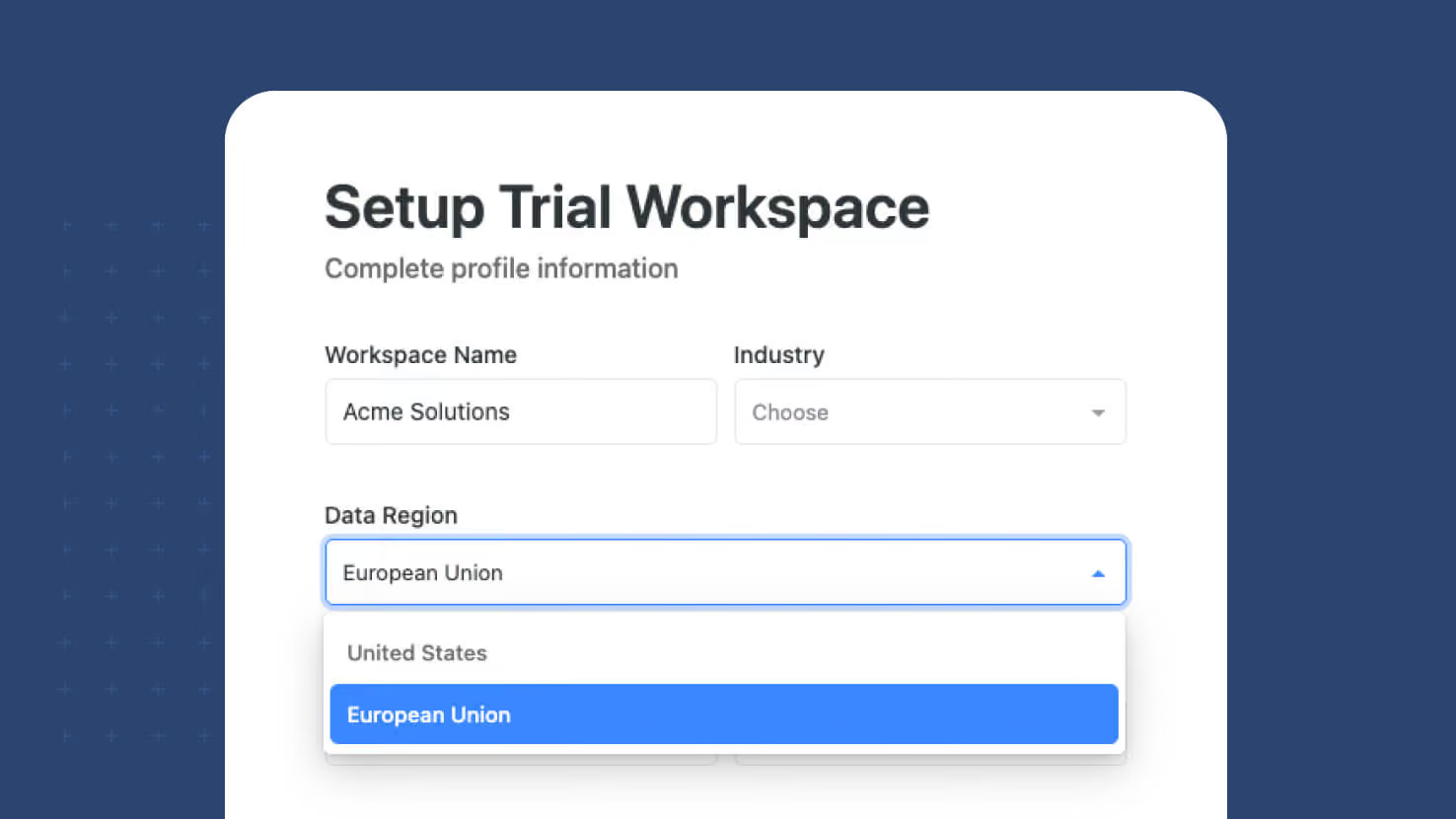
New SmartSuite workspaces now choose where their data lives. A region selector on the sign-up form lets you create your workspace in either the United States or the European Union, and the workspace is provisioned in the region you pick from the moment it is created rather than moved there later. The selector defaults to the region suggested by your location and appears on every path into a new workspace. Everything after that is automatic — the same address and the same login, with requests routed to your workspace's region behind the scenes.
Key highlights
- Region Chosen At Creation: Pick the United States or the European Union while signing up. The workspace and its data are created in that region from day one, so there is no later migration and no window where records sit somewhere they shouldn't.
- Every Sign-Up Path Covered: The selector appears when a new user signs up with an email address, when a new user signs up with a social account, and when an existing user creates an additional workspace.
- Defaults To Your Location: The selector pre-fills the region suggested by where you are signing up from, so most people can accept the default and keep going.
- Survives A Refresh: The choice is held alongside the rest of your sign-up progress. Reload the page partway through and the region you picked is still selected.
- One Address, One Login: There is no separate regional URL to remember and no second set of credentials. Requests reach the right region automatically once the workspace exists.
- Invitations Follow The Workspace: Invites, shared links and logins all resolve to the workspace's region without anyone choosing again.
- Data Residency Without A Project: Teams working under regional data requirements can satisfy them at sign-up rather than through a migration, a support ticket, or a separate contract.
How it works
- Start a new SmartSuite workspace from the sign-up page, with an email address or a social account.
- On the account setup step, choose your region. The selector is pre-filled based on where you are signing up from; change it if your requirements differ.
- Finish sign-up. The workspace, its tables and its data are created in the region you selected.
- Sign in as normal from then on. The region is a property of the workspace, so invitations, links and logins all resolve to it automatically.
- The region is set when the workspace is created, so choose deliberately if you have residency requirements to meet.
Where your data lives, decided in the first minute rather than the twelfth month. Available for all new workspaces at sign-up.
More updates
The newest releases and improvements across the platform, each with its video and help article.
See all updates


Put these ideas to work
Start a free trial, or book a demo and see how it runs in SmartSuite.