



New Feature
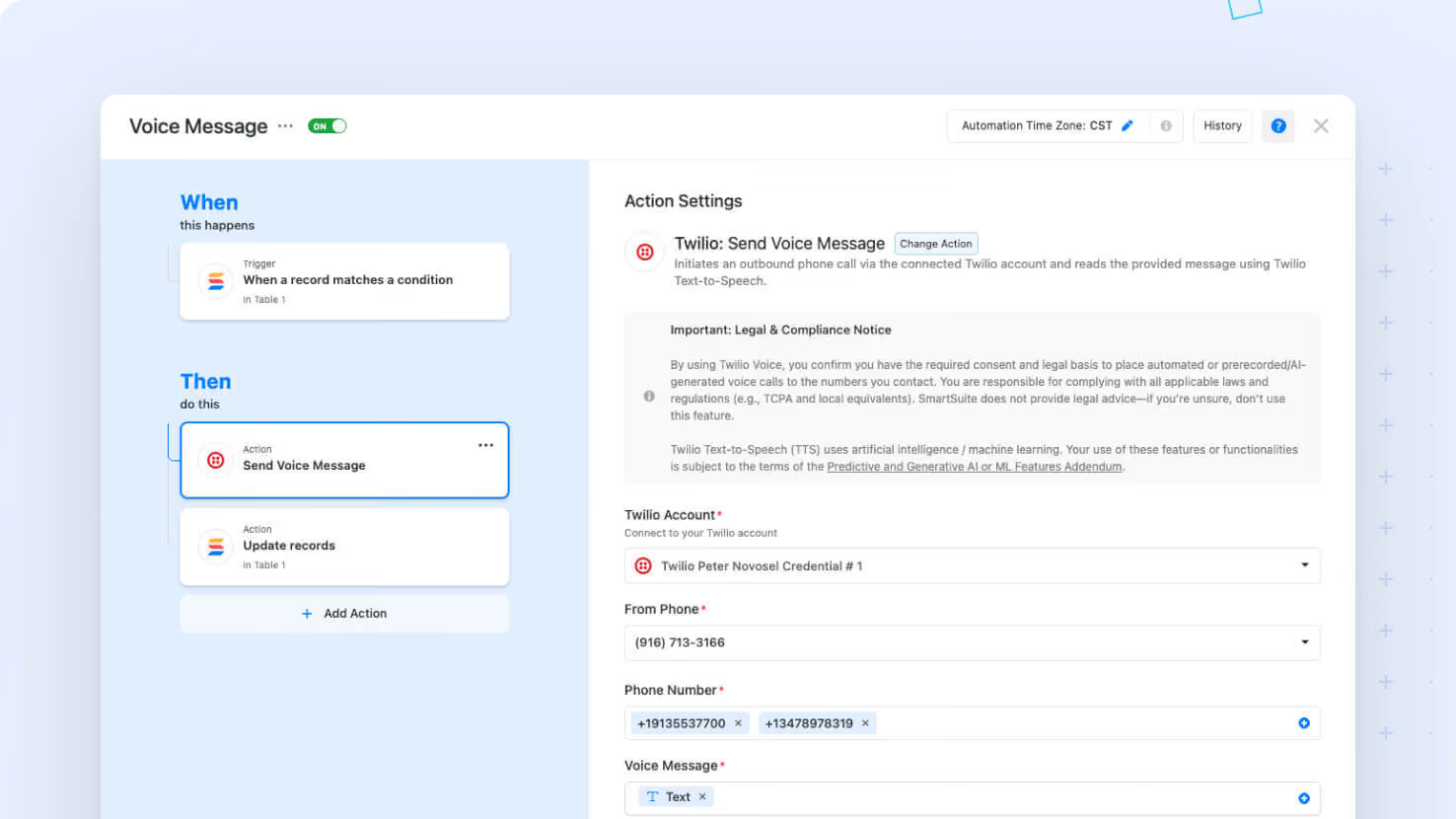
Twilio Action: Send Voice Message
All paid plans
Summarize with
In this article
Published
March 9, 2026
We've expanded our Twilio messaging capabilities with a new Voice option, alongside our existing SMS action, giving you more options when configuring outbound notifications. With this update, you can now send voice messages using Twilio and choose both a Language and a Voice for each message, ensuring your calls are delivered in the right tone and language every time.
Key highlights
- New Voice Capability: Twilio Voice Messaging is now available as a new capability in addition to SMS, giving you more ways to communicate through automation.
- Language Selection: A new dropdown lets you select a language, defaulting to "English (US)" for every new configuration.
- Voice Options: Once you choose a language, the Voice dropdown refreshes to show the compatible options. The list includes a default selection, either the recognized default or the first available voice option.
- User-Friendly Interface: The UI automatically updates the Voice options when you change the selected language, so the choices always match your current selection.
How it works
- When configuring a Twilio: Send Voice Message action, you'll see a Language dropdown with "English (US)" applied by default.
- Changing the language prompts an automatic update of the Voice dropdown, ensuring you have the right voice options for that language.
- If a previously chosen voice isn’t available after switching languages, the system resets it to a default option, so your configuration never has invalid settings.
- All your selections are saved and reloaded automatically each time you access the action configuration.
This update is now available to enhance your messaging experience across both SMS and voice. Enjoy a smoother, more tailored setup that helps ensure your messages are delivered the way you intend.
Released
March 9, 2026
New Feature
More updates
The newest releases and improvements across the platform, each with its video and help article.
See all updates


Put these ideas to work
Start a free trial, or book a demo and see how it runs in SmartSuite.