



New Feature
View Based Widgets: Support for Custom Buttons
All plans
Summarize with
In this article
Published
April 30, 2026
The hardcoded Add New Record button on every view-based widget has been replaced with a configurable button bar that supports up to ten custom buttons. Service desks, compliance boards, and project dashboards built on Grid, Card, Calendar, Timeline, Chart, or Gantt widgets get full button configurability without rebuilding anything.
Key highlights
- Configurable Button Bar: View-based widgets share the same button component used in Button Row widgets, replacing the old hardcoded button.
- Up to Ten Buttons: Configure as many as ten buttons per widget, with the first two visible and the rest under a '...' overflow.
- Broad Widget Support: Grid, Card, Calendar, Timeline, Chart, and Gantt widgets all pick up the change in the same release.
- Service Desk Friendly: ITSM teams can place Create Ticket, Open Form, Open URL, and Run Script buttons side by side on a single widget.
- Safe Migration: Existing widgets with Allow Inline Edit or Allow Edit enabled get an automatic Create-a-Record button preserving the previous label, color, and target table, so no flows break.
How it works
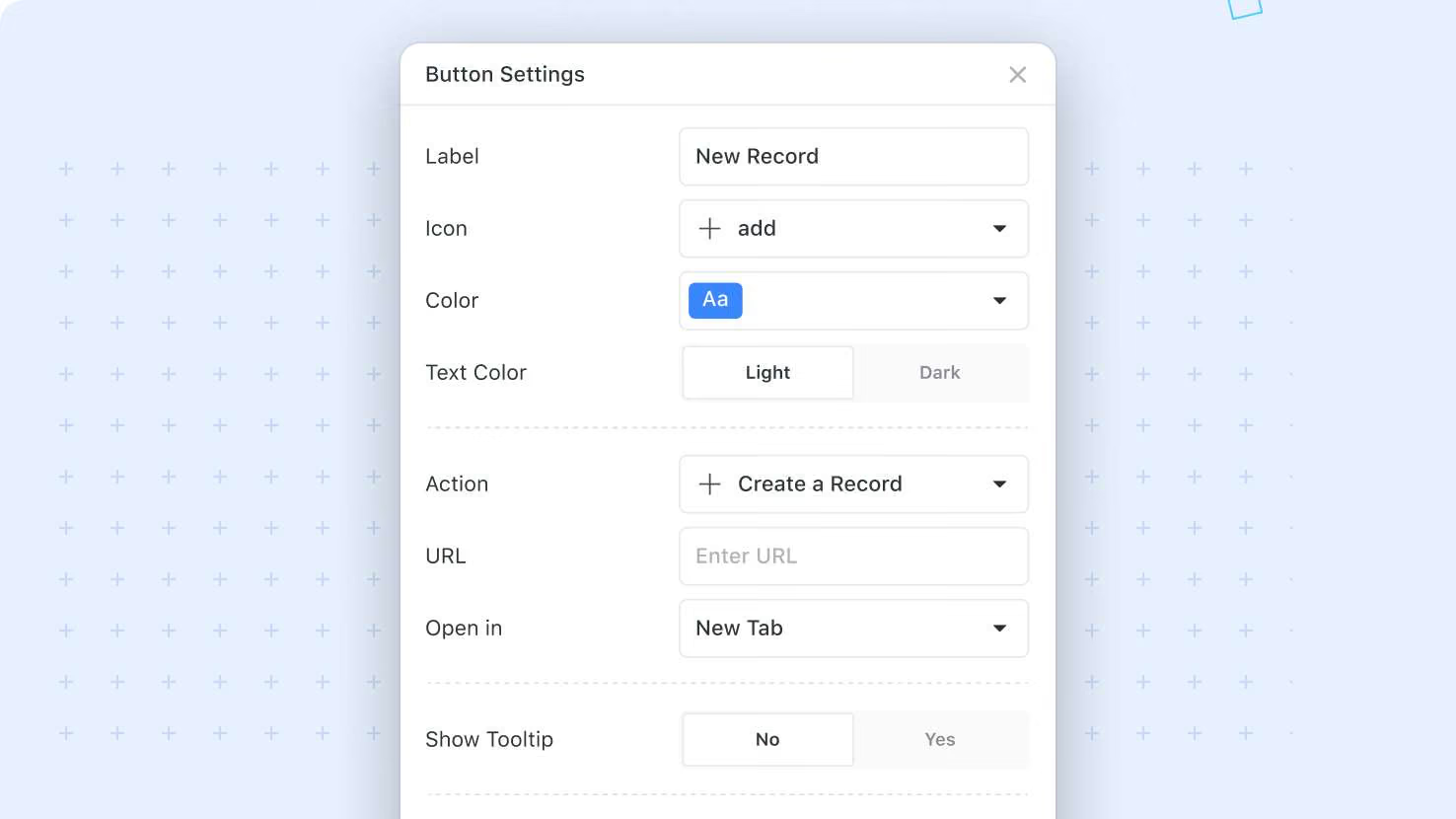
- Open a view-based widget's configuration to access the new Buttons section, where you can add, remove, reorder, and configure each button.
- Each button supports the standard properties: Label, Icon, Color, Tooltip or Description, Ask for Confirmation, and Action.
- Supported actions include Open URL, Create a Record (with default values), Open a Form, and Run a Script, identical to Button Row buttons.
- During the upgrade, the system migrates existing buttons automatically: Allow Inline Edit and Allow Edit settings keep their other behaviors but no longer control the Add Record button.
- Chart Widgets do not get a migration button by default, since they did not previously expose Add Record.
Combine this with Open a Form to build dashboards where every common workflow is one click away from the right view.
Released
April 30, 2026
New Feature
More updates
The newest releases and improvements across the platform, each with its video and help article.
See all updates


Put these ideas to work
Start a free trial, or book a demo and see how it runs in SmartSuite.