



Webhook Trigger: Optional and Required Fields
The Webhook Received automation trigger picks up per-field Required controls and a distinct Rejected run-history status.
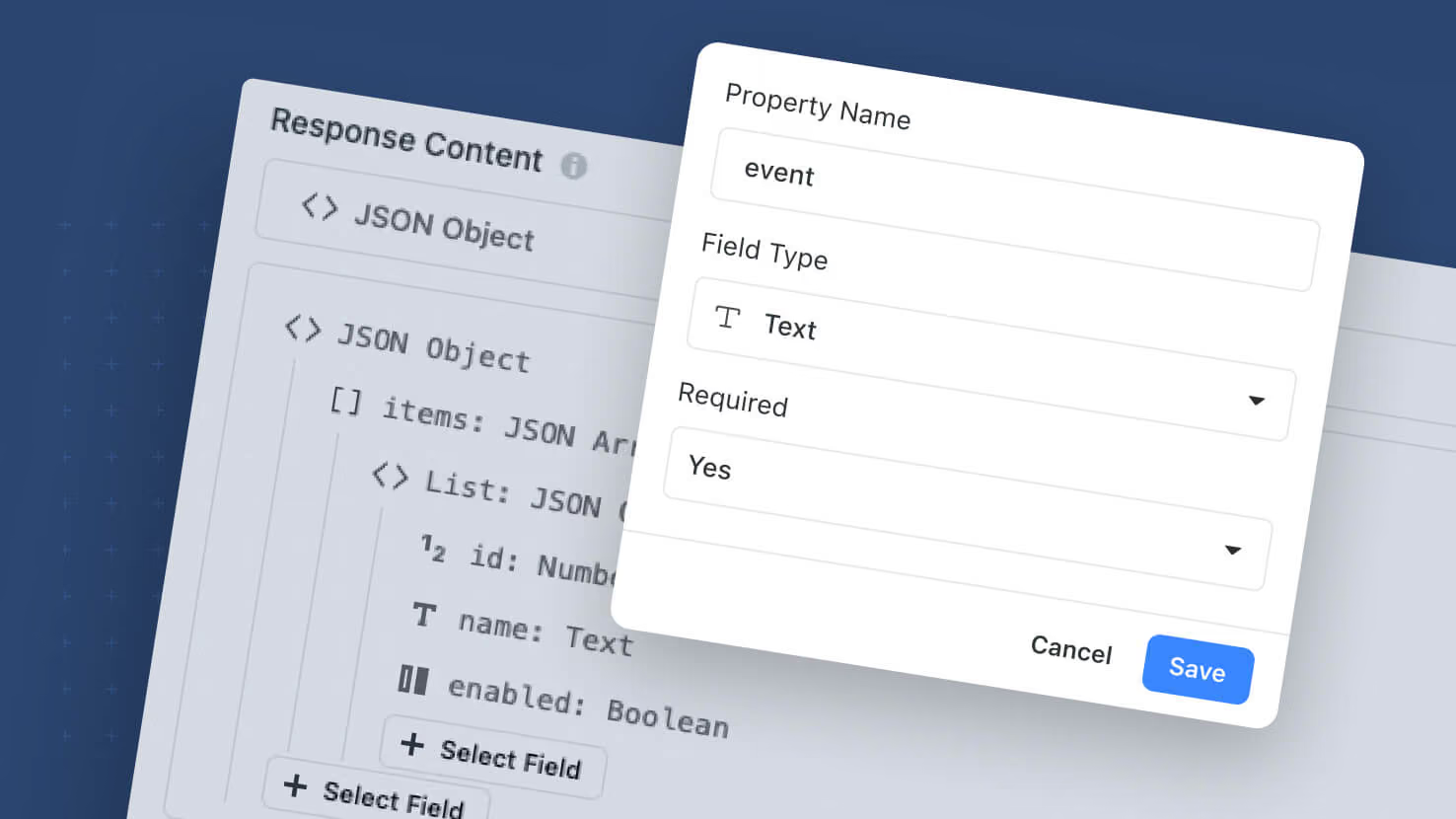
The Webhook Received automation trigger picks up per-field Required controls and a distinct Rejected run-history status. All fields in the webhook structure are non-required by default; toggle Required on the fields that truly matter, and requests that arrive without one of those fields return HTTP 400 to the caller (naming the offending field) plus a Rejected run in history — separate from Failed and Error. Non-required fields no longer break the whole run when missing. Incoming webhook payloads are now captured in Run History as an expandable tree (parsed and raw) for every run, including rejected ones.
Key highlights
- Fields Optional by Default: A missing non-required field no longer rejects the incoming request.
- Per-Field Required Toggle: Turn on Required on the fields that truly matter — those become the gateway.
- Rejected Run-History Status: Gateway violations land as Rejected, separate from Failed / Error. No action steps execute.
- HTTP 400 Response: Rejected requests return HTTP 400 with the offending field name(s) in the body.
- Payload Capture in Run History: Incoming payload rendered as an expandable key:value tree, with a View Raw toggle for the raw body.
- Deterministic Handling of Empty vs. Absent: Present-and-empty, null, and absent all write empty; present-with-value uses the value.
- Extra Fields Ignored: Payload fields not in the configured structure are accepted and skipped, no error.
- Migration: All existing webhook automations move to the new behavior automatically.
How it works
- Open a Webhook Received trigger. Toggle Required on the fields that truly matter.
- When a webhook arrives, the trigger checks Required fields first. A missing Required field returns HTTP 400 and records the run as Rejected — no action steps run.
- Non-required fields pass through. Downstream steps handle empty, null, and absent values deterministically.
- Open Run History to see the incoming payload on any run as an expandable tree, with View Raw for the raw body.
Available on all plans. All existing webhook automations migrate to the new behavior — no reconfiguration required.
More updates
The newest releases and improvements across the platform, each with its video and help article.
See all updates


Put these ideas to work
Start a free trial, or book a demo and see how it runs in SmartSuite.