



Feature Improvement
Workspace Administration Redesign
All plans
Summarize with
In this article
Published
November 27, 2025
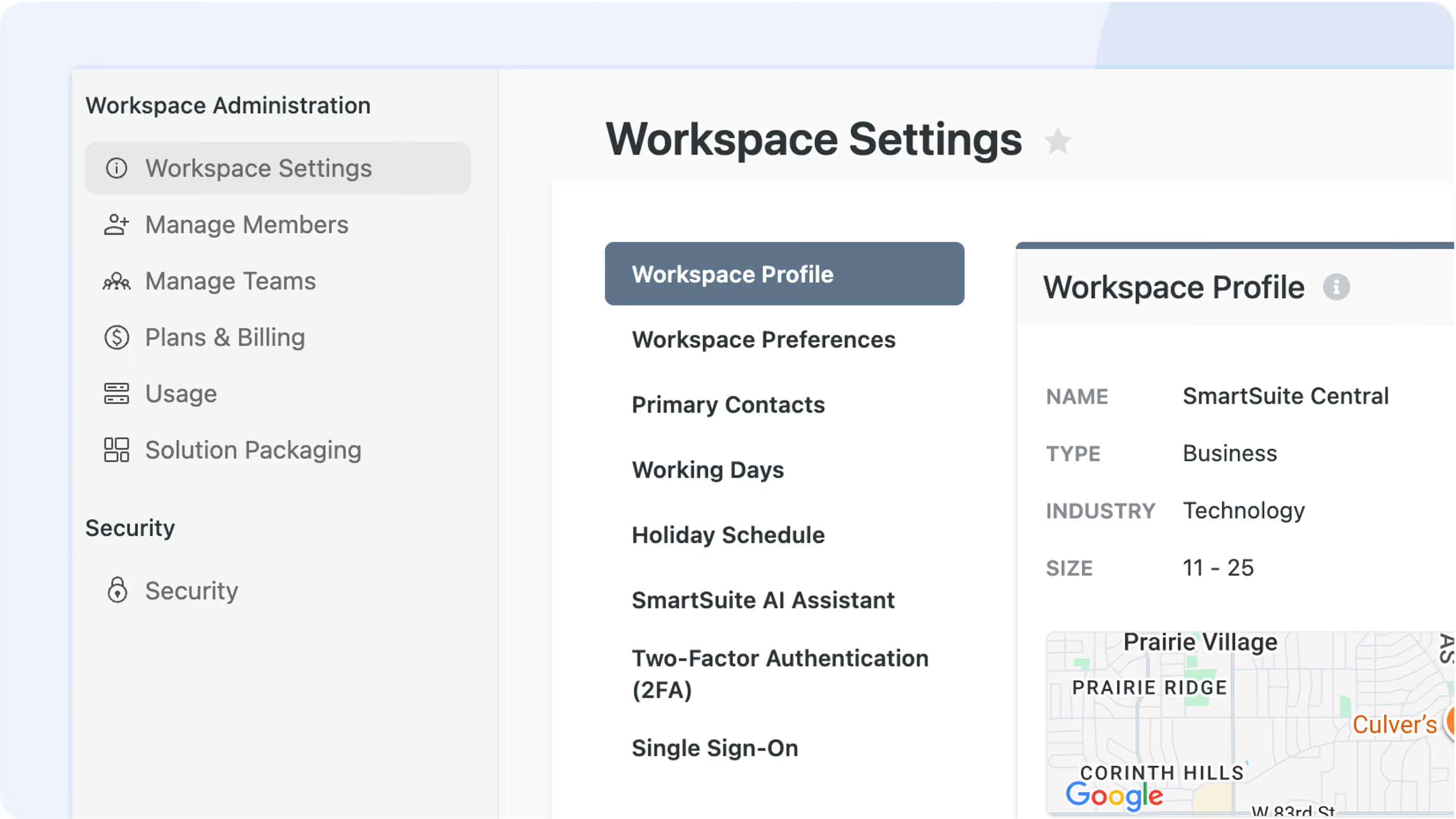
We've refreshed Workspace Administration to make finding settings simpler and more intuitive. The main menu has now shifted from a top row display to a left-side vertical panel that organizes your tools into a two-level hierarchy, allowing for easier navigation through your workspace settings.
Key Highlights
- Left-Side Navigation: The main menu has been relocated from its previous top row position to a vertical panel on the left, giving you a clearer view of your Workspace Administration items.
- Two-Level Structure: The menu now supports a hierarchical layout. Items are grouped into primary categories like Workspace Administration and Security / Access, with related sub-items nested underneath.
- Streamlined Settings: Several existing options under Workspace Administration / General have been repositioned. For instance, settings such as Workspace Profile, Workspace Settings, Logo, Primary Contacts, Working Days, and the SmartSuite AI Assistant are now condensed for easier access.
How It Works
- Administrators and users will now find key settings along a reorganized left sidebar. This change not only declutters the interface but also divides functionalities into clearly defined groups.
- The updated menu structure separates general workspace configuration from security settings such as IP Address Restrictions, SSO, 2FA, and more - ensuring that sensitive controls are easier to locate.
- SmartSuite continues to enhance its administrative interfaces, offering clearer structure, better organization, and more user-friendly controls across your workspace.
This update is part of our ongoing effort to refine workspace organization and navigation. Enjoy a cleaner, more intuitive interface that puts all your essential settings within reach.
Released
November 27, 2025
Feature Improvement
More updates
The newest releases and improvements across the platform, each with its video and help article.
See all updates


Put these ideas to work
Start a free trial, or book a demo and see how it runs in SmartSuite.