



Monday.com vs. Airtable vs. SmartSuite: Which Project Management Tool Wins? (2026)


SmartSuite provides work platform for standardizing workflows in the following areas:
-
Governance, Risk & Compliance
-
IT & Service Ops
-
Project / Portfolio Management
-
Business Operations

This comprehensive comparison breaks down the key features, pricing, and user feedback for each platform to help you make an informed decision.
- SmartSuite offers the best value with comprehensive features at lower price points, built-in team communication, and an intuitive interface. Best for teams wanting an all-in-one solution at an affordable price.
- Monday.com excels in integrations (200+) and automation capabilities but comes at a higher price point with group-based pricing. Ideal for teams heavily reliant on third-party tools.
- Airtable shines in database flexibility and customization but has a steeper learning curve. Best for teams needing highly customizable workflows and database management.
Choosing the right project management tool can make or break your team's productivity.
With Monday.com, Airtable, and SmartSuite leading the market, each offering unique features and capabilities, making the right choice is crucial.
Monday.com vs. Airtable vs. SmartSuite - Features
SmartSuite Features
SmartSuite is a comprehensive project management tool that lets you manage all your projects on a centralized platform with built-in automation and a communication center.

Comprehensive project management
SmartSuite’s project management feature helps you plan, track, and manage simple to complex projects.
To simplify the process, you get numerous built-in intuitive features to execute your tasks perfectly.
Here’s what we have in store for you.
- Smart task management: You can turn any item field into a task—a checklist item, comments, or sub-item. With this flexibility, you can easily build a solid task list and assign it to the right person with a due date and priority status.

- Project phases and milestones: Having milestones ensures your project stays on track and moves toward the objective. With SmartSuite, you can set them, monitor through your reporting dashboard, and flag issues.

- Files and project deliverables: With SmartSuite, you can manage and organize all your documents. You can also attach project-related files, share feedback with your team, and manage version history, all within your work context.
SmartSuite supports formats like PDF, GIF, CSV, PNG, and MP4. The tool also integrates with Dropbox, Google Drive, Box, and Microsoft OneDrive, making adding files to your workflows easy.
Also, you can add images directly in SmartSuite by connecting your social media and Unsplash accounts.

- Native time tracking: Monitor and evaluate task and project completion times. Built-in tracking helps group time entries see estimates and segment billable and non-billable entries.

Team collaboration
The platform outperforms Monday.com with its built-in communication and collaboration features. You can comment on any record, @mention peers and keep email threads in context for quick feedback and to keep stakeholders updated.

The platform’s members’ directory provides a holistic view of the project team by examining each teammate’s details, such as availability status, job profile, and other relevant information.
Like the other two tools, you can use comments and @mentions to share updates, nudge teammates, or add new people to the conversation.

Comprehensive project reporting
The platform offers a dynamic project analytics tool with configurable charts and graphs.
The reporting dashboard helps you track project performance, understand resource allocation, and identify slow-moving projects. Based on these insights, you can quickly develop plans to overcome roadblocks and get the project back on track.

You can visualize reporting in Grid, Card, Kanban, Timeline, Map, Calendar, or Dashboard views. Add as many as needed to build a visual storyboard for your project’s progress.
To share reports with stakeholders or clients, you can make the report public and share the necessary access. The platform also supports printing or exporting PDF, Excel, Google Sheets, or CSV format.

Advanced workflow automation

The platform's no-code automation builder is one of the most intuitive, giving a neck-to-neck competition in automation.
You can assemble automation at the task and project and automate repetitive tasks based on triggers like changing dates, sending notification emails, or updating statuses. Triggers include record changes, form submissions, button clicks, schedules and inbound email, and each automation can chain up to 10 actions.
SmartSuite is the right choice if you:
✅ Need a user-friendly interface with drag-and-drop customization.
✅ Need a platform that can adapt to various business processes.
✅ Want to centralize team communication and collaboration.
✅ Want affordable and feature-packed software.
SmartSuite isn’t the best option if you:
❌ Need extensive third-party integrations, as SmartSuite is still building and offers fewer options than Airtable and Monday.com.
Monday.com Features
Monday.com is a flexible project management software that helps you track, manage, plan, and organize multiple projects.
Dashboards with custom widgets
With Monday.com, you can build custom dashboards by fetching data from all your projects for a holistic view of progress. It offers 80+ widgets through integrations with apps like videos, calendars, clocks, and images, allowing flexibility in building project dashboards.

27+ task views
Monday.com offers over 27 task views to visualize task progress throughout the project lifecycle, including charts, Gantt charts, Calendars, Workloads, Timelines, Kanban boards, Tables, Forms, Cards, Files, and Blank views.
Such a wide range of task views offers flexibility and control over the project dashboard and caters to the team's different working styles.

Workflow automation
Monday.com offers triggers, conditions, and actions to build linear to multi-step sequences. With these automated workflows, you can eliminate repetitive tasks like status updates, delete processes, or schedule calls.

Monday is the right choice if you:
✅ Need advanced automation features.
✅ Need real-time data visualization and reporting.
✅ Want a tool with solid integrations.
✅ Use Monday.com’s CRM or dev tools.
Monday isn’t the best option if you:
❌ Are a small team with a limited budget, as pricing scales up quickly due to the group-based structure.
❌ Need advanced time-tracking features, which are only available on higher-tier plans.
❌ Need full native team communication features.
Airtable Features
Task properties with side comment view
Add subtasks, attach files, and function fields to automate input in various fields. Each task opens up in a two-column window, letting you see comments from co-workers.

Automated workflows
Create triggers on every field level, such as sending emails when a status changes. You can integrate it with Microsoft 365, Google Workspace, Jira, Salesforce, and Twilio. Along with no-code workflows, Airtable supports JavaScript to extend the logic capabilities.

Interface designer
Airtable lets you build a custom interface without code. From designing the layout to deciding the key elements, you get full control over how the interface looks and feels. You can also adjust the permission access (editor, commenter, or read-only) depending on the guests’ involvement in the project.

Airtable is the ideal choice if you:
✅ Need a highly flexible and customizable platform for diverse project management needs.
✅ Require real-time collaboration features for teamwork.
✅ Value centralized data management to keep all project information in one place.
Airtable isn't the best option if you:
❌ Need advanced project management features like budgeting and critical path analysis.
❌ Are working with a tight budget and can't afford premium features.
❌ Rely heavily on mobile functionality for project management on the go.
Integrations: Monday vs. Airtable vs. SmartSuite
SmartSuite Integrations
It integrates with major platforms, from communication to social media. It offers five connectors, including Zapier, Ply, Integrately, Relay, and Make, to connect with 1000s of apps to transfer data.
Some of the notable integrations are:
- Salesforce.
- Slack.
- Twilio
- Jira Cloud.
- HubSpot.
- Intercom.

Monday.com Integrations
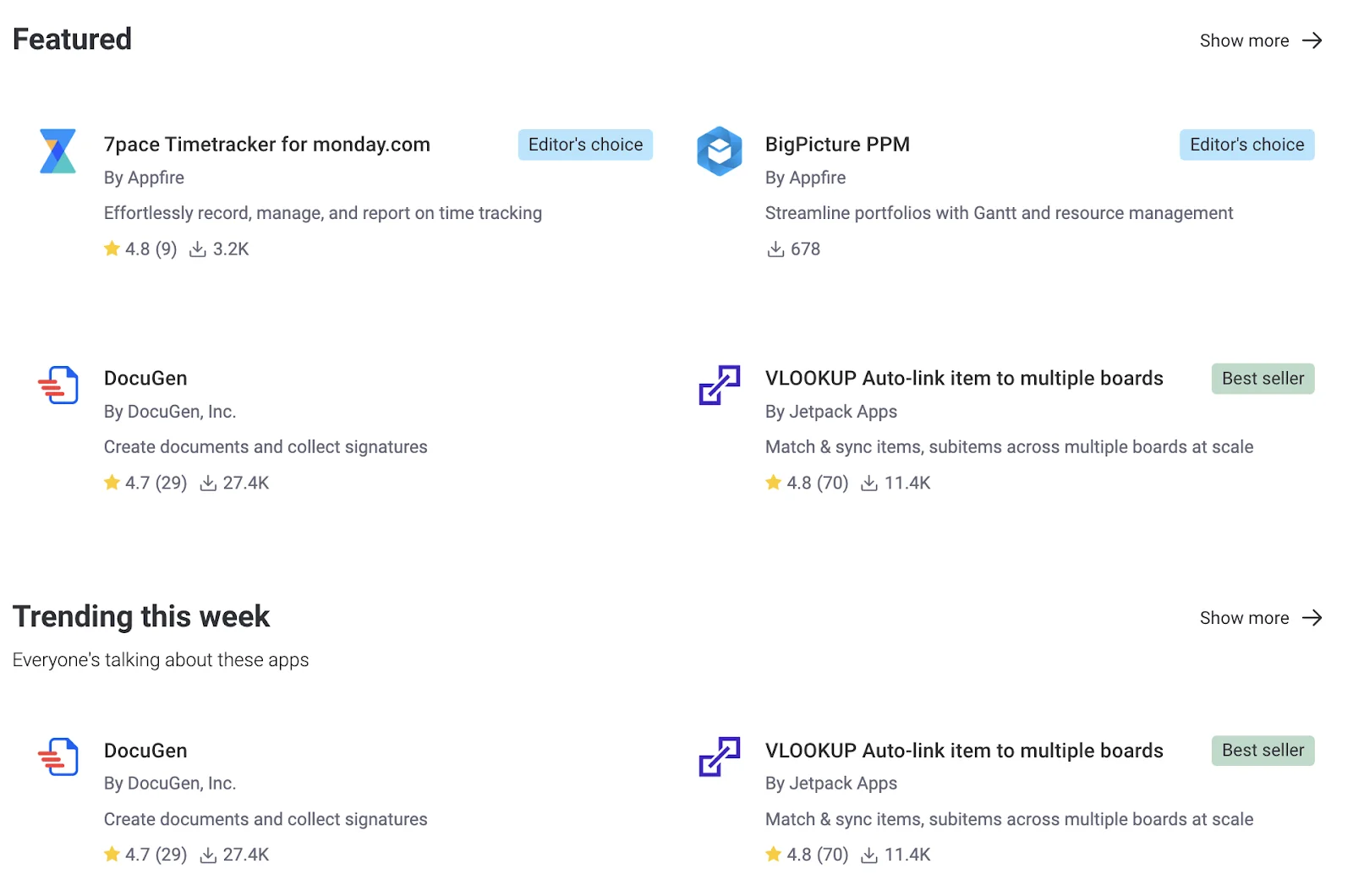
Monday.com offers 200+ integrations and apps across various categories. It provides native integrations with popular tools like Slack, Gmail, Microsoft Teams, and GitLab.
It excels in two-way synchronization with some integrations, enhancing data flow across apps, and has an open API for custom integrations.
Some standout Monday.com integrations are:
- QuickBooks.
- Google Workspace.
- Zendesk.
- PandaDoc.
- Jira.
- Freshdesk.
Airtable Integrations
Airtable offers numerous native and third-party integrations to expand its functionalities. Some of its major native integrations are Jira, Google Workspace, Salesforce, Zendesk, and Box. It also supports third-party platforms like Notion, Slack, Shopify, and Hubspot. Like the other two tools, it also offers connectors such as Zapier.
Some other popular integrations are:
- Gmail.
- Typeform.
- ChatGPT.
- Stripe.
- Mailchimp.

⭐️ Winner: Monday.com
Monday.com offers 200+ native integrations across various platforms, making it more versatile project management software than the rest.
Pricing: Monday vs. Airtable vs. SmartSuite
SmartSuite Pricing
SmartSuite offers a 14-day free trial of its Professional plan, with no credit card required. The trial gives you the Professional plan’s team collaboration tools, 7+ task views (Dashboard, table, boards, cards, list, calendar, and grid), automations, time tracking, and more.
We offer three per-seat plans plus a per-solution Signature plan, each available through the 14-day free trial.
- Team: $15/user/month billed annually ($20 billed monthly, minimum 3 users), including 5,000 records per solution, 50GB of file storage, and 25,000 automation runs and API calls per month.
- Professional: $32/user/month billed annually ($36 billed monthly, minimum 5 users), adding 100,000 records per solution, 100GB of file storage, two-factor authentication, and Gmail & Outlook integrations.
- Enterprise: Custom pricing with no seat minimum, adding 400,000 records per solution, 500GB of file storage, audit logs, data loss prevention, SSO, and SCIM provisioning.
- Signature: Customized plan tailored to your organization’s needs and team size.

Monday Pricing
Monday.com offers a free plan for up to 2 users, including shareable forms, 500MB storage, a 1-week activity history, and one board per dashboard.
Monday.com pricing plans have four tiers and require a minimum of 3 user seats:
- Basic: Starts at $9/user/month (billed annually), including Kanban view, unlimited free viewers, and unlimited boards.
- Standard: Starts at $12/user/month, including 250 automated actions/month, 3+ dashboard views, and Zoom integration.
- Pro: Starts at $19/user/month, including all five dashboard views, time tracking, and 2-factor authentication.
- Enterprise: Includes dedicated customer success manager, cross-project analytics, and resource allocation insights. Contact sales for a quote.

Airtable Pricing
You can start using Airtable with its free plan that comes with a single workspace with all basic dashboard views and 100 automation runs/month.
Airtable offers three pricing plans:
- Team: Starts at $20 per user/month with a 14-day free trial with access to 25,000 automation/month, custom branded forms, and Gantt charts.
- Business: Starts at $45 per user/month, including multi-source syncing and dynamic filtering.
- Enterprise scale: Includes admin reports, enterprise-level integrations, and premium support. Contact sales for a quote.

⭐️ Winner: SmartSuite
The platform is the best contender due to its generous free plan and lower entry point for paid plans. Additionally, the price-to-feature ratio is well distributed across tiers compared to the other two tools.
Lastly, it offers flexible per-user pricing, not locking you in unused seats, unlike Monday.com and Airtable. But Airtable and Monday.com’s group-based pricing might reduce the average cost for many users.
What are Customers Saying about Monday.com, Airtable, and SmartSuite?
SmartSuite Reviews
G2 rating: 4.8/5
What users love:
- Intuitive interface and quick setup.
- Built-in communication features.
- Flexible customization options.
- Value for money compared to competitors.


Common complaints:
- Limited integration options compared to established competitors.
- Some advanced features are still in development.
- Newer platform with a smaller user community.
- Occasional performance issues with larger datasets.

Monday.com Reviews
G2 rating: 4.7/5
What users love:
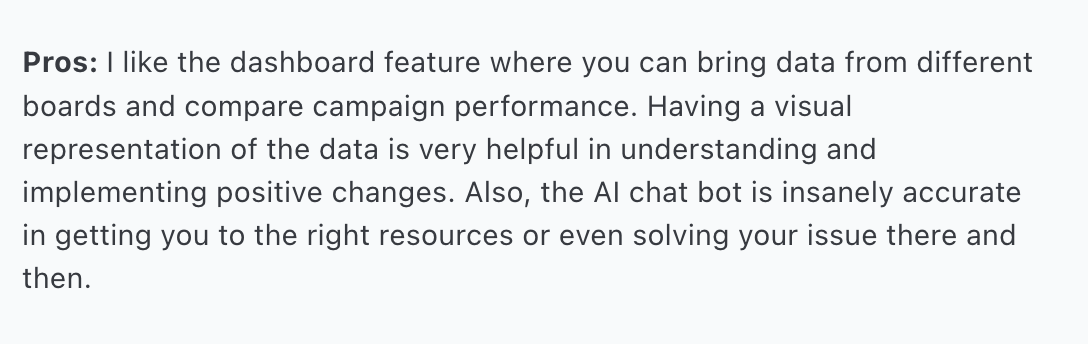
- A highly visual interface with multiple view options.
- Extensive customization capabilities.
- Strong automation features.
- Large template library.

Common complaints:
- Steep learning curve for new users
- Group-based pricing can be expensive for small teams.
- Interfaces sometimes feel cluttered and overwhelming due to loads of features
- Mobile app performance issues reported

Airtable Reviews
G2 rating: 4.6/5
What users love:
- Flexibility tool to build and manage databases
- Advanced automated workflows
- Low-cost project management tools with essential features


Common complaints:
- Steep learning curve.
- Flexibility can increase adoption time.
- Limited customization for interface designer feature.


Each platform has great pros and cons. The best choice depends on your needs and budget:
- SmartSuite users value its all-in-one approach and pricing.
- Airtable users recommend it for customizability and adaptability.
- Monday.com users appreciate its integrations and automation capabilities.
Final Verdict: Monday.com, Airtable, or SmartSuite?
Each platform shines in different scenarios, making your choice dependent on your specific needs:
Choose SmartSuite if you:
- Need a comprehensive, all-in-one solution at a competitive price point.
- Value built-in communication features and intuitive collaboration tools.
- Want a balance of advanced features and user-friendly interface.
- Are looking for the best value for money.
Choose Monday.com if you:
- Need extensive integration capabilities.
- Want a highly visual project management experience.
- Have complex automation requirements.
- Are willing to invest in a more expensive but feature-rich solution.
Choose Airtable if you:
- Need highly customizable database functionality.
- Want flexibility in building custom workflows.
- Prefer a spreadsheet-like interface with advanced features.
- Have technical users who can maximize its capabilities.
Ready to get started?
SmartSuite offers the best balance of features, usability, and value, making it an excellent choice for teams of all sizes.
You can begin exploring the platform today with their generous free plan, schedule a personalized demo, or jump right in with a free trial to explore its features.






Put these ideas to work
Start a free trial, or book a demo and see how it runs in SmartSuite.

