


Modernizing Cyber & IT Risk Management
Protect your organization with a connected cybersecurity platform that unifies asset protection, threat detection, incident response, and compliance. SmartSuite empowers security teams to manage risks, streamline workflows, and maintain resilience against evolving threats.
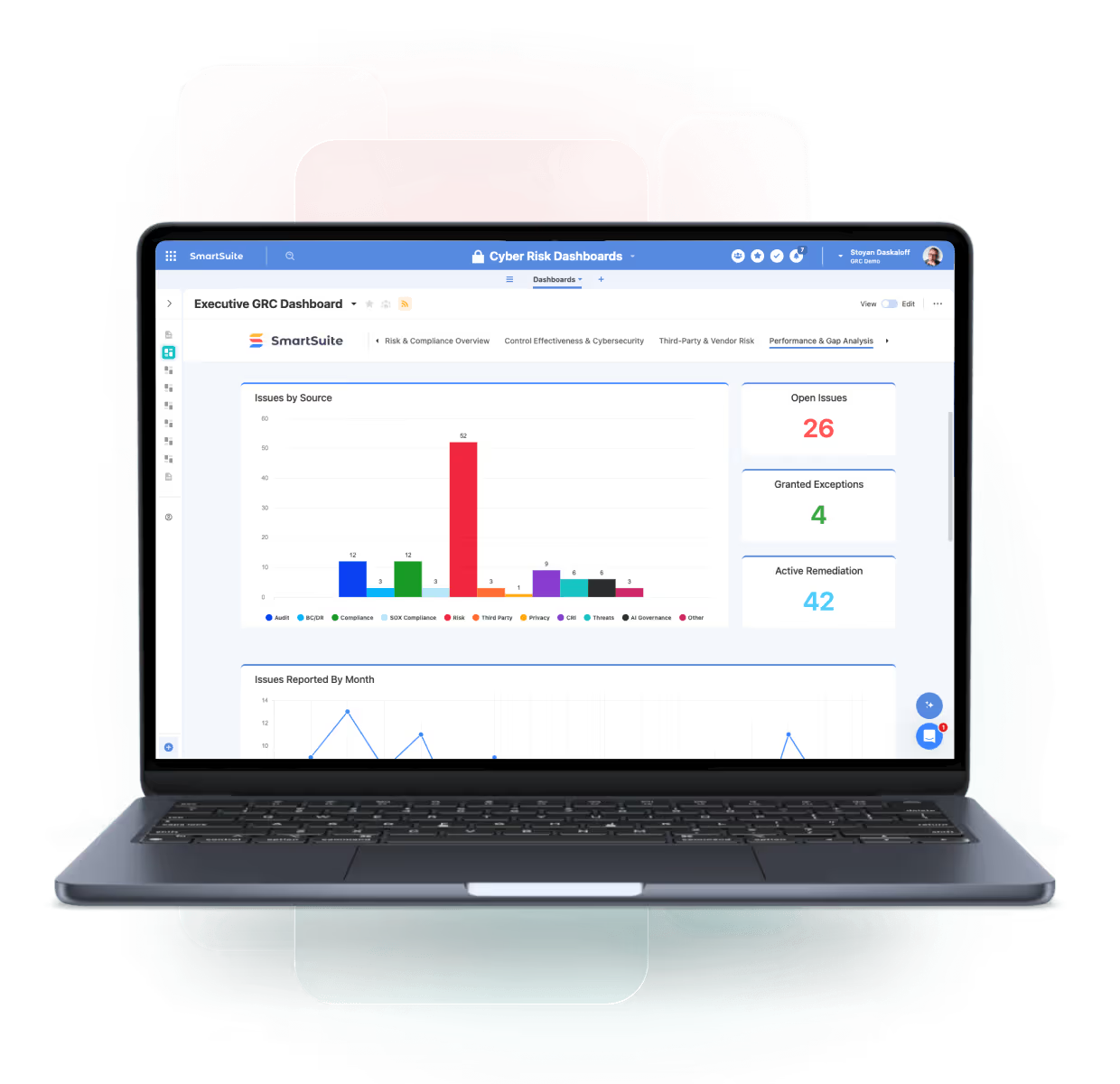
One Platform for Connected Cybersecurity Management
SmartSuite connects cybersecurity programs across risk management, incident response, and compliance disciplines — providing unified visibility, automation, and accountability. Built for collaboration across IT, Security, and Compliance teams, SmartSuite simplifies cyber governance while improving threat readiness and response.
Cyber Risk Management
Identify, assess, and mitigate cybersecurity risks across your organization.
Threat & Incident Response
Track, respond, and resolve security incidents with speed and precision.
Policy & Control Management:
Map cybersecurity policies to standards and frameworks like NIST and ISO 27001.
Security Operations Dashboards
Visualize threat posture, control coverage, and incident trends in real time.
Cyber & IT Risk Management Products
Identify and respond to cyber threats with real-time visibility, structured workflows, and integrated risk and incident management.
Core Capabilities of the Cybersecurity Suite
SmartSuite’s Cybersecurity Suite brings together all aspects of security management — helping organizations protect assets, ensure compliance, and respond rapidly to threats in one unified system.
Strengthen your security posture with connected visibility and response.
Unify cyber risks, vulnerabilities, incidents, and remediation activities in one connected workspace. SmartSuite links security events to assets, controls, and corrective actions—giving security teams real-time insight, faster response, and clear accountability across the organization.
Identify cyber risks, score likelihood/impact, map controls, track mitigation plans, and report residual risk over time.
Run end-to-end incident response: intake, severity, containment, notifications, tasks, evidence, and after-action reviews.
Track vulnerabilities from discovery to remediation—prioritize by risk, assign owners, verify fixes, and report trends.
Log security events, investigations, and response actions with workflows that connect detections to remediation and reporting.
Create, approve, and maintain policies and controls with ownership, testing, exceptions, and evidence in one system.
Track assets, owners, lifecycles, and configurations—plus relationships to services, vendors, and risks.
Map requirements across standards and regulations, link controls and evidence, and monitor coverage and gaps.
Provide real-time visibility into cyber risk exposure, incident trends, vulnerability posture, and control effectiveness for security leaders and executives.
Proactively Manage Cyber Risks
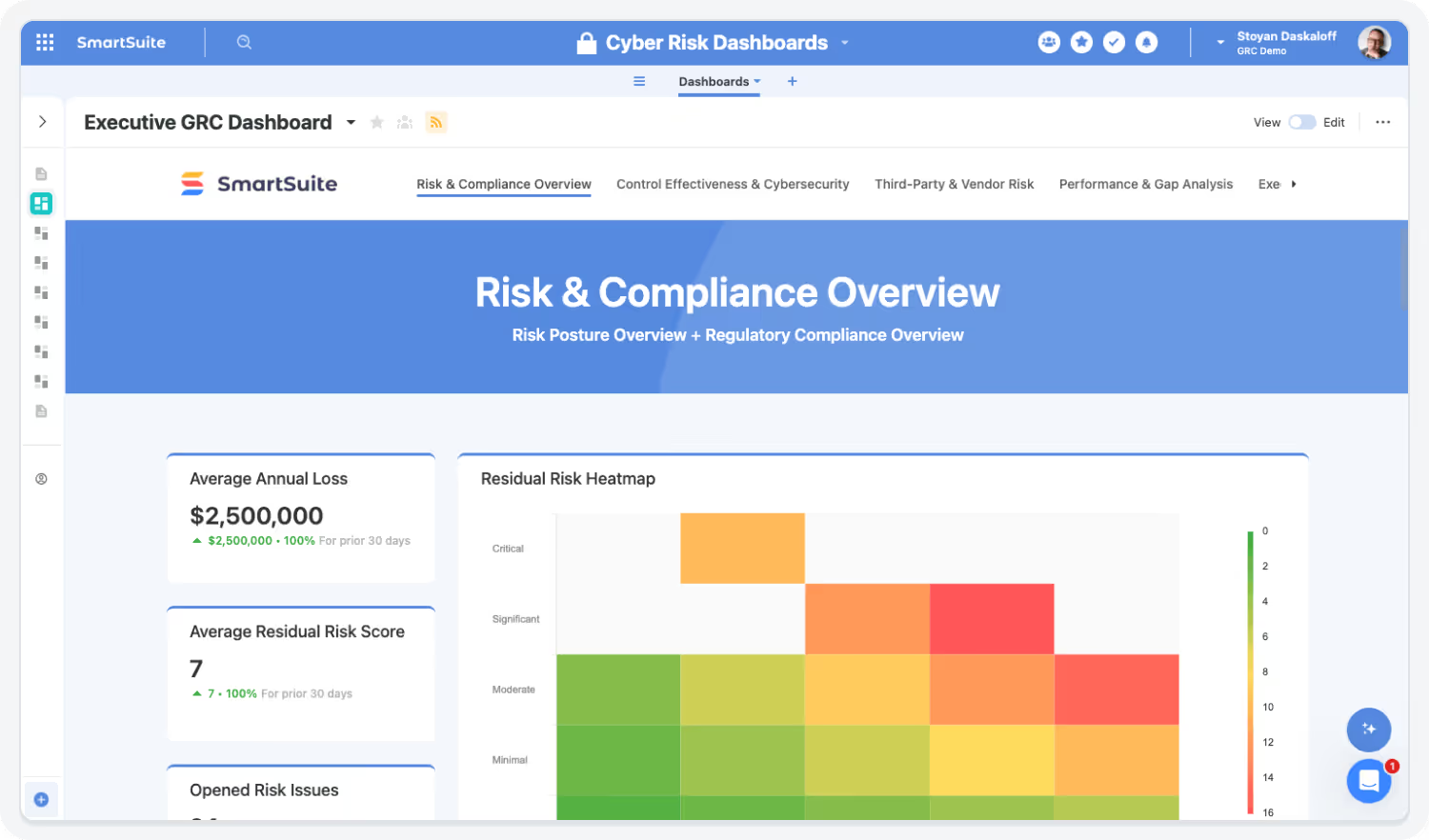
Identify, assess, and prioritize cyber risks based on impact and likelihood. Link risk records directly to assets, controls, and incidents for full traceability.
Highlights:
- Centralized cyber risk register
- Linked threats, controls, and mitigation actions
- Configurable risk scoring and dashboards

Strengthen Incident Response
Respond faster to threats with automated triage and coordinated workflows. SmartSuite ensures incidents are tracked, escalated, and resolved efficiently.
Highlights:
- Playbook-driven response workflows
- Real-time incident tracking and alerts
- Integrated communication and post-incident reviews
Monitor and Manage Vulnerabilities
Centralize vulnerability data from scanners and tools. Track remediation actions and monitor closure status.
Highlights:
- Integration with leading vulnerability scanners
- Auto-generated remediation tasks and owners
- Trend reporting for recurring vulnerabilities

See Cybersecurity in Action
Watch how SmartSuite helps organizations protect assets, manage risks, and respond to threats in one connected cybersecurity platform.

Automate Compliance and Framework Alignment
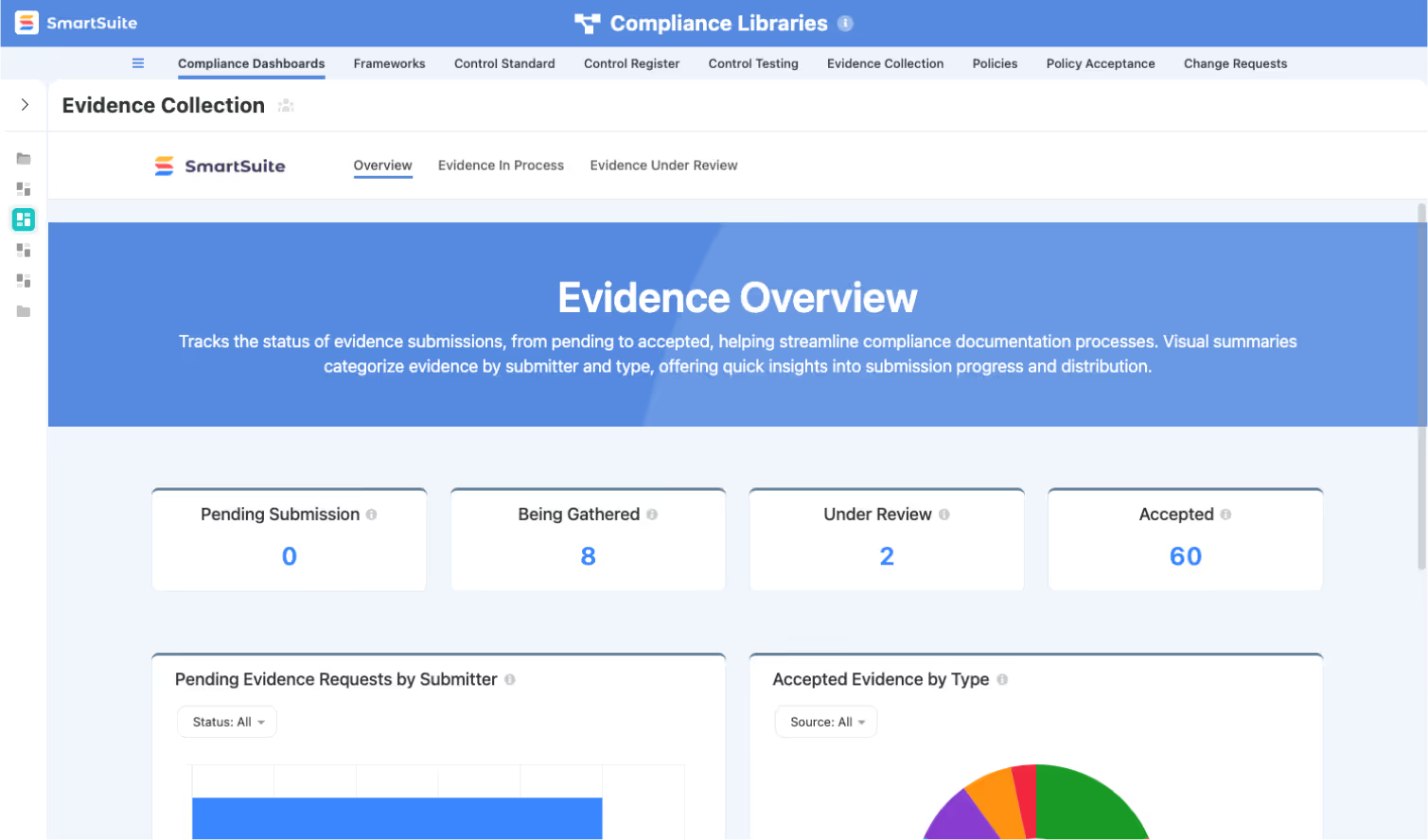
Simplify cybersecurity governance by linking controls and evidence to regulatory and framework requirements.
Highlights:
- Pre-mapped NIST, ISO 27001, and SOC 2 frameworks
- Automated control testing requests and reminders
- Audit-ready evidence repository


Gain Real-Time Visibility into Cyber Posture
Consolidate insights from across your security ecosystem. Dashboards surface key metrics to guide decision-making and demonstrate program effectiveness.
Highlights:
- Threat and vulnerability dashboards
- KPI tracking for incident response and remediation
- C-level reporting for board and regulatory use
Built For Modern Cyber & IT Risk Teams
SmartSuite brings enterprise-grade cyber and IT risk management with consumer-grade usability. Choose the rollout path that fits your program today—and expand as threats, assets, and regulatory expectations evolve.
Adopt a Single Capability
Begin with a Cyber Risk Register, Vulnerability Tracking, or Security Incident Management—prove value fast and expand from there.
Roll Out a Full Category
Enable Cyber & IT Risk Management end-to-end—linking assets, risks, controls, incidents, and remediation workflows with consistent scoring and reporting.
Deploy the Entire Cyber & IT Risk Suite
Standardize cyber risk oversight with shared controls, centralized evidence, and real-time dashboards—delivering continuous visibility across the enterprise.
Explore Further
Explore cybersecurity best practices and see how SmartSuite connects security operations, governance, and compliance in one modern platform.
Frequently Asked Questions
Answers to the most common questions.
SmartSuite provides a centralized platform for managing security operations, risk, compliance, and incident response.
You can connect vulnerabilities, assets, controls, and incidents in one workspace — giving CISOs and security teams complete visibility into their cyber risk posture and response workflows.
Yes. SmartSuite enables direct mapping of your controls and assessments to standards such as NIST CSF, ISO 27001, CIS, and SOC 2.
Dashboards and reports track control performance, framework alignment, and audit readiness — ensuring continuous compliance across your organization.
SmartSuite’s Automation Engine accelerates response workflows by routing incidents, assigning tasks, and triggering notifications based on severity or source.
All activities are logged automatically, ensuring full visibility into response actions, timelines, and accountability for every event.
SmartSuite connects seamlessly with systems like ServiceNow, Jira, Splunk, Microsoft Sentinel, Palo Alto Networks, and Slack.
These integrations help unify incident data and automate ticket creation, reporting, and remediation activities across your security ecosystem.
Yes. SmartSuite operates on a SOC 2 Type II certified infrastructure and uses encryption at rest and in transit, role-based access, and field-level permissions to protect sensitive information.
Every change is captured through immutable audit logs, and optional SSO, 2FA, and IP restrictions further enhance security and compliance.
See How SmartSuite Connects Security, Risk, and Compliance
Experience how SmartSuite unifies cyber risk management, incident response, and control testing in one connected platform.Gain real-time visibility into threats, automate workflows, and strengthen collaboration across your security ecosystem.
The Connected Value of SmartSuite Cyber & IT Risk Management
Quantifiable improvements achieved when organizations centralize threat tracking, vulnerabilities, incidents, response workflows, and security governance in SmartSuite.
Source: Forrester TEI Study on GRC Automation, 2023 — organizations achieved 25–35% faster cross-department processes when data was centralized.
Faster Incident Response & Containment Times
Centralized workflows, automated alerts, and real-time collaboration reduce response delays across Security, IT, and Compliance teams.
Source: MetricStream Benchmark Report, 2024 — multi-framework control reuse reduced manual workload by 20–30%.
Reduction in Manual Security Coordination Effort
Automated escalations, task routing, evidence tracking, and approval workflows eliminate repetitive handoffs.
Source: Deloitte Internal Audit Trends, 2023 — automation tools decreased audit prep hours by 25–35%.
Improved Visibility Into Threats, Vulnerabilities & Mitigation Progress
Unified dashboards give clear insight into risk exposure, remediation timelines, and cross-team dependencies.
Source: Forrester Workflow Efficiency Study, 2023 — integrated analytics tools reduced reporting effort by 25–30%
Higher Compliance With Security Frameworks (NIST, ISO, CIS, SOC 2)
Framework mapping, testing workflows, and audit-ready documentation increase alignment with internal and regulatory expectations.
Key Benefits of the Cybersecurity Solution Suite
Cybersecurity requires unified visibility, consistent incident handling, integrated risk workflows, and strong governance.
SmartSuite connects security operations, compliance, vendors, IT teams, and leadership — giving organizations a more coordinated and confident defense posture.
Threat Visibility, Risk Insight & Security Understanding
Centralize vulnerabilities, incidents, risks, controls, tools, tasks, and documentation in one connected platform.
Monitor open incidents, remediation progress, threat trends, vulnerability ratings, and control health instantly.
Give Security, IT, Compliance, Risk, Engineering, and Executive teams unified visibility into threats and remediation efforts.
Connect vulnerabilities and threats directly to affected systems, services, devices, and applications.
Identify recurring issues, high-risk assets, and threat themes using linked data and historical trends.
Link security controls to risks, findings, audit tests, and frameworks for complete governance clarity.
Incident Response, Automation & Operational Efficiency
Trigger alerts, assignments, and escalation sequences instantly based on severity, category, or impacted assets.
Manage detection, triage, investigation, containment, and closure through consistent, structured workflows.
Automatically assign remediation tasks, route findings, and notify owners based on exploitability or criticality.
Capture logs, files, communications, and investigation artifacts within each incident record.
Use in-record conversations, mentions, and emails to coordinate response without switching tools.
Leverage AI Assist to summarize incidents, generate post-incident reports, or analyze vulnerability data.
Governance, Compliance, Defense Strength & Organizational Confidence
Use audit trails, version history, standardized tests, and documented processes to enforce strong governance.
Support NIST CSF, ISO 27001, CIS Controls, SOC 2, HIPAA, and internal policies with structured mapping and workflows.
Track every update, decision, test result, approval, and remediation action with full transparency.
Focus efforts on high-impact threats based on inherent risk, exploitability, and business dependencies.
Protect sensitive system and incident data with SSO, 2FA, encrypted storage, IP restrictions, and granular permissions.
Support small security teams or global SecOps organizations with workflows that scale across environments.
Strengthen Cyber Resilience with Connected Intelligence
SmartSuite helps teams detect, respond, and remediate faster by connecting people, processes, and data.Break down silos between IT, security, and compliance while improving visibility, accountability, and control.
How the SmartSuite Platform Powers Cybersecurity Management
SmartSuite gives security leaders a unified command center to manage risks, incidents, and compliance frameworks. With no-code flexibility, automation, and real-time analytics, it strengthens security posture while reducing operational complexity.
Build cybersecurity workflows tailored to your environment — from incident intake to control validation.
Automate alert triage, response coordination, and incident escalations.
Summarize incidents, draft response reports, and identify recurring vulnerabilities faster.
Connect assets, vulnerabilities, incidents, and controls for full visibility into dependencies and risks.
Visualize your threat landscape, control effectiveness, and incident trends.
Protect sensitive security data with granular access management, encryption, and audit trails.
Connect Risk, Incident, and Control Data Across the Organization
SmartSuite’s connected data model links risks, assets, vulnerabilities, and controls, providing complete traceability. Security teams can instantly see which systems are impacted by an incident, which controls mitigate those risks, and whether remediation efforts are on track.

Automate Incident Response and Reporting
When incidents occur, SmartSuite automates notifications, task assignments, and response documentation. Every action is tracked for post-incident review and audit readiness. Security leaders gain confidence knowing every response step is captured and verifiable.

Gain Real-Time Cyber Risk Visibility
SmartSuite’s dashboards surface actionable insights into risks, vulnerabilities, and control health. Security teams can filter by system, region, or severity to prioritize mitigation efforts and demonstrate compliance to regulators and executives.

AI Assist and Framework Mapping Simplify Compliance
SmartSuite’s AI Assist accelerates control documentation and risk summaries, while framework mapping aligns your program with NIST, ISO 27001, and SOC 2 standards. Combined with automated evidence tracking, it ensures compliance and audit readiness.

The SmartSuite Platform:
Powered by Eight Interconnected Frameworks
The SmartSuite Platform consists of eight interconnected frameworks that provide a foundation for designing, automating, analyzing, and governing connected workflows.
Build structured, relational data models using tables, fields, and records that ensure consistency and scalability across workflows.
Design and tailor workflows visually with structured data models, clear progression, and intuitive interfaces for every step.
Streamline work with triggers, conditions, and multi-step actions that eliminate manual effort and orchestrate end-to-end processes.
Embed intelligence into workflows with AI that analyzes data, supports decisions, and automates complex steps securely.
Platform
Enable contextual collaboration with comments, file sharing, notifications, and external access—all governed by SmartSuite permissions.
Visualize and analyze data using dashboards, charts, and real-time reports that update instantly across your workspace.
Connect SmartSuite to your ecosystem using native integrations, iPaaS connectors, APIs, and webhooks for seamless data flow.
Protect data with role-based access, authentication controls, audit history, and enterprise-grade governance that scales organization-wide.
Security and Governance, Built for Enterprise Scale
SmartSuite provides fine-grained, role-based permissions that protect data without slowing innovation. Define access down to the record, field, or workflow level, enforce compliance with SSO, 2FA, and IP restrictions, and maintain a complete audit trail of every action. With SmartSuite, governance and agility work together — innovation moves fast, and your security moves with it.
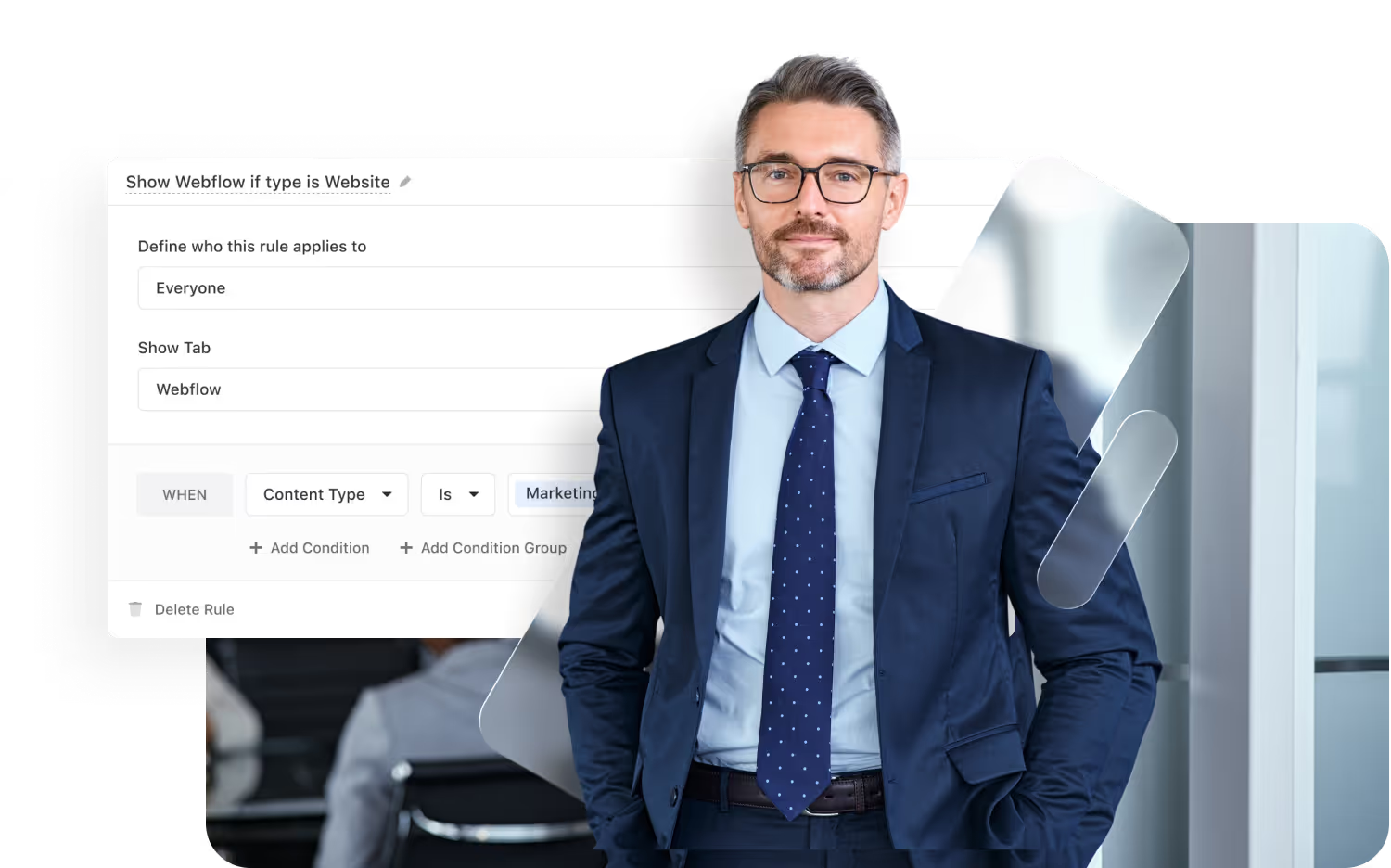
Control visibility by user, role, or team.
SSO, 2FA, and IP restrictions built-in.
Track every change for 3+ years.
SOC 2, GDPR, and enterprise governance ready.
Work Seamlessly — Anytime, Anywhere, on Any Device
Stay connected and productive wherever you are. SmartSuite works flawlessly across web, tablet, and mobile, so your team can manage projects, collaborate, and automate workflows in real time — whether in the office, remote, or on the go.


The Platform That Unites Cybersecurity Operations
SmartSuite integrates risk management, incident response, and vulnerability tracking into one secure system. Automate workflows, connect with tools like Splunk and Microsoft Sentinel, and keep your security data synchronized and actionable.
Role-Based Capabilities for Governance, Risk, and Compliance
SmartSuite empowers every role in the GRC ecosystem — from executives to analysts — to work smarter, stay compliant, and make better decisions with connected data, automation, and real-time visibility.
Executive Leadership

Chief Information Security Officer (CISO)
Aligns cybersecurity risk management with enterprise governance and compliance goals.
- Cuts audit and security evidence preparation time by 40% through automated framework mapping (NIST, SOC 2, ISO 27001) and centralized control documentation that eliminates manual collection and versioning.
Validated by Gartner Cyber GRC Market Guide, 2024 — automated evidence management reduced manual collection time by 35–45%.
Cyber Risk Oversight
Tracks IT and cyber risks with visual dashboards linked to remediation activities.
Control Governance
Maps security controls to frameworks like NIST or SOC 2 for streamlined evidence tracking.
Executive Reporting
Provides real-time updates to leadership on security posture and control effectiveness.
Executive Leadership

Chief Risk Officer (CRO)
Oversees enterprise-wide risk management, ensuring risks are identified, assessed, and managed in alignment with strategic goals.
- Benefit Statement:
SmartSuite gives CROs unified visibility into risks, KRIs, trends, and mitigation progress.
- Benefit Source:
Heat maps, dashboards, linked records, automated scoring, and risk rollups.
Enterprise Risk Oversight
Reviews enterprise-wide risk exposure, top risks, and mitigation status in real time.
Strategic Exposure Reports
Delivers executive and board reporting on risk posture and trends.
Mitigation Governance
Ensures mitigation plans are owned, tracked, and executed on schedule.
Security Leadership

IT Security Director / Head of Security Operations
Oversees daily security operations, threat management, and incident response programs.
- Benefit Statement:
SmartSuite centralizes security operations workflows, enabling leaders to coordinate teams, monitor performance, and ensure rapid response to threats.
- Benefit Source:
Incident tracking, SOC metrics dashboards, escalation workflows, and automated task coordination.
Incident Oversight
Tracks security incidents, escalations, investigations, and closure timelines.
Team Coordination
Manages assignments and automated tasks for analysts and responders.
Performance Tracking
Monitors SOC metrics such as MTTR, MTTC, and SLA adherence.
Operational Security & Engineering Roles

Security Engineer / Analyst
Executes technical security tasks including vulnerability management, incident analysis, and control testing.
- Benefit Statement:
SmartSuite streamlines vulnerability tracking, incident documentation, and daily security operations — improving speed and accuracy.
- Benefit Source:
Vulnerability workflows, incident evidence logs, automated task routing, and integrated remediation tracking.
Vulnerability Tracking
Logs vulnerabilities, assigns remediation tasks, and verifies closure.
Incident Documentation
Records event details, root causes, and corrective actions.
Automation Efficiency
Reduces manual work through pre-configured investigation workflows.
Operational Security & Engineering Roles

Governance, Risk, and Compliance (GRC) Manager
Ensures cybersecurity governance, controls, and regulatory requirements remain aligned and audit-ready.
- Benefit Statement:
SmartSuite enables GRC managers to maintain an organized, compliant, and continuously monitored cybersecurity control environment.
- Benefit Source:
Control mapping engines, assessment workflows, and centralized evidence repositories.
Control Mapping
Aligns cybersecurity controls to frameworks like NIST, CIS, SOC 2, ISO 27001.
Assessment Workflows
Automates periodic assessments, testing cycles, and risk evaluations.
Evidence Tracking
Stores and manages documentation for audits and regulatory review.
Security Leadership
Operational Security & Engineering Roles
Cross-Functional Stakeholders
Built for Every Role in Cybersecurity and IT Governance
Whether you’re a CISO, Security Analyst, or IT Manager, SmartSuite provides the visibility and automation you need to manage risk, track incidents, and strengthen your organization’s defense posture.
Flexible Pricing Designed for Every Organization
Whether you’re a growing team or a global enterprise, SmartSuite’s pricing adapts to how your business works.
Choose platform-wide access with user-based pricing or tailor licenses to your organization’s scale and structure with our solution-based model.
User-Based Pricing
provides access to the entire SmartSuite platform under one per-user license, perfect for connected workflows across teams and departments.
Solution-Based Pricing
is purpose-built for enterprises with thousands to tens of thousands of users, offering the flexibility to license only the specific SmartSuite Solutions needed for scale, compliance, and control.
User-Based Pricing: Simplify Access Across Every Team
Our Team, Pro, and Enterprise plans make it easy to scale access across your organization. Each licensed user
can access all SmartSuite solutions — with predictable pricing that grows as you do.
- One per-user license for all SmartSuite solutions.
- Ideal for organizations connecting workflows across departments.
- Seamlessly scalable across teams and business functions.
- Available in Team, Pro, and Enterprise plan tiers.
unified access.
- SmartSuite AI
- Min 3 Billable Users
- Unlimited Solutions
- 5,000 Records per Solution
- 50GB of File Storage
- 30 Days Recycle Bin
- SmartSuite AI
- Min 5 Billable Users
- Unlimited Solutions
- 100,000 Records per Solution
- 100GB of File Storage
- 45 Days Recycle Bin
- Folders
- Gmail and Outlook Integrations
- Advanced Permissions
- SmartSuite AI
- Min 10 Billable Users
- Unlimited Solutions
- 400,000 Records per Solution
- 500GB of File Storage
- 60 Days Recycle Bin
- SSO
- SCIM User Provisioning
- SCIM-Synced User Groups
- Audit Logs
- IP Address Restrictions
- Data Loss Prevention (DPL)
- European Data Residency
- Premium Support
Solution-Based Pricing: Purpose-Built for Enterprise Scale
For global organizations and regulated industries requiring complex governance or large-scale rollouts, SmartSuite offers a Solution-Based Pricing model. This model allows enterprises to license specific SmartSuite Solutions — such as GRC, ITSM, or Procurement — for tens of thousands of users, tailored to their exact needs.
- Tailored Licensing — Structure licenses by department, region, or regulatory requirement.
- Purpose-Built for Scale — Designed for enterprises managing thousands of users.
- Customizable Agreements — Includes the ability to tailor terms and access levels to meet unique business needs.
- Enterprise Confidence — Built for large financial institutions, insurers, and global enterprises who require high-performance
and governance.
- Audit Management
- Issues Management
- Operational Resilience
- Business Impact Analysis (BIA)
- Incident Management
- Crisis Management
- Enterprise Risk Management:
- Third-Party Risk
- Vendor Portal
- Cyber Threat Management
- RCSA (Risk & Control Self-Assessment):
- Issues Management
- Business Structure
- Contract Management
- Policy Management
- Regulatory Change Management
- SOC 2 Compliance
- CRI Profile Compliance
- Control Framework & Regulatory Libraries
- Compliance Assessments & Testing
- ESG & Sustainability Management
Compare Our Pricing Models
Frequently Asked Questions
Answers to common questions about SmartSuite’s pricing models, plan options, and onboarding programs.
SmartSuite offers four plan types: Team, Pro, Enterprise, and Signature.
- Team, Pro, and Enterprise Plans use a per-user pricing model with feature and usage limits designed to scale as your organization grows.
- Signature Plan provides per-solution pricing for enterprises that need to license specific SmartSuite Solutions — such as GRC, ITSM, or Procurement — for large user populations with advanced governance and support requirements.
You can start by filling out the partner program registration form here.
By signing up to the Service Provider Partner Program you agree to our terms and conditions.
There is no cost. However, there are additional eligibility requirements to join.
First, you must be a customer of SmartSuite to be eligible to participate in the Service Provider Partner program. We believe it is important for all of our partners to be active SmartSuite users (minimum 5 active account members). It’s difficult to recommend a SaaS product that you do not see value in using yourself!
Additionally, you must have 15+ employees and $1.5M in annual revenue to join our network of solution partners.
You will be able to work leads through your sales process to a closed-won or closed-lost state.
You will be able to work leads through your sales process to a closed-won or closed-lost state.
Flexible Pricing for Security Programs of Any Size
SmartSuite offers scalable pricing for security, risk, and compliance teams. Choose from per-user or per-solution options to fit your organization’s scale, infrastructure, and governance needs.
Featured Resources
Explore through leadership, case studies, and insights from financial services leaders.
See Cybersecurity in Action
Watch how SmartSuite helps organizations protect assets, manage risks, and respond to threats in one connected cybersecurity platform.
-min.jpeg)
%2520(1).avif)
-min.jpeg)
.avif)
%252520(1).jpeg)
.avif)


.jpeg)
.png)
SmartSuite Resources
Everything you need to learn, build, connect, and grow with SmartSuite — from expert guidance and self-paced learning to community collaboration and continuous innovation.
SmartSuite Academy
Demo Center
Support
Customer Stories
Feature Requests
Community
Developer Resources
Frequency Asked Questions
Explore Further
Explore cybersecurity best practices and see how SmartSuite connects security operations, governance, and compliance in one modern platform.
Getting Started with SmartSuite
Learn the SmartSuite layout: workspace, Solutions, Views, Records. See how to navigate, search, filter, and create items to get productive fast.
Understand the Homepage layout: sidebar, header, search, and activity. Pin favorites, review assignments, and launch Solutions with one click. Make it your daily command center.

See your data from every angle. Learn Grid, Kanban, Calendar, and more. Switch views, sort and filter, group records, and save personal or shared views for repeatable workflows.
Explore SmartSuite field types: text, number, date, select, user, files, links, formulas, lookups, and more. Learn when to use each to capture, calculate, relate, and display data clearly.

Your command center: one Dashboard to track goals, tasks, and dependencies. Mix charts with lists, watch trends over time, and click through to fix issues immediately.
Automations do the busywork. Set a trigger, choose actions—notify people, update fields, create records, send webhooks—and let SmartSuite run it whenever conditions are met.
Set permissions once, scale safely. Use solution roles, table permissions, and saved views with filters to expose only relevant records to each team or stakeholder group.

Prompt-driven automations. Provide instructions with placeholders for record fields; AI uses that context to produce exactly what you need, then the automation stores or sends it.

Use Formula fields to calculate values from other fields. Combine math, logic, and text to automate totals, statuses, scores, and dynamic results across records. Quickly.

Use Power Search to instantly find records across fields and Solutions. Combine keywords, filters, and operators to pinpoint exactly what you need in seconds.

Stay informed with SmartSuite notifications. Get real-time alerts for updates, assignments, comments, and changes so you never miss important activity.
Star items you use most to access them fast. Keep important Solutions, Views, and records pinned for quick access and a more focused daily workflow.
Resources to Help You Modernize and Streamline Audit Management
Explore expert guides, webinars, and customer stories that show how leading organizations use SmartSuite to manage cyber risk, streamline response, and achieve continuous compliance.