




NinjaOne pricing has become a hot topic for IT teams evaluating modern endpoint management tools in 2026.
In this article, I’ll break down how NinjaOne’s pricing works, what you get on a basic subscription, and whether it delivers real value for the cost.
And if you find that NinjaOne isn’t the most cost-effective option, I’ll introduce SmartSuite as a more flexible, affordable alternative for IT teams that want unified service management without the high pricing.
Let’s begin.
Does NinjaOne offer a free plan or a trial?
NinjaOne doesn’t offer a free-forever plan, but it does provide a 14-day free trial that gives you full access to the platform’s IT management solution - no credit card required.
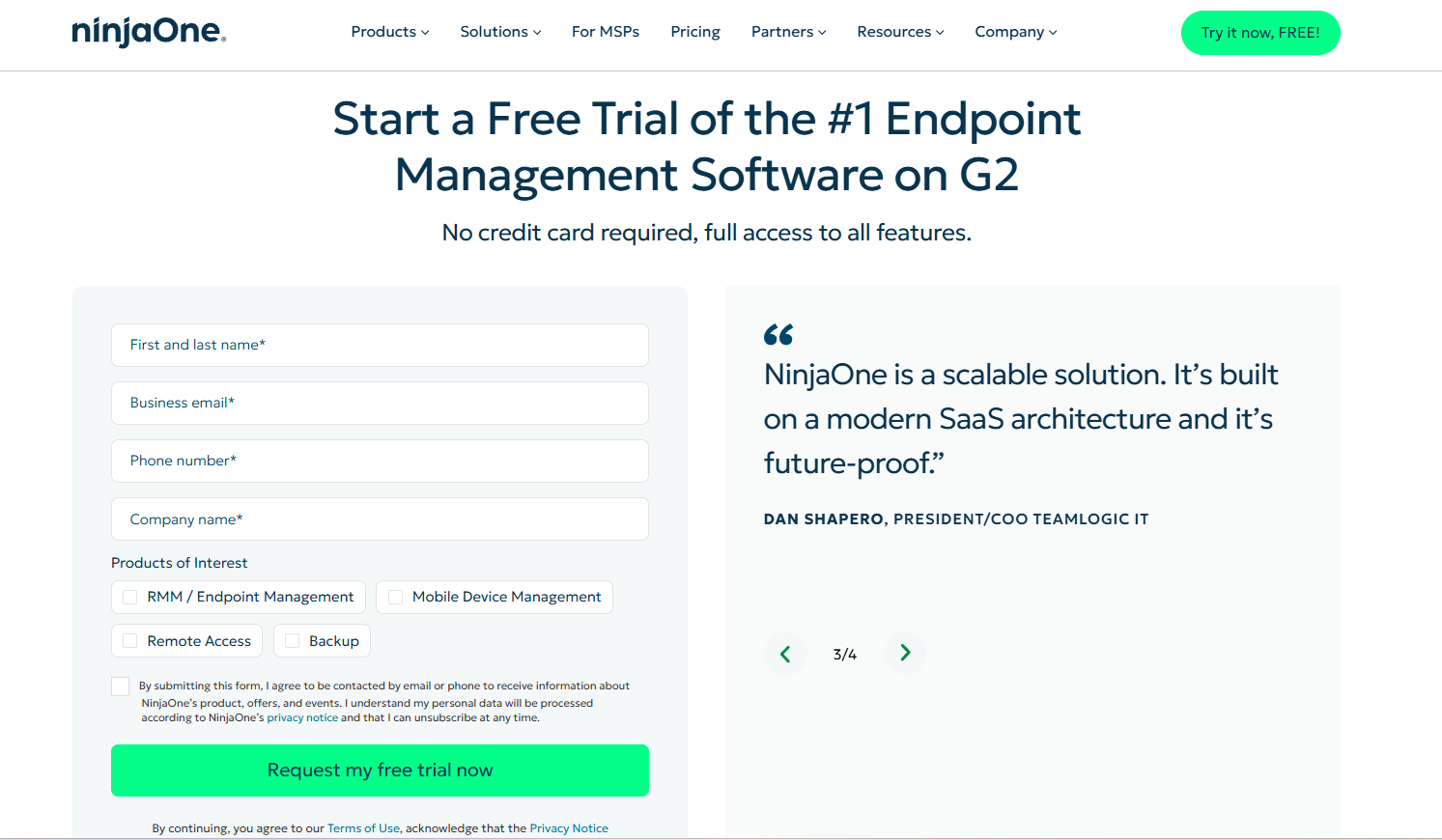
During the trial, users can explore all of NinjaOne’s features in a real-world environment.
It’s designed to show how the platform helps IT teams gain complete visibility and control over their operations, streamline service delivery, and improve end-user satisfaction before you actually commit to a paid subscription.
NinjaOne pricing plans
NinjaOne doesn’t offer public tiered plans.
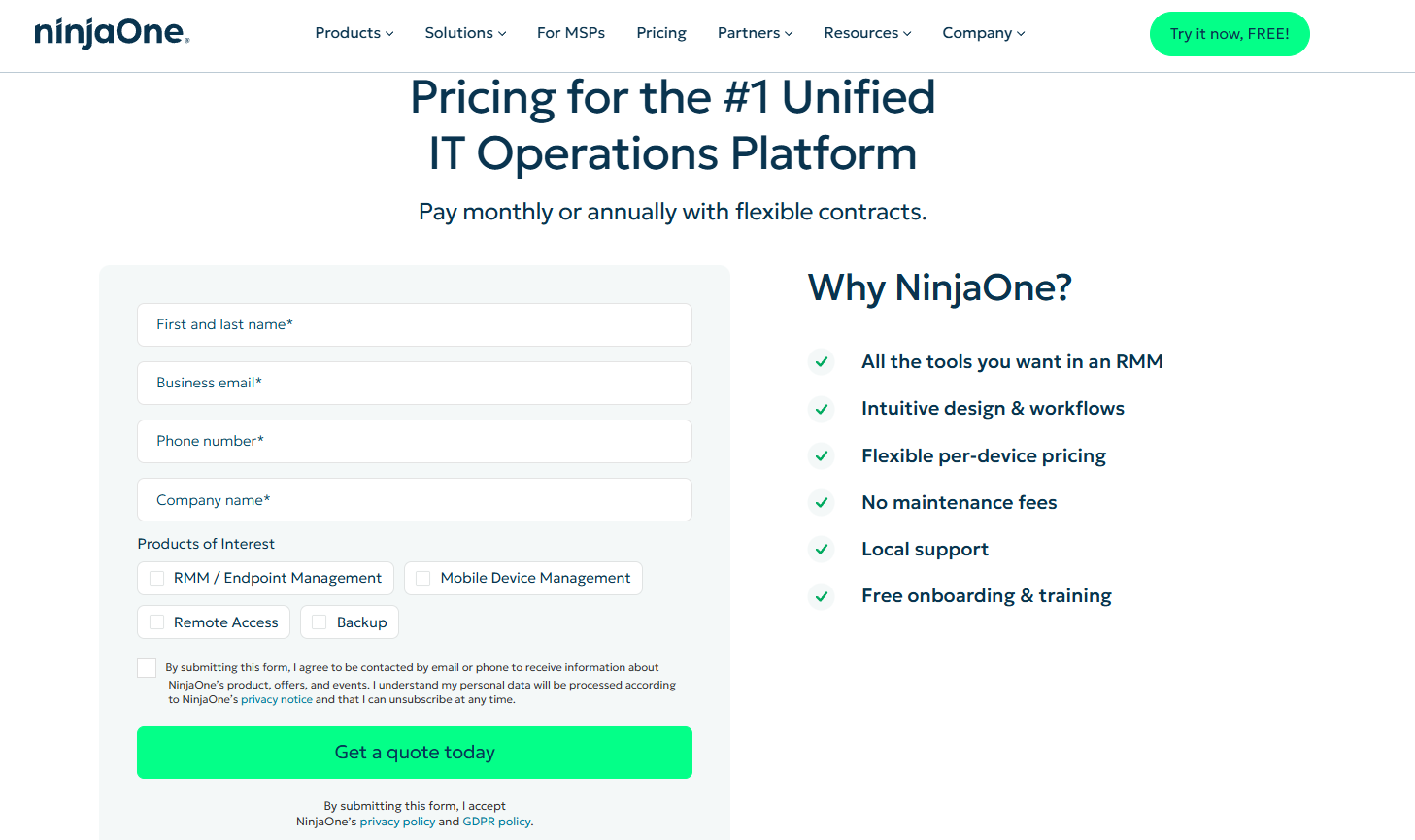
Instead, it follows a flexible per-device pricing model, where you only pay for what you use, and the more devices you manage, the less you pay per device.
Although you won’t find exact pricing listed on their website, meaning you’ll have to request a custom quote, NinjaOne does clarify certain things regarding its pricing:
- Pricing starts as low as $1.50 per endpoint/month for organizations managing over 10,000 endpoints and can go up to $3.75 per endpoint/month for teams with 50 or fewer devices.
- Rates also vary depending on your selected products (RMM, Backup, MDM, Remote Access), your region, and any promotions or incentives you’re eligible for.
- In general , NinjaOne’s plans are annual, although there might be exceptions on a case-to-case basis.
- There’s no cap on licenses, meaning you can have as many users as you need on your plan.
- The basic subscription includes all core RMM tools in one place.
How much does NinjaOne actually cost in 2026?
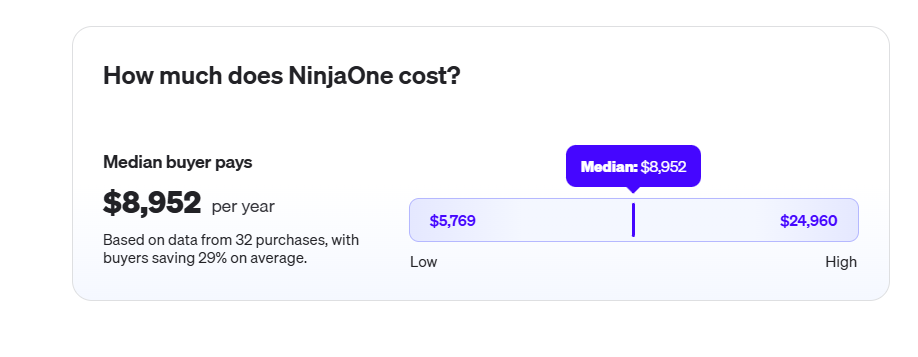
While NinjaOne uses a flexible per-device pricing model, real-world contracts show how much teams actually pay once discounts and incentives are factored in.
According to Vendr, based on data from 32 actual purchases, the median annual spend for NinjaOne is $8,952, with low end being $5,769/year, and high end $24,960/year.
At the same time, organizations with 201-1,000 employees report managing to negotiate:
- 50% off subscription fees by signing in March as a new customer.
- Quarterly payments with no pricing pushback.
- A contract clause that limits how much NinjaOne can raise prices at renewal - for example, capping annual increases at 2.75% to avoid unexpected cost jumps.
Overall, NinjaOne’s pricing can vary widely depending on timing, deal structure, and team size, but buyers who negotiate or commit during incentive periods may get discounts and more favorable terms.
Does NinjaOne provide good value for money in 2026?
For many mid-sized IT teams, NinjaOne offers strong day-to-day value by consolidating patching, monitoring, remote access, backups, and automation into a single, easy-to-use platform.
That said, NinjaOne isn’t without limitations, and several consistent trade-offs show up across user reviews:
- Reporting lacks depth: While it’s clean and usable, reporting features are often too limited or rigid for executive insights or compliance needs.
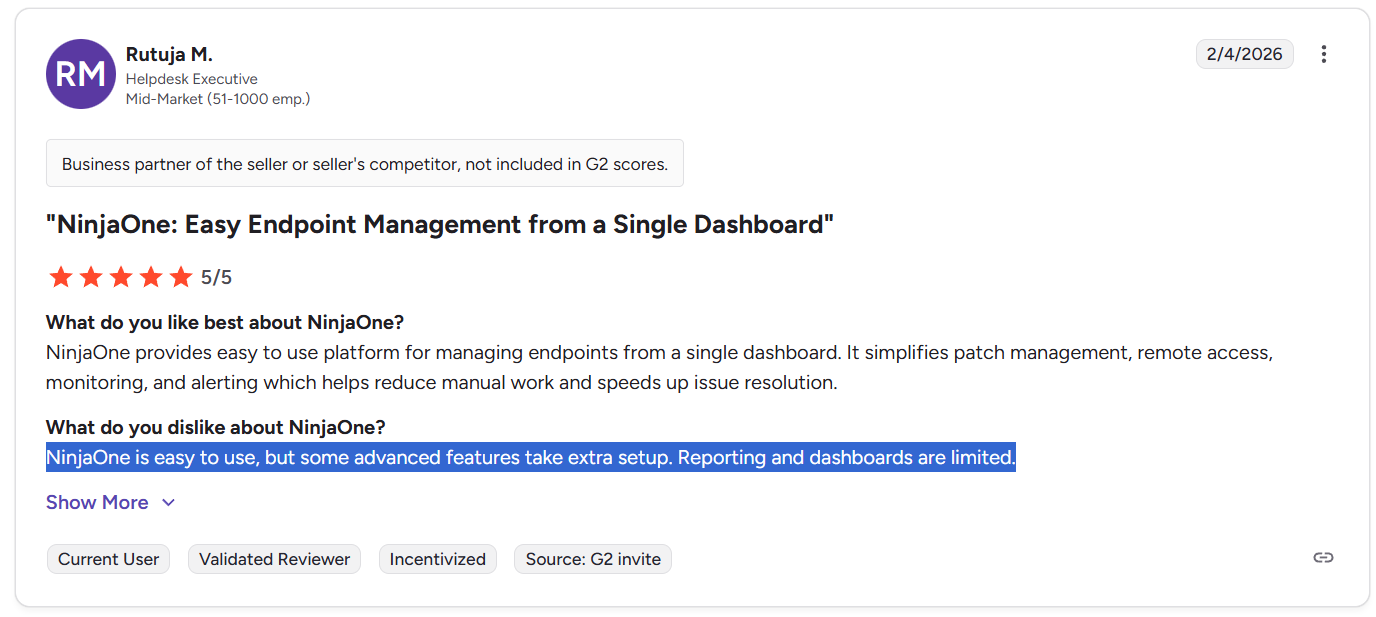
- Advanced automation has a learning curve: Basic policies and scripts are easy to deploy, but more complex workflows can require trial and error or scripting expertise.
- Some features aren’t as mature as you’d expect: Ticketing, MDM, and asset tracking are serviceable, but may not match best-of-breed solutions in terms of customization or flexibility.
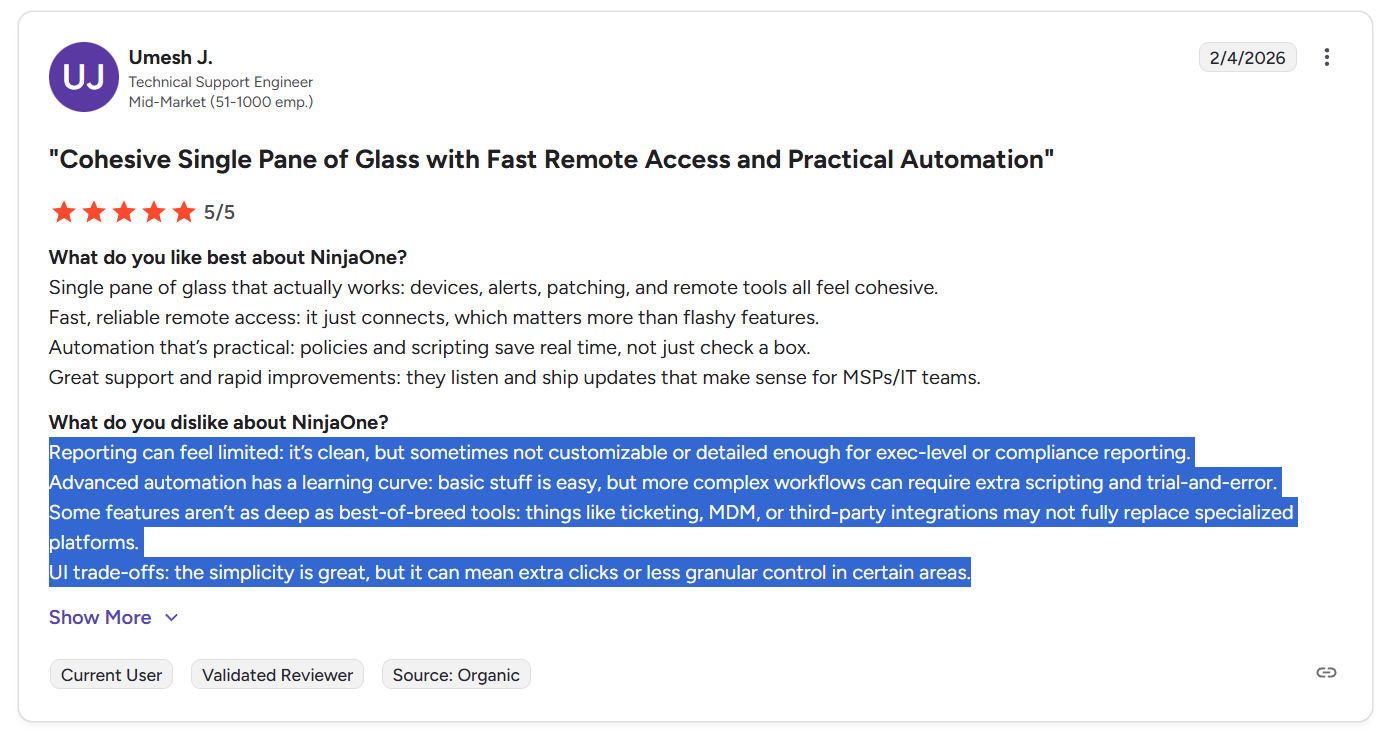
- UI simplicity comes at a cost: The streamlined interface sometimes means extra clicks, missing power-user features, or less granular control over configurations.
- Pricing can scale up fast for smaller teams: While NinjaOne might be cost-effective at scale, smaller teams often find that the costs add up quickly.
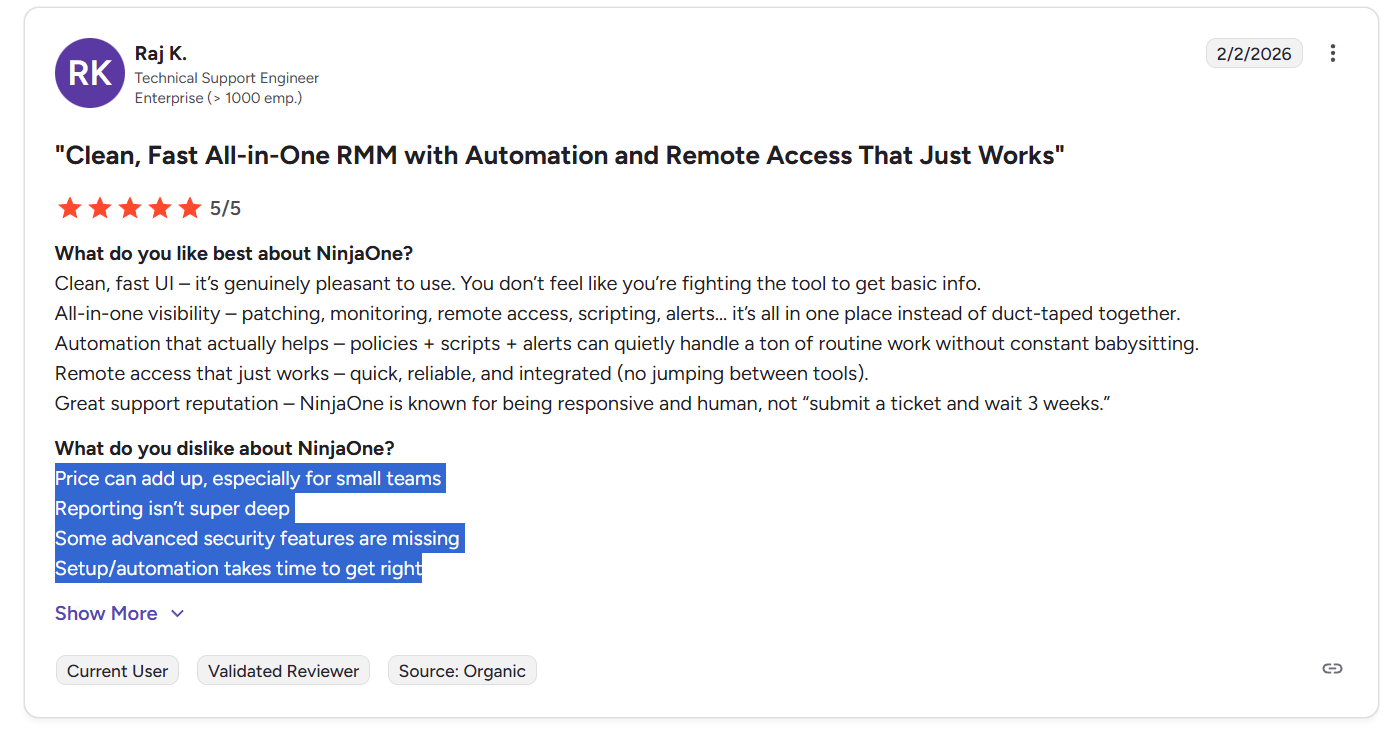
- No public pricing transparency: The need to request quotes and negotiate terms can make budgeting harder upfront, and adds friction compared to tools with published pricing tiers.
So, does NinjaOne deliver value?
Yes, especially for mid-market teams with lean IT departments who want fast setup, practical automation, and unified device visibility without juggling multiple tools.
But, it’s not the best fit if:
- You need deep reporting, versatile dashboards, or strict compliance tracking.
- You prefer transparent pricing and self-serve onboarding.
- You require advanced workflows or integrations without relying on scripts.
- You expect every feature (ticketing, MDM, etc.) to be enterprise-grade out of the box.
In those cases, a more customizable and automation-first platform may be the better long-term investment, particularly if you want ITSM flexibility without the per-device pricing model.
Looking for a NinjaOne alternative?
While NinjaOne delivers solid endpoint management, some teams outgrow its limitations, especially when they need deeper automation, more flexible workflows, or stronger reporting without the per-device pricing.
SmartSuite is a modern IT operations and service management platform that brings together help desk, asset tracking, incident response, internal projects, and IT audits into one unified workspace.
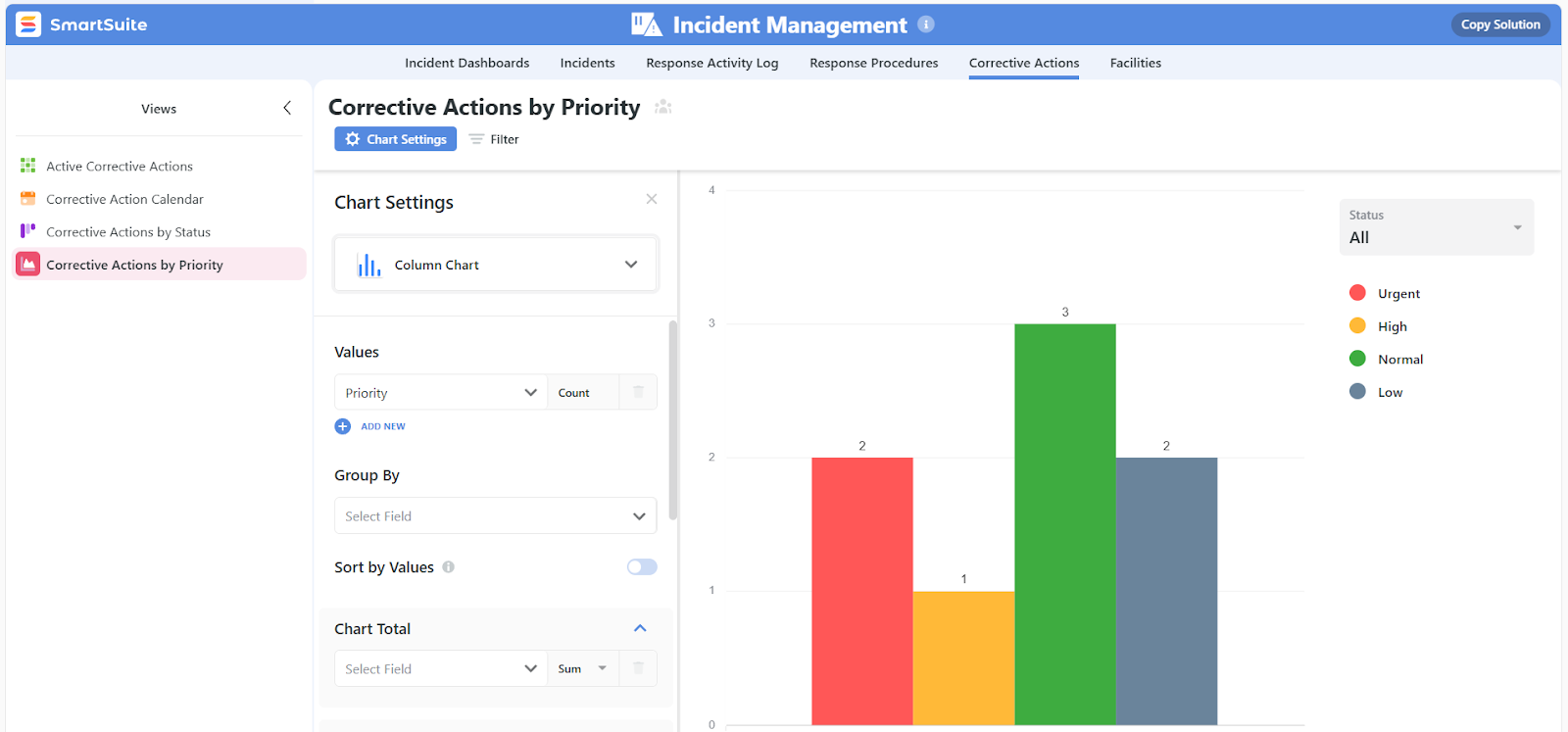
Designed for fast-moving teams, it offers no-code customization, real-time dashboards, and powerful automation tools, all at a predictable, per-user price with no hidden fees.
If your IT environment needs more than device monitoring - and you’re looking for a platform that adapts to how your team actually works - SmartSuite gives you full control without added complexity.
Let’s look at some of the features that make SmartSuite such a compelling NinjaOne alternative.
1. A unified IT operations workspace built for agility
SmartSuite gives IT teams a single platform to manage all operational workflows, from service requests to governance, without the friction of switching between tools.
Here’s what you can do with it:
- Track tickets and issues in real time: Deploy structured help desk workflows to capture, prioritize, and resolve requests without disrupting business operations.
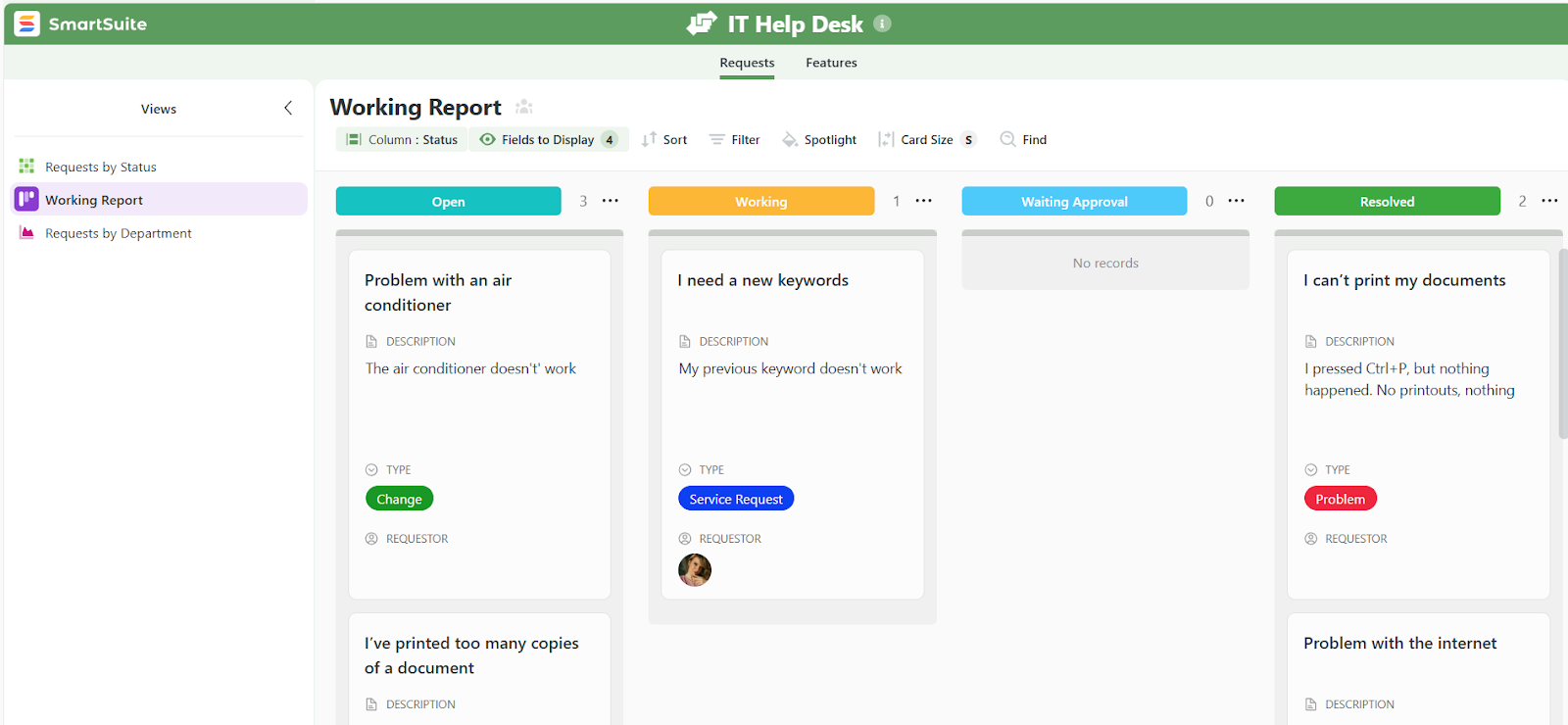
- Standardize your IT request workflow: Centralize how requests are submitted, routed, and fulfilled, so nothing slips through the cracks and SLAs are met.
- Manage IT assets and licenses in one place: Monitor device deployments, software versions, ownership, and renewal timelines to stay ahead of outages and budget overruns.
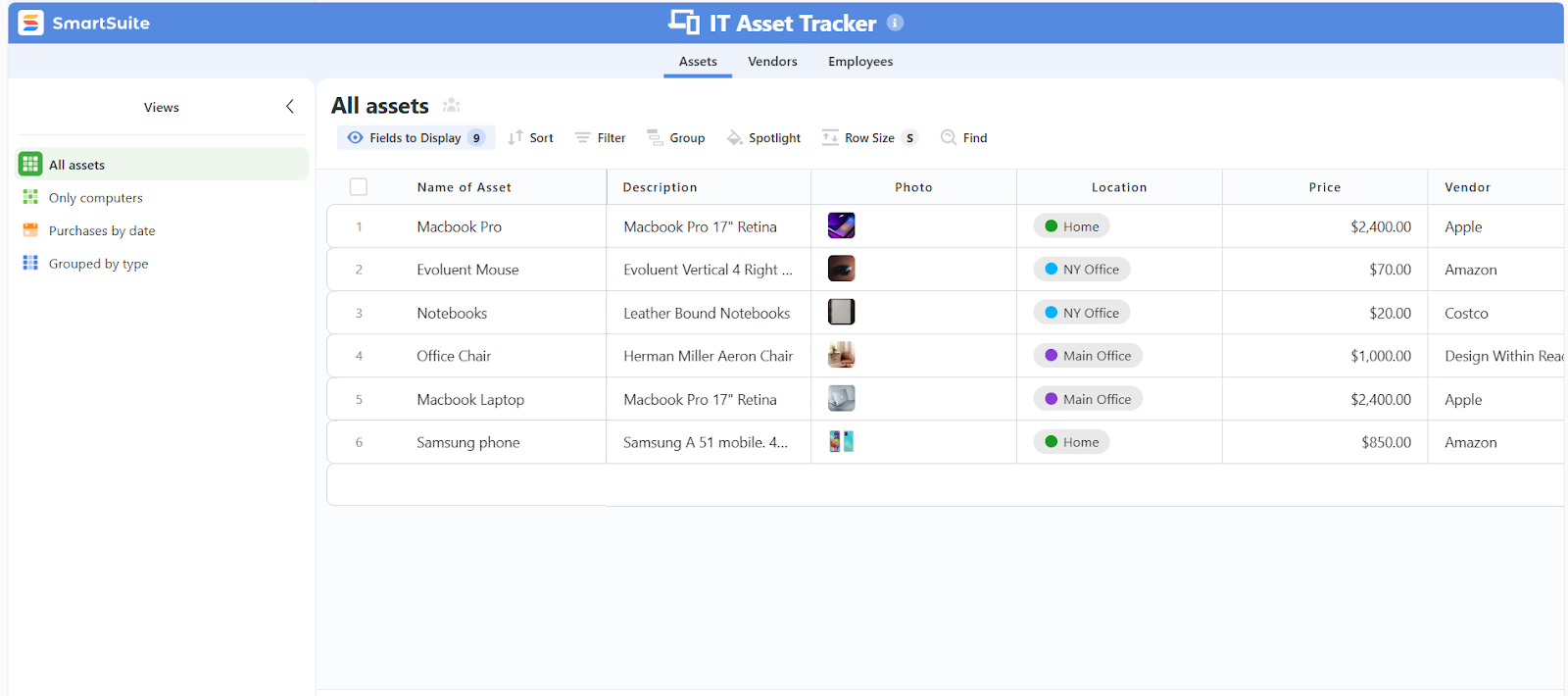
- Deliver internal IT projects on time and under budget: Plan deployments, assign teams, and track milestone progress for rollouts and upgrades.
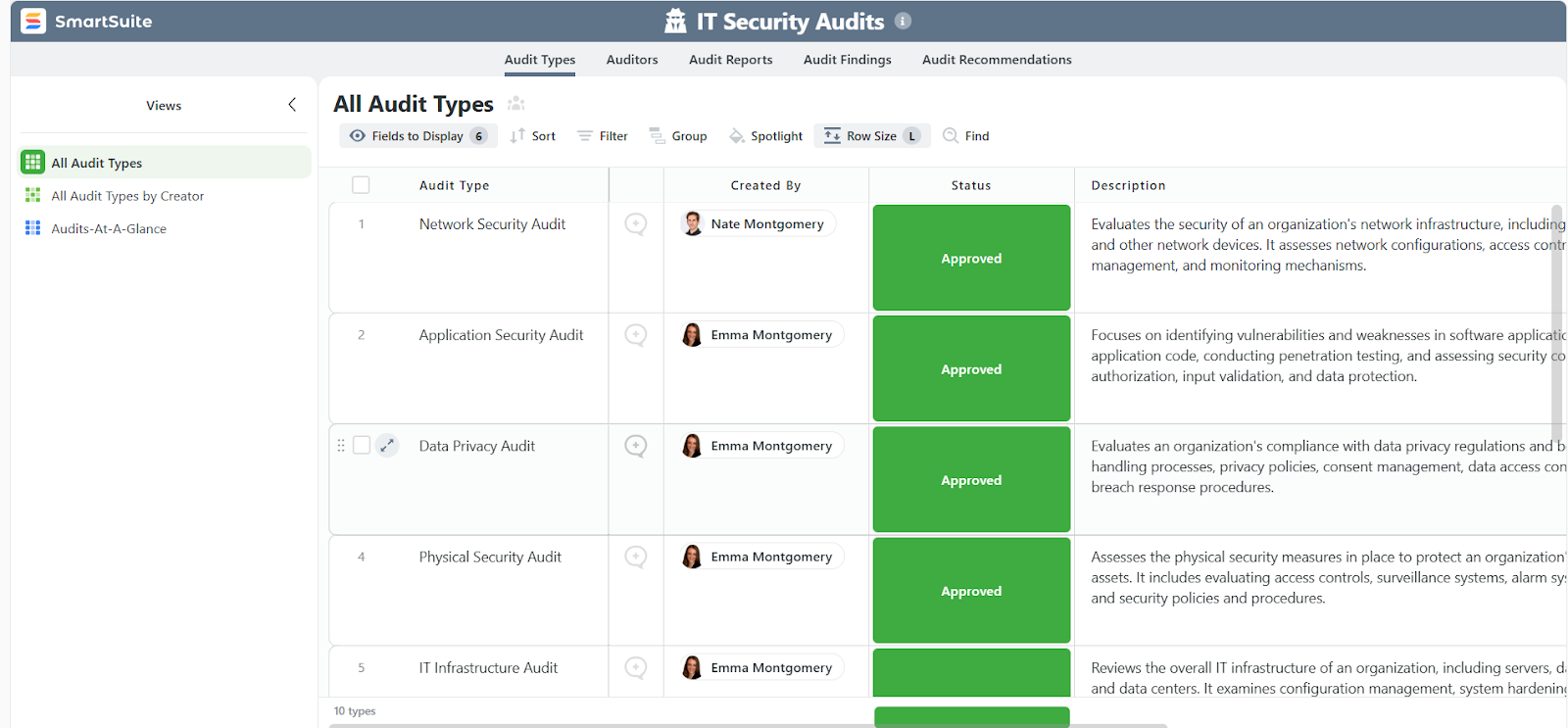
- Run IT security audits and manage risk: Organize audit controls, findings, and mitigations in one shared space that aligns with your broader governance strategy.
- Automate task prioritization: Let SmartSuite surface what matters most each day using triggers, assignments, and SLA deadlines.
- Draft and publish IT policies and procedures: Document your IT playbook centrally so everyone’s aligned on best practices, data protection, and compliance.
With everything operating from a single workspace, SmartSuite helps teams respond faster, eliminate tool clutter, and stay in control as tech demands evolve.
2. No-code automation that keeps IT processes moving
SmartSuite is built for speed and scale, and that includes automation.
Instead of relying on complex scripting or backend logic, SmartSuite lets you automate IT workflows through a simple visual interface, so your team can streamline operations without writing a single line of code.
Here’s what you can streamline:
- Build conditional logic without coding: Automate “if this, then that” scenarios in SmartSuite’s visual workflow builder.

- Auto-prioritize and route IT requests: Trigger actions based on issue type, urgency, or affected system to make sure the right team sees it first.
- Escalate unresolved issues automatically: Create escalation paths based on SLA thresholds, status changes, or inactivity, so high-priority items don’t stall.
- Assign tasks based on workload or expertise: Use smart assignment logic to balance ticket loads and align tasks with the right technicians.
- Standardize recurring IT tasks: Schedule automated actions for patching, access reviews, license renewals, and asset audits.
- Trigger notifications across teams: Send real-time alerts when incidents are logged, escalated, or resolved, keeping everyone informed.
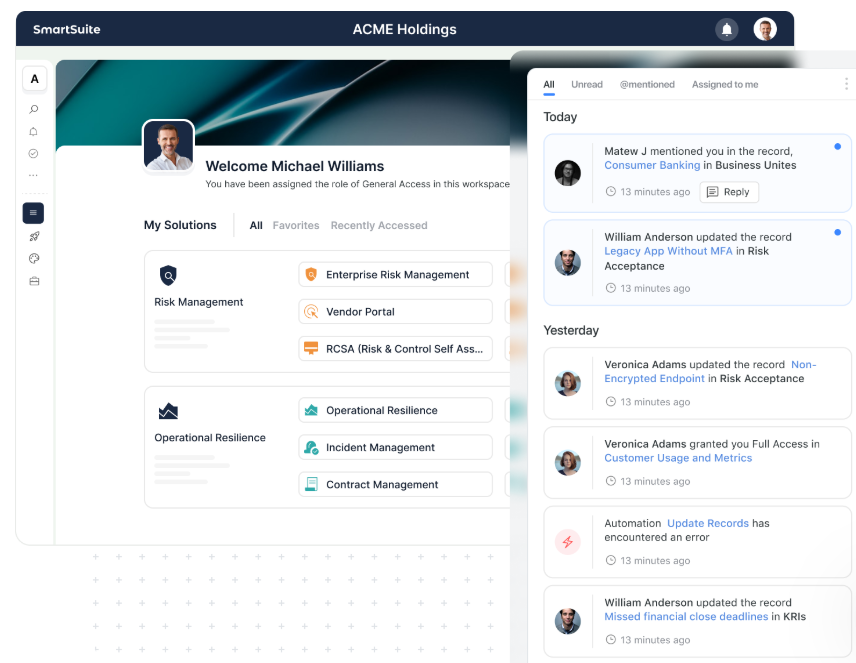
The result? Fewer bottlenecks, faster resolution times, and a service desk that runs predictively instead of reactively, even as your IT workload grows.
3. Real-time dashboards and reporting built into every IT workflow
SmartSuite brings live, in-workflow reporting directly into how your IT team operates, eliminating the need for separate BI tools, manual exports, or outdated slide decks.
Whether you’re tracking SLA performance, incident trends, asset utilization, or governance metrics, reporting is built on top of your actual workflows, so it’s always accurate, secure, and up to date.
Here’s how SmartSuite improves IT reporting:
- Real-time visibility at every level: Dashboards update instantly as tickets move, audits close, or escalations happen, so there are no refreshes or delays.
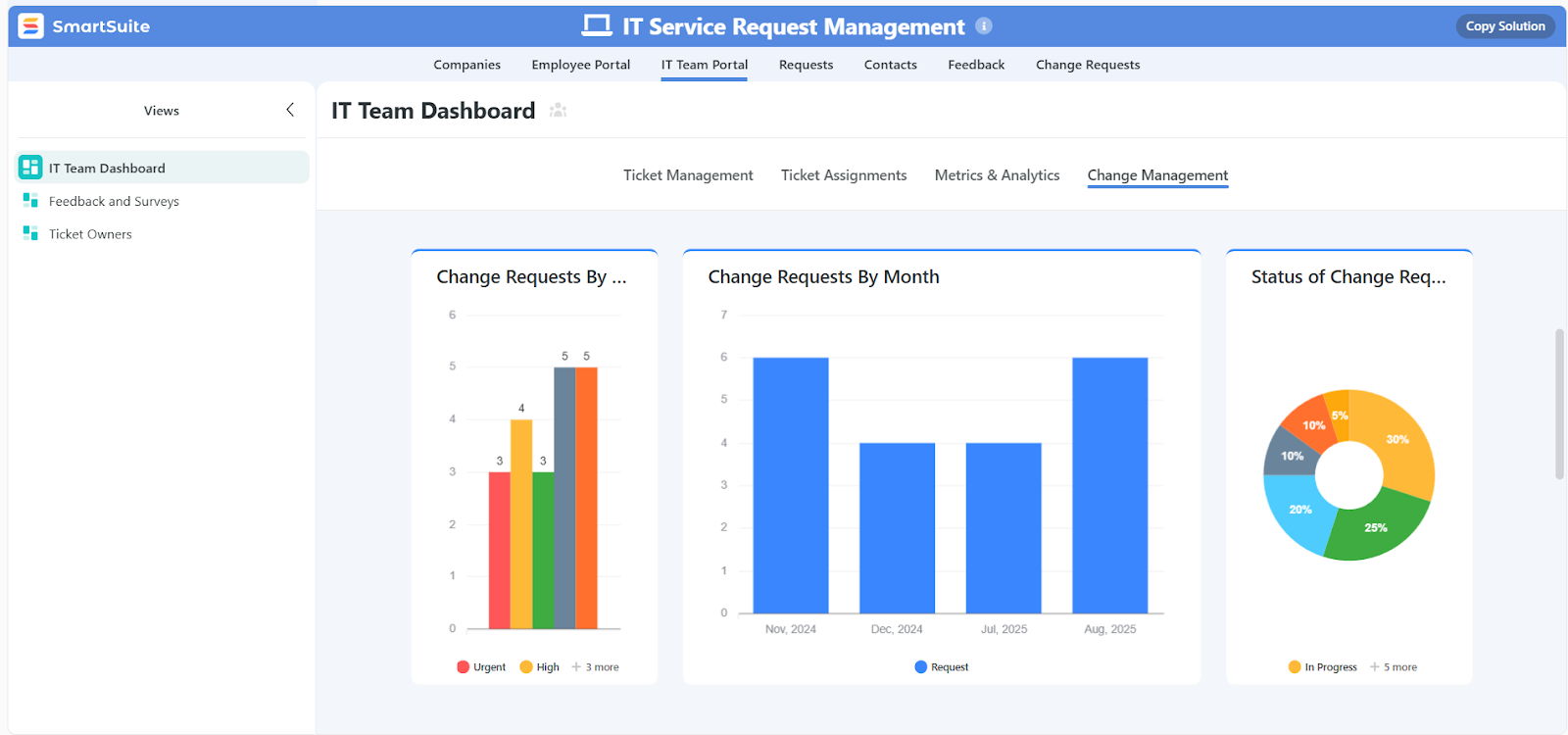
- Cross-workflow dashboards: Combine data from incidents, assets, licenses, and audits into unified dashboards for IT leaders or compliance reviews.
- Role-based views: Give every technician, manager, or executive the exact slice of data they need, governed by field-level permissions.
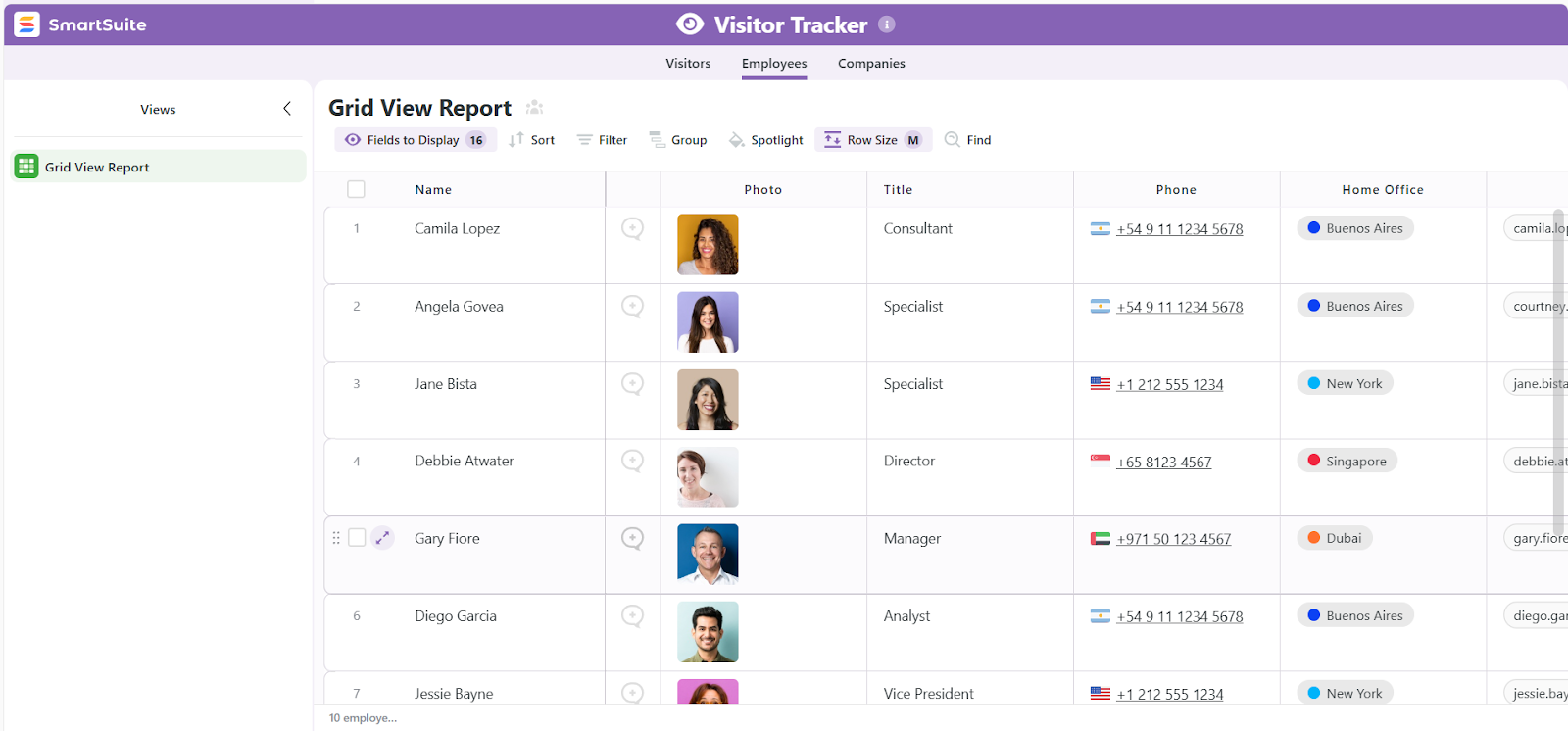
- Self-service reporting: Let IT teams build their own dashboards and filtered views - no BI team required.
- Multiple view types for flexible insights: Visualize work in grids, timelines, calendars, charts, maps, or Gantt views to fit every IT process.
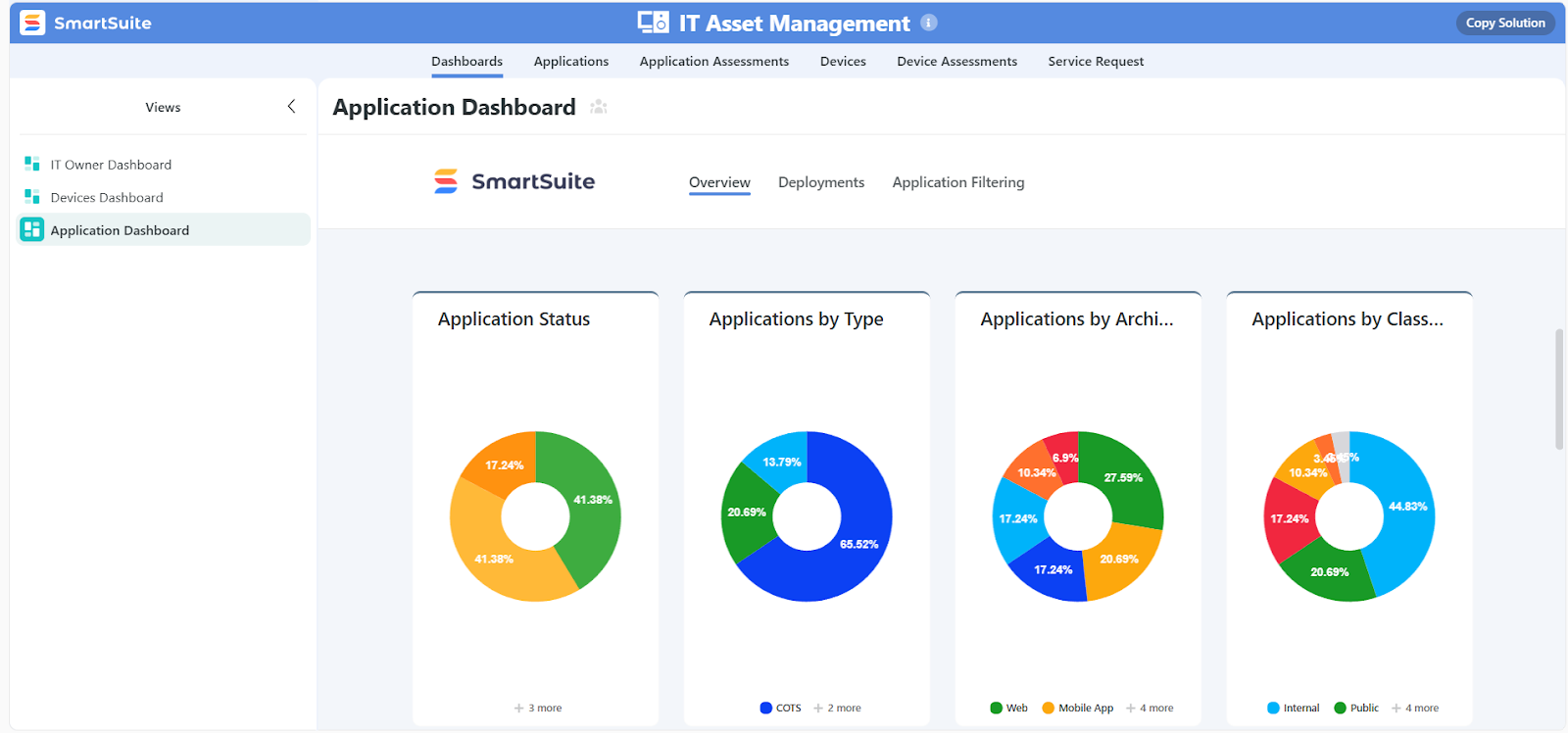
- Security-aware by design: All dashboards and reports inherit your permission model automatically, so sensitive IT data stays protected.
4. Drag-and-drop customization that adapts to the way your IT team works
Unlike platforms that require admin-level expertise or backend scripting to make changes, SmartSuite lets IT teams fully customize their environment with drag-and-drop tools with no coding whatsoever.
Every layout, field, and workflow can be tailored visually, so your team doesn’t have to adapt to the system.
Here’s what you can customize with ease:
- Drag-and-drop fields and forms: Add or rearrange fields, sections, and layout elements in any ticket, asset, or audit record to reflect how your team actually works.
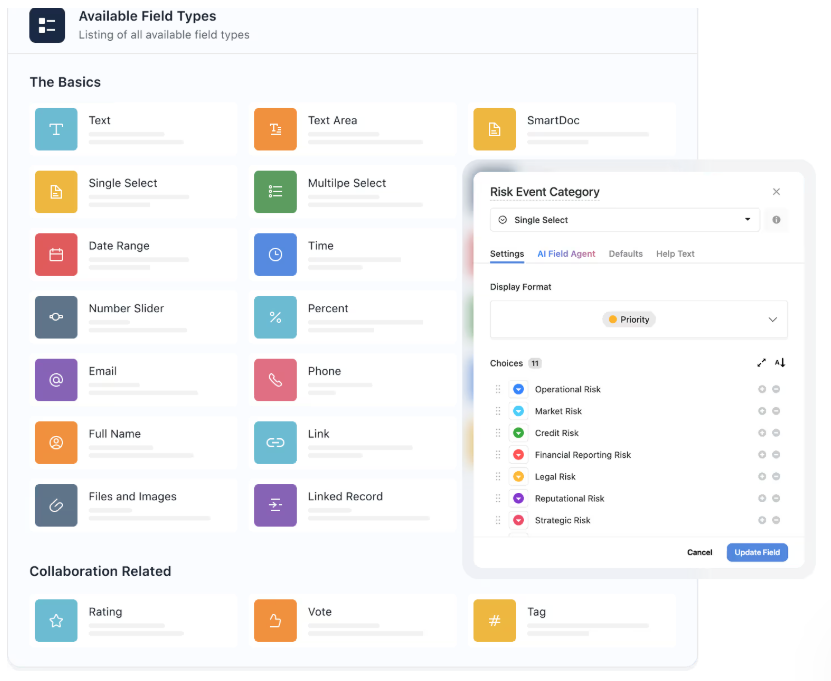
- Create views for every role: Build personalized boards, calendars, charts, or Kanban views for help desk agents, field techs, IT managers, or auditors.
- Build flexible workflows across departments: Connect IT operations to HR, finance, or legal with shared logic, handoffs, and cross-team visibility, all without IT overhead.
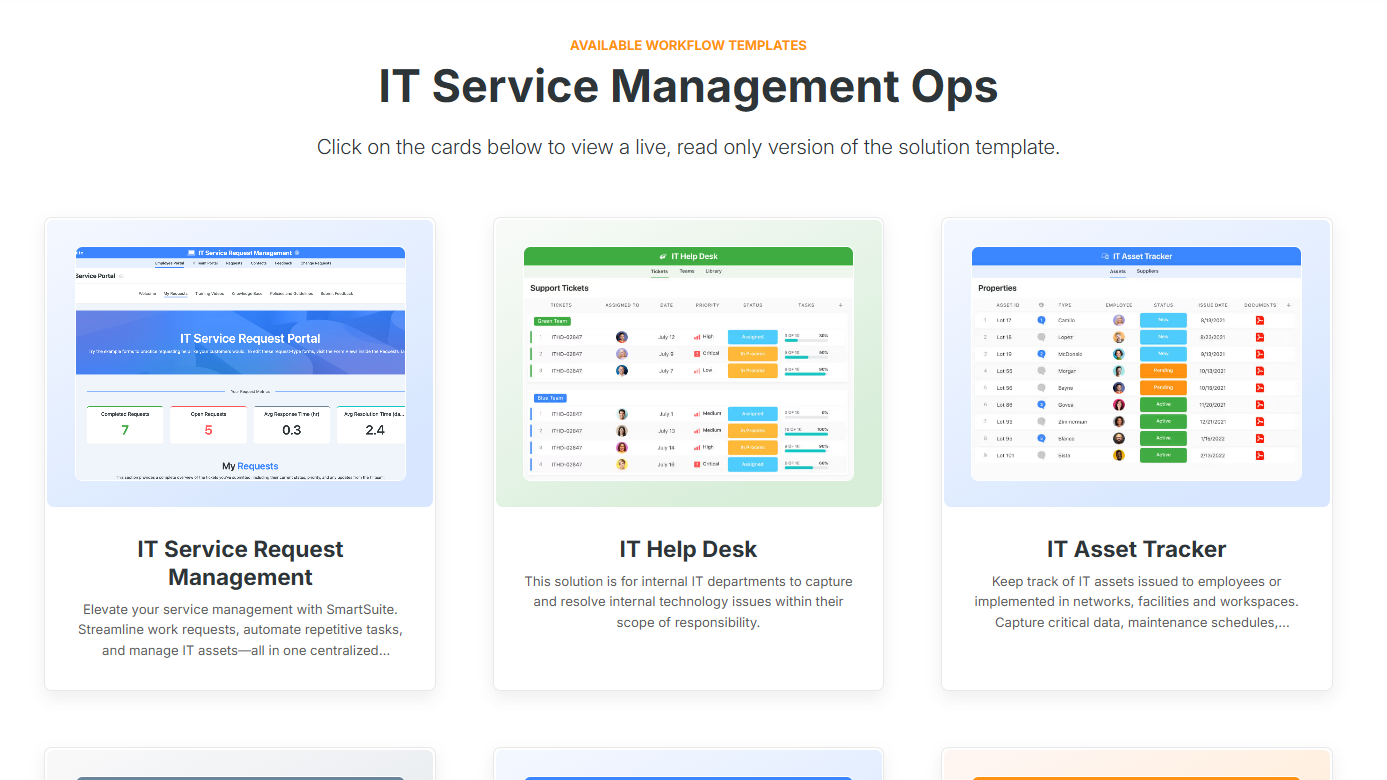
- Use adaptable templates as starting points: Launch with prebuilt ITSM solutions (e.g. service desk, asset tracking, security audits), then adjust every component to fit your exact environment.
- Control user access and visibility: Apply field-level and record-level permissions across every workflow so technicians, managers, and stakeholders only see what’s relevant to them.
5. Collaboration built into every IT workflow
In SmartSuite, collaboration is woven directly into every ticket, task, policy, and project your IT team manages.
Instead of jumping between inboxes, Slack threads, or meeting notes, your team can discuss, decide, and act right where the work lives.
Here’s how SmartSuite powers seamless IT collaboration:
- Conversations stay in context: Start discussions, @mention teammates, and share files directly inside records, tickets, or assets, so decisions never get lost in chat apps or email chains.
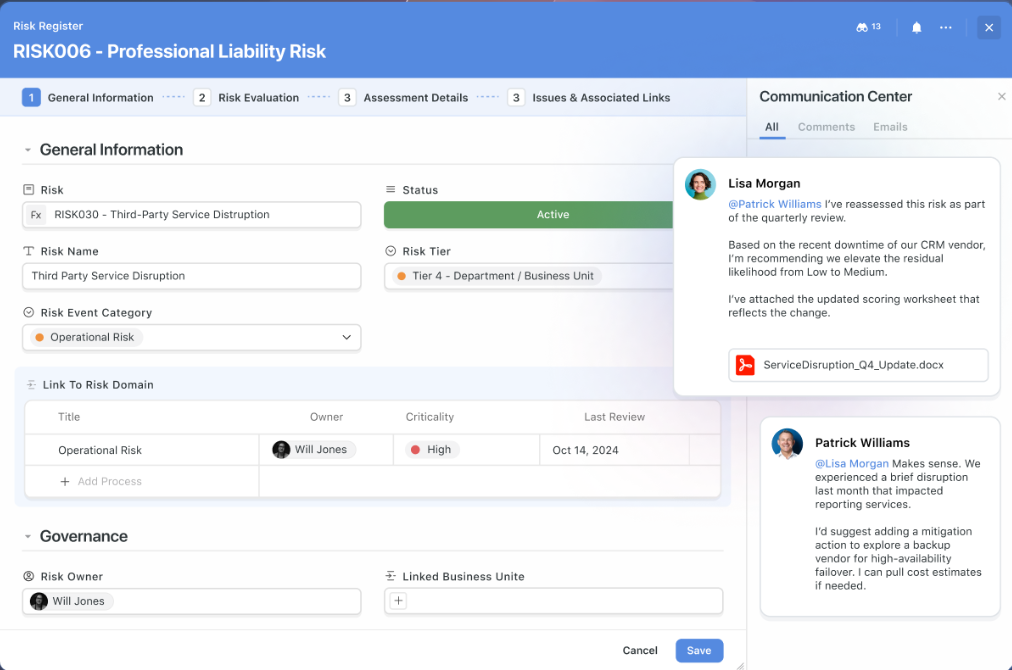
- Send and receive emails from inside SmartSuite: Route stakeholder messages straight into the relevant ticket or audit log so nothing gets buried in inboxes.
- Track every decision with full history: See exactly who changed what, when, and why, which is super helpful for onboarding, internal reviews, and audits.
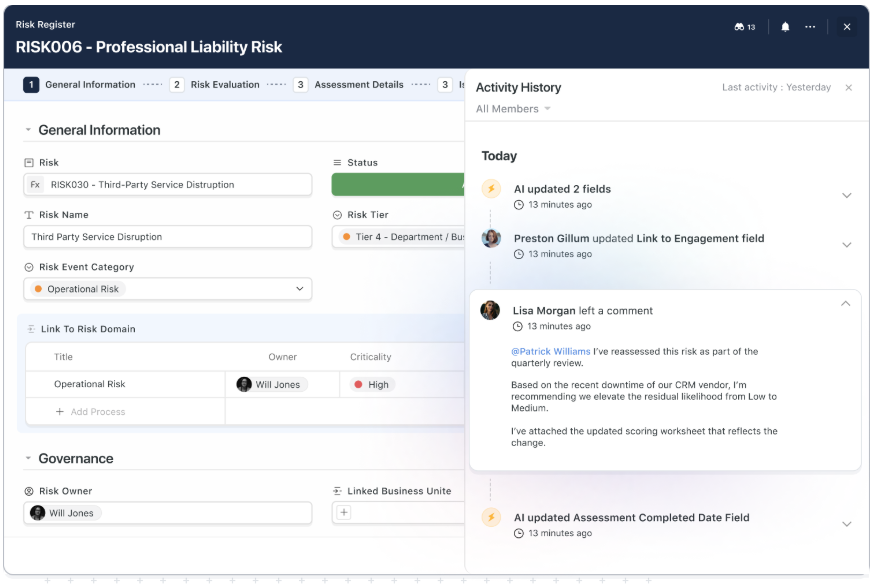
- Fine-tune notifications: Get alerts for assignments, escalations, or approvals, and filter out the noise with custom digests or role-based settings.
- Stay connected on the go: Use SmartSuite’s mobile apps to manage tickets, update records, and resolve incidents from any device or location.
How does SmartSuite’s pricing compare to NinjaOne’s?
While NinjaOne uses a per-device pricing model that varies based on endpoint count, contract terms, and product mix, SmartSuite takes a different approach: transparent, per-user pricing.
That means every IT team member gets access to the same core platform features based on the seat they occupy, not the number of devices under management.
You can start with a 14-day free trial (no credit card required) and later choose from these plans:
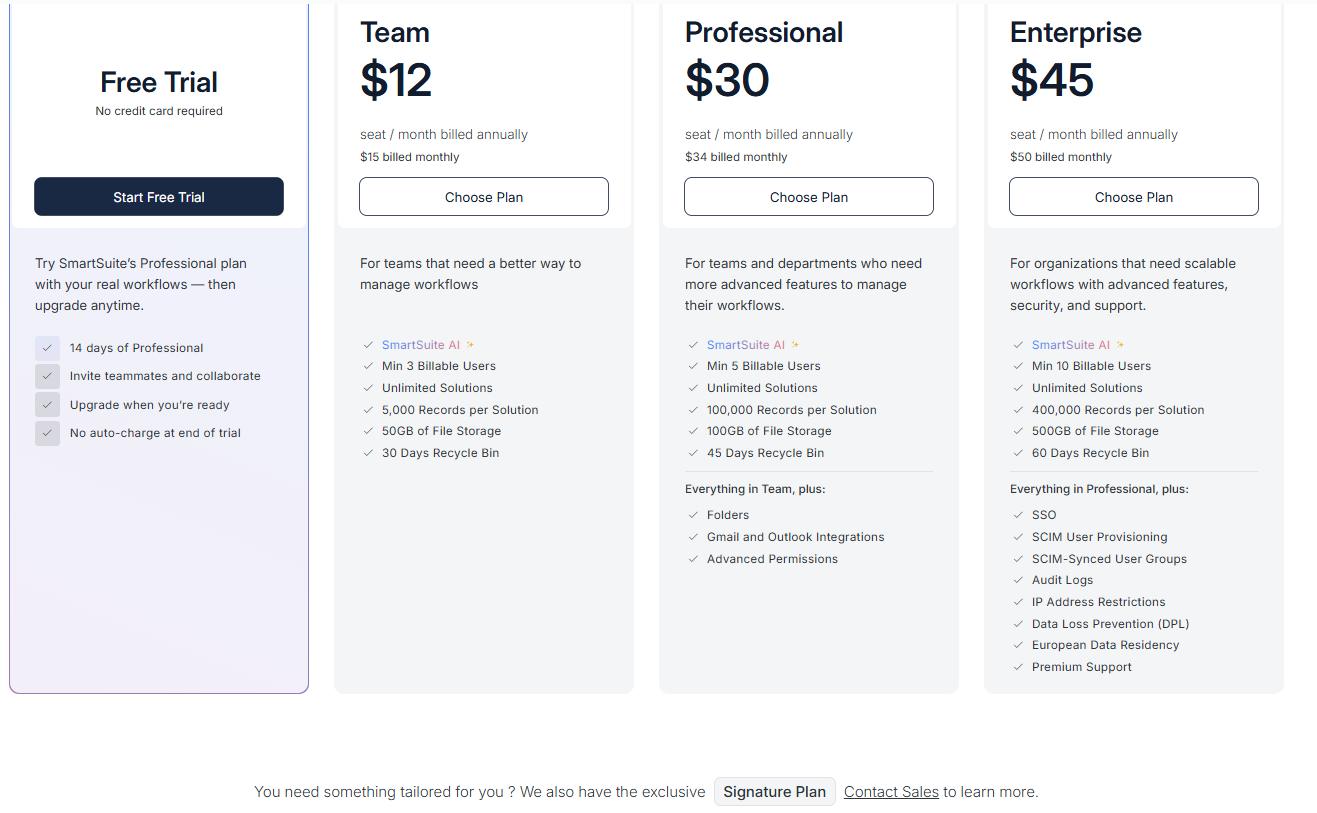
- Team: $12 per seat/month (billed annually), includes SmartSuite AI, unlimited solutions, up to 5,000 records per solution, 50 GB of file storage, a 30-day recycle bin, and core collaboration and automation features.
- Professional: $30 per seat/month, includes everything in Team, plus folders, Gmail and Outlook integrations, advanced permissions, higher record limits (100,000 per solution), 100 GB of storage, and a 45-day recycle bin.
- Enterprise: $45 per seat/month, includes everything in Professional, plus SSO, SCIM user provisioning, audit logs, IP restrictions, data loss prevention, European data residency, premium support, and higher limits (400,000 records per solution and 500 GB storage).
- Signature: Custom pricing. A tailored plan for organizations with specific requirements around scale, security, or data architecture.
So, with SmartSuite:
- You’re not penalized for managing more endpoints, as costs grow with your team, not your infrastructure.
- There are no surprise add-ons, with support, training, and platform features built into the price.
- You can consolidate tools like ticketing, asset tracking, and IT audits into one platform, often replacing multiple vendors.
For IT teams with a high device-to-user ratio, NinjaOne may be more economical.
But for teams managing complex IT operations, compliance workflows, and cross-department collaboration, SmartSuite often delivers more value per dollar paired with greater visibility, control, and long-term flexibility.
How is SmartSuite different from NinjaOne?
While NinjaOne is built around endpoint visibility and remote management, SmartSuite is built for end-to-end IT operations, giving teams a unified workspace to run tickets, projects, audits, assets, and compliance from one place.
Here’s how they differ:
- Pricing model: NinjaOne charges per device, which can scale quickly for small teams or growing fleets, in addition to not making its pricing public. SmartSuite offers predictable, per-user pricing with no hidden fees, making it ideal for teams that want control without watching their costs spike.
- Feature depth vs breadth: NinjaOne excels at core RMM functions like patching and remote access. SmartSuite covers a broader range of IT workflows, from help desk to internal projects and governance, all without needing extra tools.
- Customization: NinjaOne offers limited flexibility without scripting. SmartSuite gives you full drag-and-drop customization for fields, workflows, and forms, so you don’t need code.
- Reporting: SmartSuite’s real-time dashboards are built directly into every workflow, offering customizable views for every role, which is something many NinjaOne users say the platform lacks.
In short:
- NinjaOne is great for managing devices.
- SmartSuite is built for managing IT operations.
If your team wants more flexibility, less overhead, and a platform that grows with your needs, SmartSuite offers a more modern, cost-efficient alternative.
Final verdict: SmartSuite vs. NinjaOne
NinjaOne is solid for device management, but if you need more transparent pricing, better reporting, and a platform that scales beyond endpoints, SmartSuite is the smarter long-term bet.
You get:
- A unified IT workspace.
- No-code automation.
- Built-in collaboration.
- Real-time dashboards.
- Transparent per-user pricing.
- Seamless customization.
Ready to upgrade your IT operations?
Start your free 14-day trial, or book a demo to see SmartSuite in action.
Read more
- 10 Best IT Help Desk Software & Tools [2026] - Find out which help desk platforms actually streamline support and keep your IT team focused on what matters most.
- ServiceNow vs. Zendesk vs. SmartSuite: Which One Is Better? (2026) - We break down the pros, cons, and real-world use cases to help you pick the best ITSM tool for your team in 2026.
- SolarWinds Pricing: Is It Worth It In 2026? [Reviewed] - See what SolarWinds really costs in 2026 and whether the platform still delivers value after recent changes.
- 10 Best BMC Helix Alternatives For ITSM In 2026 - Tired of complexity and cost creep? These BMC Helix alternatives offer simpler, more scalable ITSM solutions in 2026.
- Smartsheet vs. Basecamp vs. SmartSuite: Which Tool to Pick? [2026] - Compare three popular work platforms to find out which one’s best for projects, operations, and project management in 2026.
- Jira Service Management Review: Is It Worth it in 2026? - From pricing to performance, here’s what to know before you commit to Jira Service Management in 2026.

SmartSuite provides work platform for standardizing workflows in the following areas:
- Governance, Risk & Compliance
- IT & Service Ops
- Project / Portfolio Management
- Business Operations







