


If you’re searching for InvGate alternatives, chances are your IT team has outgrown rigid workflows, limited reporting, or tools that feel harder to adapt than they should be.
While InvGate covers core ITSM needs, many teams in 2026 are looking for platforms that offer deeper customization, clearer visibility, and better value as their operations scale.
In this guide, I break down the best InvGate alternatives and competitors, so you can find an ITSM solution that actually fits how your team works today, not how vendors think it should.
Why do some IT teams look for InvGate alternatives?
The first thing I noticed when testing InvGate was how intuitive and easy to use it was.
Long-term users also appreciate its clean interface, visual workflow builder, and the fact that it’s reasonably priced, especially for smaller teams.
However, as teams scale or their requirements become more specific, a few recurring limitations start to push users to explore InvGate alternatives.
1. Limited reporting depth
While InvGate’s reporting is generally seen as “good enough,” multiple users note that it lacks advanced filtering, flexibility, and customization.

“While InvGate is powerful and user-friendly, some areas could use more polish. The reporting tools are solid but could benefit from more advanced filtering and customization options. Integrations with third-party apps are somewhat limited out of the box and may require extra setup. Occasionally, UI responsiveness can lag when handling large data sets.” - G2 Review
For teams that need highly tailored dashboards, deeper analytics, or executive-level reporting, the built-in reports can feel restrictive once operations grow more complex.
2. Customization hits a ceiling
InvGate strikes a balance between simplicity and power, but that simplicity comes at a cost.
Several reviewers mention that the platform feels “closed” when it comes to deeper personalization, with advanced options either hard to access or intentionally constrained to avoid misconfiguration.

“It's a bit closed when it comes to personalizing it for specific business…” - G2 Review
This can frustrate teams that want to fully adapt workflows, permissions, or visibility rules to very specific business processes.
3. Gaps in integrations, mobility, and advanced tooling
Out of the box, InvGate offers a relatively limited integration ecosystem, often requiring extra setup for third-party tools.

“- In the Playstore, I didn't find any App to use it from Android/IOS.
- It doesn't have integrated remote control tools to streamline Support, although this is easily complemented with other products that are exclusive for remote support.
- A downside (but it can also be an advantage depending on the organization's needs) is that neither the agents nor the end users can edit a post once it has been responded to; only the administrators can do so.” - G2 Review
Users also point out missing or weaker capabilities such as native mobile apps, integrated remote support, granular visibility controls, and occasional performance or automation hiccups after updates.
These gaps become more noticeable for teams running larger datasets or relying on highly automated, multi-tool IT environments.
What are the best InvGate alternatives and competitors in 2026?
The top three InvGate alternatives are SmartSuite, Freshservice, and SolarWinds Service Desk.
You can check the whole list below:
1. SmartSuite
Best for: IT teams and operations groups that want a flexible, all-in-one, AI-native platform to manage all types of workflows without juggling separate tools.
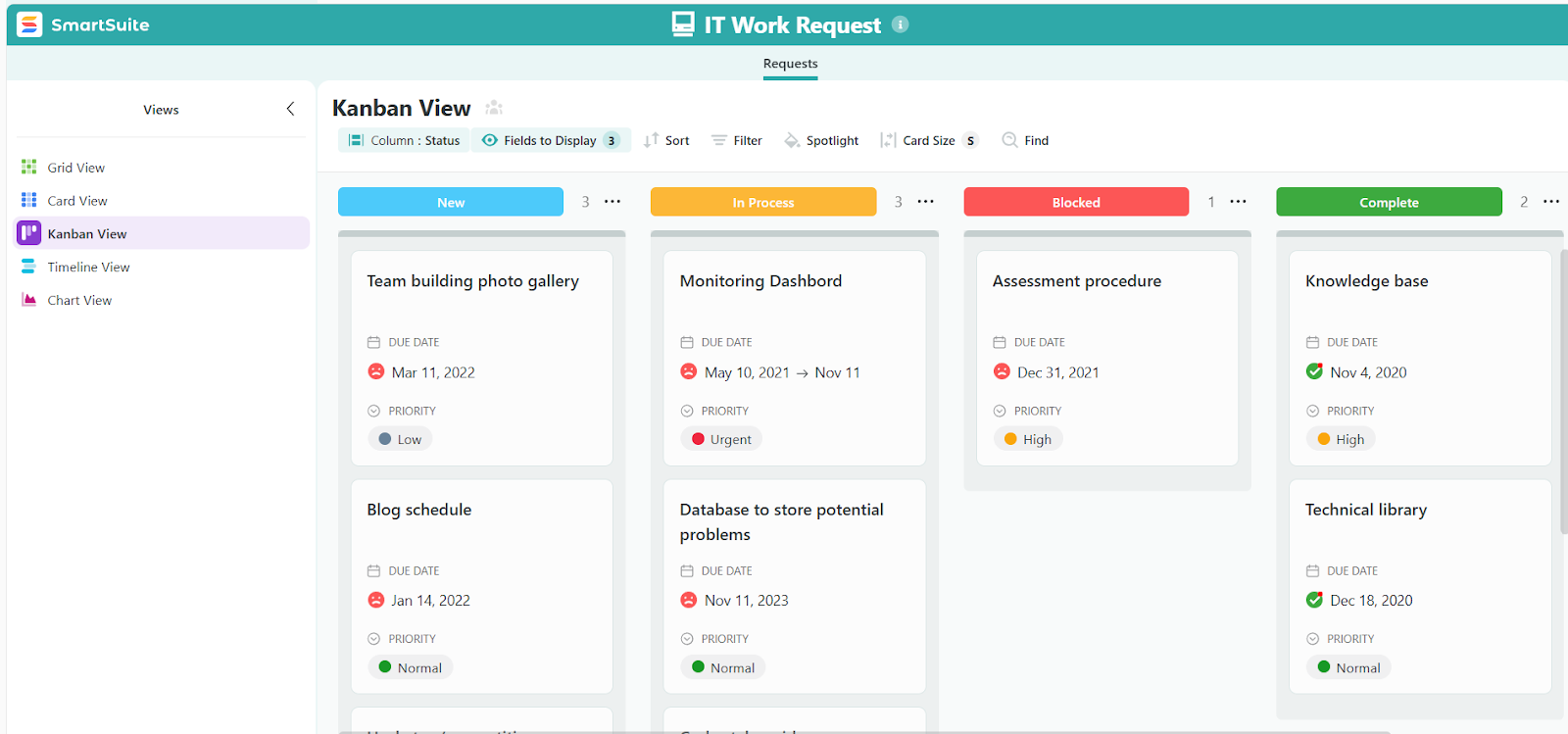
SmartSuite is an AI-native Work OS that connects workflows running your business in one secure, governed environment.
It lets teams standardize and automate work across IT service management, IT asset management, projects, and day-to-day operations using shared data, permissions, reporting, and AI.
So, instead of having you deal with siloed tools, SmartSuite brings incidents, requests, assets, evidence, remediation, and reporting into connected workflows that scale as your organization grows.
Here are some of the features that make SmartSuite such a strong InvGate alternative:
1. An all-in-one IT operations platform
SmartSuite is designed as a single, connected workspace for running IT, not a standalone service desk that stops at tickets.
Instead of managing ITSM, ITAM, service requests, and operational workflows across disconnected tools, SmartSuite brings everything into one AI-powered platform where data, automation, permissions, and reporting stay aligned as your IT environment grows.
Teams can start small - often with a service desk or asset tracking - and expand naturally as needs evolve, without replatforming.
SmartSuite supports four core IT service areas:
- IT Service Management (ITSM) that includes:

- Centralized service desk for incidents, requests, and problems.
- Omnichannel ticket intake via email, self-service portals, and internal forms.
- Change and release management with visibility into impact and dependencies.
- Configurable intake forms, SLAs, approvals, routing, and escalations.
- Knowledge base and service catalog to standardize support and reduce ticket volume.
- Visual CMDB that lets you keep track of assets and relationships.
- Incident management that enables you to capture, investigate, and resolve incidents from detection to closure.
- IT Asset Management (ITAM) that provides:

- Centralized inventory for hardware, software, and licenses.
- Full asset lifecycle tracking from procurement to retirement.
- License usage and renewal visibility to reduce waste and risk.
- Vendor, contract, warranty, and purchase linkage for cost context.
- Native connection to ITSM workflows for full operational visibility.
- Logging repairs, issues, and exceptions directly against each asset record to maintain full history, improve asset health visibility, and make smarter lifecycle and replacement decisions.
- Enterprise Service Management (ESM) that includes:

- Unified internal service portal for IT and other operational requests.
- Standardized request forms with automated routing and approvals.
- SLA tracking across teams for consistent service delivery.
- Role-based permissions and audit trails for sensitive processes.

- Shared maintenance, change, and release calendars.
- Deployment and rollout tracking across environments.
- Major incident and outage workflows with structured response.
- Dependency awareness to understand service impact.
- Live dashboards for KPI tracking, reliability and trend analysis.
2. Reporting and live dashboards for real-time visibility
SmartSuite gives IT teams live, customizable dashboards and reports that surface exactly what’s happening across services, assets, and operations without waiting on static exports or manual updates.
Because all IT data lives in one connected platform, dashboards update in real time as tickets move, incidents escalate, assets change status, or SLAs approach breach.
Moreover, teams can build views tailored to technicians, managers, or leadership, using the same underlying data.
Key reporting capabilities include:
- Real-time service dashboards for incidents, requests, SLAs, backlogs, and response times.
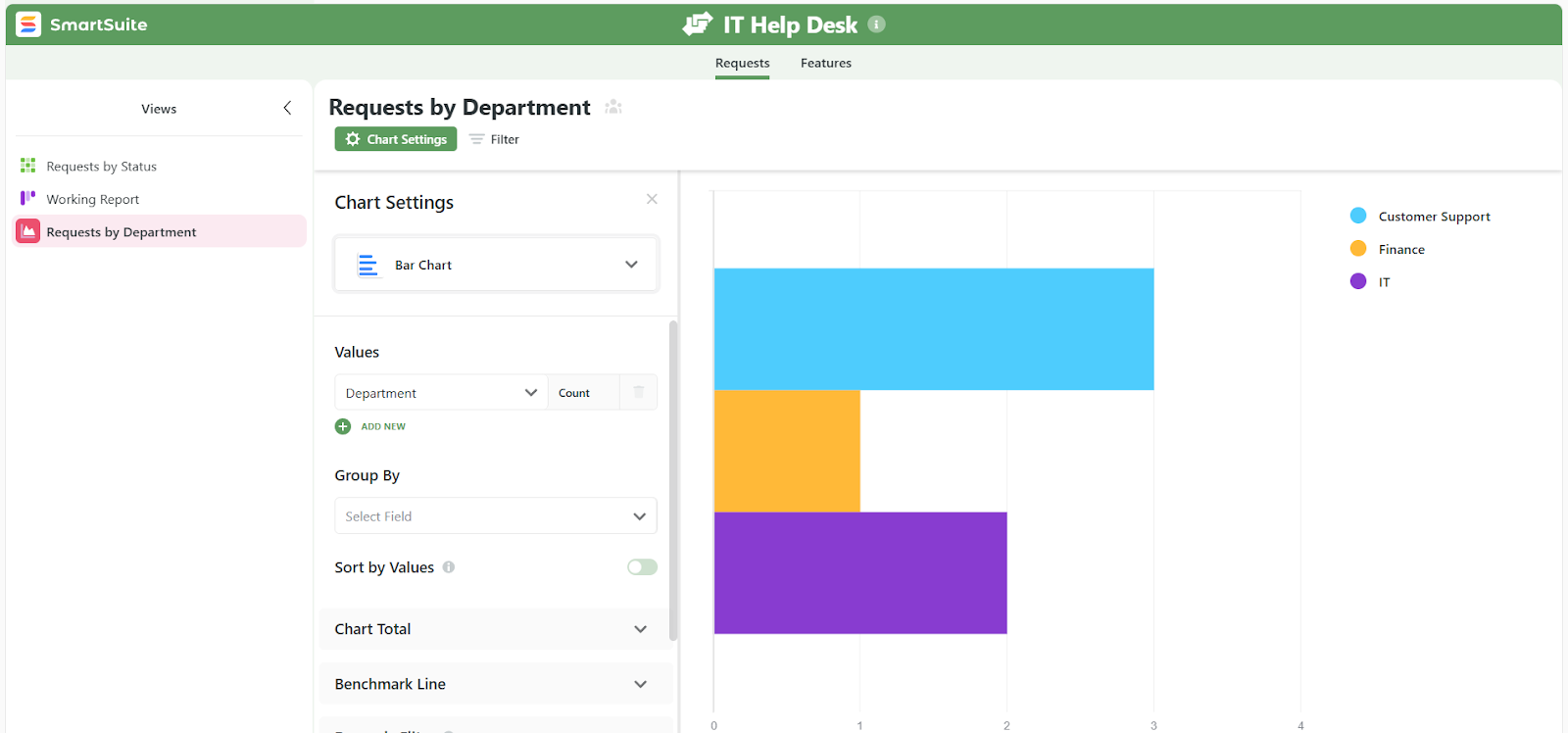
- Asset and lifecycle reporting to track usage, health, renewals, and upcoming replacements.
- Cross-workflow dashboards that aggregate data from multiple solutions into one real-time view.
- Granular permission controls where field-level and record-level access rules flow through to every chart, metric, and widget, so sensitive data stays protected throughout dashboards.
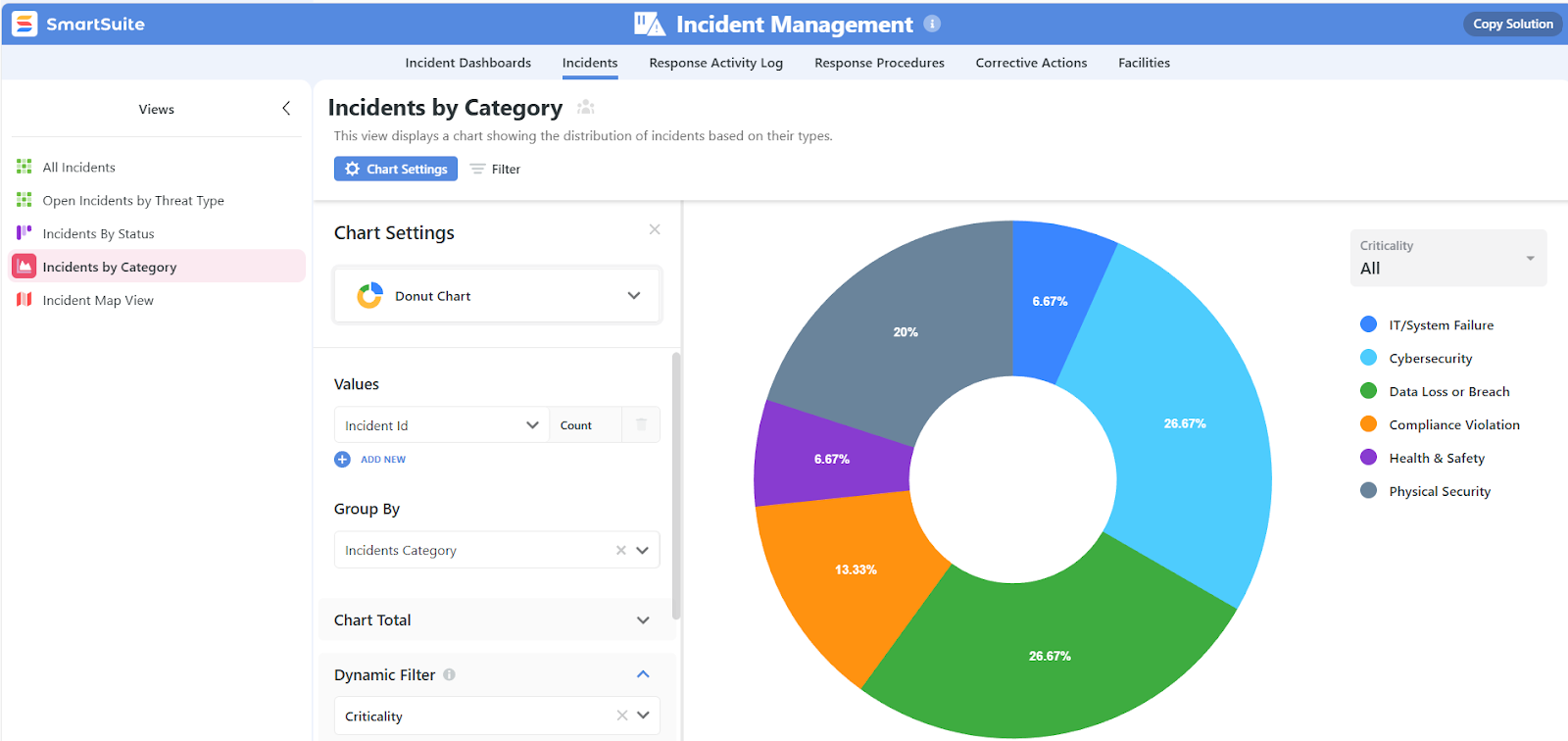
- Personal and team-based views like My Open Items, Upcoming Reviews, or Critical Risks to keep focus on what matters most.
- Powerful filtering, grouping, and sorting to turn large datasets into clear, actionable insights,
- Multiple work views including Grid, Kanban, Timeline, Calendar, Chart, Map, and Gallery, so teams can analyze and act in the format that fits the task.
3. No-code customization that adapts to how IT teams work
SmartSuite is built for no-code customization, allowing IT teams to shape their service desk, asset management, and operational workflows without relying on developers or consultants.
Instead of forcing teams into fixed processes, SmartSuite lets you configure everything using visual builders and widgets that are easy to adjust as requirements change.
Key no-code customization capabilities include:
- Visual automation builder to handle approvals, escalations, notifications, and handoffs.

- Drag-and-drop widgets for creating dashboards and forms that fit how your operations work, not the other way around.
- 200+ ready-made templates for various workflows and business processes which you can easily tailor to your organizational needs.
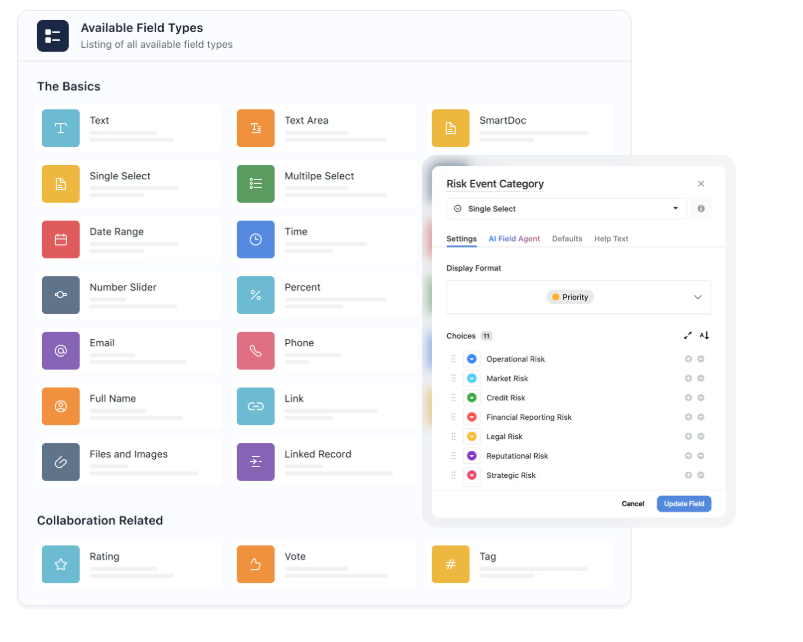
- 40+ field types to choose from, letting you build solutions which truly reflect different operational requirements.
- Integrations with widely used platforms that enable you to build a foolproof data flow system.
This makes SmartSuite especially useful for IT teams that expect change, whether that’s scaling operations, supporting new departments, or refining processes, without being locked into rigid, vendor-defined workflows.
4. Automation and AI that reduce manual work without adding complexity
SmartSuite combines powerful automation with built-in AI to help IT teams move faster, stay consistent, and focus on higher-value work instead of repetitive tasks.
Automations can be triggered across incidents, requests, assets, and changes, keeping workflows moving without constant manual intervention, while AI assists with prioritization, insights, and execution.
Key automation and AI capabilities include:
- No-code workflow automations for routing, approvals, escalations, notifications, and handoffs.

- Cross-workflow automation, so actions in one area (like an incident or asset change) can trigger updates elsewhere.
- AI-assisted workflows to surface patterns, highlight risks, and support smarter decision-making.

- Built-in governance, ensuring automations respect permissions, data access rules, and audit requirements.
- AI assistants for smart ticket triage, incident summarization, turning resolutions into knowledge articles, and impact analysis.
Together, automation and AI turn SmartSuite into an active operating layer that helps IT teams work smarter, respond faster, and scale operations without adding headcount.
Pricing
SmartSuite offers a 14-day free trial of its Professional plan (no credit card required), making it easy to test real workflows before subscribing.
From there, SmartSuite offers two pricing models, depending on organizational size and complexity:
- User-based pricing, designed for small to mid-sized organizations that want full access to the entire platform under one license:
- Team: $12/user/month (minimum 3 users) includes unlimited solutions, 5,000 records per solution, and 50GB storage, and access to all core features, such as SmartSuite AI, reporting and dashboards, pre-built templates, advanced customization options, real-time collaboration, etc.
- Professional: $24/user/month (minimum 5 users), includes everything in Team and adds 100,000 records per solution, 100GB of storage, Gmail & Outlook integrations, folders, and advanced access controls.
- Enterprise: $45/user/month (minimum 10 users), includes everything in Professional and adds 400,000 records per solution, 500GB of storage, SSO, SCIM provisioning, audit logs, DLP, IP restrictions, and premium support.

Each licensed user can access all SmartSuite solutions (ITSM, ITAM, GRC, projects, operations, etc.) without paying separately for service management, asset management, or reporting modules.
- Solution-based custom-tailored pricing, built for regulated industries and large enterprises where per-user licensing across the entire platform isn’t practical. With it you can:
- License only the specific solutions you need (e.g. ITSM, ITAM, GRC).
- Structure access by department, region, or regulatory requirement.
- Easily scale for thousands of users without compromising security.

How does SmartSuite compare to InvGate?
InvGate and SmartSuite both cover core ITSM needs, but they’re built for very different stages of growth.
InvGate focuses on simplicity and fast adoption, with an intuitive interface and solid out-of-the-box workflows that work well for smaller or less complex IT environments.
SmartSuite is designed for teams that expect to scale and adapt.
It offers deeper no-code customization, live cross-workflow dashboards, and tightly connected ITSM and ITAM, so incidents, assets, changes, and operations stay in context as complexity increases.
Moreover, while InvGate’s reporting and automation can feel limiting as needs grow, SmartSuite provides real-time visibility, AI-assisted workflows, and automation across the entire IT operation, without forcing teams into rigid processes or add-on modules.
In short, InvGate is a good starting point for straightforward ITSM, but SmartSuite is the better long-term alternative for teams that need flexibility, visibility, and scalability without tool sprawl.
Pros & Cons
✅ Extremely flexible no-code platform for building ITSM, ITAM, and custom workflows.
✅ Intuitive UI with a short learning curve, even for non-technical teams.
✅ Strong automation capabilities that reduce manual work across teams.
✅ Fast performance with both desktop and mobile apps
✅ Centralizes tickets, assets, policies, and reports in one platform.
✅ No-code customization and templates.
✅ Wide range of AI capabilities.
✅ Includes all core ITSM features in its entry tier.
❌ No mid-tier between Team and Professional plans.
2. Freshservice
Best for: IT teams that want a cloud-based, ITIL-aligned service management platform with strong ticketing, automation, and asset tracking.

Freshservice is a unified IT service management solution from Freshworks that centralizes incidents, service requests, problem and change management, and asset tracking into a single, modern hub.
It combines intuitive workflows with AI-powered automation and a unified service catalog to help IT teams streamline support processes, reduce downtime, and maintain operational efficiency.
Features
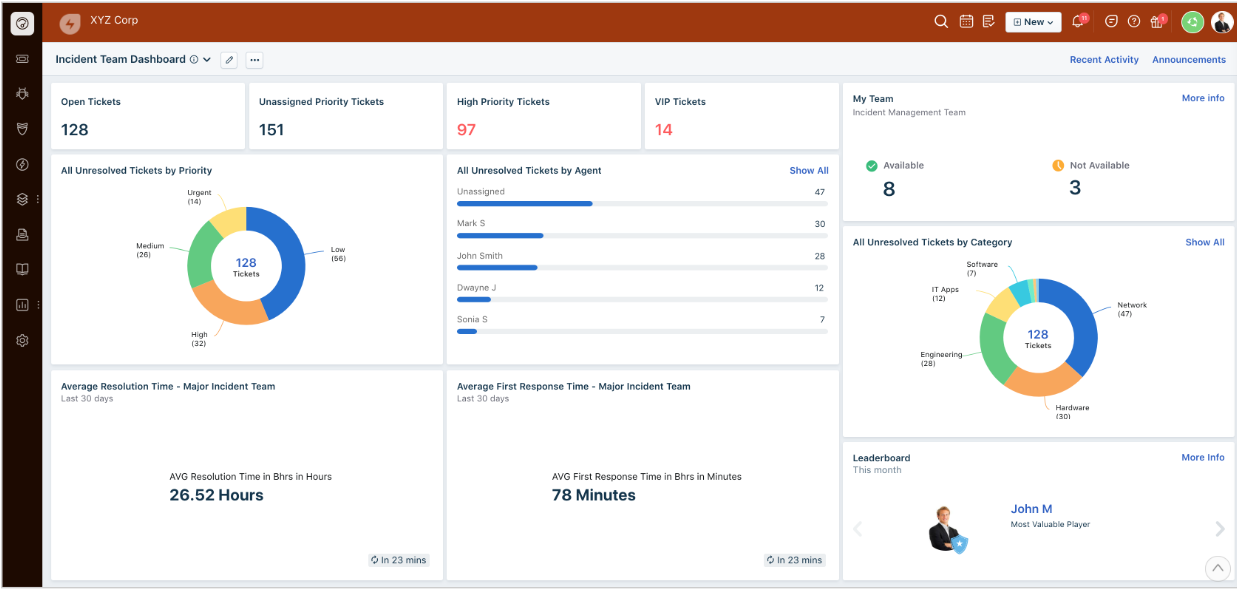
- ITIL-aligned workflows: Built-in support for incident, problem, change, and release management that helps structure service operations around industry best practices.
- Asset management & CMDB: Track hardware, software, SaaS, contracts, and inventory throughout the lifecycle with an integrated configuration management database.
- Freddy AI: Freshservice’s built-in AI assistant uses machine learning to automatically classify and route tickets, suggest relevant knowledge articles, and provide smart insights to help agents resolve issues faster.
Pricing
Freshservice has four pricing plans:
- Starter: $29/agent/month, includes multichannel support, incident, knowledge, and task management, etc.
- Growth: $59/agent/month, includes everything in Starter, plus SLA management, service catalog, etc.
- Pro: $119/agent/month, includes everything in Growth, plus problem, change, and release management, etc.
- Enterprise: Custom price, includes everything in Pro, plus sandbox, Freddy AI agent, AI insights, etc.
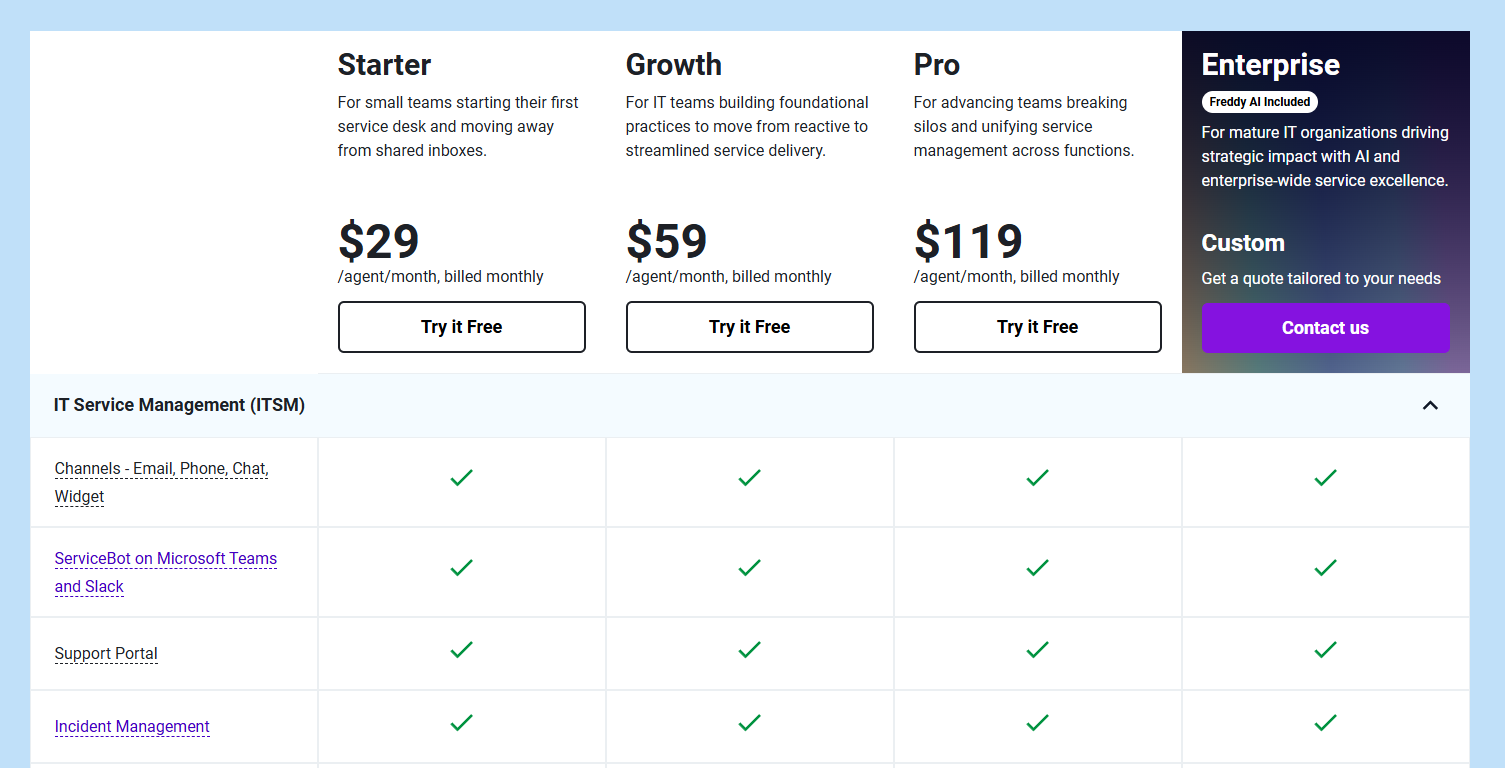
Each of these has a 14-day free trial.
Pros & Cons
✅ Very easy to use with a short learning curve and fast implementation.
✅ Strong mobile experience for tracking and updating tickets on the go.
❌ Pricing can increase quickly as teams are pushed to move to higher tiers for advanced features.
3. SolarWinds Service Desk
Best for: IT teams that want an ITIL-aligned service desk with strong asset management and practical automation, without the complexity of heavyweight enterprise platforms.

SolarWinds Service Desk is a cloud-based ITSM platform that brings incident, request, change, and asset management into a single, structured system.
It focuses on helping IT teams gain visibility, enforce best practices, and manage assets and services efficiently as operations scale.
Features

- AI-powered incident & ticket management: Automatically categorize, route, and prioritize tickets to the right teams to speed up resolution and reduce manual work.
- Service catalog & request fulfillment: Standardize service requests with dynamic forms and workflows that guide users and automate fulfillment processes.
- IT asset management & CMDB: Discover, track, and manage hardware, software, and configuration items throughout their lifecycle with a central CMDB that links assets to incidents and changes.
Pricing
SolarWinds Service Desk uses a modular pricing model, where ITSM, ITAM, and CMDB are licensed as separate products, each with its own plans.
This gives teams flexibility, but it also means costs can increase as you expand beyond core service desk needs.
Here’s how pricing is structured at a high level:
- IT Service Management (ITSM): Available in Essentials, Advanced, and Premier plans (all with a 30-day free trial), all with custom pricing. Core capabilities include incident and request management, service portal, knowledge base, SLAs, automations, and change management, with higher tiers adding advanced workflows, benchmarking, virtual agent, runbooks, and SolarWinds AI (Premier only).

- IT Asset Management (ITAM): It covers hardware and software inventory, mobile devices, QR/barcode tracking, warranties, purchase orders, contracts, license compliance, and risk management, again across Essentials, Advanced, and Premier tiers (custom pricing).
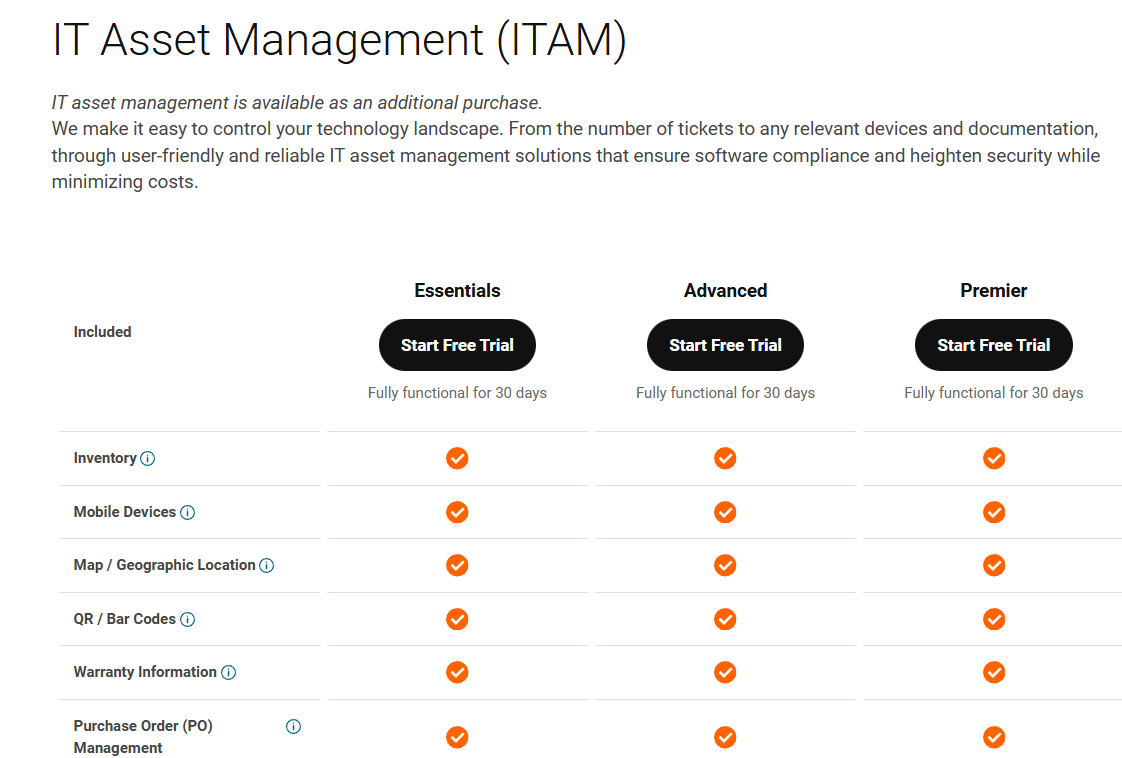
- CMDB: CMDB is also offered as a separate module, with features like configuration items (CIs), relationship mapping, discovery, visual maps, and automatic dependency mapping, dispersed across Essentials, Advanced, and Premier tiers (custom pricing).

For a detailed breakdown of SolarWind’s pricing tiers, check our SolarWind pricing guide.
Pros & Cons
✅ Strong service portal and dashboards for day-to-day IT operations.
✅ Integrated asset inventory with good visibility into devices and ownership.
❌ Reporting is useful but not very flexible or deeply customizable.
4. Jira Service Management
Best for: IT teams that work closely with development and DevOps and want an ITSM platform tightly integrated with agile workflows and the Atlassian ecosystem.
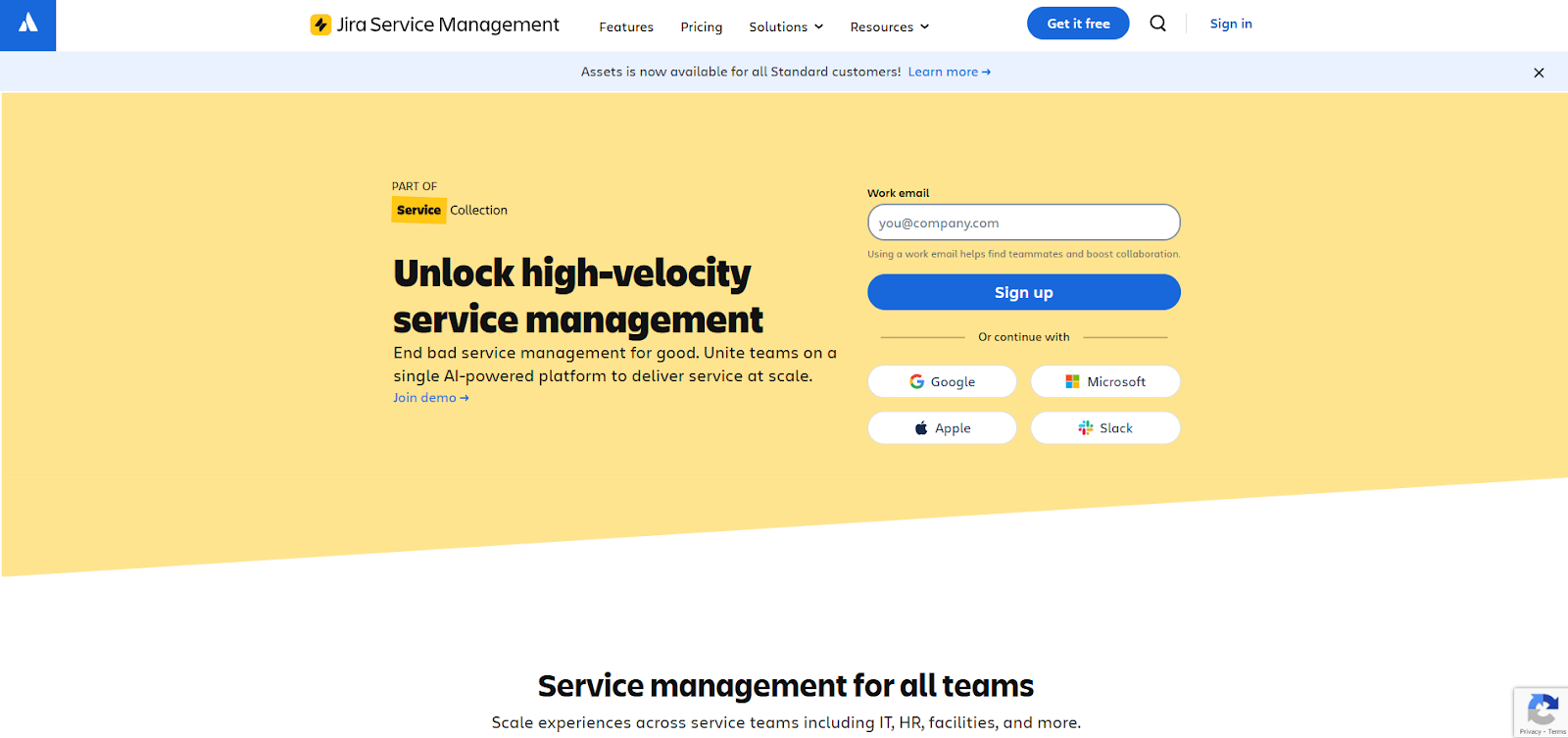
Jira Service Management is Atlassian’s IT service management platform that brings incident, request, change, and problem management into the same environment as Jira Software and Confluence.
It’s built to help IT, DevOps, and engineering teams collaborate faster, automate responses, and manage services at scale without separating service work from delivery work.
Features

- Change management with automation: Supports planned and unplanned changes with automation, approvals, and risk assessments that keep Dev and IT tightly aligned.
- Real-time collaboration & alerts: Deeply integrated with Atlassian’s communication tools (like Opsgenie and Slack), giving teams real-time alerting and on-call management.
- Granular reporting: Custom dashboards and reports for SLA compliance, queue health, and team performance.
Pricing
Jira Service Management offers tiered, per-agent pricing, with plans that scale from small teams to large enterprises:

- Free forever for up to 3 agents, includes multi-channel support (portal, email, chat), customizable forms and queues, embedded knowledge base, incident templates, and community support.
- Standard: $20 per agent/month, adds asset and configuration management, custom-branded help center, audit logs, unlimited email notifications, multi-region data residency, and AI-powered employee support via Rovo.
- Premium: $51.42 per agent/month, includes everything in Standard, plus virtual service agent, advanced AIOps, real-time incident monitoring, advanced incident and problem management, change management, and CI/CD deployment gating.
- Enterprise: Custom pricing, includes everything in Premium and adds Atlassian Analytics and Data Lake, advanced admin and security controls, enterprise IAM, unlimited automations, and support for multiple sites (up to 150).
You can check our pricing review for a more in-depth look into all of Jira Service Management’s plans and their value for money.
Pros & Cons
✅ Seamless integration with the Atlassian ecosystem (Jira Software, Confluence, Opsgenie).
✅ Highly customizable workflows, SLAs, queues, and automation rules.
❌ Steep learning curve for new users and non-technical teams.
5. ServiceNow
Best for: Large enterprises and complex IT organizations that need a fully comprehensive, scalable ITSM platform with deep automation, AI, and integration capabilities.

ServiceNow ITSM solution is a cloud-based enterprise platform that helps organizations streamline, automate, and optimize the full lifecycle of IT services, from incident and problem resolution to change and request fulfillment.
Built on the ServiceNow platform with AI and machine-learning capabilities, it consolidates disparate tools and workflows into a unified, enterprise-grade system designed to support high-performance IT operations.
Features

- AI-powered assistance with Now Assist: Generative AI applied across ITSM to summarize incidents and cases, power virtual agents and chatbots, generate knowledge and responses, analyze change impact, and help teams search, act, and automate faster.
- Change & release management: Helps plan, approve, and execute changes with risk assessment, impact analysis, and automated workflows to ensure predictable releases.
- Incident, problem & request management: Centralizes and automates the handling of incidents, problems, and service requests to reduce downtime and improve responsiveness.
Pricing
ServiceNow doesn’t publish fixed per-user pricing.
However, its ITSM offerings are structured into clear tiers so organizations can choose the level of automation, AI, and analytics they need:
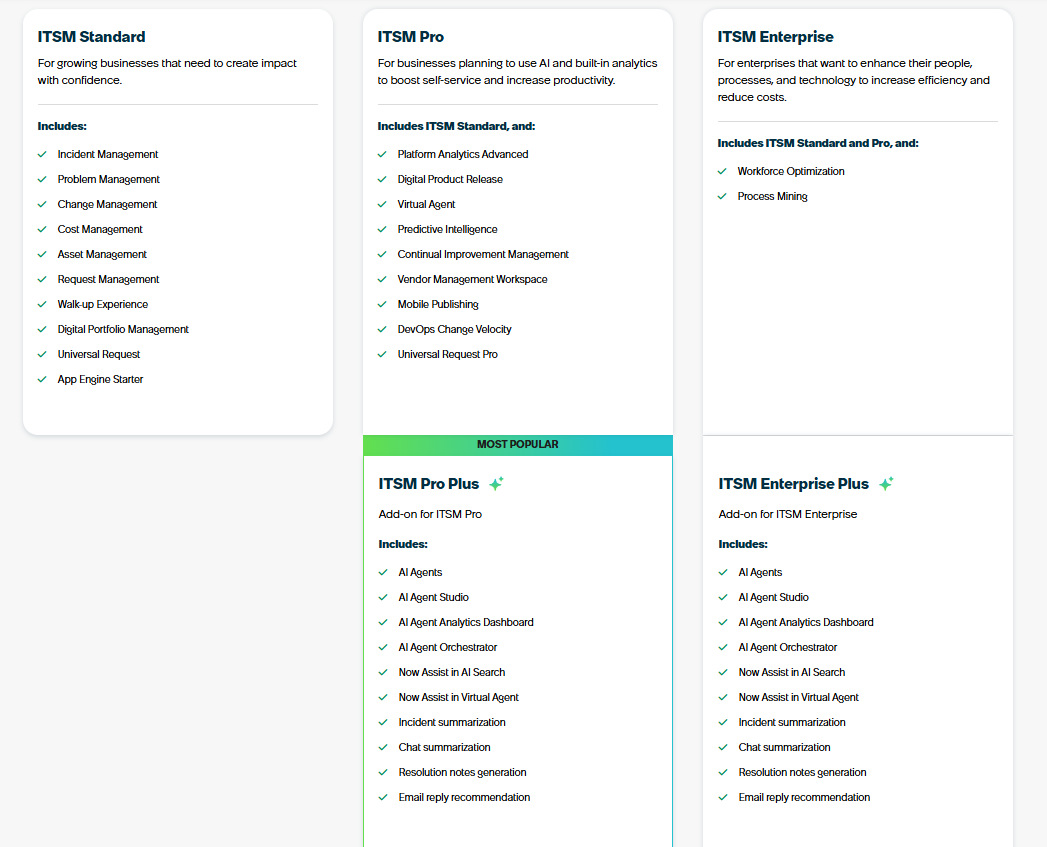
- ITSM Standard: Built for growing businesses that need core ITIL workflows in one platform, includes incident, problem, change, asset, request, walk-up experience, digital portfolio management, universal request, and App Engine Starter.
- ITSM Pro: Designed for teams that want to elevate service delivery with AI and advanced analytics, adds platform analytics, digital product release, Virtual Agent, predictive intelligence, continual improvement management, vendor workspace, mobile publishing, DevOps change velocity, and Universal Request Pro.
- ITSM Pro Plus (Add-on to ITSM Pro): Adds Now Assist AI capabilities, including AI agents, agent studio, AI observability dashboards, orchestration, AI search, enhanced Virtual Agent, and automated summarization and reply generation.
- ITSM Enterprise: Built for large enterprises that need deep optimization across people, processes, and technology, includes everything in Standard + Pro, plus workforce optimization and process mining.
- ITSM Enterprise Plus (Add-on to ITSM Enterprise): Expands Enterprise with the full Now Assist AI suite, including AI agents, AI agent studio, AI analytics dashboard, and automated incident, chat, and email summaries.
To find out how much any of these plans will cost your organization, you’ll have to request a custom quote.
Pros & Cons
✅ Industry-leading CMDB with deep relationship and impact visibility.
✅ Strong reporting, dashboards, and ITIL-aligned processes.
❌ High total cost of ownership, especially for smaller teams or basic use cases.
6. ManageEngine ServiceDesk Plus
Best for: Mid-sized to large IT teams that want a scalable, all-in-one ITSM platform combining help desk, asset management, CMDB, and enterprise workflows in one system.

ManageEngine ServiceDesk Plus is a full-stack IT service management solution built on ITIL best practices that helps organizations centralize their IT help desk, asset tracking, change and release processes, and service catalog.
It’s available in cloud and on-premises editions with flexible tiers so teams can start with core ticketing and expand into ITAM, CMDB, and enterprise service management as they grow.
Features

- Automation & workflow design: Use business rules, SLAs, escalations, visual change workflows, and lifecycle canvases to reduce manual work and enforce consistency.
- AI-driven ITSM (Zia & GenAI): Leverage predictive intelligence, conversational virtual agents, ticket insights, and GenAI assistance to improve productivity and self-service.
- Self-service & mobility: Provide a branded self-service portal, knowledge base, live chat, and native mobile apps for iOS, Android, and Windows.
Pricing
Pricing for ManageEngine ServiceDesk Plus isn’t listed publicly.
However, it’s clear from the request quote form that costs change based on technician volume and deployment model.
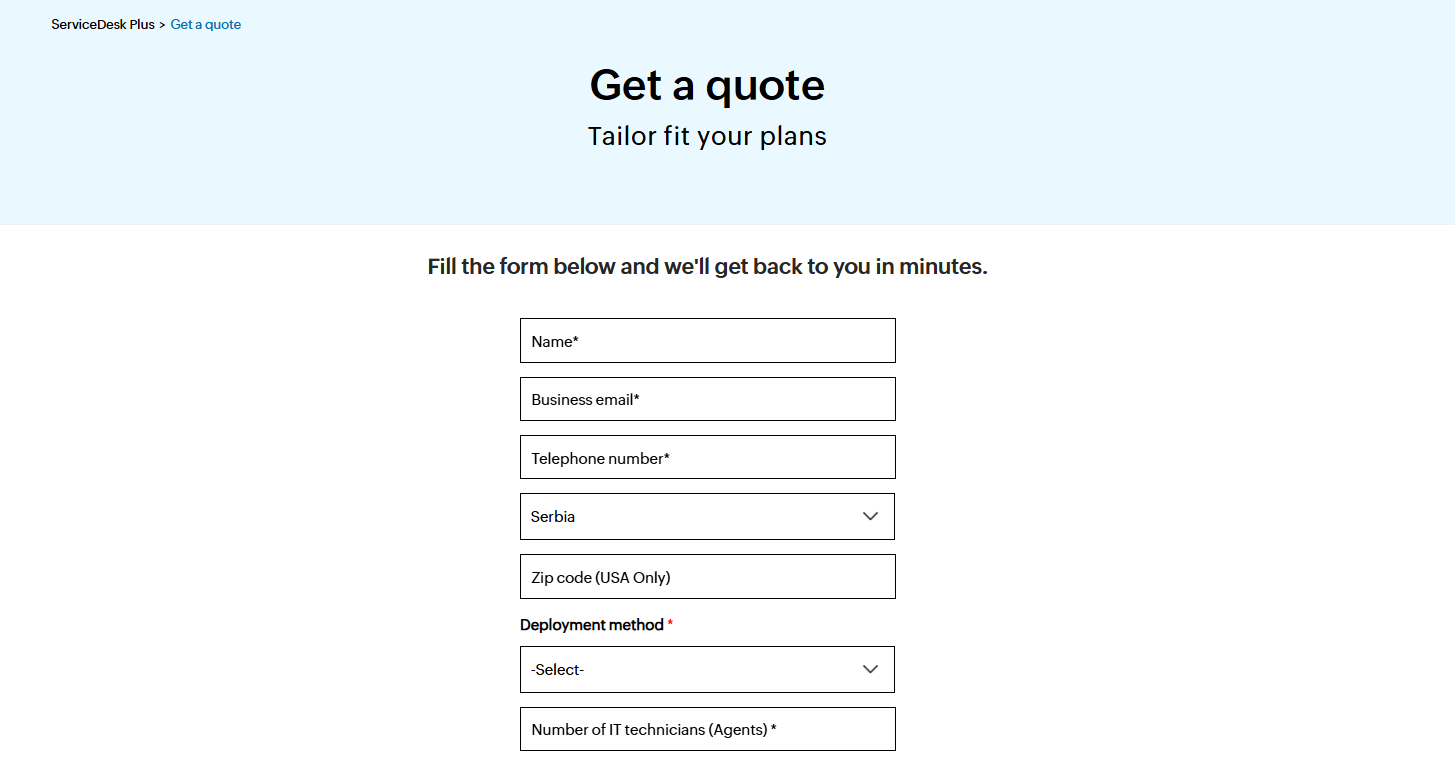
To know what your organization would pay, you’ll have to reach out for a personalized quote or take a look at our detailed ManageEngine pricing guide.
Pros & Cons
✅ Good integration across the ManageEngine ecosystem (Endpoint Central, OpManager, Asset Explorer, etc.).
✅ Flexible customization and configuration options for workflows and forms.
❌ Reporting is solid but limited for advanced or highly tailored analytics.
7. TOPdesk
Best for: IT and service teams that want an intuitive, ITIL-aligned platform for managing incidents, assets, changes, and requests with self-service and collaboration features that scale across departments.

TOPdesk is an ITSM solution focused on centralizing internal support work—including ticketing, asset tracking, knowledge, and change workflows into a single, user-friendly system.
It helps IT teams prioritize and resolve requests efficiently while giving end users self-service tools and visibility into their requests.
Features
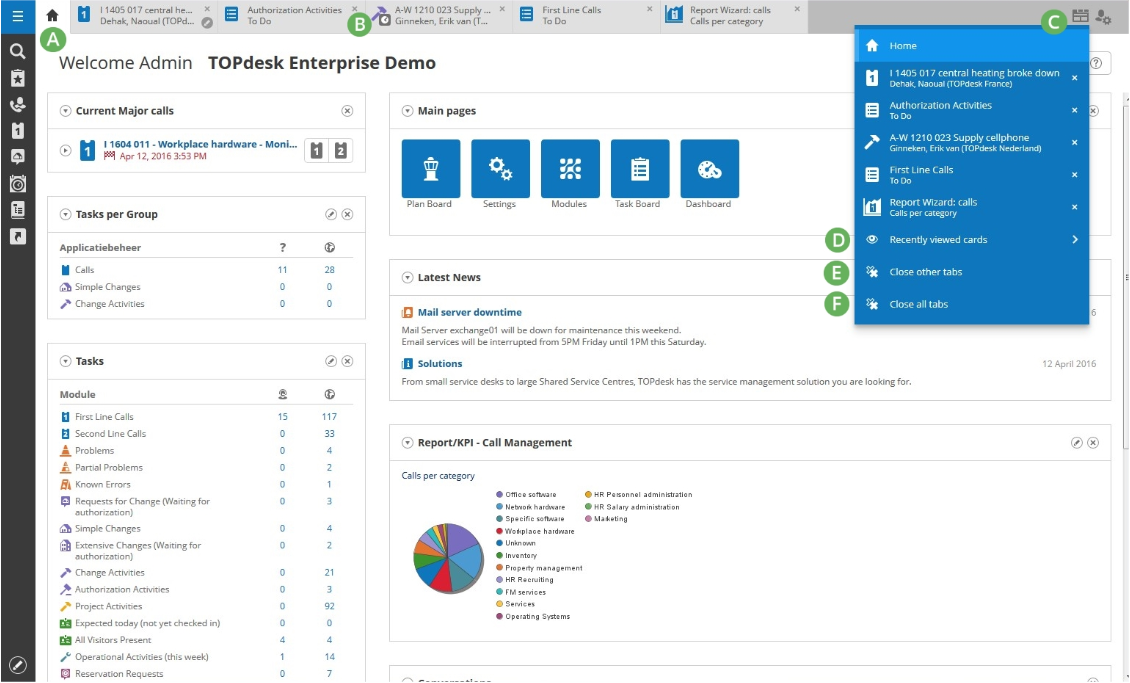
- Incident management: Capture, categorize, prioritize, and assign tickets so IT teams can resolve issues quickly and consistently.
- Service catalog & self-service portal: End users can submit requests, track progress, and find answers in a centralized portal, including AI suggestions and live chat support.
- Omni-channel support: Support requests through portals, emails, forms, and chat, connecting all service interactions in one place.
Pricing
TOPdesk uses per-agent pricing with three main plans:
- Essential: $76 per agent/month, covers core ITSM needs including incident and asset management, self-service portal, knowledge base, unlimited tickets/assets/end users, and dashboards with reporting.
- Engaged: $109 per agent/month, includes everything in Essential and adds change and problem management, contract and SLA management, surveys, and operations management for teams that need more structured, collaborative workflows.
- Excellent: $155 per agent/month, includes everything in Engaged plus project management, webshop, live chat, premium support, and an annual health check for organizations that want maximum value from the platform.
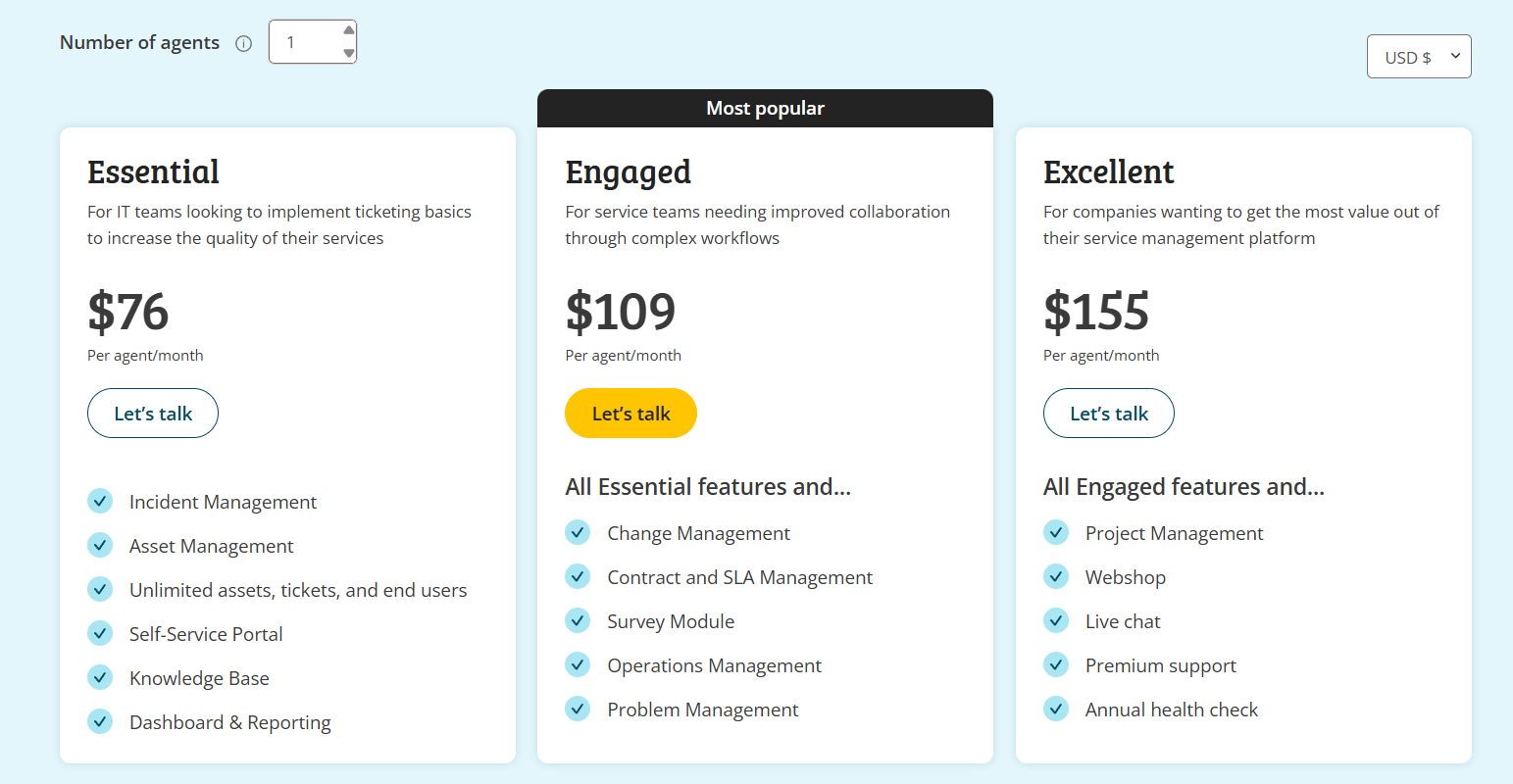
For a detailed breakdown of what you get in each of TOPdesk’s plans, you can check out our in-depth guide.
Note: Per-agent costs decrease as your agent count grows.
Pros & Cons
✅ Flexible configuration and layout compared to many traditional ITSM tools.
✅ User-friendly interface that’s easy to adopt for both new and mature IT teams.
❌ Email automation and workflow-based alerts are complex and time-consuming to set up.
8. SysAid
Best for: IT teams that need a straightforward ITSM platform to manage incidents, requests, assets, and changes in one place, with built-in automation and self-service to reduce manual work.

SysAid is an ITSM platform built to centralize everyday IT support work.
It combines a customizable service desk with workflow automation, self-service portals, and reporting to help IT teams resolve issues faster while maintaining visibility and control across their IT operations.
Features

- AI-powered automation: Uses generative AI and prebuilt agents to automate repetitive tasks like categorizing tickets, suggesting solutions, and handling routine workflows.
- Service level & routing rules: Lets you define SLAs, priorities, and automated rules to ensure tickets go to the right team members at the right time.
- Incident & ticket management: Centralizes all support requests so IT teams can log, prioritize, assign, and resolve issues efficiently in one place.
Pricing
SysAid doesn’t publish fixed per-agent pricing for its ITSM platform.
Instead, it offers three core plans, and requires you to contact its team for a personalized quote.
What is clear from the packaging is how each tier scales:
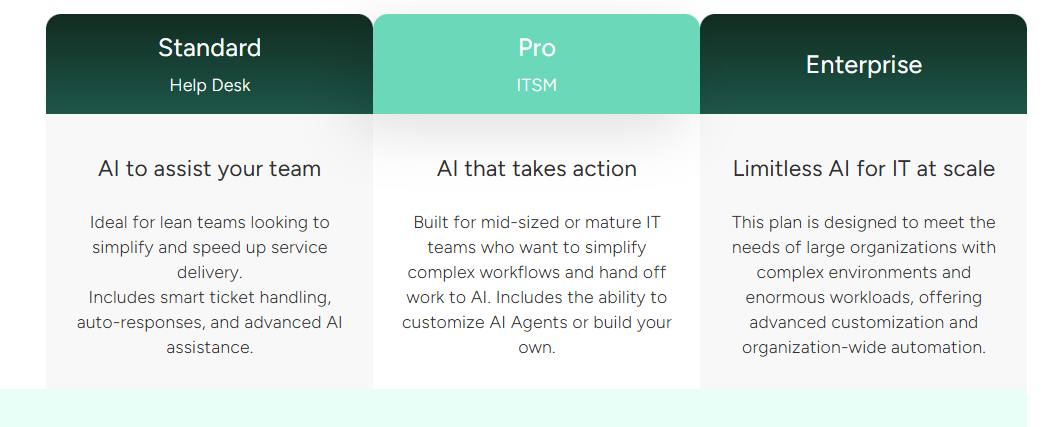
- Standard: Includes core AI features, essential service desk functionality, 250 managed assets, basic reporting, etc.
- Pro: Adds multiple self-service portals, field customization, routing and escalation rules and alerts, automations, customized analytics, and more.
- Enterprise: Unlocks unlimited storage retention, dedicated support, and more advanced customization and automation.
To see how SysAid is priced in practice, I break down every plan in this detailed pricing review.
Pros & Cons
✅ Useful reporting, dashboards, and analytics for tracking performance, recurring issues, and service efficiency.
✅ Strong integrations (notably with Microsoft tools) that fit well into existing IT environments.
❌ Initial setup, automation configuration, and integrations can require significant time and training.
9. Ivanti Neurons
Best for: IT teams and service organizations that want a modern, scalable ITSM platform built on AI and automation to improve service delivery across the IT lifecycle.

Ivanti’s Ivanti Neurons for ITSM is an enterprise-grade IT service management solution designed to modernize service desks and support teams with automation, analytics, and flexible deployment options.
It leverages AI-powered tools to help organizations automate routine processes, manage incidents and assets, and provide self-service support.
Features
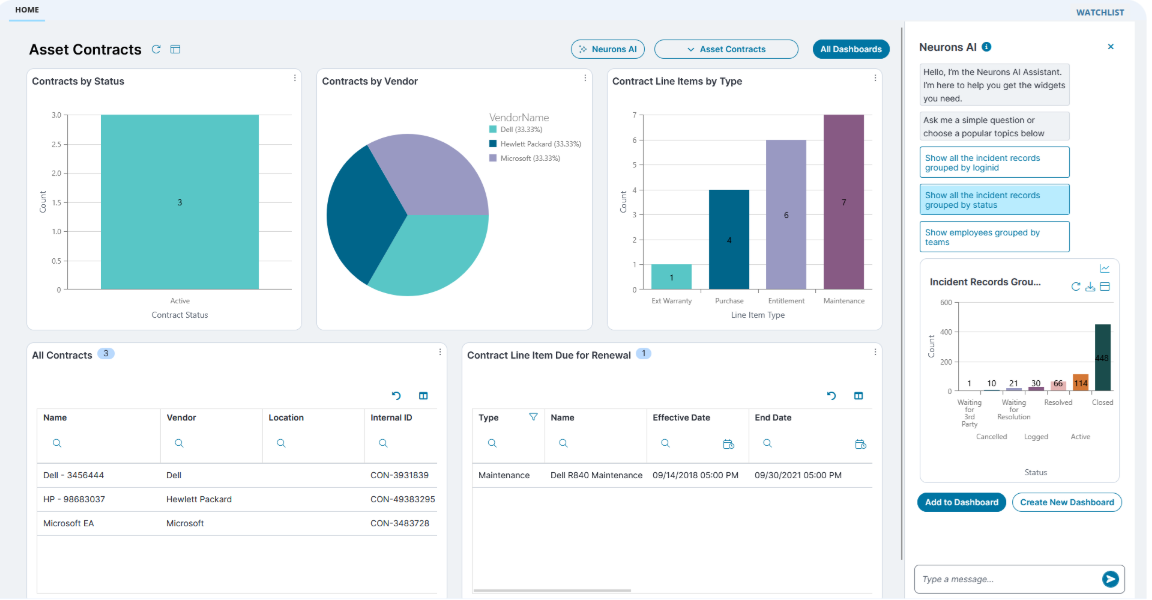
- AI-powered capabilities: Uses AI to classify tickets, summarize incidents, and offer intelligent recommendations to speed up triage and improve response quality.
- Mobile access: Enables users and technicians to interact with the service desk from mobile devices, supporting flexibility and responsiveness.
- No-code workflow automation: Automates routine tasks and processes like approvals, routing, and escalations without writing code, saving time and reducing manual effort.
Pricing
Ivanti doesn’t publish pricing details for its Neurons solution.
You can request a demo to get more details or take a look at our in-depth Ivanti pricing review.

Pros & Cons
✅ Easy-to-use core experience with relatively smooth implementation compared to legacy ITSM tools.
✅ Strong workflow automation and low-code/no-code capabilities for building processes without heavy development.
❌ Certain advanced features work best in Microsoft-centric environments, while Google-based stacks may feel constrained.
10. BMC Helix
Best for: Large IT organizations and enterprise service teams that need a scalable, AI-empowered ITSM platform to manage various IT operations across complex environments.

BMC Helix is a comprehensive IT service management solution built to streamline and automate core ITSM processes with modern AI and cloud-ready architecture.
It helps enterprises reduce manual effort, improve service visibility, and deliver consistent IT service outcomes using intelligent automation and analytics.
Features

- Self-service portal: Offers an intuitive self-service hub where employees can browse services, submit requests, and access knowledge guides without help desk intervention.
- Change & release management: Helps teams plan, approve, coordinate, and schedule changes with impact analysis and risk insights to reduce disruption.
- AI assistance: Uses AI-powered service management, clustering, intelligent insights, and advanced dashboards to help identify patterns and optimize performance.
Pricing
BMC Helix doesn’t publish prices for its offering.
You can request a custom quote on its website.

If you want to understand how BMC Helix ITSM pricing actually works without contacting its team, check out our full pricing breakdown.
Pros & Cons
✅ Strong reporting and analytics for SLA tracking, trends, and operational insights.
✅ Flexible customization options to adapt workflows, forms, and processes to enterprise needs.
❌ Pricing is high compared to many modern ITSM alternatives.
Which InvGate alternative should you choose?
InvGate works well for simple, early-stage ITSM.
But as teams scale, its limits around reporting, customization, and automation often push IT leaders to look elsewhere.
Most InvGate alternatives fall into two camps: heavy enterprise ITSM tools that add cost and complexity, or service-desk tools that still cap flexibility.
SmartSuite sits in the middle, giving teams full ITSM and ITAM capabilities with real no-code flexibility, live reporting, and AI, without locking you into rigid workflows.
Want to see how SmartSuite would work for your IT team?
Start a free 14-day trial or book a demo to explore how SmartSuite can replace InvGate, and the tools around it, with a single, flexible IT operations platform.
Read more
- ServiceNow vs. Jira Service Management vs. SmartSuite: Which One Is Better? (2026) - A clear, side-by-side look at ServiceNow, Jira Service Management, and SmartSuite to help you pick the best IT service platform in 2026.
- NinjaOne Pricing: Is It Worth It In 2026? - A practical look at NinjaOne’s pricing, what you actually get at each tier, and when the cost makes sense.
- 10 Best TeamDynamix Alternatives & Competitors In 2026 - The best TeamDynamix alternatives for IT and service teams that want modern workflows without enterprise-level complexity.
- ServiceNow vs. Ivanti vs. SmartSuite: Which One Is Better? (2026) - A side-by-side comparison of three very different ITSM approaches - enterprise heavyweight, operations platform, and flexible Work OS.
- Startly Pricing: Is It Worth It In 2026? - An honest breakdown of Startly’s pricing, limitations, and whether it delivers real value for growing teams.
- 10 Best Atera Alternatives & Competitors in 2026 - The top Atera alternatives for IT teams that need stronger ITSM, asset management, or reporting at scale.

SmartSuite provides work platform for standardizing workflows in the following areas:
- Governance, Risk & Compliance
- IT & Service Ops
- Project / Portfolio Management
- Business Operations







