



10 Best Corporater Alternatives & Competitors In 2026


SmartSuite provides work platform for standardizing workflows in the following areas:
- Governance, Risk & Compliance
- IT & Service Ops
- Project / Portfolio Management
- Business Operations

Corporater promises to do it all - GRC, performance management, strategy execution, and even business intelligence - in one platform.
- SmartSuite stands out as the best overall Corporater alternative in 2026, offering a transparent, no-code platform that unifies risk, compliance, audit, policy, and vendor management, making enterprise-grade GRC accessible to teams of any size.
- Workiva, Diligent, and ServiceNow excel in advanced automation, real-time reporting, and large-scale enterprise governance workflows.
- LogicGate, MetricStream, and Riskonnect deliver flexible, modular, and analytics-driven GRC frameworks ideal for mid-to-large organizations seeking configurability.
- Meanwhile, Resolver and Archer remain strong choices for teams focused on risk intelligence, incident management, and integrated audit tracking.
But if you’ve spent any time inside the tool, you’ve probably felt it:
It’s not exactly built for speed, flexibility, or modern compliance teams trying to move fast.
Between rigid modules, dated UX, and a steep learning curve, many teams are starting to rethink whether Corporater is truly serving their needs, or just slowing them down.
Today’s risk and compliance require a platform that doesn’t just check boxes - it needs to launch fast, adapt instantly, automate everything repeatable, and give leadership real-time visibility across every risk domain.
That’s where Corporater alternatives step in.
In this guide, I’ll walk you through the 10 best Corporater alternatives and competitors for 2026, from agile no-code GRC platforms to enterprise solutions with built-in AI and automation.
Whether you’re managing policies, streamlining audits, tracking vendor risk, or preparing for your next regulatory exam, there’s a better option out there.
Let’s dive in!
Why teams are looking to replace Corporater
Corporater is often praised for its flexibility, broad feature coverage, and strategic alignment tools.
But beneath the surface, many users are starting to hit a wall.
From rigid reporting workflows to outdated visuals, here are the key reasons why compliance and performance leaders are actively exploring better alternatives to Corporater this year:
1. High cost of customization and ownership
Even though Corporater is marketed as a flexible platform, many reviewers noted that meaningful customization often requires expert involvement or additional costs, whether it’s hiring in-house sysadmins or buying support hours from the vendor.
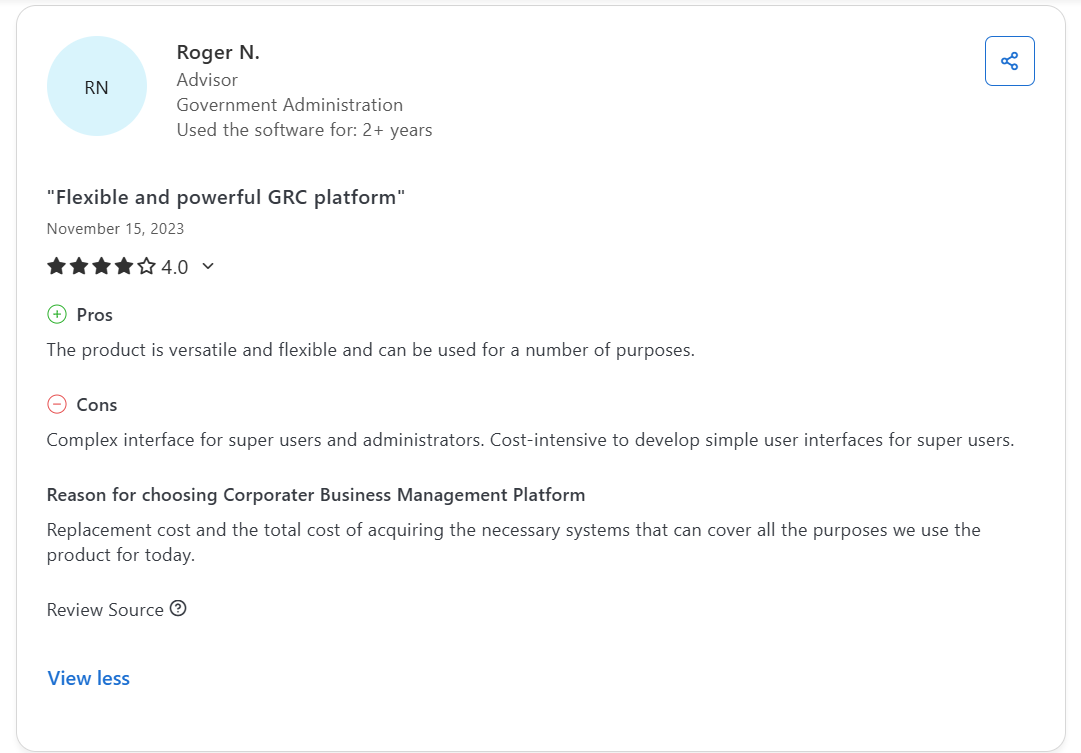
“Cost-intensive to develop simple user interfaces for super users.” - Capterra Review
This makes scaling or adapting the platform harder for lean teams or organizations going through rapid change.
2. Limited business intelligence and analytics features
While Corporater supports risk and strategy tracking, several users feel it lacks the analytical depth and granularity required for GRC.
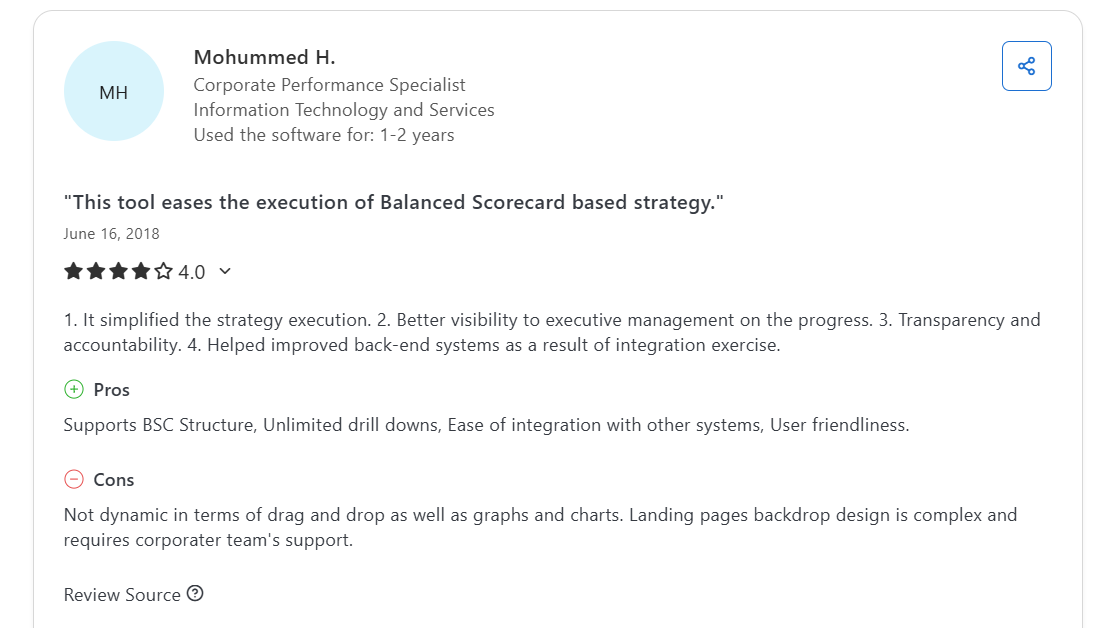
“Not dynamic in terms of drag and drop as well as graphs and charts.” - Capterra Review
Others expressed frustration with having to revert back to Excel or external tools to generate the insights they need.
3. Lack of built-in automation and modern workflow tools
Despite its flexibility, Corporater lacks some of the automation and transport tools teams expect in 2026.
One reviewer noted the absence of built-in configuration transport between dev, test, and production environments, which is a major drawback for fast-moving teams.
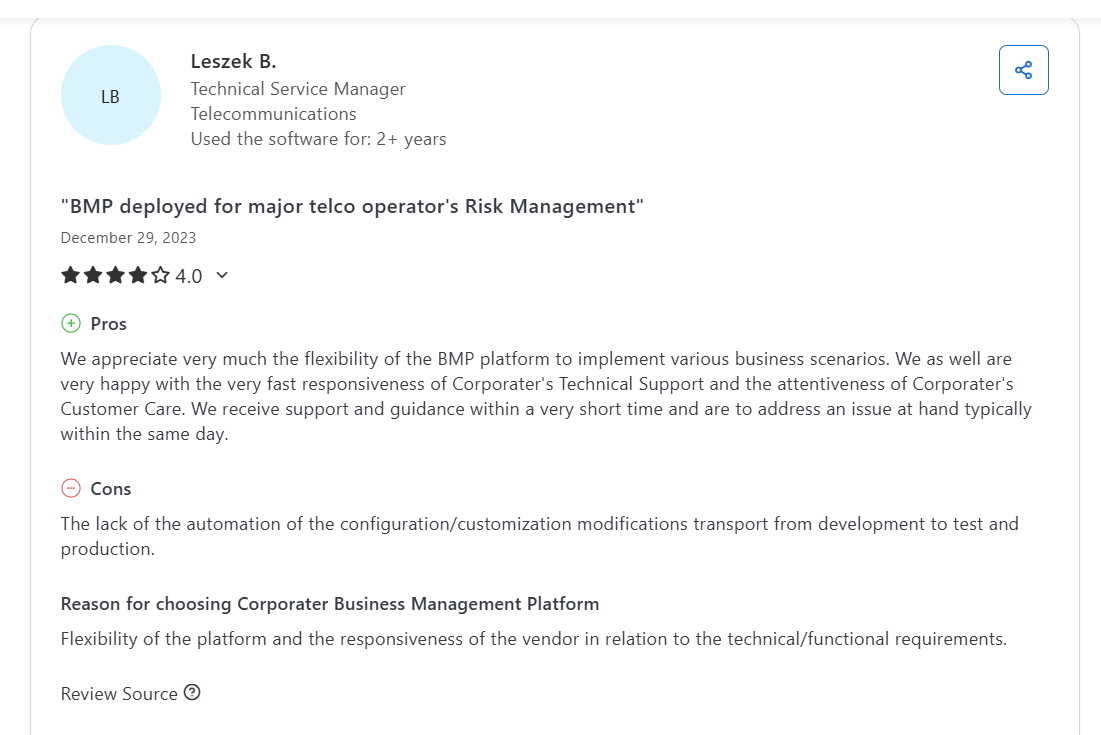
“The lack of automation of the configuration/customization modifications transport from development to test and production.” - Capterra Review
This makes maintaining and updating the platform more time-consuming, especially in regulated environments with strict version controls.
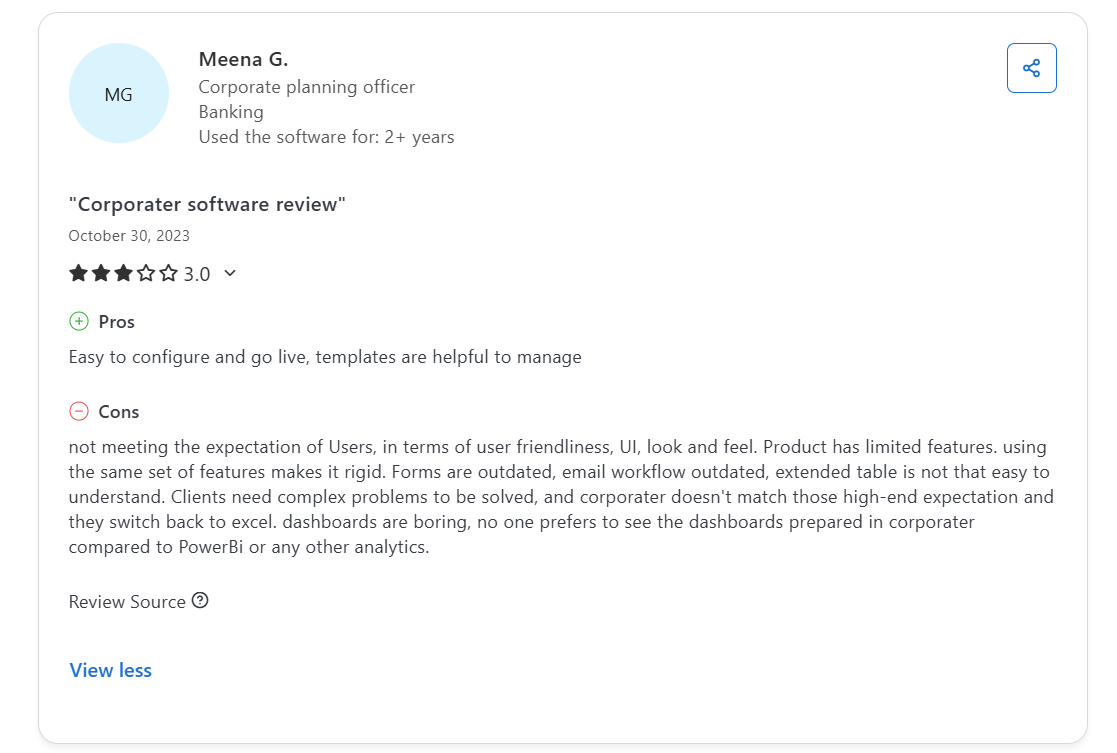
“Clients need complex problems to be solved, and Corporater doesn't match those high-end expectation, and they switch back to Excel. Dashboards are boring, no one prefers to see the dashboards prepared in Corporater compared to Power BI or any other analytics.” - Capterra Review
What are the best Corporater alternatives and competitors in 2026?
Here’s a curated list of 10 strong Corporater alternatives and competitors in 2026, platforms that offer overlapping or improved capabilities in strategy, performance and GRC:
- SmartSuite - Unified no-code platform for managing risk, audit, compliance, performance, and strategy in one place.
- Workiva - Connects financial and non-financial data for real-time compliance, reporting, and risk automation.
- Diligent - AI-powered GRC suite with strong capabilities in board governance, risk oversight, and policy management.
- ServiceNow GRC - Integrates GRC with IT operations for teams already embedded in the ServiceNow ecosystem.
- LogicGate - Modular no-code platform that lets teams build and automate custom GRC workflows without IT.
- MetricStream - Enterprise-ready GRC suite covering audit, risk, ESG, compliance, and control analytics.
- OneTrust - Privacy-first GRC solution with strengths in data protection, third-party risk, and regulatory automation.
- Archer IRM - Configurable risk framework used by global enterprises for regulatory mapping and operational risk.
- Riskonnect - Combines GRC, business continuity, and risk management for resilience-focused industries.
- Resolver - Incident-driven GRC tool with built-in risk intelligence, threat tracking, and response workflows.
1. SmartSuite
Best for: Compliance teams of all sizes looking for an intuitive, fully unified, no-code GRC platform that supports everything from strategy and risk to audits and policy workflows.

SmartSuite is the best overall Corporater alternative in 2026 because it offers the same breadth - strategy execution, performance tracking, GRC oversight - but with faster setup, easier customization, and a modern, no-code interface.
Whether you’re a bank managing regulatory obligations, a government agency tracking KPIs, or a cross-functional team responsible for audits and risk scoring, SmartSuite helps you get compliant, stay aligned, and move fast without relying on consultants or in-house developers.
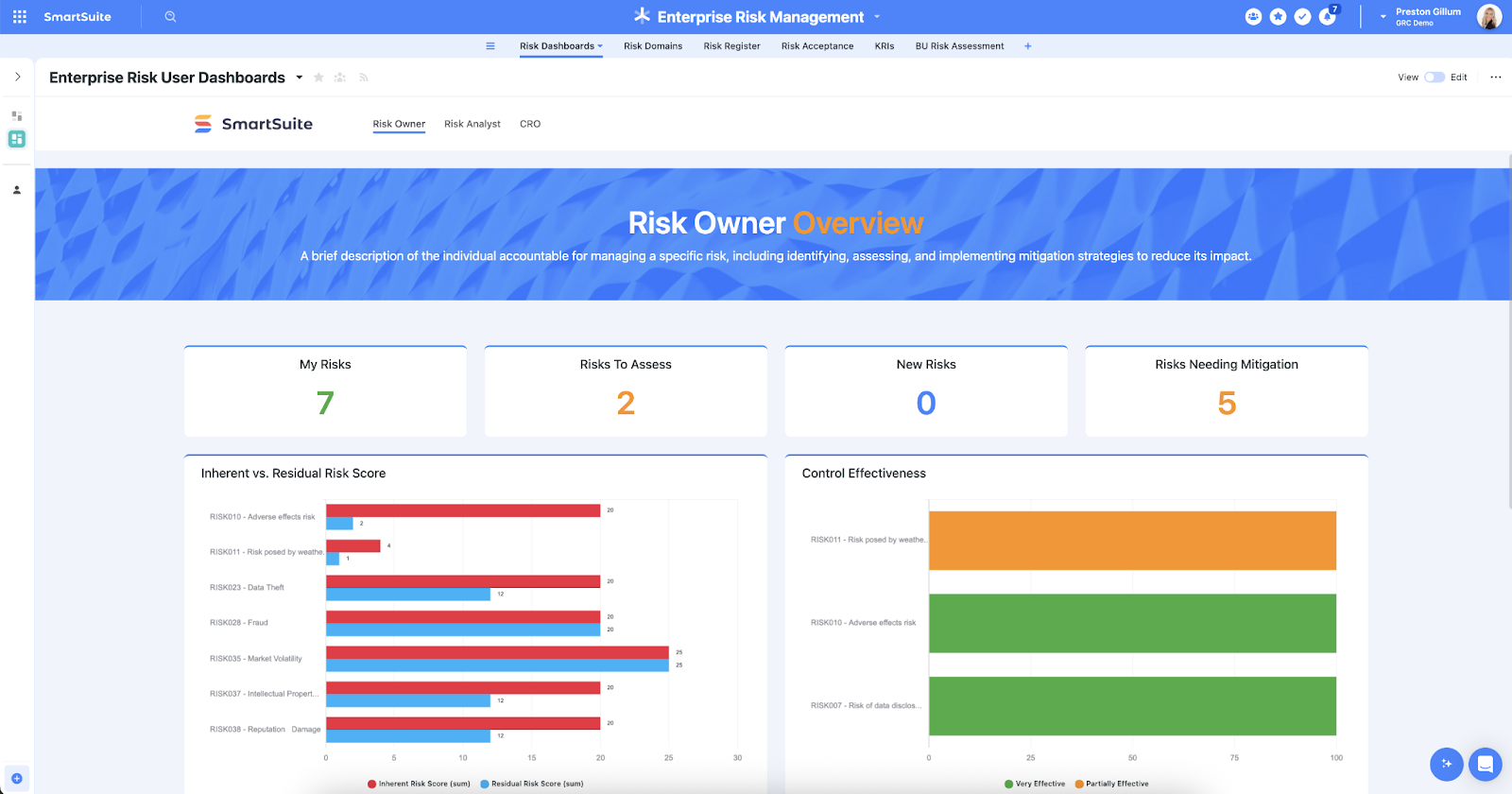
Here are some of its standout GRC features:
1. Run every GRC workflow in one place
Unlike platforms that silo performance and compliance into separate modules, SmartSuite gives you one workspace for every part of your governance program:
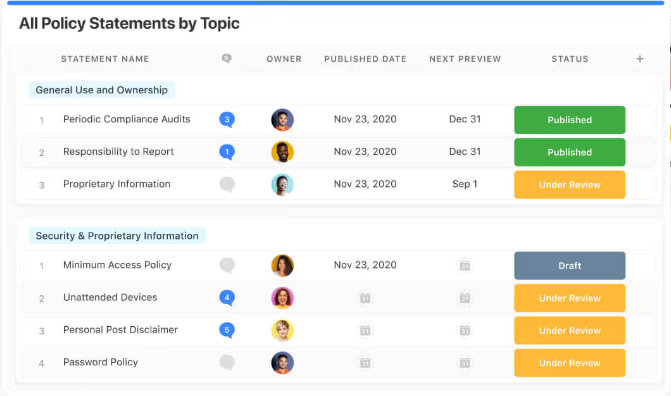
- Policy & control management: Define, publish, assign, and update policies with version control, approvals, and audit trails.
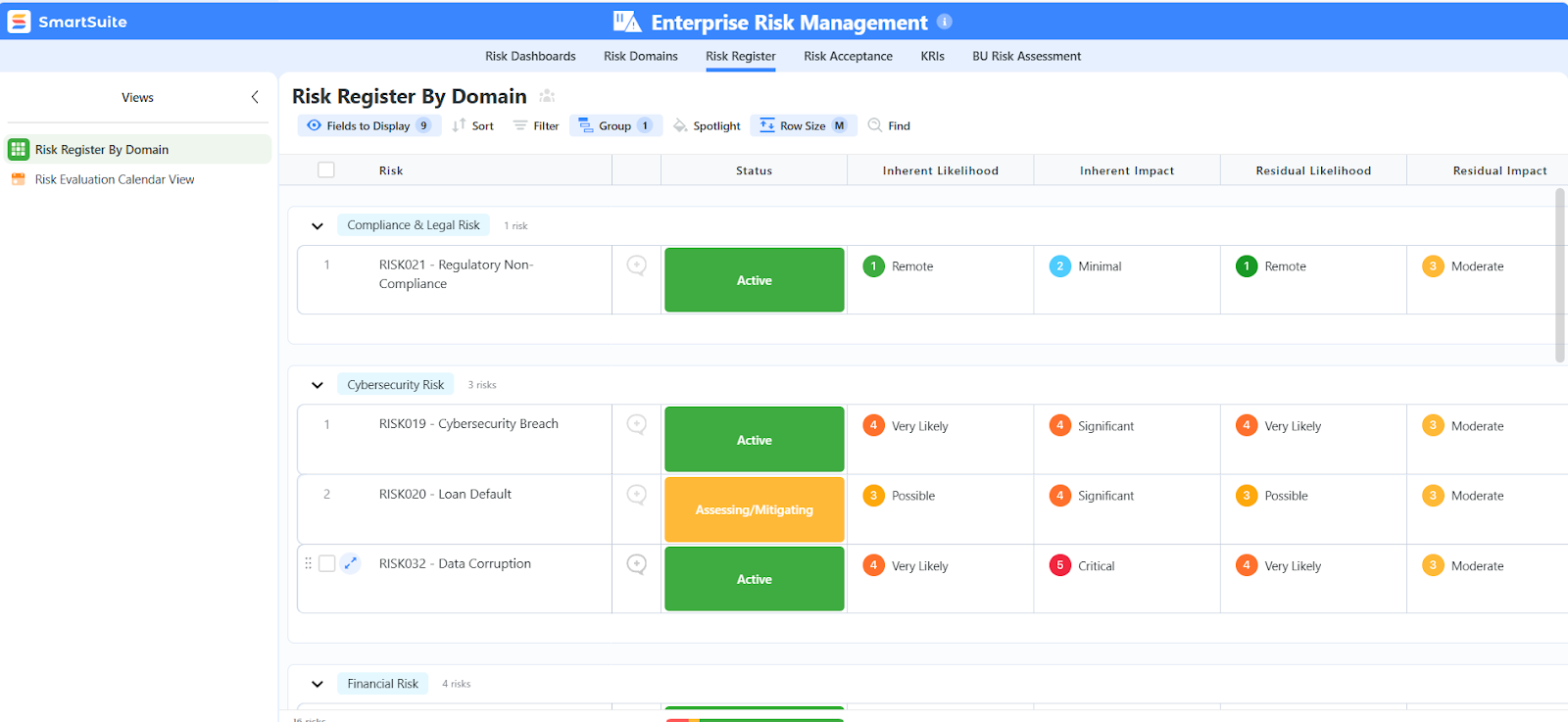
- Risk & threat registers: Identify, score, and mitigate risks with customizable scoring formulas, ownership fields, and dashboards.
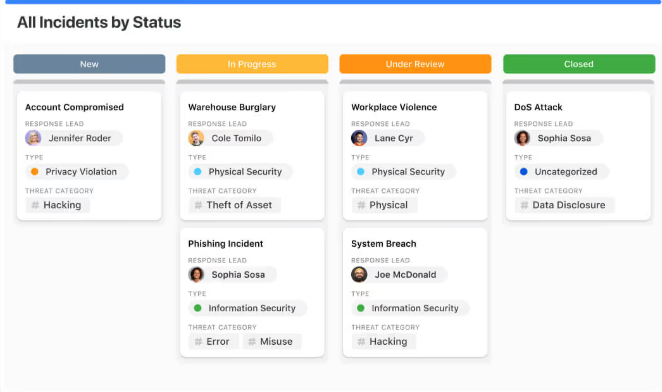
- Incident & issue tracking: Centralize incident reports, link to assets or vendors, and assign resolution workflows with automated alerts.
- Third-party & vendor oversight: Track vendor compliance, onboarding assessments, contracts, and risk ratings all in one dashboard.
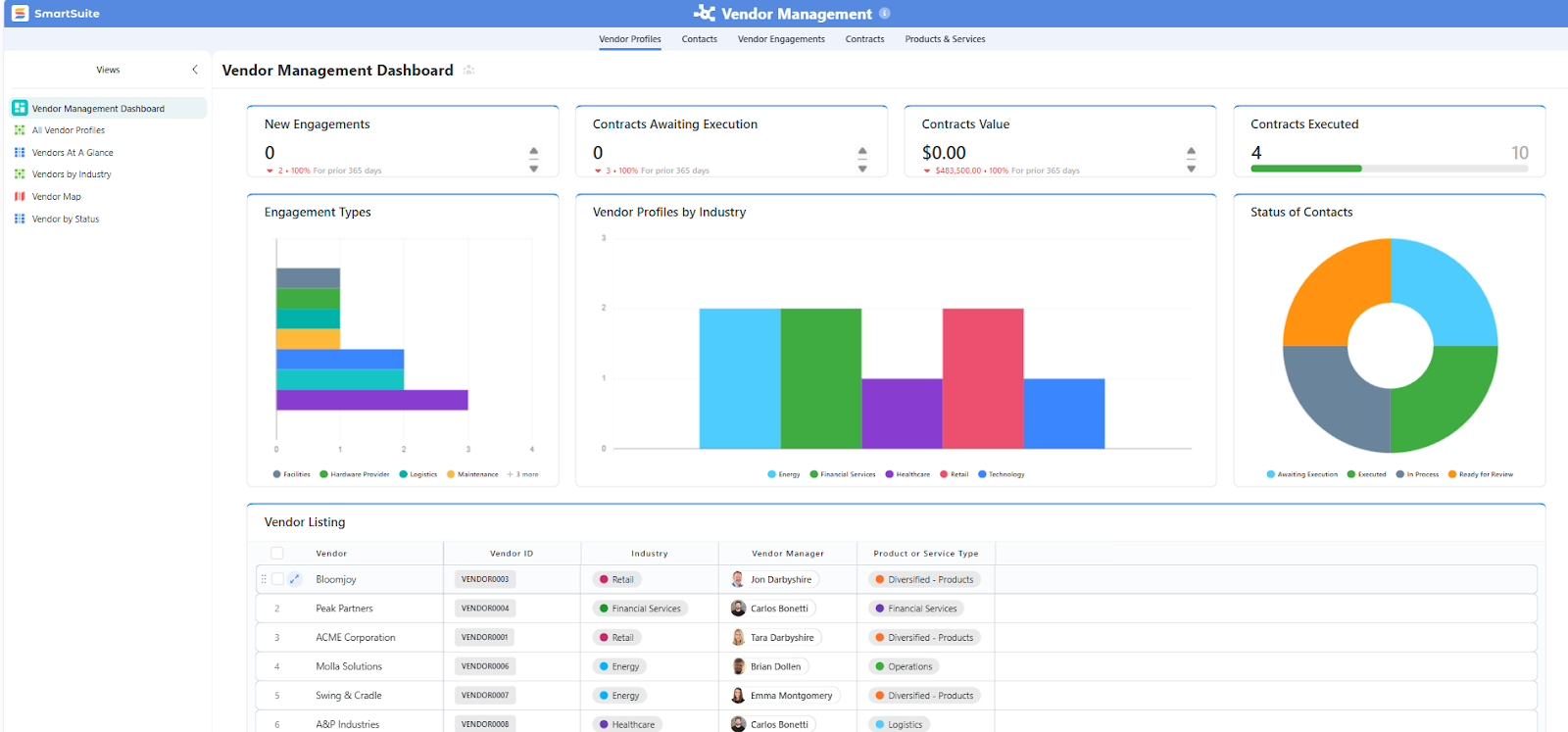
- Audit-ready reporting: Link evidence to controls, export records instantly, and prep for audits without scrambling through spreadsheets.
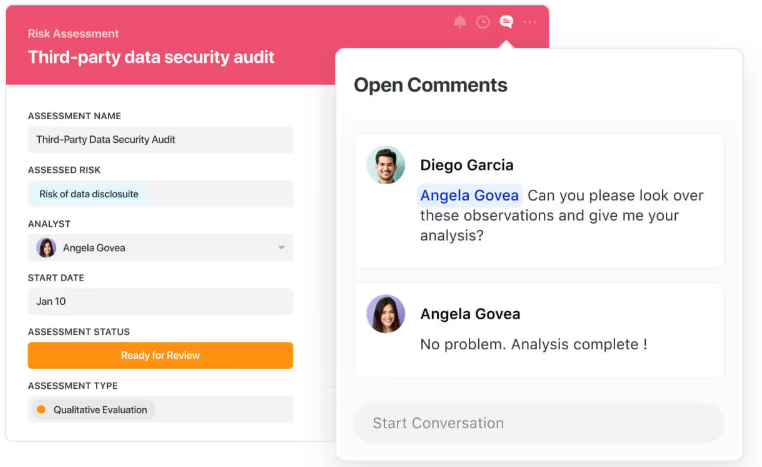
All of this is fully collaborative, with real-time commenting, role-based access, and activity history to keep your team and stakeholders aligned.
2. Reporting without the friction
Corporater users often complain about rigid, hard-to-build dashboards.
SmartSuite flips that experience by giving you:
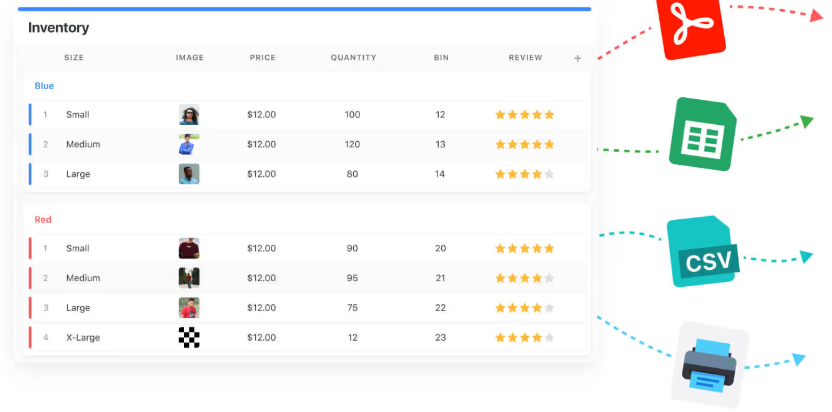
- Multiple views for every use case: Grid, Kanban, Timeline, Map, Calendar, and Chart views that you can switch between with a click.
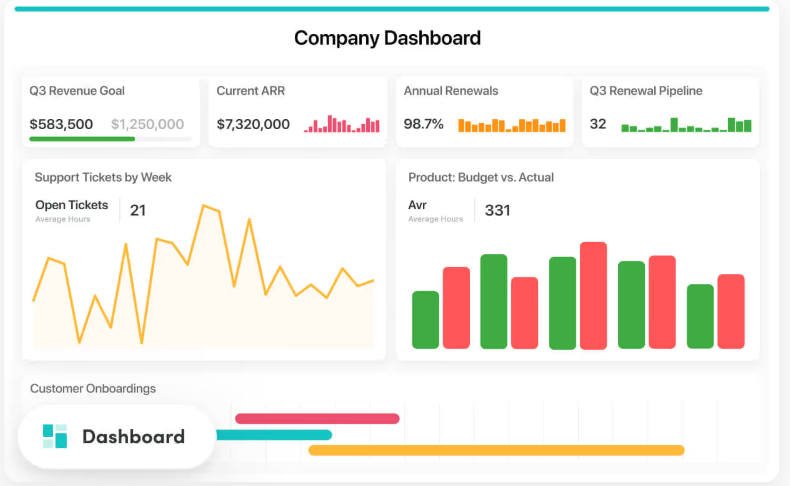
- Interactive dashboards: Spotlight anomalies and track KPIs, risk scores, or incident trends in real time.
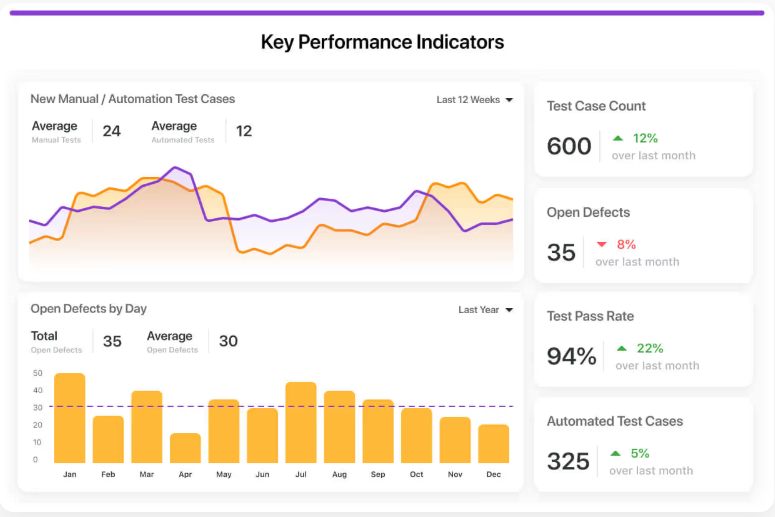
- Easy report sharing: Share links, export to PDF/Excel, or schedule recurring report emails with no IT help required.
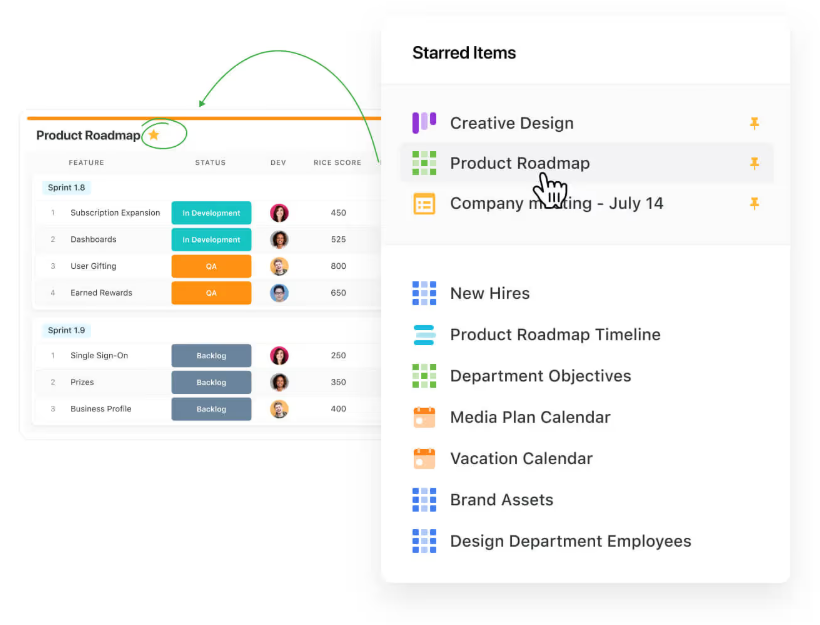
- Favorites & quick access: Pin your most critical risk or compliance reports for one-click access during reviews or board meetings.
From real-time status reports to audit-ready snapshots, SmartSuite’s reporting engine gives you executive visibility without the spreadsheet pain.
3. Customization without the code
Corporater may be flexible, but only if you have advanced in-house skills or paid consultants.
SmartSuite makes deep customization accessible to every team with:
- 40+ field types: From formulas and file uploads to linked records and risk scores, capture data the way your teams work.
- Favorites & quick access: Pin your most critical risk or compliance reports for one-click access during reviews or board meetings.
- No-code automations: Automate reviews, reminders, escalations, and task creation without touching code or relying on developers.
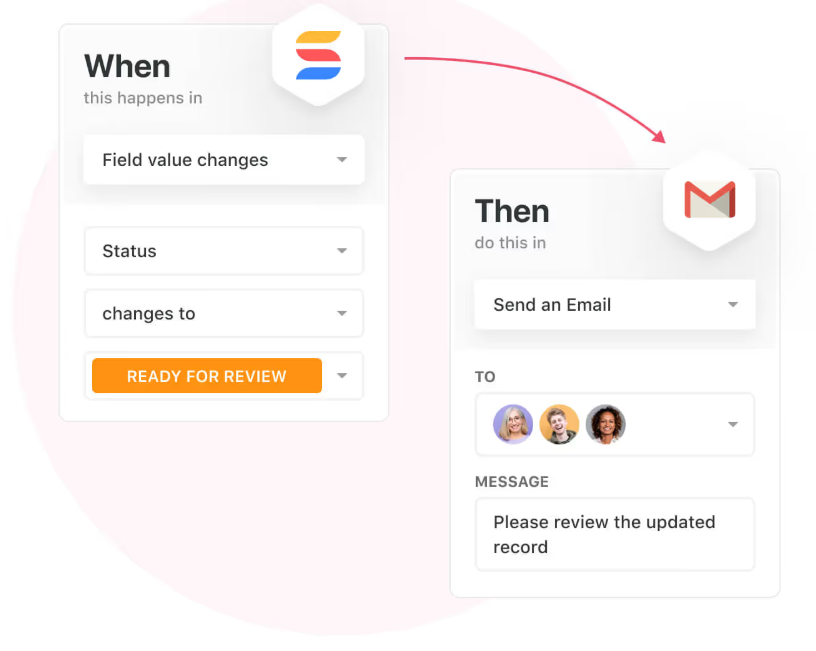
- Open integrations: Connect SmartSuite to tools like Slack, Salesforce, Google Drive, and 3,000+ apps via Zapier or API.

Whether you’re launching a new GRC process or adjusting an existing one, you can make changes instantly, with no disruption to your team’s work.
4. Ready-to-go templates for faster setup
SmartSuite helps you get started in days, not months, with 15+ GRC solution templates built for teams just like yours.
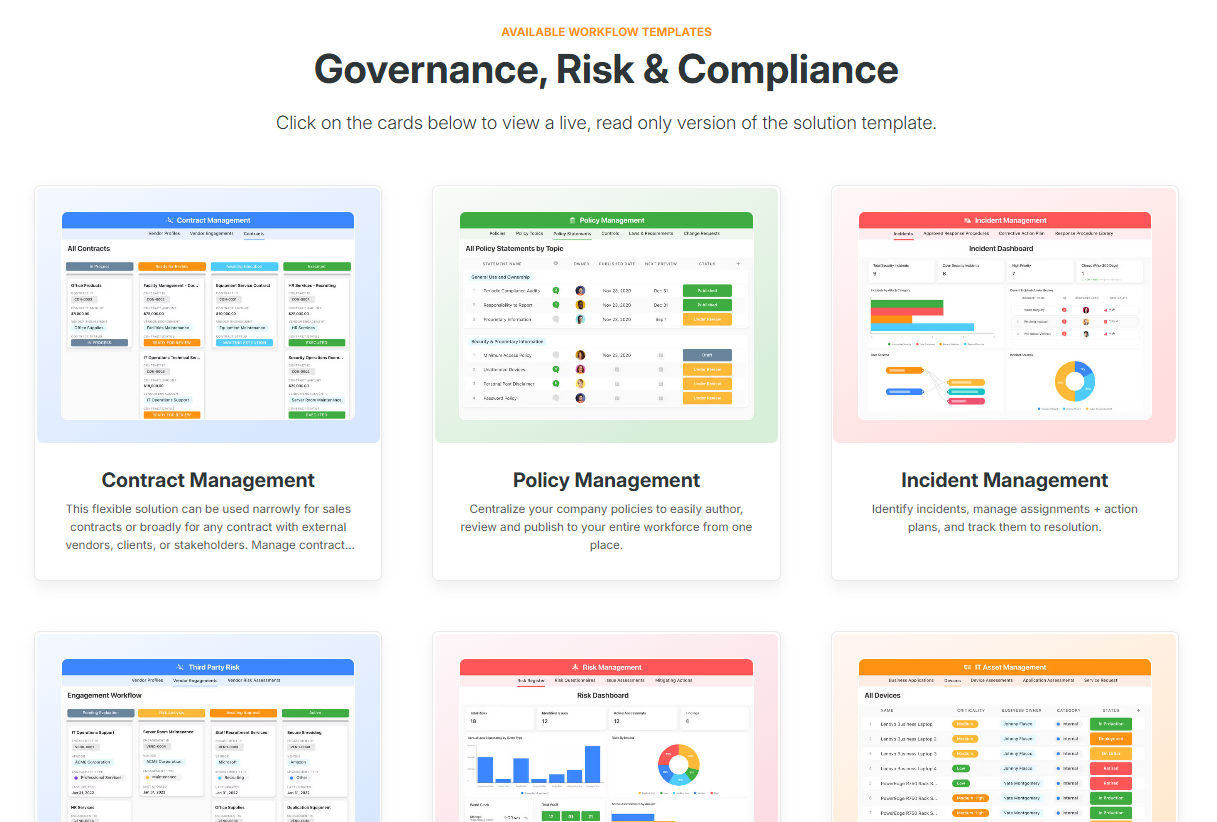
Each one includes pre-configured workflows, dashboards, fields, and automations you can tailor as needed.
A few highlights include:
- Risk Register: Assess risk probability, impact, and response with built-in scoring logic and ownership tracking.
- Policy Management: Assign policy owners, manage versions, and track read receipts and acknowledgements.
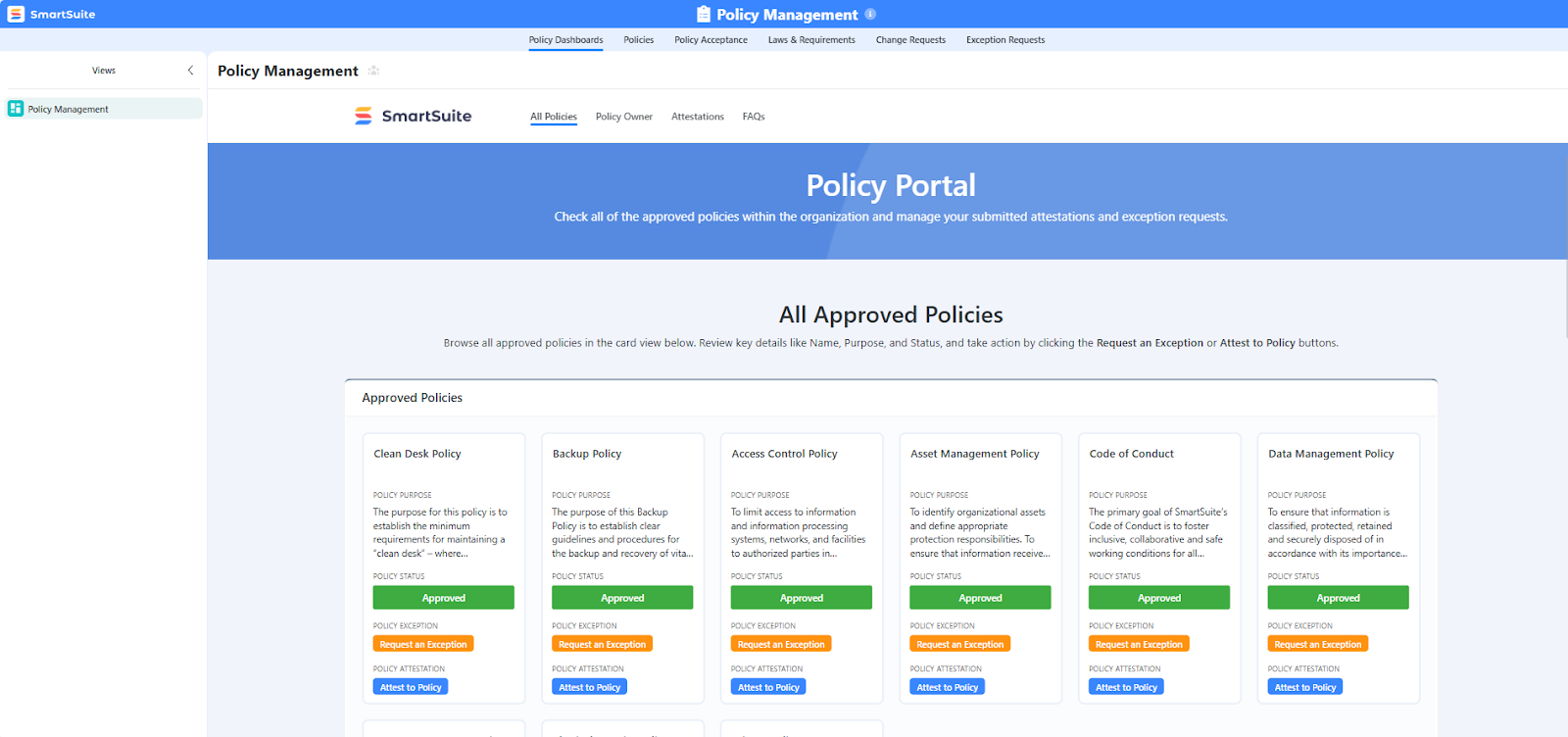
- Audit Planning: Manage internal or external audits with scheduling, evidence management, and control mapping.
- Regulatory Change Tracker: Monitor legal updates, assign review tasks, and link new rules to affected controls or teams.
It’s everything you need to not have to start from scratch.
Pricing
While Corporater’s pricing isn’t publicly listed, which makes it difficult for teams to estimate costs or plan budgets upfront, SmartSuite takes a transparent, no-surprises approach.
It offers clear, tier-based plans that scale as your GRC program grows, so you always know exactly what you’re paying for.
Firstly, there's a Free Forever plan designed for individuals and small teams, giving access to core GRC templates, dashboards, real-time collaboration, and reporting features.
It supports up to 3 users, 5 solutions, and 1,000 records per solution, making it ideal for smaller teams or those piloting SmartSuite’s GRC capabilities before a full rollout.
And if you need more power, SmartSuite’s four paid tiers scale with your organization’s growth and compliance maturity:
- Team: $12/user/month, includes everything in Free, plus unlimited solutions, 5,000 records per solution, 50GB of file storage, advanced collaboration tools, and a 30-day recycle bin.
- Professional: $30/user/month, includes everything in Team and adds advanced permissions, two-factor authentication, Gmail & Outlook integrations, AI features, and 100GB of file storage.
- Enterprise: $45/user/month, includes everything in Professional, plus audit logs, data loss prevention, up to 50,000 monthly API calls, and 500GB of file storage.
- Signature: Custom pricing, a fully tailored plan with no predefined limits, offering extended storage, API capacity, records, automations, and advanced enterprise security options such as SCIM provisioning and regional data residency.
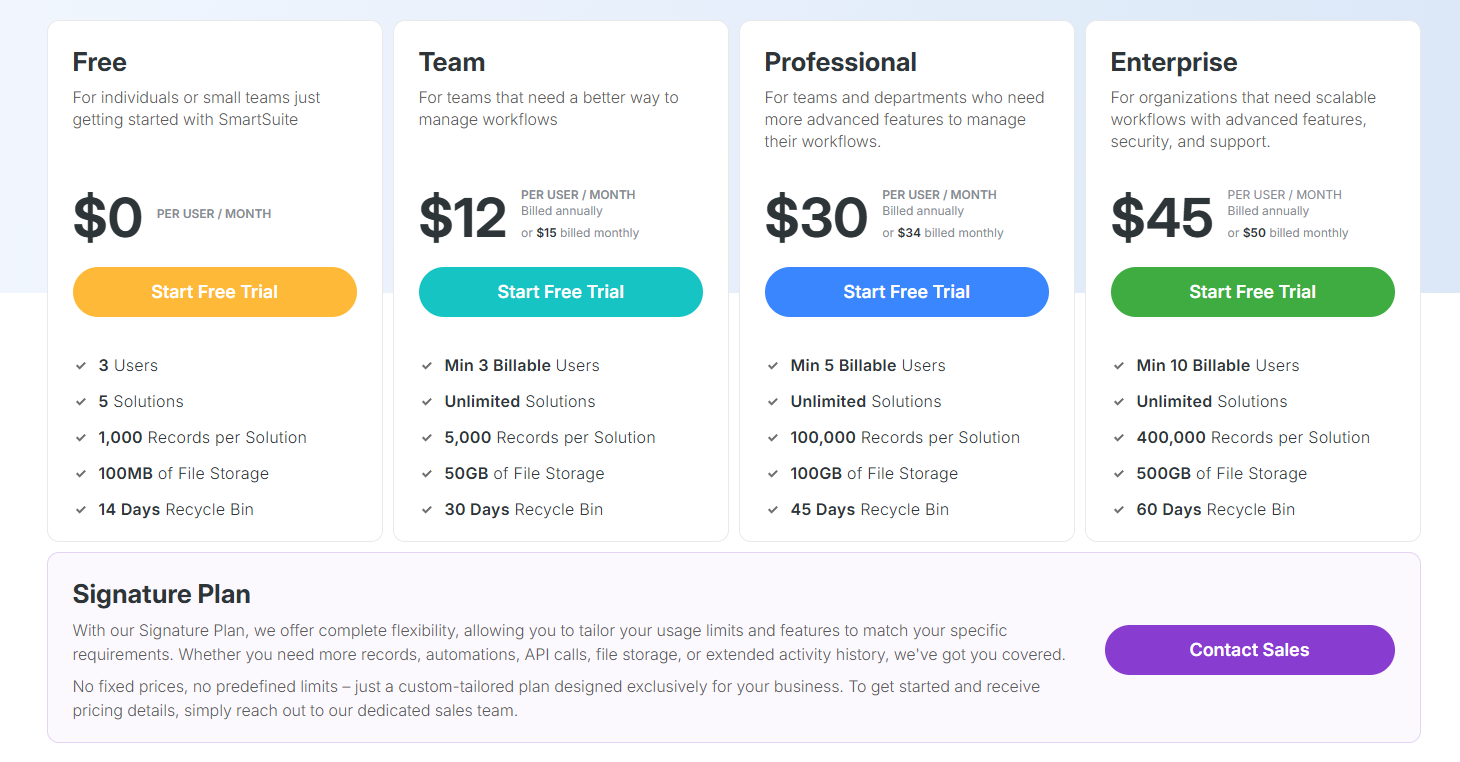
The first three paid plans include a 14-day free trial with no credit card required, allowing teams to explore SmartSuite’s full capabilities before committing.
How does SmartSuite compare to Corporater?
While both platforms aim to centralize governance, risk, performance, and compliance, SmartSuite delivers a more modern, flexible, and user-friendly experience without the complexity or hidden costs often associated with Corporater.
Here’s how they compare:
- Ease of use: SmartSuite offers a clean, no-code interface that non-technical teams can navigate easily. Corporater, by contrast, often requires advanced training and can feel clunky for day-to-day use.
- Customization & flexibility: With 40+ field types and visual builders, SmartSuite lets you adapt forms, workflows, and dashboards in minutes, with no developers needed. Corporater may offer similar flexibility, but executing changes often demands in-house sysadmins or billable vendor support.
- Reporting & dashboards: SmartSuite makes it easy to build dynamic dashboards and export reports across Grid, Chart, Timeline, and Map views. Corporater’s reporting tools are capable but hard to use, with several users reverting to Excel or PowerBI instead.
- Setup & implementation speed: SmartSuite’s ready-made GRC templates mean you can be up and running in days. Corporater setups typically take longer, especially if you require heavy customization.
- Pricing transparency: SmartSuite uses a clear, tiered pricing model with no surprises, starting at $12/user/month and including a free plan. Corporater relies on custom, quote-based pricing, making it harder to plan and budget ahead.
- Automation: SmartSuite comes with a built-in no-code automation engine for things like control testing, incident escalation, or deadline reminders. Corporater offers limited built-in automation, and complex workflows often require external configuration.
Pros & Cons
✅ Extremely easy to use, even for non-technical teams.
✅ Built-in collaboration tools like real-time editing, mentions, activity history, and role-based permissions keep cross-functional teams aligned.
✅ Fast, flexible setup, as you can create custom workflows in minutes or use over 200 prebuilt templates tailored to different industries and departments.
✅ All-in-one workspace that combines project management, CRM, document sharing, tasks, chat, dashboards, and automation in a single platform.
✅ Built-in automation.
✅ Highly customizable without code.
❌ Fewer native integrations than legacy enterprise suites.
2. Workiva
Best for: Enterprises needing a data‑centric compliance, reporting, risk, and sustainability platform that tightly links financial, operational, and regulatory workflows.
Workiva is a connected GRC and reporting platform built to unify financial, risk, compliance, and ESG data in one secure workspace.
It helps teams collaborate in real time, automate complex reporting tasks, and maintain complete auditability across every document, control, and disclosure.
Features
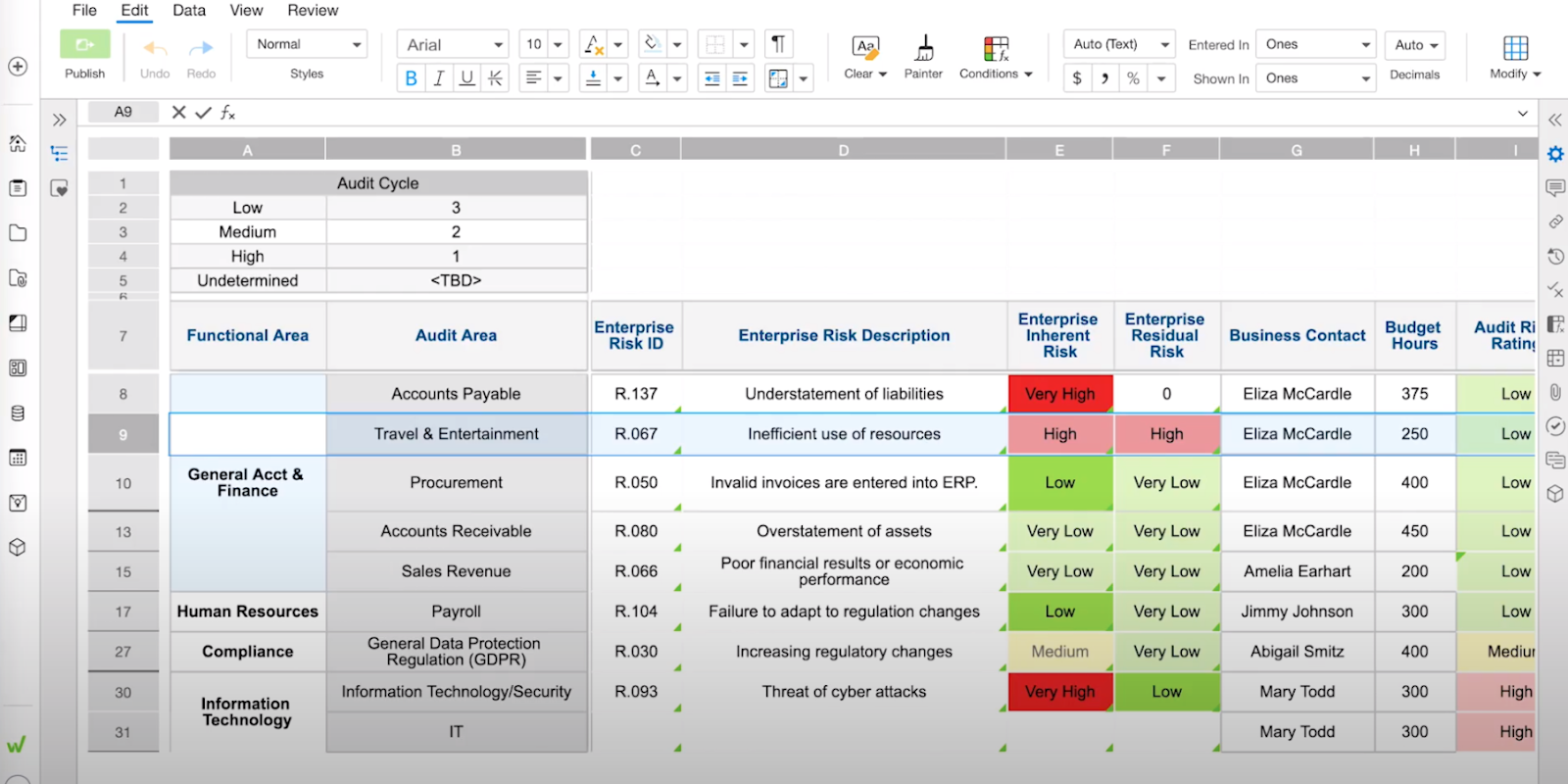
- Unified reporting: Workiva’s unified reporting engine brings structured and unstructured data together, applies AI-driven checks and validations, and automates repetitive reporting tasks.
- Version control & complete audit trail: Every edit is tracked, with snapshot history and rollback options to maintain transparency.
- AI-powered workflow automation: Agentic AI automates your repetitive tasks, optimizes complex workflows, and pulls critical insights in real time.
Pricing
Workiva doesn’t publish standardized pricing, as costs probably depend on scope, modules, user counts, and deployment needs.
You’ll need to request a quote to see how licensing and costs scale for your use case.
Pros & Cons
✅ Strong audit and compliance focus, as the platform is built specifically for enterprise-grade financial and regulatory reporting.
✅ Intuitive and user-friendly interface.
❌ Non-transparent pricing.
3. Diligent
Best for: Large enterprises and public organizations seeking a unified GRC + board governance platform with deep analytics, AI insights, and board-level oversight.
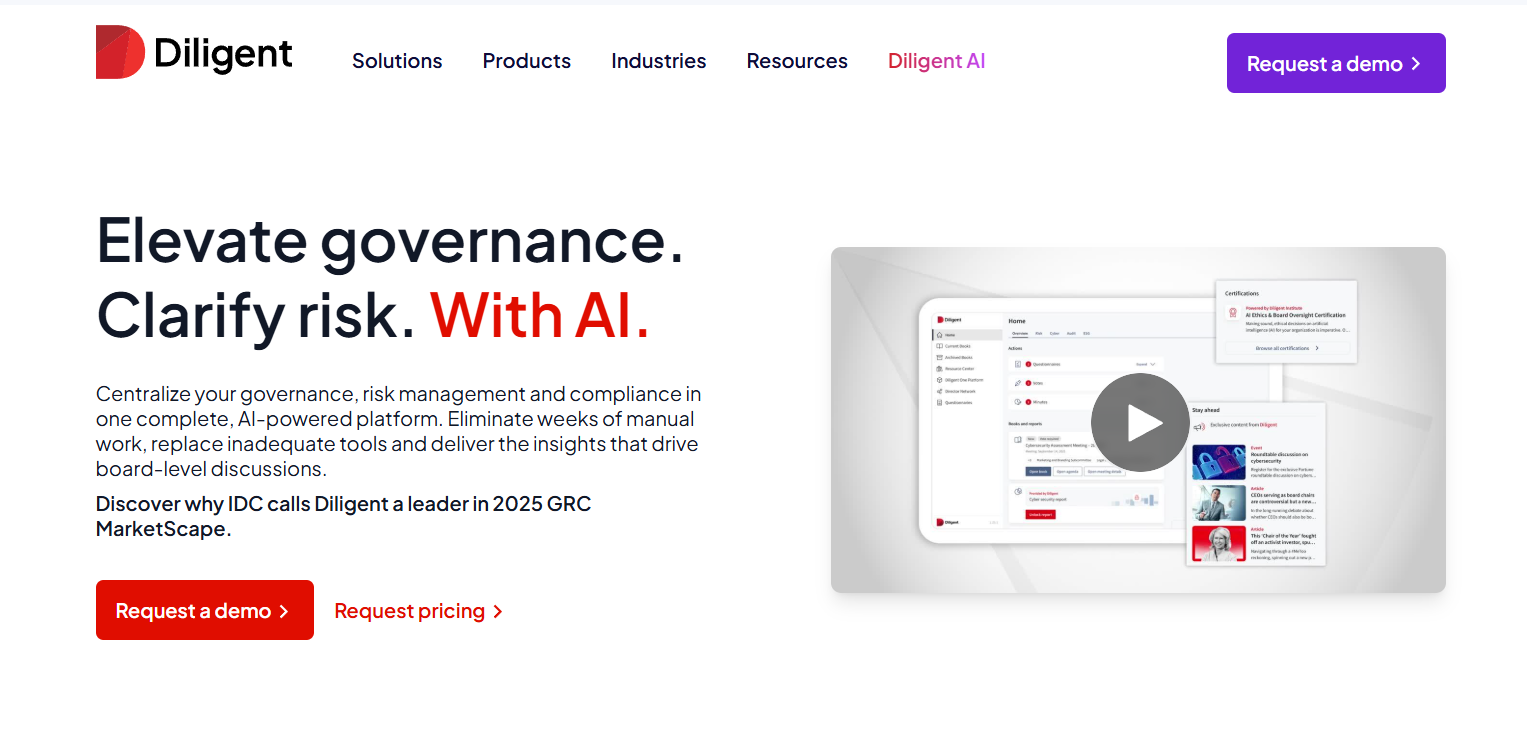
Diligent is an enterprise-grade governance and GRC platform that unifies board management, risk, audit, compliance, and ESG in one secure ecosystem.
It’s built to give executives and board members real-time visibility into organizational performance, emerging risks, and compliance posture through AI-powered insights and dashboards.
Features
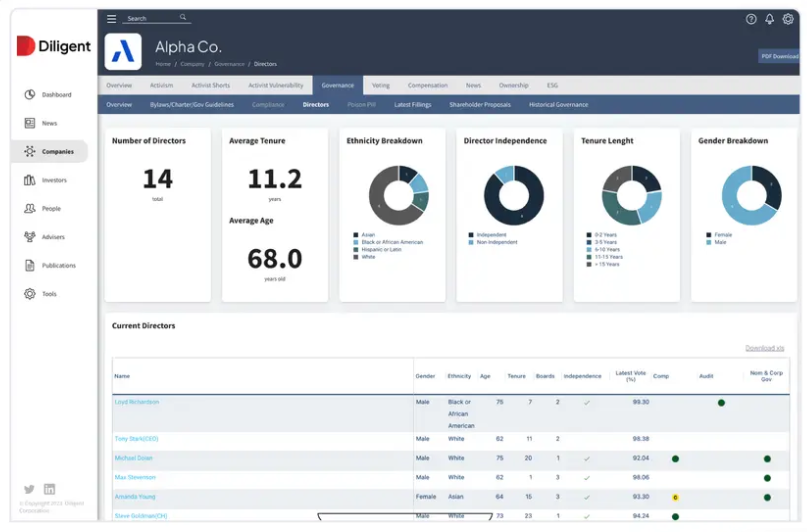
- ESG, sustainability & diversity modules: Aggregate ESG data, track climate and diversity metrics, and integrate sustainability into governance narratives.
- AI-driven intelligence & market data: Use external data feeds and built-in analytics to enrich risk scoring and provide strategic foresight.
- Audit & analytics: Automate continuous monitoring, generate one-click audit reports, and consolidate findings to boost risk mitigation.
Pricing
There’s no official information on Diligent’s pricing plans available.
You can request a custom quote from its sales team or read our Diligent pricing review.
Pros & Cons
✅ Reporting & dashboards make it easy to visualize controls, risks, and audit results in real time.
✅ Strong automation & workflow features.
❌ Users mention restricted customization options in forms, templates, and questionnaire formatting.
4. ServiceNow GRC
Best for: Large organizations already using the ServiceNow ecosystem that want tightly integrated GRC workflows embedded within IT, security, and operations.
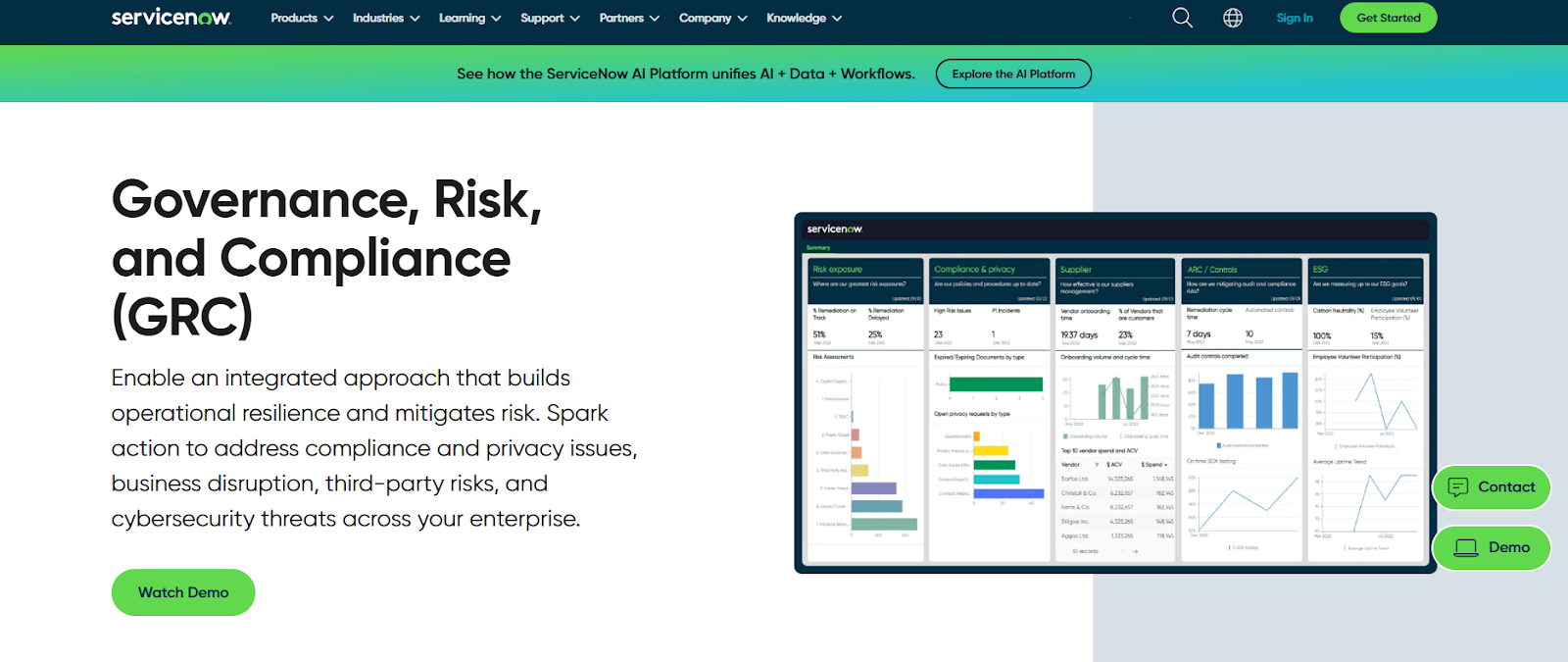
ServiceNow GRC is an enterprise-grade risk and compliance suite, designed to unify governance, risk, audit, and vendor workflows in one system.
It helps organizations automate control monitoring, streamline policy management, and coordinate risk responses across IT, security, and operations teams in real time.
Features
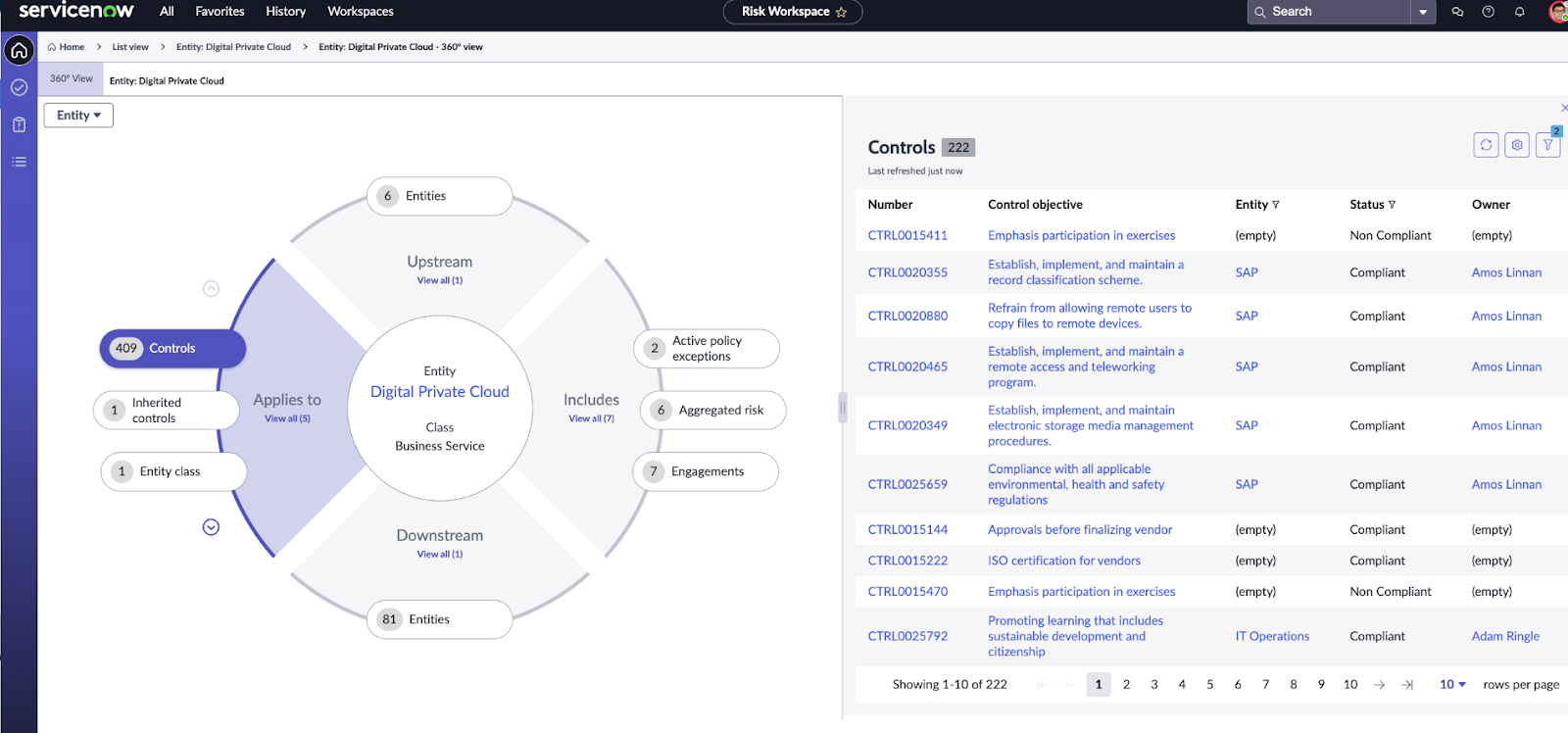
- Configurable workflows & dashboards: Use no-code tools to build GRC workflows, scorecards, dashboards, and role-based views.
- Vendor risk management & third-party portal: Manage vendor assessments, onboarding, renewals, scoring, and continuous monitoring.
- Business continuity & resilience planning: Identify critical services, map dependencies, and test recovery plans tied to your CMDB and operational services.
Pricing
ServiceNow GRC doesn’t disclose its prices.
You’ll have to contact sales for more information or check our in-depth guide on its pricing.
Pros & Cons
✅ Automation and AI insights help summarize risks, generate insights, and accelerate decision-making.
✅ Highly customizable workflows let organizations adapt the system to their internal policies and processes.
❌ Expensive for smaller organizations.
5. LogicGate
Best for: Teams that want a deeply customizable, no-code GRC engine that can evolve with changing compliance needs without depending on IT.
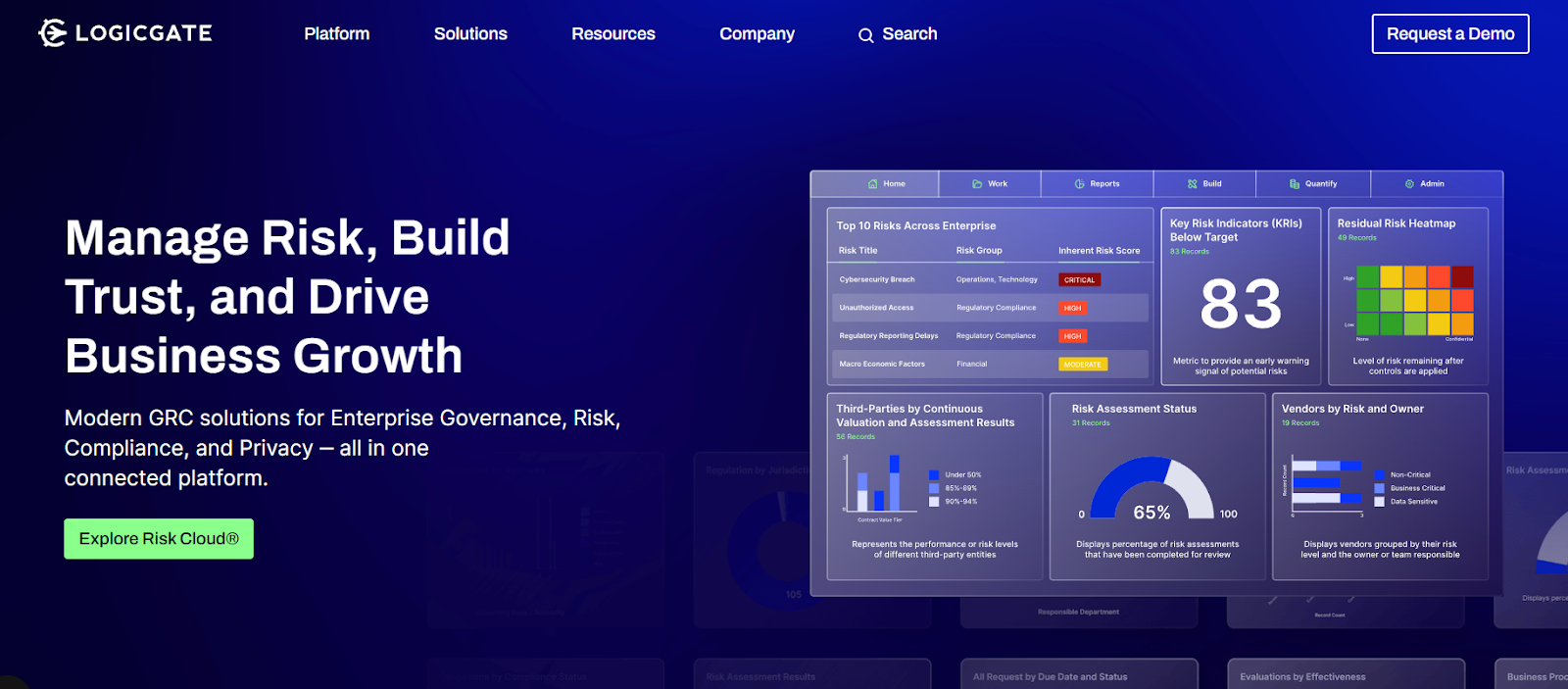
LogicGate Risk Cloud is a modular, low-code GRC platform that helps organizations design, automate, and connect governance, risk, and compliance workflows in one place.
It enables teams to build custom applications, streamline assessments, and visualize risks and controls through dynamic dashboards and automation.
Features
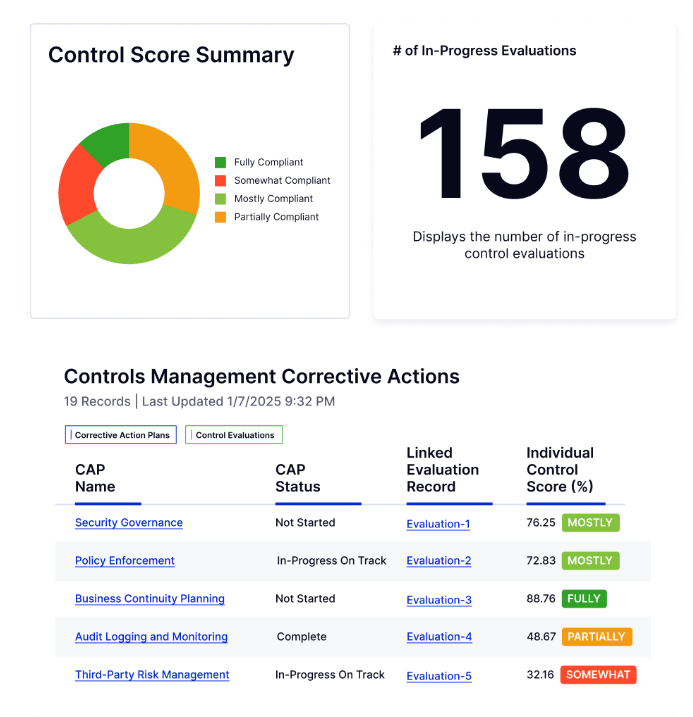
- No-code, modular app builder: Choose from 30+ ready applications (e.g. policy, third-party risk, audit) and tailor workflows without writing code.
- Risk quantification & analytics: Use built-in models (e.g. Monte Carlo, Open FAIR) to assign probabilities, financial impact, or scenario-based scoring.
- Connected workflows & data linking: Link data and logic across modules so that events, controls, and assessments remain connected across your infrastructure.
Pricing
LogicGate follows a tailored pricing approach designed around your organization’s size, GRC maturity, and chosen use cases, so you only pay for what you actually use.
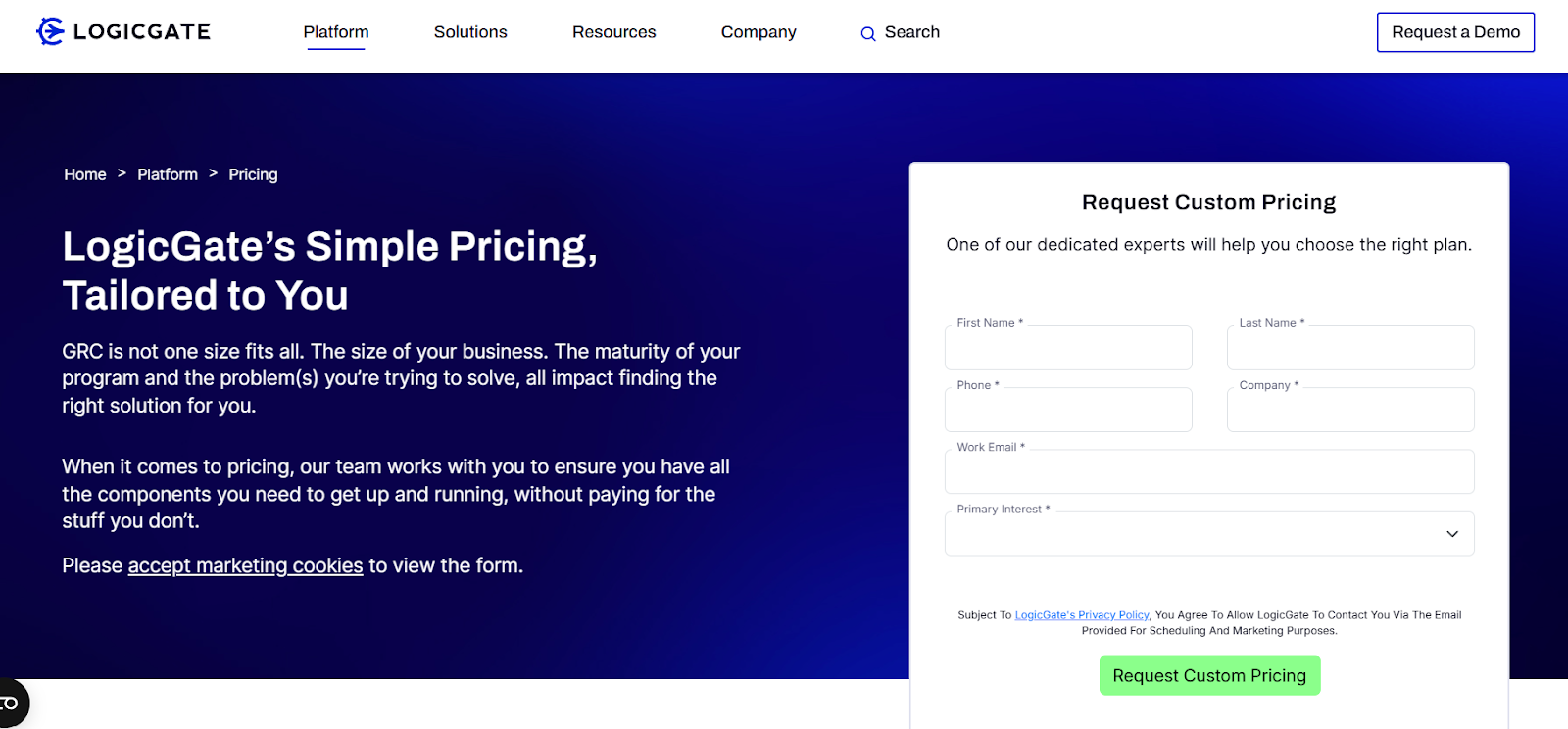
Pricing depends on several factors:
- Applications: Select from 30+ modular GRC apps (like policy management, incident response, or vendor risk) and pay per module.
- Power Users: Pricing is based on the number of users building and managing workflows, not your entire team.
- Add-ons: Optional enhancements such as Risk Cloud Quantify™, extra integrations, or advanced analytics.
- Services: Implementation, onboarding, and professional services offered as needed for custom setups.
Exact pricing is available upon consultation.
For a deeper look, see our full LogicGate pricing guide.
Pros & Cons
✅ Exceptionally customizable and flexible, letting you design tailored workflows and applications without developer support.
✅ Connects all workflows for a unified view of risks, policies, and compliance across departments.
❌ Visual reporting could be more advanced.
6. MetricStream
Best for: Large enterprises needing a mature, full-spectrum GRC platform that can scale across risk, compliance, audit, and ESG in highly regulated environments.
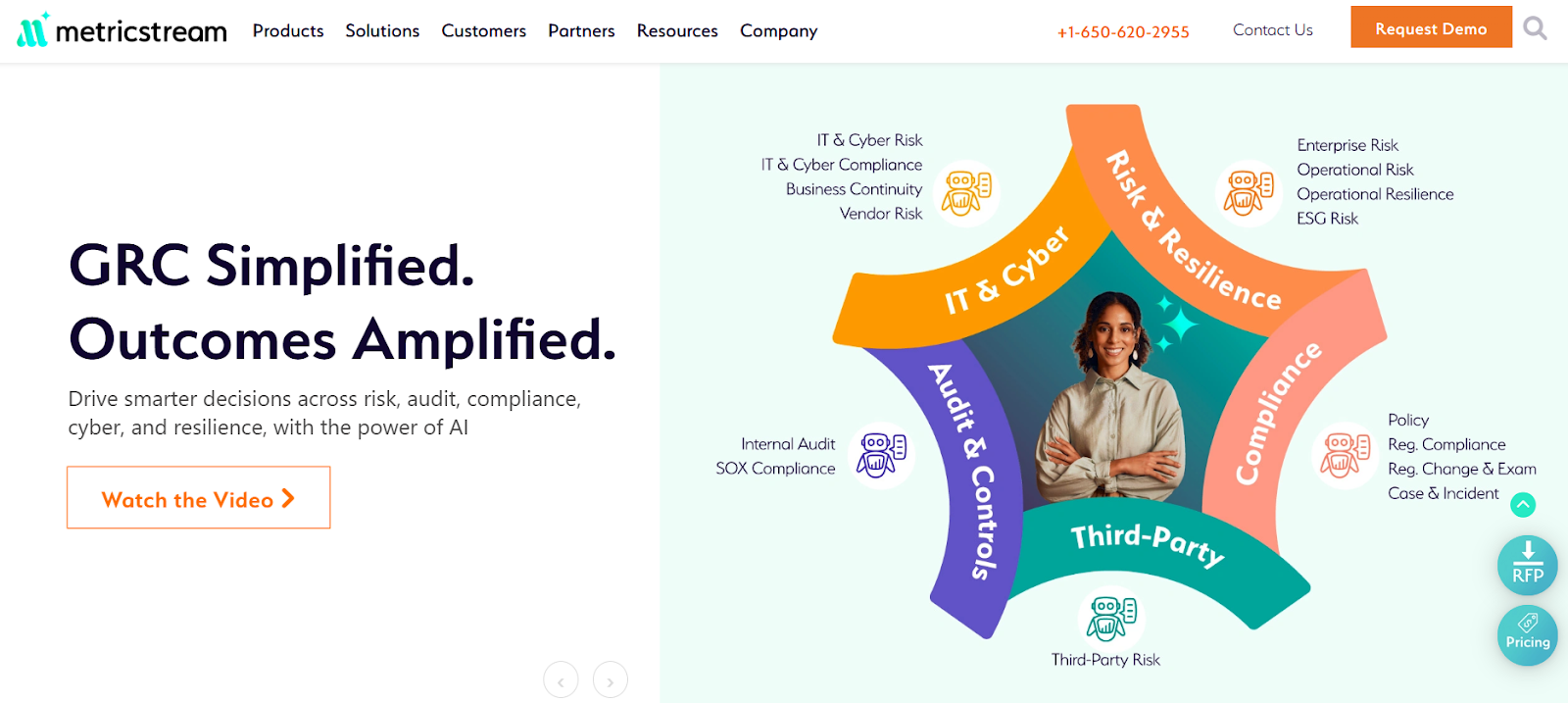
MetricStream is an enterprise-grade GRC platform that brings together risk, compliance, audit, and ESG management under its ConnectedGRC suite.
It leverages AI, analytics, and a unified data model to help organizations centralize governance processes and make faster, more informed decisions.
Features
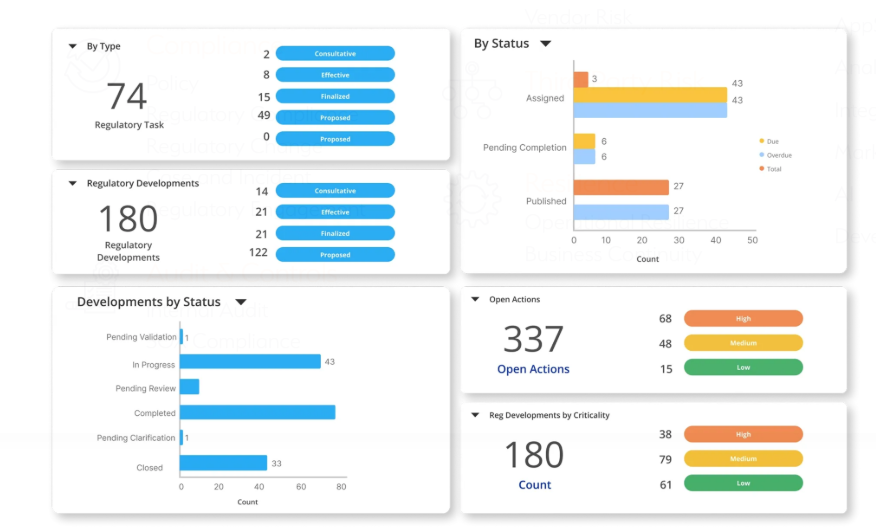
- AI-powered control insights: Uses generative AI and knowledge graphs to surface redundant controls, detect gaps, and prioritize testing more intelligently.
- Regulatory change tracking & mapping: Keeps your policies, controls, and risk registers aligned with evolving regulations via automated alerts and impact analyses.
- Audit & internal control management: Workflow tools for planning, executing, evidence collection, and reporting, plus linkage to issues and remediation.
Pricing
MetricStream doesn’t disclose its prices.
You can request a demo to learn more.
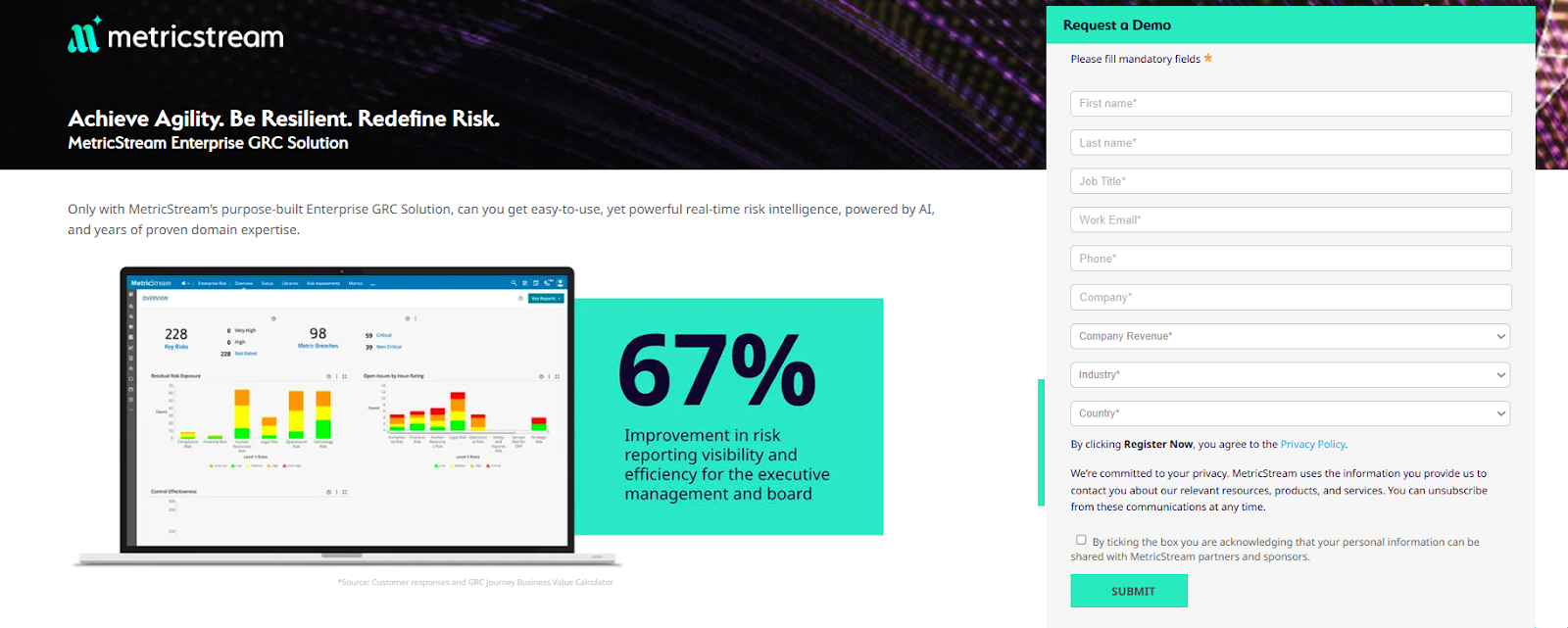
And if you want to find out about its potential cost without going through that entire process, check out our in-depth MetricStream pricing review.
Pros & Cons
✅ Highly configurable and customizable platform.
✅ Strong data modeling and reporting capabilities.
❌ Reviewers mention that the interface can feel dated and non-intuitive, requiring extensive training for new users and admins.
7. OneTrust
Best for: Organizations prioritizing privacy, third-party risk, and compliance automation within a unified GRC and trust framework.
OneTrust is a platform that centralizes risk, compliance, privacy, and third-party workflows, empowering teams to automate controls, map regulatory frameworks, and embed governance across data and operations.
It’s part of a broader trust platform that integrates modules for AI governance, ethics, and consent management to help scale compliance across domains.
Features
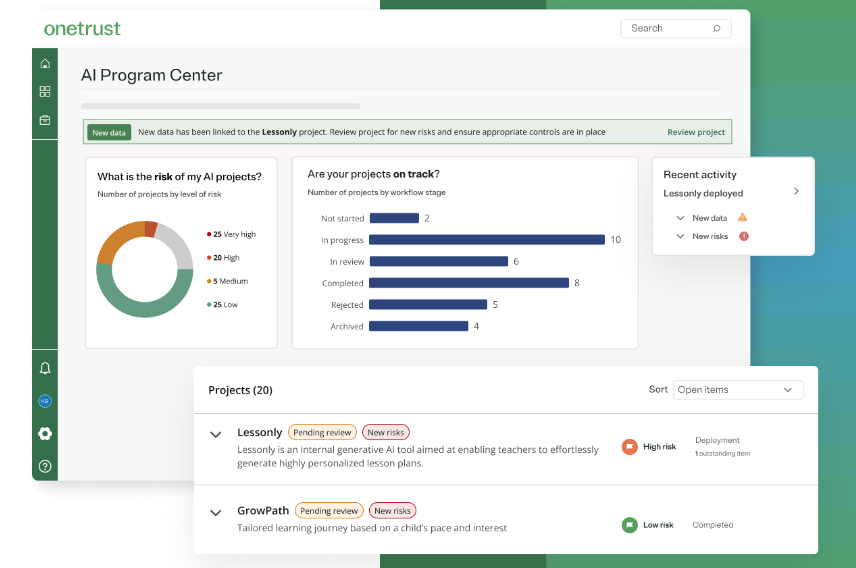
- AI governance: Centralizes oversight of your organization’s AI initiatives by automating risk assessments, tracking model performance throughout the lifecycle, and continuously mapping compliance, ensuring transparent, ethical, and compliant AI use.
- Compliance automation & regulatory mappings: Supports automation across 50+ frameworks (e.g. GDPR, NIST, ISO) with built-in mapping and scoping tools.
- Privacy automation: Automates privacy operations end-to-end to help organizations scale compliance and accelerate responsible data use.
Pricing
OneTrust has several major product packages, some of which have more than one tier:
- Consent & Preferences:
- Consent Management Platform: Pricing based on average daily visitors aggregated across all channels and properties.
- Universal Consent & Preference Management: Pricing based on total data subject profiles captured.
- Privacy Automation (Pricing based on users and privacy asset inventory for both plans):
- Base.
- Suite.
- Third-Party Risk Management (Pricing based on admin users and third-party inventory for both plans):
- Base.
- Suite.
- Tech Risk & Compliance: Pricing based on admin users and asset inventory.
- AI Governance: Pricing based on admin users and AI inventory.
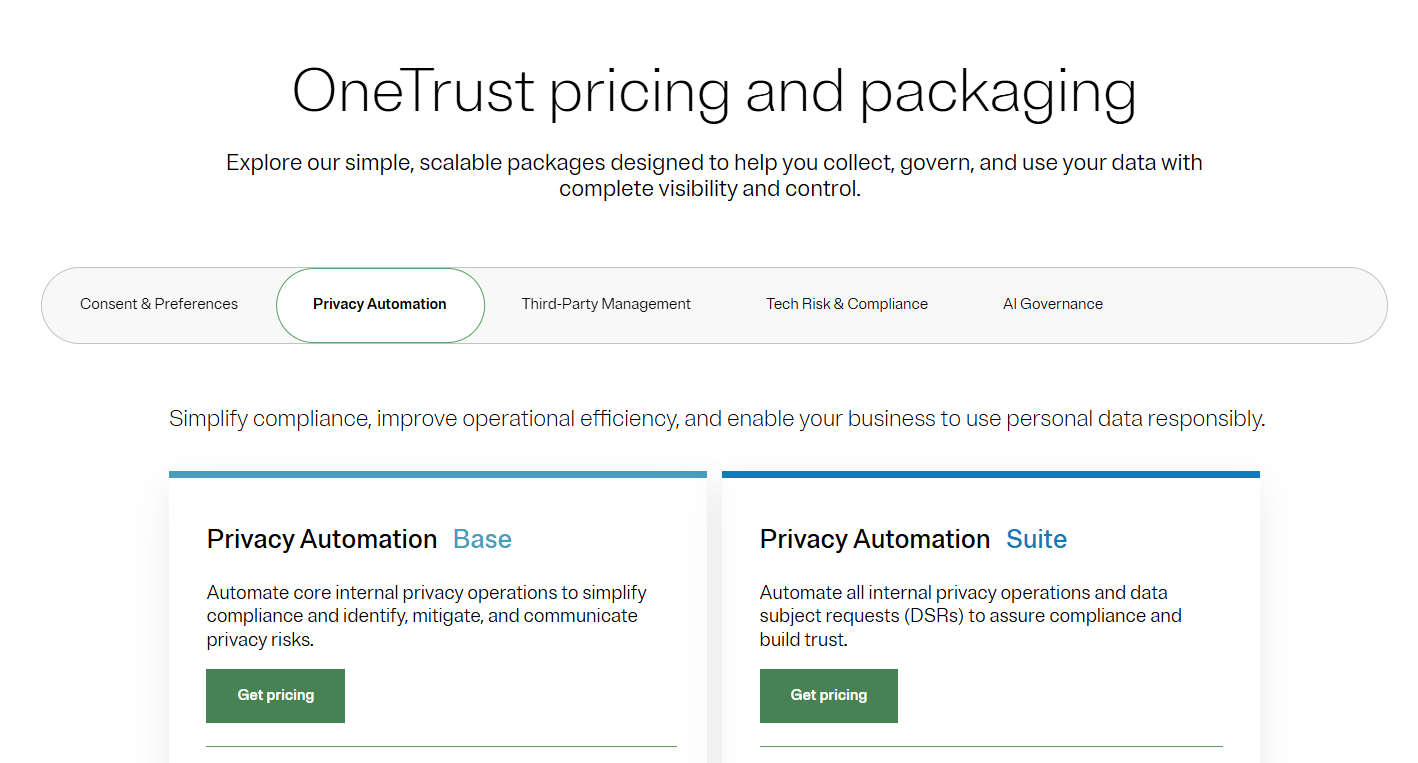
There are no prices disclosed for any of the plans, so you’ll have to contact its sales team or check out our in-depth OneTrust pricing guide.
Pros & Cons
✅ Strong automation and regulatory support.
✅ Clean, intuitive UI.
❌ Custom pricing and modular fees may make budgeting harder, particularly for mid-tier or evolving teams.
8. Archer IRM
Best for: Large, regulated organizations seeking a mature, configurable platform to centralize risk, audit, compliance, and third-party governance under one roof.

Archer IRM offers a single, configurable platform to manage multiple dimensions of risk, compliance, audit, and resilience, helping organizations integrate operations, drive accountability, and harness AI insights across domains.
It supports capabilities like audit management, document governance, IT risk, and vendor oversight while enabling deep customization and cross-module workflows.
Features
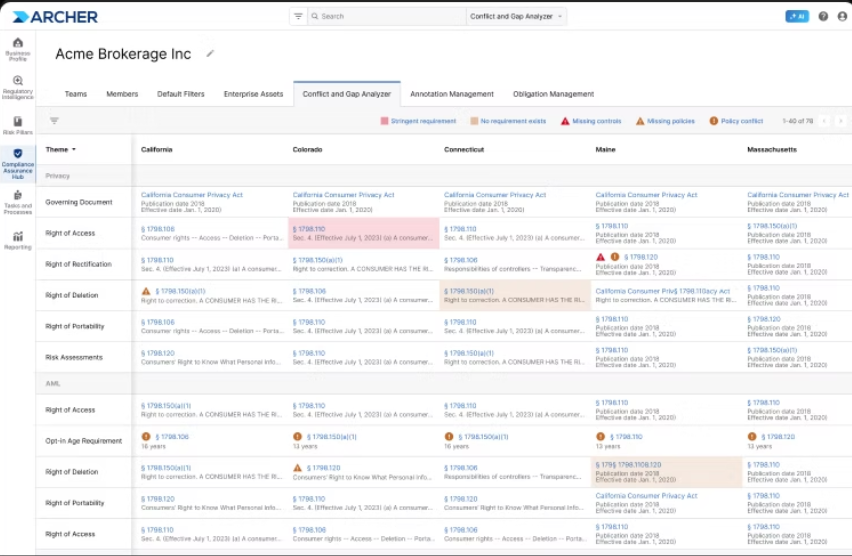
- Integrated risk & audit management: Plan, execute, and report audits in a risk-based manner, linking findings back to risk and controls.
- Configurable risk framework & data model: Connect diverse GRC objects, support multiple risk domains, and adapt mappings across your organization.
- AI / regulatory intelligence: AI-powered regulatory change tracking and operational insights help flag risk areas dynamically.
Pricing
Archer IRM didn’t make its pricing public.
You’ll have to contact its sales team for a custom quote, or check our detailed Archer IRM pricing guide.
Pros & Cons
✅ Highly flexible and customizable.
✅ Strong dashboards and visualization.
❌ Steep learning curve.
9. Riskonnect
Best for: Organizations that need scalable, modular GRC software that centralizes risk, compliance, audit, third-party, and resilience workflows under one unified architecture.
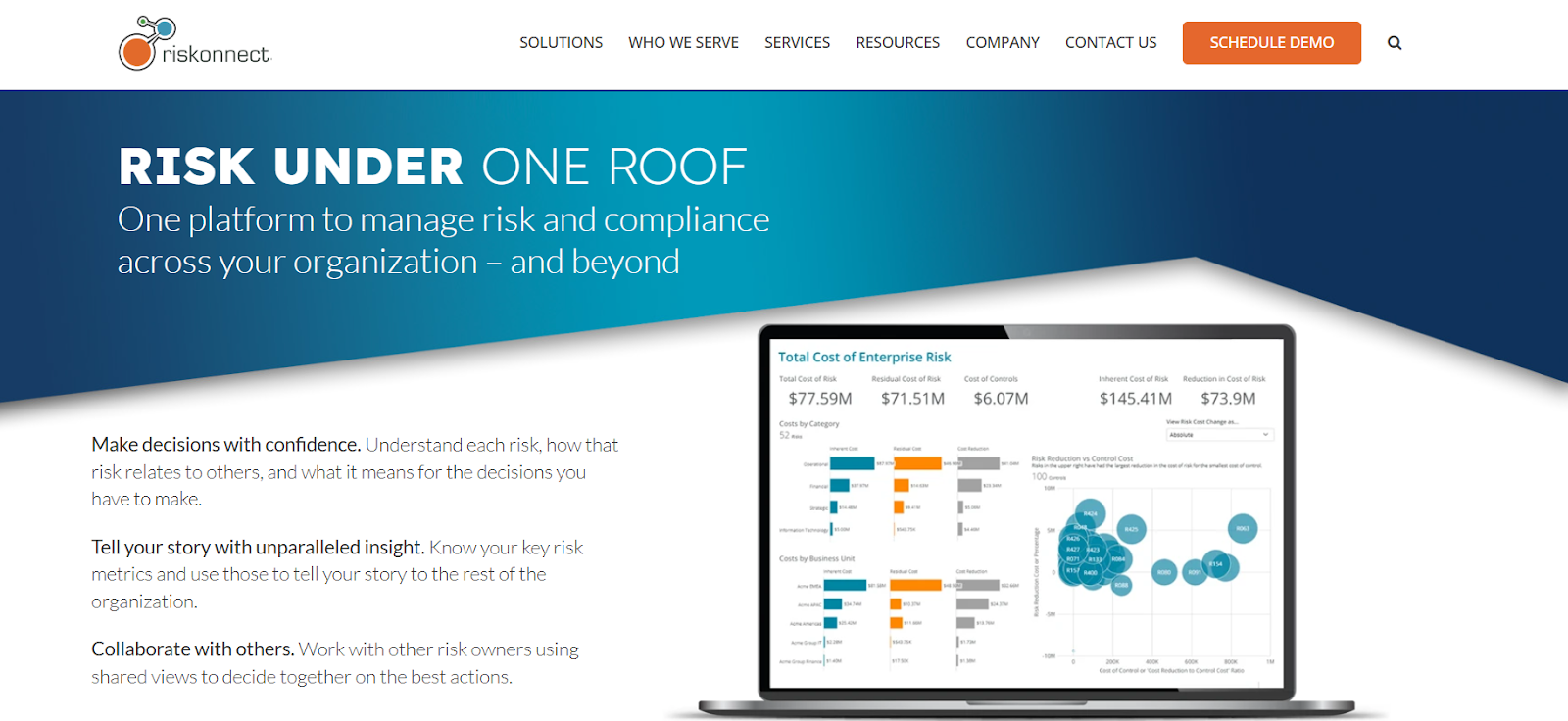
Riskonnect’s GRC platform brings all risk, compliance, audit, and policy processes into a single source of truth, empowering teams to collaborate across silos, monitor controls in real time, and make informed decisions backed by integrated analytics.
It is built on a modern cloud architecture with modular design, enabling organizations to pick and add modules (e.g. ERM, TPRM, internal audit) as needed.
Features
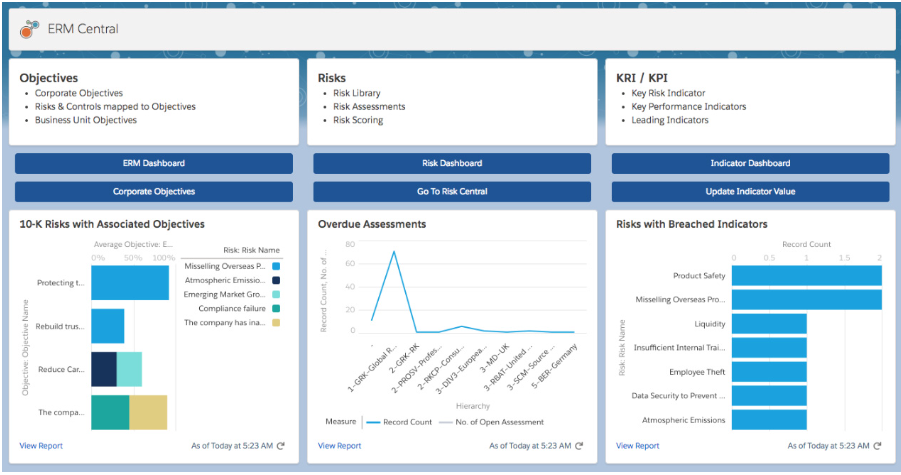
- Automated control testing & compliance workflows: Run scheduled control checks, trigger remediation workflows, and centralize evidence.
- Third-party / vendor risk management: Onboard, assess, and continuously monitor vendor risk and compliance through a centralized portal.
- Security & access controls: Field-level permissions, encryption, audit logs, and enterprise-grade security architecture.
Pricing
Riskonnect doesn’t list standard pricing publicly.
Instead, pricing is modular and user-based, depending on which modules you adopt (e.g. ERM, RMIS, audit, TPRM) plus service and implementation fees.
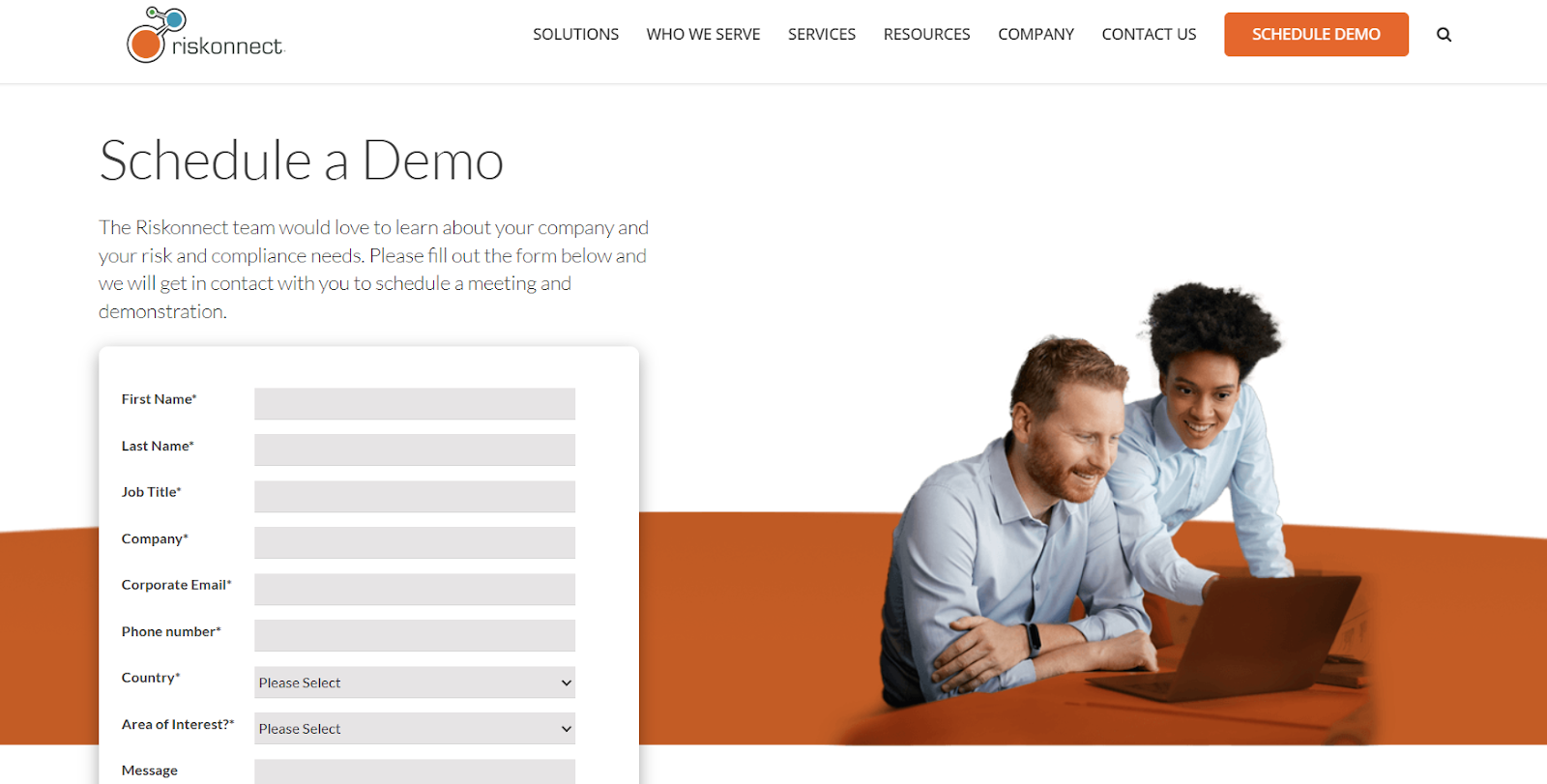
You can request a demo to learn more about the platform and its costs for your organization, or take a look at our in-depth Riskonnect pricing guide.
Pros & Cons
✅ Flexible and modular architecture allows you to tailor the system as your needs grow.
✅ Strong centralization of risk data, allowing you to consolidate fragmented risk and compliance data into one source of truth.
❌ Opaque cost structure.
10. Resolver
Best for: Teams that want a risk intelligence platform focused on incident, audit, compliance, and control workflows with intuitive reporting and automation.

Resolver combines incident management, risk assessment, audit planning, and control monitoring into one platform, designed to centralize how organizations identify, respond to, and report on risk and compliance events.
It emphasizes real-time analytics, customizable workflows, and a UI built for ease of use.
Features
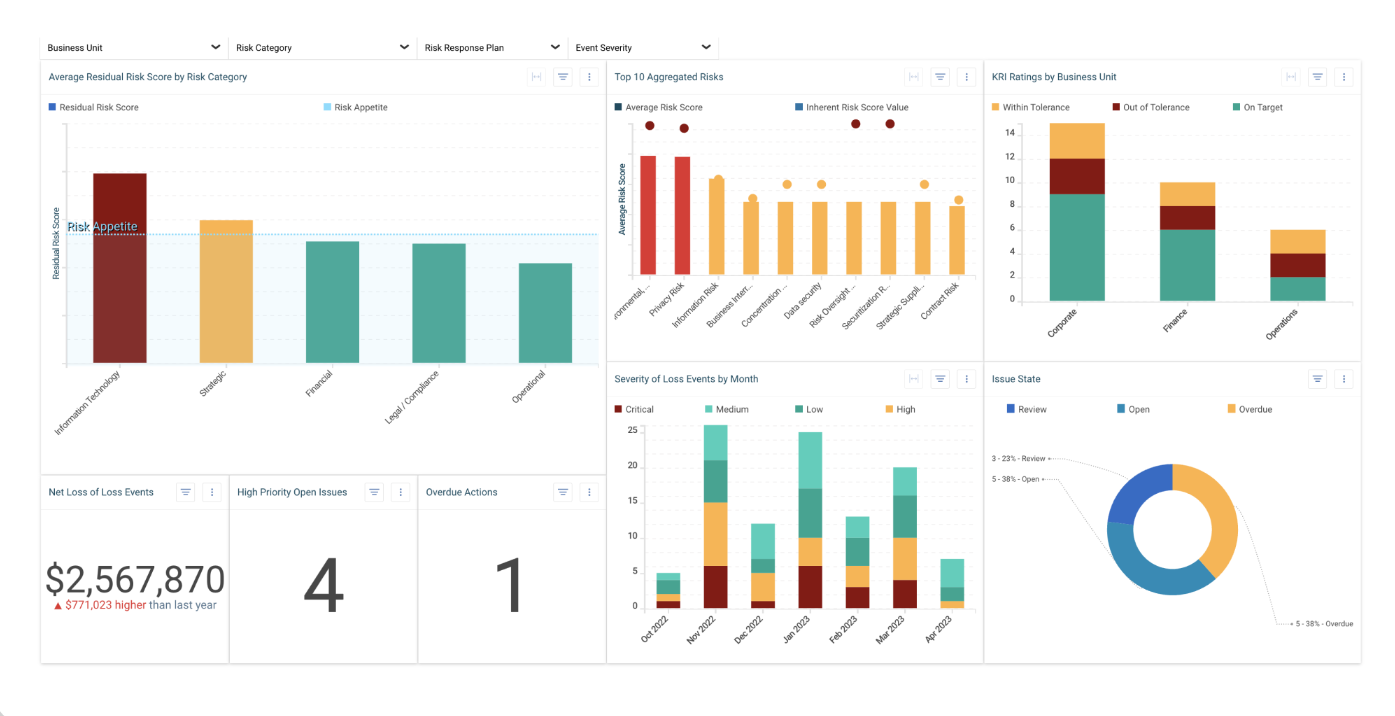
- Risk & incident tracking: Manage risk assessments, incident investigations, and remediation processes from a unified interface.
- Customizable workflows & forms: Configure dashboards, forms, and processes to match your oversight structure without heavy coding.
- Real-time reporting & dashboards: Create live views of risk, control status, and audit metrics with drill-down capabilities.
Pricing
Resolver doesn’t have fixed subscription fees.
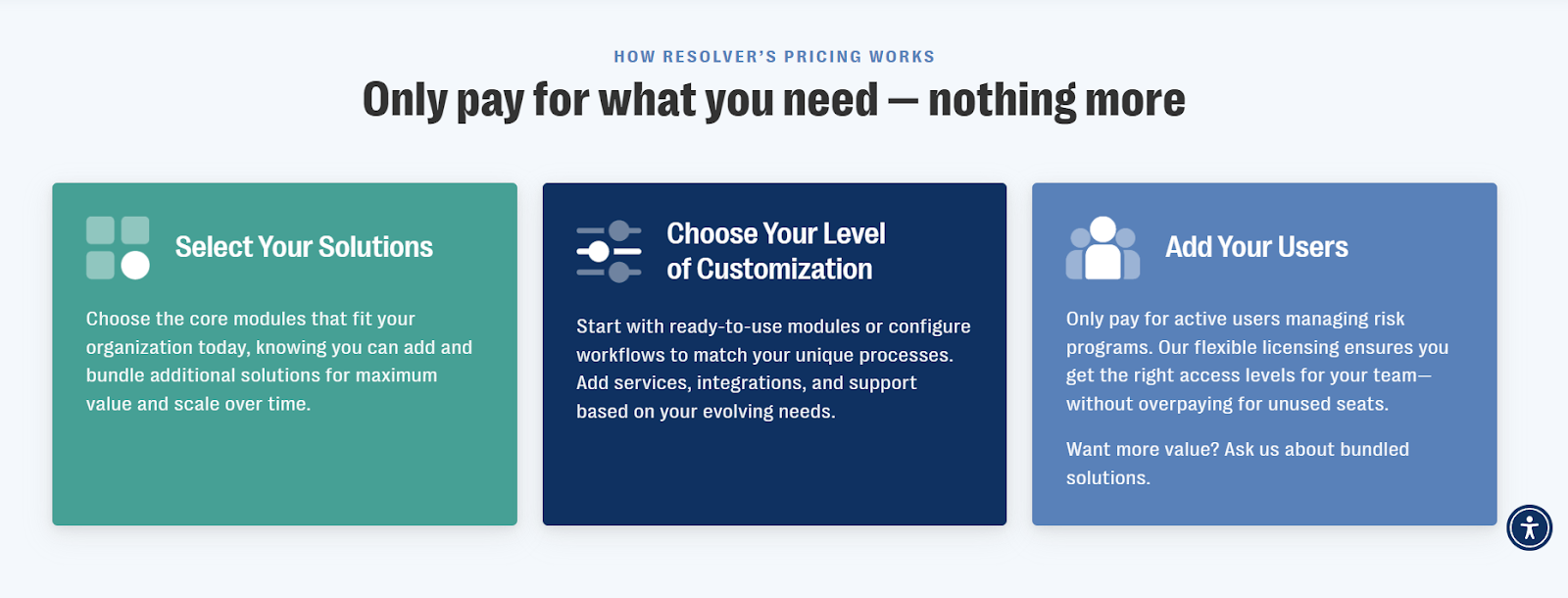
Instead, it offers a flexible, tailored pricing model designed so you only pay for what you need.
The final price will depend on:
- The core modules and additional bundle solutions you select.
- Your desired level of customization.
- The number of active users managing risk programs.
You can contact its sales team to get a closer idea of how much it would cost your organization.
Pros & Cons
✅ Comprehensive risk and incident management.
✅ Highly customizable and flexible.
❌ Reporting limitations, as some reviewers say reports lacks deep flexibility and that built-in reporting and dashboarding could be more intuitive, especially for non-technical users.
Choosing GRC software that actually works for you
Choosing the right GRC platform isn’t just about ticking regulatory boxes - it’s about finding a system that actually helps your organization work smarter, stay resilient, and adapt fast.
Each of the Corporater alternatives I covered brings something valuable to the table, from deep enterprise integrations to AI-driven analytics and flexible risk modeling.
But as businesses evolve, so do their expectations.
Teams no longer want siloed systems or months-long implementations.
They want visibility, automation, and control in one place.
And that’s where SmartSuite stands apart.
Built for teams that value clarity as much as compliance, SmartSuite unifies governance, risk, audit, and performance management into one intuitive platform.
It’s modern, scalable, and transparent - everything a 2026-ready GRC solution should be.
Start your free SmartSuite trial to see how effortless, integrated GRC can truly be.
Or, book a demo if you want a personalized tour first.
Read more
- 10 Best SAI360 Alternatives for GRC in 2026 [Reviewed] - Explore the top SAI360 competitors redefining GRC in 2026 with smarter automation, better usability, and transparent pricing.
- SAP GRC Pricing: Is It Worth It In 2026? [Reviewed] - See whether SAP GRC’s premium price tag still matches its enterprise capabilities, or if more agile options deliver better ROI.
- 10 Best Third-Party Risk Management Software In 2026 - Discover the best tools to assess, monitor, and mitigate vendor risks, so your third-party ecosystem stays secure and compliant.
- 10 Best Diligent Alternatives For GRC In 2026 [Reviewed] - Compare the leading Diligent competitors offering modern board governance, integrated risk management, and audit automation.
- Riskonnect Pricing: Is It Worth It In 2026? [Reviewed] - Uncover how Riskonnect’s pricing stacks up against competitors and whether its enterprise-grade flexibility justifies the cost.
- 10 Best ZenGRC Alternatives & Competitors In 2026 - Find the best ZenGRC alternatives delivering faster setup, better scalability, and a unified approach to governance, risk, and compliance.






Put these ideas to work
Start a free trial, or book a demo and see how it runs in SmartSuite.

