




Choosing between Smartsheet vs. Anaplan often starts with a simple question: execution or planning?
But that’s only until teams try to use either tool day to day.
In this guide, I’ll cut through the positioning to show how each tool performs in real workflows, where they fall short outside their core use cases, and how SmartSuite compares as a more adaptable alternative.
Let’s dive in!
TL;DR
- Smartsheet is strongest when work revolves around structured sheets, formulas, and execution-level reporting. It gives teams spreadsheet-style control with added automation, dashboards, and integrations, but can feel rigid and harder to scale once workflows move beyond rows, columns, and sheet-based logic.
➡️ Pick Smartsheet if spreadsheets are already how your team plans, tracks, and executes work.
- Anaplan excels at enterprise-scale, multi-dimensional planning across finance, sales, supply chain, and HR. It’s built for scenario modeling, forecasting, and governance - not day-to-day project execution - and comes with higher costs, complexity, and implementation effort.
➡️ Pick Anaplan if your priority is large-scale planning, forecasting, and decision intelligence across complex organizations.
- SmartSuite sits in the middle. It combines structured data, project execution, automation, collaboration, AI, and live reporting in one flexible workspace, without forcing spreadsheet logic or heavyweight planning infrastructure. It adapts as work evolves while staying approachable for teams.
➡️ Pick SmartSuite if you want a practical, scalable way to turn plans into action without spreadsheets or enterprise overhead.
Smartsheet vs. Anaplan vs. SmartSuite: Features
I prefer beginning from the thing that makes or breaks each platform - its core features.
First up, we’ll look into Smartsheet’s offering.
TL;DR
- Smartsheet = spreadsheet-driven execution: Best for teams that manage work through structured sheets, formulas, and multiple execution views, with lightweight automation and in-sheet collaboration, but limited when workflows or modeling needs grow beyond spreadsheet logic.
- Anaplan = enterprise planning and scenario modeling: Built for large organizations that rely on multi-dimensional models, AI-driven forecasting, and role-based planning across finance, supply chain, sales, or workforce, making it powerful for decision intelligence, but not designed for hands-on execution.
- SmartSuite = execution + workflows in one flexible platform: Combines project management, visual workflow design, collaboration, automation, AI-assisted execution, and live reporting on a relational foundation, making it the most practical option for teams that need to move seamlessly from planning to action without added complexity.
Smartsheet’s features
1. Flexible execution views for tracking work
Smartsheet offers multiple views, such as Grid, Gantt, Timeline, Calendar, and Card, that let teams organize and track work based on how it’s executed, not how it’s modeled.
These views sit on top of the same sheet data, making it easy to switch perspectives without duplicating information.
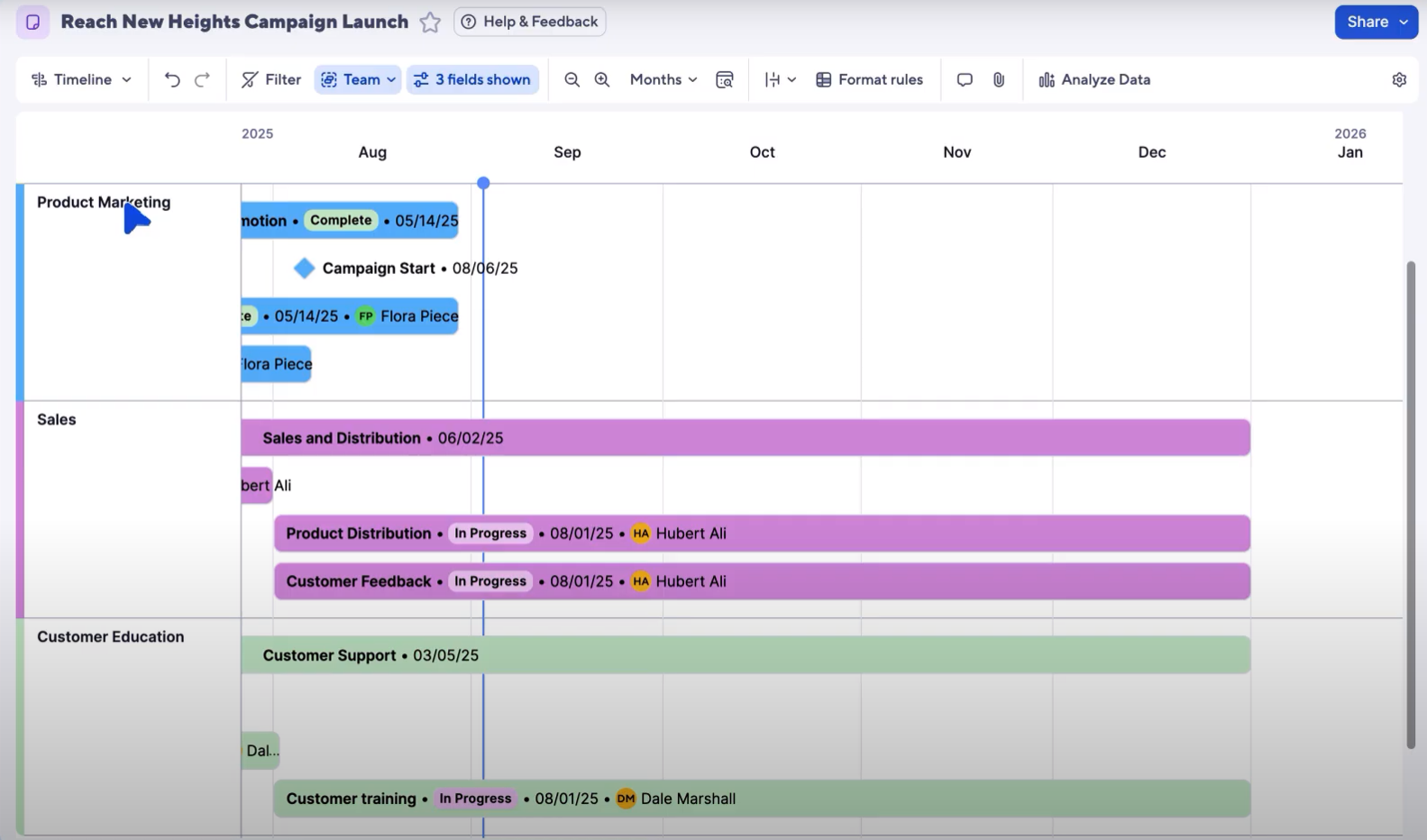
For teams managing tasks, timelines, and dependencies, this provides practical execution visibility and on-the-go flexibility.
2. Spreadsheet-style formulas for operational logic
Formulas are central to how Smartsheet works, allowing teams to apply calculations, conditions, and rollups directly within sheets.
In addition to standard spreadsheet functions, Smartsheet supports column formulas and cross-sheet references to keep metrics and statuses consistent across projects.
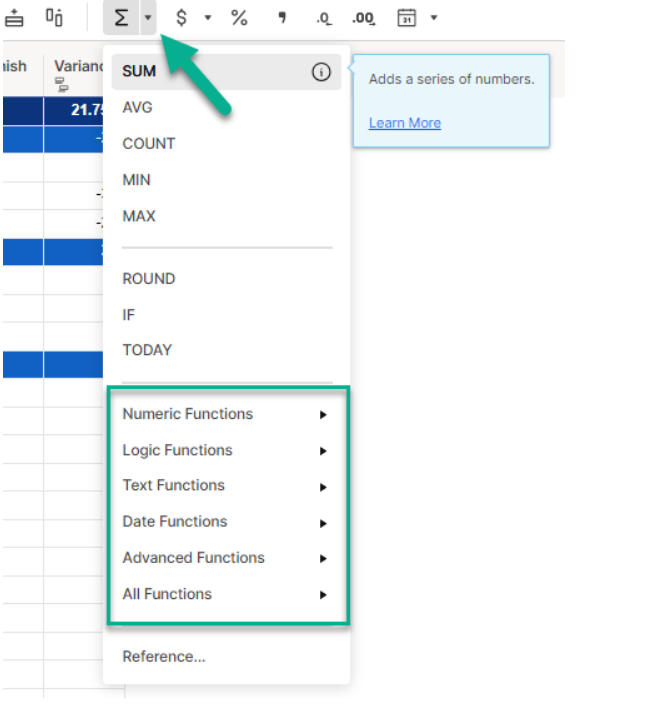
This makes Smartsheet well suited for operational logic and reporting, but less ideal for complex, large-scale modeling beyond everyday execution needs - something at which Anaplan shines, as you’ll see once we get to it.
3. No-code automation for routine execution
Smartsheet includes visual, no-code automation that helps teams reduce manual updates and keep work moving as conditions change.
Using trigger-and-action workflows, teams can automate reminders, status changes, assignments, approvals, and notifications across email, Slack, and Microsoft Teams.
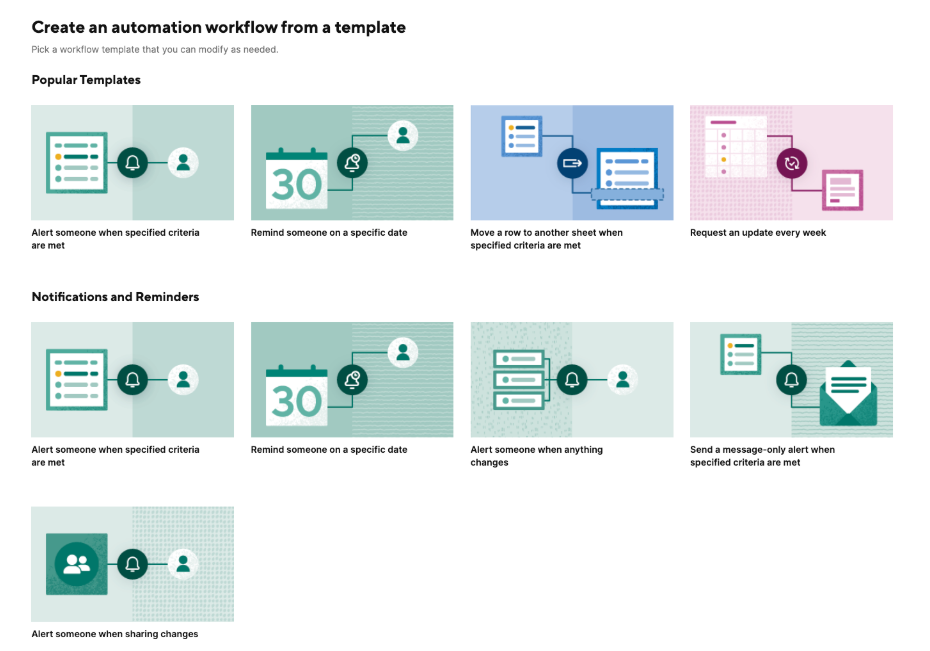
This makes Smartsheet effective for streamlining repetitive execution tasks, though automation remains tightly tied to sheet logic.
4. In-sheet collaboration tied to work
Smartsheet keeps collaboration directly connected to the work itself, with conversations and file attachments living inside rows and sheets.
Teams can tag stakeholders, share updates, and manage feedback without moving discussions to email or external tools.
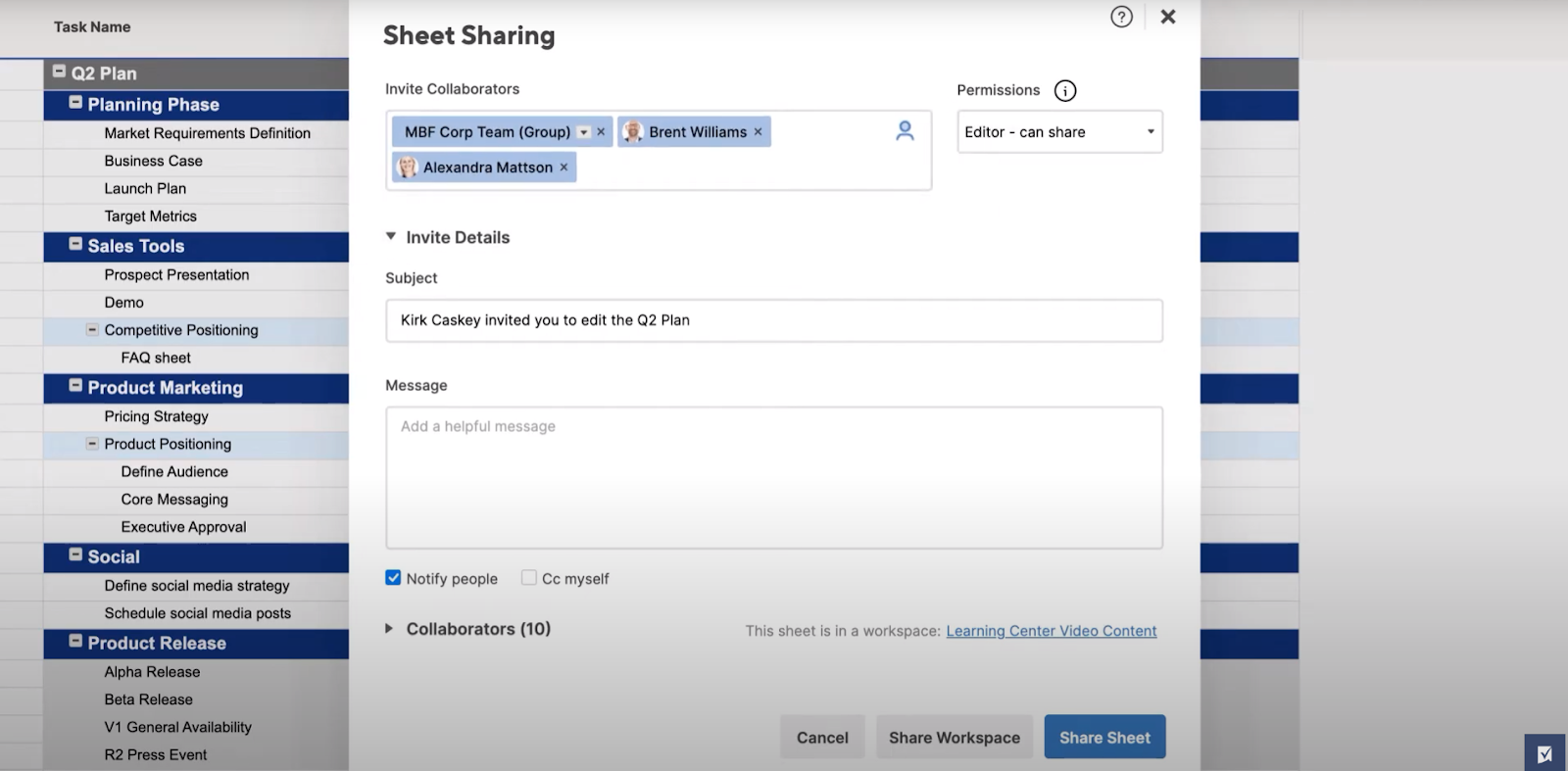
As a result, communication stays practical and contextual, keeping conversations, feedback, and files tied directly to the work being done.
Smartsheet is ideal if you:
✅ Manage work that revolves around tasks, timelines, dependencies, and structured execution.
✅ Prefer spreadsheet-style logic for calculations, rollups, and operational reporting.
✅ Need lightweight, no-code automation to handle reminders, approvals, and routine workflow updates.
Smartsheet isn’t the best choice if you:
❌ Rely on complex, multi-dimensional models to drive financial, operational, or strategic planning.
❌ Need large-scale scenario modeling and forecasting across interconnected business functions.
❌ Expect automation to orchestrate other processes beyond sheet-based logic.
Anaplan’s features
1. Scalable, multi-dimensional planning engine
Anaplan is built around a highly scalable modeling engine designed to handle complex, multi-dimensional planning across finance, operations, supply chain, and workforce use cases.
Its in-memory calculation engines support granular modeling across time, regions, products, and entities, allowing plans to update instantly as assumptions change.
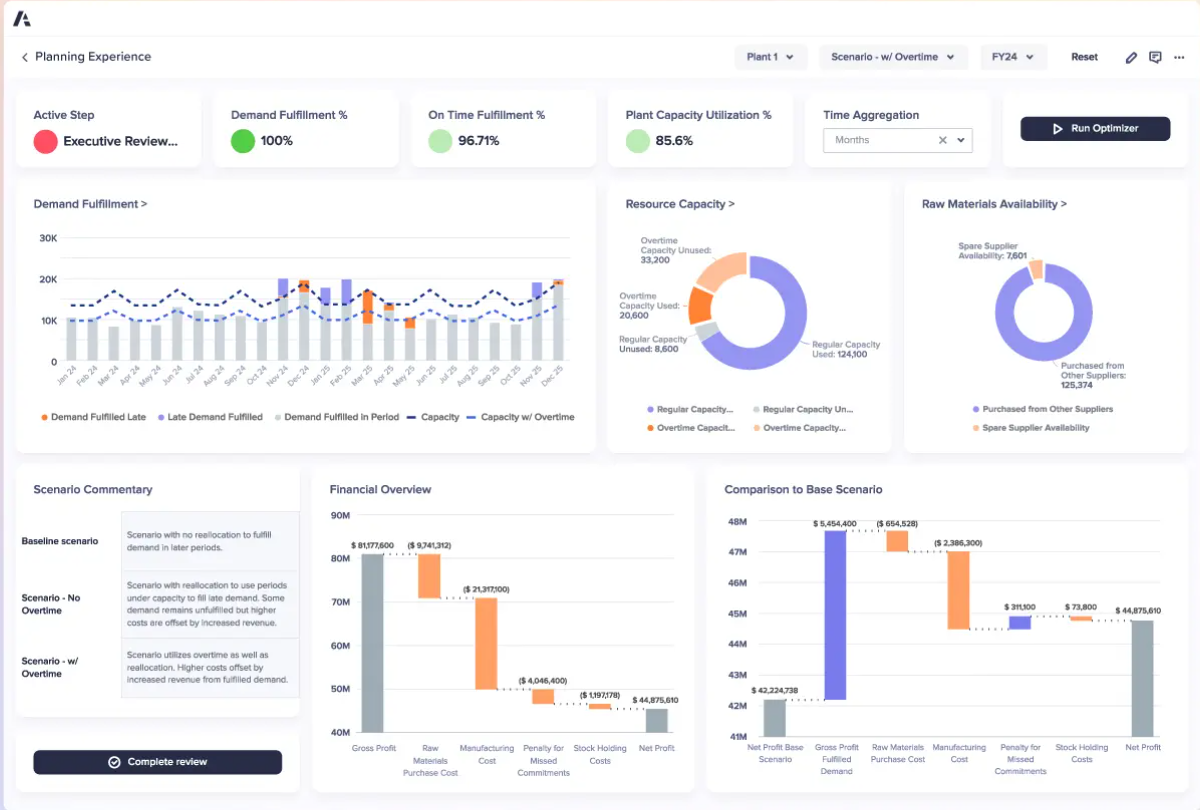
This architecture enables large organizations to run continuous, cross-functional scenario planning without performance degradation as data volume and complexity grow.
2. AI-driven scenario planning and decision intelligence
Anaplan Intelligence sits at the core of the platform, using predictive, generative, and agentic AI to power large-scale scenario planning and analysis.
It processes massive, multidimensional datasets in real time, allowing teams to test assumptions, forecast outcomes, and understand the downstream impact of decisions before they’re executed.
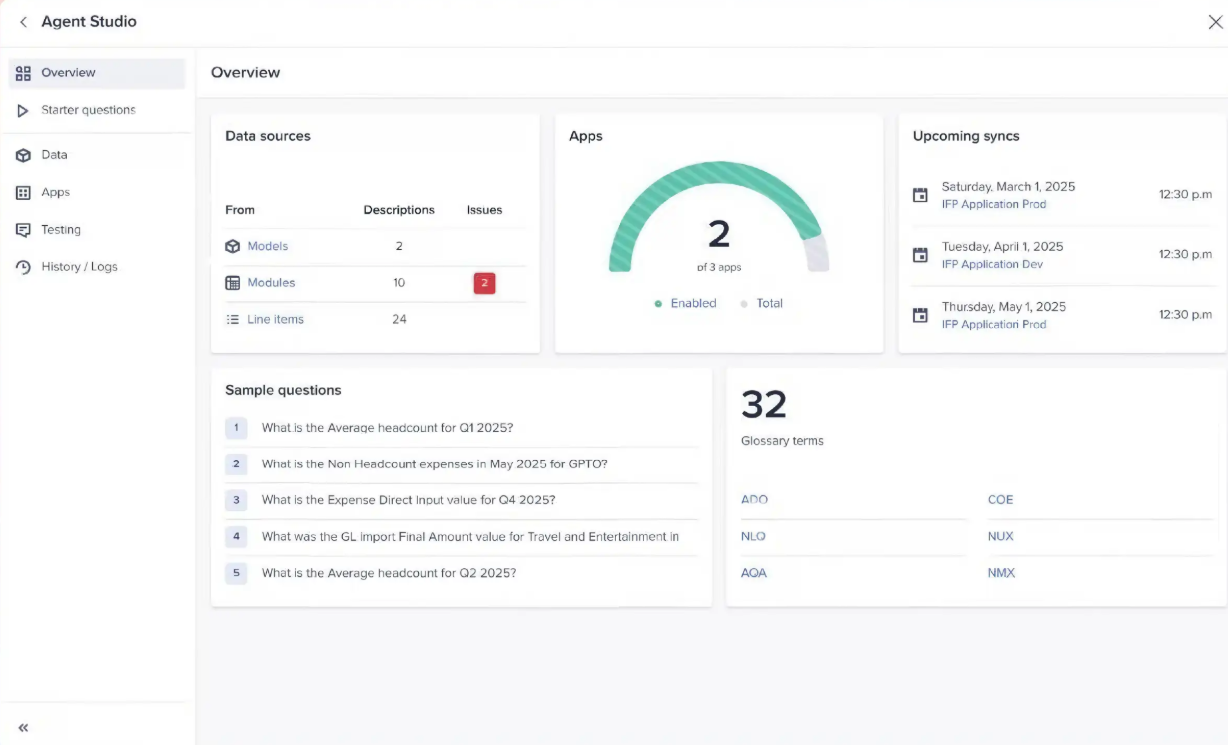
At the same time, its AI agents and conversational interfaces help build, refine, and monitor planning models, making Anaplan fundamentally about optimizing decisions at the enterprise level rather than managing day-to-day work.
3. Collaborative, role-based planning experience
Anaplan provides a unified planning experience designed to connect people, data, and plans across the organization.
Its interface supports collaborative scenario planning through role-based views, workflows, and approvals that guide users from insight to decision in a structured way.
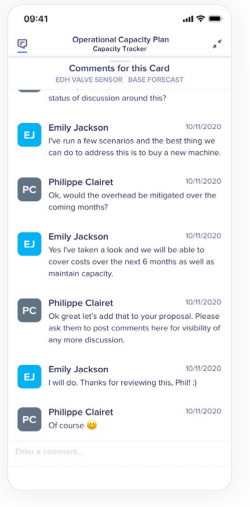
With built-in collaboration, mobile access, and tight integrations with tools like Excel, Google Sheets, and Microsoft 365, the platform enables broad participation in planning while keeping control and consistency intact.
4. Purpose-built planning applications
Anaplan offers out-of-the-box, domain-specific planning applications (you can think of them as planning templates) designed to accelerate time to value across finance, sales, supply chain, and workforce planning.
These applications embed enterprise best practices while remaining configurable and upgradeable, allowing organizations to standardize planning without building models entirely from scratch.
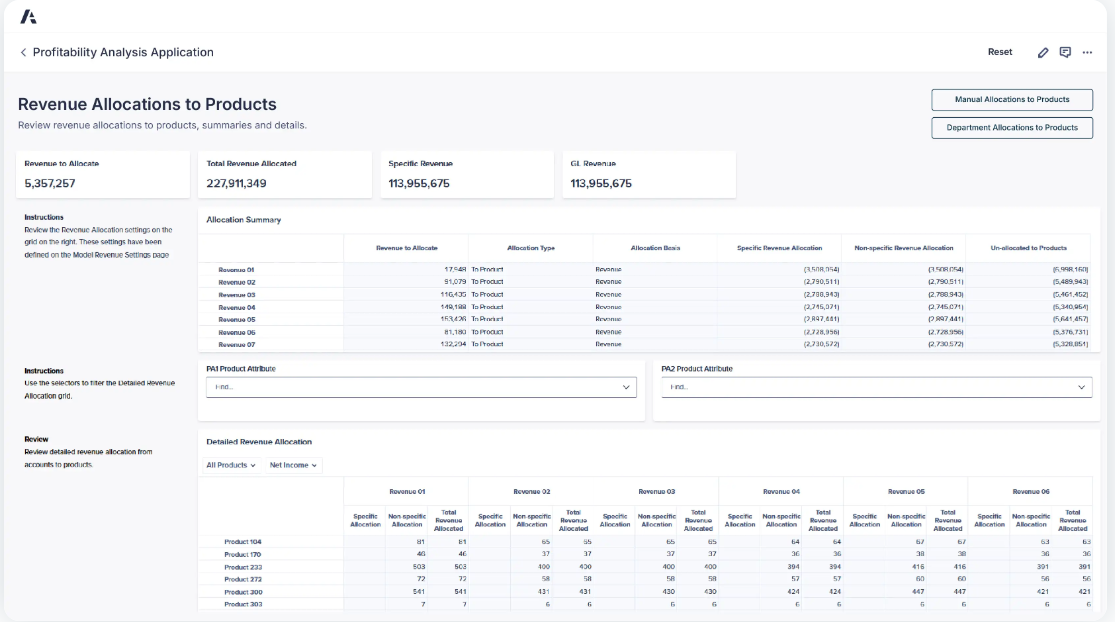
By combining prebuilt structure with flexibility, Anaplan helps large teams deploy consistent planning processes faster while adapting them as business needs evolve.
Anaplan is ideal if you:
✅ Run enterprise-scale planning across finance, sales, supply chain, or workforce functions.
✅ Rely on multi-dimensional models, scenario planning, and forecasting to guide decisions.
✅ Operate in a complex organization where governance, scalability, and planning accuracy matter more than day-to-day task management.
Anaplan isn’t the best choice if you:
❌ Need a tool for hands-on project execution, task tracking, and team-level collaboration.
❌ Want teams to move quickly without investing time in model design, setup, and ongoing ownership.
❌ Are looking for a lightweight solution to manage everyday work alongside granular reporting.
SmartSuite’s features
Smartsheet and Anaplan each excel in their own lane, but neither is built to cover the full path from planning to execution.
Teams managing real, evolving work often need something that connects structure, visibility, and action without added complexity.
That’s where SmartSuite steps in.
Namely, SmartSuite is designed for teams that need to turn plans into action without forcing everything into spreadsheets or committing to heavyweight planning infrastructure.
It brings structured data, project execution, automation, collaboration, and AI into a single, flexible workspace that adapts as work evolves.
Next, we’ll take a closer look at the features that make SmartSuite a practical middle ground between execution and planning.
1. Project management built for real execution
Once plans move into execution, teams need a system that can handle day-to-day delivery without constant rework or rigid constraints.
SmartSuite is designed to support how projects actually run, giving teams a flexible foundation for managing tasks, timelines, resources, and reporting as work evolves.
With it, you can manage projects of any size and complexity, thanks to a wide range of capabilities, including:
- Task and work item management: Break work down into tasks, sub-items, and checklist steps, making it easy to assign ownership, prioritize execution, and keep work moving across teams.
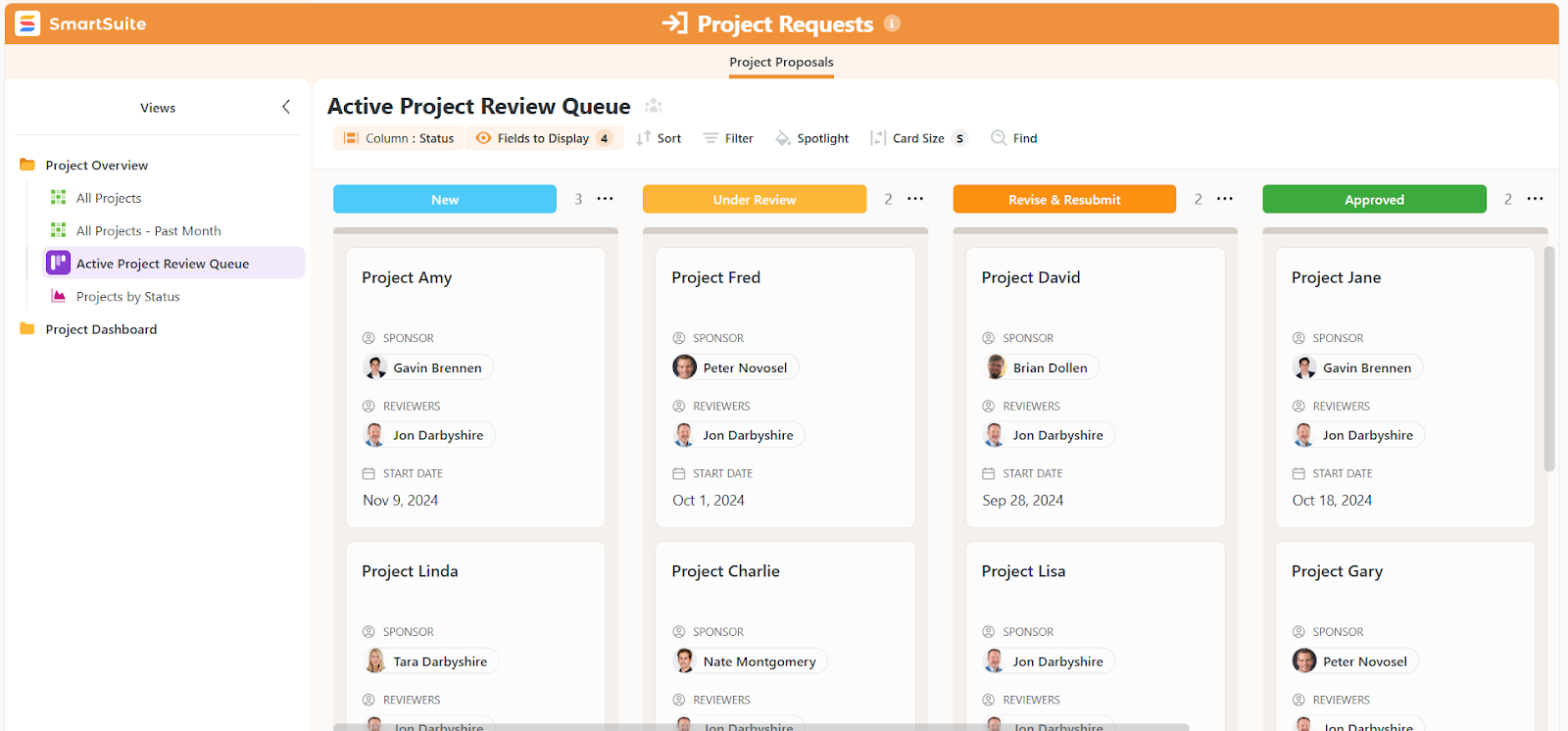
- Phases and milestones for timeline control: Structure projects with phases and milestones to visualize progress, track critical deliverables, and identify risks or delays early.
- Ready-made templates to get started fast: Use prebuilt templates for common use cases like project management, agile projects, change requests, project requests, portfolios, and risk tracking, and then tailor them visually to match your actual workflows.

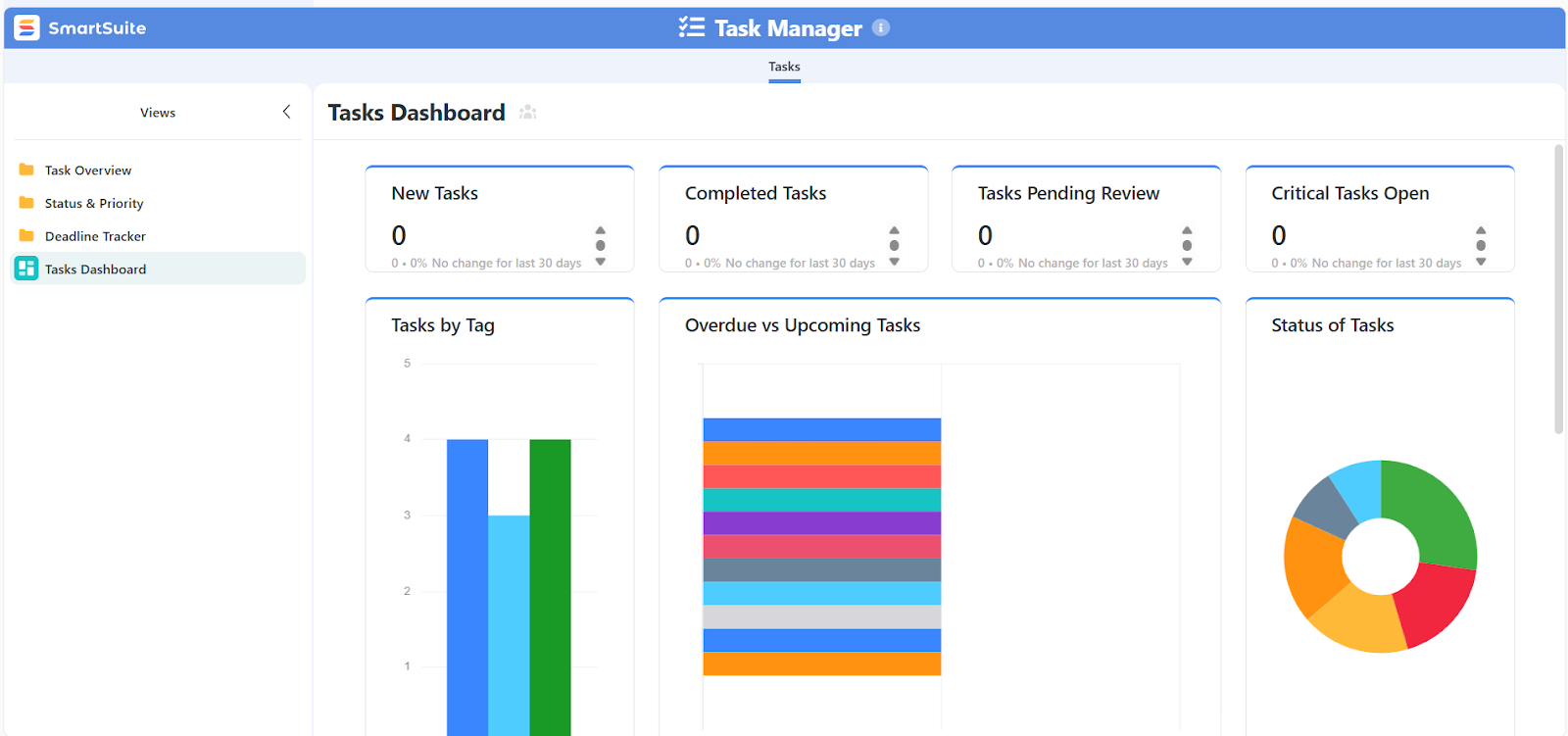
- Project and portfolio management dashboards: Monitor project health using dashboards that surface status, timelines, risks, workloads, budgets, and key metrics across one or many projects in real time.
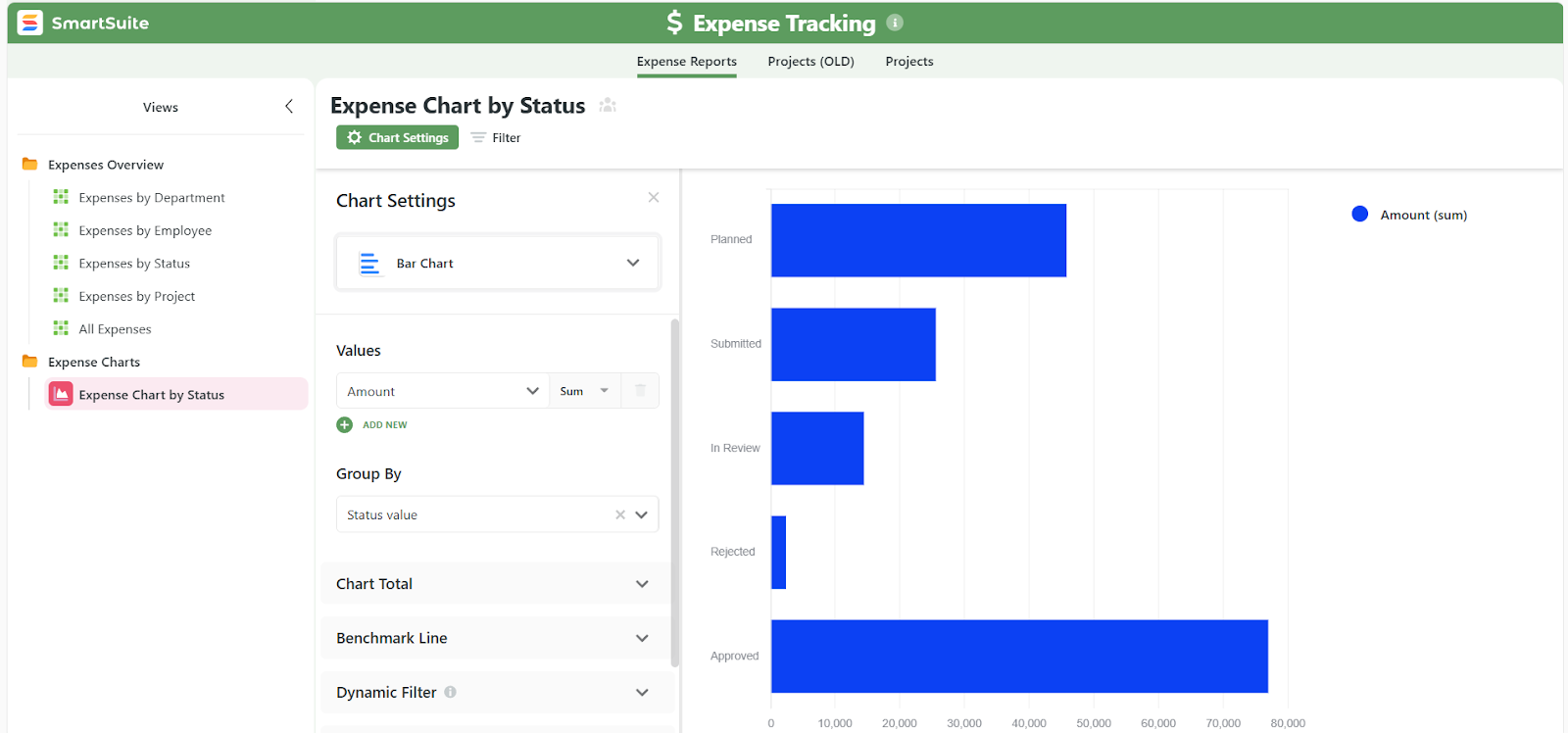
- Resource and workload visibility: Track team capacity, workloads, and expenses across projects to allocate resources effectively and avoid bottlenecks as priorities shift.
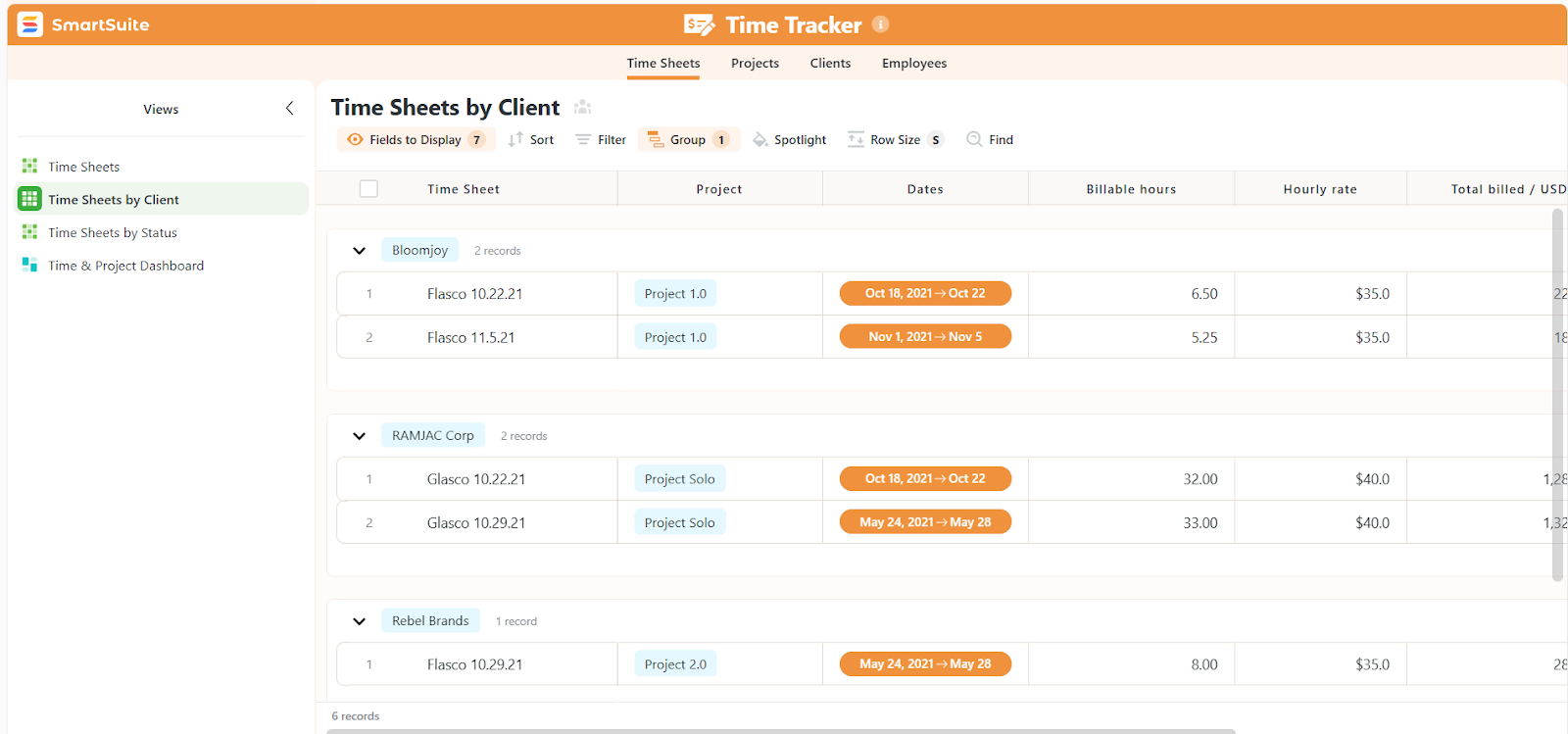
- Time tracking: Log time against work items, compare estimates to actuals, and generate reports for planning, billing, or performance analysis.
- Multiple views on the same data: Switch instantly between Grid, Kanban, Calendar, Timeline, Gantt, and Chart views without duplicating data or rebuilding workflows.
2. Visual workflow design with SmartSuite Studio
SmartSuite Studio gives teams a visual, no-code way to design, adapt, and govern workflows without relying on developers or complex configuration.
With it, you can:
- Build workflows visually, without code: Design workflows the same way you think about them, by dragging, dropping, and configuring how data flows, how work moves, and who’s involved at each step.

- Unify data, logic, and permissions in one place: Define your data structure, business rules, access controls, and layouts together, instead of managing them across disconnected tools.
- Adapt workflows quickly as needs change: Update workflows in hours, not weeks, by adjusting fields, logic, or steps as processes evolve, without breaking existing work or data.
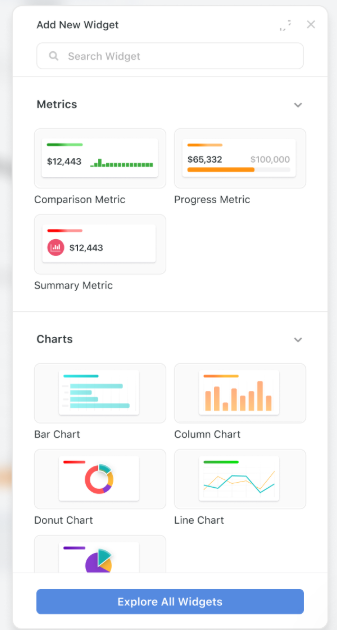
- Provide seamless role-based experiences: Tailor what each team or role sees and interacts with, ensuring users only access what’s relevant to them while keeping sensitive data protected.
- Ensure tight governance and auditability: Maintain control with role-based permissions, change tracking, and audit history, giving organizations the freedom to iterate without sacrificing oversight.
3. Collaboration built directly into the work
SmartSuite treats collaboration as part of the workflow itself, keeping communication, context, and decisions connected to the records and processes they belong to.
This is how it works:
- Conversations live inside records: Comments, mentions, and discussions happen directly within projects, tasks, requests, or records, so context is never lost or split across tools.
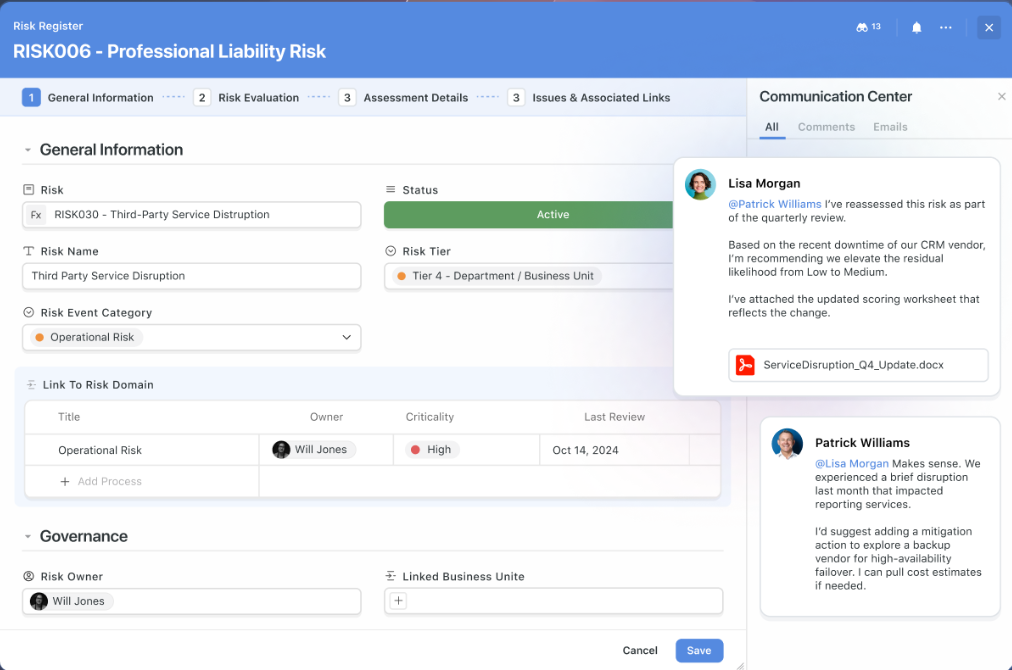
- Files and feedback in one place: Attach documents, collect feedback, and manage versions directly within records, keeping deliverables tied to the work they support.
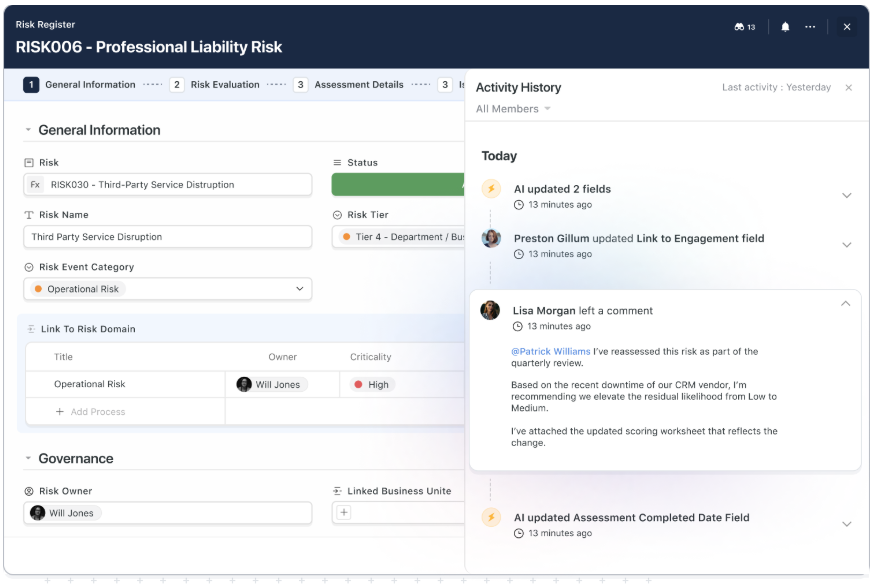
- Clear visibility into changes and decisions: Activity history tracks updates, comments, and actions over time, making it easy to understand what changed, when, and why.
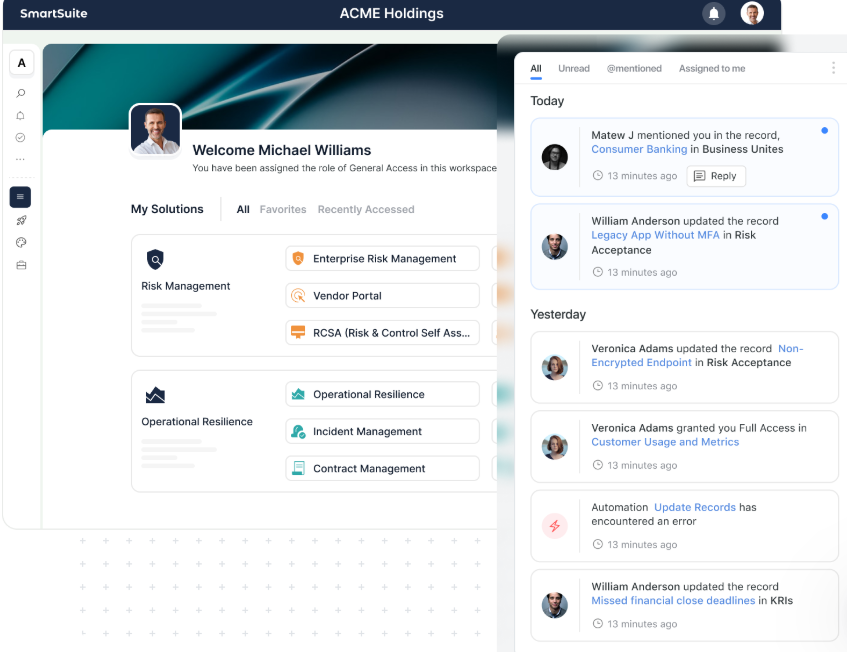
- Collaboration across teams and roles: Teams can collaborate across departments while permissions ensure everyone only sees and interacts with what’s relevant to their role.
- Communication without over-notification: Role-based access and notifications ensure the right people stay informed without overwhelming teams with unnecessary noise.
4. AI embedded into everyday execution
SmartSuite’s AI is designed to support teams where work actually happens - inside workflows, records, and processes - helping them move faster without taking control away from humans.
Namely, it operates directly within records, fields, and workflows, using the underlying data model to provide relevant, context-aware assistance rather than generic outputs.
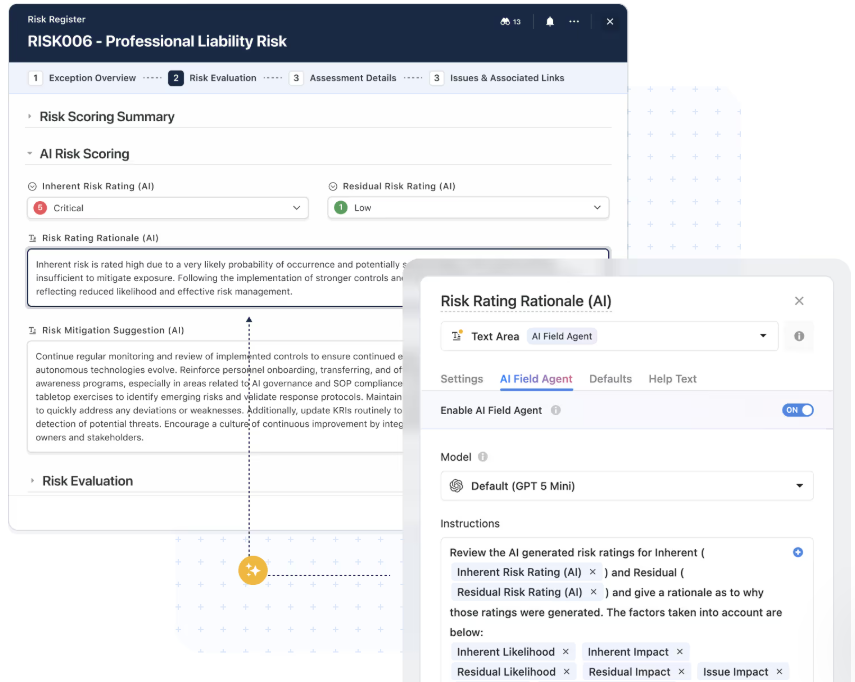
Here are some of the things it can do as a result:
- Summarizes work and activity instantly: Turns long comment threads, updates, or record histories into clear summaries that make it easy to share status, onboard stakeholders, or catch up quickly.
- Extracts and structures unstructured input: Automatically pulls key details from forms, emails, or text fields and maps them into structured records, reducing manual data entry and cleanup.
- AI-assisted field enrichment and classification: AI Field Agents categorize, tag, score, or enrich data fields, helping teams maintain consistency and quality as data volumes grow.
- Supports smarter automation and routing: Workflows are enhanced with AI that understands intent, sentiment, or context, enabling more intelligent routing, prioritization, and next-step suggestions.
Finally, it’s important to note that SmartSuite’s AI has a human in the loop by design.
This means AI provides recommendations and insights, but teams stay in control, reviewing, approving, and refining outputs before actions are taken.
5. Live reporting and dashboards built into workflows
SmartSuite brings reporting directly into the flow of work, giving teams real-time visibility without exporting data or relying on separate reporting tools.
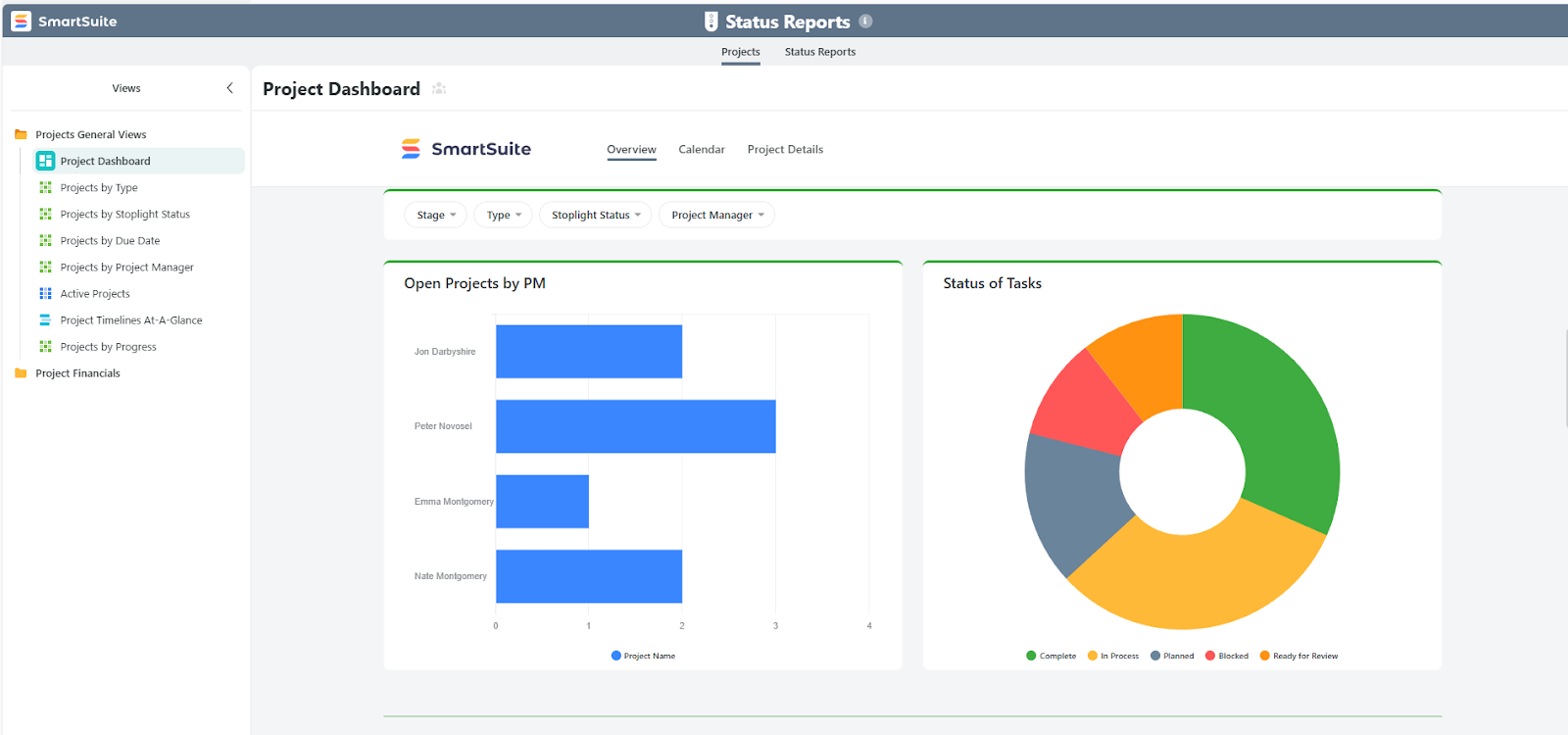
Here’s what you get:
- Dashboards powered by live data: Build interactive dashboards that surface status, metrics, risks, and trends across projects, processes, or entire portfolios, always reflecting the latest data.
- Cross-workflow and cross-solution reporting: Combine data from multiple Solutions to understand performance across teams, departments, or initiatives without duplicating reports or rebuilding logic.
- Role-aware visibility by default: Reporting automatically respects record- and field-level permissions, ensuring every user sees the right information based on their role and responsibilities.
- Self-serve dashboards without BI overhead: Teams can create and customize their own dashboards and views without relying on a dedicated analytics or BI team.
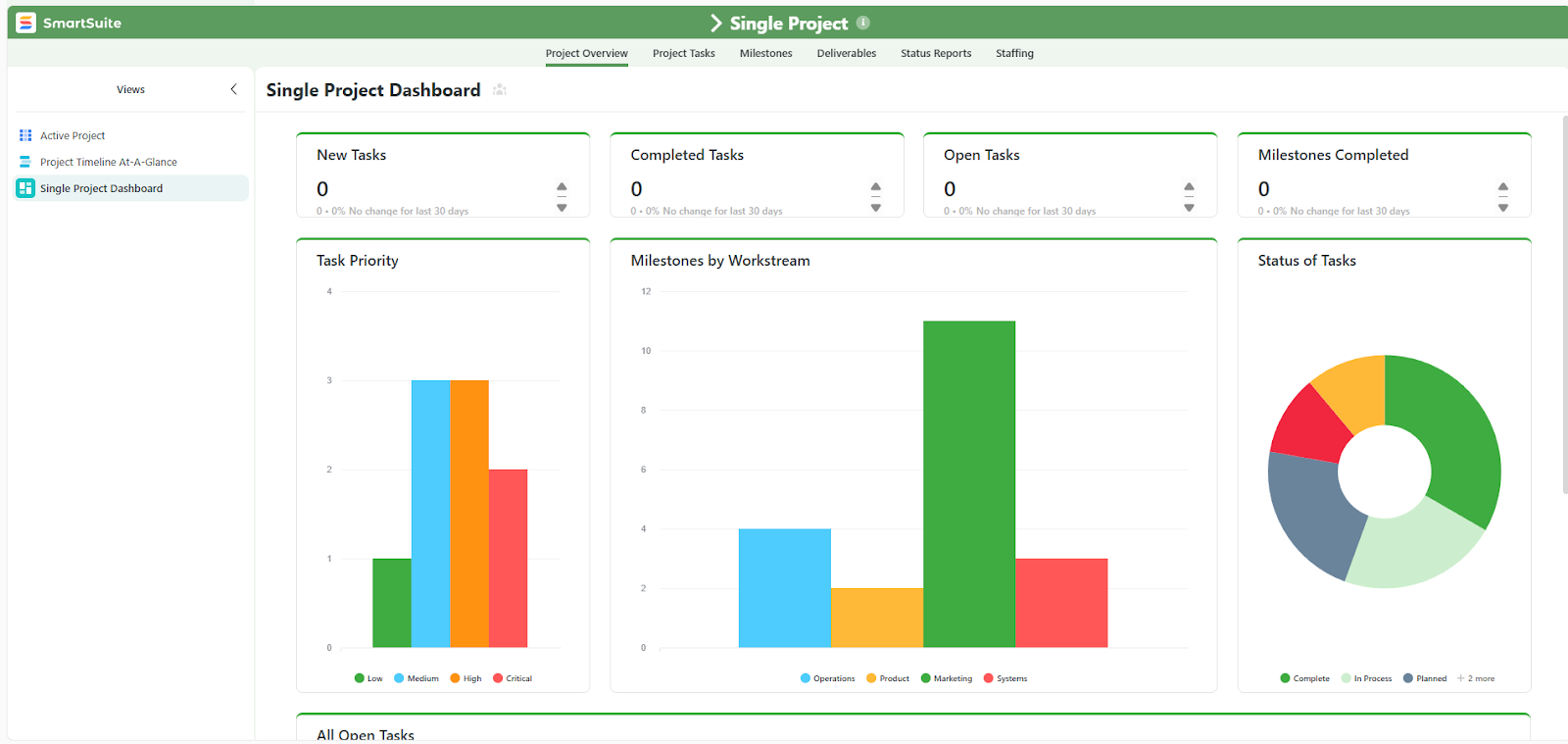
- Reporting that stays in sync with execution: As records move, change status, or trigger workflows, dashboards and views update instantly, supporting daily stand-ups, weekly reviews, and executive updates without stale data.
- Ability to scale as workflows grow: Reuse metrics, charts, and dashboards across new Solutions and processes, creating a consistent reporting layer that grows with your organization.
SmartSuite is ideal if you:
✅ Need to manage projects, workflows, and structured data in one connected workspace.
✅ Want to turn plans into action without relying on spreadsheets or heavyweight planning platforms.
✅ Manage real, evolving work that requires flexibility across tasks, processes, and teams.
✅ Prefer visual, no-code tools to design and adapt workflows as needs change.
✅ Value in-context collaboration where conversations, files, and decisions stay tied to the work.
✅ Want AI to assist with execution, data quality, and workflow routing, while keeping humans in control.
✅ Need live reporting and dashboards that reflect the current state of work without exports or BI overhead.
SmartSuite isn’t the best choice if you:
❌ Depend primarily on advanced, multi-dimensional financial or operational modeling.
❌ Prefer rigid, predefined workflows that don’t require customization or evolution over time.
Winner: SmartSuite
SmartSuite is the strongest overall choice for teams that need to connect planning and execution in one place.
For organizations that have outgrown spreadsheets but don’t need the weight of enterprise planning systems, SmartSuite offers the most practical balance of structure, visibility, and control without unnecessary complexity.
Integrations: Smartsheet vs. Anaplan vs. SmartSuite
Smartsheet integrations
Smartsheet offers a broad integration ecosystem that helps teams connect work across the tools they already use, extend its capabilities, and automate data flows without manual effort.
Its integrations include the following:
- Enterprise systems and cloud services: Smartsheet connects natively with major platforms like Salesforce, Jira Software, SAP BI/ERP systems, and other enterprise tools to sync project, CRM, and operational data.
- Productivity and collaboration tools: Built-in integrations for Microsoft 365 (including Teams, Outlook, and Power BI), Google Workspace, Slack, and Adobe Creative Cloud help push updates, alerts, and work items into the tools teams already use.
- AI and analytics extensions: Smartsheet supports connections with enterprise AI tools (like Microsoft Copilot and others), analytics platforms, and BI tools such as Power BI or Tableau for deeper insights and automated reporting.
- Connectors and workflow automation: Smartsheet Bridge and prebuilt connectors let teams orchestrate event- or schedule-based workflows, while third-party platforms like Zapier or iPaaS tools expand reach to thousands of apps (CRM, email, forms, notifications) without custom code.
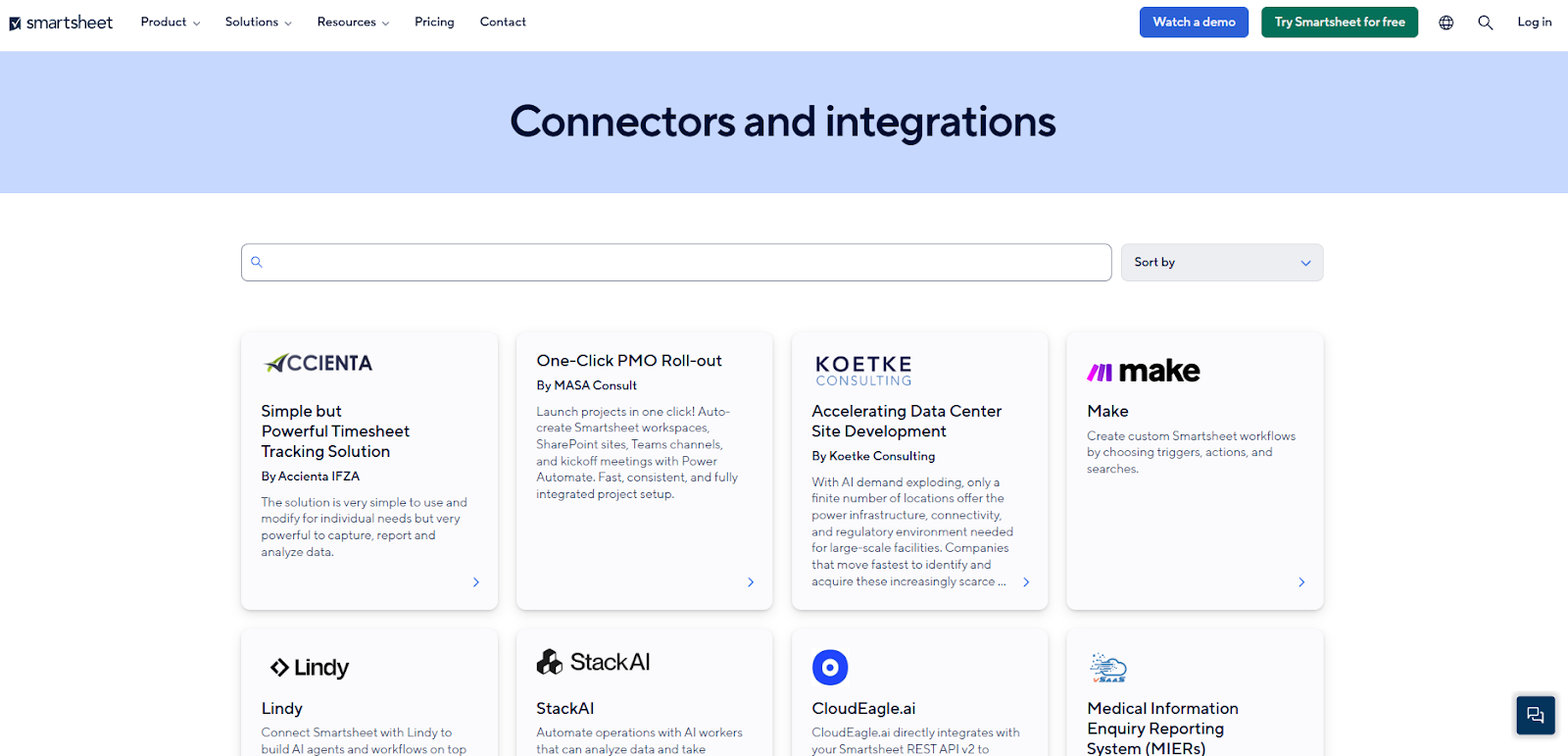
Together, these integrations help Smartsheet act as a central hub for work and data across an organization’s tech stack, reducing manual updates and keeping information synchronized across teams and tools.
Anaplan integrations
Anaplan provides a flexible set of integration options that help organizations bring data in and out of planning models, connect with external systems, and automate data flows across their tech stack.
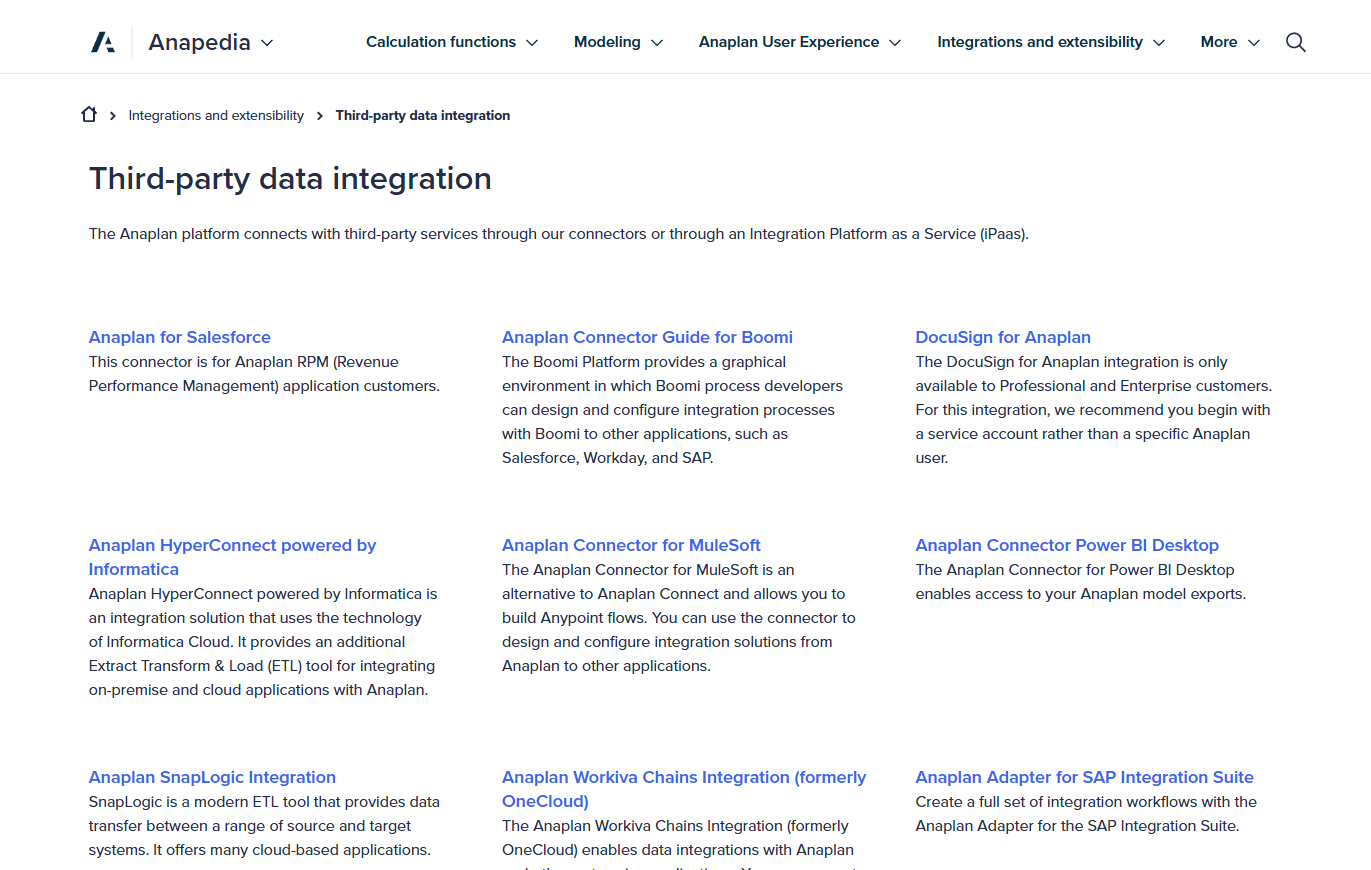
These are the integration options it offers:
- Native integration tools: Built-in connectivity like Anaplan Connect and CloudWorks lets administrators automate imports and exports, schedule data actions, and synchronise cloud data sources such as AWS, Azure, or Google Cloud Storage directly into Anaplan models.
- APIs and programmatic access: Anaplan offers robust APIs, so teams can load, extract, update, and manage model data programmatically, build custom integrations, or connect with external applications.
- Connectors and third-party platforms: Through connectors and iPaaS tools like MuleSoft, SnapLogic, Dell Boomi, HyperConnect (Informatica), Workiva Chains, and Power BI connectors, Anaplan can integrate with enterprise systems (e.g., CRM, ERP) and BI platforms for deeper planning context.
- Excel/Sheets and BI integrations: Add-ins and connectors (such as Microsoft Excel, Google Sheets, and Power BI) make it easier to pull model exports into familiar analytics and reporting environments, while leveraging Anaplan APIs.
Together, these integration paths support connected planning by enabling data to flow securely from systems of record into Anaplan models and back into analytics, reporting, or operational systems for broader enterprise use.
SmartSuite integrations
SmartSuite’s integrations are built to support end-to-end workflows, not just data sync.
The platform combines native actions, iPaaS connectors, and developer-friendly APIs to enable information to flow smoothly across systems without heavy setup or ongoing maintenance:
- Native integrations for everyday tools: SmartSuite includes built-in actions that let teams trigger updates across common business tools without writing code. You can send notifications to Slack or Microsoft Teams, create events in Google or Outlook calendars, and keep CRM or service platforms like Salesforce in sync directly from workflows.
- iPaaS connectors for cross-system orchestration: For more complex automation, SmartSuite integrates seamlessly with platforms like Make, Zapier, Microsoft Power Automate, Relay, and others. This allows teams to connect SmartSuite with thousands of SaaS tools, chain multi-step workflows across systems, and orchestrate logic using visual builders they already know.
- REST API and webhooks for custom integrations: For advanced use cases, SmartSuite offers a full REST API and webhooks. Engineering teams can read and write records programmatically, react to events like record updates or new entries, trigger downstream systems, or embed SmartSuite data directly into internal tools and applications.
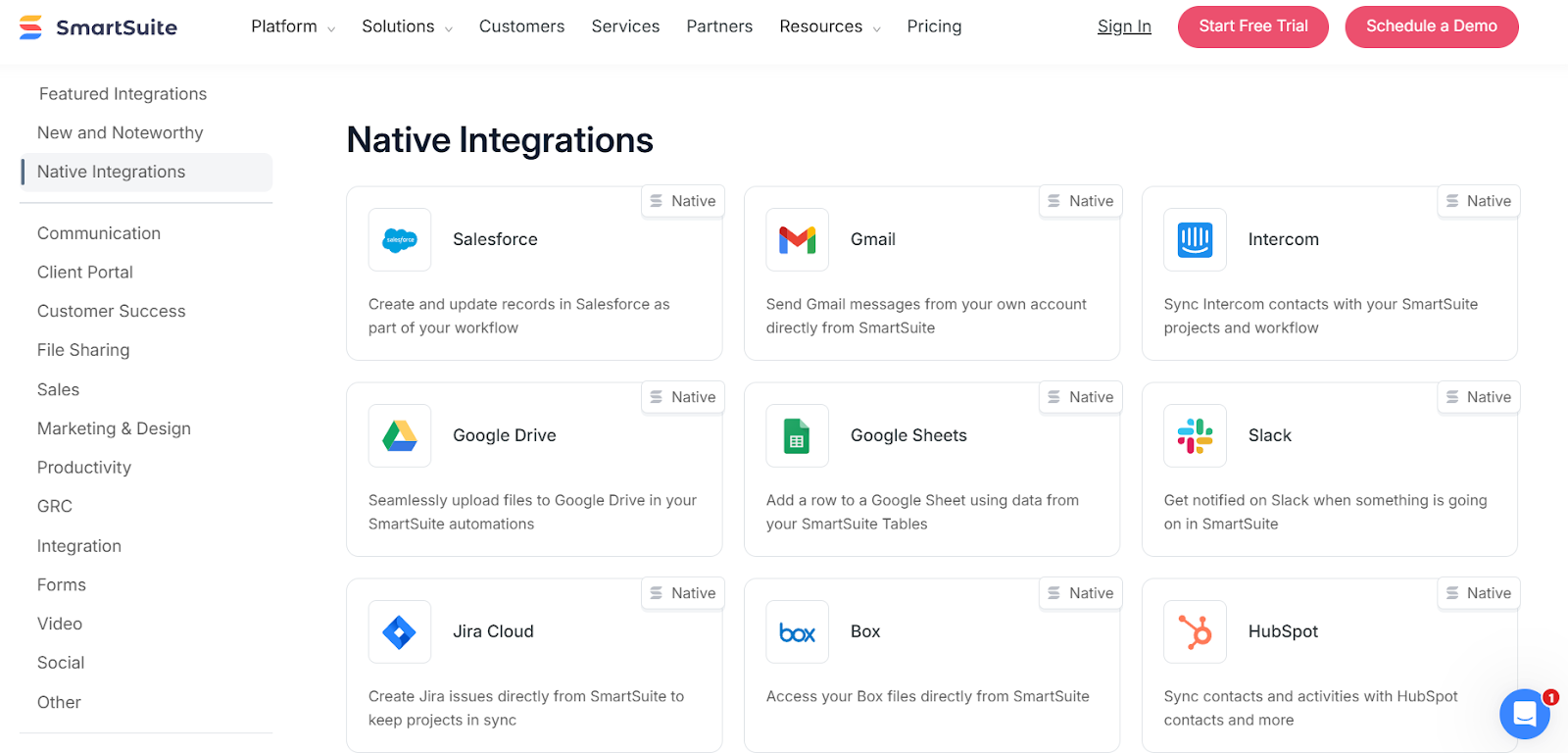
Overall, SmartSuite strikes a strong balance between no-code accessibility and technical depth, making it easy for teams to automate workflows today while still supporting deeper, custom integrations as organizations scale.
Winner: Smartsheet
When it comes to integrations, Smartsheet has the edge overall thanks to the breadth of its native, out-of-the-box integrations and its long-standing presence in enterprise tech stacks.
It connects easily with a wide range of tools across CRM, ERP, BI, collaboration, automation, and governance, often without requiring an additional integration layer.
Pricing: Smartsheet vs. Anaplan vs. SmartSuite
Smartsheet pricing
Smartsheet offers several pricing tiers designed to scale from small teams to large enterprises:
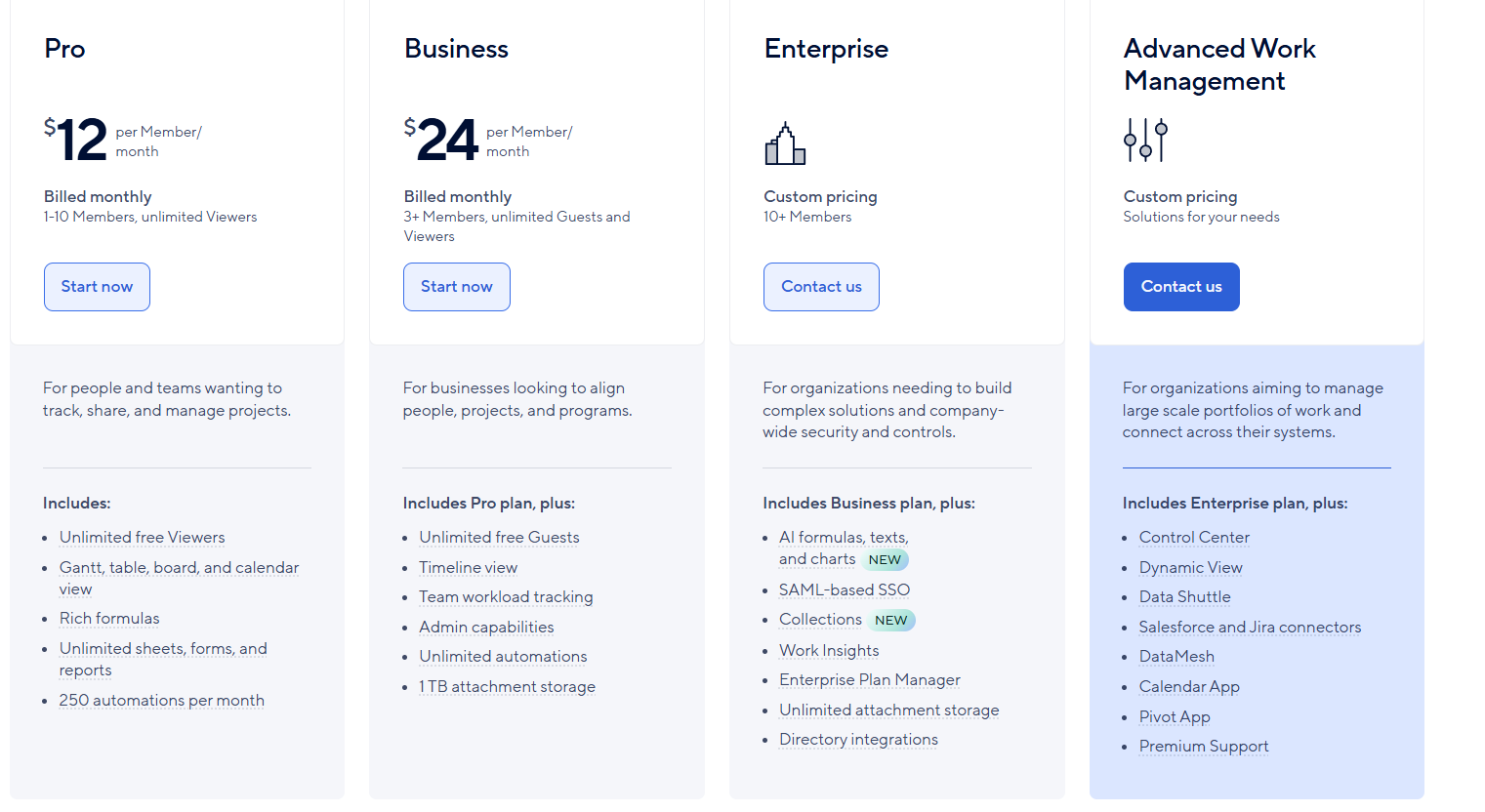
- Pro: $12 per user/month, for 1-10 users, includes Gantt, table, board, and calendar views, rich formulas, unlimited sheets, forms, and reports, plus 250 automations per month.
- Business: $24 per member/month, for minimum 3 members, includes everything in Pro, plus timeline view, team workload tracking, stronger admin controls, unlimited automations, and 1 TB of attachment storage.
- Enterprise: Custom pricing, for teams with more than 10 members that need advanced security and governance controls, includes everything in Business, plus AI-powered formulas, text, and charts, SAML-based SSO, directory integrations, unlimited storage, Work Insights, and enterprise-level management tools.
- Advanced Work Management: Custom pricing, designed for organizations managing large portfolios and complex, cross-system workflows. Includes everything in Enterprise, plus control center, dynamic view, data shuttle, DataMesh, calendar and pivot apps, Salesforce and Jira connectors, and premium support.
Anaplan pricing
Anaplan does not publish pricing.
To get exact costs, you must contact Anaplan’s sales team for a custom quote based on factors like user roles, model complexity, data volume, integrations, and contract length.
That said, third-party data gives a useful sense of what buyers actually pay.
According to Vendr, the median Anaplan customer pays around $102,000 per year, based on 59 reported purchases.
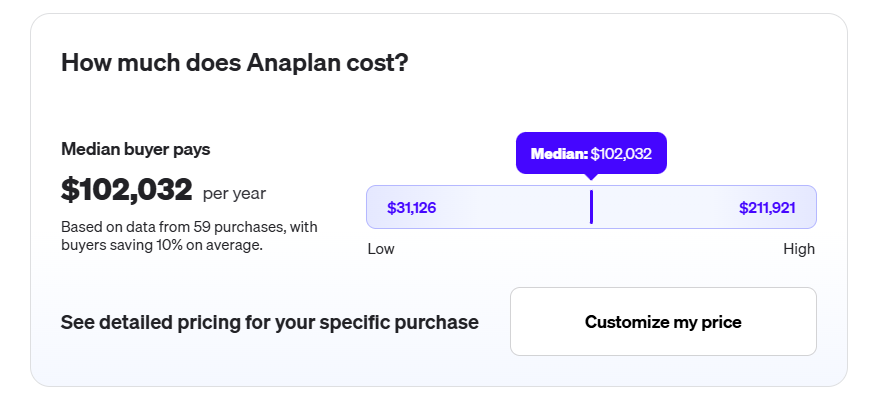
Reported contracts range widely, from roughly $31,000 on the low end to over $210,000 annually, reflecting how much pricing depends on scale and use case.
Vendr data also suggests that Anaplan is increasingly pushing multi-year (often three-year) contracts as the standard, especially for mid-market and enterprise customers.
Overall, Anaplan pricing aligns with its positioning as an enterprise planning platform.
Costs can be justified for organizations running large-scale, cross-functional planning models, but it’s a significant investment compared to execution-focused work management tools.
SmartSuite pricing
SmartSuite follows a transparent pricing model with plans that scale alongside your team’s needs.
You can try it free for 14 days - no credit card required - before choosing a tier.
Here’s a closer look at the available options:
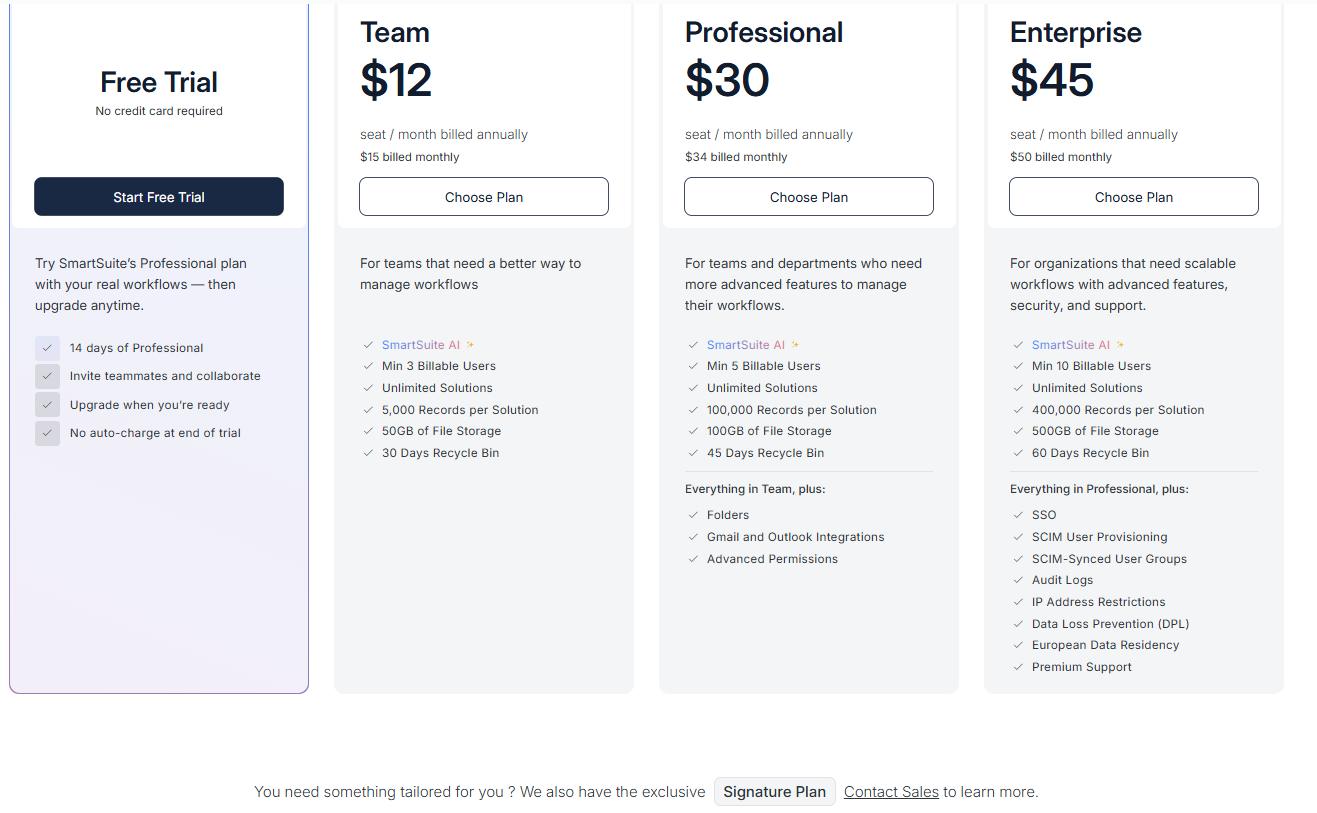
- Team: $12 per seat/month (billed annually), includes SmartSuite AI, unlimited solutions, up to 5,000 records per solution, 50 GB of file storage, a 30-day recycle bin, and core collaboration and automation features.
- Professional: $30 per seat/month, includes everything in Team, plus folders, Gmail and Outlook integrations, advanced permissions, higher record limits (100,000 per solution), 100 GB of storage, and a 45-day recycle bin.
- Enterprise: $45 per seat/month, includes everything in Professional, plus SSO, SCIM user provisioning, audit logs, IP restrictions, data loss prevention, European data residency, premium support, and higher limits (400,000 records per solution and 500 GB storage).
- Signature: Custom pricing. A tailored plan for organizations with specific requirements around scale, security, or data architecture.
Winner: SmartSuite
When pricing is evaluated across transparency, predictability, and value for execution teams, SmartSuite is the clear winner.
SmartSuite stands out by combining transparent, published pricing with strong feature access across tiers.
Core capabilities like automation, reporting, templates, and AI are available without mandatory add-ons, and teams can scale from Team to Enterprise plans without sudden pricing jumps or long-term contracts.
What are the customers saying about Smartsheet, Anaplan, and SmartSuite?
TL;DR
- Smartsheet (4.4★ on G2) is loved for its spreadsheet familiarity, flexible views, and strong rollups and summaries, making it easy for teams to adopt and manage structured execution. However, users often run into formula quirks, row limits, and fragility at scale, especially when sheets grow complex.
- Anaplan (4.6★ on G2) earns praise for enterprise-grade, multi-dimensional planning, powerful scenario modeling, and strong governance controls. The trade-off is a steep learning curve, high implementation and ownership costs, and occasional performance slowdowns in large, heavily used models.
- SmartSuite (4.8★ on G2) stands out for combining ease of use with real depth. Users consistently highlight fast onboarding, visual no-code customization, and a modern, enjoyable UI. Most complaints focus on smaller UX refinements or plan structure—not core capability gaps.
Smartsheet reviews
G2 Rating: 4.4/5
What users love:
- Spreadsheet familiarity with added structure: Many users appreciate that Smartsheet feels familiar to anyone coming from Excel or Google Sheets, which lowers the learning curve and makes adoption easier across teams.
- Powerful summaries and reporting: Sheet Summaries, parent–child hierarchies, and rollups are frequently praised for keeping day-to-day task lists clean while still feeding live metrics into dashboards and reports.
- Flexible views and easy data capture: Users like being able to switch between multiple views with one click, as well as using forms (including mobile forms) to collect structured data and attachments.
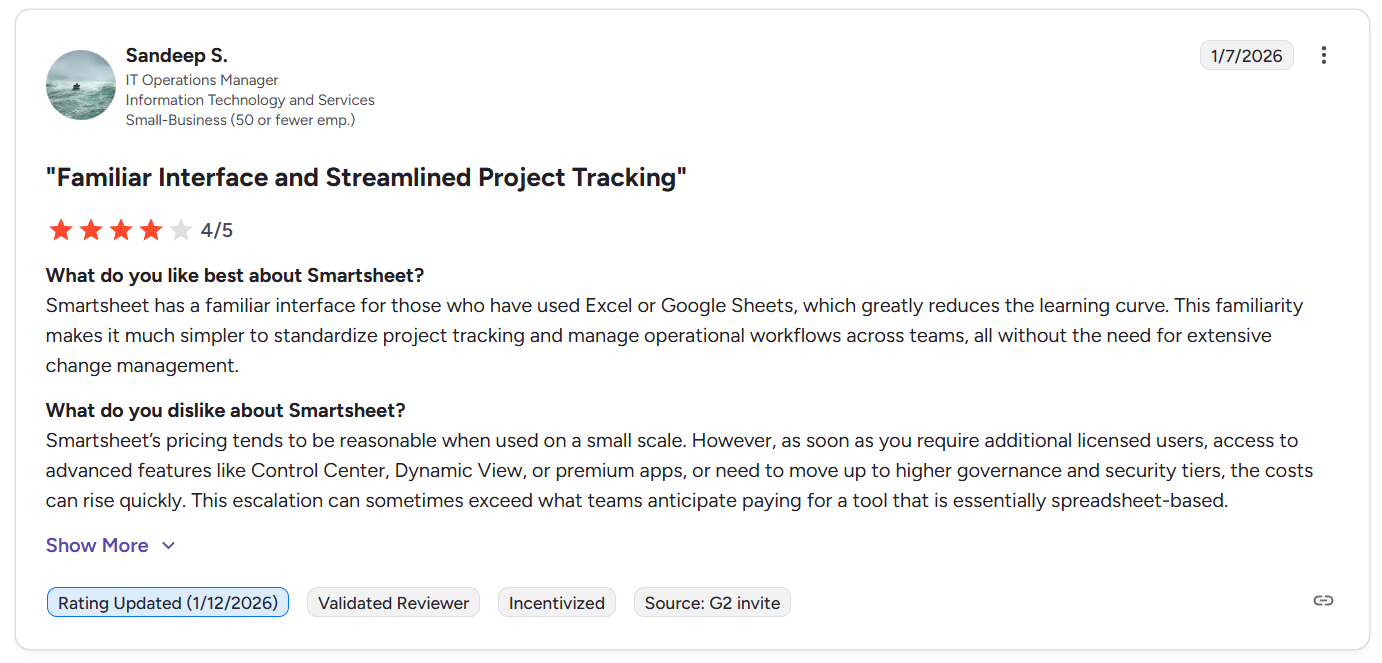
“Smartsheet has a familiar interface for those who have used Excel or Google Sheets, which greatly reduces the learning curve. This familiarity makes it much simpler to standardize project tracking and manage operational workflows across teams, all without the need for extensive change management.” - G2 Review
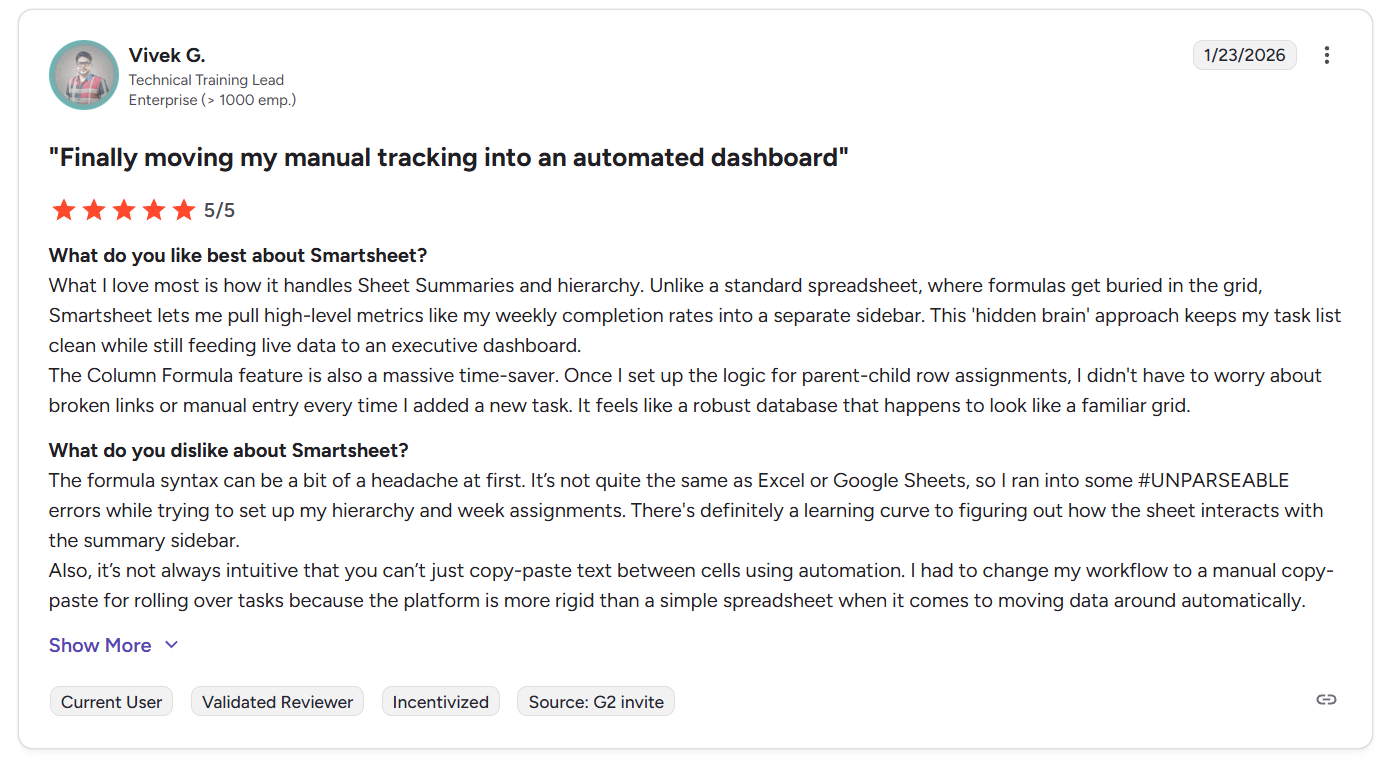
“What I love most is how it handles Sheet Summaries and hierarchy. Unlike a standard spreadsheet, where formulas get buried in the grid, Smartsheet lets me pull high-level metrics like my weekly completion rates into a separate sidebar. This 'hidden brain' approach keeps my task list clean while still feeding live data to an executive dashboard.
The Column Formula feature is also a massive time-saver. Once I set up the logic for parent-child row assignments, I didn't have to worry about broken links or manual entry every time I added a new task. It feels like a robust database that happens to look like a familiar grid.” - G2 Review
Common complaints include:
- Formula complexity and quirks: While powerful, Smartsheet formulas aren’t identical to Excel or Google Sheets, which can cause confusion, errors, and a learning curve.
- Row limits and performance at scale: Sheet row limits and performance issues come up when managing large inventories or high-volume datasets, making Smartsheet less suitable for very data-heavy use cases.
- Formulas break when rearranging data: Rearranging rows or cells can sometimes disrupt linked formulas, which frustrates users managing complex sheets over time.
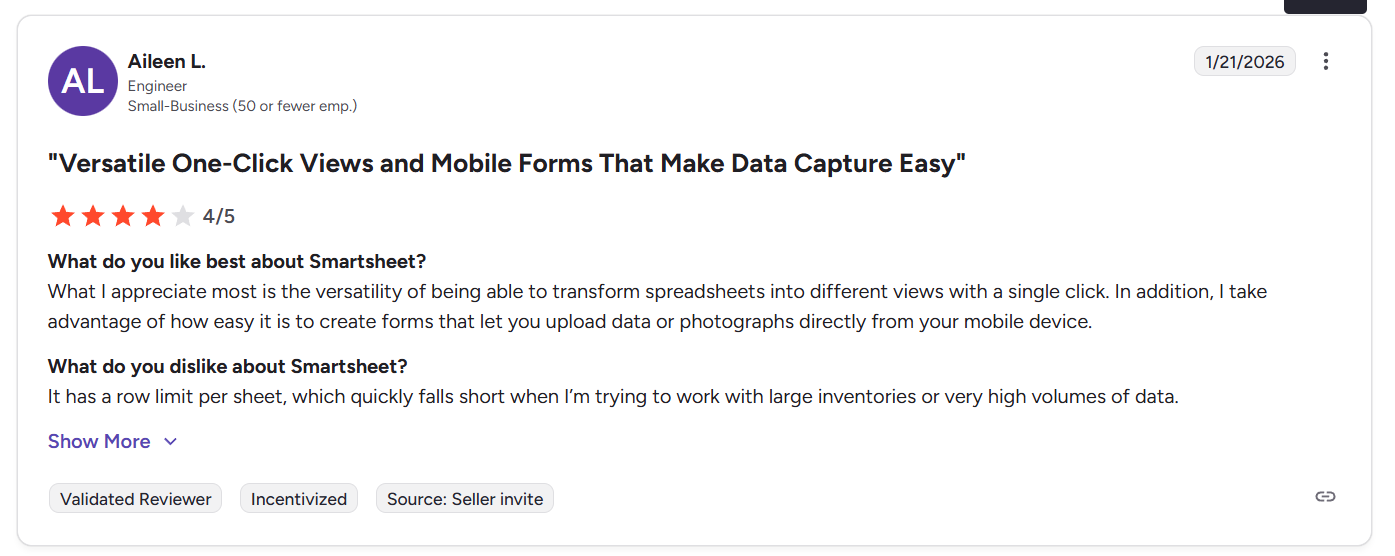
“It has a row limit per sheet, which quickly falls short when I’m trying to work with large inventories or very high volumes of data.” - G2 Review
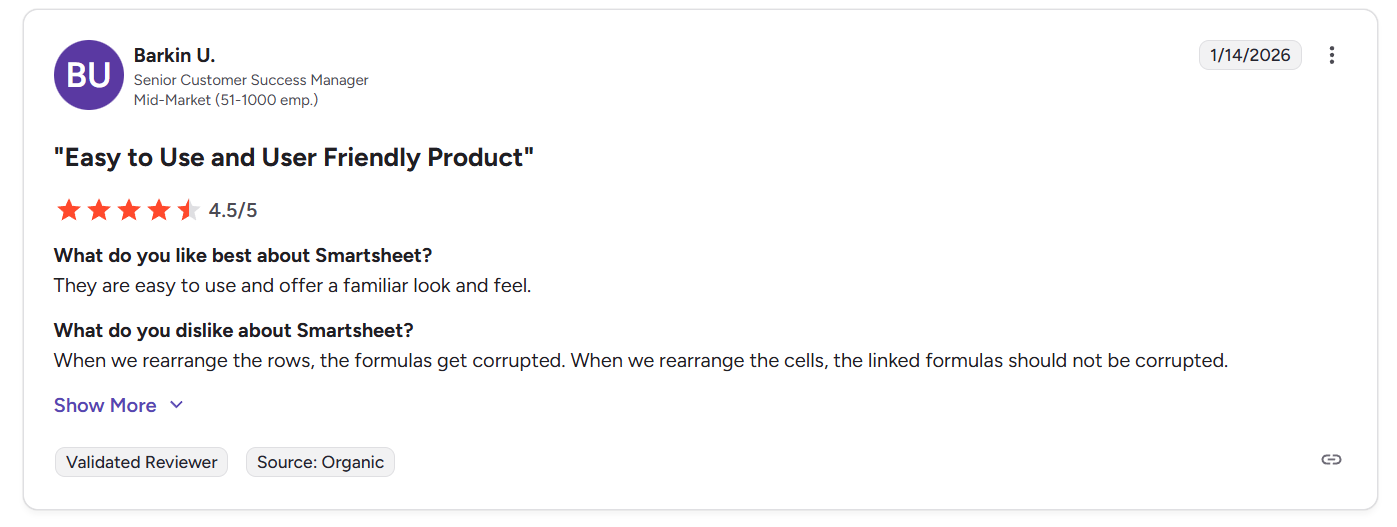
“When we rearrange the rows, the formulas get corrupted. When we rearrange the cells, the linked formulas should not be corrupted.” - G2 Review
Anaplan reviews
G2 Rating: 4.6/5
What users love:
- Enterprise-grade, multi-dimensional planning: Users consistently highlight Anaplan’s ability to unify finance, sales, supply chain, HR, and operations into connected models, enabling large organizations to plan across functions using a single source of truth.
- Powerful scenario modeling and forecasting: Scenario planning, driver-based modeling, and real-time impact analysis are frequently cited as standout strengths.
- Governance, control, and lifecycle management: Features like role-based access, controlled model exposure, and Application Lifecycle Management (ALM) for development, testing, and production environments are highly valued in enterprise settings.
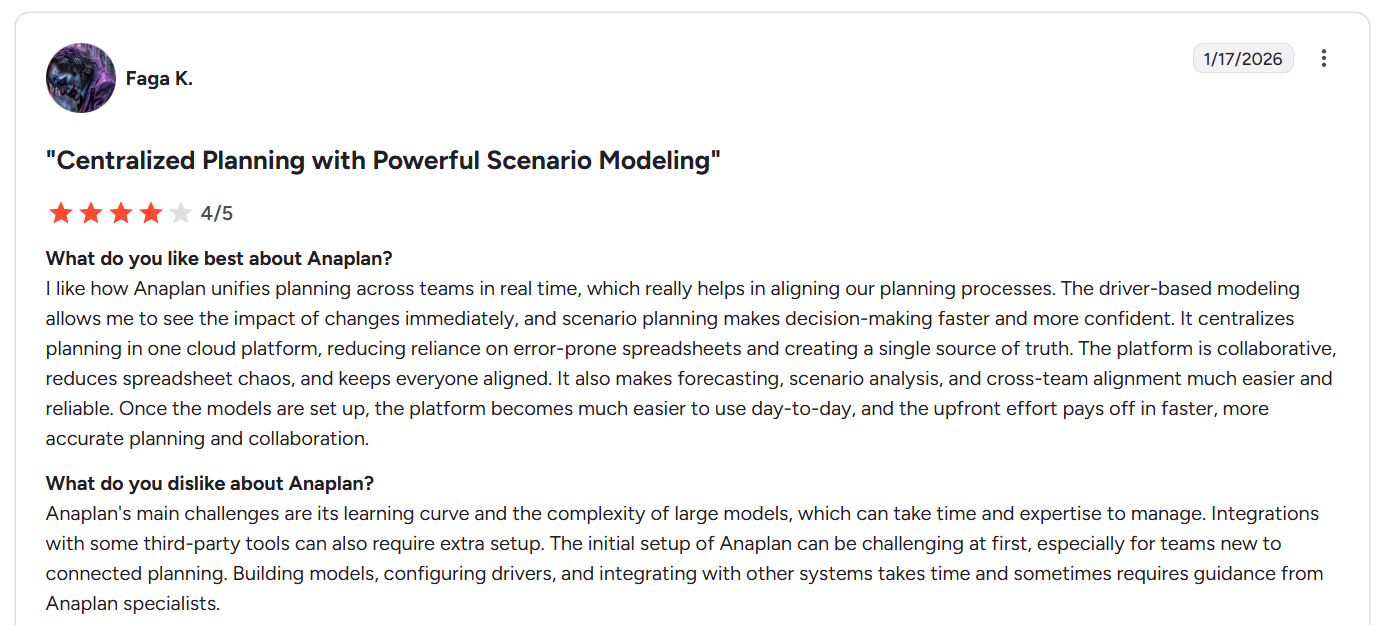
“I like how Anaplan unifies planning across teams in real time, which really helps in aligning our planning processes. The driver-based modeling allows me to see the impact of changes immediately, and scenario planning makes decision-making faster and more confident. It centralizes planning in one cloud platform, reducing reliance on error-prone spreadsheets and creating a single source of truth. The platform is collaborative, reduces spreadsheet chaos, and keeps everyone aligned. It also makes forecasting, scenario analysis, and cross-team alignment much easier and reliable.” - G2 Review
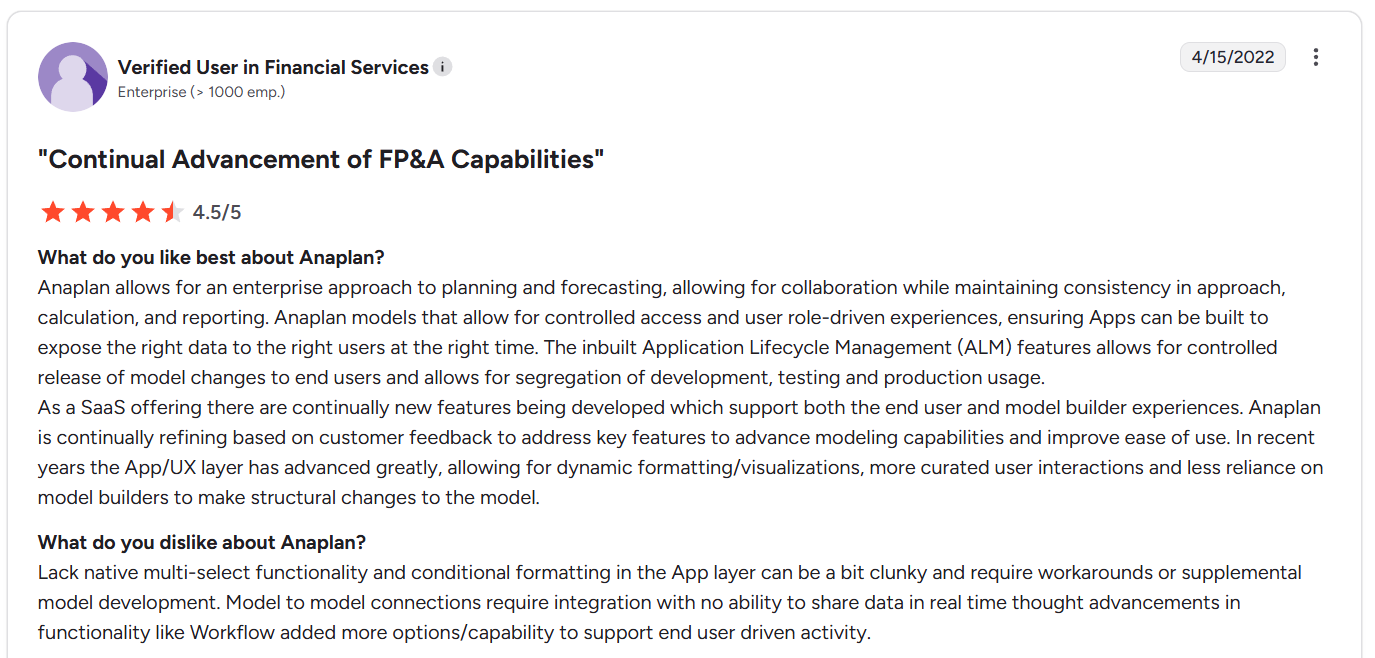
“Anaplan allows for an enterprise approach to planning and forecasting, allowing for collaboration while maintaining consistency in approach, calculation, and reporting. Anaplan models that allow for controlled access and user role-driven experiences, ensuring Apps can be built to expose the right data to the right users at the right time. The inbuilt Application Lifecycle Management (ALM) features allows for controlled release of model changes to end users and allows for segregation of development, testing and production usage.” - G2 Review
Common complaints include:
- Steep learning curve and complexity: Anaplan’s power comes with complexity, as building, maintaining, and evolving models often requires specialized expertise.
- High implementation and ownership costs: Several users mention that implementation, ongoing maintenance, and required expertise can be expensive.
- Performance issues at scale: Some reviewers report slowdowns during peak usage or when working with very large or heavily used models, depending on how models are designed.
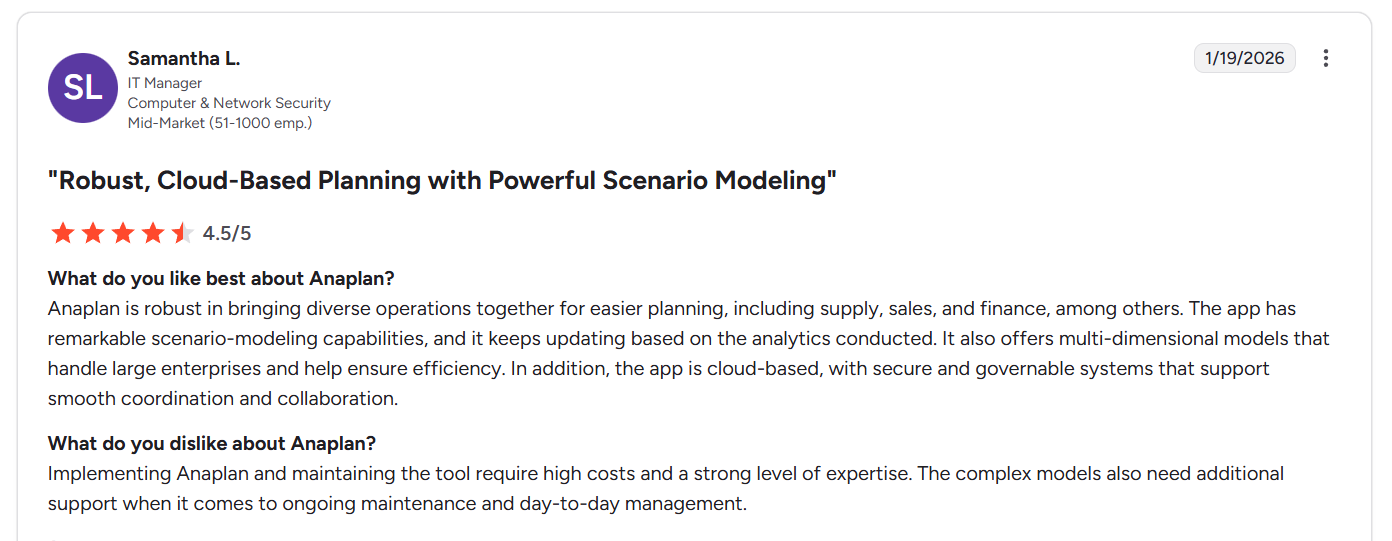
“Implementing Anaplan and maintaining the tool require high costs and a strong level of expertise. The complex models also need additional support when it comes to ongoing maintenance and day-to-day management.” - G2 Review
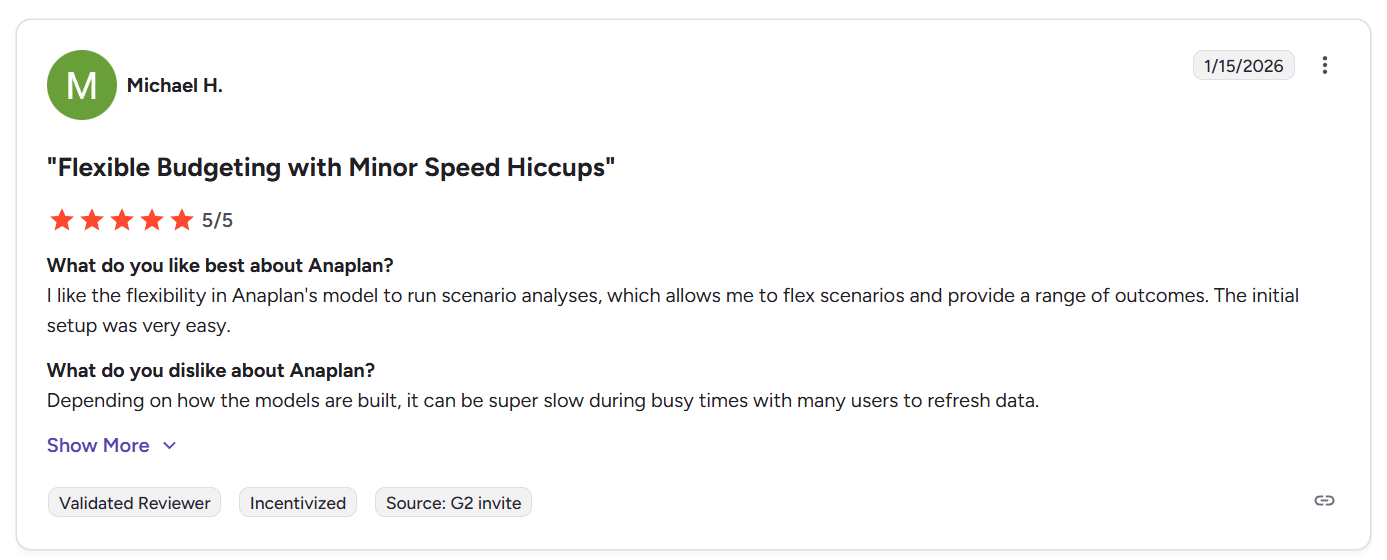
“Depending on how the models are built, it can be super slow during busy times with many users to refresh data.” - G2 Review
SmartSuite reviews
G2 Rating: 4.8/5
What users love:
- Exceptional ease of use paired with serious depth: Teams coming from tools like Trello, Google Sheets, or legacy PM software appreciate how quickly they can build real workflows without a steep learning curve while still having room to grow into more advanced use cases.
- Flexible, no-code customization for all types of workflows: Users love how easily they can model complex relationships, manage multiple tables, and tailor solutions visually without technical skills.
- Modern UI and performance: Reviewers often call out SmartSuite’s polished design, speed, and mobile experience, noting that it feels both powerful and enjoyable to use, which is an important factor for long-term adoption.
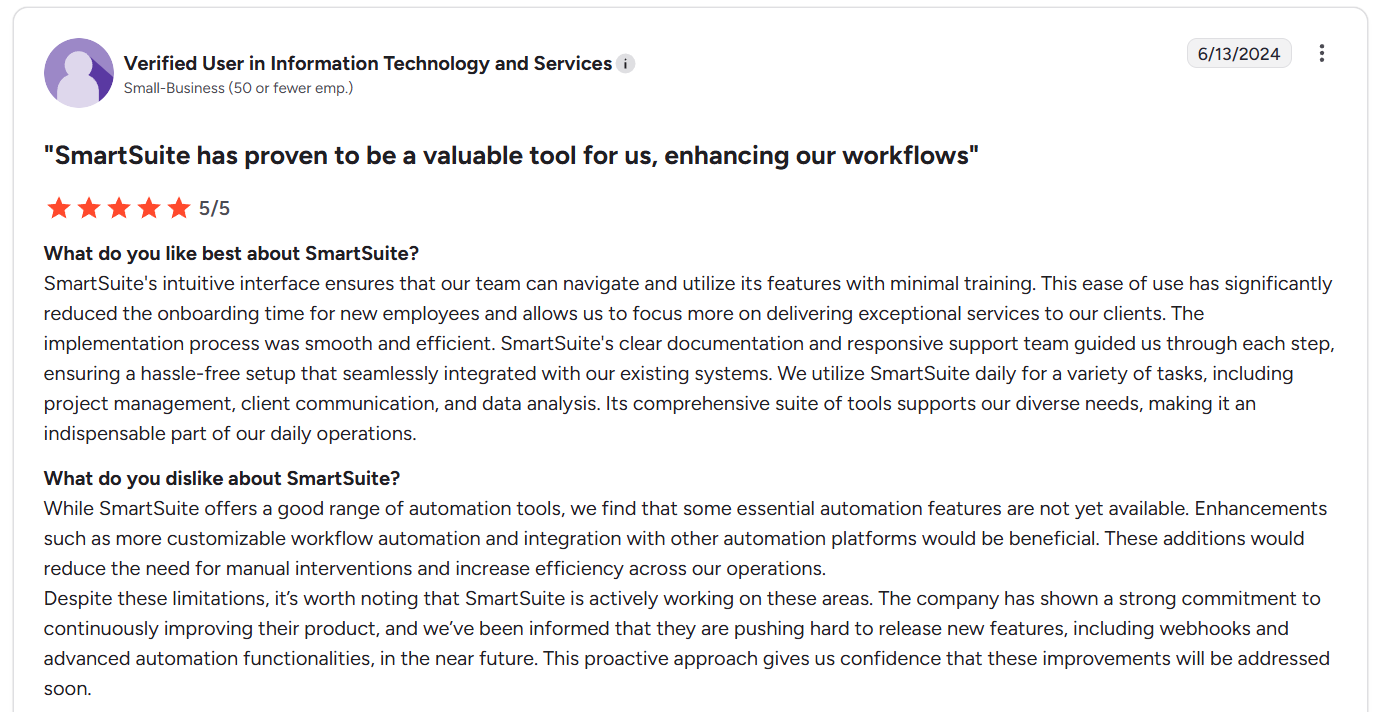
“SmartSuite's intuitive interface ensures that our team can navigate and utilize its features with minimal training. This ease of use has significantly reduced the onboarding time for new employees and allows us to focus more on delivering exceptional services to our clients. The implementation process was smooth and efficient. SmartSuite's clear documentation and responsive support team guided us through each step, ensuring a hassle-free setup that seamlessly integrated with our existing systems. We utilize SmartSuite daily for a variety of tasks, including project management, client communication, and data analysis. Its comprehensive suite of tools supports our diverse needs, making it an indispensable part of our daily operations.” - G2 Review
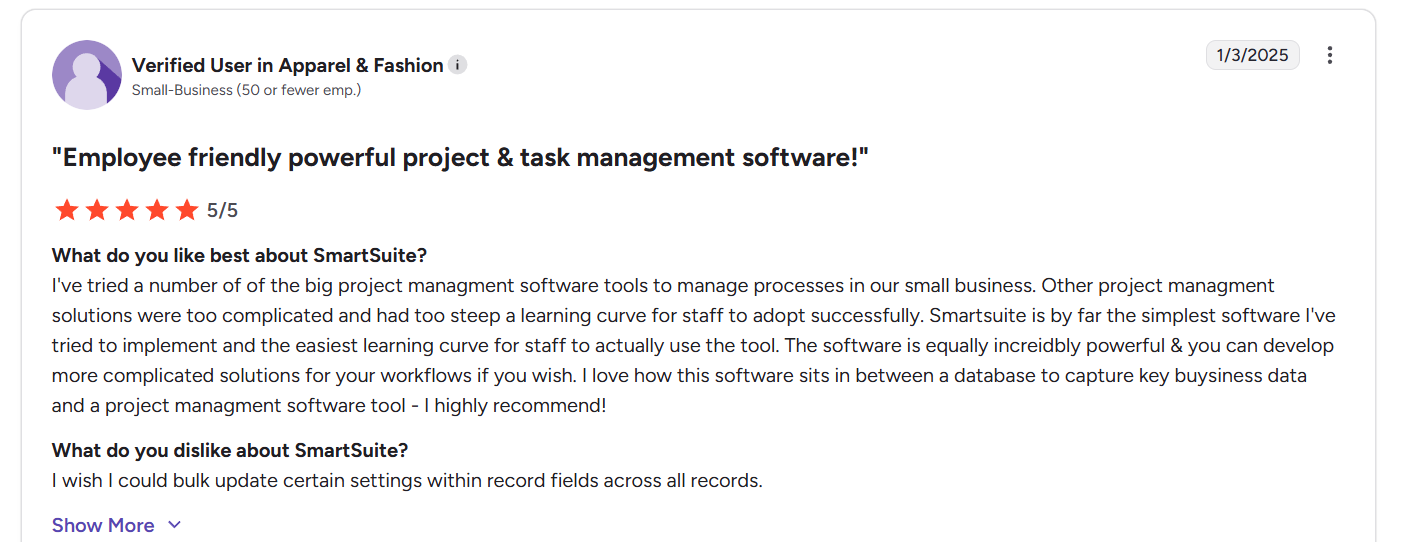
“I've tried a number of the big project management software tools to manage processes in our small business. Other project management solutions were too complicated and had too steep a learning curve for staff to adopt successfully. Smartsuite is by far the simplest software I've tried to implement and the easiest learning curve for staff to actually use the tool. The software is equally incredibly powerful & you can develop more complicated solutions for your workflows if you wish. I love how this software sits in between a database to capture key business data and a project management software tool - I highly recommend!” - G2 Review
Common complaints include:
- Mobile and UX refinements: While generally well-liked, users point out areas for improvement such as a more powerful “My Tasks” view, denser grid layouts, or expanded mobile capabilities.
- Plan structure and pricing transitions: A few reviewers mention friction between pricing tiers (e.g. wanting a clearer mid-tier option).
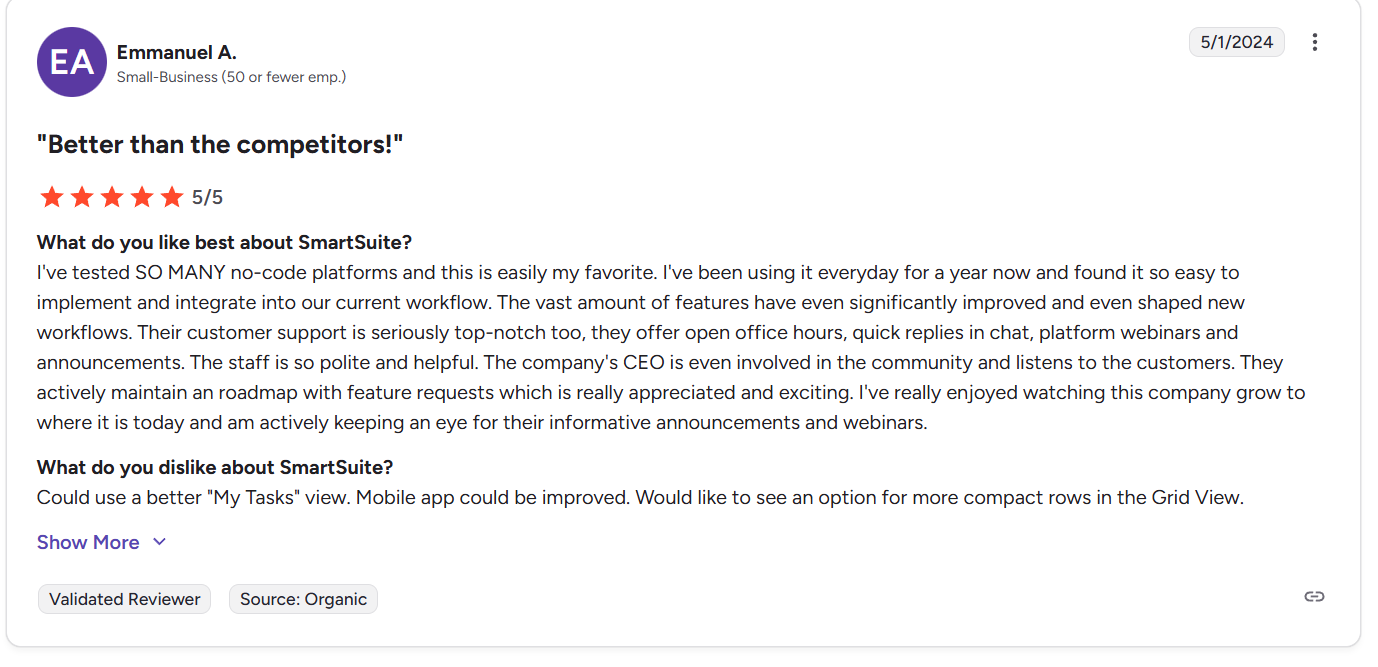
“Could use a better "My Tasks" view. Mobile app could be improved. Would like to see an option for more compact rows in the Grid View.” - G2 Review
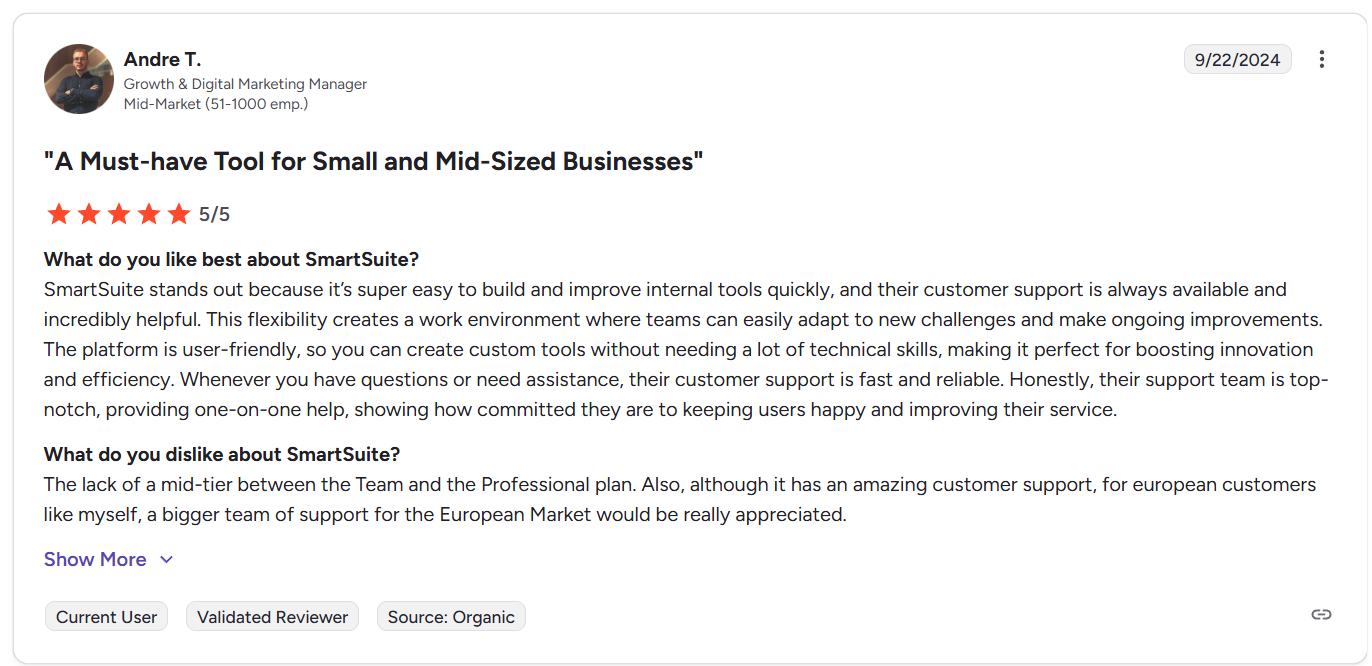
“The lack of a mid-tier between the Team and the Professional plan. Also, although it has an amazing customer support, for european customers like myself, a bigger team of support for the European Market would be really appreciated.” - G2 Review
Smartsheet vs. Anaplan vs. SmartSuite: Summary
Get started with SmartSuite for free today
Smartsheet and Anaplan both excel in their own lanes, but they solve very different problems.
Smartsheet is built for spreadsheet-driven execution, while Anaplan is designed for enterprise-scale planning and scenario modeling.
For many teams, the gap between those two extremes is where work actually happens.
That’s where SmartSuite stands out.
It gives you a flexible way to manage projects, workflows, data, automation, collaboration, and reporting in one connected platform, without forcing everything into spreadsheets or committing to heavyweight planning infrastructure.
Try SmartSuite out for free with a 14-day trial, or book a demo with our team to see how it can adapt to your workflows and help you turn plans into action faster.
Read more
- 10 Best Project Management Tools & Software In 2026 [Reviewed] - A practical, side-by-side look at the project management tools teams actually stick with in 2026, and where each one starts to fall apart.
- 7 Project Management Examples To Help Your Team Get Started - Seven real-world project management examples that show how teams move from chaos to clarity without overengineering their process.
- Airtable vs. ClickUp vs. SmartSuite: Which One Is Better? [2026] - A clear breakdown of three popular platforms, and which one works best depending on whether you need structure, speed, or flexibility.
- 10 Best Project Management Tools For Remote Teams In 2026 - The tools remote teams rely on to stay aligned, accountable, and productive without drowning in meetings or status updates.
- Smartsheet vs. Excel vs. SmartSuite: Which One Is Better? [2026] - A no-nonsense comparison of spreadsheets, spreadsheet-plus tools, and modern work platforms.
- The 10-Step Project Management Checklist To Get Started - A simple, step-by-step checklist that helps teams set up project management the right way.

SmartSuite provides work platform for standardizing workflows in the following areas:
- Governance, Risk & Compliance
- IT & Service Ops
- Project / Portfolio Management
- Business Operations







